
To reduce eye strain, position your monitor so the top of the screen is at or just below eye level, with a slight downward gaze. This alignment keeps your neck and eyes comfortable during prolonged use. Using adjustable stands or risers helps you find the right height easily. Proper placement also minimizes glare and reflections. Keep exploring these guidelines, and you’ll discover more simple ways to create an ergonomic workspace that works for you.
Key Takeaways
- Position the top of your monitor at or just below eye level to reduce eye strain and maintain a natural neck posture.
- Use adjustable stands or risers to achieve the optimal height easily and promote ergonomic comfort.
- Ensure the monitor is perpendicular to windows and away from glare sources to minimize reflections and eye fatigue.
- Keep a slight downward gaze to lessen eye effort and avoid tilting your head, maintaining proper alignment.
- Regularly review and adjust your monitor height and angle to sustain optimal eye and neck comfort during prolonged use.
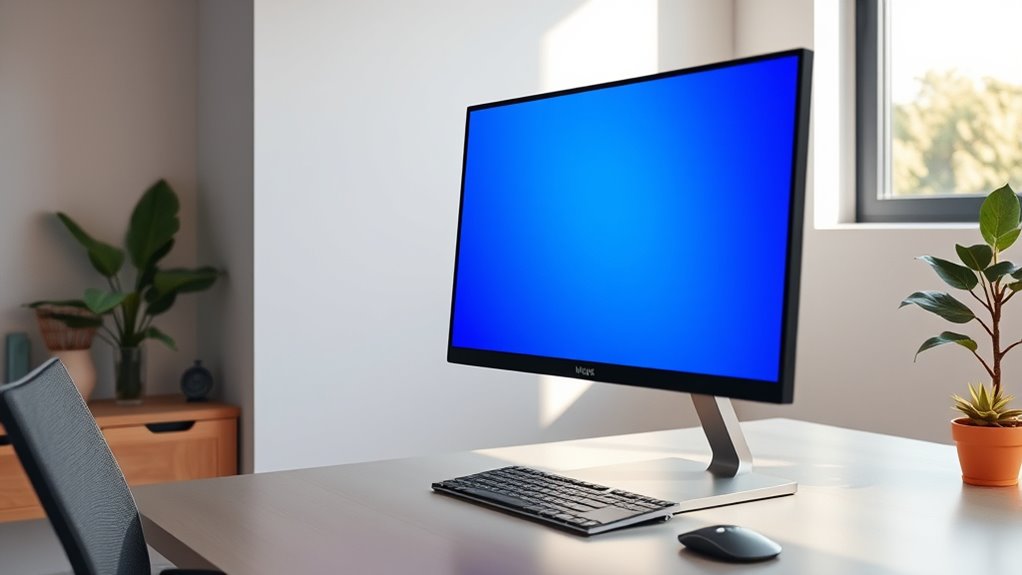
Have you ever noticed how your eyes feel tired or strained after hours of staring at your computer screen? That discomfort often stems from improper monitor height, which forces your eyes into unnatural positions. When your monitor isn’t aligned correctly, you tend to tilt your head or squint, increasing eye strain and leading to headaches. The key to comfort lies in understanding the one simple alignment rule: your monitor should be positioned so that the top of the screen is at or just below eye level. This way, you look slightly downward at the display, reducing eye fatigue and keeping your neck in a more natural posture.
Achieving this alignment can be straightforward with ergonomic accessories. Adjustable monitor stands or risers allow you to elevate your screen easily, ensuring it’s at the ideal height. If you’re using a laptop, consider a dedicated stand paired with an external keyboard and mouse; this setup prevents you from hunching over your device and helps maintain the proper eye-to-screen distance. Proper monitor height also minimizes the need to crane your neck or constantly adjust your head position, which can cause additional strain over time.
Screen glare is another factor that worsens eye fatigue, especially when your monitor isn’t positioned correctly. When your screen reflects overhead lights or sunlight, it forces your eyes to work harder to distinguish content, causing unnecessary strain. Ergonomic accessories, such as anti-glare screen filters or matte screen covers, can greatly reduce glare and improve visual comfort. Additionally, adjusting your monitor’s position relative to windows and light sources can help minimize reflections. For instance, placing your monitor perpendicular to windows rather than facing them directly reduces glare and makes viewing more comfortable.
It’s essential to remember that the right monitor height isn’t just about comfort; it also boosts productivity. When your screen is at the correct level, you can work longer without discomfort, maintain focus, and avoid the persistent headaches that come with eye strain. Regularly reviewing your setup and making small adjustments—like changing the monitor angle or adding ergonomic accessories—can make a noticeable difference. Ultimately, aligning your monitor properly and reducing screen glare aren’t just minor tweaks—they’re crucial steps toward a healthier, more sustainable workspace. Your eyes will thank you for it, and you’ll notice the difference in your daily comfort and efficiency.
Additionally, understanding ergonomic principles can help you optimize your workspace setup for both comfort and health.

Single LCD Computer Monitor Free-Standing Desk Stand Mount Riser for 13 inch to 32 inch screen with Swivel, Height Adjustable, Rotation, Vesa Base Stand Holds One (1) Screen up to 77Lbs(HT05B-001))
- Compatibility: Fits 13 to 32 inch screens with VESA mounts
- Cable Management: Includes cord organization system
- Ergonomic Design: Elevates monitor for better posture
As an affiliate, we earn on qualifying purchases.
As an affiliate, we earn on qualifying purchases.
Frequently Asked Questions
How Often Should I Adjust My Monitor Height?
You should adjust your monitor height whenever you notice discomfort or your posture isn’t aligned properly. Keep your monitor at eye level to maintain a neutral neck position, which helps prevent strain. Regularly check your viewing distance—ideally about an arm’s length—and tweak the height if your head tilts or your eyes strain. Staying mindful of your monitor posture guarantees comfort and reduces fatigue throughout your workday.
Does Monitor Size Affect Eye Strain?
Yes, monitor size does influence eye comfort. Larger monitors can reduce eye strain because they allow you to see more content without excessive eye movement. However, if your monitor is too big for your viewing distance, it can cause discomfort. To maximize eye comfort, choose a size that fits your workspace and viewing habits, and ensure your monitor’s height and distance are properly aligned for your eyes.
Are There Specific Ergonomic Chairs That Improve Eye Comfort?
Yes, ergonomic chairs with adjustable features can improve your eye comfort. Look for chairs with adjustable lumbar support, armrests, and seat height, so you can find a posture that reduces neck strain and keeps your eyes aligned with the monitor. Choose chairs made from eye-friendly materials that reduce glare and support good airflow. These features help you maintain proper eye position and minimize fatigue during long work sessions.
Can Screen Brightness Influence Eye Strain?
Think of your screen as a window to your work—if the brightness blinds you, it’s like staring into the sun. Yes, screen brightness influences eye strain. When you calibrate your screen correctly and match it to ambient lighting, your eyes won’t strain as much. Adjust brightness to avoid glare, and make certain your monitor isn’t much brighter or dimmer than your surroundings for comfortable viewing all day.
What Are the Long-Term Effects of Poor Monitor Alignment?
Poor monitor alignment can lead to long-term issues like chronic neck and back pain, headaches, and visual discomfort. You might develop ergonomic posture problems if your screen isn’t positioned correctly, which affects your overall comfort and productivity. Ignoring visual ergonomics can also cause sustained eye strain, making focusing difficult over time. To prevent these effects, guarantee your monitor is properly aligned, promoting healthy habits and reducing the risk of long-term harm.

WALI Computer Monitor Stand for Desk, Adjustable Laptop Riser, up to 44 lbs
- Large Metal Shelf: Fits most screens, laptops, printers
- Supports Up to 44 lbs: Heavy-duty metal construction
- Non-slip Rubber Pads: Prevents slipping and surface damage
As an affiliate, we earn on qualifying purchases.
As an affiliate, we earn on qualifying purchases.
Conclusion
Remember, setting your monitor at the right height is like planting a sturdy tree—you’ll enjoy its shade without straining. When your eyes stay level with the top of the screen, you reduce fatigue and keep discomfort at bay. Don’t forget, a little adjustment goes a long way. As the saying goes, “An ounce of prevention is worth a pound of cure.” Make this simple change today, and your eyes will thank you tomorrow.

Magicmoon 2-Pack 24 Inch Computer Privacy Screen Filter, Anti-Spy/Glare Protector Film for Widescreen Monitor with 16:9 Aspect Ratio (Width x Height: 531mm x 298mm)
- Compatible Model: For 24-inch widescreen monitors
- Privacy Enhancement: Darkens screen from side angles
- Adjustable Privacy Level: Modify brightness to change privacy
As an affiliate, we earn on qualifying purchases.
As an affiliate, we earn on qualifying purchases.
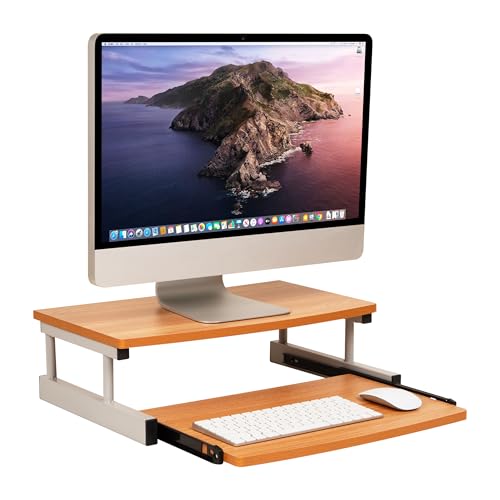
Mind Reader Monitor Stand, Sliding Keyboard Drawer, Laptop, Riser, Office, Wood/Metal, 20"L x 14.75"W x 5.9"H, Brown, Silver
- Adjustable Keyboard Drawer: Holds up to 50lb for organization
- Ergonomic Screen Elevation: Reduces back and neck strain
- Durable Construction: Made of MDF and metal
As an affiliate, we earn on qualifying purchases.
As an affiliate, we earn on qualifying purchases.