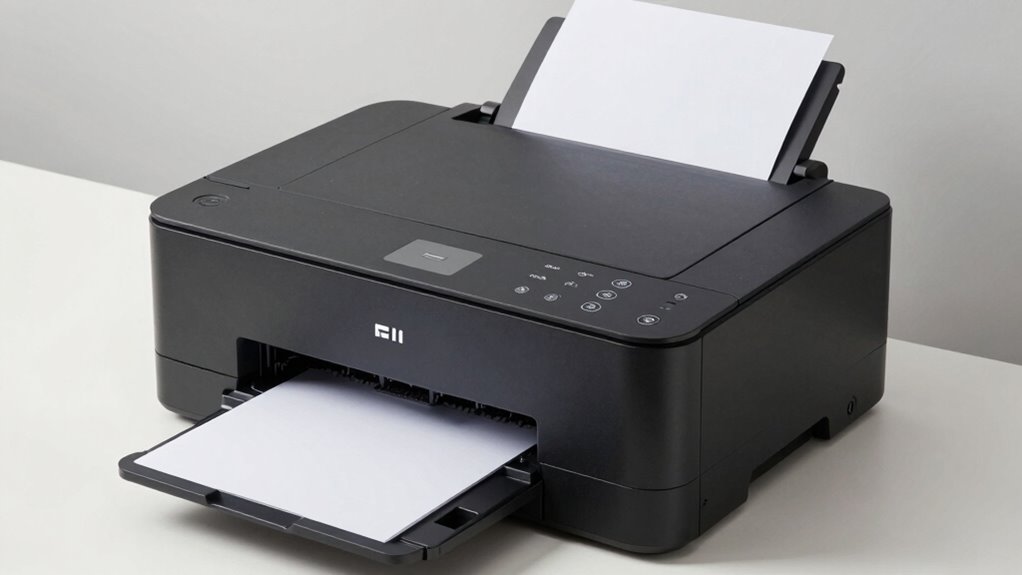
For most buyers, paper capacity matters more than print speed because it impacts your workflow directly. A larger paper tray means fewer interruptions for refilling, especially during high-volume tasks. It also reduces downtime and helps you stay productive without constant pauses. While speed is nice, having enough paper on hand guarantees your work flows smoothly. Keep exploring to discover other specs that can help you choose the right printer for your needs.
Key Takeaways
- Paper capacity ensures fewer refills and uninterrupted workflow during high-volume printing.
- Large ink cartridge capacity reduces replacement frequency and lowers long-term costs.
- Media compatibility and handling features support diverse paper types and minimize jams.
- For frequent printing, higher capacity trays improve efficiency and productivity.
- Overall workflow efficiency depends more on paper and ink capacity than just print speed.
When shopping for a printer, you might assume that faster print speeds are the most important feature, but for most buyers, there’s a different specification that truly matters. That key factor is often overlooked: paper capacity. While speed can be appealing, it’s not very useful if your printer can’t handle your workload. Instead, understanding how much paper the printer can hold at once helps guarantee it meets your needs, especially if you’re printing in large volumes regularly.
Think about your typical printing habits. If you print a few pages a day, a standard paper tray might suffice. However, if you’re running a small office or printing reports and documents frequently, a higher paper capacity becomes vital. A printer with a larger paper tray reduces the need to refill paper constantly. This means fewer interruptions, saving you time and effort. You won’t have to stop your work to load more paper, which can be a significant inconvenience during busy periods.
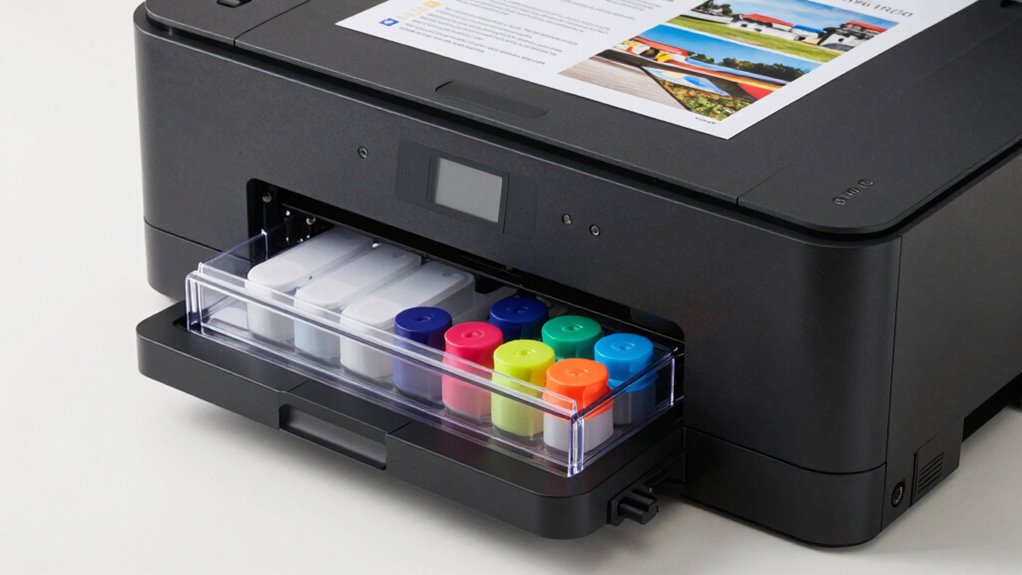
Another often overlooked aspect related to paper capacity is the ink cartridge. The ink cartridge’s capacity influences how many pages you can print before needing a replacement. If your printer uses cartridges with a low ink capacity, you’ll find yourself replacing cartridges more often, adding to your costs and downtime. Combining a high-capacity ink cartridge with a printer that offers a generous paper capacity guarantees your printing needs are met with minimal interruptions. Additionally, ink cartridge capacity plays a crucial role in overall printing efficiency and cost-effectiveness. A printer with larger paper and ink capacities can also better accommodate various media types, ensuring versatility in your printing tasks. Moreover, considering paper handling features can help prevent common issues like paper jams and misfeeds, further improving your overall printing experience.
When you consider your printer’s paper capacity, also think about the types of paper you use. Some printers handle various paper sizes and thicknesses better than others, so check the specifications to guarantee it supports your preferred media. A larger paper capacity is especially beneficial if you handle bulk printing or need to print on different paper types frequently. Moreover, selecting a printer with advanced paper handling features can further improve your printing experience by reducing paper jams and misfeeds. Additionally, paper handling capabilities can influence how well your printer manages different media, ensuring consistent results.
In the end, while print speed might seem like the most attractive feature, it’s the paper capacity that truly impacts daily productivity. A printer with a large paper tray and compatible ink cartridges means fewer stops to refill paper and replace ink, keeping your workflow smooth. By focusing on these specifications, you’ll choose a printer that aligns better with your actual printing needs, saving time and reducing frustration in the long run.

AUGREX Printers Parts Paper Output Tray Fit for HP OfficeJet Pro 9010 9012 9015 9016 9019 9018 9010E 9016E 9015E 9018E 9013E 9110B 9130b 9125e Printer
Large Capacity for Continuous Printing: The high-capacity design of the paper output tray minimizes the need for frequent…
As an affiliate, we earn on qualifying purchases.
As an affiliate, we earn on qualifying purchases.
Frequently Asked Questions
How Does Toner Versus Ink Impact Overall Printing Costs?
Toner generally lowers your overall printing costs compared to ink because it has a longer lifespan, meaning you’ll replace cartridges less often. Plus, toner prints dry quickly, saving you time and reducing smudges. Ink, on the other hand, tends to dry slower and needs frequent replacements, especially if you print in high volumes. So, if you prioritize cost-efficiency, toner-based printers are usually the smarter choice.
What Maintenance Is Required for Different Printer Types?
You need to stay on top of maintenance schedules and cartridge replacements to keep your printer running smoothly. For inkjet printers, regularly clean print heads and replace cartridges when needed. Laser printers require periodic toner cartridge replacements and internal cleaning. Both types benefit from dusting and checking for paper jams. Proper maintenance prevents costly repairs, guarantees consistent quality, and extends your device’s lifespan, making printing hassle-free.
Which Printers Are Most Reliable Over Long-Term Use?
You’ll find laser printers to be most reliable over long-term use, especially if they feature wireless connectivity for easy setup and eco-friendly options like energy-saving modes. These printers handle high volumes, require less maintenance, and reduce downtime. Choosing models with durable components and energy-efficient features guarantees consistent performance and cost savings, making them ideal for long-term reliability. Keep an eye on these specs when selecting your next printer.
How Does Paper Handling Affect Print Quality?
Paper handling directly impacts print quality because proper handling minimizes jams and misalignments that can blur images or cause streaks. Choosing a printer with suitable handling capacity ensures smooth feeding of high-quality paper, reducing wrinkles or smudges. Using good paper quality also enhances sharpness and color accuracy. When you pay attention to paper quality and handling capacity, you’ll see consistently better print results, making your prints look professional and vibrant.
What Security Features Should I Consider When Choosing a Printer?
They say, “Better safe than sorry,” and that’s true for printers too. When choosing a printer, focus on security features like wireless security protocols to protect your network and user authentication to restrict access. These features prevent unauthorized use and data breaches, ensuring your sensitive information stays safe. Prioritize these security options to keep your printing environment secure and maintain peace of mind.

HP 923 Black, Cyan, Magenta, Yellow Ink Cartridges (4-Pack) | Works with Printer Series: OfficeJet 8120, OfficeJet Pro 8130 | Eligible for Instant Ink | 6C3Y6LN
HP Ink Cartridges are engineered to work with HP printers to provide consistent quality, reliability and value
As an affiliate, we earn on qualifying purchases.
As an affiliate, we earn on qualifying purchases.
Conclusion
So, don’t just chase the fastest print speeds; look deeper into specs like cost per page, duty cycle, and connectivity options. These details often matter more in the long run and can save you headaches and money. Remember, it’s better to have all your ducks in a row than rushing to finish quickly but missing the mark. By paying attention to what truly counts, you’ll make smarter choices and keep your printing needs running smoothly.

Koala 110 Sheets Tracing Paper 8.5×11 inch White Translucent Paper for Tracing, 32lb/50gsm for Trace Images, Sketch, Drawing, Overlays
Premium Quality: Our 50gsm/32lb tracing paper is lightweight and thin paper material, flexible, durable, wrinkle resistant, and won't…
As an affiliate, we earn on qualifying purchases.
As an affiliate, we earn on qualifying purchases.

Brother HL-L5210DWT Business Monochrome Laser Printer with Dual Trays, Wireless and Gigabit Ethernet Networking, Duplex Printing, Large Paper Capacity, and Mobile Printing, White
FAST PRINTING FOR INCREASED EFFICIENCY: The Brother HL-L5210DWT business monochrome laser printer delivers high-quality output and a print…
As an affiliate, we earn on qualifying purchases.
As an affiliate, we earn on qualifying purchases.