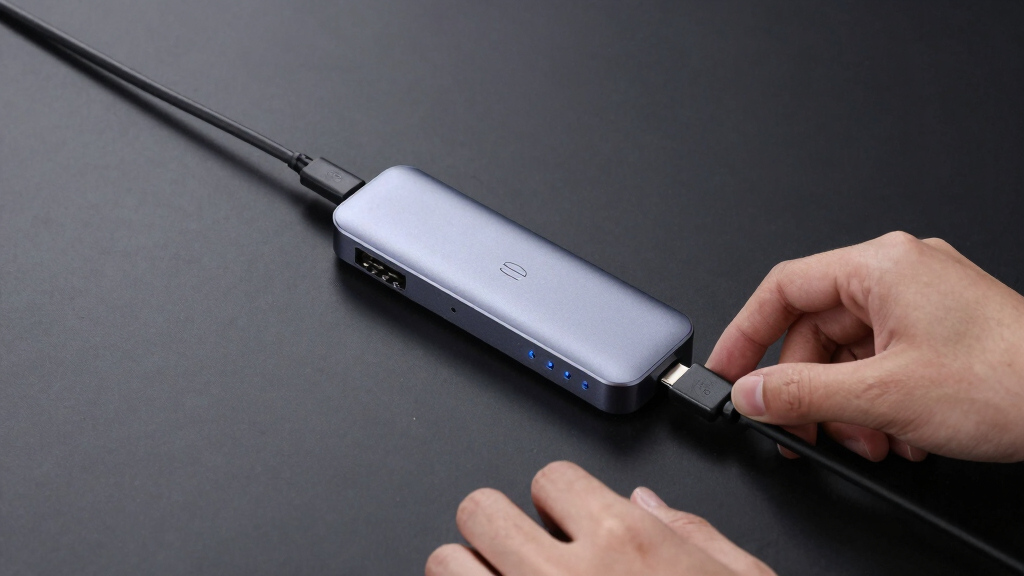

Finding the best USB-C docking station for Windows laptops can be challenging with so many options available. The Anker 14-in-1 USB-C Hub stands out for its extensive port selection and power delivery, making it ideal for power users. The Acer Premium 13-in-1 Docking Station offers robust performance with triple monitor support and high wattage charging, suited for demanding setups. However, tradeoffs include size and price, which may not suit all users. Continue reading for a detailed breakdown of these options and how to choose the right docking station for your laptop.
Key Takeaways
- Top picks balance port variety, power delivery, and build quality, with no single product excelling in every area.
- Higher-wattage docks generally support more demanding peripherals and larger displays but tend to be more expensive and larger.
- Compact models like the Anker Nano prioritize portability but may lack some ports or features needed for complex setups.
- Triple monitor support is a common feature among premium docks, but compatibility can vary based on graphics card capabilities.
- Price often correlates with feature set; buyers should prioritize what features they need most to avoid overspending.


More Details on Our Top Picks
USB C Docking Station Dual HDMI Monitor with 8-in-1 Ports, PD Charging, SD/microSD, USB A & C Ports for Laptops
This docking station stands out for its robust support of dual 4K HDMI monitors at high refresh rates, making it ideal for users who need crisp visuals and multitasking. Compared with the Anker 14-in-1, it offers fewer ports but excels in video quality and plug-and-play simplicity, though it requires a full-featured USB-C or Thunderbolt port for optimal performance. Its aluminum build ensures durability, and the broad compatibility makes it suitable for home and office setups. The main tradeoff is that it doesn’t support dual-screen extension on macOS, only mirroring, which may limit productivity for Mac users. Additionally, the power charger is not included, requiring an extra purchase for complete functionality.
Pros:- Supports dual 4K HDMI monitors at 60Hz for smooth visuals
- Includes multiple ports for data, charging, and SD card reading
- Aluminum enclosure offers durability and a premium look
Cons:- Does not support dual-screen extension on macOS, only mirroring
- Power charger and cable are not included, adding extra cost
Best for: Power users who prioritize dual 4K display support and high-speed data transfer in a durable, sleek package.
Not ideal for: Mac users seeking extended desktop mode on dual monitors or those who prefer integrated power supplies.
- Hardware Interface:USB
- Additional Features:Fast Charging
- Compatible Devices:Thunderbolt or full-featured USB-C port required
- Total USB Ports:8
- Data Transfer Rate:5 Gbps
- Power Delivery:100W input, 85W output
Bottom line: This pick suits users who need high-quality visuals and extensive port options without sacrificing build quality.
Anker 8-in-1 USB-C Hub with Dual 4K HDMI, Ethernet, SD Card Reader, 85W Power Delivery
The Anker 8-in-1 hub offers a compelling balance of features and affordability, supporting dual 4K HDMI displays with refresh rates suitable for most productivity tasks. Compared to the more feature-rich Anker 14-in-1, this model is more portable and cost-effective, but it limits users to fewer ports and slightly lower data transfer speeds. It supports pass-through charging up to 85W, making it suitable for most Windows laptops, though it requires a separate 100W PD wall charger for full power delivery. The design is sleek and durable, but compatibility issues arise on Linux systems, and the dual monitor setup is limited to mirroring on macOS, similar to other entries in this lineup.
Pros:- Supports dual 4K HDMI displays at 60Hz for smooth multitasking
- Provides Ethernet and SD card reader for versatile connectivity
- Compact aluminum design for portability and durability
Cons:- Charger not included, must purchase separately
- Display mirroring only on macOS limits dual monitor productivity
Best for: Budget-conscious professionals needing reliable multi-monitor support and fast data connections.
Not ideal for: Linux users or those who need extensive port options beyond what the hub supplies.
- Hardware Interface:USB-C
- Additional Features:HDMI, Powered
- Total USB Ports:8
- Data Transfer Rate:5120 MB/s
- Minimum OS:Windows 10
- Power Delivery:85W
Bottom line: This hub is a smart pick for those seeking dependable dual 4K display support at a budget-friendly price.
Anker 14-in-1 USB-C Hub Docking Station for Laptops with Triple 4K Display and 80W Power Delivery
This 14-in-1 dock provides the most extensive connectivity, supporting triple 4K monitors for advanced multitasking, especially useful in professional environments. Compared with the other Anker models, it offers more ports and versatile options like VGA, which expands compatibility for older projectors or monitors. The inclusion of 80W power delivery is sufficient for most laptops but might fall short for high-power devices requiring full 110W support. External display support on macOS is limited to mirroring, similar to other multi-monitor setups, and Linux compatibility is absent. It excels in providing a wide array of ports but sacrifices some power delivery capacity.
Pros:- Supports triple 4K monitor output for intensive multitasking
- Multiple high-speed data transfer ports and Ethernet
- VGA port adds legacy display support
Cons:- Charger not included, needs separate purchase
- Limited to 80W power delivery, less than some competitors
Best for: Professionals who need extensive ports and triple monitor support for complex workflows.
Not ideal for: Users with Linux systems or those wanting full 4K@60Hz support across all monitors without external GPU support.
- Connectivity:14-in-1
- Video Output:Two 4K HDMI, 1080p VGA
- USB Ports:Five USB-A, one USB-C
- Ethernet:1 Gbps
- Power Delivery:80W
- Compatibility:macOS 12+, Windows 10/11, ChromeOS
Bottom line: Ideal for power users requiring maximum port variety and multiple high-resolution displays on Windows or macOS.
Acer Premium 13-in-1 Docking Station with 110W PD & Triple Monitor Support
This docking station makes a strong case for demanding users who need to run multiple 4K displays simultaneously, supported by its triple monitor capability and a powerful 110W power supply. Compared with the simpler Anker or the dual HDMI-focused options, it offers more video output options with 2x HDMI and 1x DisplayPort, which is advantageous for complex setups. The high wattage ensures your laptop remains charged during intensive work sessions. However, the rear USB-C port only supports data transfer, not video, which can be confusing given the overall connectivity. Also, triple 4K support requires specific GPU features and DSC support, limiting full functionality on some systems. MacOS users should note that extended desktop mode isn’t supported, only mirroring.
Pros:- Supports triple 4K monitors with DSC for maximum clarity
- Robust 110W power delivery keeps laptops charged
- Multiple high-speed ports including HDMI and DisplayPort
Cons:- Rear USB-C port only supports data transfer, not video
- Triple 4K support depends on GPU and DSC compatibility
Best for: Heavy multitaskers and professionals managing multiple high-resolution displays on Windows laptops.
Not ideal for: Users with Macs or those who need full triple 4K support without compatibility concerns, or those who require a single port for all video outputs.
- Product Type:Docking Station
- Compatibility:Windows laptops, Dell, Lenovo, Asus
- Number of Ports:13
- Video Output:2x HDMI, 1x DisplayPort
- Power Delivery:110W
- Supports Triple Monitor:Yes
Bottom line: This dock is best suited for Windows users with demanding multitasking needs and compatible GPUs for triple 4K setups.
Plugable USB 3.0 and USB-C Universal Laptop Docking Station with 2 HDMI Ports
This dock excels at supporting dual external monitors with resolutions up to 1920×1200, making it a practical choice for multi-device environments. Unlike the Anker Nano 13-in-1, which supports triple displays but lacks Ethernet, this station offers a broader range of wired connectivity with Gigabit Ethernet and multiple USB ports. However, it doesn’t support HDCP content or charging laptops during use, limiting its role to productivity rather than media consumption or portable use. Its compatibility across Windows, macOS, and ChromeOS adds flexibility, but the absence of HDCP support means streaming services like Netflix won’t play on connected monitors.
Pros:- Supports dual external monitors with high resolution
- Compatible with a wide range of operating systems
- Includes multiple USB ports and Gigabit Ethernet
Cons:- Does not support HDCP content like Netflix or Hulu
- Cannot charge laptops during use
Best for: Office workers who need reliable dual monitor support and extensive wired connections without the need for laptop charging.
Not ideal for: Creative professionals or streamers who require HDCP support or portable, all-in-one solutions.
- Display Outputs:2 HDMI ports
- Max Resolution:1920×1200
- USB Ports:2 USB 3.0, 4 USB 2.0
- Ethernet:Gigabit Ethernet
- Audio:3.5mm audio jack
- Compatibility:Windows, macOS, ChromeOS
- Power Delivery:Does not charge laptops
Bottom line: This dock is ideal for users who prioritize multiple wired connections and dual monitor setups over media streaming or portability.
USB C Laptop Docking Station Dual Monitor HDMI, DisplayPort, Ethernet, USB, SD/TF, Audio, 100W PD
This 14-in-1 docking station supports up to two 4K monitors at 60Hz via HDMI and one 4K DisplayPort, making it a strong pick for users needing high-resolution displays. Compared with the Plugable station, which maxes out at 1920×1200, this model delivers sharper visuals suitable for detailed work or media. However, it’s less compatible with some USB-C devices, particularly MacBooks, which only support mirrored displays, not extended. The omission of a included power supply means users must ensure their laptop’s charger is sufficient to support 100W charging through the dock, or risk limited performance.
Pros:- Supports dual 4K@60Hz HDMI and 4K DisplayPort outputs
- Provides 100W Power Delivery for charging
- Enables high-speed data transfer and SD card reading
Cons:- Not all USB-C devices support full video output
- Power adapter not included
Best for: Power users with Windows laptops seeking high-res dual or triple monitor support and fast data transfer.
Not ideal for: MacBook users expecting extended displays or those relying on plug-and-play simplicity without additional power needs.
- Number of ports:14
- HDMI ports:2 (4K@60Hz)
- DisplayPort:1 (4K@60Hz)
- Ethernet:1Gbps
- USB C ports:2 (including 100W PD)
- USB A ports:4 (2 USB 3.1, 2 USB 2.0)
- Supported resolutions:Up to 4K@60Hz for HDMI
Bottom line: Best suited for Windows users who need high-res, multi-monitor setups with fast data and charging capabilities.
Selore USB C Docking Station Dual Monitor 14-in-1 Multiport Adapter for Laptops
The Selore dock stands out for supporting up to three monitors on compatible devices, with dual HDMI and VGA outputs, offering flexible display options. Unlike the Acer dock, which supports only dual 4K displays on certain models, this setup supports extended or mirror modes across Windows and Mac, making it versatile. Its multiple high-speed USB ports and SD card readers enhance productivity, while the 100W Power Delivery ensures fast charging. A key tradeoff is that video output via USB ports is limited—video transfer does not work through USB-A ports, and MacBooks can only mirror displays, not extend, which could limit creative workflows.
Pros:- Supports up to 3 monitors with HDMI and VGA
- Multiple high-speed data ports including SD and MicroSD
- Provides 100W Power Delivery for fast charging
Cons:- Video output via USB ports does not support video transfer
- MacBook M1/M2 only mirror displays
Best for: Users needing to connect multiple monitors with flexible display modes on Windows or Mac, especially when portability and multiple ports are priorities.
Not ideal for: Mac users expecting extended desktops on all monitors or those needing video output through USB ports instead of dedicated video outputs.
- Number of ports:14
- HDMI ports:2
- VGA ports:1
- USB C ports:3
- USB A ports:4
- Ethernet:Yes, 1000M
- Power Delivery:100W
Bottom line: Ideal for multi-monitor setups requiring flexible display modes and numerous ports on Windows or Mac laptops with compatible USB-C ports.
Acer USB-C Docking Station Dual Monitor with 2 HDMI, 9-in-1 Laptop Docking Station with 4K@60Hz HDMI, USB A&C 3.0, SD/Micro SD, 100W PD
The Acer dock offers support for dual 4K@60Hz monitors via HDMI, making it a strong choice for high-resolution display needs. Compared to the Selore model, this dock emphasizes high-quality video output but has limited USB port variety and fewer multimedia options. It’s well suited for users with compatible laptops that support USB-C display and charging functionalities without additional adapters, but the power adapter is not included, requiring a separate 65W+ charger. Mac users may face restrictions, as only one external monitor can be extended in some configurations, limiting its versatility for creative workflows.
Pros:- Supports dual 4K@60Hz HDMI monitors
- Multiple USB and SD card slots for versatile connectivity
- Delivers up to 100W charging
Cons:- Requires a separate, higher-wattage power adapter
- Limited to one extended monitor on some Mac devices
Best for: Creative professionals or power users with Windows or compatible Dell, HP, or Mac laptops seeking high-res dual display support and reliable charging.
Not ideal for: Users with MacBooks who need extended desktops or those relying heavily on integrated USB-C ports with full video and charging functions without extra accessories.
- Number of HDMI ports:2
- HDMI resolution:4K@60Hz
- USB-A ports:3
- USB-C ports:1
- SD card slots:SD and MicroSD
- Power Delivery:100W
- Material:Aluminum alloy
Bottom line: Best for high-resolution, dual-monitor setups on Windows or compatible laptops that can utilize full USB-C display and charging features.
Anker Nano 13-in-1 Laptop Docking Station with Detachable Hub, Triple Display, 100W Power Delivery
The Anker Nano dock is distinguished by its detachable hub design, making it highly portable for users on the move. It supports triple displays with up to 4K resolution, a feature that sets it apart from the dual-monitor-only options like the Plugable or Acer docks. Its 100W Power Delivery supports fast charging, and with multiple USB, SD, and Ethernet ports, it caters well to mobile professionals. Nevertheless, video output via USB-C is limited to Windows devices, with macOS only supporting mirror mode, which could restrict creative workflows. The need for a connection to activate ports also means it’s less plug-and-play than some rivals.
Pros:- Supports triple 4K display setup
- Detachable hub enhances portability
- Provides 100W Power Delivery for fast charging
Cons:- Video output via USB-C limited on macOS
- Requires a connection to activate ports
Best for: Mobile professionals and students needing a portable dock with triple display support for Windows laptops.
Not ideal for: Mac users expecting extended desktop capabilities or users who want a truly standalone, non-detachable hub experience.
- Number of ports:13
- Display outputs:2 HDMI, 1 DisplayPort
- USB-C data ports:2
- USB-A ports:3
- Power Delivery:100W
- Max input power:140W
- Video resolution support:up to 4K
Bottom line: Ideal for users who need portable, triple-monitor connectivity combined with high-speed charging on Windows laptops.
How We Picked
These products were evaluated based on a combination of key factors including port variety, power delivery capability, build quality, compatibility with Windows laptops, and user convenience. We prioritized docks that support multiple monitors, high wattage charging for laptops, and a wide array of ports for peripherals. Each product was compared on performance, usability, and value, ensuring that the rankings reflect real-world versatility and reliability. Docks that balanced these criteria well earned higher positions, while those with notable tradeoffs were placed accordingly.Factors to Consider When Choosing Best USB-C Docking Station For Windows Laptops
Choosing the best USB-C docking station for Windows laptops involves more than just looking at port counts. It’s important to consider how well the dock integrates with your specific laptop model, the types of connections you need, and the overall build quality. Being aware of common pitfalls, like overpaying for unnecessary features or selecting incompatible models, helps you make smarter choices. The following factors will guide you through the key considerations to ensure your purchase meets your needs.Port Selection and Compatibility
Assess your peripheral needs carefully—do you need multiple HDMI outputs, Ethernet, SD card readers, or audio jacks? Not all docks support every feature equally. Ensuring compatibility with your laptop’s USB-C port and understanding whether your device supports alternate modes for multiple displays is vital. Mismatched ports can lead to reduced functionality or connectivity issues, so choose a dock that aligns with your peripheral requirements and laptop capabilities.
Power Delivery (PD) Support
Power delivery is a critical feature for keeping your laptop charged while connected. Docks offering at least 60W are suitable for most ultrabooks, but heavier laptops or gaming machines often require 100W or more. Overestimating power needs can increase cost and size, but underestimating may result in slower charging or no charging at all. Decide how much wattage your laptop needs and select a dock accordingly to avoid ongoing power issues.
Build Quality and Reliability
A sturdy, well-made docking station reduces the risk of connection problems and physical damage over time. Look for docks with solid construction, reliable connectors, and good reviews regarding durability. Low-quality materials or cheap manufacturing can lead to loose ports or failure after a short period, which is costly and frustrating. Invest in a reputable brand if longevity and stability are priorities for your setup.
Size and Portability
If portability is a key concern, compact and lightweight docks are preferable, but they often sacrifice port variety or wattage. Larger, more feature-rich docks tend to be stationary and better suited for office setups. Balance your workspace needs against the convenience of moving your dock around or packing it for travel to avoid buying a dock that’s either too bulky or too limited for your environment.
Price and Value
Premium docks with extensive features come at higher prices, but they may not be necessary for all users. Conversely, budget models might lack essential ports or power support, leading to additional purchases. Consider your usage pattern—if you rely heavily on multiple peripherals and high wattage charging, investing more makes sense. For light use, a more modest dock can provide good value without overspending.
Frequently Asked Questions
Will a USB-C dock work with my Windows laptop?
Most modern Windows laptops with USB-C ports are compatible with docking stations, but it’s essential to verify that your device supports alternate mode (Alt Mode) for video output and power delivery. Check your laptop’s specifications for USB-C features and ensure the dock’s compatibility list includes your model or similar devices. In some cases, older or cheaper laptops may have limited support, resulting in reduced functionality or no video output.
How important is power delivery when choosing a USB-C dock?
Power delivery is often critical, especially if you want to keep your laptop charged while using it at a desk. Docks with higher wattage support faster charging and ensure your laptop stays powered during heavy use. If your laptop consumes more power or you plan to connect multiple high-power peripherals, opting for a dock with at least 85W or 100W is advisable. Skipping this feature can lead to slower charging or the need for a separate power adapter.
Can I connect multiple monitors via a USB-C dock?
Yes, many docks support multiple monitors, but the number and resolution depend on the dock’s capabilities and your laptop’s graphics hardware. For example, docks with triple 4K support are common among premium options, but ensure your laptop’s GPU can handle the intended setup. Pay attention to the types of outputs—HDMI, DisplayPort, or both—and verify their maximum supported resolutions to avoid compatibility issues.
Should I prioritize size or features when choosing a dock?
It depends on your workspace and portability needs. Compact docks are easier to carry but may offer fewer ports or lower wattage support. Larger, feature-rich docks tend to be more stationary and suitable for a dedicated office setup. Balance your need for mobility against the features you require, such as multiple video outputs or high power delivery, to select a dock that fits your lifestyle and workspace.
Is it worth spending more on a premium docking station?
Investing in a premium dock makes sense if you rely heavily on multiple peripherals, require high power delivery, or need a robust, durable device for daily use. Higher-end models often offer better build quality, more ports, and advanced features like triple monitor support. However, if your needs are simple—such as connecting a single monitor and basic peripherals—a more affordable model may suffice, saving you money without sacrificing functionality.
Conclusion
For most users seeking an all-around reliable solution, the Best Overall pick is the Anker 14-in-1 USB-C Hub for its extensive port selection and solid performance at a reasonable price. Those prioritizing value may prefer the Plugable USB-C Docking Station, which offers good features without breaking the bank. Power users and professionals needing multiple displays and high wattage should consider the Acer Premium 13-in-1 Docking Station or the Anker Nano 13-in-1. Beginners or casual users might find smaller, simpler docks more suitable, while creatives and power users should focus on models with triple monitor support and high wattage capabilities to meet their demanding workflows.