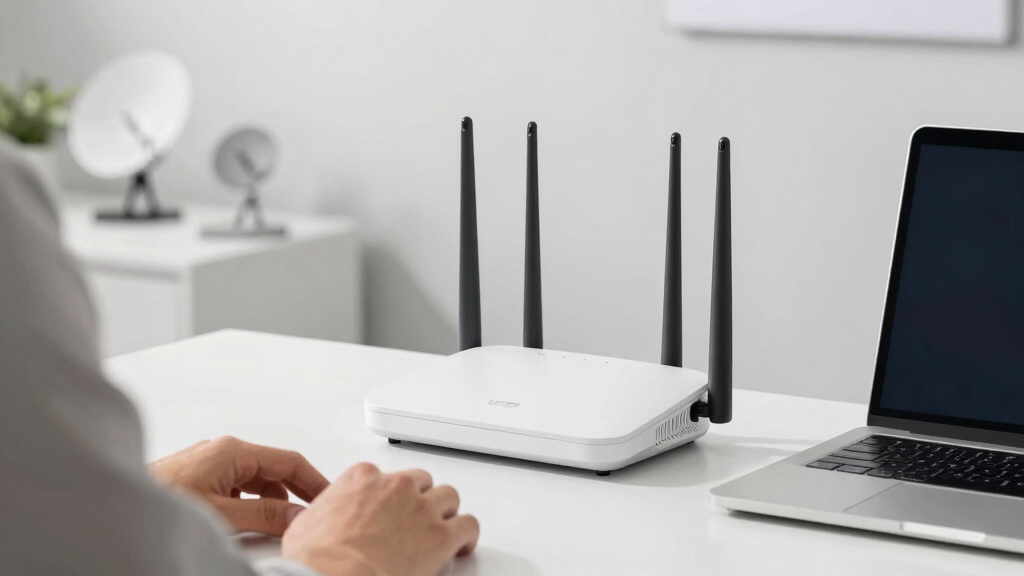
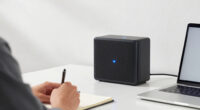
For those seeking the best mesh Wi-Fi system under $800, the options are abundant but vary significantly in performance, coverage, and features. The eero Pro 6E stands out for its seamless setup and reliable coverage, making it ideal for large homes. Meanwhile, the NETGEAR Orbi 370 Series offers cutting-edge WiFi 7 technology for ultra-fast speeds—perfect for busy households or small offices. The main challenge is balancing speed, coverage, and cost, as some systems excel in one area but fall short in others. Continue reading for a detailed breakdown of each option to find what best fits your needs.

Prime made for students and young adults
- Fast, free delivery for dorm and study essentials
- Prime Video and Amazon Music included
- Member-only deals
Key Takeaways
- The top contenders balance coverage, speed, and ease of use within the $800 budget.
- WiFi 6E and WiFi 7 systems provide future-proof performance but come at a premium within this range.
- Tri-band systems generally outperform dual-band counterparts for busy networks and smart home integrations.
- Many systems now support wired backhaul, which improves stability and speeds—especially for larger homes.
- Value varies; sometimes spending more on premium features results in better long-term performance.
| eero Pro 6E Mesh Wi-Fi System (3-Pack) |  | Best Overall for Future-Proof High-Speed Coverage | Coverage: up to 6,000 sq. ft. | Supported speeds: up to 2.3 Gbps | Number of devices supported: 100+ | VIEW LATEST PRICE | See Our Full Breakdown |
| NETGEAR Orbi 370 Series WiFi 7 Mesh System, 3 Pack |  | Best for High-Speed Future-Ready Home Coverage | Coverage: 6,000 sq ft | Speed: Up to 5 Gbps | Number of devices supported: 70 | VIEW LATEST PRICE | See Our Full Breakdown |
| TP-Link Deco X55 AX3000 WiFi 6 Mesh System (3-Pack) |  | Best for Reliable Whole-Home Coverage on a Budget | Coverage area: 6500 sq ft | Device support: up to 150 devices | Wi-Fi standard: Wi-Fi 6 (AX3000) | VIEW LATEST PRICE | See Our Full Breakdown |
| TP-Link Deco M5 Mesh WiFi System – 3-Pack |  | Best for Simple, Reliable Coverage in Large Homes | Coverage area: up to 5,500 sq ft | Number of units: 3 | Ethernet ports per unit: 2 | VIEW LATEST PRICE | See Our Full Breakdown |
| TP-Link Deco WiFi 6 Mesh System (Deco X20) – 3-Pack |  | Best for Budget-Friendly Wi-Fi 6 Coverage in Large Spaces | Coverage: up to 5800 sq ft | Device support: up to 150 | Wi-Fi standard: Wi-Fi 6 (AX1800) | VIEW LATEST PRICE | See Our Full Breakdown |
| TP-Link Deco XE5300 AXE5300 Tri-Band Mesh WiFi 6E System – 3 Pack |  | Best Overall for Cutting-Edge Future-Proofing | WiFi Standard: WiFi 6E (802.11ax) | Number of Units: 3 | Coverage: Unknown, designed for large spaces | VIEW LATEST PRICE | See Our Full Breakdown |
| NETGEAR Nighthawk Tri-Band Whole Home Mesh WiFi 6 System (MK83) – AX3600 Router with 2 Satellite Extenders |  | Best for Reliable Large-Scale Coverage with Security Features | Coverage: 6,750 sq. ft. | Number of Devices Supported: 40+ | WiFi Technology: WiFi 6 (802.11ax) | VIEW LATEST PRICE | See Our Full Breakdown |
| TP-Link Deco S4 Mesh AC1900 WiFi System (3-Pack) |  | Best for Budget-Friendly Large Coverage | Number of Units: 3 | WiFi Standard: AC1900 | Coverage: Up to 5,500 sq ft | VIEW LATEST PRICE | See Our Full Breakdown |
| TP-Link Deco XE75 AXE5400 Tri-Band WiFi 6E Mesh System – Covers 7200 Sq.Ft, 3-Pack |  | Best for High-Speed, Extensive Coverage with Advanced Security | Coverage: 7200 sq ft | Number of Units: 3 | WiFi Bands: Tri-Band (2.4 GHz, 5 GHz, 6 GHz) | VIEW LATEST PRICE | See Our Full Breakdown |
| eero 7 Dual-Band Mesh Wi-Fi 7 Router (3-Pack) |  | Best for Future-Ready, High-Speed, Smart Home Integration | Wi-Fi Standard: Wi-Fi 7 | Coverage: 6000 sq ft | Number of Units: 3 | VIEW LATEST PRICE | See Our Full Breakdown |
| NETGEAR Nighthawk MK63S AX1800 Whole Home Mesh Wi-Fi 6 System (3-Pack, Renewed) |  | Best Overall for Large Homes on a Budget | Coverage: 4,500 sq. ft | Device Capacity: 25 devices | Speed: 1800 Mbps | VIEW LATEST PRICE | See Our Full Breakdown |
| eero 6+ Mesh WiFi System (3-Pack) |  | Best for Ease of Use and Smart Home Integration | Coverage: 4,500 sq. ft. | Supports: 75+ devices | Wi-Fi Standard: Wi-Fi 6 | VIEW LATEST PRICE | See Our Full Breakdown |
| NETGEAR Orbi 360 Series WiFi 7 Mesh System, 3 Pack | | Best for Cutting-Edge Speed and Large Multi-Storey Homes | Coverage: 6,000 sq. ft. | Speed: Up to 5 Gbps | Supported Devices: Up to 70 | VIEW LATEST PRICE | See Our Full Breakdown |
| TP-Link Deco Tri-Band Mesh WiFi 6 System (Deco X68) – 2-Pack |  | Best for Compact Coverage with High Device Capacity | Coverage: 5,500 sq. ft. | Maximum Devices: 150 | Wi-Fi Standard: Wi-Fi 6 | VIEW LATEST PRICE | See Our Full Breakdown |
| mesh wifi system under $800 | Coverage | Number of units | Speed |
|---|---|---|---|
| eero Pro 6E Mesh Wi-Fi System | up to 6,000 sq. ft. | — | — |
| NETGEAR Orbi 370 Series WiFi 7 | 6,000 sq ft | 3 | Up to 5 Gbps |
| TP-Link Deco X55 AX3000 WiFi 6 | — | — | — |
| TP-Link Deco M5 Mesh WiFi Syst | — | 3 | — |
| TP-Link Deco WiFi 6 Mesh Syste | up to 5800 sq ft | 3 | — |
| TP-Link Deco XE5300 AXE5300 Tr | Unknown, designed for large spaces | 3 | — |
| NETGEAR Nighthawk Tri-Band Who | 6,750 sq. ft. | — | AX3600 Gigabit |
| TP-Link Deco S4 Mesh AC1900 Wi | Up to 5,500 sq ft | 3 | — |
| TP-Link Deco XE75 AXE5400 Tri- | 7200 sq ft | 3 | — |
| eero 7 Dual-Band Mesh Wi-Fi 7 | 6000 sq ft | 3 | Up to 2.5 Gbps |
| NETGEAR Nighthawk MK63S AX1800 | 4,500 sq. ft | 3 (Router + 2 Satellites) | 1800 Mbps |
| eero 6+ Mesh WiFi System | 4,500 sq. ft. | 3 | Up to 1 Gbps |
| NETGEAR Orbi 360 Series WiFi 7 | 6,000 sq. ft. | 3 | Up to 5 Gbps |
| TP-Link Deco Tri-Band Mesh WiF | 5,500 sq. ft. | 2 | AX3600 |
More Details on Our Top Picks
eero Pro 6E Mesh Wi-Fi System (3-Pack)
The eero Pro 6E stands out for supporting Wi-Fi 6E, offering the latest wireless standard that provides faster speeds and lower latency—ideal for households with high-bandwidth needs. It delivers up to 6,000 sq. ft. of coverage and supports over 100 devices, making it suitable for tech-heavy homes. Compared with the TP-Link Deco X55, which also offers extensive coverage and support for many devices, the Pro 6E’s Wi-Fi 6E support offers a clear advantage for future compatibility with new devices. However, this system comes at a higher price point and requires compatible Wi-Fi 6E devices to realize its full potential, which may not be necessary for users with standard Wi-Fi 6 or Wi-Fi 5 gadgets. This pick is best for tech enthusiasts who want the latest Wi-Fi tech and are willing to pay for future-proofing, but less ideal for budget-conscious users or those with older devices.
Pros:- Supports Wi-Fi 6E for cutting-edge speed and latency improvements
- Provides extensive coverage up to 6,000 sq. ft. with a 3-pack
- Supports over 100 devices simultaneously for busy households
- Easy setup with intuitive eero app
Cons:- Requires compatible Wi-Fi 6E devices for full benefit
- Higher price compared to Wi-Fi 6 systems
- Some premium features need a subscription
Best for: Homes with high device density and early adopters of Wi-Fi 6E technology
Not ideal for: Users with basic internet needs or older devices that do not support Wi-Fi 6E
- Coverage:up to 6,000 sq. ft.
- Supported speeds:up to 2.3 Gbps
- Number of devices supported:100+
- Ethernet ports:one 2.5 Gb, one 1 Gb per unit
- Wi-Fi standard:Wi-Fi 6E (AX5400)
- Dimensions:5.6 x 5.4 x 2.0 inches
Our verdict“Ideal for those seeking the most advanced Wi-Fi technology and extensive coverage, willing to invest in future-proofing.”
NETGEAR Orbi 370 Series WiFi 7 Mesh System, 3 Pack
The NETGEAR Orbi 370 Series provides blazing-fast WiFi 7 speeds up to 5 Gbps, making it a top choice for users needing ultra-fast internet for streaming, gaming, or multiple high-demand devices. It supports up to 70 devices across a 6,000 sq. ft. area, with easy setup via the Orbi app and expandable coverage with additional satellites. Compared to the TP-Link Deco X55, which also offers robust coverage, the Orbi 370’s WiFi 7 technology delivers significantly higher speeds, though it may require a higher budget and some features require a subscription for full security benefits. Its expansion options make it suitable for large, multi-story homes, but the cost and need for compatible devices might be a barrier for some. This system is best for tech-savvy users seeking cutting-edge WiFi 7 speeds, but less ideal for smaller homes or budget-minded buyers.
Pros:- Supports WiFi 7 for the fastest available speeds
- Expandable coverage for large homes
- Easy setup and management via the Orbi app
- Supports up to 70 devices
Cons:- Higher price point compared to Wi-Fi 6 systems
- Some advanced features require subscription
- Coverage might vary based on home construction
Best for: Large households or gamers demanding top-tier speeds and scalability
Not ideal for: Small apartments or users with limited internet plans under 1 Gbps
- Coverage:6,000 sq ft
- Speed:Up to 5 Gbps
- Number of devices supported:70
- WiFi Technology:WiFi 7
- Number of units:3
- Expandable coverage:up to 2,000 sq ft per satellite
Our verdict“Perfect for high-speed, future-proofing homes with demanding internet needs and space to expand.”
TP-Link Deco X55 AX3000 WiFi 6 Mesh System (3-Pack)
The TP-Link Deco X55 offers solid Wi-Fi 6 performance with coverage up to 6,500 sq. ft. and supports up to 150 devices, making it a reliable choice for large homes without breaking the bank. It features AI-driven mesh technology for seamless roaming and includes robust security with TP-Link HomeShield. Compared with the eero Pro 6E, the X55 lacks Wi-Fi 6E support but compensates with a more accessible price and broad device compatibility. Its wired Ethernet ports allow for stable backhaul configurations, enhancing performance in complex layouts. This system is ideal for budget-conscious households needing dependable coverage, but less suited for those wanting the latest Wi-Fi tech or higher speeds requiring Wi-Fi 6E or WiFi 7.
Pros:- Excellent coverage up to 6,500 sq. ft.
- Supports up to 150 devices for busy households
- Includes advanced security and parental controls
- Supports wired backhaul for performance
Cons:- No Wi-Fi 6E support, limiting future device compatibility
- Requires a modem for most ISPs
- Some features may need subscription for full access
Best for: Large homes seeking reliable Wi-Fi coverage on a budget
Not ideal for: Tech enthusiasts wanting the latest Wi-Fi 6E or Wi-Fi 7 features
- Coverage area:6500 sq ft
- Device support:up to 150 devices
- Wi-Fi standard:Wi-Fi 6 (AX3000)
- Ethernet ports:3 per unit
- Mesh technology:AI-Driven Mesh
- Security:TP-Link HomeShield
Our verdict“A dependable, cost-effective solution for large homes that prioritize coverage and stability over the latest Wi-Fi tech.”
TP-Link Deco M5 Mesh WiFi System – 3-Pack
The TP-Link Deco M5 provides straightforward, reliable Wi-Fi coverage up to 5,500 sq. ft. with three units, supporting wired backhaul and seamless roaming with a single network name. It’s known for ease of setup and management via the Deco app, making it suitable for users who want hassle-free operation. Compared to the Deco X55, the M5 offers slightly less coverage and fewer advanced security features but is often more affordable. Its parental controls and built-in security are strong points, while its limited scalability (three units) makes it less ideal for very large or complex homes. This system is a good fit for users seeking simple, stable Wi-Fi without extra fuss, but not for those needing the latest Wi-Fi standards or maximum scalability.
Pros:- Easy to set up and manage via app
- Provides strong coverage up to 5,500 sq ft
- Supports wired backhaul for consistent performance
- Includes security and parental controls
Cons:- Limited to 3 units, less scalable for very large homes
- No Wi-Fi 6E or Wi-Fi 7 support
- Less advanced security features compared to higher-end models
Best for: Homeowners seeking reliable, plug-and-play coverage without complex features
Not ideal for: Power users wanting Wi-Fi 6E or Wi-Fi 7 speeds or extensive customization
- Coverage area:up to 5,500 sq ft
- Number of units:3
- Ethernet ports per unit:2
- Wired backhaul support:Yes
- Compatibility:Alexa compatible
- Security:Built-in antivirus and parental controls
Our verdict“A straightforward, reliable mesh system ideal for users who want simple, stable coverage in large homes.”
TP-Link Deco WiFi 6 Mesh System (Deco X20) – 3-Pack
The TP-Link Deco X20 offers a balanced mix of coverage and capacity for a budget-friendly price, supporting up to 150 devices over an area of up to 5,800 sq. ft. with Wi-Fi 6 and wired backhaul support. Its dual-band setup provides reliable performance for most household needs, and management through the Deco app simplifies setup and control. Compared with the eero Pro 6E or NETGEAR Orbi 370, the X20 is less fast but more affordable, making it suitable for typical internet plans and moderate device counts. Its compatibility with most ISPs and straightforward setup make it appealing, but performance can vary depending on the internet speed and home layout. This is a good choice for those wanting Wi-Fi 6 at a lower cost, but not for users pursuing the absolute fastest speeds or cutting-edge features.
Pros:- Supports up to 150 devices with Wi-Fi 6
- Covers up to 5,800 sq ft with three units
- Easy setup and management via app
- Supports wired backhaul for better performance
Cons:- No Wi-Fi 6E or Wi-Fi 7 support
- Performance depends on internet plan and home layout
- Limited advanced security features
Best for: Families needing reliable Wi-Fi 6 coverage on a budget
Not ideal for: Users seeking Wi-Fi 6E or Wi-Fi 7 speeds for demanding applications
- Coverage:up to 5800 sq ft
- Device support:up to 150
- Wi-Fi standard:Wi-Fi 6 (AX1800)
- Number of units:3
- Supports wired backhaul:Yes
- Compatibility:All major ISPs
Our verdict“A cost-effective, reliable Wi-Fi 6 mesh system suited for large homes with moderate speed needs.”
TP-Link Deco XE5300 AXE5300 Tri-Band Mesh WiFi 6E System – 3 Pack
The TP-Link Deco XE5300 stands out for its tri-band WiFi 6E support, providing faster speeds and more reliable connections across larger spaces. Compared to the Deco XE75, it offers the latest 6 GHz band, which can significantly reduce congestion and improve performance for high-demand devices. However, it lacks detailed specifications and the exact price, making it harder to evaluate its value precisely. This system is best suited for tech enthusiasts wanting to future-proof their network with the newest WiFi standard, especially in large homes or offices.
Pros:- Tri-band WiFi 6E for faster, less congested speeds
- Mesh system for extensive coverage across large homes
- Easy setup and management through the Deco app
Cons:- Limited detailed technical specifications available
- Price not specified, making value assessment difficult
Best for: Homeowners with high device density and a need for the latest WiFi technology who want seamless coverage with minimal latency
Not ideal for: Casual users or those on a tight budget, since limited info on specs and no clear pricing could make it seem less transparent
- WiFi Standard:WiFi 6E (802.11ax)
- Number of Units:3
- Coverage:Unknown, designed for large spaces
- Tri-Band:Yes
- Maximum Speed:Unknown
- Security:Unknown
Our verdict“This pick makes the most sense for tech-savvy users seeking the latest WiFi 6E features and extensive coverage.”
NETGEAR Nighthawk Tri-Band Whole Home Mesh WiFi 6 System (MK83) – AX3600 Router with 2 Satellite Extenders
The NETGEAR Nighthawk MK83 offers impressive coverage of up to 6,750 sq. ft., making it ideal for large homes that need reliable, fast WiFi. It supports over 40 devices simultaneously with tri-band WiFi 6 technology, providing a smooth experience even with many users. Compared to the Deco S4, it includes security and parental controls, but requires purchasing additional satellite units for expanded coverage. Its setup via the Nighthawk app is straightforward, though some may find the process slightly complex. Overall, this system balances speed, security, and extensive coverage for demanding households.
Pros:- Supports over 40 devices with tri-band WiFi 6
- Covers up to 6,750 sq. ft. with extenders
- Easy setup via the Nighthawk app
- Includes WPA3 security and parental controls
Cons:- Requires additional purchase for satellite extenders
- Setup can be complex for some users
- Price details are not clearly specified
Best for: Large families or small offices needing dependable WiFi with security and device management
Not ideal for: Budget-conscious buyers or those who prefer a plug-and-play setup without additional purchases
- Coverage:6,750 sq. ft.
- Number of Devices Supported:40+
- WiFi Technology:WiFi 6 (802.11ax)
- Frequency Bands:Tri-Band
- Ethernet Ports:7
- Speed:AX3600 Gigabit
Our verdict“This is a strong choice for large homes needing secure, high-capacity WiFi with straightforward management.”
TP-Link Deco S4 Mesh AC1900 WiFi System (3-Pack)
The TP-Link Deco S4 offers solid WiFi coverage up to 5,500 sq. ft., making it suitable for large homes without breaking the bank. It supports AC1900 speeds and provides seamless roaming with a single network name, similar to more expensive systems like the Deco XE75 but at a lower cost. It’s straightforward to set up via the Deco app and supports wired Ethernet backhaul, which can improve stability. However, it requires a modem for most ISPs, and there’s limited info about customer support, which could be a concern for some users. This system balances affordability with reliable performance for everyday needs.
Pros:- Provides coverage up to 5,500 sq. ft.
- Supports seamless roaming with a single network name
- Easy setup through the Deco app
Cons:- Requires a modem for most ISPs
- Lacks advanced security features or premium support details
Best for: Budget-conscious homeowners needing broad coverage and simple setup for large spaces
Not ideal for: Power users or those seeking the latest WiFi 6E or advanced security features
- Number of Units:3
- WiFi Standard:AC1900
- Coverage:Up to 5,500 sq ft
- Dual-Band:Yes
- Ethernet Ports per Unit:2
- Supports Wired Backhaul:Yes
Our verdict“This system makes sense for users prioritizing affordability and coverage over the latest WiFi standards.”
TP-Link Deco XE75 AXE5400 Tri-Band WiFi 6E Mesh System – Covers 7200 Sq.Ft, 3-Pack
The TP-Link Deco XE75 offers expansive coverage up to 7,200 sq. ft., making it ideal for large properties. It supports WiFi 6E with a dedicated 6 GHz band for high-speed, low-latency connections, surpassing the Deco XE5300 in coverage and speed potential. Its AI-driven mesh technology and TP-Link HomeShield security add layers of smart management and protection. Compared to the XE5300, it emphasizes security and the latest WiFi tech, but its high performance may be limited by device compatibility, and premium features might require subscription fees. This system suits those who want top-tier performance and security in a large home setting.
Pros:- Covers up to 7,200 sq. ft. with a 3-pack
- Supports WiFi 6E with a dedicated 6 GHz band
- Includes advanced TP-Link HomeShield security
- Easy setup via the Deco app
Cons:- Requires a modem for most ISPs
- Premium features may involve additional costs
- Device compatibility might limit maximum speed
Best for: Tech-savvy users seeking the most advanced WiFi 6E system with extensive coverage and security features
Not ideal for: Users with limited budgets or less demanding network needs who won’t fully utilize WiFi 6E capabilities
- Coverage:7200 sq ft
- Number of Units:3
- WiFi Bands:Tri-Band (2.4 GHz, 5 GHz, 6 GHz)
- Maximum Speed:5400 Mbps
- Compatibility:All major ISPs (modem needed)
- Security:TP-Link HomeShield
Our verdict“This system is ideal for those wanting the latest WiFi 6E tech combined with large-area coverage and enhanced security.”
eero 7 Dual-Band Mesh Wi-Fi 7 Router (3-Pack)
The eero 7 mesh system supports Wi-Fi 7, promising high speeds up to 2.5 Gbps and extensive coverage of 6,000 sq. ft. across three units. It supports over 120 devices, making it highly scalable for smart homes and busy households. Compared to the Deco S4, it offers Wi-Fi 7 and more advanced security, but it does require a subscription for its full security suite. Its compatibility with existing eero models and smart home devices enhances its appeal, though its overkill for small homes or basic internet needs. This system makes a compelling choice for gadget enthusiasts eager to adopt the latest Wi-Fi standard.
Pros:- Supports Wi-Fi 7 with speeds up to 2.5 Gbps
- Provides coverage up to 6,000 sq. ft.
- Supports over 120 devices simultaneously
- Includes advanced security features
Cons:- Requires a subscription for full security features
- May be overkill for small or basic home networks
- Premium hardware may come at a higher price
Best for: Smart home enthusiasts or users requiring fast, future-proof WiFi with extensive device support
Not ideal for: Users with modest internet needs or tight budgets, since Wi-Fi 7 features and subscriptions add cost
- Wi-Fi Standard:Wi-Fi 7
- Coverage:6000 sq ft
- Number of Units:3
- Speed:Up to 2.5 Gbps
- Supported Devices:120+
- Ethernet Ports:2x 2.5 GbE
Our verdict“This system is best suited for tech-savvy users seeking the latest Wi-Fi 7 technology and extensive smart home connectivity.”
NETGEAR Nighthawk MK63S AX1800 Whole Home Mesh Wi-Fi 6 System (3-Pack, Renewed)
The NETGEAR Nighthawk MK63S stands out for delivering broad coverage up to 4,500 sq. ft. and supporting up to 25 devices simultaneously, making it a solid choice for larger households. Compared with the eero 6+, it offers similar coverage but with a slightly lower maximum speed—1800 Mbps versus 1 Gbps—yet it supports more devices at once. The setup process can be complex for less tech-savvy users, especially since it’s a renewed product that might lack full warranty. Its wide coverage and reliable device support make it ideal for big homes, but the renewal status could be a concern for those prioritizing warranty and long-term reliability. The system’s gigabit Ethernet ports also allow for wired backhaul, which can improve overall stability. Overall, this pick makes the most sense for users needing extensive coverage without overpaying, but it’s less suited for those who want a seamless, plug-and-play experience.
Pros:- Extensive coverage up to 4,500 sq. ft.
- Supports up to 25 devices simultaneously
- Includes gigabit Ethernet ports for wired connections
Cons:- Renewed product may have limited warranty and support
- Setup can be complicated for non-technical users
Best for: Large households that need dependable Wi-Fi coverage across multiple rooms and devices without a hefty price tag
Not ideal for: Homeowners seeking brand-new products with full warranty coverage or very simple setup processes
- Coverage:4,500 sq. ft
- Device Capacity:25 devices
- Speed:1800 Mbps
- Technology:Wi-Fi 6, OFDMA
- Number of Units:3 (Router + 2 Satellites)
- Ethernet Ports:3 total
Our verdict“Best for large homes needing broad coverage and multiple device support on a budget, with some setup complexity.”
eero 6+ Mesh WiFi System (3-Pack)
The eero 6+ makes a strong case for those prioritizing straightforward setup and smart home integration. It provides reliable coverage up to 4,500 sq. ft. and can support over 75 devices, surpassing the NETGEAR MK63S in device capacity, thanks to its TrueMesh technology that reduces dead spots. Its built-in Zigbee and Thread smart home hub consolidates network and smart device management into one system, ideal for tech-savvy households or smart home enthusiasts. Setup via the eero app is notably simple, making it accessible for beginners. However, some features require a subscription for advanced management, which could add to ongoing costs. While its speeds are up to 1 Gbps, it’s designed more for stability and device support than raw throughput. This system is perfect for families with many smart devices seeking a hassle-free experience, but less ideal for users who want advanced network customization without extra fees.
Pros:- Supports over 75 devices comfortably
- Easy setup through the eero app
- Built-in smart home hub for Zigbee and Thread devices
Cons:- Advanced features require a subscription
- Speed may not match higher-end systems for heavy data tasks
Best for: Smart home users or families seeking easy setup and reliable device support without complex configuration
Not ideal for: Users needing maximum speed for high-end gaming or demanding streaming, or those unwilling to pay subscription fees
- Coverage:4,500 sq. ft.
- Supports:75+ devices
- Wi-Fi Standard:Wi-Fi 6
- Speed:Up to 1 Gbps
- Number of Units:3
- Smart Home Hub:Yes
Our verdict“Ideal for smart home households looking for an easy-to-manage, reliable mesh network supporting many devices.”
NETGEAR Orbi 360 Series WiFi 7 Mesh System, 3 Pack
The NETGEAR Orbi 360 Series pushes into WiFi 7 territory, supporting speeds up to 5 Gbps and covering up to 6,000 sq. ft., making it ideal for demanding users with large or multi-storey homes. Its support for up to 70 devices ensures plenty of capacity for streaming, gaming, and smart devices. Compared with Wi-Fi 6 systems like the TP-Link Deco X68, it offers faster speeds and future-proof technology, but at a higher price point that might exceed $800 once fully equipped. The setup process is straightforward via the Orbi app, and its expandable design allows additional satellites for even larger coverage. However, full use of NETGEAR Armor security features requires a subscription, adding ongoing costs. This system suits those who need top-tier speeds and extensive coverage for demanding applications, but it may be overkill for smaller or less tech-intensive homes.
Pros:- Supports WiFi 7 for maximum speeds
- Extensive coverage up to 6,000 sq. ft.
- Expandable with additional satellites
Cons:- Requires subscription for full security features
- Higher cost may surpass $800 depending on configuration
Best for: Large or multi-storey homes needing the latest WiFi speeds and future-proof technology
Not ideal for: Budget-conscious buyers or those seeking a simple, non-subscription security solution
- Coverage:6,000 sq. ft.
- Speed:Up to 5 Gbps
- Supported Devices:Up to 70
- WiFi Technology:WiFi 7
- Number of Units:3
- Expandable Coverage:Yes
Our verdict“Best for users needing ultra-fast WiFi 7 speeds and expansive coverage for large or multi-floor homes willing to pay for the latest tech.”
TP-Link Deco Tri-Band Mesh WiFi 6 System (Deco X68) – 2-Pack
The TP-Link Deco X68 offers a compelling mix of coverage and capacity, supporting up to 150 devices across a broad 5,500 sq. ft. area with just two units. Unlike the NETGEAR Nighthawk MK63S or eero 6+, its tri-band setup helps avoid congestion, especially in busy households with many smart devices. Its easy setup via the Deco app and advanced OFDMA and MU-MIMO technology boost efficiency, making it suitable for homes with heavy device loads. However, some users might find its security features somewhat complex to configure, and its performance could vary based on layout and interference. This system makes the most sense for users who want high device support in a slightly more compact form factor without sacrificing speed or coverage, but it may be less ideal for those needing wired backhaul or ultra-simple setup.
Pros:- Supports up to 150 devices
- Coverage up to 5,500 sq. ft. with 2 units
- Tri-band WiFi for reduced congestion
Cons:- Requires compatible internet plan for peak performance
- Security features may be complex for some users
Best for: Families with many smart devices needing extensive coverage in a slightly compact setup
Not ideal for: Homes requiring wired backhaul or the highest possible speeds for demanding tasks
- Coverage:5,500 sq. ft.
- Maximum Devices:150
- Wi-Fi Standard:Wi-Fi 6
- Speed:AX3600
- Number of Units:2
- Supported Features:OFDMA, MU-MIMO
Our verdict“Ideal for tech-heavy households seeking high device capacity and broad coverage in a neat, two-unit design.”

How We Picked
The products in this roundup were evaluated based on several criteria that matter to typical buyers. Performance was assessed through Wi-Fi standards, speed ratings, and coverage claims. Usability factors included setup complexity, app control, and compatibility with existing devices. Build quality and future-proof features like WiFi 6E or WiFi 7 were also considered. To determine the rankings, I compared these aspects across all options, emphasizing value for the price, reliability, and versatility. Only systems under $800 were included, ensuring each choice offers a compelling mix of features and affordability.Factors to Consider When Choosing Best Mesh Wifi System Under $800
Choosing the best mesh Wi-Fi system under $800 requires balancing several key factors. Beyond raw speed, consider coverage needs, ease of setup, and whether the system supports wired backhaul for maximum stability. Compatibility with your existing devices and future-proofing through WiFi 6E or WiFi 7 are also important. Making a decision involves understanding how each feature aligns with your household size, internet usage, and budget. This guide highlights the most critical considerations to help you make an informed choice.Coverage and Scalability
Assess your home’s size and layout before choosing a system. Larger homes benefit from systems that offer extensive coverage, often through a 3-pack or more. Look for systems that support wired backhaul if you want to maximize stability across multiple floors. Keep in mind that coverage claims are ideal; real-world performance can vary depending on walls and interference. Prioritize scalable options if you anticipate expanding your smart home or adding more devices later.
Wi-Fi Standards and Speed
WiFi 6 and WiFi 6E systems provide faster speeds and better handling of multiple devices, which is critical in busy households. WiFi 7 is the latest standard and promises even higher speeds and lower latency, but it’s less common and often more expensive. For most buyers under $800, WiFi 6 offers a solid balance of performance and future-proofing, while WiFi 6E extends that advantage with additional spectrum. Avoid systems that only support older standards if you want longevity and top performance.
Ease of Setup and Management
An intuitive app and straightforward setup process save time and frustration. Many systems now offer smartphone apps that guide you step-by-step and provide ongoing management features. Consider whether the system supports guest networks, parental controls, or device prioritization. If you’re not tech-savvy, prioritize models with simple interfaces and reliable customer support. Remember, a complicated setup can diminish the convenience you’re paying for.
Price and Value
While all options are under $800, the value varies based on features and performance. Spending slightly more can buy you advanced WiFi 6E or WiFi 7 systems with better future-proofing, but if your needs are basic, a WiFi 6 model might suffice. Evaluate the longevity of the technology, coverage, and speed relative to the price. Over-investing in features you won’t use can reduce overall value, so match your choice to your actual household usage.
Additional Features
Look for features that enhance your network experience, such as wired backhaul ports, MU-MIMO support, or advanced security options. Some systems include built-in antivirus or parental controls, adding value without extra cost. Consider compatibility with smart home devices and whether the system can integrate with voice assistants. These extras can improve your network’s convenience and security, but they should not come at the expense of core performance.
Frequently Asked Questions
Will a WiFi 6E system be worth it for my home?
WiFi 6E systems operate on the new 6 GHz band, offering less interference and higher speeds, which is advantageous for busy networks or smart homes with many devices. If your internet plan provides high speeds and your devices support WiFi 6E, investing in such a system can future-proof your setup. However, if most of your devices are older or your internet speed is modest, the benefits may be less noticeable. Consider your current device compatibility and future needs before choosing WiFi 6E over WiFi 6.
Is a tri-band system worth the extra cost?
Tri-band systems separate WiFi traffic across three bands, reducing congestion and improving speeds for multiple devices. They’re especially useful in homes with many smart devices, streaming, or gaming. While they typically cost more than dual-band options, the performance boost can justify the expense if your network is heavily used. For smaller households or basic internet needs, a dual-band system might deliver sufficient performance at a lower cost.
How important is wired backhaul in a mesh system?
Wired backhaul connects the nodes via Ethernet, providing a dedicated pathway for data transfer. This setup significantly enhances network stability and speeds, especially in large or multi-story homes. If your home already has Ethernet wiring or you plan to install it, choosing a system with wired backhaul can maximize performance. Without wired backhaul, wireless backhaul works well but may experience interference or reduced speeds, particularly in challenging layouts.
Should I prioritize the latest WiFi standard or coverage?
Both matter, but your choice depends on your household needs. The latest standards like WiFi 6E or WiFi 7 offer higher speeds and better device handling, making them ideal for future-proofing. However, if your home is large or has thick walls, coverage might be more critical, and a system with ample coverage could be more beneficial. Balancing these factors involves assessing your current and future internet usage plus home layout.
Can I upgrade an existing mesh system easily?
Upgrading an existing mesh system depends on compatibility. Many brands now support adding nodes or replacing parts without reconfiguring the entire network, but this isn’t universal. If you have a system from a major manufacturer like eero or Netgear, check for support for expansion or newer models. Keep in mind that mixing brands can introduce complexity, so sticking with the same brand and ecosystem simplifies upgrades and ensures consistent performance.
Conclusion
For most users, the eero Pro 6E offers an excellent balance of coverage, ease of use, and future-proofing, making it the best overall choice. Those seeking the best value might prefer the TP-Link Deco X55, which delivers solid WiFi 6 performance at a more affordable price. If you want cutting-edge speed and advanced features, consider the NETGEAR Orbi 370 Series with WiFi 7, especially for small offices or tech enthusiasts. Beginners or less tech-savvy users will appreciate systems with simple setup, like eero or TP-Link Deco models. For large homes with demanding networks, systems supporting wired backhaul and tri-band configurations tend to be more reliable, even if they push the upper limit of the budget.
Halloween Picks
halloween
As an affiliate, we earn on qualifying purchases.