TL;DR
Listen free for 30 days with Audible
Thousands of audiobooks and originals — cancel anytime.
Start your free trialAs an affiliate, we earn on qualifying purchases.
The top battery video doorbell offers clear 2K or higher video, reliable alerts, and long-lasting batteries. Local storage and compatibility can save costs and boost privacy, but real-world testing is essential.
Imagine a doorbell that doesn’t just ring but shows you exactly who’s standing at your door in crisp detail. No wiring, no fuss. Just a sleek device that’s always ready, alerting you instantly on your phone.
This isn’t a dream. The best battery video doorbells combine high-resolution video, smart detection, and long-lasting batteries—plus the flexibility of local storage or cloud options. But with so many choices, how do you pick the right one? That’s what I’ll help you with. We’ll cut through the marketing fluff and focus on real-world performance, so you can confidently upgrade your front porch.
Prioritize models with high-resolution sensors (2K or higher) for clear detail at your doorstep.
Real-world battery life depends heavily on usage—look for models with transparent estimates and removable batteries.
Local storage can cut ongoing costs and enhance privacy but consider theft risk and data access.
Faster notifications and on-device AI detection greatly improve security and responsiveness.
Compatibility with your smart-home platform and easy installation are key to hassle-free security.
What makes a battery video doorbell truly worth your money?
A great battery video doorbell isn’t just about sharp video or a sleek app. It’s about how well it balances video quality, battery life, and smart features. For example, a model with 2K resolution and HDR can give you facial details even at night, but if the battery only lasts a few weeks, that high quality becomes less useful.
Choosing the right device requires understanding how these features impact your daily life. High-resolution footage is excellent for identifying faces or license plates, but if your battery drains quickly because of constant high-quality recording or frequent alerts, you might end up charging it more often than expected. Conversely, a model with superb battery life but poor video resolution might leave you blind to important details. The trick is finding a balance that matches your routine—if you’re a busy household with frequent visitors or deliveries, prioritizing longer battery life and reliable detection might be more practical than ultra-high resolution.
Furthermore, local storage options allow you to keep footage on a microSD card or internal memory, reducing ongoing costs and increasing privacy—since your data isn’t stored in the cloud. But this comes with tradeoffs: if someone steals your doorbell or disables it, your footage is lost unless you have a backup. Understanding these implications helps you select a model that aligns with your security priorities and budget, ensuring you get a device that performs reliably without constant fuss or expense.
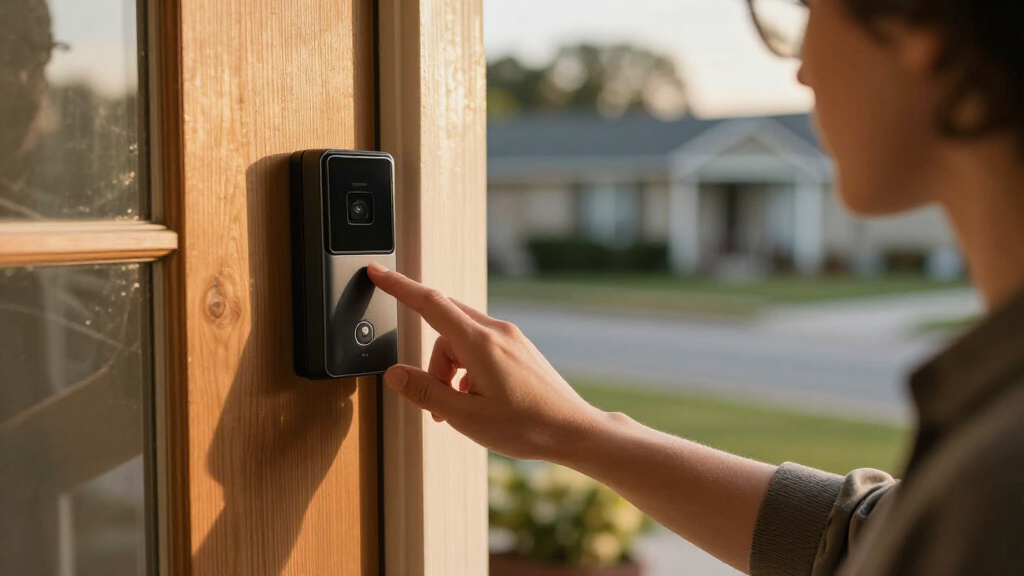
battery video doorbell with 2K resolution
As an affiliate, we earn on qualifying purchases.
As an affiliate, we earn on qualifying purchases.
Video quality and field of view: Why details matter at your doorstep
When someone stands at your door, you want to see more than just a blurry face. The best models offer 2K or higher resolution, combined with HDR and wide-angle lenses—think about a 160° to 180° view—so you catch every detail. But why does this matter beyond aesthetics? Higher resolution and a broad field of view are crucial for accurate identification and context. In real-world scenarios, a narrow view might miss side angles or nearby packages, creating blind spots that can be exploited or lead to missed security threats.
Imagine a delivery person dropping a package. A wide, high-resolution image doesn’t just help you recognize the individual; it also captures the entire scene, including any suspicious activity or theft attempts. Color night vision or infrared is equally vital—without clear footage after sunset, you risk losing crucial evidence during the hours when most break-ins occur. The combination of resolution, HDR, lens quality, and night vision directly impacts your ability to accurately assess visitors and respond appropriately, making these features essential for effective security rather than just a flashy spec sheet.
wireless doorbell with local storage
As an affiliate, we earn on qualifying purchases.
As an affiliate, we earn on qualifying purchases.
Motion detection and alert accuracy: Avoid false alarms and missed visitors
A doorbell that buzzes every leaf or shadow quickly loses its usefulness. The best models use a mix of passive infrared sensors, AI-based analysis, and customizable zones to filter out false triggers. But why does this matter? False alarms not only desensitize you to real threats but also waste your time and can cause you to ignore alerts altogether. Conversely, missed detections—failing to alert you when someone is actually at the door—can leave your home vulnerable.
Effective detection technology balances sensitivity with specificity. AI-based analysis helps distinguish between innocuous motion (like swaying trees) and genuine activity (like a person approaching). Setting customizable zones allows you to focus on critical areas—your porch, driveway—reducing unnecessary alerts from passing cars or wind-blown leaves. This precision improves your trust in the system, ensuring you’re notified only when it matters, and helps prevent alert fatigue. In real-world terms, this means fewer false positives and faster, more reliable alerts—crucial for timely responses and peace of mind.
smart Wi-Fi video doorbell with long battery life
As an affiliate, we earn on qualifying purchases.
As an affiliate, we earn on qualifying purchases.
Battery life: How long will your doorbell really last?
Battery life is often the top concern. Manufacturers claim anywhere from 3 months to 6 months, but real-world use paints a different picture. Heavy traffic, frequent live views, cold weather, and detection settings can cut that down dramatically. Why does this matter? Because it influences how often you’ll need to recharge or replace batteries, impacting convenience and ongoing costs. A model rated for 6 months may only last a month in a busy household, leading to frustration and potential security gaps if recharging isn’t handled promptly.
Understanding these factors helps you plan maintenance. For example, a removable battery allows you to swap in a fresh pack without taking down the entire device, minimizing downtime. Conversely, a fixed battery might require more frequent charging, which could be inconvenient if you’re not home often. The key is to look for realistic, scenario-based battery estimates and consider your own usage patterns—if you expect high activity, opt for a model with a larger capacity or quick-replacement options. This ensures your security system remains reliable and ready without constant attention.
video doorbell with removable battery
As an affiliate, we earn on qualifying purchases.
As an affiliate, we earn on qualifying purchases.
Subscription vs. local storage: Which saves you money and keeps your data safe?
Subscription plans can unlock advanced features like longer video history, AI detection, and cloud storage. But they come with ongoing costs—sometimes adding up to hundreds over a few years. Why does this matter? Over time, these expenses can outweigh the initial savings, especially if you’re on a tight budget or prefer not to commit to recurring payments. On the other hand, local storage—via microSD cards or internal memory—avoids ongoing fees, providing a one-time investment that can be more economical over the long run.
However, understanding the tradeoffs is essential. Local storage is vulnerable if someone steals or disables your doorbell; footage is only as secure as the physical device. Cloud storage, while safer from theft, raises privacy concerns and ongoing costs. Some high-end models combine both, offering local storage with optional cloud backup—giving you flexibility and peace of mind. Recognizing these differences helps you choose a solution that balances budget, security, and privacy based on your specific needs, ensuring your data remains protected without unexpected expenses.
Fast notifications: Why timing can make or break your security
Getting an alert after a visitor leaves isn’t much help. The best battery doorbells deliver instant notifications—within a second or two of motion detection. Why does this timing matter? Because in security, seconds count. The faster you’re alerted, the more likely you are to respond before a situation escalates—whether that’s confronting a trespasser, stopping a package theft, or calling authorities. Delays of even a few seconds can mean the difference between catching a thief in the act or missing them entirely.
Edge AI processing and strong Wi-Fi connectivity are key to achieving these rapid alerts. Edge AI allows the device to analyze video locally, reducing processing delays and speeding up notification times. Meanwhile, a strong Wi-Fi signal ensures data gets transmitted swiftly without lag. Recognizing these factors emphasizes the importance of not just the notification system but also your network setup. Optimizing Wi-Fi placement and choosing models with low-latency processing can significantly enhance your security responsiveness, giving you peace of mind that you’ll be promptly informed of any activity at your doorstep.
Two-way audio: Communicate clearly through your door
Two-way audio turns your doorbell into an intercom. Good models have noise-canceling microphones, loud speakers, and low latency. When a visitor rings your bell, you can say hello, tell delivery drivers where to leave packages, or scare off intruders. But why is this feature so valuable? It transforms your doorbell from a passive alert system into an active communication tool, allowing you to verify visitors or give instructions without opening the door—especially useful if you’re away or unable to answer immediately.
Effective audio quality is essential for clear communication. Noise cancellation prevents background noise from interfering, while low latency ensures your voice is heard in real-time. For example, a homeowner in a noisy neighborhood found that clear, loud audio let her warn package thieves to leave immediately, preventing theft. Quick, intelligible communication can deter suspicious activity and provide reassurance. The tradeoff is that poor audio quality can lead to misunderstandings or frustration, so testing and choosing a model with proven audio performance is crucial for practical, security-enhancing use.
Smart-home compatibility: Will your doorbell fit into your ecosystem?
Compatibility is more than a marketing point. Your doorbell should work seamlessly with your existing devices. Want Alexa announcements on your Echo Show? Or Google Home alerts? Or even Apple HomeKit support? Why does this matter? Because a compatible device allows for integrated routines, voice commands, and centralized control, enhancing convenience and security. If your doorbell doesn’t play well with your ecosystem, you might miss out on automation features or have to manage multiple apps, reducing overall effectiveness.
For example, a Google Nest Doorbell works perfectly with Google’s ecosystem, allowing you to view footage on Nest Hub and use routines to trigger other devices. Conversely, some models look compatible but lack full-feature support, leading to frustration and limited functionality. Checking compatibility ensures you can leverage your existing smart home setup, making daily routines smoother and security more comprehensive. The right integration can also enable features like facial recognition alerts or automated lighting, which significantly boosts your home’s security profile.
Installation ease and chime options: Setting up your smart door guardian
Battery models are usually straightforward to install—no wiring needed. Just attach the mount, sync with Wi-Fi, and you’re set. But why does installation matter beyond convenience? Proper mounting angle and height are critical for accurate detection and clear footage. An incorrectly positioned camera might miss visitors or generate false alerts, undermining your security system’s reliability. Therefore, understanding optimal placement ensures your device performs as intended.
If you want your existing chime to ring when someone presses the doorbell, check compatibility. Some models connect directly to your doorbell wiring and trigger your current chime, providing a seamless experience. Others require a wireless chime or integration with a smart speaker, which may involve additional setup steps or costs. For example, a homeowner with a narrow porch used a wedge mount to get a better view and accurate detection, illustrating how thoughtful placement enhances performance. Meanwhile, renters appreciated a no-drill mount that attached easily to a doorframe without damaging the property. Considering these factors helps ensure your installation is both simple and effective, maximizing security without hassle.
Privacy and security: Protect your footage and data
Your doorbell handles sensitive footage—think faces, packages, and your comings-and-goings. Choose a model with end-to-end encryption, two-factor authentication, and robust firmware updates. Why is this critical? Because your security footage is a valuable asset that can be targeted by hackers or malicious actors. End-to-end encryption ensures that data is protected during transfer and storage, reducing the risk of interception. Two-factor authentication adds an extra layer of security, preventing unauthorized access even if login credentials are compromised. Regular firmware updates patch vulnerabilities, keeping your device resilient against new threats.
For instance, some companies encrypt videos locally and during transfer, significantly reducing hacking risks. Others allow you to delete recordings easily or restrict access to certain users. These features give you control over who can view your footage and how long it’s retained. Being cautious about sharing footage with neighbors or authorities is equally important—understanding policies on third-party access and data retention helps you maintain privacy. The best devices empower you with comprehensive privacy controls, so you can secure your home and personal data against emerging threats.
Latest trends shaping the best battery video doorbells in 2024
2024’s top models now feature taller, full-body views, capturing both faces and packages. Higher-resolution sensors, often 2K or 3MP, give sharper images, which directly impacts your ability to identify individuals and details in threats or incidents. Dual-camera designs separate face and parcel views, improving accuracy and reducing false alerts caused by misinterpretation of motion or objects. On-device AI detection and radar sensors are reducing false alerts—these advancements mean fewer unnecessary notifications and more trustworthy alerts, saving you time and reducing alert fatigue.
Local storage options are expanding, offering more subscription-free solutions, which appeal to privacy-conscious users. Color night vision with integrated lighting significantly improves nighttime clarity, helping you identify visitors or suspicious activity after dark. Charging options are more diverse—USB-C, removable batteries, solar panels—making maintenance easier and more adaptable to different homes. Ecosystem support is growing, with more models integrating into broader smart-home setups, creating a seamless security environment. These trends reflect a focus on reliability, privacy, and convenience, helping homeowners feel more secure and in control of their home security systems in 2024.
Comparison table: Top battery video doorbells at a glance
| Feature | Wyze Battery Video Doorbell | Reolink 2K Battery Doorbell | Tapo 2K+ Wired/Battery | Aosu 5MP Wireless | Ring Battery Doorbell |
|---|---|---|---|---|---|
| Video Quality | Color HDR, 3MP | 2K, HDR | 2K, HDR | Ultra HD, color night vision | 1080p, HDR |
| Night Vision | Color Night Vision | Color Night Vision | Full color with spotlight | Yes | Infrared & color night vision |
| Battery Life | Up to 6 months (ideal) | 3-4 months | 4-6 months | 4-6 months | 3-6 months |
| Local Storage | MicroSD slot | MicroSD & internal | MicroSD slot | Internal storage & cloud | Cloud & local (via hub) |
| Compatibility | Alexa, Google | Alexa, Google | Alexa, Google | Alexa, Google, Apple | Alexa, Google |
Conclusion
The best battery video doorbell isn’t just about sharp images or fancy features. It’s about finding a device that reliably captures your doorstep, reacts quickly, and fits seamlessly into your smart home. After all, your front porch is the first line of your home’s security—and it deserves a smart, dependable guardian.
Choose wisely, considering real-world battery life, privacy, and how well it integrates into your daily life. Invest in a model that keeps you connected and protected, no matter the hour or weather outside. Your front door is the face of your home—make sure it’s a smart one.
Back to school Picks
back to school
As an affiliate, we earn on qualifying purchases.