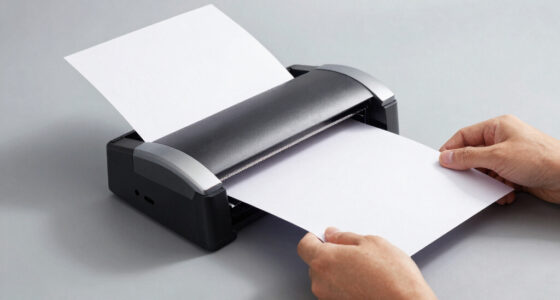
For a color laser all-in-one printer that balances office features and everyday usability, I’d start with the Canon Color imageCLASS MF753Cdw II; the Brother MFC-L8930CDW is a stronger fit for heavier business workloads, while the Brother MFC-L3780CDW suits buyers who want a capable home-office setup. The main tradeoffs are print volume, document handling, size, and how much you need faxing or automatic two-sided scanning. Some models focus on core print, scan, and copy tasks, while others add faster workflows and more office-oriented features. Read on for the full comparison and advice on choosing for your space and workload.

Prime made for students and young adults
- Fast, free delivery for dorm and study essentials
- Prime Video and Amazon Music included
- Member-only deals
Key Takeaways
- The MF753Cdw II leads this lineup for balanced office use, with a broader feature set than the more basic Canon MF662Cdw and MF652Cw models.
- The Brother MFC-L8930CDW is the business-workflow pick; its role is distinct from smaller home-office options such as the MFC-L3720CDW.
- Duplex printing appears across several models, but it does not tell the whole workflow story: check whether scanning is also two-sided and automatic.
- HP’s 3301 family has several close variants, so buyers should compare the exact model and listing condition instead of assuming the names mean identical configurations.
- Renewed listings add a condition and support variable; the two renewed HP 3301cdw entries need closer seller, warranty, and return-policy checks than new-model listings.
| Canon Color imageCLASS MF652Cw Wireless Multifunction Laser Printer |  | Best for Simple Home Offices | Functions: Print, scan, copy | Connectivity: Wireless | Print speed: Up to 22 pages per minute in color and black and white | VIEW ON AMAZON | See Our Full Breakdown |
| HP Color LaserJet Pro MFP 3301cdw Wireless All-in-One Printer (Renewed) |  | Best Renewed Office Pick | Condition: Renewed | Functions: Print, scan, copy, fax | Printing technology: Laser | VIEW ON AMAZON | See Our Full Breakdown |
| HP Color LaserJet Pro MFP 3301fdw Wireless All-in-One Color Laser Printer (499Q5F) |  | Best for Two-Sided Office Scanning | Functions: Print, scan, copy, fax | Print speed: Up to 26 ppm black and color | Duplex printing: Automatic two-sided printing | VIEW ON AMAZON | See Our Full Breakdown |
| Brother MFC-L8930CDW Business Color Laser All-in-One Printer |  | Best for High-Volume Document Work | Functions: Print, scan, copy | Print and copy speed: Up to 33 ppm | Two-sided scanning speed: Up to 104 ipm | VIEW ON AMAZON | See Our Full Breakdown |
| Xerox C235dni Wireless Color Laser All-in-One Printer |  | Best for Mobile Setup | Functions: Print, scan, copy | Connectivity: Wi-Fi, USB | Mobile printing: Apple AirPrint, Mopria | VIEW ON AMAZON | See Our Full Breakdown |
| Canon Color imageCLASS MF753Cdw II All-in-One Color Duplex Laser Printer |  | Best for Fax-Ready Home Offices | Printer type: Color laser all-in-one | Model: Color imageCLASS MF753Cdw II | Functions: Print, scan, copy, fax | VIEW ON AMAZON | See Our Full Breakdown |
| HP Color LaserJet Pro MFP 3301cdw Wireless All-in-One Color Laser Printer, Scanner, Copier, Fax (Renewed) |  | Best Renewed Small-Office Pick | Condition: Certified refurbished | Functions: Print, scan, copy, fax | Print speed: Up to 26 ppm, black and color | VIEW ON AMAZON | See Our Full Breakdown |
| HP Color LaserJet Pro MFP 3301sdw Wireless All-in-One Color Laser Printer (499Q3F) |  | Best for Small Teams | Printer type: All-in-one color laser printer | Functions: Print, scan, copy | Print speed: Up to 26 ppm, black and color | VIEW ON AMAZON | See Our Full Breakdown |
| Canon Color imageCLASS MF665Cdw Wireless All-in-One Duplex Laser Printer |  | Best for Two-Sided Scanning | Functions: Print, scan, copy, fax | Print speed: Up to 26 ppm, color and monochrome | First print time: Approximately 10.3 seconds | VIEW ON AMAZON | See Our Full Breakdown |
| Brother MFC-L3780CDW Wireless Digital Color All-in-One Printer |  | Best for Fast, Connected Workgroups | Functions: Print, copy, scan, fax | Print speed: Up to 31 ppm | Scan speed: Up to 29/22 ipm, black/color | VIEW ON AMAZON | See Our Full Breakdown |
| Canon Color imageCLASS MF751Cdw II Wireless Duplex Laser Printer |  | Best for Fast Color Printing | Functions: Print, scan, copy | Print speed: Up to 35 ppm in color and monochrome | First print time: Approximately 7 seconds | VIEW ON AMAZON | See Our Full Breakdown |
| Brother MFC-L3720CDW Wireless Color Laser All-in-One Printer with Scanner, Copier, Fax, Auto Duplex, and 250-Sheet Capacity |  | Best for Connected Office Workflows | Functions: Print, copy, scan, fax | Print speed: Up to 19 ppm | Scan speed: 29/22 ipm (black/color) | VIEW ON AMAZON | See Our Full Breakdown |
| Canon Color imageCLASS MF662Cdw Wireless Duplex Laser Printer |  | Best for Straightforward Home Office Use | Functions: Print, scan, copy | Print speed: Up to 26 ppm in color and monochrome | First print time: Approximately 10.3 seconds | VIEW ON AMAZON | See Our Full Breakdown |
| color laser all in one printer | Functions | Connectivity | Print speed | Warranty |
|---|---|---|---|---|
| Canon Color imageCLASS MF652Cw | Print, scan, copy | Wireless | Up to 22 pages per minute in color and black and white | 3-year limited warranty |
| HP Color LaserJet Pro MFP 3301 | Print, scan, copy, fax | Dual-band Wi-Fi | Up to 26 pages per minute | — |
| HP Color LaserJet Pro MFP 3301 | Print, scan, copy, fax | Dual-band Wi-Fi, Ethernet | Up to 26 ppm black and color | — |
| Brother MFC-L8930CDW Business | Print, scan, copy | Dual-band Wi-Fi and Gigabit Ethernet | — | — |
| Xerox C235dni Wireless Color L | Print, scan, copy | Wi-Fi, USB | Up to 24 pages per minute | — |
| Canon Color imageCLASS MF753Cd | Print, scan, copy, fax | Wireless | — | — |
| HP Color LaserJet Pro MFP 3301 | Print, scan, copy, fax | Dual-band Wi-Fi | Up to 26 ppm, black and color | One-year official refurbished warranty |
| HP Color LaserJet Pro MFP 3301 | Print, scan, copy | Wireless | Up to 26 ppm, black and color | — |
| Canon Color imageCLASS MF665Cd | Print, scan, copy, fax | Wireless | Up to 26 ppm, color and monochrome | Three-year limited warranty |
| Brother MFC-L3780CDW Wireless | Print, copy, scan, fax | Dual-band wireless, Gigabit Ethernet, Wi-Fi Direct, USB | Up to 31 ppm | One-year limited warranty |
| Canon Color imageCLASS MF751Cd | Print, scan, copy | Wireless; Canon PRINT app, Apple AirPrint, and Mopria Print Service | Up to 35 ppm in color and monochrome | 3-year limited warranty |
| Brother MFC-L3720CDW Wireless | Print, copy, scan, fax | Dual-band Wi-Fi (2.4GHz/5GHz), Wi-Fi Direct, USB 2.0 | Up to 19 ppm | 1-year limited warranty |
| Canon Color imageCLASS MF662Cd | Print, scan, copy | Wireless | Up to 26 ppm in color and monochrome | 3-year limited warranty |
More Details on Our Top Picks
Canon Color imageCLASS MF652Cw Wireless Multifunction Laser Printer
The MF652Cw suits buyers who want the core color laser all-in-one jobs without adding faxing or more elaborate document handling. It prints, scans, and copies at up to 22 pages per minute, and its 250-sheet cassette means fewer interruptions for routine home-office printing than the Xerox C235dni’s 500-page starter toner yield might suggest at first glance: paper capacity and toner life solve different problems. Wireless and mobile printing make it easier to share around the household, while the three-year limited warranty is a useful ownership detail. Compared with the faster Brother MFC-L8930CDW, the Canon is a simpler fit for lighter workloads, but it lacks that model’s faxing, high-speed duplex scanning, and large feeder. Its single-sheet multipurpose tray also makes occasional alternate-media jobs less convenient.
Pros:- Prints, scans, and copies in one device
- Wireless, mobile printing, and Chromebook compatibility
- 250-sheet cassette supports longer print runs
- Three-year limited warranty
Cons:- One-sheet multipurpose tray makes alternate-media printing less convenient
- No fax function is listed
- Up to 22 pages per minute is slower than the HP and Brother workgroup options here
Best for: Home-office users who want wireless printing, scanning, and copying with a full-size paper cassette and a three-year limited warranty.
Not ideal for: Small offices that routinely fax, scan stacks of double-sided pages, or switch among several paper types.
- Functions:Print, scan, copy
- Connectivity:Wireless
- Print speed:Up to 22 pages per minute in color and black and white
- First print time:Approximately 10.3 seconds
- Paper capacity:250-sheet cassette and 1-sheet multipurpose tray
- Toner:Canon Genuine Toner 067 or 067 High Capacity
- Compatibility:Mobile printing and Chromebook compatible
- Certifications:ENERGY STAR Certified, EPEAT Silver
- Warranty:3-year limited warranty
Our verdict“Choose the MF652Cw for straightforward wireless home-office printing and copying; skip it if your workflow depends on faxing or heavy document scanning.”
HP Color LaserJet Pro MFP 3301cdw Wireless All-in-One Printer (Renewed)
This renewed 3301cdw brings the main small-office functions together, including printing, scanning, copying, and faxing, with automatic two-sided printing that can cut down on manual page handling. At up to 26 pages per minute, it is quicker on paper than the Canon MF652Cw, and its dual-band Wi-Fi with auto-reconnect is aimed at teams that need a stable wireless connection. Auto-On/Auto-Off and embedded security also suit a shared office setup. The central tradeoff is condition: this is a renewed unit, so buyers should weigh that against choosing a new model such as the HP 3301fdw elsewhere in this roundup. Its speed may handle everyday office jobs well, but the listing itself cautions that 26 pages per minute may be modest for very high-volume workgroups. Choose it for its function set and wireless features, not for heavy production demands.
Pros:- Prints, scans, copies, and faxes
- Automatic two-sided printing
- Dual-band Wi-Fi with auto-reconnect
- Embedded security and Auto-On/Auto-Off features
Cons:- Renewed condition may not suit buyers seeking a new unit
- 26-page-per-minute speed may fall short for very high-volume workgroups
Best for: Small teams seeking a fax-capable color laser all-in-one with automatic duplex printing and dual-band wireless connectivity, and who are comfortable buying renewed equipment.
Not ideal for: Buyers who want a brand-new printer or workgroups with sustained high-volume print demands.
- Condition:Renewed
- Functions:Print, scan, copy, fax
- Printing technology:Laser
- Print speed:Up to 26 pages per minute
- Duplex printing:Automatic two-sided
- Connectivity:Dual-band Wi-Fi
- Wireless feature:Auto-reconnect
- Power management:Auto-On/Auto-Off technology
- Security:Embedded security features
Our verdict“Pick this renewed HP for everyday small-office duplex printing and faxing if its condition suits you; high-volume teams should look for a faster workgroup option.”
HP Color LaserJet Pro MFP 3301fdw Wireless All-in-One Color Laser Printer (499Q5F)
The 3301fdw is the HP pick for small offices that handle multi-page paperwork as well as color printing. Its automatic document feeder and two-sided single-pass scanning can reduce the steps involved in digitizing both sides of a stack, while automatic duplex printing helps keep routine documents moving. Like the renewed HP 3301cdw, it offers print, scan, copy, and fax functions at up to 26 pages per minute; this model’s listed Ethernet connection also gives an office a wired-network option alongside dual-band Wi-Fi. The tradeoffs are practical: one 250-sheet tray may need frequent refilling in a busy office, and at 41.4 pounds it is not easy to reposition. Its cartridge chip and firmware requirements may also constrain supply choices. For larger scanning jobs, it is a more capable match than the simpler Canon MF652Cw.
Pros:- Prints, scans, copies, and faxes
- Automatic duplex printing and two-sided single-pass scanning
- Automatic document feeder for multi-page jobs
- Dual-band Wi-Fi and Ethernet connectivity
Cons:- Single 250-sheet input tray may limit higher-volume offices
- At 41.4 pounds, placement and setup are less flexible
- Requires cartridges with HP chips or circuitry and periodic firmware updates
Best for: Small-office teams that regularly scan two-sided paperwork and need faxing plus both wired and wireless network options.
Not ideal for: Buyers needing multiple paper trays, frequent printer relocation, or flexibility around cartridge supply requirements.
- Functions:Print, scan, copy, fax
- Print speed:Up to 26 ppm black and color
- Duplex printing:Automatic two-sided printing
- Scanner:Sheetfed
- Document feeder:Automatic document feeder
- Two-sided scanning:Single-pass
- Input capacity:250 sheets in one tray
- Connectivity:Dual-band Wi-Fi, Ethernet
- Weight:41.4 pounds
Our verdict“Choose the 3301fdw if two-sided scanning and network flexibility matter to your small office, but look elsewhere if you need more paper capacity or easy portability.”
Brother MFC-L8930CDW Business Color Laser All-in-One Printer
For offices that regularly process paperwork, the MFC-L8930CDW earns its place through speed and document handling. Printing and copying reach up to 33 pages per minute, while its 80-page feeder supports large batches and two-sided scanning reaches up to 104 images per minute. That is a substantial step up from the HP 3301fdw’s smaller-office setup, though the HP includes faxing and this Brother’s listed functions are print, scan, and copy. The 7-inch color touchscreen, Gigabit Ethernet, dual-band Wi-Fi, and NFC badge reader suit a shared business environment. High-yield toner options can reduce how often supplies need replacing, but those cartridges are replacements rather than the included toner. This capacity and speed make less sense for occasional home printing, and actual maximum speeds can vary with settings and document type.
Pros:- Prints and copies at up to 33 pages per minute
- 80-page automatic document feeder
- Two-sided scanning up to 104 images per minute
- Gigabit Ethernet, dual-band Wi-Fi, touchscreen, and NFC reader
Cons:- Faxing is not listed among its functions
- High-yield toner cartridges are replacement supplies
- Maximum speeds can vary with settings and document type
Best for: Busy offices that print, copy, and scan large document batches and want wired or wireless networking with badge-based access.
Not ideal for: Home users with light print needs, or businesses that require a built-in fax function.
- Functions:Print, scan, copy
- Print and copy speed:Up to 33 ppm
- Two-sided scanning speed:Up to 104 ipm
- Automatic document feeder:80 pages
- Display:7-inch color touchscreen
- Connectivity:Dual-band Wi-Fi and Gigabit Ethernet
- Included toner yield:3,000 pages black; 1,800 pages color
- Compatible high-yield toner:Up to 7,500 pages black; 6,500 pages color
- Certifications:EPEAT Gold, ENERGY STAR
Our verdict“Choose the Brother for demanding print and scanning batches; the HP 3301fdw is a better fit if faxing is part of your routine.”
Xerox C235dni Wireless Color Laser All-in-One Printer
The C235dni puts the emphasis on accessible setup and everyday small-office tasks. It prints, scans, and copies at up to 24 pages per minute, with Apple AirPrint and Mopria support for sending jobs from common mobile devices. Xerox Easy Assist app setup can guide owners through getting started, though its Wi-Fi setup uses a 2.4 GHz network. Compared with the Canon MF652Cw, the Xerox is a little faster on its stated print speed and spells out several mobile-printing paths; the Canon instead lists a 250-sheet cassette and a longer warranty. The Xerox’s 500-page starter toner yield is a modest starting supply, and its recommended monthly volume of up to 1,500 pages makes its intended workload clearer: routine small-office use rather than sustained departmental printing. Buyers needing faxing or fast batch scanning should look to the HP 3301fdw or Brother MFC-L8930CDW.
Pros:- Prints, scans, and copies
- Supports Apple AirPrint and Mopria
- Xerox Easy Assist app guides setup
- Up to 24 pages per minute
Cons:- Starter toner yield is 500 pages
- App-based Wi-Fi setup requires a 2.4 GHz network
- Recommended monthly print volume is up to 1,500 pages
Best for: Small-office owners who print from phones or tablets and want app-guided setup for routine color documents.
Not ideal for: Teams that need faxing, high-volume monthly output, or Wi-Fi setup on a network without a 2.4 GHz band.
- Functions:Print, scan, copy
- Connectivity:Wi-Fi, USB
- Mobile printing:Apple AirPrint, Mopria
- Print speed:Up to 24 pages per minute
- Starter toner yield:500 pages
- Recommended monthly print volume:Up to 1,500 pages
- Wi-Fi band for app setup:2.4 GHz
Our verdict“Choose the C235dni for mobile-friendly small-office printing and guided setup, but pick a faster, higher-capacity model for heavy document workflows.”
Canon Color imageCLASS MF753Cdw II All-in-One Color Duplex Laser Printer
The Canon Color imageCLASS MF753Cdw II suits a home office that needs one device for printing, scanning, copying, and faxing, with automatic duplex printing to reduce paper use on routine documents. Its wireless connection gives you more freedom in where to place it than a wired-only setup. Compared with the Canon Color imageCLASS MF665Cdw, the MF753Cdw II’s supplied details confirm the same core four functions but don’t specify the MF665Cdw’s 50-sheet duplex document feeder, touchscreen, or print speed. That makes the MF665Cdw easier to evaluate for frequent scan jobs, while the MF753Cdw II remains a straightforward fit when those details are less important. The tradeoff is that toner replacement can add ongoing cost, and the provided specs don’t establish a speed or paper-handling advantage over the alternatives.
Pros:- Print, scan, copy, and fax functions in one device
- Automatic duplex printing helps cut paper use
- Wireless connectivity supports flexible placement
Cons:- Laser toner replacement can raise ongoing operating costs
- Provided product data does not specify print speed or document feeder capacity
Best for: Home-office owners who need wireless color printing plus scanning, copying, and faxing in one machine.
Not ideal for: Teams that regularly scan multi-page, two-sided originals and want a documented duplex ADF capacity or scan speed.
- Printer type:Color laser all-in-one
- Model:Color imageCLASS MF753Cdw II
- Functions:Print, scan, copy, fax
- Connectivity:Wireless
- Duplex printing:Automatic two-sided printing
- Brand:Canon
Our verdict“Choose the MF753Cdw II if your home office needs wireless four-function color laser printing and automatic two-sided output.”
HP Color LaserJet Pro MFP 3301cdw Wireless All-in-One Color Laser Printer, Scanner, Copier, Fax (Renewed)
This certified refurbished HP Color LaserJet Pro MFP 3301cdw brings together fast output, faxing, and a single-pass duplex scanner for small offices that move paper in both directions. Its stated speed of up to 26 ppm matches the new HP Color LaserJet Pro MFP 3301sdw, while this renewed 3301cdw adds fax capability. The tradeoff is its refurbished condition, even with a one-year official warranty, and its reliance on cartridges with original HP chips or circuitry; firmware updates may maintain those restrictions. A 250-sheet tray and dual-band Wi-Fi help it handle shared everyday work, but buyers who want a new machine or broader toner choice may prefer another route. Compared with the Canon MF665Cdw, this HP also specifies single-pass duplex scanning, while the Canon lists a 50-sheet duplex ADF and a three-year limited warranty.
Pros:- Prints, scans, copies, and faxes
- Single-pass duplex scanning reduces handling of two-sided originals
- Up to 26 ppm in color and black
- Includes a one-year official refurbished warranty
Cons:- Certified refurbished condition may not suit buyers who prefer new equipment
- Cartridges require original HP chips or circuitry, with firmware updates able to maintain restrictions
- 250-sheet input tray may need frequent replenishment in busier offices
Best for: Small-office buyers who need faxing, duplex scanning, and 26 ppm output and are comfortable choosing a certified refurbished printer.
Not ideal for: Buyers who want a new printer, flexible third-party cartridge options, or a warranty longer than one year.
- Condition:Certified refurbished
- Functions:Print, scan, copy, fax
- Print speed:Up to 26 ppm, black and color
- Scanning:Two-sided single-pass scanning
- Document feeder:Automatic document feeder
- Input capacity:250 sheets
- Connectivity:Dual-band Wi-Fi
- Security:HP Wolf Pro Security
- Warranty:One-year official refurbished warranty
Our verdict“Pick this renewed HP if faxing and duplex scanning matter more than buying new or using non-HP chipped cartridges.”
HP Color LaserJet Pro MFP 3301sdw Wireless All-in-One Color Laser Printer (499Q3F)
The HP Color LaserJet Pro MFP 3301sdw is aimed at small teams that need shared color printing, scanning, and copying without fax. Its 26 ppm output, automatic two-sided printing, ADF, and 250-sheet tray give it a practical office workflow: fewer pauses to turn pages or reload paper during regular jobs. Against the renewed HP Color LaserJet Pro MFP 3301cdw, this model has a similar stated print speed and core paper-handling setup, but the 3301cdw adds fax and duplex scanning. Choose this 3301sdw when those extra functions aren’t needed. One meaningful limitation is its HP-chip cartridge requirement, which can constrain supply choices; firmware updates may continue that restriction. Since its listed functions omit fax, it is a weaker fit than the Canon MF665Cdw for offices that still send documents by fax.
Pros:- Prints up to 26 ppm in black and color
- Automatic duplex printing helps reduce paper handling
- ADF and 250-sheet tray support shared office workflows
- TerraJet toner is designed for vivid color output
Cons:- Does not list fax among its functions
- Cartridges must contain HP chips or circuitry, and firmware updates may maintain the restriction
Best for: Small teams that share color printing, scanning, and copying and do not need a fax function.
Not ideal for: Offices that fax documents or want freedom to use cartridges without HP chips or circuitry.
- Printer type:All-in-one color laser printer
- Functions:Print, scan, copy
- Print speed:Up to 26 ppm, black and color
- Duplex printing:Automatic two-sided printing
- Document feeder:Automatic document feeder
- Input tray capacity:250 sheets
- Connectivity:Wireless
- Compatible toner:HP 218A standard and HP 218X high-yield
Our verdict“Choose the 3301sdw for a small team that wants fast shared color printing and copying without fax.”
Canon Color imageCLASS MF665Cdw Wireless All-in-One Duplex Laser Printer
The Canon Color imageCLASS MF665Cdw stands out for handling two-sided originals: its 50-sheet one-pass duplex ADF scans both sides without asking you to flip the stack. It also prints, scans, copies, and faxes at up to 26 ppm, so it covers a broader set of office tasks than the HP 3301sdw, which omits fax. A five-inch color touchscreen and support for Canon PRINT, AirPrint, and Mopria add convenient ways to send jobs. Compared with the Brother MFC-L3780CDW, Canon lists a larger touchscreen and a three-year limited warranty, while Brother specifies faster printing at up to 31 ppm and more wired connection options. The Canon’s single-sheet multipurpose tray limits specialty-media batches, and toner replacement remains an ongoing expense.
Pros:- 50-sheet one-pass duplex ADF scans both sides of originals
- Prints, scans, copies, and faxes at up to 26 ppm
- Five-inch color touchscreen and broad mobile printing support
- Three-year limited warranty
Cons:- Single-sheet multipurpose tray limits specialty-media handling
- Canon Genuine toner replacement adds an ongoing supply cost
Best for: Home-office and small-office users who frequently scan two-sided documents and need faxing in the same device.
Not ideal for: Users who print on specialty media in batches or prioritize the fastest listed print speed and wired networking.
- Functions:Print, scan, copy, fax
- Print speed:Up to 26 ppm, color and monochrome
- First print time:Approximately 10.3 seconds
- Display:5-inch color touchscreen
- Connectivity:Wireless
- Automatic document feeder:50-sheet one-pass duplex ADF
- Paper capacity:250-sheet cassette and 1-sheet multipurpose tray
- Mobile printing:Canon PRINT app, Apple AirPrint, Mopria Print Service
- Warranty:Three-year limited warranty
Our verdict“Choose the MF665Cdw if duplex document scanning and faxing matter more than specialty-media capacity or peak speed.”
Brother MFC-L3780CDW Wireless Digital Color All-in-One Printer
For a small business that values throughput and connection choices, the Brother MFC-L3780CDW has the strongest stated print speed in this batch at up to 31 ppm. It also supports single-pass duplex copying and scanning, reducing manual page handling on two-sided jobs, and offers dual-band Wi-Fi, Gigabit Ethernet, Wi-Fi Direct, and USB. That makes it more adaptable to a shared office network than the wireless-only Canon MF665Cdw, which instead lists a larger touchscreen and a longer warranty. Brother’s 3.5-inch touchscreen and NFC badge authentication suit a managed workplace, though they may matter less in a home office. The tradeoffs include Brother Genuine toner compatibility and a one-year limited warranty. The supplied details also mention a subscription cancellation effect on cartridges, a concern for buyers considering that service.
Pros:- Up to 31 ppm print speed
- Single-pass duplex copying and scanning reduce manual page handling
- Dual-band Wi-Fi, Gigabit Ethernet, Wi-Fi Direct, and USB
- NFC badge authentication supports controlled office access
Cons:- Uses Brother Genuine TN229 series toner
- One-year limited warranty is shorter than the Canon MF665Cdw’s listed three years
- The listed EZ Print subscription may deactivate cartridges when cancelled
Best for: Small-business teams that print frequently, scan two-sided documents, and need Ethernet alongside wireless connections.
Not ideal for: Home users with light print needs, or buyers who want a longer listed warranty or broad cartridge choice.
- Functions:Print, copy, scan, fax
- Print speed:Up to 31 ppm
- Scan speed:Up to 29/22 ipm, black/color
- Connectivity:Dual-band wireless, Gigabit Ethernet, Wi-Fi Direct, USB
- Touchscreen:3.5 inches
- Toner compatibility:Brother Genuine TN229, TN229XL, TN229XXL
- Security:NFC card reader for badge authentication
- Certifications:ENERGY STAR, EPEAT Silver
- Warranty:One-year limited warranty
Our verdict“Pick the MFC-L3780CDW for a busy small office that benefits from its faster output, duplex workflows, and Ethernet connectivity.”
Canon Color imageCLASS MF751Cdw II Wireless Duplex Laser Printer
The MF751Cdw II is the speed pick in this batch: its 35 ppm rating is higher than the Brother MFC-L3720CDW’s 19 ppm and the Canon MF662Cdw’s 26 ppm. That gap matters for small offices printing frequent, multi-page jobs, while print, scan, and copy functions keep everyday tasks on one machine. The 5-inch color touchscreen and wireless mobile printing make it easier to send jobs from different devices. Its 50-sheet ADF handles stacks for scanning and copying, but it is simplex, so double-sided originals need manual handling. Paper capacity starts at 300 sheets across the cassette and multipurpose tray; reaching 850 sheets requires an optional cassette. Compared with the simpler MF662Cdw, this Canon offers greater speed and expansion, with a larger footprint and add-on capacity to plan for.
Pros:- Up to 35 ppm in color and monochrome
- Print, scan, and copy with automatic two-sided printing
- Wireless printing through Canon PRINT, AirPrint, and Mopria
- Expandable paper capacity up to 850 sheets with an optional cassette
Cons:- The 50-sheet ADF is simplex, so double-sided originals require manual handling
- Maximum paper capacity depends on purchasing an optional cassette
Best for: Small office teams that print color documents frequently and want room to expand paper capacity
Not ideal for: People who regularly scan double-sided originals and need an ADF that turns pages automatically
- Functions:Print, scan, copy
- Print speed:Up to 35 ppm in color and monochrome
- First print time:Approximately 7 seconds
- Display:5-inch color touchscreen
- Standard paper capacity:250-sheet cassette and 50-sheet multipurpose tray
- Maximum paper capacity:Up to 850 sheets with optional PF-K1 cassette
- Automatic document feeder:50-sheet simplex ADF
- Connectivity:Wireless; Canon PRINT app, Apple AirPrint, and Mopria Print Service
- Warranty:3-year limited warranty
Our verdict“Choose the MF751Cdw II if print speed and expandable paper handling matter more than automatic two-sided scanning.”
Brother MFC-L3720CDW Wireless Color Laser All-in-One Printer with Scanner, Copier, Fax, Auto Duplex, and 250-Sheet Capacity
The MFC-L3720CDW suits an office that needs fax alongside print, copy, and scan, plus direct access to cloud services from the printer. Its 3.5-inch touchscreen has 48 customizable shortcuts, which can make repeated tasks easier to start than on the Canon MF662Cdw’s 5-inch screen, though the Canon prints faster at 26 ppm versus Brother’s 19 ppm. The Brother’s 50-sheet ADF and automatic duplex printing cover routine document work, and dual-band Wi-Fi plus Wi-Fi Direct give teams several connection options. Scan speeds reach 29 ipm in black and 22 ipm in color. The tradeoff is pace: this is better for shared office workflows than for large print runs. Its one-year limited warranty is also shorter than the three-year coverage listed for both Canon models here.
Pros:- Print, copy, scan, and fax functions in one device
- 48 customizable touchscreen shortcuts and access to Google Drive, Dropbox, and OneNote
- Dual-band Wi-Fi, Wi-Fi Direct, and USB 2.0 connectivity
- 50-sheet ADF and automatic two-sided printing
Cons:- Up to 19 ppm is slower than either Canon model in this batch
- One-year limited warranty is shorter than the Canon models’ three-year coverage
Best for: Small office teams that need fax, cloud access, and customizable shortcuts for recurring document tasks
Not ideal for: High-volume print users who prioritize speed or buyers seeking a longer included warranty
- Functions:Print, copy, scan, fax
- Print speed:Up to 19 ppm
- Scan speed:29/22 ipm (black/color)
- Paper capacity:250-sheet adjustable tray
- Automatic document feeder:50 sheets
- Connectivity:Dual-band Wi-Fi (2.4GHz/5GHz), Wi-Fi Direct, USB 2.0
- Touchscreen:3.5-inch color touchscreen with 48 customizable shortcuts
- Duplex printing:Automatic
- Warranty:1-year limited warranty
Our verdict“Pick the Brother if fax, cloud access, and repeatable office workflows outweigh maximum print speed.”
Canon Color imageCLASS MF662Cdw Wireless Duplex Laser Printer
The MF662Cdw is the straightforward choice for a home office that needs print, scan, and copy without the MF751Cdw II’s higher speed and expandable paper system. It prints up to 26 ppm, faster than the Brother MFC-L3720CDW’s 19 ppm, though it falls short of the MF751Cdw II’s 35 ppm. A 5-inch color touchscreen, wireless setup, and support for Canon PRINT, AirPrint, and Mopria make everyday printing accessible across devices. Automatic two-sided printing helps reduce paper use, while the 250-sheet cassette suits regular document workloads. The main paper-handling compromise is its one-sheet multipurpose tray, which makes occasional specialty media or alternate paper less convenient than on the MF751Cdw II, whose multipurpose tray holds 50 sheets. It also has no fax function listed, so buyers who need fax should look to the Brother.
Pros:- Print, scan, and copy with automatic two-sided printing
- Up to 26 ppm in color and monochrome
- 5-inch color touchscreen and mobile printing support
- Three-year limited warranty
Cons:- One-sheet multipurpose tray limits convenient use of alternate paper
- Slower than the MF751Cdw II and does not list fax capability
Best for: Home office users who want color printing, scanning, and copying with wireless and mobile printing
Not ideal for: Small offices that need fax, a faster print engine, or frequent access to specialty paper
- Functions:Print, scan, copy
- Print speed:Up to 26 ppm in color and monochrome
- First print time:Approximately 10.3 seconds
- Display:5-inch color touchscreen
- Paper capacity:250-sheet cassette and 1-sheet multipurpose tray
- Duplex printing:Automatic two-sided printing
- Connectivity:Wireless
- Mobile printing:Canon PRINT app, Apple AirPrint, and Mopria Print Service
- Warranty:3-year limited warranty
Our verdict“Choose the MF662Cdw for a capable wireless home office all-in-one when a one-sheet multipurpose tray and no fax meet your needs.”

How We Picked
I compared these printers on the factors that change daily use: print and scan workflow, paper handling, connectivity, office features such as faxing, and how well each model’s stated role matches a home or business workload. I also considered the practical costs of a larger, more capable machine: space, setup complexity, and the need to check consumables and maintenance requirements before purchase.
The ranking favors a balanced color laser all-in-one first, then separates the list by workload and buyer priorities. Business-oriented models earn higher placement when their workflow capabilities justify their larger footprint, while simpler options remain useful for buyers with lighter needs. Closely related model names and renewed listings are treated as distinct purchase choices, so I recommend checking the exact configuration rather than relying on a family name alone.
| color laser all in one printer | Functions |
|---|---|
| Canon Color imageCLASS MF652Cw | Print, scan, copy |
| HP Color LaserJet Pro MFP 3301 | Print, scan, copy, fax |
| HP Color LaserJet Pro MFP 3301 | Print, scan, copy, fax |
| Brother MFC-L8930CDW Business | Print, scan, copy |
| Xerox C235dni Wireless Color L | Print, scan, copy |
| Canon Color imageCLASS MF753Cd | Print, scan, copy, fax |
| HP Color LaserJet Pro MFP 3301 | Print, scan, copy, fax |
| HP Color LaserJet Pro MFP 3301 | Print, scan, copy |
| Canon Color imageCLASS MF665Cd | Print, scan, copy, fax |
| Brother MFC-L3780CDW Wireless | Print, copy, scan, fax |
| Canon Color imageCLASS MF751Cd | Print, scan, copy |
| Brother MFC-L3720CDW Wireless | Print, copy, scan, fax |
| Canon Color imageCLASS MF662Cd | Print, scan, copy |
Factors to Consider When Choosing Color Laser All In One Printer
Before choosing a model, match the printer to the work you expect it to handle and the space you can give it. These broader checks can help prevent paying for features that will sit unused or overlooking a workflow limit that becomes frustrating later.
Match the printer to your monthly workload
Think about your typical month, including busy periods, rather than choosing from a single week’s print count. A home office that prints occasional reports has different needs from a team producing client packets every day. Higher-capacity business machines can make shared use smoother, but they take up more room and may be excessive for a single user. Check the manufacturer’s recommended monthly volume alongside the maximum duty cycle, since the maximum is not a sensible everyday target. If your workload changes seasonally, consider whether a smaller device can handle the peaks without becoming a permanent space burden.
Check the entire scan workflow
All-in-one can mean print, copy, and scan, but it does not guarantee that every scan task is equally convenient. If you regularly digitize multipage or double-sided documents, verify the document feeder capacity and whether it scans both sides automatically. A printer that can duplex-print may still require you to turn originals over by hand. Also confirm how scans reach your computer, email, or shared folders and whether the setup works with your devices. These details matter more to a paperwork-heavy office than small differences in print speed.
Choose faxing and office features deliberately
Fax can still matter for some clinics, legal offices, and organizations that rely on established document procedures, but many home users never need it. Decide whether faxing must work from the printer itself, through a phone line, or through a service you already use. Look at the controls and network options too, especially if several people will send jobs to the same device. A more business-focused machine can reduce friction for shared tasks, though its extra setup and footprint may not pay off for occasional printing. Make a short list of the features your workflow actually requires before comparing model names.
Measure the space around the printer
Measure the surface and clearance around the printer, not just the device’s listed width and depth. You need room to open trays, load paper, access toner, and lift scanner components. A compact footprint can be helpful in a home office, while a busy shared printer benefits from easy access and a stable location. Check the machine’s weight if you expect to move it between rooms. Buyers often focus on whether a printer fits on a desk and forget that routine paper and toner changes also need working space.
Compare the ongoing supply requirements
Color laser printers use separate toner supplies and may have other replaceable components, so check the exact consumable set for the model before buying. Print volume, color coverage, and the share of pages printed in color all affect how frequently supplies need attention. Manufacturer yield figures are based on defined testing conditions and may differ from your mix of documents. Do not choose on the printer’s initial configuration alone; check which cartridges ship with it and what replacement options are supported. For a low-volume household, storage life and ease of sourcing supplies may matter more than maximum monthly output.
Verify the exact model and listing condition
Product families can include similar names with different combinations of fax, duplex, connectivity, and paper-handling features. Compare the complete model number and the manufacturer’s specification sheet instead of inferring features from a product title. Renewed units add another layer: inspect who refurbished the printer, what warranty applies, and whether returns are available if the unit arrives with missing parts or wear. Confirm that drivers and mobile printing support match your computers and phones. A few minutes spent checking the listing can prevent buying a close relative of the model you actually wanted.
Frequently Asked Questions
Do I need a fax-equipped printer if I rarely send faxes?
Choose a fax model only if fax is part of a real process at home or work, or if you want the option available without relying on a separate device. Fax capability can add value in offices that exchange signed paperwork through established channels. For occasional personal printing, scanning and copying are usually more relevant features. Check the connection method too, since built-in fax typically depends on a compatible phone line or service. If you are unsure, list the people and organizations that require fax before paying for a feature you may not use.
Is automatic duplex printing enough for scanning double-sided paperwork?
No. Automatic duplex printing concerns output pages, while double-sided scanning depends on the scanner and document feeder. Some printers require you to flip each original manually even though they print on both sides automatically. If you digitize contracts, invoices, or forms in batches, look for explicit support for two-sided scanning and check how the feeder handles it. Also compare feeder capacity with the size of your usual document batches. That distinction can matter more than print speed in a paperwork-heavy workflow.
Should I choose a renewed HP 3301cdw over a new printer?
A renewed 3301cdw may suit you if its exact configuration meets your needs and the listing provides clear refurbishment, warranty, and return details. The model name alone does not tell you the unit’s condition or what supplies and accessories are included. Compare the renewed listing with new alternatives on warranty coverage, expected support, and included toner. Check that the seller explains how the printer was inspected and what happens if it develops a fault. For a device you depend on daily, the certainty of support may matter more than the appeal of a particular model name.
How much printer capacity should a small office plan for?
Start with your normal monthly volume and the busiest periods, then check the manufacturer’s recommended monthly print volume. The maximum duty cycle is a stress limit, not a target for routine use. If several people share the printer or print batches throughout the day, paper capacity and feeder workflow can be as relevant as the engine’s speed. Leave room for growth if your office is adding staff or shifting more paperwork to print. Avoid sizing for a rare peak so large that the machine becomes cumbersome during ordinary weeks.
Which features matter most if I print mostly black text with occasional color pages?
For mostly text printing, prioritize dependable everyday workflow, scanning and copying needs, and paper handling before paying for advanced color-oriented capacity. Occasional color pages still make a color laser useful when you want charts or marked-up documents without changing devices. Check the toner configuration and replacement supply options, since color cartridges remain part of ownership even when color use is light. A large business model may add little value if you rarely print batches or share the device. Focus on a model whose size and office functions fit your routine.
Conclusion
For most buyers seeking one machine for everyday color printing and office tasks, I recommend the Canon Color imageCLASS MF753Cdw II as the best overall. The Canon MF662Cdw is a sensible value-oriented choice for buyers who want core duplex color laser functions, while the Brother MFC-L8930CDW is the premium business pick for heavier shared workflows. Beginners with a straightforward home-office setup can start by comparing the Canon MF652Cw and Brother MFC-L3720CDW against their scan and fax needs. For a more specific fit, choose the Xerox C235dni when its configuration suits a compact office, or a fax-equipped HP 3301 variant when fax is part of your workflow. Check exact model numbers and listing condition before ordering, especially across the similar HP variants.
Fall Picks
fall essentials
As an affiliate, we earn on qualifying purchases.