
The first question you should ask is, “Is my router’s firewall properly configured to block unwanted external traffic?” Many home networks rely on default settings, which might not provide enough protection. Check if your firewall is active, and review your network setup for open ports or unnecessary services. Regularly updating your firmware and ensuring strong passwords are also essential. If you want to learn more about optimizing your network security, keep exploring the key strategies and best practices.

Prime made for students and young adults
- Fast, free delivery for dorm and study essentials
- Prime Video and Amazon Music included
- Member-only deals
Key Takeaways
- Is my network’s default firewall enabled and properly configured?
- Are all unnecessary ports and services disabled or properly secured?
- Do I regularly update my router firmware and connected devices?
- Have I implemented strong passwords and encryption for my network?
- Is my network segmented to minimize potential vulnerabilities?
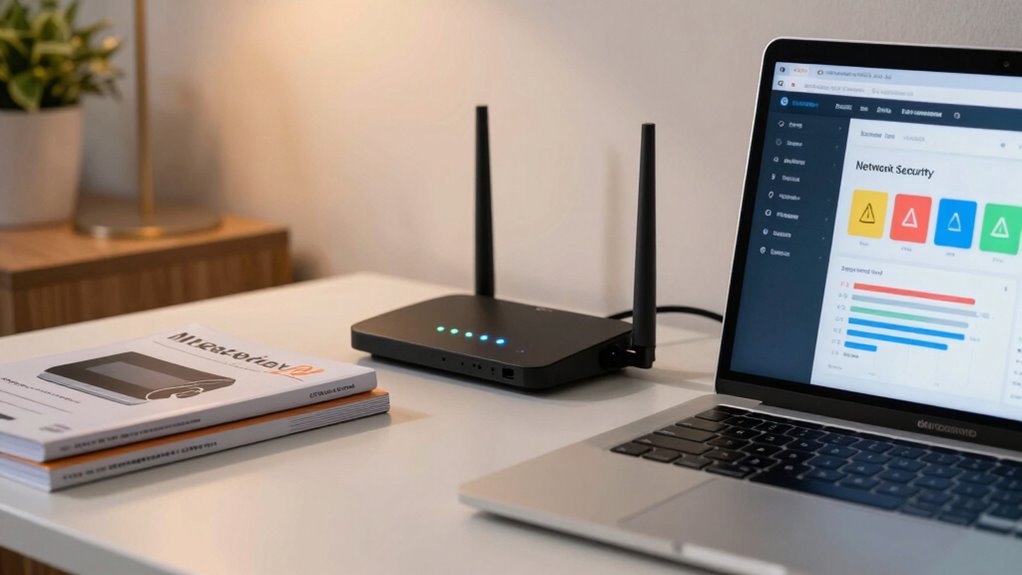
Have you ever wondered whether you really need a firewall for your home network? It’s a common question, especially with so many devices connected and cyber threats becoming more sophisticated. The truth is, a firewall can be a helpful layer of defense, but its effectiveness depends largely on your network configuration and how well you maintain your security. Before rushing into installing software or hardware solutions, it’s smart to evaluate your setup and understand what roles a firewall plays.
Your network configuration is the foundation of your home security. If you have a simple setup—like a single Wi-Fi router connected directly to the internet—your router might already have a built-in firewall. Many modern routers come with basic firewall features enabled by default, which can block unsolicited incoming traffic and help protect your devices. However, if your network is more complex, with multiple devices, smart home hubs, or port forwarding rules, you need to carefully review your configuration. Misconfigured network settings can create vulnerabilities that even a firewall might not fully cover. Ensuring your network is properly segmented and that you disable unnecessary services can reduce your attack surface, even without additional firewall software. Proper network segmentation is a key strategy to limit potential breaches.
A simple home network often has built-in firewall features; complex setups require careful review to avoid vulnerabilities.
Another crucial aspect is keeping your software up to date. Regular software updates are essential because they patch security holes that cybercriminals might exploit. No matter how robust your firewall is, outdated firmware or operating systems can serve as entry points for attacks. Make it a habit to enable automatic updates for your router, operating system, and all connected devices. This practice minimizes vulnerabilities and enhances your overall security posture. Remember, a firewall isn’t a silver bullet; it works best in conjunction with other security measures like strong passwords, encryption, and vigilant software updates. Additionally, understanding network security fundamentals can help you make more informed decisions about your home setup. Being aware of potential network vulnerabilities enables you to better protect your digital environment.
Many home users underestimate the importance of understanding how their network is configured and neglect to keep their devices current. A properly configured network with updated software reduces reliance on a firewall alone, making your home environment safer. If you’re unsure about your network setup or how to optimize your security, consider consulting your device manuals or a professional. Ultimately, the question isn’t just whether you need a firewall, but how well you’ve set up your network and maintained your devices. When these elements are in place, a firewall becomes a valuable, but not the only, component of your home security strategy.
home router firewall configuration
As an affiliate, we earn on qualifying purchases.
As an affiliate, we earn on qualifying purchases.
Frequently Asked Questions
Do I Need a Firewall if I Have Antivirus Software?
Yes, you still need a firewall even if you have antivirus software. A firewall provides essential network segmentation, blocking unauthorized access and protecting your devices from external threats. It also works with intrusion detection systems to monitor suspicious activity. Antivirus software mainly targets malware on your device, but a firewall safeguards your entire network. Combining both offers thorough protection, reducing the risk of cyberattacks and keeping your home network secure.
How Often Should I Update My Firewall Settings?
You should update your firewall settings regularly—at least once a month or whenever you make changes to your network. This guarantee your access controls stay current, and network segmentation remains effective against threats. Keep an eye on new security features or vulnerabilities, and adjust your rules accordingly. Regular updates help prevent unauthorized access, maintain peak protection, and adapt to evolving cyber threats, keeping your home network safer.
Can a Firewall Slow Down My Internet Connection?
A firewall can slow down your internet connection, but usually, the impact is minimal. It acts as a barrier against network intrusion and helps guarantee data encryption, which boosts security. While some slowdown might occur, it’s a small trade-off for protection. Most modern firewalls are optimized to balance security and speed, so you can enjoy safe browsing without significant delays. Prioritizing security helps prevent costly breaches later.
What’s the Difference Between Hardware and Software Firewalls?
Hardware firewalls are physical devices that protect your network by creating a barrier, often supporting network segmentation and intrusion detection, to block unauthorized access. Software firewalls are programs installed directly on your devices, monitoring and controlling incoming and outgoing traffic. While hardware firewalls safeguard your entire network, software firewalls offer personalized protection for individual devices. Combining both enhances security, ensuring better intrusion detection and network segmentation.
Are Firewalls Necessary for Wi-Fi Networks?
Yes, firewalls are vital for Wi-Fi networks. They help with network segmentation, preventing unauthorized access to your devices, and enable parental controls, so you can monitor and restrict internet usage for kids. Firewalls protect your network from threats, secure sensitive information, and guarantee safer browsing. Without a firewall, your Wi-Fi network remains vulnerable to cyberattacks, making it indispensable for maintaining your home’s cybersecurity.
As an affiliate, we earn on qualifying purchases.
Conclusion
Think of your firewall as the gatekeeper of your digital castle. By asking the right questions about its settings and capabilities, you’re reinforcing your defenses against unwanted intruders. Don’t leave your castle doors wide open—regularly check and fine-tune your firewall to keep your home network secure. When you stay vigilant, you’re not just protecting your data; you’re fortifying your digital home, making it a fortress that’s tough to breach.
automatic firmware update router
As an affiliate, we earn on qualifying purchases.
As an affiliate, we earn on qualifying purchases.
home network segmentation device
As an affiliate, we earn on qualifying purchases.
As an affiliate, we earn on qualifying purchases.
Halloween Picks
halloween
As an affiliate, we earn on qualifying purchases.