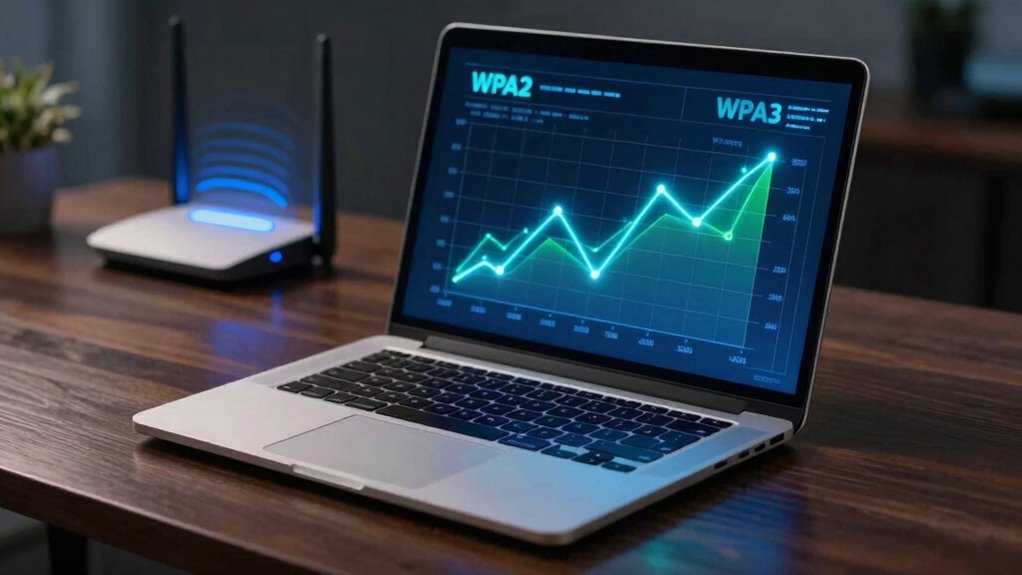

WPA3 provides much stronger security than WPA2 by using advanced encryption and a secure handshake called SAE, making it harder for attackers to crack your passwords or intercept data. While WPA2 relies on AES encryption, it’s vulnerable to certain exploits like KRACK. If you upgrade to WPA3, your network gains better protection against modern cyber threats. To understand how these improvements impact your security, keep exploring the differences in detail.
Listen free for 30 days with Audible
Thousands of audiobooks and originals — cancel anytime.
As an affiliate, we earn on qualifying purchases.
Key Takeaways
- WPA3 introduces stronger encryption protocols like SAE, making brute-force attacks significantly more difficult than WPA2.
- WPA2’s AES encryption is secure but vulnerable to specific exploits such as KRACK, which WPA3 aims to mitigate.
- WPA3 enhances protection for open networks with individualized encryption, safeguarding data from eavesdropping.
- Older devices may only support WPA2, limiting immediate security benefits unless upgraded hardware is used.
- Transitioning to WPA3 provides improved resilience against evolving cyber threats, ensuring a more secure wireless environment.
When it comes to securing your wireless network, understanding the differences between WPA2 and WPA3 is essential. These protocols are the foundation of modern Wi-Fi security, and knowing what they offer can help you better protect your data and devices. The core distinction lies in their encryption protocols and how they handle device compatibility. WPA2, introduced in 2004, has been the standard for years, but WPA3, released in 2018, aims to elevate security to meet evolving threats.
Understanding WPA2 and WPA3 helps protect your Wi-Fi network from evolving security threats.
WPA2 uses AES (Advanced Encryption Standard) for encryption, which has proven to be quite secure when properly implemented. However, it’s vulnerable to certain attacks, like the KRACK exploit, which can compromise the encryption if your network isn’t patched. WPA3 steps in with improved encryption protocols that are designed to withstand these kinds of threats more effectively. It introduces Simultaneous Authentication of Equals (SAE), a more secure handshake process that makes it markedly harder for attackers to crack passwords through brute-force attacks. This means your data is better protected, especially on open networks where encryption is critical.
Device compatibility is another key factor. WPA2 has been widely adopted, so most devices, even older ones, support it without issues. WPA3, on the other hand, requires newer hardware that supports its advanced features. If your devices are outdated, they might not be compatible with WPA3 networks, which could mean you need to upgrade your hardware to enjoy its benefits fully. However, many modern devices now come with WPA3 support, and newer routers are designed to be backward compatible with WPA2, allowing you to coexist with older devices while enjoying improved security for compatible ones.
In practice, this means that if you upgrade to a WPA3-enabled router, some devices might still connect using WPA2, ensuring you’re not left without connectivity. But for maximum security, it’s best to use WPA3 on devices that support it. Over time, as more devices adopt WPA3, the transition will become seamless, and you’ll benefit from stronger encryption protocols across your network.
Additionally, European cloud solutions are increasingly incorporating advanced security protocols like WPA3, emphasizing the importance of secure wireless networks in cloud infrastructures.
As an affiliate, we earn on qualifying purchases.
Frequently Asked Questions
Can WPA3 Be Used With Older Devices?
WPA3 isn’t fully compatible with older devices, especially legacy devices that only support WPA2. You might face compatibility concerns, as some older gadgets won’t connect or work properly with WPA3-only networks. To avoid issues, check your device’s specs before upgrading your router. If compatibility becomes a concern, consider setting up a mixed mode that supports both WPA2 and WPA3, ensuring all your devices stay connected securely.
Is WPA3 Backward Compatible With WPA2?
Yes, WPA3 is backward compatible with WPA2, but only if your device supports both security protocols. You’ll need to check your device’s compatibility for device compatibility with WPA3. If your device is compatible, it can connect to WPA3 networks while still supporting WPA2, ensuring a smoother shift. Keep in mind, some older devices might only support WPA2, so security protocols could be limited until you upgrade.
How Does WPA3 Improve Wi-Fi Network Privacy?
WPA3 improves your Wi-Fi network privacy through encryption enhancements that make it harder for outsiders to intercept your data. It uses individualized data encryption, so even if someone captures your Wi-Fi traffic, they can’t easily decode it. These privacy improvements safeguard your online activities from eavesdropping and guarantee your information remains secure. Overall, WPA3 offers stronger, more reliable privacy, giving you peace of mind on your connected devices.
Are There Any Drawbacks to Upgrading to WPA3?
Upgrading to WPA3 can raise concerns about device compatibility and firmware updates. While some older devices might not support WPA3 immediately, most modern gadgets receive firmware updates to enable compatibility. The main drawback is that you may need to replace or upgrade certain devices, which can be inconvenient or costly. However, the enhanced security features of WPA3 make it worth the effort, especially if you prioritize protecting your network.
Does WPA3 Require New Hardware or Firmware Updates?
WPA3 generally requires new hardware or firmware updates for full compatibility. You’ll need devices that support WPA3’s hardware features, but some may need firmware updates to enable the new security protocols. Check your device’s hardware compatibility first, and then update the firmware if necessary. If your current hardware isn’t compatible, upgrading to WPA3-compatible devices guarantees you get the enhanced security benefits without risking vulnerabilities.
Wi-Fi network security upgrade kit
As an affiliate, we earn on qualifying purchases.
As an affiliate, we earn on qualifying purchases.
Conclusion
Switching from WPA2 to WPA3 substantially boosts your Wi-Fi security, making it harder for hackers to intercept your data. Imagine a small business that upgraded to WPA3; they thwarted a nearby hacker trying to exploit their weaker network. This shows that investing in the latest security protocols isn’t just tech jargon—it’s a real safeguard for your personal and professional information. Don’t wait for a breach—upgrade now and stay protected.
As an affiliate, we earn on qualifying purchases.
wireless network security device
As an affiliate, we earn on qualifying purchases.
As an affiliate, we earn on qualifying purchases.
Flea & tick season Picks
flea and tick prevention
As an affiliate, we earn on qualifying purchases.