
You’ll find that small desktops often deliver better quiet performance than thin laptops, especially during demanding tasks. They have larger, more efficient cooling systems that manage heat without much noise, allowing sustained high performance. Thin laptops prioritize portability and low noise during regular use, but their compact design limits cooling options, causing noise to increase under load. If you want a system that balances power and silence, explore the differences further to find the best fit.

Prime made for students and young adults
- Fast, free delivery for dorm and study essentials
- Prime Video and Amazon Music included
- Member-only deals
Key Takeaways
- Thin laptops prioritize silent operation during regular tasks but may become noisy under heavy processing loads.
- Small desktops generally offer better thermal management, maintaining quieter performance during high-performance tasks.
- Passive cooling in thin laptops limits heat dissipation, increasing noise during intensive use.
- Small desktops can incorporate larger fans or liquid cooling, reducing noise levels during demanding workloads.
- Overall, small desktops tend to provide more consistent quiet performance for high-performance and extended use.
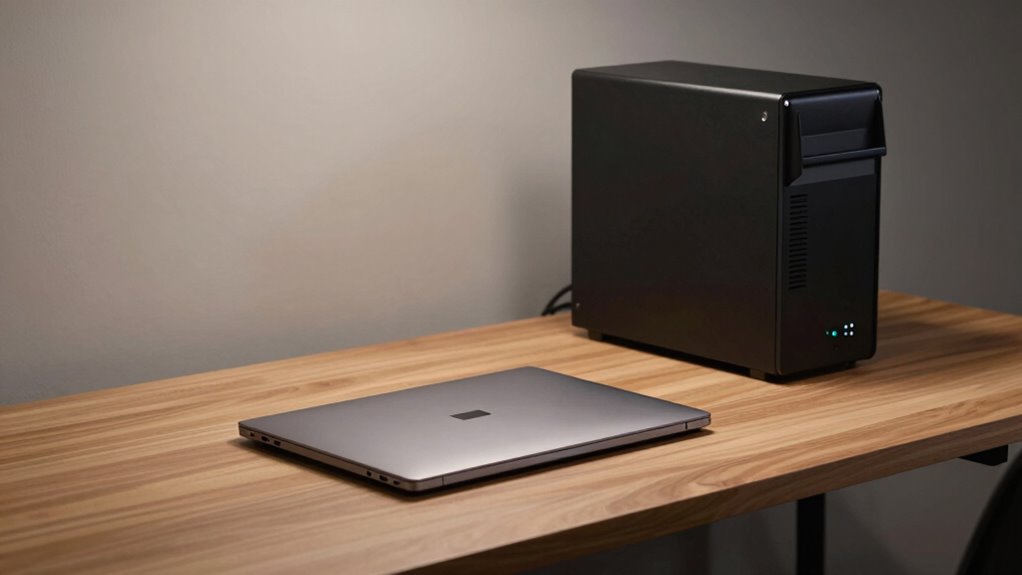
When choosing between a thin laptop and a small desktop, many users prioritize quiet operation alongside performance. Noise levels become a significant factor, especially if you work in shared spaces or prefer a tranquil environment. Thin laptops are designed to operate with minimal noise, often thanks to their compact size and efficient cooling systems. Because they have limited space for fans and cooling hardware, manufacturers focus on thermal management techniques that keep noise levels low. They may incorporate passive cooling methods or smaller, quieter fans that ramp up only under heavy load. As a result, you usually experience quieter operation during everyday tasks like browsing, document editing, or streaming. However, when you push these devices to their limits, such as during intensive processing or gaming, the noise levels can increase as fans work harder to manage heat. Thermal management plays a crucial role in balancing performance and noise. Additionally, some models utilize advanced cooling techniques to further reduce noise during demanding tasks. A well-designed cooling system can further enhance noise reduction and overall device longevity. Small desktops, by contrast, often feature more robust cooling solutions. They tend to have larger fans, additional heat sinks, or even liquid cooling options, which can effectively dissipate heat while maintaining low noise levels. Because of their size, small desktops can incorporate better thermal management strategies that prevent overheating without resorting to loud, high-speed fans. This efficiency in heat dissipation allows them to sustain high-performance tasks without becoming noisy distractions. That said, some compact desktops may still generate noticeable noise during demanding workloads, especially if they rely on standard fans rather than advanced cooling systems. The key difference lies in how well each system manages heat: efficient thermal management in small desktops often results in quieter operation during long or intense sessions. In environments where consistent quietness is essential, small desktops with efficient thermal management are often preferable for sustained high-performance use.
Popular right now

Bose QuietComfort Headphones (2nd Gen), Wireless Over-Ear Noise-Cancelling Headphones, Black

Samsung 65-Inch The Frame Pro Neo QLED 4K TV (2026) Bundle with Modern Brown Bezel, HDMI Cables, and Home Theater Guide

Dyson V15 Detect Cordless Vacuum
As an affiliate, we earn on qualifying purchases.
Frequently Asked Questions
How Do Thermal Management Systems Differ Between Thin Laptops and Small Desktops?
You’ll find that thin laptops rely heavily on optimized airflow design and advanced fan technology to dissipate heat efficiently within limited space, often using silent, low-profile fans. Small desktops, however, typically have more room for larger, more effective cooling solutions like bigger fans or liquid cooling systems. This difference allows desktops to manage thermal loads better, providing quieter operation and higher performance compared to the more constrained cooling systems in thin laptops.
What Specific Hardware Compromises Are Made for Quiet Operation?
You sacrifice raw power to achieve near-silence, making hardware compromises that impact performance. Vibration dampening materials are overused, and fan noise reduction takes priority over cooling efficiency. This means your device might run hotter, throttling performance during intense tasks. The focus on quiet operation often results in throttled CPUs and GPUs, limiting what you can do, all to keep the noise level impressively low—sometimes at the cost of your productivity.
Are There Brands Known for Better Quiet Performance in Compact PCS?
You’ll find brands like Apple and ASUS excel in quiet performance in compact PCs, thanks to their effective acoustic insulation and efficient cooling designs. These brands minimize fan noise, allowing smooth operation without distraction. Look for models with advanced thermal management and noise-reducing features, as they prioritize silent operation. Choosing such brands helps you enjoy powerful performance without the noise, perfect for quiet work environments or media consumption.
How Does Noise Level Impact Long-Term Hardware Durability?
Fan noise isn’t just a minor annoyance; it signals how hard your components work, which can accelerate wear over time. Higher noise levels often mean fans are running at maximum, increasing stress on parts like the CPU and GPU. This constant strain can reduce hardware lifespan, making quiet operation a better choice for durability. Keeping noise low helps maintain ideal component health and prolongs your device’s longevity.
Can User Modifications Improve Quietness Without Performance Loss?
Yes, you can improve quietness through user modifications without sacrificing performance. Installing acoustic insulation inside your device helps dampen fan noise, making it quieter during operation. Additionally, adjusting fan curves or replacing stock fans with quieter, high-quality ones reduces noise levels. These tweaks allow your system to maintain best performance while minimizing fan noise, creating a more comfortable environment without compromising hardware efficiency.
Conclusion
As you close the lid of your thin laptop or tuck your small desktop into a cozy corner, remember the quiet tradeoff you’ve made. While sleek designs whisper subtlety, they often sacrifice the roaring power of larger machines. Picture the gentle hum of a whispering breeze versus the thunder of a storm—your choice shapes your workspace’s harmony. Embrace the calm, knowing your quiet device keeps the world at bay while quietly powering your day.