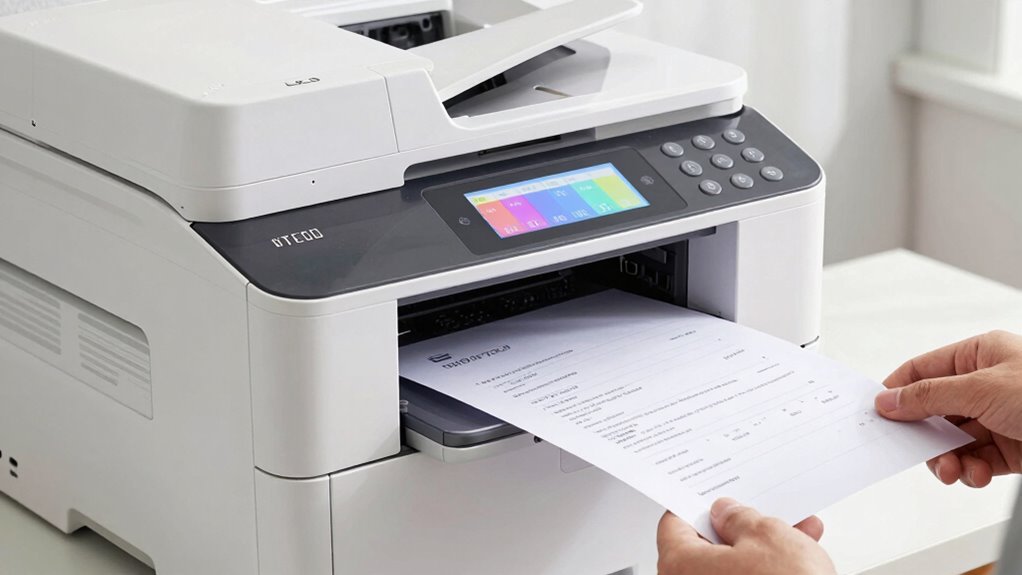

The cost per page shows you the true expenses of printing beyond the sticker price of the printer. It considers ongoing costs like ink, toner, and maintenance, helping you understand how much each page will actually cost over time. This metric lets you compare different printers’ long-term affordability, especially for high-volume needs. Keep exploring to learn how choosing the right printer based on cost per page can save you money in the long run.
Get ready for Prime Big Deal Days — try Prime free
Exclusive member deals on October 6–7, plus fast free delivery. Cancel anytime.
As an affiliate, we earn on qualifying purchases.
Key Takeaways
- Cost per page measures the true expense of printing by including ink, toner, maintenance, and other ongoing costs.
- It enables comparison of printers beyond sticker price, highlighting long-term affordability.
- Laser printers typically have a lower cost per page than inkjets, making them more economical for high-volume printing.
- Regular maintenance and consumable replacements significantly impact total printing costs and should be factored in.
- Understanding cost per page helps in choosing printers that align with your usage needs and budget, avoiding hidden expenses.

Have you ever wondered how much printing really costs you per page? When you’re trying to manage office expenses or cut back on printing costs at home, looking beyond the initial price of a printer can save you a lot of money. One of the key factors to consider is the cost per page, which considers the ongoing expenses associated with printing. To understand your true costs, you need to compare different printer types, especially inkjet versus laser models, and their maintenance costs. These elements considerably influence how much each printed page ultimately costs you.
Understanding the true cost per page helps you choose the most economical printer for your needs.
Inkjet printers are generally less expensive upfront, making them attractive if you’re only printing occasionally. However, their per-page costs tend to be higher over time. This is because ink cartridges for inkjet printers often need frequent replacements, and the ink itself can be costly. Additionally, inkjet printers may require more regular maintenance, such as cleaning print heads to avoid clogging, which adds to the total cost of ownership. On the other hand, laser printers typically have a higher initial purchase price but offer lower cost per page in the long run. Toner cartridges for laser printers last longer and can print many more pages before needing replacement, which reduces the per-page cost greatly.
Maintenance costs also play an essential role in calculating the true expense of your printer. Inkjet printers often demand more hands-on maintenance, like cleaning and replacing ink cartridges, which can add to your expenses if you print frequently. Laser printers, while generally more durable and requiring less frequent maintenance, might still have costs associated with replacing drum units or fuser assemblies over their lifespan. These maintenance costs, although less frequent, should be factored into your decision if you’re aiming to understand the total cost per page.
Understanding the differences in inkjet versus laser printing costs helps you make smarter choices tailored to your printing habits. If you print few pages occasionally, an inkjet might seem cheaper upfront, but if you print hundreds of pages monthly, a laser printer’s lower per-page cost makes it more economical in the long run. Remember, the cost per page isn’t just about the price of ink or toner; it’s about the combined expenses of replacements, maintenance, and the durability of the printer itself. Additionally, technological advancements such as high-yield toner cartridges can significantly lower your ongoing printing costs. By factoring in these elements, you can accurately gauge how much each page costs you and avoid surprises that inflate your printing budget. Ultimately, knowing your true printing costs empowers you to choose the right printer that aligns with your needs and saves money over time.
As an affiliate, we earn on qualifying purchases.
Frequently Asked Questions
How Does Cost per Page Vary Across Different Printer Brands?
You’ll notice cost per page varies across printer brands based on brand reputation and model features. Some brands like HP or Canon may offer lower costs due to efficient ink or toner, while others might have higher expenses because of complex features or less efficient cartridges. By comparing these factors, you can find a printer that fits your budget, ensuring you get the best value for your money over time.
What Factors Influence the Cost per Page Beyond Ink and Toner?
Beyond ink and toner, your cost per page is influenced by paper quality and printing volume. Higher-quality paper can increase costs, while frequent printing often reduces per-page expenses due to bulk toner savings. If you print a lot, you might find better deals with larger toner cartridges or volume discounts. Both factors considerably impact your overall printing costs, so consider them when choosing your printer and supplies.
Can Cost per Page Help Determine the Most Economical Printer for My Needs?
Think of cost per page as your guiding lighthouse in a sea of printers; it helps you spot the most economical option. By considering this metric, you can compare print quality and paper choices, ensuring you choose a printer that balances quality and expense. A lower cost per page often means better value, helping you avoid overspending and ensuring your printing needs stay within budget.
How Often Should I Calculate My Printer’s Cost per Page?
You should calculate your printer’s cost per page regularly, ideally every few months or after significant print runs. Monitoring your print usage helps you keep track of cartridge lifespan and identify patterns that impact costs. Doing this frequently ensures you’re aware of fluctuations in expenses, allows you to adjust your printing habits, and helps you choose the most cost-effective cartridges, saving you money over time.
Does Cost per Page Account for Maintenance and Repair Costs?
No, cost per page typically doesn’t encompass maintenance costs or repair expenses. When you calculate it, you’ll mainly focus on toner, ink, and paper costs. However, to get a full picture of your printing expenses, you should also consider maintenance costs and repair expenses separately. Keeping track of these additional costs ensures you understand the true cost per page and helps you budget for unexpected repairs.
As an affiliate, we earn on qualifying purchases.
Conclusion
Understanding cost per page reveals more than just sticker price; it exposes the true expenses behind your printing. While a cheaper printer may seem appealing, hidden ink and toner costs can quickly add up. Just like a flashy car with a low sticker price can cost more in maintenance, a low initial cost might mask long-term expenses. So, don’t just compare upfront prices—look at the cost per page to make smarter, more economical choices.
As an affiliate, we earn on qualifying purchases.
As an affiliate, we earn on qualifying purchases.
NFL season / tailgating Picks
team gear
As an affiliate, we earn on qualifying purchases.