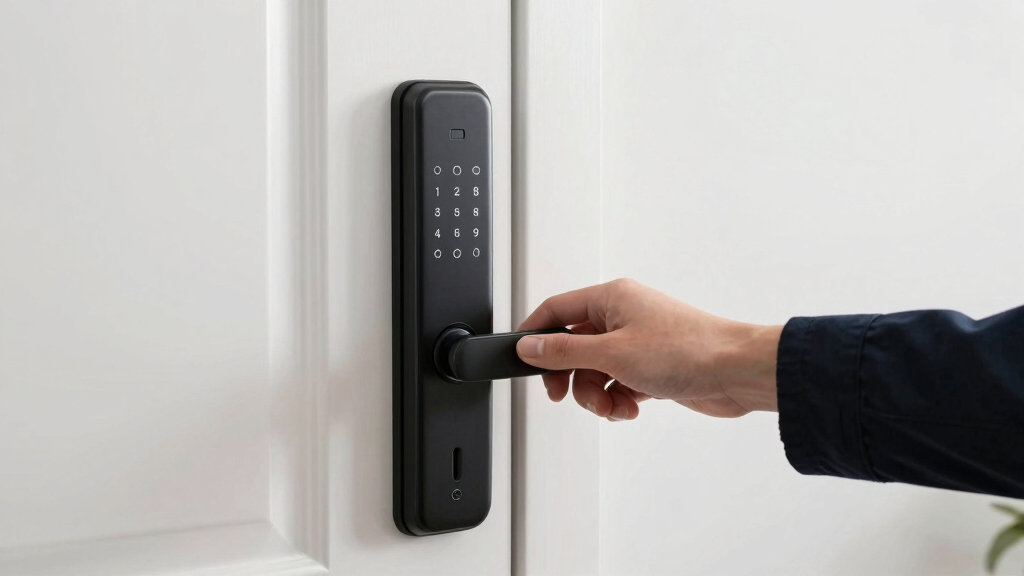
Finding the best smart lock for renters involves balancing convenience, portability, and flexibility. The August Silver Wi-Fi Smart Lock stands out as the overall top pick for its easy installation and reliable Wi-Fi access, making it ideal for tenants who want a seamless, no-hassle upgrade. The Eufy Security Smart Lock C220 offers excellent fingerprint access at a competitive price, perfect for those prioritizing quick entry without keys. However, renters often face tradeoffs between features and ease of installation—they need locks that won’t damage doors or require permanent modifications. Keep reading for a detailed breakdown of the top options and what to consider before buying.
Open a free Amazon Business account
Business pricing, bulk buying and tax-exempt orders.
Create a free accountAs an affiliate, we earn on qualifying purchases.
Key Takeaways
- Top locks prioritize easy, damage-free installation suitable for renters who can’t make permanent modifications.
- Wi-Fi connectivity and remote access are essential for managing locks when away from home.
- Biometric options like fingerprint sensors provide quick access but often come at a higher cost.
- Compatibility with smart home systems varies; choose a lock that integrates smoothly with existing setups.
- Price ranges reflect differences in features, with more affordable models offering core functions and premium options adding advanced security or design.
| August Silver Wi-Fi Smart Keyless Entry Door Lock |  | Best Overall for Renters Seeking Seamless Integration | Compatibility: Fits most single cylinder deadbolts | Connectivity: Wi-Fi (802.11 b/g/n 2.4GHz or 5GHz) | App Requirements: iOS or Android smartphone | VIEW LATEST PRICE | See Our Full Breakdown |
| Philips Wi-Fi Smart Deadbolt Lock, Keyless Entry Door Lock for Front Door |  | Best for Multi-Method Access and Customizable User Codes | Connectivity: Wi-Fi (2.4GHz only) | Power: AA alkaline batteries (LR6) | Supported Door Thickness: 1-3/8″ to 2″ | VIEW LATEST PRICE | See Our Full Breakdown |
| ULTRALOQ U-Bolt Pro WiFi Smart Lock with Door Sensor |  | Best for Security-Conscious Renters Wanting Multiple Entry Options | Connectivity: 2.4GHz Wi-Fi | Fingerprint Storage: up to 100 fingerprints | Passcode Capacity: up to 50 codes | VIEW LATEST PRICE | See Our Full Breakdown |
| SwitchBot WiFi Smart Lock Pro + Hub Mini Matter, Keyless Entry Deadbolt Retrofit |  | Best for Easy Retrofit Installation and Smart Home Integration | Compatibility: Most North American single-cylinder deadbolts | Connectivity: WiFi, Bluetooth | Battery Life: 6–9 months | VIEW LATEST PRICE | See Our Full Breakdown |
| Schlage Encode Smart WiFi Deadbolt Lock with Century Trim, Matte Black |  | Best for High Security and Durable Remote Management | Connectivity: WiFi | Battery: 4 AA batteries (included) | Battery Life: Up to 6 months | VIEW LATEST PRICE | See Our Full Breakdown |
| Yale Assure Lock 2 Keypad Deadbolt with Wi-Fi, Black Suede |  | Best Overall for Ease and Versatility | Connectivity: Wi-Fi (2.4 GHz only) | Color: Black Suede | Compatibility: Works in U.S. and Canada | VIEW LATEST PRICE | See Our Full Breakdown |
| ULTRALOQ U-Bolt WiFi Smart Lock with Door Sensor |  | Best for Flexibility and Remote Management | Brand: ULTRALOQ | Model: U-BOLT-WiFi | Recommended Uses: Front, Back, Garage, Rentals | VIEW LATEST PRICE | See Our Full Breakdown |
| eufy Security Smart Lock C220, Fingerprint Keyless Entry Door Lock |  | Best for Biometric Convenience and Battery Life | Unlock Methods: Fingerprint, App, Keypad, Physical Key, Voice | Battery Life: 8 months | Waterproof: IP53 | VIEW LATEST PRICE | See Our Full Breakdown |
| ULTRALOQ Bolt SE Wi-Fi Smart Lock with Matter over Thread |  | Best for Future-Proof Connectivity | Fingerprint Storage: up to 50 | Passcode Storage: up to 50 | Connectivity: Wi-Fi 2.4 GHz, Matter over Thread | VIEW LATEST PRICE | See Our Full Breakdown |
| Wyze Auto-Lock Bolt v2 Fingerprint Keyless Entry Smart Lock |  | Best for Quick Access and AI Learning | Fingerprint Recognition Speed: 0.5 seconds | Battery Life: 8 months | Battery Type: 8 AA batteries | VIEW LATEST PRICE | See Our Full Breakdown |
| smart lock for renter | Connectivity | Battery Life |
|---|---|---|
| August Silver Wi-Fi Smart Keyl | Wi-Fi (802.11 b/g/n 2.4GHz or 5GHz) | — |
| Philips Wi-Fi Smart Deadbolt L | Wi-Fi (2.4GHz only) | — |
| ULTRALOQ U-Bolt Pro WiFi Smart | 2.4GHz Wi-Fi | — |
| SwitchBot WiFi Smart Lock Pro | WiFi, Bluetooth | 6–9 months |
| Schlage Encode Smart WiFi Dead | WiFi | Up to 6 months |
| Yale Assure Lock 2 Keypad Dead | Wi-Fi (2.4 GHz only) | — |
| ULTRALOQ U-Bolt WiFi Smart Loc | Wi-Fi 2.4 GHz | — |
| eufy Security Smart Lock C220 | — | 8 months |
| ULTRALOQ Bolt SE Wi-Fi Smart L | Wi-Fi 2.4 GHz, Matter over Thread | up to 18 months |
| Wyze Auto-Lock Bolt v2 Fingerp | Wi-Fi | 8 months |
More Details on Our Top Picks
August Silver Wi-Fi Smart Keyless Entry Door Lock
This lock stands out for its effortless installation—taking around 10 minutes—and its compatibility with major voice assistants like Alexa, Google, and Apple HomeKit, making it highly versatile for renters who want a hassle-free upgrade. Compared to the Schlage Encode, it offers more intuitive app controls but requires Wi-Fi for full features, which could be a limitation if your internet is unstable. Its ability to remotely share access and schedule lock/unlock times makes it ideal for sharing keys with roommates or service providers. However, some users may find the app setup complex, and additional keypad or biometric features are sold separately, adding to the cost. Overall, this lock is best suited for renters who want easy, wireless control without major modifications to their door.
Pros:- Easy to install on most doors in about 10 minutes
- Seamless integration with voice assistants like Alexa, Google, and Apple HomeKit
- Allows remote access sharing and scheduled entries
Cons:- Requires Wi-Fi internet connection for full functionality
- Additional keypad and biometric features sold separately
- Some users may find app setup complex
Best for: Renters who prioritize ease of installation and smart home integration without needing advanced security features.
Not ideal for: Renters with unstable Wi-Fi or those seeking built-in biometric access, as additional components are sold separately and full functionality depends on internet stability.
- Compatibility:Fits most single cylinder deadbolts
- Connectivity:Wi-Fi (802.11 b/g/n 2.4GHz or 5GHz)
- App Requirements:iOS or Android smartphone
- Installation Time:Approximately 10 minutes
- Additional Features:Auto-Unlock, Auto-Lock, DoorSense, optional biometric and keypad access
Our verdict“This lock makes the most sense for renters who want quick, wireless smart lock upgrade with broad voice assistant compatibility.”
Philips Wi-Fi Smart Deadbolt Lock, Keyless Entry Door Lock for Front Door
Compared with the August, the Philips lock offers a wider array of unlocking options, including fingerprint, passcode, and physical key, making it ideal for households with varying tech preferences. Its remote access via Wi-Fi enables locking and unlocking from anywhere, plus real-time notifications add a layer of security. While its 2.4GHz Wi-Fi support is similar to the August, it supports up to 100 custom passcodes—more suited for larger households or short-term rentals. However, it lacks a door sensor to detect open/close status, which is a feature the ULTRALOQ U-Bolt Pro offers. Batteries are not included, and the Wi-Fi support only covers 2.4GHz networks, which could limit connectivity. This lock is perfect for renters who want multi-user control and remote management but don’t require advanced sensors.
Pros:- Multiple unlocking options including app, passcode, fingerprint, and physical key
- Remote access from anywhere with real-time activity notifications
- Supports up to 100 custom passcodes for family and guests
Cons:- Requires AA alkaline batteries (not included)
- No door sensor for open/close detection
- Supports only 2.4GHz Wi-Fi networks
Best for: Renters who need multiple unlocking methods and extensive user control for their property.
Not ideal for: Renters with unreliable Wi-Fi or those who prefer a lock with integrated sensors for open/close detection, since it lacks that feature.
- Connectivity:Wi-Fi (2.4GHz only)
- Power:AA alkaline batteries (LR6)
- Supported Door Thickness:1-3/8″ to 2″
- Auto-Lock Timer:10 to 180 seconds
- Voice Control:Alexa, Google Assistant
Our verdict“Ideal for renters needing versatile access methods and detailed control over user codes and notifications.”
ULTRALOQ U-Bolt Pro WiFi Smart Lock with Door Sensor
The ULTRALOQ U-Bolt Pro excels for those who want a comprehensive smart lock with robust security features. Its support for fingerprint, passcode, app remote, and voice control surpasses many competitors like the August, which relies primarily on app and voice. The included door sensor provides valuable open/close detection, enhancing security—especially for renters concerned about door status. Installation is straightforward on most US standard doors, but it’s not recommended for metal doors, which could be a limitation for some. Battery life is solid with alkaline batteries, though the electronic warranty is limited to 18 months. This lock is tailored for renters who prioritize multiple access options and detailed door status alerts, with a focus on security and smart home integration.
Pros:- Supports fingerprint, passcode, app, and voice control
- Includes a door sensor for open/close detection
- Auto-locks when door closes and unlocks as you approach
Cons:- Not recommended for metal doors
- Requires 2.4GHz Wi-Fi, incompatible with 5GHz networks
- Electronic warranty limited to 18 months
Best for: Renters who want a versatile, high-security lock with multiple entry methods and door status alerts.
Not ideal for: Renters with metal doors or those seeking longer electronic warranty coverage, as the lock isn’t suited for all door types and has limited warranty duration.
- Connectivity:2.4GHz Wi-Fi
- Fingerprint Storage:up to 100 fingerprints
- Passcode Capacity:up to 50 codes
- Included Components:Smart deadbolt, door sensor, fingerprint scanner
- Weatherproof Rating:IP65
Our verdict“Best suited for renters seeking maximum security and multi-method entry with door status monitoring.”
SwitchBot WiFi Smart Lock Pro + Hub Mini Matter, Keyless Entry Deadbolt Retrofit
Compared to the other options, the SwitchBot Smart Lock Pro offers the advantage of attaching over existing deadbolts without damage, which makes it appealing for renters wary of permanent modifications. Its support for Matter, Siri, Alexa, and Google Assistant ensures broad compatibility with smart home ecosystems. Auto-lock and real-time notifications add to its security features. However, it requires a separate keypad for additional unlocking methods, which could be inconvenient and adds to setup complexity. Its battery life is decent at 6–9 months, but installation depends on confirming deadbolt specifications, which could be a hurdle for some renters. This lock is ideal for those who want an easy, non-invasive upgrade with future-proof smart home compatibility.
Pros:- Easy retrofit installation without damage
- Supports multiple smart home platforms including Matter and voice assistants
- Auto-lock feature and real-time notifications
Cons:- Requires separate keypad for extra unlocking methods
- Not compatible with Jimmy Proof or Mortise locks
- Installation may depend on deadbolt specifications
Best for: Renters who need a damage-free, retrofit solution compatible with multiple smart home platforms.
Not ideal for: Renters with deadbolts incompatible with the SwitchBot model or those desiring built-in biometric access, since additional components are needed.
- Compatibility:Most North American single-cylinder deadbolts
- Connectivity:WiFi, Bluetooth
- Battery Life:6–9 months
- Smart Home Compatibility:Matter, Siri, HomeKit, Alexa, Google Assistant, IFTTT
- Included Components:Product, batteries, latch accessories
Our verdict“Ideal for renters seeking a flexible, damage-free upgrade compatible with the latest smart home standards.”
Schlage Encode Smart WiFi Deadbolt Lock with Century Trim, Matte Black
The Schlage Encode offers a sleek, durable design with advanced security features, including a built-in alarm and high BHMA rating. Its ‘Snap ‘n Stay’ installation makes setup straightforward, especially for renters who want a no-hardware, screwdriver-only process. It supports remote management via Wi-Fi and works seamlessly with Alexa and Google Home, similar to the August but with a more robust security rating. Battery life around six months and fingerprint-prone touchscreen are minor tradeoffs compared to its high security standards. This lock is best for renters who prioritize safety, durability, and easy remote control, even if it means replacing batteries more frequently.
Pros:- Remote access and management via WiFi and apps
- Works with Alexa and Google Home for voice control
- Easy screwdriver-only installation
Cons:- Battery life may require frequent replacement with heavy use
- Requires WiFi connection for remote features
- Touchscreen may be fingerprint-prone
Best for: Renters needing a secure, durable lock with easy installation and high security ratings.
Not ideal for: Renters who want a lock with longer battery life or prefer a lock with a touchscreen less prone to fingerprints, as these are potential drawbacks.
- Connectivity:WiFi
- Battery:4 AA batteries (included)
- Battery Life:Up to 6 months
- Material:Matte Black finish
- Installation:Snap ‘n Stay, no hardwiring
Our verdict“Best suited for renters seeking a high-security, easy-to-install lock with reliable remote management features.”
Yale Assure Lock 2 Keypad Deadbolt with Wi-Fi, Black Suede
This Yale model stands out for its straightforward installation and multiple access options, including keypad, voice, and smartphone app, making it highly adaptable for renters who value convenience without complex setup. Compared to the ULTRALOQ U-Bolt WiFi, this lock offers a more seamless, tool-free installation process, but it is limited to 2.4 GHz Wi-Fi networks, which could hinder connectivity in some homes. Its auto-lock feature boosts security, especially important for renters who might forget to lock up. However, its region restrictions mean it’s ideal for U.S. and Canadian residents, and full functionality depends on a compatible device. Perfect for renters prioritizing easy setup and multiple access methods without requiring professional installation.
Pros:- Multiple access options including keypad, voice, and app
- Auto-lock feature enhances security
- Easy, tool-free installation on standard US doors
Cons:- Limited to 2.4 GHz Wi-Fi networks, which may restrict connectivity
- Only compatible with U.S. and Canadian regions
- Requires a smartphone or compatible device for full feature access
Best for: Renters in the U.S. or Canada seeking a reliable, easy-to-install lock with flexible access options
Not ideal for: Renters outside North America or those with Wi-Fi networks on a different frequency band, as the lock only supports 2.4 GHz
- Connectivity:Wi-Fi (2.4 GHz only)
- Color:Black Suede
- Compatibility:Works in U.S. and Canada
- Installation:Tool-free replacement on standard US doors
Our verdict“This lock makes the most sense for renters who want a versatile, straightforward solution with minimal installation fuss.”
ULTRALOQ U-Bolt WiFi Smart Lock with Door Sensor
This ULTRALOQ model excels in supporting multiple access methods, including passcodes, app, voice, and mechanical keys, making it ideal for renters who want flexibility. Unlike the Yale Assure, it offers built-in Wi-Fi for remote control without an additional bridge, and its weather-resistant build makes it suitable for outdoor entrances. However, it requires a stable Wi-Fi connection for optimal operation, and auto lock/unlock depends on smartphone proximity, which can sometimes be unpredictable. Its installation is straightforward, but some users report the instructions could be clearer. Ideal for renters needing a durable, remotely manageable lock that works well outdoors.
Pros:- Supports multiple access methods including passcodes, app, voice, and mechanical keys
- Built-in Wi-Fi enables remote control without extra hardware
- Weather-resistant and durable for outdoor use
- Flexible access management for households and rentals
Cons:- Requires stable Wi-Fi for reliable operation
- Auto lock/unlock features depend on smartphone proximity and settings
- Installation instructions may be challenging for some users
Best for: Renters wanting flexible, remote access management with weather resistance for exterior doors
Not ideal for: Renters with unreliable Wi-Fi or those who prefer a lock with simpler, manual operation due to auto lock uncertainties
- Brand:ULTRALOQ
- Model:U-BOLT-WiFi
- Recommended Uses:Front, Back, Garage, Rentals
- Connectivity:Wi-Fi 2.4 GHz
- Weather Resistance:IP65-rated
- Warranty:Lifetime mechanical, 18 months electronic
Our verdict“This pick suits renters who want a versatile, durable lock with remote access, especially for outdoor or high-traffic areas.”
eufy Security Smart Lock C220, Fingerprint Keyless Entry Door Lock
The eufy Security C220 shines with its AI-powered fingerprint recognition, offering nearly instant access that’s ideal for renters who prioritize quick, contactless entry. Its long battery life of around 8 months reduces maintenance worries, and installation is quick—taking about 15 minutes. Compared to the ULTRALOQ U-Bolt, it relies solely on biometric and app control, which could be limiting if the fingerprint database needs updating. Its durability and weather resistance make it suitable for outdoor use, but the need for compatible deadbolts and potential recognition delays with new users are tradeoffs. This lock is best for renters who want a biometric solution with minimal fuss and long-lasting batteries.
Pros:- Fast, AI-powered fingerprint recognition
- Long-lasting battery life of about 8 months
- Easy 15-minute installation without drilling
- Durable and weather-resistant design
Cons:- Battery life may vary with usage frequency
- Limited to fingerprint and app control, fewer entry options
- Requires compatible standard deadbolt for installation
Best for: Renters seeking biometric entry with long battery life and easy installation
Not ideal for: Renters seeking a diversity of access methods beyond fingerprint and app, or those with incompatible deadbolts
- Unlock Methods:Fingerprint, App, Keypad, Physical Key, Voice
- Battery Life:8 months
- Waterproof:IP53
- Operating Temperature:-22℉ to 158℉
- Installation Time:15 minutes
- Certifications:BHMA Grade 3
Our verdict“Ideal for renters who want a biometric lock with long battery life and simple installation, especially for outdoor entrances.”
ULTRALOQ Bolt SE Wi-Fi Smart Lock with Matter over Thread
The ULTRALOQ Bolt SE advances smart lock technology with support for Matter over Thread, promising broader compatibility in the smart home ecosystem. It combines fingerprint, passcodes, app, and voice control, making it flexible for renters who want future-ready hardware. Its long battery life of up to 18 months minimizes maintenance, and installation takes about 10 minutes. However, the need for a dedicated Matter hub for remote access via Matter can complicate setup, and the absence of a door sensor limits real-time door status monitoring. Compared with the ULTRALOQ U-Bolt, it offers enhanced connectivity options but at a slightly more complex setup. This pick is ideal for renters wanting a contemporary, future-compatible smart lock with reliable long-term operation.
Pros:- Supports multiple access methods including fingerprint, passcodes, app, and voice
- Long battery life of up to 18 months
- Supports Matter over Thread for future compatibility
- Easy DIY installation in about 10 minutes
Cons:- Requires a Matter hub for remote access via Matter, adding complexity
- No included door sensor for door status monitoring
- Limited to 2.4 GHz Wi-Fi, which could impact connectivity
Best for: Renters interested in smart home integration with future-proof connectivity and long battery life
Not ideal for: Renters who prefer a plug-and-play solution without additional hubs or those needing door status alerts
- Fingerprint Storage:up to 50
- Passcode Storage:up to 50
- Connectivity:Wi-Fi 2.4 GHz, Matter over Thread
- Battery Life:up to 18 months
- Water Resistance:IP65
- Material:Zinc alloy
Our verdict“Best suited for renters seeking a smart lock ready for future smart home standards and extended battery life.”
Wyze Auto-Lock Bolt v2 Fingerprint Keyless Entry Smart Lock
The Wyze Auto-Lock Bolt v2 distinguishes itself with rapid fingerprint recognition, taking just 0.5 seconds to unlock, making it perfect for renters who need quick access. Its AI learning capability improves accuracy over time, reducing missed recognitions. The lock supports multiple unlocking methods, including app, keypad, and backup keys, offering broad flexibility. Its 8-month battery life is decent, but users must remember to replace batteries or use the USB-C backup, which adds some hassle. The IP53 rating provides basic weather resistance, suitable for covered outdoor areas or indoor use. Compared to the eufy C220, it is faster at unlocking and more reliant on Wi-Fi, yet its durability is slightly less robust. This is a top choice for renters prioritizing speed, convenience, and AI-enhanced security.
Pros:- Fast fingerprint unlocking at 0.5 seconds
- AI learning improves recognition accuracy over time
- Remote management via Wyze app
- Backup power with USB-C port
Cons:- Batteries need replacement approximately every 8 months
- Limited water resistance (IP53), not suited for severe weather
- Dependent on Wi-Fi for remote features
Best for: Renters who want fast, AI-enhanced fingerprint access with straightforward installation
Not ideal for: Renters in extremely harsh environments or seeking the longest battery life without frequent replacements
- Fingerprint Recognition Speed:0.5 seconds
- Battery Life:8 months
- Battery Type:8 AA batteries
- Connectivity:Wi-Fi
- IP Rating:IP53
- Backup Power:USB-C port
Our verdict“Ideal for renters seeking a quick, AI-enhanced biometric lock with easy installation and remote control capabilities.”

How We Picked
I evaluated each smart lock based on ease of installation, especially for renters who need damage-free, non-permanent setup. Connectivity features like Wi-Fi and app control were essential for managing locks remotely, a key requirement for tenants. Durability and build quality were considered to ensure the locks could withstand daily use without issues. Price was also a factor, with a focus on offering good value for renters who often seek flexible, affordable security solutions. Finally, I looked at user interface simplicity and additional features such as biometric entry or smart home compatibility, ranking the products that best balanced these factors.Factors to Consider When Choosing Best Smart Lock For Renters
Selecting the best smart lock for renters requires understanding how different features align with your living situation and needs. Renters should prioritize damage-free installation, simple operation, and reliable connectivity. It’s also important to consider compatibility with your existing smart home ecosystem and whether the lock offers keyless access options that suit your lifestyle. Balancing cost and features helps ensure you get a lock that enhances security without overpaying for unnecessary extras. Keep these factors in mind to find a solution that provides peace of mind during your tenancy.Installation and Damage-Free Setup
For renters, the ability to install a smart lock without drilling or damaging doors is critical. Many locks now feature retrofit designs that attach over existing hardware, making them ideal for temporary setups. Avoid models that require permanent modifications or extensive hardware changes, as these can jeopardize your security deposit or violate lease agreements. Always check if the lock supports easy removal and reinstallation before purchasing.
Connectivity and Remote Access
Wi-Fi capability and app control are game-changers for renters who need to grant access remotely or keep track of who enters. Locks with reliable wireless connections enable you to generate temporary or scheduled codes, monitor activity, and control access from anywhere. Keep in mind that some models require a hub or bridge for remote features, which could add to the complexity and cost.
Biometric and Keyless Entry Options
Biometric features like fingerprint sensors provide quick, keyless entry, which is convenient for daily use. However, these tend to come with higher price tags and sometimes less battery life. Keypads for PIN codes are a more affordable alternative and still offer keyless convenience. Consider your lifestyle—if you need fast access or have family members, biometric or keypad options can make life easier.
Smart Home Compatibility and Security
Check whether your chosen lock integrates with your existing smart home devices, such as Alexa, Google Home, or Zigbee networks. Compatibility can streamline your automation routines and enhance security. Be aware that some locks may have vulnerabilities or require firmware updates for optimal security, so research the manufacturer’s track record and ongoing support.
Price, Value, and Additional Features
Smart locks span a wide price range, from budget-friendly options to premium models with advanced features. Decide what features matter most—such as biometric access, keypad, or smart home integration—and weigh these against the cost. Sometimes paying more results in longer battery life, better build quality, or enhanced security features, making the investment worthwhile if you plan to stay long-term or want peace of mind.
Frequently Asked Questions
Can I install a smart lock myself as a renter?
Yes, many smart locks are designed for DIY installation and are ideal for renters because they don’t require permanent modifications. Look for models with retrofit designs that attach over your existing deadbolt or door hardware. These locks typically use mounting plates or adhesives, allowing you to remove them easily when moving out, without leaving damage or holes. Always follow the manufacturer’s instructions for proper installation to ensure security and functionality.
Will a smart lock work if I lose Wi-Fi or internet connection?
Most smart locks can still be operated locally via Bluetooth or keypad if Wi-Fi or internet goes out. However, remote management features, like granting access or monitoring activity, rely on a stable internet connection. If remote control is vital, choose a lock with a backup connectivity option—such as Bluetooth or a cellular-enabled hub—to maintain control even during network outages.
Are biometric smart locks secure enough for rental apartments?
Biometric locks offer fast, keyless entry and are generally secure, but no system is entirely foolproof. For renters, they are a good option if the manufacturer uses strong encryption and has a good security track record. Keep in mind that biometric sensors can sometimes be less reliable in extreme temperatures or if fingerprints are dirty or wet. For added security, pairing biometrics with PIN codes can provide an extra layer of protection.
Do smart locks drain batteries quickly?
Battery life varies widely depending on the model and usage. Many smart locks now feature low-battery alerts and replaceable batteries that last several months to over a year. Choosing a lock with energy-efficient components and easy access to replace batteries can prevent lockouts. Always check the manufacturer’s estimated battery life and keep spare batteries on hand for peace of mind.
Is smart lock security vulnerable to hacking?
While no device is entirely immune, reputable smart lock brands implement encryption and security protocols to protect against hacking. Regular firmware updates and strong, unique passwords are essential for maintaining security. Avoid locks with poor security reviews or outdated firmware, and consider models with multi-factor authentication or encryption standards to mitigate risks.
Conclusion
For those seeking an all-around reliable, damage-free smart lock, the August Silver Wi-Fi Smart Lock offers excellent balance of ease of use, remote control, and affordability, making it the ideal choice for most renters. Budget-conscious tenants who want quick access may prefer the Eufy Security Smart Lock C220 for its fingerprint sensor and simple setup. Renters with higher security needs or smart home integration should explore premium options like the Schlage Encode or Yale Assure Lock 2. Beginners or those new to smart locks will find models with straightforward installation and minimal features easiest to start with, while long-term residents might opt for more advanced security features. Choose based on your lifestyle, budget, and security priorities for a seamless rental experience in 2026.
As an affiliate, we earn on qualifying purchases.Fall Picks
fall essentials