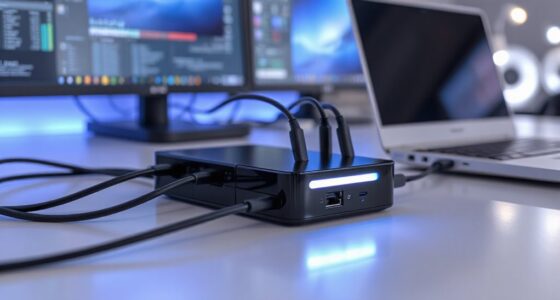
Finding the best 32 inch 4K monitor for your MacBook Pro involves balancing display quality, connectivity, and usability. The BenQ MA320U stands out as the overall top choice thanks to its seamless USB-C integration and color accuracy. The Samsung UJ59 offers a budget-friendly 4K experience with a VA panel, while the Dell 32 Plus emphasizes color precision and HDR capabilities for creative workflows. Most options require tradeoffs between price, color performance, and features like refresh rate or built-in speakers. Continue reading for a detailed breakdown of each option and what makes them ideal for different users.
Prime for Young Adults — start your free trial
Fast free delivery, streaming and member deals for eligible 18–24 year olds.
Try it freeAs an affiliate, we earn on qualifying purchases.
Key Takeaways
- USB-C connectivity is a common feature that simplifies MacBook Pro integration, but not all monitors handle power delivery equally.
- Color accuracy varies significantly; models like Dell 32 Plus and BenQ PD3205U excel for creative tasks, while others are more general-purpose.
- VA panels, such as Samsung UJ59, tend to offer higher contrast but may have slower response times compared to IPS options.
- HDR support is inconsistent across models; if HDR is important, check specifications carefully.
- Built-in speakers are a bonus but often compromise audio quality; dedicated external speakers still offer better sound.


More Details on Our Top Picks
BenQ MA320U 32” 4K Monitor for MacBook with USB-C, P3 Color Gamut, Adjustable Stand
This monitor stands out for its vibrant P3 wide color gamut, which makes it ideal for MacBook users who need accurate colors in creative workflows. Its single USB-C connection simplifies desk setup by delivering both display and power, a major advantage over the Dell S3225QS, which lacks USB-C. The adjustable stand enhances ergonomic comfort, but the price may be higher due to professional-grade features. While it excels for MacBook-centric workflows, its limited compatibility with non-USB-C devices and absence of built-in speakers could be drawbacks for some users.
Pros:- Vibrant P3 wide color gamut calibrated for MacBook
- Single USB-C connection for display and power
- Adjustable ergonomic stand for comfort
- Supports gaming consoles via HDMI
Cons:- Limited to MacBook and compatible devices
- No built-in speakers mentioned
Best for: MacBook Pro owners and creative professionals needing color accuracy and seamless connectivity
Not ideal for: Users with multiple non-USB-C devices or those seeking built-in speakers for multimedia use
- Display Size:32 inches
- Resolution:3840×2160 (4K)
- Color Gamut:P3
- Connectivity:2 HDMI, 2 USB-C
- Power Delivery:90W via USB-C
- Stand Adjustments:Height, tilt, swivel, pivot
Bottom line: This monitor is best suited for MacBook users who prioritize color precision and streamlined connectivity, despite a higher price point.
Samsung 32-Inch UJ59 Series 4K UHD Computer Monitor, VA Panel, HDMI, DisplayPort, Eye Saver/Flicker-Free Mode, FreeSync, LU32J590UQNXZA, Black
The Samsung UJ59 delivers stunning 4K visuals with over a billion color shades, making it excellent for multimedia and multitasking thanks to PBP and PIP modes. Its VA panel enhances contrast and deep blacks compared to the BenQ MA320U, but the lack of USB-C connectivity limits integration with MacBook Pro. The monitor’s HDR support and gaming features like FreeSync make it versatile, yet its fixed size and multiple input requirements can be less flexible for dynamic setups. It’s a strong choice for those prioritizing image quality and multitasking over device simplicity.
Pros:- Vivid 4K UHD resolution with over a billion shades
- Supports multitasking with PBP and PIP modes
- Enhanced gaming features like FreeSync and Game Mode
- Deep contrast from VA panel
Cons:- Limited to 32 inches, may not fit all desks
- No USB-C port for direct MacBook connection
- Requires multiple input cables for full functionality
Best for: Creative professionals and multitaskers who want vibrant images and flexible multitasking features
Not ideal for: MacBook users seeking USB-C connectivity or minimal cable clutter
- Screen Size:32 inches
- Resolution:3840×2160 (4K UHD)
- Panel Type:VA
- Color Shades:Over 1 billion
- Features:Eye Saver Mode, Flicker-Free, FreeSync, PBP, PIP
- Stand:Y-shaped, metallic finish
Bottom line: Ideal for users who prioritize stunning visuals and multitasking, but less suited for MacBook owners seeking single-cable simplicity.
Dell 32 Plus 4K Monitor – S3225QS – 31.5-inch 4K (3840 x 2160) VA Panel, 120Hz, AMD FreeSync Premium, sRGB 99%, DCI-P3 95%, HDR, Comfortview Plus, Ash White
The Dell S3225QS combines a high 120Hz refresh rate with excellent color accuracy, making it suitable for fast-paced creative and gaming tasks. Its VA panel provides strong contrast, but it falls short of the BenQ PD3205U in color calibration for professional work, especially since it lacks USB-C connectivity. The HDR support and ComfortView Plus enhance visual comfort, but the limited port selection and higher price may deter some users. It’s a compelling option for those who want smooth visuals and accurate colors without the need for extensive ports.
Pros:- 120Hz high refresh rate for smooth visuals
- Excellent color accuracy with 99% sRGB and 95% DCI-P3
- HDR support and ComfortView Plus for eye comfort
- Deep contrast from VA panel
Cons:- No USB-C port, less seamless MacBook integration
- Limited port options for multiple devices
- Premium pricing for high refresh rate features
Best for: Gamers and creative professionals who value high refresh rates and color fidelity
Not ideal for: MacBook users who need USB-C connectivity for simplified setup or professional color work
- Display Size:31.5 inches
- Resolution:3840×2160 (4K)
- Panel Type:VA
- Refresh Rate:120Hz
- Color Gamut:99% sRGB, 95% DCI-P3
- HDR:HDR ready
- Stand:Tilt
Bottom line: Best suited for users combining high-quality visuals with fast response times, but less ideal for USB-C reliant MacBook workflows.
LG 32UR500K-B 32-inch 4K UHD HDR10 Monitor with Built-in Speakers
The LG 32UR500K-B offers a vivid 4K display with a 90% DCI-P3 color gamut and HDR10 support, making it appealing for entertainment. Its built-in stereo speakers add convenience for multimedia consumption, unlike the BenQ or Dell options that lack integrated audio. The monitor’s ergonomic tilt stand supports comfortable long-term use, but the limited refresh rate of 60Hz and absence of USB-C port reduce its appeal for professional or gaming use. It’s a solid choice for casual multimedia enthusiasts but less so for high-performance tasks.
Pros:- Vivid 4K display with HDR10 support
- Built-in stereo speakers with MaxxAudio
- Adjustable ergonomic stand
- Good color coverage up to 90% DCI-P3
Cons:- Limited to 60Hz refresh rate
- No USB-C port for direct MacBook connection
- Potentially less suitable for fast-paced gaming or professional color grading
Best for: Multimedia consumers who want a large display with integrated audio and HDR support
Not ideal for: Professional creators or gamers seeking higher refresh rates and USB-C connectivity
- Display Size:32 inches
- Resolution:3840×2160 (4K)
- Display Technology:VA LED
- Refresh Rate:60Hz
- Color Gamut:90% DCI-P3
- HDR:HDR10
- Speakers:Built-in stereo speakers
Bottom line: Best for casual multimedia use with integrated audio, but less suited for professional or gaming applications requiring higher refresh rates.
BenQ PD3205U 32-Inch 4K UHD IPS Monitor with USB-C and Color Calibration
This model makes the most sense for professional designers needing accurate color calibration with factory validation and extensive color coverage. Its USB-C port with 90W power delivery simplifies MacBook Pro connections, matching or surpassing the BenQ MA320U’s color precision. The IPS panel ensures consistent colors from wide angles, but the higher price and large size may be prohibitive for casual users or those with limited desk space. Compared with the Dell S3225QS, it offers superior color accuracy and calibration tools but comes at a premium.
Pros:- High color accuracy with factory calibration and Delta E ≤3
- Extensive color coverage including 99% sRGB
- USB-C with 90W charging and versatile connectivity
- Designed for professional color work
Cons:- Premium price may be high for casual users
- Large size requires ample desk space
- Complex features may be more than needed for basic tasks
Best for: Creative professionals and designers prioritizing precise color reproduction and seamless device integration
Not ideal for: Casual users or those with limited workspace seeking a more affordable or simpler monitor
- Size:32 inches
- Resolution:4K UHD
- Panel Type:IPS
- Color Coverage:99% sRGB, rec. 709
- Color Accuracy:Delta E ≤3
- Connectivity:USB-C (90W), HDMI, USB Hub
- Additional Features:Factory calibrated, ICC Sync, KVM, DualView
Bottom line: Best for professional creators needing top-tier color accuracy and flexible connectivity, despite a higher investment.
Samsung 32-Inch Flat Computer Monitor, 75Hz, Borderless Display, AMD FreeSync, Game Mode, Advanced Eye Care, HDMI and DisplayPort, LS32B304NWNXGO, 2024
This Samsung monitor stands out for its borderless design, providing a sleek, modern look that complements a MacBook Pro workspace. Its 75Hz refresh rate and AMD FreeSync support make it a solid choice for casual gaming or multimedia consumption, though it doesn’t specify a native 4K resolution—potentially affecting clarity compared to the BenQ MA320U, which emphasizes color accuracy and a true 4K experience. The inclusion of Eye Saver Mode and Flicker-Free technology enhances long hours of use, minimizing eye strain. While lacking built-in speakers or detailed resolution specs, it offers versatile connectivity via HDMI and DisplayPort, making it compatible with MacBook Pro’s video outputs. Compared with the UJ59 series, this model prioritizes a sleek aesthetic and eye comfort, but it may fall short in clarity for professional color work or detailed editing. Tradeoffs include a less specified resolution and fewer multimedia features, making it suitable for users who prioritize design and eye health over detailed color fidelity or built-in audio.
Pros:- Sleek, borderless design enhances modern workspace aesthetics
- Includes advanced eye care features like Flicker-Free and Eye Saver Mode
- Supports AMD FreeSync and Game Mode for smooth multimedia experiences
- Flexible connectivity options with HDMI and DisplayPort
Cons:- Resolution details are not specified, which may limit clarity expectations
- Lacks built-in speakers and detailed color specifications
- Price range and availability are not provided, which might impact purchase decisions
Best for: Creative professionals or general users seeking a stylish, eye-friendly secondary display for multitasking with their MacBook Pro.
Not ideal for: Photographers or video editors requiring precise color accuracy and high resolution, since resolution details are unspecified and color fidelity is not highlighted.
- Display Size:32 Inches
- Display Type:LCD
- Refresh Rate:75 Hz
- Contrast Ratio:4000:1
- Viewing Angle:178 Degrees
- Brightness:250 cd/m²
- Connectivity:HDMI and DisplayPort
- Eye Care Technologies:Eye Saver Mode, Flicker Free, AMD FreeSync
- Item Dimensions:8.71″D x 28.09″W x 20.97″H
Bottom line: This monitor is a solid choice for users who prioritize style and eye comfort over detailed resolution or professional-grade color fidelity.

How We Picked
Our evaluation focused on key factors that matter most for MacBook Pro users: seamless USB-C compatibility with power delivery, color accuracy for creative work, screen performance such as contrast and response time, build quality, and overall value. We prioritized monitors that integrate easily with macOS, offer high resolution, and have a reliable stand for ergonomic adjustments. The ranking reflects a balance between premium features and affordability, aiming to serve a range of users from professionals to general users. We also considered user reviews and industry reputation to ensure each monitor’s real-world reliability.
Factors to Consider When Choosing Best 32 Inch 4k Monitor For MacBook Pro
Choosing the best 32 inch 4K monitor for MacBook Pro requires understanding several key factors that influence usability and performance. MacBook Pro users often prioritize seamless connectivity, color accuracy, and ergonomic design. Here are some of the most important considerations to help you make an informed decision beyond just specs.
Connectivity and Power Delivery
Look for monitors with USB-C ports that support power delivery to reduce clutter and simplify your setup. A monitor with at least 85W power output can charge your MacBook Pro while connected, which is essential for maintaining battery life during extended use. Beware of models that only offer data transfer or video output without charging capabilities, as this can lead to cable clutter and inconvenience.
Color Accuracy and Panel Type
For creative professionals, color fidelity is non-negotiable. IPS panels generally provide better color consistency and wider viewing angles, making them ideal for editing and design work. Look for monitors with high sRGB, DCI-P3, or AdobeRGB coverage—these ensure your colors are accurate and vibrant. VA panels, while offering higher contrast, may introduce response time issues that matter for fast-paced tasks or gaming.
Resolution and Screen Size
A 4K resolution on a 32-inch screen offers sharp detail, but ensure your MacBook Pro can handle scaling without performance issues. Larger screens provide more workspace but can be overwhelming if not ergonomic. Consider your workspace and how much you need to see at once—if multitasking or detailed editing is your priority, a larger display is worth the investment.
Build Quality and Ergonomics
A sturdy stand with height, tilt, and swivel adjustments improves comfort during long work sessions. Aluminum or premium plastic construction enhances durability, especially if you move your monitor frequently. VESA compatibility is a plus, offering flexibility to mount your display in a custom setup or on a monitor arm.
Additional Features and Price
Features like built-in speakers, USB hubs, and HDR support can add convenience but often increase cost. Decide which extras are worth paying for based on your workflow. Budget models may lack these features but still deliver excellent display quality, making them suitable for most general use cases. Always weigh the added cost against the practical benefits for your specific needs.
Frequently Asked Questions
Can I connect a 32 inch 4K monitor to my MacBook Pro without any issues?
Yes, most modern 32 inch 4K monitors support USB-C or Thunderbolt connections compatible with MacBook Pro. For a smooth experience, ensure the monitor supports USB-C with power delivery and matching resolution capabilities. Some older monitors may require adapters or additional cables, which can introduce latency or reduce quality. Always check user reviews for macOS compatibility to avoid unexpected issues.
Is HDR support necessary on a 4K monitor for MacBook Pro?
HDR support enhances color and contrast, making it beneficial for photo editing, video production, and media consumption. However, not all HDR implementations are equal; some monitors only support basic HDR, which may not significantly improve image quality. For most professional editing, look for monitors with true HDR support and high peak brightness. If your primary use is browsing or office work, HDR may be less of a priority.
Should I prioritize a monitor with built-in speakers or external audio solutions?
Built-in speakers add convenience, especially in minimalist setups, but their sound quality is typically limited. For critical listening, editing audio, or immersive media, external speakers or headphones are recommended. If space and simplicity matter most, a monitor with decent integrated speakers can suffice for casual use or video calls. Consider your audio needs carefully before sacrificing other features for built-in sound.
How important is refresh rate on a 4K monitor for MacBook Pro?
While a higher refresh rate (like 75Hz or 120Hz) benefits gaming and fast-paced video editing, most professional workflows on a MacBook Pro prioritize color accuracy and resolution over refresh rate. For general productivity and media consumption, 60Hz is sufficient. If you do gaming or use applications that benefit from smoother motion, selecting a monitor with a higher refresh rate makes sense, but it may come at a higher cost.
Are curved screens better for a 32 inch 4K monitor?
Curved screens can reduce glare and improve immersion, especially on larger displays like 32 inches. They help maintain a consistent viewing distance across the screen, which can reduce eye strain during long sessions. However, they are not essential and may not suit all workflows, particularly if you need precise alignment for professional editing. Flat panels are often more versatile and easier to mount or position.
Conclusion
For users seeking the best overall performance and seamless MacBook Pro integration, the BenQ MA320U is the top pick thanks to its excellent USB-C features and color accuracy. Budget-conscious buyers will appreciate the Samsung UJ59 for its affordability and 4K resolution. Creative professionals or those needing precise color calibration should consider the Dell 32 Plus or BenQ PD3205U. Beginners or general users can opt for simpler models with fewer features but reliable display quality. Ultimately, your choice depends on your specific needs—whether it’s professional editing, casual use, or a balanced mix of features and price.
Fall Picks
fall essentials
As an affiliate, we earn on qualifying purchases.