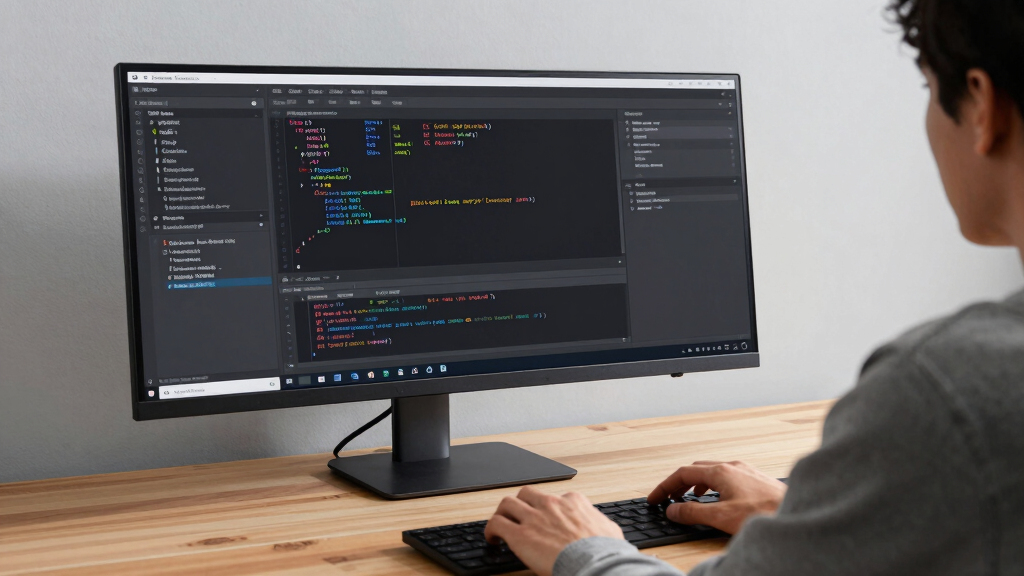
Finding the best 34 inch ultrawide monitor under $1000 involves balancing size, performance, and features. The Samsung ViewFinity S50GC stands out for its color accuracy and HDR support, making it ideal for creative work. For gamers, the Alienware AW3425DWM offers a high refresh rate and fast response time, ensuring smooth gameplay. Meanwhile, the Dell S3425DW provides a strong mix of productivity features with a curved VA panel at a competitive price. Most options in this category involve tradeoffs between refresh rate, color, and smart features. Keep reading to see how these picks compare and which one fits your needs best.
Key Takeaways
- High refresh rates (165Hz and above) are mostly found on gaming-focused models, but they often sacrifice some color accuracy for speed.
- Curved screens are common and improve immersion, especially for gaming and multitasking, but may not appeal to all users.
- Smart features like built-in streaming apps and webOS are present on some models, adding versatility but increasing complexity.
- VA panels provide better contrast for multimedia use, while IPS panels excel in color accuracy, important for creative work.
- Price differences often hinge on refresh rate, HDR support, and build quality, making it essential to prioritize your main use case.


More Details on Our Top Picks
Samsung 34″ ViewFinity S50GC Series Ultra-WQHD Monitor, 100Hz, HDR10, AMD FreeSync, Black
The Samsung ViewFinity S50GC stands out for its impressive balance of productivity features and vibrant visuals, making it ideal for professionals who need an expansive workspace. Its ultra-wide 21:9 aspect ratio and Ultra-WQHD resolution provide ample screen real estate, surpassing many gaming-focused options like the ASUS TUF in multitasking. The inclusion of HDR10 and billion-color support ensures rich, accurate colors that benefit creative workflows, while eye care technologies reduce fatigue during long hours. Compared to the Odyssey G5, which emphasizes gaming immersion, this monitor offers more versatility for work tasks. However, its 100Hz refresh rate, while sufficient for most professional use, is less suited for high-end gaming. Its size and premium price may also be limiting for smaller desks or budget-conscious buyers.
Pros:- Wide 21:9 aspect ratio enhances multitasking and immersive viewing
- Vibrant color display with HDR10 and billion-color support
- Eye care features reduce strain during long work sessions
Cons:- Premium price point may be high for some users
- Large size may not fit in small workspaces
- Limited to 100Hz refresh rate, less ideal for competitive gaming
Best for: Creative professionals and multitaskers who prioritize color accuracy and productivity over high refresh rates.
Not ideal for: Gamers seeking ultra-fast refresh rates and immersive curvature, as the 100Hz and flat panel may fall short.
- Screen Size:34 inches
- Resolution:Ultra-WQHD (3440×1440)
- Refresh Rate:100Hz
- Response Time:5ms
- HDR:HDR10
- Inputs:2 x HDMI 2.2, 1 x DisplayPort 1.2
Bottom line: This monitor is best suited for those who value a large, color-accurate workspace over gaming performance.
Samsung 34-Inch Odyssey G5 Ultra-Wide Gaming Monitor with 1000R Curved Screen, 165Hz, 1ms, FreeSync Premium, WQHD, Black
The Odyssey G5’s standout feature is its 1000R curved screen, which creates a highly immersive gaming experience that flat monitors like the ViewFinity can’t match. Its rapid 165Hz refresh rate and 1ms response time make it ideal for fast-paced, competitive gaming, especially compared to the more productivity-focused options like Dell’s S3425DW. The support for AMD FreeSync Premium and HDR10 ensures tear-free, vibrant visuals, but the monitor’s size and curvature demand significant desk space, which could be a drawback for smaller setups. While the high refresh rate excels in gaming, it offers less value for typical office work or creative tasks. This pick makes the most sense for dedicated gamers who want an immersive, high-speed experience.
Pros:- Immersive 1000R curved display enhances gameplay
- High 165Hz refresh rate with 1ms response time for smooth visuals
- Supports AMD FreeSync Premium for tear-free gaming
Cons:- Large, curved design requires substantial desk space
- Limited use outside gaming and multimedia
- Potentially high price for dedicated gaming setup
Best for: Serious gamers who prioritize fast response times and immersive curved displays.
Not ideal for: Professionals seeking color accuracy and multitasking capabilities, as the curved design and gaming focus may hinder productivity.
- Screen Size:34 inches
- Curvature:1000R
- Resolution:WQHD
- Refresh Rate:165Hz
- Response Time:1ms
- Adaptive Sync:AMD FreeSync Premium
Bottom line: This monitor is tailored for gamers demanding immersive visuals and ultra-fast response times over productivity features.
Dell 34 Plus USB-C Curved Monitor – S3425DW, 34-inch (3440 x 1440), 120Hz, VA Panel, AMD FreeSync Premium
The Dell S3425DW strikes a balance between work and play, with a 34-inch curved VA panel delivering deep contrast and vivid colors, surpassing the flat ViewFinity in visual depth. Its 120Hz refresh rate and FreeSync Premium support provide smooth visuals for both casual gaming and multimedia, making it a flexible choice. The inclusion of a single USB-C port with 65W power delivery simplifies connectivity for modern laptops, unlike the more specialized input options of the LG smart monitor. However, its lower power delivery and absence of built-in speakers with high-end sound could be drawbacks for some. Compared to the ASUS TUF, which emphasizes gaming performance, the Dell offers a more balanced experience for everyday use and light creative work.
Pros:- Deep contrast and vivid colors from VA panel
- Smooth 120Hz refresh rate with FreeSync Premium
- Single USB-C cable with 65W power makes connectivity simple
Cons:- Limited 65W power delivery may be insufficient for some laptops
- No high-end built-in audio system
- Higher price for a mid-range feature set
Best for: Multitaskers and casual gamers who want a versatile monitor with good contrast and connectivity.
Not ideal for: High-end gamers or color-critical professionals needing ultra-high color accuracy or advanced audio features.
- Display Size:34 inches
- Resolution:3440 x 1440
- Refresh Rate:120Hz
- Panel Type:VA
- Connectivity:USB-C with 65W
- Response Time:0.03 ms
Bottom line: This monitor offers a solid all-around performance suitable for multitasking and casual multimedia use.
LG 34SR60QC-W 34-inch QHD Curved Smart Monitor with Streaming, webOS, HDR10, 100Hz, Built-in Speaker, AirPlay2, Screen Share, Bluetooth, ThinQ App
The LG 34SR60QC-W introduces smart capabilities to the ultrawide format, making it a versatile choice for those who want entertainment alongside work. Its 1800R curvature and QHD resolution rival the visual immersion of gaming-focused monitors like the ASUS TUF, but with added streaming features via webOS, including apps and connectivity to AirPlay2 and Bluetooth. While its 100Hz refresh rate isn’t ideal for high-speed gaming, it comfortably supports multitasking, media consumption, and light gaming. Unlike the ViewFinity, which emphasizes color accuracy, the LG’s smart features and built-in speakers make it more user-friendly for entertainment. Still, the need for a separate remote or app control limits the convenience of full remote operation.
Pros:- Built-in webOS with access to streaming apps and web browsing
- Large curved display enhances immersion and multitasking
- Supports AirPlay2 and Bluetooth for versatile connectivity
Cons:- Limited to 100Hz refresh rate, less suited for competitive gaming
- Requires additional remote or app for full functionality
- Not designed specifically for color-critical professional work
Best for: Home users seeking an all-in-one monitor for work, streaming, and casual gaming with smart features.
Not ideal for: Professional creators or gamers requiring high refresh rates and color accuracy for demanding tasks.
- Screen Size:34 inches
- Resolution:3440×1440 (QHD)
- Curvature:1800R
- HDR:HDR10
- Refresh Rate:100Hz
- WebOS:webOS23
Bottom line: This monitor suits home entertainment enthusiasts who want smart features integrated into a large ultrawide display.
The ASUS TUF VG34VQL1B delivers a blend of gaming performance and creative potential, with a 34-inch curved display and high 165Hz refresh rate that rivals the Odyssey G5. Its 1ms response time and HDR400 support enable smooth, vibrant visuals suited for fast-paced gaming and detail-oriented creative tasks. Compared to the ViewFinity, which targets productivity, the ASUS emphasizes speed and immersion, making it a better fit for competitive gamers or content creators seeking quick response and high contrast. Its height adjustment adds ergonomic flexibility, but the monitor’s brightness and HDR capabilities, while solid, aren’t as high as premium HDR standards like HDR600 or HDR1000. This makes it ideal for users who need a versatile, high-performance display for both work and play.
Pros:- Large 34-inch curved display for immersive experience
- High 165Hz refresh rate and 1ms response time for smooth visuals
- Supports HDR400 for vibrant contrast and color
Cons:- Brightness and HDR support are not at high-end levels
- Heavy and sizeable, needs sturdy setup
- Limited to 240V power supply, regional compatibility issues
Best for: Gamers and creative professionals demanding a fast, responsive display with immersive features.
Not ideal for: Professionals requiring ultra-precise color accuracy or built-in streaming features, as it focuses more on response times and gaming specs.
- Screen Size:34 inches
- Display Resolution:3440×1440
- Refresh Rate:165Hz
- Response Time:1ms
- HDR:DisplayHDR 400
- Curvature:1500R
Bottom line: This monitor is best for gamers and creatives who prioritize responsiveness and immersion over professional-grade HDR or color accuracy.
Alienware 34-Inch Curved Gaming Monitor – AW3425DWM, WQHD, 180Hz, 1ms, AMD FreeSync Premium
The Alienware AW3425DWM stands out for its impressive combination of a 180Hz refresh rate and 1ms response time, making it ideal for fast-paced gaming. Compared to the LG 34G600A-B, it offers a higher refresh rate and broader color coverage, which can translate into smoother gameplay and richer visuals. Its 1500R curvature enhances immersion, unlike the flatter Samsung S50GC, which is more suited for multitasking. The main tradeoffs are its size, which may not fit smaller setups, and a higher price that pushes toward the upper limit of the budget. It’s a strong choice for gamers who prioritize responsiveness and color vibrancy, but less suited for users who need a more versatile or professional display.
Pros:- Exceptional 180Hz refresh rate with 1ms response time
- Vibrant colors with 95% DCI-P3 and HDR support
- Immersive curved design enhances gaming experience
- Multiple connectivity options including HDMI and DisplayPort
Cons:- Large size may not suit smaller desks
- Premium features come with a higher cost
- Limited info on additional features like speakers
Best for: Competitive gamers and enthusiasts seeking a responsive, curved ultrawide for immersive play.
Not ideal for: Office workers or creative professionals needing precise color accuracy or larger screens.
- Display Size:34 Inches
- Resolution:3440 x 1440 Pixels
- Refresh Rate:180 Hz
- Response Time:1ms
- Panel Type:LED
- Curvature:1500R
Bottom line: This monitor is best for dedicated gamers seeking high responsiveness and immersive visuals at a premium price.
Samsung 34″ ViewFinity S50GC Series Ultrawide QHD Monitor, 100Hz, HDR10, AMD FreeSync, Eye Care, Black
The Samsung ViewFinity S50GC excels in delivering a large, sharp ultrawide display that’s perfect for multitasking and productivity. Its Ultra-WQHD resolution and 21:9 aspect ratio provide ample workspace, surpassing the more gaming-focused LG 34G600A-B in clarity and color depth, especially with HDR10 support. The inclusion of eye care features like blue light reduction makes it suitable for prolonged use. However, its 100Hz refresh rate is lower than gaming-oriented models, which could be a drawback for fast-paced gaming. Its higher price reflects the advanced features, but it may not be ideal for users seeking a dedicated gaming monitor. This model caters better to professionals or power users prioritizing visual quality and multitasking over ultra-high refresh rates.
Pros:- Large, high-resolution ultrawide display ideal for multitasking
- HDR10 support enhances visual clarity and color vibrancy
- Eye care features reduce fatigue during extended use
- Vivid colors and sharp details improve productivity
Cons:- Limited to 100Hz refresh rate, less ideal for fast gaming
- Higher price point for advanced features
- Requires compatible graphics card for optimal FreeSync
Best for: Professionals and multitaskers needing a large, vibrant display for work and entertainment.
Not ideal for: Competitive gamers or users seeking the fastest response times for gaming.
- Screen Size:34 inches
- Aspect Ratio:21:9
- Resolution:Ultra-WQHD
- Refresh Rate:100Hz
- HDR:HDR10
- Connectivity Features:PBP, PIP
Bottom line: This monitor is best for professionals or power users who need a large, detailed display for work and casual viewing.
LG 34G600A-B 34-inch Ultragear WQHD Curved Gaming Monitor 160Hz, AMD FreeSync Premium, HDR10, Built-in Speakers, Adjustable Stand
The LG 34G600A-B is a compelling choice for gamers who want a curved, high-performance display at a reasonable price. Its 160Hz refresh rate and 1ms Motion Blur Reduction deliver smooth, responsive gameplay, rivaling more expensive models like the Alienware AW3425DWM but at a lower cost. The HDR10 support and 99% sRGB coverage ensure vibrant visuals, while the adjustable stand allows for ergonomic setups. However, its slightly lower color coverage compared to the Alienware may be noticeable for color-critical tasks, and built-in speakers, while convenient, may not satisfy audiophiles. This monitor excels in gaming but isn’t tailored for professional color work or productivity-heavy tasks, making it ideal for dedicated gamers and multimedia users.
Pros:- High 160Hz refresh rate with 1ms MBR for smooth gaming
- Curved 34-inch display enhances immersion
- Supports HDR10 and 99% sRGB for vibrant visuals
- Adjustable stand for personalized comfort
Cons:- Built-in speakers are basic and may lack quality
- Limited to gaming and multimedia use, not suited for color-critical work
- No USB-C or additional advanced ports
Best for: Gaming enthusiasts seeking a curved display with high refresh rates and fast response times.
Not ideal for: Creative professionals requiring precise color accuracy or those prioritizing professional-grade features.
- Display Size:34 Inches
- Resolution:3440 x 1440 (WQHD)
- Refresh Rate:160 Hz
- Response Time:1ms MBR
- Curvature:1800R
- Color Coverage:99% sRGB
Bottom line: This monitor is best for gamers who want high responsiveness and immersive curved visuals without overspending.
How We Picked
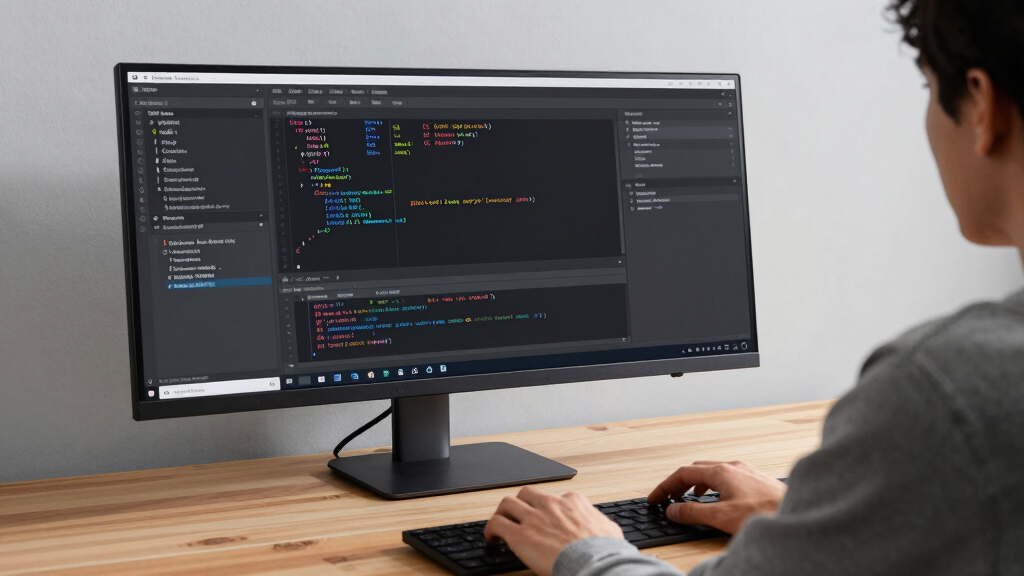
To evaluate these monitors, I considered key factors that matter most to buyers: performance, display quality, build durability, versatility, and value. I prioritized models that offer a balanced mix of features suitable for both work and entertainment under $1000. Performance metrics like refresh rate, response time, and HDR support guided the selection for gaming vs. content creation needs. I also compared usability aspects such as connectivity options, ergonomic adjustments, and smart features. The ranking reflects the overall value delivered for the price, ensuring each pick addresses different user priorities while maintaining quality standards.Factors to Consider When Choosing Best 34 Inch Ultrawide Monitor Under $1000
Choosing the best 34 inch ultrawide monitor under $1000 requires understanding which features align with your main use case—whether gaming, productivity, content creation, or general use. Beyond specs, consider how the monitor’s design, connectivity, and additional features fit into your workspace or entertainment setup. Making informed decisions reduces the risk of buyer’s remorse and ensures long-term satisfaction.Performance and Refresh Rate
For gaming, a high refresh rate (at least 144Hz) and low response time are essential for smooth visuals and reduced motion blur. Creative work, however, benefits more from accurate color reproduction and HDR support, even if the refresh rate is lower. Balancing these factors depends on your primary activity—prioritize refresh rates for gaming, and color accuracy for editing or media consumption.
Panel Type and Image Quality
VA panels typically offer better contrast ratios, making them ideal for multimedia use, while IPS panels are known for superior color accuracy and wider viewing angles, which benefit creative professionals. Some monitors combine these qualities, but generally, your choice should reflect your focus—whether dark room viewing or color precision. Additionally, HDR support enhances dynamic range but varies in quality across models, so check the standards each monitor supports.
Design, Ergonomics, and Connectivity
Adjustability features like height, tilt, and swivel are important for ergonomic comfort during long sessions. A curved screen can improve immersion but may not suit all workflows, especially if precision is critical. Connectivity options such as USB-C, HDMI, and DisplayPort determine compatibility with your devices and future-proofing. Be cautious of monitors with limited ports or awkward placement, as they can hinder usability over time.
Smart Features and Additional Capabilities
Some monitors include smart TV functions, built-in speakers, and streaming apps, adding value for media consumption. However, these features can increase complexity and may consume more power. Consider whether these extras align with your needs or if they distract from core functions. If smart features are less important, prioritize models with robust display specs and ergonomic design.
Frequently Asked Questions
Is a 34 inch ultrawide monitor suitable for professional creative work?
Yes, many 34 inch ultrawide monitors under $1000 offer high color accuracy, HDR support, and good viewing angles, making them suitable for creative tasks like photo editing and design. Look for models with IPS panels and high sRGB or AdobeRGB coverage for the best results. Keep in mind that some less expensive models may not deliver professional-level color precision, so verify the color specs before purchasing.
Can I use a 34 inch ultrawide monitor for gaming and productivity at the same time?
Absolutely, many monitors in this category are versatile enough for both gaming and work. Features like a high refresh rate and low response time benefit gaming, while good resolution and color support help with productivity. However, be aware that combining these needs might require prioritizing certain specs—like opting for a 165Hz refresh rate with decent color accuracy—so consider your primary use when choosing.
What is the main tradeoff when choosing a monitor under $1000?
The primary tradeoff often involves balancing performance features like refresh rate and HDR with display quality and build durability. Gaming-focused models might sacrifice color accuracy or smart features, whereas creative-oriented screens might have lower refresh rates. Budget constraints mean compromises are inevitable, so clarifying your main activities helps in selecting the best fit.
Are curved monitors better than flat for general use?
Curved monitors enhance immersion and can reduce eye strain during extended use, especially in gaming and multitasking scenarios. However, they may introduce distortions in certain workflows like precise design or CAD work. For general use, curved screens often feel more natural, but the decision depends on personal preference and workspace setup.
Should I prioritize HDR support or higher refresh rates?
It depends on your main activity. For gaming, a higher refresh rate (such as 165Hz) provides smoother gameplay, while HDR support enhances visual quality during media consumption. If you do a mix of both, look for a monitor that offers a reasonable balance—like HDR10 support combined with at least 144Hz refresh rate—to cover both needs effectively.
Conclusion
For users seeking an all-around option, the Samsung ViewFinity S50GC offers a strong balance of color accuracy and HDR for creative work and media. Gamers will appreciate the Alienware AW3425DWM for its high refresh rate and responsiveness, though it may come at a slightly higher price. Budget-conscious buyers wanting versatile performance should consider the Dell S3425DW, which blends curved design with solid productivity features. Beginners or casual users might prefer models with smart features like the LG 34SR60QC-W, while those with more specific needs, such as professional editing, should prioritize panels with high color fidelity. Each of these picks addresses different priorities, ensuring you can find a monitor that fits your usage style within the $1000 limit.