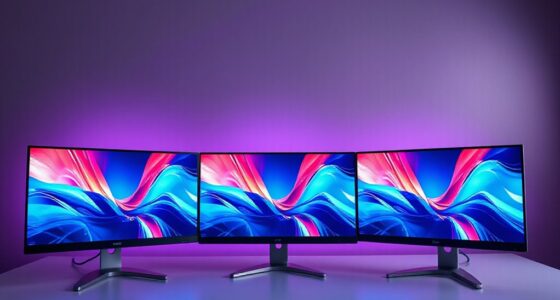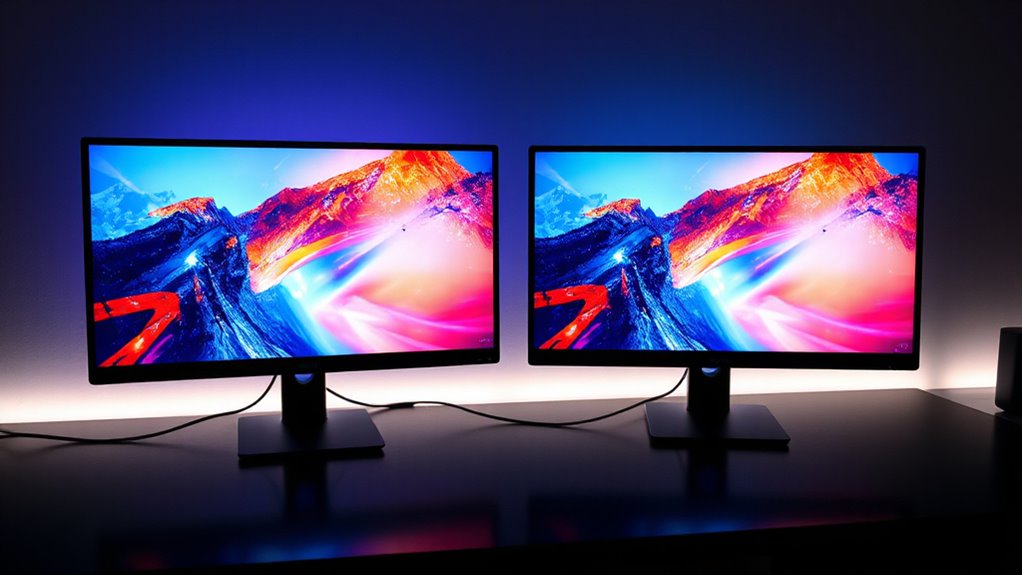

Choosing the ideal 27-inch 5K monitor with USB-C in 2026 involves balancing resolution, color accuracy, connectivity, and price. The KTC 27 Inch 5K2K Dual Mode Monitor offers vibrant visuals and dual-mode versatility, perfect for creative and gaming needs. The ASUS ProArt PA27JCV stands out for professional-grade color accuracy and build quality, suited for content creators. Meanwhile, the BenQ PD2730S provides a high level of precision with excellent connectivity options for demanding workflows. Each has tradeoffs, like power consumption, refresh rates, and premium pricing, which I’ll explore below.

Prime made for students and young adults
- Fast, free delivery for dorm and study essentials
- Prime Video and Amazon Music included
- Member-only deals
Key Takeaways
- High-resolution 5K displays deliver sharp images, but often come with higher power usage and cost.
- Color accuracy and wide gamuts are critical for creative professionals, influencing monitor choice.
- Connectivity options like USB-C with high wattage support streamline workspace setup but vary in versatility.
- Refresh rate differences impact gaming performance; most 5K monitors prioritize color and resolution over high refresh rates.
- Size and ergonomics are important—larger screens and adjustable stands improve usability but require more desk space.
| KTC 27 Inch 5K2K Dual Mode Monitor with 65W USB-C Port |  | Best for Versatility and Gaming | Display Size: 27 inches | Resolution: 5120 x 2880 pixels | Display Technology: IPS | VIEW ON AMAZON | See Our Full Breakdown |
| ASUS ProArt PA27JCV 27-Inch 5K USB-C Professional Monitor for Mac |  | Best for Professional Content Creation | Display Size: 27 inches | Resolution: 5120 x 2880 (5K) | Display Type: LED-backlit HDR | VIEW ON AMAZON | See Our Full Breakdown |
| KTC 27 Inch 5K Monitor with HDR 400 and Dual Mode |  | Best for Versatile Professional and Entertainment Use | Display Size: 27 inches | Resolution: 5120 x 2880 | Refresh Rate: 120Hz | VIEW ON AMAZON | See Our Full Breakdown |
| BenQ PD2730S 27-inch 5K Monitor with Thunderbolt 4, P3 Color, Nano Matte Panel, KVM, Height Adjustable |  | Best for Creative Professionals and Ergonomics | Display Size: 27 inches | Resolution: 5120 x 2880 | Contrast Ratio: 2000:1 | VIEW ON AMAZON | See Our Full Breakdown |
| Samsung 27″ ViewFinity S8 (S80HF) Series High-Resolution Monitor |  | Best for Versatile, High-Quality Display | Display Size: 27 inches | Resolution: 5120 x 2880 | Display Technology: IPS | VIEW ON AMAZON | See Our Full Breakdown |
| inch 5k monitor with usb c | Display Size | Resolution | Connectivity | Refresh Rate |
|---|---|---|---|---|
| KTC 27 Inch 5K2K Dual Mode Mon | 27 inches | 5120 x 2880 pixels | — | 60 Hz |
| ASUS ProArt PA27JCV 27-Inch 5K | 27 inches | 5120 x 2880 (5K) | USB-C with DisplayPort support | — |
| KTC 27 Inch 5K Monitor with HD | 27 inches | 5120 x 2880 | Type-C, HDMI, DisplayPort | 120Hz |
| BenQ PD2730S 27-inch 5K Monito | 27 inches | 5120 x 2880 | Thunderbolt 4, HDMI | 60 Hz |
| Samsung 27" ViewFinity S8 | 27 inches | 5120 x 2880 | DisplayPort, HDMI, USB-C | — |
More Details on Our Top Picks
KTC 27 Inch 5K2K Dual Mode Monitor with 65W USB-C Port
The KTC 27 Inch 5K2K Dual Mode Monitor offers a compelling mix of high-resolution display and dual-mode support, making it a versatile choice for users who need both creative precision and gaming flexibility. Its vibrant colors with 99% DCI-P3 coverage and HDR400 support elevate visual quality, especially for multimedia work. The dual-mode capability allows switching between 5K at 60Hz and 2K at 120Hz, which is helpful for gaming or fast-paced editing. However, its high power consumption and limited refresh rate for 5K mode are tradeoffs for its versatility. If you want a high-res display that can handle multiple tasks, this monitor stands out.
Pros:- Vivid 5K resolution with 99% DCI-P3 coverage
- Dual-mode support for creative and gaming use
- Extensive connectivity including USB-C PD65W
- HDR400 for enhanced contrast
Cons:- Relatively high power consumption
- Limited to 60Hz in 5K mode
- No mention of built-in speakers
Best for: Creative professionals who also want gaming capabilities
Not ideal for: Fast-paced gamers needing high refresh rates beyond 120Hz or users prioritizing low power consumption
- Display Size:27 inches
- Resolution:5120 x 2880 pixels
- Display Technology:IPS
- Refresh Rate:60 Hz
- Brightness:500 cd/m²
- Color Gamut:99% DCI-P3, 100% sRGB
Our verdict“A flexible, high-resolution monitor that balances creative work with casual gaming, though at the cost of power efficiency.”
ASUS ProArt PA27JCV 27-Inch 5K USB-C Professional Monitor for Mac
The ASUS ProArt PA27JCV is designed explicitly for professionals demanding impeccable color accuracy and consistency. Factory calibrated with 99% DCI-P3 and 100% sRGB, it excels in color-critical workflows. Its USB-C port supports DisplayPort, data transfer, and delivers up to 96W of power, simplifying cable management. The auto KVM switch adds convenience for multitasking across multiple devices. Its matte finish reduces glare, making it suitable for long hours of editing or design work. However, its premium pricing and 60Hz refresh rate mean it’s less suited to fast-paced gaming or casual users seeking high refresh rates.
Pros:- Exceptional color accuracy with Delta E<2
- Wide color gamut with 99% DCI-P3 and Adobe RGB
- USB-C with 96W power delivery
- Built-in auto KVM switch
Cons:- High price point
- Limited to 60Hz refresh rate
- Requires ample desk space
Best for: Creative professionals requiring precise color and reliable connectivity
Not ideal for: Gamers or casual users needing high refresh rates or budget-friendly options
- Display Size:27 inches
- Resolution:5120 x 2880 (5K)
- Display Type:LED-backlit HDR
- Color Gamut:99% DCI-P3, 100% sRGB, 95% Adobe RGB
- Contrast Ratio:3000:1
- Connectivity:USB-C with DisplayPort support
Our verdict“A top-tier monitor for color-sensitive workflows, offering unmatched accuracy at a premium cost.”
KTC 27 Inch 5K Monitor with HDR 400 and Dual Mode
This KTC 27 Inch 5K Monitor balances high resolution with HDR support and dual-mode operation, making it suitable for both professional editing and entertainment. Its 120Hz refresh rate in 5K mode is an advantage for smoother visuals in certain tasks, though it’s not tailored for high-end gaming. The HDR400 support enhances contrast and vibrancy, complementing the IPS panel’s color reproduction. Its connectivity options include Type-C, HDMI, and DisplayPort, making it adaptable to various devices, including Mac mini. The larger size and higher price reflect its premium positioning, ideal for users who want a versatile display but don’t need ultra-high refresh rates.
Pros:- Ultra-sharp 5K resolution with 120Hz support
- HDR400 enhances contrast and vibrancy
- Versatile connectivity including Type-C, HDMI, DisplayPort
- Good color accuracy and eye-care features
Cons:- Higher price
- Limited to 120Hz in 5K mode
- Large footprint requires ample desk space
Best for: Creative professionals and entertainment enthusiasts
Not ideal for: Fast-paced gamers seeking 144Hz+ or budget-conscious buyers
- Display Size:27 inches
- Resolution:5120 x 2880
- Refresh Rate:120Hz
- Brightness:500 cd/m²
- Color Gamut:135% sRGB
- Connectivity:Type-C, HDMI, DisplayPort
Our verdict“A flexible, high-res display with smooth motion support for professional and entertainment use, with some tradeoffs in price and size.”
BenQ PD2730S 27-inch 5K Monitor with Thunderbolt 4, P3 Color, Nano Matte Panel, KVM, Height Adjustable
The BenQ PD2730S is built for creative workflows, combining 5K resolution with 98% P3 color coverage and a Nano Matte panel that minimizes glare. Its Thunderbolt 4 port delivers 90W power, simplifying cable clutter while supporting multiple devices. The KVM switch and ergonomic stand with height adjustment make it a versatile, workspace-friendly choice. The 60Hz refresh rate isn’t ideal for gamers, but it’s a perfect match for artists, VFX experts, and designers who need consistent, accurate visuals over prolonged periods. Its larger size and premium features come with a higher price tag.
Pros:- Exceptional 5K resolution with sharp details
- High P3 color coverage for accurate color reproduction
- Nano Matte finish reduces glare
- Thunderbolt 4 with 90W charging and KVM switch
Cons:- Limited to 60Hz refresh rate
- Premium price
- Large size requires spacious desk
Best for: Artists, VFX professionals, and designers needing color accuracy and ergonomic features
Not ideal for: Fast-paced gaming or budget buyers
- Display Size:27 inches
- Resolution:5120 x 2880
- Contrast Ratio:2000:1
- Refresh Rate:60 Hz
- Color Coverage:98% P3
- Connectivity:Thunderbolt 4, HDMI
Our verdict“A well-rounded choice for creative professionals prioritizing color fidelity and ergonomic workspace integration.”
Samsung 27″ ViewFinity S8 (S80HF) Series High-Resolution Monitor
The Samsung ViewFinity S8 (S80HF) offers a 5K resolution with IPS technology and HDR10+ support, delivering sharp images with vibrant contrast. Its USB-C port supports charging and data transfer, simplifying cable setup. Ergonomics and eye saver technology reduce fatigue during extended work sessions. While it provides broad compatibility and a solid feature set, its 60Hz refresh rate and slightly lower brightness compared to others may limit usage for fast-paced gaming or highly demanding visual tasks. Still, it’s a reliable choice for professionals seeking a balance of quality and practical features.
Pros:- High-resolution 5K display with IPS panel
- HDR10+ for enhanced contrast
- USB-C with charging and data transfer
- Eye saver technology for comfort
Cons:- Limited to 60Hz refresh rate
- Moderate brightness at 350 cd/m²
- Premium price
Best for: Professionals needing a versatile, sharp display with good connectivity
Not ideal for: Gamers or users seeking ultra-high brightness or high refresh rates
- Display Size:27 inches
- Resolution:5120 x 2880
- Display Technology:IPS
- HDR:HDR10+
- Brightness:350 cd/m²
- Connectivity:DisplayPort, HDMI, USB-C
Our verdict“A dependable, feature-rich 5K monitor suited for professional workflows that require detailed visuals and solid connectivity.”

How We Picked
Our selection process focused on monitors that meet the core criteria of 27 inches, 5K resolution, and USB-C connectivity. We prioritized models with high color accuracy, good connectivity options, and features tailored to either creative professionals or power users. Price was a consideration, but we leaned toward products that balance features with value. We also assessed user reviews, brand reputation, and versatility, ensuring each pick serves a distinct role in different workflows or use cases.
| inch 5k monitor with usb c | Connectivity |
|---|---|
| KTC 27 Inch 5K2K Dual Mode Mon | — |
| ASUS ProArt PA27JCV 27-Inch 5K | USB-C with DisplayPort support |
| KTC 27 Inch 5K Monitor with HD | Type-C, HDMI, DisplayPort |
| BenQ PD2730S 27-inch 5K Monito | Thunderbolt 4, HDMI |
| Samsung 27" ViewFinity S8 | DisplayPort, HDMI, USB-C |
Factors to Consider When Choosing 27 Inch 5k Monitor With Usb C
When choosing a 27-inch 5K monitor with USB-C, it’s important to consider your primary use case—whether for creative work, gaming, or general productivity. Resolution and color accuracy are paramount for professionals, but connectivity and ergonomic features also influence usability. Balance your budget with the features that matter most to you, keeping in mind that higher-end models tend to offer better color fidelity and build quality, while more affordable options may compromise on certain specs like refresh rate or color coverage.Resolution and Color Accuracy
For detailed, true-to-life visuals, 5K resolution is essential, especially for creative tasks like photo editing, video production, or design. Look for monitors with wide color gamuts such as DCI-P3 or Adobe RGB, and factory calibration for consistency. If color precision is your priority, models like the ASUS ProArt or BenQ PD2730S excel here. For casual use or general productivity, slightly lower color coverage may suffice, but beware of compromises on visual fidelity.
Connectivity and Power
USB-C ports with high wattage support (at least 60W) simplify setups by allowing daisy chaining, charging laptops, and connecting peripherals through a single cable. Check whether the monitor supports DisplayPort and HDMI for broader compatibility. Features like auto KVM switches and multiple USB ports add convenience, especially for professional workflows. Remember, higher wattage and more versatile ports typically come with a higher price tag, so match these with your actual device needs.
Ergonomics and Size
Ergonomic stands with height, tilt, and swivel adjustments improve comfort during extended work sessions. Large screens demand sufficient desk space, so verify dimensions before purchasing. Monitors with matte or nano matte panels reduce glare, making them more comfortable over long periods. These features are especially relevant for professionals working in bright environments or those who prioritize comfort.
Price and Value
High-resolution, color-accurate monitors tend to be expensive, but they provide significant value for creative professionals. However, for casual users or those with budget constraints, more affordable models may still deliver sharp images but might lack in color fidelity or connectivity options. Consider your specific needs, and weigh features like HDR support, refresh rates, and ergonomic design against the price to find the best fit.
Frequently Asked Questions
Is a 27-inch 5K monitor with USB-C suitable for gaming?
While many 5K monitors, including those reviewed here, support 60Hz or 120Hz refresh rates, they are primarily designed for creative and professional use. The high resolution provides stunning image clarity, but the refresh rates are often insufficient for fast-paced gaming that benefits from 144Hz or higher. If gaming is a priority, you may want to consider a monitor with a higher refresh rate, even if it sacrifices some resolution or color accuracy.
Can I connect multiple devices to these monitors via USB-C?
Yes, most of these monitors feature USB-C ports supporting data transfer, power delivery, and video output. Features like auto KVM switches in models such as the ASUS ProArt make managing multiple devices easier. However, check the wattage support and compatibility with your specific devices to ensure seamless operation. Higher wattage (like 90W or more) is preferable if you want to charge laptops while connected.
Are 5K monitors worth the extra cost over 4K options?
For professionals needing pixel-perfect detail, precise color, and large workspace, 5K monitors can be worth the investment. They significantly improve clarity over 4K displays, especially for detailed editing or design work. However, for general use or casual browsing, a 4K monitor may offer better value, as the price difference can be substantial, and the extra resolution may not translate into a noticeable benefit for everyday tasks.
What should I consider regarding monitor ergonomics?
Ergonomics are vital for comfort, especially during long work sessions. Look for monitors with adjustable height, tilt, and swivel features. Larger screens benefit from stands that allow customization to reduce neck and eye strain. Matte or nano matte panels also help by reducing glare, making extended use more comfortable. These features can significantly enhance your overall experience and reduce fatigue.
Is HDR support necessary on a 5K monitor?
HDR support, such as HDR400 or HDR10+, enhances contrast and color vibrancy, which is especially beneficial for content creation, photo editing, and media consumption. While not essential for all users, HDR can elevate the visual experience by providing richer images. Models like the KTC dual-mode and Samsung ViewFinity S8 include HDR support, making them versatile for both professional and entertainment purposes.
Conclusion
For creative professionals and those who require precise color accuracy, the ASUS ProArt PA27JCV and BenQ PD2730S are excellent investments, offering factory calibration and ergonomic features. Users prioritizing versatility and gaming might prefer the KTC 27 Inch 5K2K Dual Mode Monitor or the KTC 5K Dual Mode, which provide flexible modes and high resolution. Budget-conscious buyers or casual users may find the Samsung ViewFinity S8 a solid, reliable choice. Consider your workflow and specific needs—such as color fidelity, connectivity, or display size—to select the best monitor for 2026.