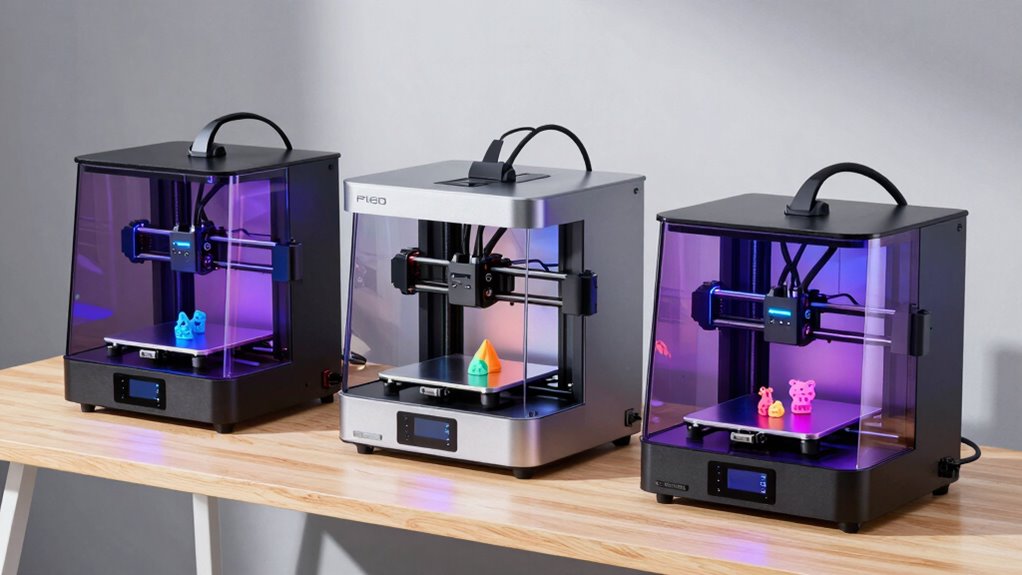
Starting with 3D printing can feel overwhelming, but the right beginner-friendly printer makes all the difference. The Bambu Lab P1S stands out as the best overall for its balance of ease and performance, while the FlashForge Adventurer 5M offers quick setup and high-speed printing ideal for new users. For younger learners or kids, the Entina Tina2C provides fully assembled simplicity. Buyers often face tradeoffs between affordability, print quality, speed, and ease of use. Continue reading to get a full breakdown of each option and find the best fit for your needs.

Prime made for students and young adults
- Fast, free delivery for dorm and study essentials
- Prime Video and Amazon Music included
- Member-only deals
Complete the kit


Key Takeaways
- The best printers for beginners prioritize ease of setup and user-friendly interfaces.
- Speed often comes at a tradeoff with print quality; high-speed models are great for quick prototypes but may sacrifice detail.
- Auto-leveling and automatic filament loading significantly reduce frustration for new users.
- Budget options can offer decent performance but may require more maintenance or troubleshooting over time.
- Multi-function models with features like multi-color printing tend to be more complex and are better suited for users ready to expand their skills.





More Details on Our Top Picks
Bambu Lab P1S 3D Printer, Ready-to-Use FDM 3D Printer
The Bambu Lab P1S stands out as the most versatile option, combining rapid printing speeds up to 500mm/s with multi-color and multi-material capabilities. Its automatic bed leveling and quick 15-minute setup make it highly accessible, especially compared to the more basic A1 Mini. However, its reliance on connecting to Bambu Lab AMS for full multi-color functions can add complexity and cost, and it isn’t suitable for carbon-fiber reinforced filaments. This model is ideal for users who want high-speed, multi-material printing without extensive tinkering.
Pros:- Supports multi-color/multi-material printing up to 16 colors
- High-speed printing at 500mm/s for quick results
- Automatic bed leveling simplifies operation
- Quick setup within 15 minutes
Cons:- Requires connection to Bambu Lab AMS for full multi-color capabilities
- Not recommended for carbon or glass fiber reinforced filaments
Best for: Intermediate hobbyists or small creative studios seeking fast, colorful prints with minimal setup time
Not ideal for: Beginners on a tight budget or those wanting to experiment with fiber-reinforced filaments due to compatibility issues
- Color Capabilities:Up to 16 colors
- Printing Speed:500mm/s
- Acceleration:20000 mm/s²
- Enclosed Design:Yes
- Auto Bed Leveling:Yes
- Setup Time:15 minutes
Our verdict“This is best suited for users who need fast, multi-material printing in a ready-to-use package without extensive setup.”
Bambu Lab P1S Combo 3D Printer with AMS, Multi-Color
The Bambu Lab P1S Combo enhances the standard P1S with a fully enclosed design and an included AMS for effortless multi-color printing. It supports up to 16 colors and offers high-speed performance similar to the non-Combo version, making it suitable for users who want multi-material options without extra hassle. The automatic bed leveling and quick setup continue to make it accessible for both beginners and more advanced users. Nonetheless, like its sibling, it relies on the AMS for multi-color functions, which might be an extra step or expense for some buyers.
Pros:- Supports multi-color/multi-material printing with up to 16 colors
- Fully enclosed for quieter operation and better print quality
- Automatic bed leveling for consistent results
- Fast setup suitable for all skill levels
Cons:- Requires AMS for multi-color printing, adding cost and complexity
- Limited compatibility with carbon/ glass fiber reinforced filaments
Best for: Beginners and hobbyists interested in colorful, complex prints with minimal setup effort
Not ideal for: Users who prefer open-frame printers or want to avoid additional accessories like the AMS
- Colors:Up to 16
- Speed:500mm/s
- Enclosure:Fully enclosed
- Auto Bed Leveling:Yes
- Setup Time:15 minutes
- Supported Filaments:PLA, PETG, TPU, PVA, PET, ABS, ASA
Our verdict“This model is ideal for those who value multi-color capabilities combined with straightforward operation and safety features.”
Bambu Lab A1 Mini 3D Printer + LED Lamp Kit
The Bambu Lab A1 Mini is designed with absolute beginners in mind, offering automatic calibration, quiet operation, and a straightforward setup that makes 3D printing approachable. Its inclusion of an LED Lamp Kit adds a creative twist, perfect for making decorative lights or personalized gifts. Compared to larger, more feature-rich models, the A1 Mini’s limited build volume and somewhat basic material options might restrict more ambitious projects. Still, its ecosystem and user-friendly features make it ideal for educational use or hobbyists starting out in DIY crafts.
Pros:- Easy to set up and operate, ideal for absolute beginners
- Quiet operation suitable for home or classroom environments
- Includes LED Lamp Kit for creative projects
- Access to MakerWorld library for a wide range of models
Cons:- Limited build volume may restrict larger projects
- No detailed info on material compatibility or advanced features
Best for: Beginners and families seeking a simple, fun introduction to 3D printing with creative project options
Not ideal for: Advanced users or those needing to print larger or more complex models regularly
- Print Volume:3.9 × 3.9 × 3.9 inches
- Connectivity:WiFi, TF card offline mode
- Auto Leveling:Yes
- Self-Cleaning Nozzle:Yes
- Compatible Software:Cura, Simplify3D
- Supported OS:Windows, macOS, Linux, Chromebook
Our verdict“This is a perfect starter printer for newcomers wanting a simple, safe, and creative 3D printing experience.”
Bambu Lab A1 3D Printer, Ready-to-Use FDM 3D Printer for Beginners and Kids
The Bambu Lab A1 offers a straightforward, high-speed printing experience with automatic calibration and multi-color support via AMS lite, making it particularly suitable for children and newcomers. Its quiet operation and quick nozzle swapping enhance ease of use, while the robust features like active flow rate compensation ensure consistent results. Compared to the Mini, the A1 provides slightly larger print capacity, though still limited for big projects. Its simplicity and safety features make it a strong choice for educational settings or families starting out with 3D printing.
Pros:- Easy to set up and operate, ideal for kids and beginners
- Auto leveling and self-cleaning nozzle simplify maintenance
- Supports WiFi and offline printing for flexibility
- Quiet operation suitable for home or classroom use
Cons:- Limited print volume may restrict larger projects
- Requires compatible software and devices for full functionality
Best for: Parents, educators, and young hobbyists seeking a safe, easy-to-use starter 3D printer
Not ideal for: Serious hobbyists or those needing to print larger or more detailed models regularly
- Print Volume:3.9 × 3.9 × 3.9 inches
- Connectivity:WiFi, TF card
- Auto Leveling:Yes
- Self-Cleaning Nozzle:Yes
- Compatible Software:Cura, Simplify3D
- Supported OS:Windows, macOS, Linux, Chromebook
Our verdict“This printer offers a safe, simple, and educational entry point into 3D printing for young users and beginners.”
FlashForge AD5M 3D Printer Fully Auto Calibration with Max 600mm/s Speed, All-Metal CoreXY Structure, Quick-Swap Nozzle, Print Size 220x220x220mm
The FlashForge AD5M stands out for its combination of automation and speed, making it a strong choice for those who want a versatile, high-performing machine. Its automatic one-click leveling reduces setup time, a feature that even the more straightforward Mini 3D Printer for Kids & Beginners can’t match in ease of use. The impressive 600mm/s max speed allows for rapid prototyping, but this high performance can introduce calibration challenges, as some users report. Its all-metal CoreXY structure promises durability and accuracy, yet it adds weight, making this printer less portable. The quick-swap nozzles streamline maintenance, but the complexity of advanced features may overwhelm first-time users.
Pros:- Automatic one-click leveling reduces setup time
- High-speed printing up to 600mm/s accelerates workflow
- Quick-swap nozzles simplify maintenance
- App control offers remote management
Cons:- Some users experience calibration inconsistencies
- Heavy at 22 pounds, less portable
- Complex features may challenge beginners
Best for: Intermediate hobbyists or professionals seeking a fast, reliable printer with automation features.
Not ideal for: Absolute beginners who prefer a simple plug-and-play experience without complex features or weight concerns.
- Product Dimensions:15.83 x 14.29 x 17.64 inches
- Item Weight:22 pounds
- Print Size:220x220x220mm
- Max Speed:600mm/s
- Nozzle Diameters:0.25/0.4/0.6/0.8 mm
- Warranty:Details available via manufacturer
Our verdict“This printer is ideal for users ready to handle more advanced features to achieve fast, precise prints.”
FLASHFORGE Adventurer 5M 3D Printer with Auto Leveling and High-Speed Printing
The Adventurer 5M is designed for users prioritizing quick setup and fast results, making it a strong choice over more complex models like the AD5X. Its automatic bed leveling and immediate warm-up to 280°C allow for rapid start-up, though the setup process can be tricky for those unfamiliar with 3D printers. Its direct drive extruder supports a variety of filaments, but limited filament compatibility compared to multi-color models. The high-speed capability of 600mm/s makes it ideal for those who value efficiency, but this can sometimes impact print quality if not carefully managed. Real-time remote monitoring adds convenience, yet the overall complexity may challenge complete beginners.
Pros:- Automatic bed leveling simplifies setup
- Fast warm-up and high-speed operation
- Remote monitoring via app enhances convenience
- Supports a wide range of filaments
Cons:- Complex initial setup for non-technical users
- Limited filament options compared to multi-color printers
- Potential noise during high-speed printing
Best for: Beginners who want a fast, straightforward machine with minimal manual calibration.
Not ideal for: Users interested in multi-material or multi-color printing, as it lacks multi-color support and advanced features.
- Print Size:220x220x220mm
- Max Speed:600mm/s
- Extruder Temperature:280°C
- Nozzle:3S Detachable
- Structure:CoreXY All Metal
- Connectivity:Mobile App Monitoring
Our verdict“Best suited for beginners eager for quick results with minimal fuss, but with some technical learning curve.”
FLASHFORGE AD5X Multi-Color 3D Printer, CoreXY 600mm/s High-Speed, 1-Click Auto Leveling, 300°C Direct Drive Extruder, 220x220x220mm Build Volume
The AD5X caters to those wanting multi-color printing and rapid prototyping, setting it apart from single-color models like the Adventurer 5M. Its support for up to four colors simultaneously and versatile nozzle options make it suitable for detailed, multi-material projects. The 1-Click auto leveling simplifies setup, but the complexity of multi-color operation can be intimidating for beginners. High-speed printing at 600mm/s is a major plus, though it demands careful calibration to maintain quality. Its build volume is comparable to other models, but the additional features may require a steeper learning curve.
Pros:- Supports multi-color printing with up to 4 colors
- Fast printing speeds up to 600mm/s
- Automatic bed leveling simplifies calibration
- Versatile nozzle sizes for different detail levels
Cons:- Setup can be complex for new users
- Calibration may be more sensitive due to multi-color operation
- Limited build volume for large projects
Best for: Enthusiasts or small teams needing multi-color capabilities for detailed prototypes or artistic projects.
Not ideal for: Complete beginners who prefer a straightforward, single-material printer without multi-color complexity.
- Build Volume:220x220x220mm
- Max Extruder Temperature:300°C
- Printing Speed:600mm/s
- Nozzle Sizes:0.25mm to 0.8mm
- Auto Leveling:Yes
- Filament Compatibility:Multiple colors, automatic feeding
Our verdict“Ideal for users ready to explore multi-color printing, but with a learning curve for beginners.”
FLASHFORGE Adventurer 5M 3D Printer, 600mm/s High-Speed, Fully Auto Leveling, Upgraded Direct Extruder, 280°C Nozzle, Dual-Sided PEI Coating Plate, 220x220x220mm Print Size
The Adventurer 5M version with upgraded features emphasizes reliability and convenience, making it suitable for users seeking a durable, high-speed machine. Its fully automatic leveling and quick heating to 280°C support fast, consistent first layers, while the filament run-out sensor and power loss recovery add layers of security. The dual-sided PEI plate supports a range of filament types, including flexible materials. Compared to simpler models like the Mini 3D Printer, the 5M offers more advanced safeguards, but its larger size and complex features may prove daunting for complete novices. The high-speed operation demands careful calibration to prevent compromised quality.
Pros:- Automatic bed leveling ensures easy setup
- Fast heating and high-speed printing enhance efficiency
- Filament run-out sensor and power recovery improve uptime
- Supports multiple filament types including flexible materials
Cons:- Large footprint requires ample workspace
- Learning curve with advanced features
- Some users may find initial setup complex
Best for: Serious hobbyists or educators who value consistency, safety features, and durability in a reliable printer.
Not ideal for: Absolute beginners with limited space or those seeking a budget-friendly, basic machine.
- Print Speed:600mm/s
- Print Size:220x220x220mm
- Nozzle Temperature:280°C
- Heating Time:35 seconds to 200°C
- Extruder:Upgraded direct
- Plate Type:Dual-sided PEI
Our verdict“Best for users who prioritize dependability and advanced features over simplicity.”
Fully Assembled Mini 3D Printer for Kids & Beginners – Complete Starter Kit with Auto Leveling and High Speed
The Mini 3D Printer Starter Kit is tailored for newcomers and young users, emphasizing simplicity and safety. Its auto-leveling and one-touch filament loading make operation straightforward, ideal for those just learning the basics. Although its print speed of 250mm/s is modest compared to larger models, it’s enough for small projects and quickly satisfying beginners’ curiosity. Its compact size and included kit—filament, SD card, and user-friendly features—are perfect for educational purposes or home use. However, its small build volume limits larger or more complex projects, and the basic features may not satisfy more advanced users.
Pros:- Auto-leveling simplifies setup
- Complete kit with filament and SD card
- High precision at 0.01mm for small details
- Lightweight and easy to operate
Cons:- Limited build volume restricts project size
- Requires additional filament for ongoing use
- Basic features might feel limiting for experienced users
Best for: Young learners or absolute beginners seeking an easy, complete setup for small-scale projects.
Not ideal for: Users wanting to produce large, detailed models or explore advanced printing features.
- Product Dimensions:10.63 x 10.12 x 15.94 inches
- Item Weight:6.61 pounds
- Print Speed:250mm/s
- Print Precision:0.01mm
- Included Filament:1 roll of PLA
- Auto Leveling:Yes
- Heated Bed:PEI heated bed
Our verdict“Ideal for children and beginners focusing on small, simple prints without complexity.”

How We Picked
We evaluated these 3D printers based on ease of use, setup time, print quality, reliability, and value for beginners. Models with straightforward interfaces, auto-calibration, and minimal assembly scored higher, as these features reduce the learning curve. We also considered build quality, safety features, and customer support reputation. The ranking reflects a balance between affordability and performance, ensuring new users get a reliable experience without unnecessary complexity or cost.Factors to Consider When Choosing 3d Printer For Beginners
Choosing the right 3D printer as a beginner involves understanding several key factors. While initial price is important, features that ease operation and reduce setup time often matter more for newcomers. Compatibility with easy-to-use slicing software can streamline the printing process. Additionally, consider the build volume—smaller sizes are more manageable but limit project size. Reliability and community support can help troubleshoot common issues. Finally, think about future growth: a slightly more advanced model might serve you longer as your skills develop.Ease of Use and Setup
For beginners, a printer with minimal assembly and intuitive controls can make a huge difference. Auto-calibration features and straightforward interfaces reduce the frustration often associated with initial setup. A fully assembled unit or one with quick setup instructions helps new users start printing faster, avoiding common pitfalls like misaligned layers or calibration errors.
Print Quality and Speed
While high-speed printing might sound appealing, it often compromises detail and surface finish, especially at the beginner level. Instead, look for printers that balance speed with reliable quality, ensuring your first prints come out well. Many affordable models now include multi-speed options or adjustable settings, allowing you to experiment without sacrificing too much quality.
Build Volume and Size
Smaller build volumes are generally easier to manage and less intimidating for new users, but they limit the size of projects you can create. Larger printers can handle bigger models but often require more space and more complex calibration. Evaluate your typical project size to find a good middle ground that balances convenience with creative flexibility.
Material Compatibility and Safety
Most beginner printers support PLA, a safe and easy filament to work with. Avoid models that only support high-temperature materials unless you’re prepared for additional safety and handling considerations. Also, check for safety features like enclosed chambers or filament sensors, which can prevent accidents and material waste.
Support and Community
A strong user community and responsive customer support can be invaluable when troubleshooting issues. Brands with active forums, tutorials, and regular firmware updates provide ongoing help, making your learning curve smoother. This support network often turns beginner frustrations into opportunities to learn and grow.
Frequently Asked Questions
Can I use any filament with a beginner 3D printer?
Most beginner-friendly 3D printers support PLA filament, which is widely available, affordable, and easy to print. While some models also support ABS or PETG, these materials require higher temperatures and more ventilation, which can complicate the printing process for newcomers. Sticking to PLA is generally recommended for initial projects, as it’s forgiving and safe to handle.
How much should I expect to spend on a good beginner 3D printer?
Entry-level printers typically range from $200 to $500, offering a solid balance of features and affordability. Cheaper models may lack auto-calibration or have smaller build volumes, which could lead to more troubleshooting. Investing slightly more often results in better reliability, easier setup, and longer-lasting performance, making it a worthwhile consideration for beginners seeking a smooth experience.
Is it better to buy a fully assembled or kit 3D printer as a beginner?
Fully assembled printers are generally preferred for beginners because they save you time and reduce the risk of assembly errors. Kits can be educational and cost less upfront, but they demand patience and some technical skill to assemble correctly. Unless you’re interested in learning about the mechanics, a ready-to-use model usually provides a more straightforward start.
What features should I prioritize if I want to grow with my 3D printer?
Look for models with auto-leveling, filament sensors, and compatibility with common slicing software. A moderate build volume can accommodate bigger projects as your skills develop. Features like multi-extruder support or multi-color printing can be appealing but may add complexity—consider these only if you’re ready to expand your skills later on.
How important is community support for a beginner 3D printer?
Community support plays a vital role in easing the learning curve. Brands with active online forums, tutorials, and frequent updates can help solve common issues and inspire new ideas. Access to shared knowledge helps prevent frustration, and community groups often provide valuable tips that can save you time and money as you learn.
Conclusion
For those just starting out, the Bambu Lab P1S offers the best overall experience thanks to its ease of use, reliable performance, and future-proof features. If you want the best value, the FlashForge Adventurer 5M balances affordability with high-speed printing and auto-leveling. Beginners seeking simplicity should consider the Entina Tina2C for its fully assembled design and kid-friendly features. More advanced newcomers or those planning to grow their skills might look at models with multi-color capabilities or larger build volumes. Ultimately, choosing the right printer depends on your budget, space, and how much you want to learn — but these options cover all the bases for a smooth start in 3D printing.
As an affiliate, we earn on qualifying purchases.Columbus Day / Indigenous Peoples' Day Picks
long weekend sales