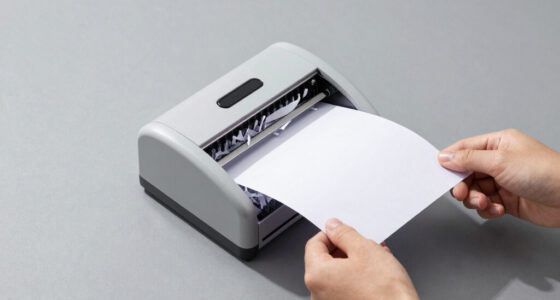

Finding the right document scanner for small business involves balancing speed, portability, and ease of use. The Epson Workforce ES-C220 stands out as the best overall for its reliability and duplex scanning, while the Epson RapidReceipt RR-60 excels in mobile scanning for on-the-go needs. The main tradeoffs include choosing between high-end features and affordability or portability versus speed. Continue reading for an in-depth comparison to help you find the perfect fit for your business.

Prime made for students and young adults
- Fast, free delivery for dorm and study essentials
- Prime Video and Amazon Music included
- Member-only deals
Key Takeaways
- Top scanners combine duplex scanning with compact design, ideal for small offices with limited space.
- Portability is a key feature for mobile or remote small businesses, but may come with tradeoffs in speed or capacity.
- Affordable models often lack advanced features like OCR or high-speed duplexing, which matter for larger volumes.
- Premium options tend to offer faster processing and better build quality but at a higher cost.
- Ease of setup and user-friendly software significantly impact overall satisfaction, especially for non-technical users.
| Epson Workforce ES-C220 Compact Document Scanner Duplex 20-pg ADF |  | Best Overall for Small Business with Space Constraints | Scan Speed: 30 ppm | Auto Document Feeder: 20 pages | Maximum Document Size: Standard paper, cards, passports | VIEW ON AMAZON | See Our Full Breakdown |
| Epson RapidReceipt RR-60 Compact Mobile Document Scanner |  | Best for Mobile Receipt and Small Document Management | Scan Speed: 10 pages per minute | Weight: Under 10 oz | Maximum Document Length: 72 inches | VIEW ON AMAZON | See Our Full Breakdown |
| Plustek Mobile Scanner S410 Plus – Portable Sheet-Fed Document Scanner with OCR Software |  | Best for On-the-Go Document and Card Digitization | Connectivity: USB powered | Compatibility: Windows 7 / 8 / 10 / 11 | Weight: Less than 1 lb | VIEW ON AMAZON | See Our Full Breakdown |
| Canon imageFORMULA R10 Portable Document Scanner |  | Best for Mobile Users Requiring Fast Duplex Scanning | Power Consumption: 2.5W or less | Suggested Daily Volume: 500 scans | Scan Speed: 12 pages per minute | VIEW ON AMAZON | See Our Full Breakdown |
| Canon CanoScan LiDE 300 Scanner |  | Best for Basic Document and Image Scanning | Scanner type: Document | Connectivity technology: USB | Auto Scan Mode: Yes | VIEW ON AMAZON | See Our Full Breakdown |
| Plustek PS186 Desktop Document Scanner with 50-Page Auto Document Feeder (ADF) for Windows 7/8/10/11 |  | Best for High-Resolution, Office-Ready Scanning | Scanner Type: Document | Connection Type: USB | Resolution: 600 dpi | VIEW ON AMAZON | See Our Full Breakdown |
| ScanSnap iX2500 Wireless or USB High-Speed Document Scanner, Black |  | Best for Speed and Cloud Integration | Connectivity: Wi-Fi 6, USB-C | Speed: 45 ppm double-sided | Document feeder: 100 sheets | VIEW ON AMAZON | See Our Full Breakdown |
| Epson WorkForce ES-400 II High-Speed Color Duplex Desktop Document Scanner |  | Best for High-Volume Office Use | Auto Document Feeder: 50 sheets | Connectivity: USB | Features: Duplex scanning, OCR, auto crop, background removal | VIEW ON AMAZON | See Our Full Breakdown |
| ScanSnap iX1300 Wireless or USB Double-Sided Color Document Scanner, Black |  | Best for Space-Conscious, Versatile Scanning | Connectivity: USB, Wi-Fi | Scan Speed: 30 ppm duplex | Color: Color | VIEW ON AMAZON | See Our Full Breakdown |
| Epson WorkForce ES-50 Compact & Lightweight Mobile Document Scanner |  | Best for Mobile, On-the-Go Scanning | Maximum Document Size: 8.5 x 72 inches | Scanning Speed: 5.5 seconds per page | Connectivity: USB 2.0 | VIEW ON AMAZON | See Our Full Breakdown |
| Brother DS-740D Duplex Compact Mobile Document Scanner |  | Best for On-the-Go Duplex Scanning | Scan Speed: 16 ppm | Duplex Scanning: Yes | Connectivity: Micro USB 3.0 | VIEW ON AMAZON | See Our Full Breakdown |
| HP Small USB Document & Photo Scanner for Portable 1-Sided Sheetfed Digital Scanning, Model HPPS100 |  | Best for Light, Mobile Document and Photo Scanning | Scanning Speed: 15 pages per minute | Resolution: 1200 dpi | Paper Size Range: 2″ x 2.9″ to 8.5″ x 14″ | VIEW ON AMAZON | See Our Full Breakdown |
| Brother DS-640 Compact Mobile Document Scanner |  | Best for Multi-OS Portable Document Scanning | Scan Speed: 16 ppm | Weight: 1.5 lbs | Dimensions: Less than 1 foot in length | VIEW ON AMAZON | See Our Full Breakdown |
| ScanSnap iX1300 Wireless or USB Double-Sided Color Document Scanner, White |  | Best for Fast, Flexible Duplex Scanning with Wireless Options | Scan Speed: 30 ppm | Sheet Capacity: 20 sheets | Connectivity: USB, Wi-Fi | VIEW ON AMAZON | See Our Full Breakdown |
| document scanner for small business | Connectivity | Scan Speed |
|---|---|---|
| Epson Workforce ES-C220 Compac | USB | 30 ppm |
| Epson RapidReceipt RR-60 Compa | — | 10 pages per minute |
| Plustek Mobile Scanner S410 Pl | USB powered | — |
| Canon imageFORMULA R10 Portabl | — | 12 pages per minute |
| Canon CanoScan LiDE 300 Scanne | — | — |
| Plustek PS186 Desktop Document | — | — |
| ScanSnap iX2500 Wireless or US | Wi-Fi 6, USB-C | — |
| Epson WorkForce ES-400 II High | USB | — |
| ScanSnap iX1300 Wireless or US | USB, Wi-Fi | 30 ppm duplex |
| Epson WorkForce ES-50 Compact | USB 2.0 | — |
| Brother DS-740D Duplex Compact | Micro USB 3.0 | 16 ppm |
| HP Small USB Document & Photo | USB 2.0 | — |
| Brother DS-640 Compact Mobile | Micro USB 3.0 | 16 ppm |
| ScanSnap iX1300 Wireless or US | USB, Wi-Fi | 30 ppm |
More Details on Our Top Picks
Epson Workforce ES-C220 Compact Document Scanner Duplex 20-pg ADF
The Epson Workforce ES-C220 stands out for its ability to deliver fast duplex scanning at 30 ppm, making it ideal for busy small offices. Compared with the Canon imageFORMULA R10, it offers higher throughput, which is critical for larger document batches. Its compact design saves valuable space, but its reliance on USB-only connectivity can limit integration with a network or wireless setup. The included software simplifies workflow, yet some users may find setup slightly involved. This model is best for small businesses needing reliable, high-speed scanning without the bulk of larger scanners.
Pros:- Space-saving, compact design fits small offices
- Fast duplex scanning at 30 ppm maximizes efficiency
- Versatile document handling including cards and passports
- Includes intuitive scanning software for easy operation
Cons:- Limited to USB connectivity, restricting network use
- Requires software setup which may be complex for some users
Best for: Small business owners who need a space-efficient, high-speed scanner with reliable duplex functionality
Not ideal for: Businesses requiring wireless or network scanning options, or those with complex multi-user setups
- Scan Speed:30 ppm
- Auto Document Feeder:20 pages
- Maximum Document Size:Standard paper, cards, passports
- Connectivity:USB
- Portability:Lightweight, compact
Our verdict“This scanner is perfect for small offices prioritizing speed and space efficiency over network flexibility.”
Epson RapidReceipt RR-60 Compact Mobile Document Scanner
The Epson RapidReceipt RR-60 excels as a highly portable scanner tailored for quick receipt and small document digitization. Unlike the Plustek S410 Plus, which offers OCR and automatic scanning, the RR-60’s standout feature is its compact size, weighing under 10 ounces, making it ideal for on-the-go use. Its AI-powered organization and automatic file naming streamline workflows, but its limited document width (up to 8.5 inches) and need for software installation may hinder some users. This device is best suited for small business owners who frequently scan receipts or invoices during travel or at remote locations.
Pros:- Extremely lightweight and portable for mobile use
- Fast scanning speed of 10 pages per minute
- AI-powered features for automatic file naming and organization
- High-resolution scans with auto cropping and background removal
Cons:- Limited to documents up to 8.5 inches wide, restricting larger scans
- Requires software installation for full feature access
- Price point not specified, which may concern budget-conscious buyers
Best for: Small business owners or freelancers needing mobile, quick receipt scanning with smart organization
Not ideal for: Businesses that require scanning larger documents or prefer wireless operation
- Scan Speed:10 pages per minute
- Weight:Under 10 oz
- Maximum Document Length:72 inches
- Supported File Formats:Searchable and editable PDFs
- Compatibility:Windows and Mac
- Special Features:AI data extraction, cloud scanning
Our verdict“This pick makes sense for small businesses needing portable, smart receipt scanning in a compact form factor.”
Plustek Mobile Scanner S410 Plus – Portable Sheet-Fed Document Scanner with OCR Software
The Plustek S410 Plus is a lightweight, portable scanner tailored for mobile professionals who need to digitize a variety of documents, business cards, or IDs. Its automatic, button-free operation offers convenience, but compared with the Canon imageFORMULA R10, it may handle fewer document types and lacks wireless connectivity, limiting flexibility. Its OCR software converts images into editable files, which is a plus, yet its compatibility is restricted to Windows, potentially excluding Mac users. This model is ideal for those who prioritize portability and automatic operation over multi-platform compatibility or high-volume throughput.
Pros:- Extremely portable, weighing less than 1 lb
- Automatic, button-free scanning process
- Built-in OCR for converting images into editable text
- Seamless saving options for quick workflow
Cons:- Limited to Windows OS, restricting use
- No wireless or network connectivity options
- Scanning speed may be limited due to portability design
Best for: Small business travelers or mobile staff needing quick, automatic scans of documents and cards
Not ideal for: Organizations requiring wireless setup or Mac compatibility for their workflows
- Connectivity:USB powered
- Compatibility:Windows 7 / 8 / 10 / 11
- Weight:Less than 1 lb
- Paper Handling:Letter, Legal, IDs, receipts
- Features:Automatic scanning, OCR
Our verdict“This scanner is best for on-the-move professionals needing automatic, portable document capture on Windows platforms.”
Canon imageFORMULA R10 Portable Document Scanner
The Canon imageFORMULA R10 is designed for mobile professionals needing quick duplex scans, handling up to 12 pages per minute with a 20-sheet automatic document feeder. Compared to the EPSON Workforce ES-C220, it offers lower throughput, but its lightweight, portable design makes it suitable for frequent travelers. It handles various media types, including receipts and business cards, with ease. However, it doesn’t support high-resolution photo scans or wireless connectivity, limiting its use for detailed image archiving. This model suits users who prioritize portability and speed for standard document workflows on Windows and Mac systems.
Pros:- Lightweight and portable for mobile use
- Fast duplex scanning at 12 pages per minute
- Handles various media types including receipts and cards
- Built-in software simplifies setup
Cons:- Limited to document scanning, not suitable for high-resolution photos
- No wireless or network capabilities
- Lower scan speed compared to larger desktop models
Best for: Mobile professionals who need reliable, fast duplex scanning of documents and cards on the go
Not ideal for: Small offices that require high-volume or network scanning setups
- Power Consumption:2.5W or less
- Suggested Daily Volume:500 scans
- Scan Speed:12 pages per minute
- Automatic Document Feeder:20 sheets
- Compatibility:Windows and Mac
- Energy Certification:ENERGY STAR
Our verdict“This scanner is well-suited for mobile users needing quick, reliable duplex scans without extra bulk.”
Canon CanoScan LiDE 300 Scanner
The Canon CanoScan LiDE 300 offers a straightforward, USB-connected solution for those who need simple, reliable document and image scans. Its Auto Scan Mode automatically detects the document type, streamlining the process. Compared with the Plustek S410 Plus, it lacks OCR and portability, but it’s easier to set up for occasional use. Its compact size makes it ideal for small home offices or personal use, but it doesn’t support wireless connectivity or high-volume tasks. This device is best for users who want basic, automatic scanning without extra features or complexity.
Pros:- Automatic detection of document type with Auto Scan Mode
- Easy to connect via USB for quick setup
- Compact and lightweight for storage and portability
Cons:- Limited to document and image scanning, no photo paper support
- No wireless or network connectivity options
- Basic features may not satisfy advanced needs
Best for: Small office or home users needing simple, automatic document scanning with minimal setup
Not ideal for: Businesses requiring advanced features like OCR, wireless access, or high-speed batch scanning
- Scanner type:Document
- Connectivity technology:USB
- Auto Scan Mode:Yes
Our verdict“This scanner is suitable for users seeking an uncomplicated, automatic document scanner for occasional use.”
Plustek PS186 Desktop Document Scanner with 50-Page Auto Document Feeder (ADF) for Windows 7/8/10/11
The Plustek PS186 stands out for its high-resolution 600 dpi scans and efficient 50-page auto document feeder, making it a solid choice for converting paper documents into searchable, editable files. Unlike the ScanSnap iX2500, it offers more advanced OCR capabilities directly integrated, but it remains limited to Windows OS, excluding Mac users. Its wired USB connection ensures reliable data transfer, though it lacks wireless options, which might hinder flexibility in small offices that favor wireless setups. The high wattage of 18 watts suggests it’s designed for office environments rather than portable use. Compared to the Epson ES-400 II, the PS186’s OCR features make it better suited for document digitization at the cost of less connectivity versatility.
Pros:- Supports high-resolution scanning at 600 dpi for detailed images
- Automatic document feeder handles 50 pages efficiently
- Includes OCR for searchable, editable PDFs
- Supports direct file transfer to FTP or NAS
Cons:- Limited to Windows OS, no Mac support
- No wireless or network connectivity options
- Wattage may be high for portable or compact use
Best for: Small businesses needing high-quality, searchable document scans with reliable OCR and wired setup
Not ideal for: Small offices requiring wireless flexibility or Mac compatibility, as it lacks Wi-Fi and Mac support
- Scanner Type:Document
- Connection Type:USB
- Resolution:600 dpi
- Standard Sheet Capacity:50
- Media Type:Paper
- Supported OS:Windows 7/8/10/11
Our verdict“This scanner is best for small businesses that prioritize high-quality, searchable scans over wireless flexibility.”
ScanSnap iX2500 Wireless or USB High-Speed Document Scanner, Black
The ScanSnap iX2500 excels for its rapid 45 pages per minute double-sided scanning and user-friendly large touchscreen, making it ideal for busy small offices that need quick document processing. Its support for Wi-Fi 6 and USB-C allows seamless connectivity with multiple devices, and its cloud support simplifies document management. Compared to the Epson ES-400 II, the iX2500 offers more modern wireless features but may come at a higher price point, making it less appealing for budget-conscious users. Its setup can be complex for those unfamiliar with network configurations, but once configured, it provides effortless operation. This model is less suited for those who require a simple, wired-only scanner or have very tight space constraints.
Pros:- Fast scanning speed of 45 ppm double-sided
- Large touchscreen for straightforward operation
- Multiple connectivity options including Wi-Fi 6 and USB-C
- Supports cloud services for easy document access
Cons:- Higher cost compared to basic models
- Setup complexity for non-technical users
- May be overkill for infrequent or simple scanning needs
Best for: Small business teams needing fast, wireless-capable scanning with cloud integration
Not ideal for: Casual users or small offices with minimal budget, as it may be expensive and complex to set up
- Connectivity:Wi-Fi 6, USB-C
- Speed:45 ppm double-sided
- Document feeder:100 sheets
- Features:Touchscreen, automatic optimizations, cloud support
Our verdict“This scanner is best for small businesses that value speed, wireless connectivity, and cloud integration over initial cost.”
Epson WorkForce ES-400 II High-Speed Color Duplex Desktop Document Scanner
The Epson WorkForce ES-400 II is tailored for small businesses with heavy scanning needs, offering a 50-sheet auto document feeder and fast duplex scanning at up to 50 pages per minute. Its robust OCR and automatic file naming streamline document workflows, especially when integrated with cloud storage or document management systems. Compared with the Plustek PS186, the ES-400 II’s focus on high-volume office use makes it more suitable for demanding environments, but it’s bulkier and limited to USB connectivity, which may hinder flexibility. Its advanced image adjustments, like background removal and double feed detection, improve output quality, but it’s possibly overbuilt for casual or infrequent use.
Pros:- High-speed scanning at 50 pages per minute
- Supports OCR and automatic file naming
- Reliable double feed detection and image enhancements
- Seamless integration with cloud and document management software
Cons:- Primarily designed for office use, less portable
- Limited to USB, no wireless connectivity
- Bulkier size requires dedicated space
Best for: Small offices with frequent, large-volume scanning requirements seeking reliable, high-speed performance
Not ideal for: Very small teams or casual users with occasional scanning needs, due to its size and cost
- Auto Document Feeder:50 sheets
- Connectivity:USB
- Features:Duplex scanning, OCR, auto crop, background removal
- Speed:50 ppm
Our verdict“This scanner is ideal for small businesses that require fast, high-volume document processing with reliable automation features.”
ScanSnap iX1300 Wireless or USB Double-Sided Color Document Scanner, Black
The ScanSnap iX1300 introduces a compact footprint for small offices that need reliable duplex color scanning at 30 pages per minute. Its versatility in handling various document types—including photos and plastic cards—adds to its appeal for diverse small business needs. The device’s space-saving design and simple one-touch operation make it accessible for less tech-savvy users. While it’s slower than the iX2500 and the Epson ES-400 II, its small size makes it ideal where desk real estate is limited. Its software, ScanSnap Home, helps organize scans efficiently, but setup can require some initial effort. This scanner isn’t suited for high-volume, high-speed environments but excels in small, multi-purpose workspaces.
Pros:- Compact, space-saving design
- Fast duplex scanning at 30 ppm
- Handles various document types, including photos and cards
- Easy to connect via Wi-Fi or USB
Cons:- Limited to smaller, less frequent scanning tasks
- Requires initial software setup for full features
- Slower than larger enterprise models
Best for: Small businesses needing a compact, versatile scanner that fits in tight spaces
Not ideal for: High-volume offices or users needing maximum speed, as it scans at a modest pace
- Connectivity:USB, Wi-Fi
- Scan Speed:30 ppm duplex
- Color:Color
- Compatibility:Mac, PC, mobile devices, cloud
Our verdict“This scanner is best for small teams needing a versatile, space-efficient device for moderate scanning workloads.”
Epson WorkForce ES-50 Compact & Lightweight Mobile Document Scanner
The Epson WorkForce ES-50 is a truly portable solution for small business professionals who need to scan on the move. Its lightweight design makes it easy to carry, and its quick 5.5-second-per-page speed suits single-page documents, receipts, or IDs. Unlike larger desktop scanners, it operates solely via USB, which simplifies power needs but limits batch capacity to single pages. Its OCR and software support make it easy to organize and digitize documents, but it’s not meant for large-volume workflows. Compared with the larger Epson ES-400 II, it sacrifices speed and capacity for portability, making it less suitable for high-volume tasks but perfect for remote work or field use.
Pros:- Extremely portable and lightweight design
- Fast single-page scanning at 5.5 seconds
- Includes OCR for searchable PDFs
- Powered via USB, no external power needed
Cons:- Limited to single-sheet scanning
- No wireless connectivity options
- May struggle with thick or multi-layered documents
Best for: Small business professionals who frequently scan documents while traveling or in the field
Not ideal for: Teams with high-volume scanning needs or requiring multiple pages at once, due to its single-sheet focus
- Maximum Document Size:8.5 x 72 inches
- Scanning Speed:5.5 seconds per page
- Connectivity:USB 2.0
- Power Source:USB-powered
Our verdict“This scanner is best for mobile professionals needing quick, single-page scans in any location, not for high-volume workflows.”
Brother DS-740D Duplex Compact Mobile Document Scanner
The Brother DS-740D shines as a portable duplex scanner designed for mobile professionals needing quick, reliable scans. Its ability to handle 16 pages per minute, combined with automatic image optimization, makes it stand out from larger, less portable options like the ScanSnap iX1300. However, its reliance on USB power and lack of standalone operation means it’s less suited for environments where power outlets are limited or frequent scanning without a computer is needed. Its compact size (less than 1 foot in length) appeals to users with limited desk space or those who travel often. Compared to the Brother DS-640, it offers similar speed but adds support for multiple cloud destinations, enhancing flexibility. Still, it’s best for users who prioritize portability over the ability to handle large documents or heavy workloads.
Pros:- Fast duplex scanning at 16 ppm
- Ultra-compact and portable design
- Supports multiple operating systems and cloud services
- Automatic image enhancement features
Cons:- Requires USB connection, no standalone operation
- Limited to 1 foot in length, may not handle large documents
- No included software subscription details
Best for: Small business owners or mobile professionals who need fast, duplex scanning on the go without bulky equipment.
Not ideal for: Businesses requiring standalone scanners or those handling large documents regularly, as it’s limited by its size and lack of an independent power source.
- Scan Speed:16 ppm
- Duplex Scanning:Yes
- Connectivity:Micro USB 3.0
- Compatibility:Windows, Mac, Linux
- Dimensions:Less than 1 foot in length
- Power:USB powered
Our verdict“This scanner is perfect for mobile users needing quick, duplex scans in a compact form, but not for high-volume or large-format tasks.”
HP Small USB Document & Photo Scanner for Portable 1-Sided Sheetfed Digital Scanning, Model HPPS100
The HPPS100 offers a portable solution for scanning documents and photos with ease, especially suited for travelers or small offices needing quick results. Its 15 ppm speed and 1200 dpi resolution deliver high-quality scans, ideal for creating digital archives of small batches. Compared with the Brother DS-640, it provides higher resolution but is limited to simplex, one-sided scans. Its USB 2.0 connection and compact size make it suitable for light use, but it’s not designed for heavy-duty or frequent scanning tasks. The device supports a range of paper sizes, including small photos, which distinguishes it from more document-centric models. It’s a good fit for users who prioritize portability and high-quality imagery over volume or advanced features like OCR.
Pros:- Portable and lightweight design
- High 1200 dpi resolution for detailed scans
- Supports multiple paper sizes and formats
- Fast for small batches at 15 ppm
Cons:- Limited to simplex, one-sided scanning
- Requires USB 2.0, no wireless option
- Designed for light to medium use only
Best for: Small business owners or freelancers who need to digitize photos and documents on the go without heavy equipment.
Not ideal for: High-volume environments or those needing double-sided scanning, as it only supports simplex mode and has a limited capacity.
- Scanning Speed:15 pages per minute
- Resolution:1200 dpi
- Paper Size Range:2″ x 2.9″ to 8.5″ x 14″
- Connectivity:USB 2.0
- Compatibility:Windows and MacOS
- Model:HPPS100
Our verdict“Best suited for users needing portable, high-resolution scans of photos and small documents, not for high-volume or duplex tasks.”
Brother DS-640 Compact Mobile Document Scanner
The Brother DS-640 stands out for its speed—scanning up to 16 pages per minute—and its support across Windows, Mac, and Linux, making it versatile for diverse small business environments. Its ultra-lightweight design (1.5 lbs) and compact footprint make it ideal for mobile professionals. It includes valuable software features like automatic color detection, image rotation, bleed-through prevention, and OCR, which improve productivity and document clarity. Compared to the Brother DS-740D, it offers similar speed but lacks cloud support, making it better suited for users who prefer local processing. Its dependency on a micro USB 3.0 connection means compatibility could be an issue with some newer devices, and it doesn’t support photo scanning or large formats, limiting its scope. This pick is best for those prioritizing high-speed, multi-OS support, and on-the-move scanning.
Pros:- Fast scanning speed of 16 pages per minute
- Supports Windows, Mac, and Linux
- Includes image optimization and OCR software
- Ultra-compact and lightweight
Cons:- Requires micro USB 3.0 connection, which may limit compatibility
- No wireless or standalone operation
- Limited to document scanning, not suitable for photos or large formats
Best for: Small business professionals needing fast, portable, multi-platform document scanning with software tools for image enhancement.
Not ideal for: Users requiring wireless connectivity or those who need to scan large documents or photos, as it’s limited to standard document sizes and USB only.
- Scan Speed:16 ppm
- Weight:1.5 lbs
- Dimensions:Less than 1 foot in length
- Connectivity:Micro USB 3.0
- Supported OS:Windows, Mac, Linux
- Features:Automatic color detection, image rotation, OCR
Our verdict“This scanner offers quick, multi-OS capable document scans perfect for mobile professionals who need local processing and software support.”
ScanSnap iX1300 Wireless or USB Double-Sided Color Document Scanner, White
The ScanSnap iX1300 excels at high-speed duplex scanning—up to 30 pages per minute—and offers wireless connectivity alongside USB, making it highly adaptable for busy small businesses. Its ability to handle photos, cards, and various media types adds versatility that the other compact scanners lack. The device’s space-efficient design measures only 4.5 inches deep and weighs just 4.4 pounds, fitting comfortably into tight workspaces. While its sheet capacity is limited to 20 pages, the speed and wireless support compensate for small batch sizes. Compared to the Brother DS-740D and Brother DS-640, it provides faster throughput and wireless convenience, though at a higher price point. This model is best for small teams that require rapid, duplex, multi-media scans with flexible connectivity options.
Pros:- Fast duplex scanning at 30 ppm
- Supports wireless and USB connections
- Handles photos, cards, and various media
- Compact and space-saving design
Cons:- Limited to 20 sheets at a time
- Requires software setup for optimal use
- Higher price compared to basic scanners
Best for: Small businesses needing fast, duplex, wireless, and multi-media scanning in a compact form for dynamic workflows.
Not ideal for: High-volume scanning environments or users who need large sheet capacities or standalone operation, as it’s limited to 20 sheets per batch and requires setup.
- Scan Speed:30 ppm
- Sheet Capacity:20 sheets
- Connectivity:USB, Wi-Fi
- Resolution:600 dpi
- Media Types:Documents, receipts, photos, cards
- Weight:4.4 pounds
Our verdict“Ideal for small teams that need rapid, flexible, duplex scans with wireless capability in a space-efficient device.”

How We Picked
The products in this roundup were evaluated based on performance, ease of use, build quality, and value. We prioritized scanners that offer reliable duplex scanning, fast processing speeds, and compatibility with small business workflows. Portability, software features like OCR, and overall user experience also influenced the rankings. By comparing these factors, we identified models that serve different needs—whether for a home-based startup or a growing office—ensuring each product offers a clear advantage in its category.| document scanner for small business | Connectivity |
|---|---|
| Epson Workforce ES-C220 Compac | USB |
| Epson RapidReceipt RR-60 Compa | — |
| Plustek Mobile Scanner S410 Pl | USB powered |
| Canon imageFORMULA R10 Portabl | — |
| Canon CanoScan LiDE 300 Scanne | — |
| Plustek PS186 Desktop Document | — |
| ScanSnap iX2500 Wireless or US | Wi-Fi 6, USB-C |
| Epson WorkForce ES-400 II High | USB |
| ScanSnap iX1300 Wireless or US | USB, Wi-Fi |
| Epson WorkForce ES-50 Compact | USB 2.0 |
| Brother DS-740D Duplex Compact | Micro USB 3.0 |
| HP Small USB Document & Photo | USB 2.0 |
| Brother DS-640 Compact Mobile | Micro USB 3.0 |
| ScanSnap iX1300 Wireless or US | USB, Wi-Fi |
Factors to Consider When Choosing Document Scanner For Small Business
Choosing the right document scanner for a small business involves understanding your specific needs and balancing features with budget. Beyond price, consider how the scanner integrates into your workflow, its capacity, and ease of use. Investing in a model with reliable OCR can streamline document management, while portability might be crucial for mobile businesses. Avoid common pitfalls like overpaying for unnecessary high-speed features if your volume is low, or choosing a basic model that lacks essential functionalities for your growth.Speed and Capacity
For small businesses handling a moderate volume of documents, speed and capacity are vital. Look for scanners with at least 20 pages per minute (PPM) if you process large batches regularly, and consider models with automatic document feeders (ADF) to reduce manual loading. However, if your volume is light or irregular, a portable or compact scanner with lower capacity might suffice, saving space and money. Be mindful that higher speed models often come at a higher price and may be bulkier.
Portability and Size
If your business requires scanning on the move—such as at remote sites or client locations—portability becomes a priority. Compact, lightweight models like the Canon CanoScan LiDE 300 or Epson WorkForce ES-50 excel here. But, these often sacrifice speed and capacity for size. For stationary setups, larger desktop scanners with higher throughput are more appropriate. Always match the device’s portability features with your actual workflow needs to avoid over-investing in portability you won’t use.
Connectivity and Compatibility
Wireless connectivity offers flexibility, especially if multiple team members need access or if you want to avoid cluttering your desk with cables. Many models support Wi-Fi, USB, or both, allowing seamless integration into existing systems. Compatibility with your operating system and OCR software is also critical—OCR enhances searchable PDFs and data extraction. Be wary of models with limited connectivity options or software that isn’t user-friendly, as these can slow down your processes.
Software and OCR Capabilities
Effective software, especially OCR, can transform scanned images into editable and searchable documents, saving time. Some scanners include bundled OCR software, while others require separate purchases. Consider your document volume and whether advanced features like batch processing or cloud integration are necessary. Overlooking software quality can lead to frustration, especially if the scanner’s hardware is reliable but its interface is clunky or incompatible with your systems.
Build Quality and Durability
Small business environments demand durable equipment capable of handling daily use. Cheaper, plastic-based models may be tempting but often lack longevity. Look for well-constructed devices with good reviews on reliability. If your scanning needs are frequent, investing in a more robust model can reduce downtime and maintenance costs. Keep in mind that higher-quality build often correlates with better support and longer lifespan, making it a smart choice for business continuity.
Frequently Asked Questions
Is a duplex scanner worth it for a small business?
Yes, duplex scanners are highly beneficial for small businesses that handle both sides of documents regularly. They double the efficiency by scanning both sides at once, saving time on manual flipping. This can be especially valuable if you process large batches of invoices, contracts, or forms. Although they tend to be more expensive upfront, the increased productivity often justifies the investment, especially in high-volume environments.
Should I prioritize speed over portability?
The choice depends on your workflow. If most scanning happens in a dedicated office space, prioritizing speed and capacity makes sense. Conversely, if your business requires frequent movement—such as on-site client visits or remote work—portability might be more important, even if it means sacrificing some speed. Balancing both factors according to your specific needs will lead to more efficient document management.
Are portable scanners reliable enough for business use?
Many portable scanners are now designed with small business needs in mind, offering decent speed and OCR capabilities. However, they may have lower capacity and be less durable over time compared to desktop models. If your volume is moderate or irregular, these can be perfectly adequate. For daily high-volume processing, investing in a more robust desktop scanner might be the better choice to avoid frequent maintenance or replacements.
How important is OCR software in a small business scanner?
OCR software is often a key feature, transforming scanned images into editable, searchable files. For small businesses, this can streamline workflows, improve record-keeping, and reduce manual data entry. Not all scanners include effective OCR, so verify that the software is included or compatible before purchasing. High-quality OCR can justify a higher price point by saving time and increasing accuracy in document processing.
What should I consider if I want to scan large volumes regularly?
For frequent, large-volume scanning, prioritize models with high PPM speeds, large capacity ADFs, and robust build quality. Duplex scanning and reliable software support become even more important in this case. While these models tend to be more expensive, they reduce bottlenecks and downtime, making them a worthwhile investment for growing businesses. Also, consider ease of maintenance and availability of replacement parts or support services.
Conclusion
For small business owners who need a reliable, all-around scanner, the Epson Workforce ES-C220 emerges as the best overall choice thanks to its speed, duplexing, and durability. If budget is a concern, models like the Epson ES-50 or Canon CanoScan LiDE 300 offer solid performance at lower prices, ideal for light or occasional use. For mobile needs, the Plustek Mobile Scanner S410 Plus or Canon R10 are better suited, providing portability without sacrificing too much functionality. Larger offices or those with high-volume demands should consider higher-end options like the ScanSnap iX2500 for faster throughput and advanced features. Tailor your choice based on your volume, mobility needs, and budget to find the best fit.
As an affiliate, we earn on qualifying purchases.Fall Picks
fall essentials