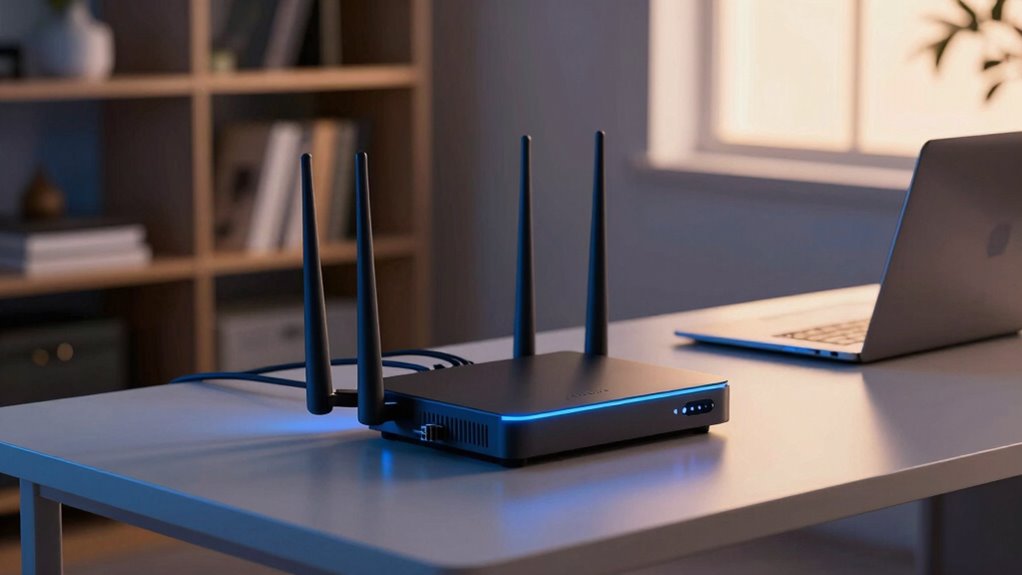

Choosing a firewall router for your home network involves balancing security features with ease of use and performance. The Protectli Vault FW4B stands out as the best overall thanks to its robust hardware and customizable security. For users seeking a simple, plug-and-play solution, the NETGEAR Nighthawk RS140 offers strong WiFi with built-in security features. The main challenge is that some options prioritize advanced security over user-friendly setup, while others may compromise on performance or expandability. Continue reading for a detailed breakdown of these options to find the best fit for your specific needs.

Prime made for students and young adults
- Fast, free delivery for dorm and study essentials
- Prime Video and Amazon Music included
- Member-only deals
Key Takeaways
- The top-ranked options balance security features with ease of setup, not just raw hardware specs.
- Many products offer multi-WAN and VPN capabilities, but trade off simplicity and cost for advanced features.
- Customization and expandability are key in selecting a device suited for future-proofing your home network.
- Price varies widely, with premium models offering enterprise-grade security and budget options focusing on basic protection.
- Ease of use remains a critical factor, especially for users without technical expertise who still want strong security.
| Protectli Vault FW4B – 4 Port Firewall Micro Appliance / Mini PC with Intel Quad Core, 8GB RAM, 120GB SSD |  | Best Overall for Customizable Home Firewall | Processor: Intel Quad Core Celeron J3160, up to 2.2GHz | RAM: 8GB DDR3L | Storage: 120GB mSATA SSD | VIEW ON AMAZON | See Our Full Breakdown |
| Cudy Gigabit Multi-WAN Router R700 |  | Best for Multi-ISP Home Networks with Advanced Management | Number of WAN ports: 5 GbE | OpenWRT support: Yes | VPN protocols: WireGuard, OpenVPN, IPsec, PPTP, L2TP | VIEW ON AMAZON | See Our Full Breakdown |
| TP-Link BE6500 Dual-Band WiFi 7 Router (BE400) |  | Best for High-Speed, Large Home Coverage | Wi-Fi Technology: Wi-Fi 7 | Maximum Speed: 5764 Mbps on 5GHz, 688 Mbps on 2.4GHz | Coverage: Up to 2,400 sq. ft. | VIEW ON AMAZON | See Our Full Breakdown |
| Fortinet FortiGate-30G Firewall for Small Offices with 4 Gigabit Ethernet Ports |  | Best for Small Business Security with Simple Deployment | Ports: 4 Gigabit Ethernet RJ45 (1 WAN, 3 internal) | Performance: 800 Mbps IPS | 500 Mbps threat protection | Design: Fanless, compact | VIEW ON AMAZON | See Our Full Breakdown |
| GL.iNet GL-BE6500 Flint 3e Wi-Fi 7 Router with VPN for Home and Gaming |  | Best for High-Speed Gaming and Secure Home Use | Wi-Fi Standard: Wi-Fi 7 | Max Speed: 6.5 Gbps | Coverage: Up to 2,500 sq ft | VIEW ON AMAZON | See Our Full Breakdown |
| TP-Link ER605 V2 Wired Gigabit VPN Router |  | Best for Multi-WAN Reliability and Centralized Management | Number of Ports: 5 Gigabit ports (1 WAN, 2 WAN/LAN, 2 LAN) | USB WAN Port: Yes | Security Features: Advanced firewall, DoS defense, IP/MAC/URL filtering | VIEW ON AMAZON | See Our Full Breakdown |
| Firewalla Purple SE Cybersecurity Firewall for Home & Business |  | Best for Comprehensive Security and Parental Controls | Compatibility: Limited to 500 Mbits IPS | Mode: Router or bridging | Power Supply: USA included | VIEW ON AMAZON | See Our Full Breakdown |
| FortiGate-40F Firewall Appliance – 5 Gigabit Ethernet Ports, Small Business Security |  | Best for Small Business Security with High Performance | Ports: 5 Gigabit Ethernet | WAN ports: 1 | Throughput: Up to 1 Gbps IPS | VIEW ON AMAZON | See Our Full Breakdown |
| TP-Link ER7206 Multi-WAN Gigabit VPN Router |  | Best for Professional Multi-WAN Environments | Number of WAN Ports: 4 | Gigabit Ports: 1 SFP WAN, 1 WAN, 2 WAN/LAN, 1 LAN | Maximum Client Devices: 150,000 | VIEW ON AMAZON | See Our Full Breakdown |
| Netgate 1100 pfSense+ Security Gateway – Firewall, Router, VPN |  | Best for Compact, Business-Grade Edge Security | Processor: Dual-core ARM Cortex-A53 1.2 GHz | Ports: 3 x 1 GbE | Form Factor: Compact | VIEW ON AMAZON | See Our Full Breakdown |
| ASUS ExpertWiFi EBG15 Gigabit VPN Wired Router |  | Best for Business-Grade Wired Security and Load Balancing | Ethernet Ports: Up to 3 WAN ports (1 gigabit WAN, 2 gigabit WAN/LAN) | USB Port: 1 USB port for backup WAN | Security Features: IPS, Layer 7 Firewall, VLAN, VPN | VIEW ON AMAZON | See Our Full Breakdown |
| NETGEAR Nighthawk Dual-Band WiFi 7 Router (RS140) |  | Best for Large Homes Needing Fast Wireless Coverage | WiFi Standard: WiFi 7 | Speed: Up to 5.0 Gbps | Coverage: Up to 2,250 sq. ft. | VIEW ON AMAZON | See Our Full Breakdown |
| Omada ER707-M2 Multi-Gigabit VPN Router |  | Best for Complex, High-Performance VPN Networks | Ports: 1 2.5GbE WAN, 1 2.5GbE WAN/LAN, 4 Gigabit WAN/LAN, 1 SFP WAN/LAN, 1 USB 2.0 | Concurrent Sessions: 500,000 | Max Clients: 1000+ | VIEW ON AMAZON | See Our Full Breakdown |
More Details on Our Top Picks
Protectli Vault FW4B – 4 Port Firewall Micro Appliance / Mini PC with Intel Quad Core, 8GB RAM, 120GB SSD
The Protectli Vault FW4B stands out for its flexibility and hardware support, making it ideal for tech-savvy users who want to run open-source firewall solutions like pfSense or OPNsense. Compared with the Fortinet FortiGate-30G, it offers a more open platform but lacks pre-installed security features and requires manual setup. This makes it a great choice for those comfortable with network configuration, but less ideal for beginners or those seeking a plug-and-play device. The fanless, compact design ensures silent operation, and the hardware-accelerated AES-NI helps with encryption tasks. However, its limited 120GB storage and the need for user installation of an OS could be hurdles for some. Overall, this is a flexible, powerful choice for users who prioritize customization over ease of use.
Pros:- Supports multiple open-source firewall platforms for tailored setups
- Fanless, silent operation ideal for home environments
- Hardware-accelerated encryption boosts security performance
- Compact size fits easily into small spaces
Cons:- Requires technical knowledge for OS installation and configuration
- Limited 120GB storage may restrict logging and additional features
Best for: Tech-savvy home users or small network enthusiasts who want control and customization.
Not ideal for: Users seeking a ready-to-go, maintenance-free firewall solution with minimal setup.
- Processor:Intel Quad Core Celeron J3160, up to 2.2GHz
- RAM:8GB DDR3L
- Storage:120GB mSATA SSD
- Ports:4x Gigabit Ethernet, 2x USB 3.0, 1x RJ-45 COM, 2x HDMI
- Dimensions:4.5 x 4.3 x 1.5 inches
- Operating System:OS Agnostic
Our verdict“Ideal for knowledgeable users seeking a flexible, open-platform firewall at home.”
Cudy Gigabit Multi-WAN Router R700
The Cudy R700 excels for households with multiple internet sources, supporting up to five WAN connections with automatic failover and load balancing. Compared to the TP-Link BE6500, it offers more advanced multi-WAN management and supports full OpenWRT, giving power users extensive control. However, its setup can be complex, especially for those unfamiliar with network configuration, and it lacks detailed hardware specs, which might concern users needing precise performance data. Its built-in VPN and diagnostic tools make troubleshooting straightforward for experienced users, but beginners might find the configuration daunting. For households with multiple ISPs or requiring reliable uptime, this router provides a robust, customizable solution.
Pros:- Supports up to 5 ISP connections with automatic failover
- Full OpenWRT support for deep customization
- Built-in VPN server and client support for secure remote access
- Diagnostic tools like ping and traceroute simplify troubleshooting
Cons:- Setup complexity may intimidate non-technical users
- Limited hardware details can make performance prediction difficult
Best for: Homeowners with multiple internet providers or requiring high availability and advanced network control.
Not ideal for: Less technical users who prefer simple, plug-and-play routers without multi-WAN features.
- Number of WAN ports:5 GbE
- OpenWRT support:Yes
- VPN protocols:WireGuard, OpenVPN, IPsec, PPTP, L2TP
- Security features:SPI firewall, DoS prevention, IP/MAC binding
Our verdict“Best suited for advanced users managing multiple internet sources for reliable home connectivity.”
TP-Link BE6500 Dual-Band WiFi 7 Router (BE400)
The TP-Link BE6500 delivers cutting-edge Wi-Fi 7 technology, making it ideal for streaming, gaming, and smart home devices in large homes. It supports multi-link operation, extensive coverage, and handles up to 90 devices simultaneously—perfect for busy households. Compared with the GL.iNet Flint 3e, it offers higher speeds and broader coverage, but at a higher price point and with potentially more complex setup. Its multi-Gigabit ports offer flexible wired options, and the easy app-based setup makes installation accessible, though some users may find the advanced features overwhelming. This router is a smart investment for those wanting the fastest wireless experience in a large home setting.
Pros:- Supports Wi-Fi 7 with maximum speeds over 6 Gbps
- Wide coverage up to 2,400 sq ft for large homes
- Supports many devices with stable connection
- Multiple high-speed ports for wired devices
Cons:- Premium price may be prohibitive for some
- Advanced features could be complex for casual users
Best for: Homeowners seeking ultra-fast Wi-Fi 7 speeds with broad coverage for many devices.
Not ideal for: Budget-conscious users who do not need Wi-Fi 7 or extensive features.
- Wi-Fi Technology:Wi-Fi 7
- Maximum Speed:5764 Mbps on 5GHz, 688 Mbps on 2.4GHz
- Coverage:Up to 2,400 sq. ft.
- Device Capacity:Up to 90 devices
- Ports:1x 2.5 Gbps WAN/LAN, 1x 2.5 Gbps LAN, 3x 1 Gbps LAN
Our verdict“Perfect for tech-savvy users needing fast, reliable Wi-Fi 7 in large living spaces.”
Fortinet FortiGate-30G Firewall for Small Offices with 4 Gigabit Ethernet Ports
The Fortinet FortiGate-30G offers a compact, fanless security appliance tailored for small offices, combining firewall, SD-WAN, and wireless management in a single device. It provides high security and performance, with 800 Mbps IPS and 500 Mbps threat protection—more than enough for small home office setups. Compared to consumer-oriented routers like the GL.iNet Flint, it emphasizes security and centralized management, but its limited ports and performance might be insufficient for busier networks. Its user-friendly console simplifies management, yet the initial setup and configuration demand some technical knowledge. For small offices needing robust security and simple deployment, this device delivers enterprise-grade features in a small form factor.
Pros:- Integrated firewall, SD-WAN, and wireless controller
- High security with IPS and threat protection
- Fanless, quiet operation fits home environments
- Centralized management simplifies control
Cons:- Limited port count restricts larger network expansion
- Performance may not handle very high traffic loads
Best for: Small business owners or home offices prioritizing security and centralized management.
Not ideal for: Home users with high traffic or requiring many network ports and advanced features.
- Ports:4 Gigabit Ethernet RJ45 (1 WAN, 3 internal)
- Performance:800 Mbps IPS | 500 Mbps threat protection
- Design:Fanless, compact
- Security Effectiveness:99.98%
Our verdict“Ideal for small office setups prioritizing security and centralized control over high throughput or port count.”
GL.iNet GL-BE6500 Flint 3e Wi-Fi 7 Router with VPN for Home and Gaming
The GL.iNet Flint 3e combines Wi-Fi 7 speed with built-in VPN, making it an excellent choice for gamers and security-conscious families. Its maximum speed of 6.5 Gbps supports seamless 4K streaming and fast online gaming, while coverage up to 2,500 sq ft and support for over 100 devices makes it suitable for large households. Compared with the TP-Link BE6500, it offers similar Wi-Fi capabilities but emphasizes security features like integrated VPN, parental controls, and ad filtering. Setup can be complex for those unfamiliar with network configurations, and real-world speeds can vary. Still, this router provides a powerful, secure, and fast connection for demanding home environments.
Pros:- Ultra-fast Wi-Fi 7 speeds ideal for gaming and streaming
- Supports over 100 devices with wide coverage
- Built-in VPN, parental controls, and ad filtering
- Supports MLO for multi-link operation
Cons:- Setup may require technical familiarity
- Performance depends on network conditions and device compatibility
Best for: Home users who want fast Wi-Fi 7 speeds along with integrated security for gaming and streaming.
Not ideal for: Less tech-savvy users seeking a straightforward, plug-and-play router without VPN features.
- Wi-Fi Standard:Wi-Fi 7
- Max Speed:6.5 Gbps
- Coverage:Up to 2,500 sq ft
- Device Capacity:Over 100 devices
- Features:VPN, Parental Controls, AdGuard
Our verdict“Best suited for tech-savvy households demanding high-speed, secure Wi-Fi for multiple devices.”
TP-Link ER605 V2 Wired Gigabit VPN Router
The TP-Link ER605 V2 stands out for its multi-WAN ports, making it ideal for users who need reliable internet backup and bandwidth aggregation. Compared to the Firewalla Purple SE, it offers more advanced routing options and supports Omada SDN for centralized control, but it sacrifices built-in Wi-Fi, meaning you’d need a separate access point. Its gigabit ports ensure fast wired connections, and the USB WAN support adds flexibility for mobile broadband backup. However, its setup can be complex for non-technical users, and it doesn’t include Wi-Fi—limiting its stand-alone use. Overall, this router makes the most sense for small business setups or tech-savvy home users who want high-performance wired security and multi-WAN support.
Pros:- Multiple WAN ports for bandwidth optimization and backup
- Supports advanced VPN and security protocols
- Gigabit Ethernet ports for fast wired connectivity
Cons:- Limited wireless capabilities, no built-in Wi-Fi
- Setup complexity may be challenging for novices
Best for: Tech-savvy small business owners or advanced home users needing multi-WAN resilience and centralized network management.
Not ideal for: Users seeking an all-in-one Wi-Fi router with simple setup, as it lacks built-in wireless features.
- Number of Ports:5 Gigabit ports (1 WAN, 2 WAN/LAN, 2 LAN)
- USB WAN Port:Yes
- Security Features:Advanced firewall, DoS defense, IP/MAC/URL filtering
- VPN Support:Up to 20 LAN-to-LAN IPsec, 16 OpenVPN, 16 L2TP, 16 PPTP
- Maximum Data Transfer Rate:4000 Mbps
- Wireless Compatibility:Wi-Fi 6 (802.11ax)
Our verdict“This router suits those who prioritize wired reliability and multi-WAN management over wireless simplicity.”
Firewalla Purple SE Cybersecurity Firewall for Home & Business
The Firewalla Purple SE excels at providing a broad suite of cybersecurity features, making it a strong choice for users who want full control over their network security. Unlike the FortiGate-40F, which targets business environments, the Purple SE offers an easier, more consumer-friendly setup with robust parental controls, malware blocking, and intrusion prevention, although its IPS functionality caps at 500 Mbits in some modes. It can operate as a router or a bridge, providing flexible deployment options, but may require some technical skills to configure properly. Its focus on security makes it perfect for families or small offices concerned with content filtering and threat prevention, but less suitable for users needing high throughput or extensive customization without additional effort.
Pros:- Comprehensive security, including malware blocking and intrusion prevention
- Flexible as a router or bridge for diverse setups
- Includes VPN server and detailed network analytics
Cons:- IPS limited to 500 Mbits in some modes, restricting high-speed use
- Setup may be technical for non-experts
Best for: Families and small businesses prioritizing security and content filtering with flexible setup options.
Not ideal for: Power users needing high throughput or advanced routing features beyond basic security and parental controls.
- Compatibility:Limited to 500 Mbits IPS
- Mode:Router or bridging
- Power Supply:USA included
- Connectivity:Cat 6 Ethernet included
- App Required:Firewalla app
- Additional Requirements:Modem and WiFi access points for router mode
Our verdict“Ideal for security-focused households or small offices seeking integrated content filtering and threat prevention.”
FortiGate-40F Firewall Appliance – 5 Gigabit Ethernet Ports, Small Business Security
The FortiGate-40F delivers enterprise-grade security in a compact form, making it suitable for small business environments needing reliable threat protection. Compared to the TP-Link ER605 V2, it offers a higher throughput, up to 1 Gbps IPS, and AI-powered threat detection, but at a higher cost and with a focus on business rather than home use. Its fanless design means silent operation, and the five gigabit ports provide flexible connectivity options. However, it doesn’t include subscription services, which could enhance security features, and its setup and management are more complex, requiring some IT knowledge. This device is best for small organizations that need robust security combined with straightforward deployment and quiet operation.
Pros:- Fanless design for quiet operation
- High IPS throughput with AI threat detection
- Multiple Gigabit ports for flexible deployment
Cons:- No included subscription services for advanced security
- Requires some technical knowledge to configure
Best for: Small business owners or branch offices seeking high-performance, enterprise-level security in a compact device.
Not ideal for: Home users or those seeking simple, plug-and-play solutions, given the more complex setup and higher price.
- Ports:5 Gigabit Ethernet
- WAN ports:1
- Throughput:Up to 1 Gbps IPS
- Threat Protection:600 Mbps
- Form Factor:Fanless desktop
Our verdict“This appliance suits small businesses needing enterprise-grade security with minimal noise and space requirements.”
TP-Link ER7206 Multi-WAN Gigabit VPN Router
The TP-Link ER7206 is tailored for professional networks requiring multiple WAN connections and high capacity. It supports up to four WAN ports, with one SFP port for fiber connectivity, making it suitable for small to medium-sized enterprises. Compared to the Netgate 1100, it offers more extensive management options via Omada SDN and cloud access, but it involves a more complex setup process that might challenge less experienced users. Its support for up to 700 clients and advanced security features make it a versatile choice for busy networks. However, the price isn’t specified, and its configuration complexity could be a barrier for typical home users. This router is best suited for growing businesses or tech-savvy users managing multiple internet sources.
Pros:- Supports up to four WAN connections for bandwidth aggregation
- Advanced security and firewall policies
- Supports Omada SDN and cloud management
Cons:- Complex setup process for non-technical users
- Price not specified, potentially high for casual users
Best for: Small to medium-sized businesses needing multiple WAN links with centralized management capabilities.
Not ideal for: Home users or those seeking a simple, straightforward router, due to setup complexity and target environment.
- Number of WAN Ports:4
- Gigabit Ports:1 SFP WAN, 1 WAN, 2 WAN/LAN, 1 LAN
- Maximum Client Devices:150,000
- VPN Support:Up to 100 IPsec, 50 OpenVPN, 50 L2TP, 50 PPTP
- Management:Omada SDN, Cloud, Standalone
Our verdict“Ideal for organizations that need multiple internet sources managed centrally, not for casual or home use.”
Netgate 1100 pfSense+ Security Gateway – Firewall, Router, VPN
The Netgate 1100 offers a compact, business-ready edge solution with pfSense+ pre-installed, providing reliable firewall, routing, and VPN features. It features three 1 GbE ports, making it suitable for small offices or advanced home setups where space is limited. Compared to the FortiGate-40F, it’s more affordable and easier to deploy, especially for users comfortable with pfSense configurations. Its hardware warranty and low power draw add to its appeal for continuous operation. However, with only three ports, it might fall short for larger networks or more complex setups. It’s best for users who need a dependable, customizable firewall gateway with a preference for open-source software and low noise operation.
Pros:- Pre-loaded with pfSense+ for quick deployment
- Reliable, customizable security with hardware warranty
- Compact and silent operation
Cons:- Limited to 3 ports, less scalable for bigger networks
- Requires technical expertise for configuration
Best for: Small businesses or tech-savvy home users seeking a flexible, reliable pfSense-based security gateway with minimal footprint.
Not ideal for: Larger networks or users requiring more ports or Wi-Fi capabilities, as it’s limited in size and connectivity.
- Processor:Dual-core ARM Cortex-A53 1.2 GHz
- Ports:3 x 1 GbE
- Form Factor:Compact
- Power Draw:Low
- Operation:Silent
Our verdict“Best suited for small-scale, security-conscious users comfortable with pfSense customization and minimal port needs.”
ASUS ExpertWiFi EBG15 Gigabit VPN Wired Router
The ASUS ExpertWiFi EBG15 stands out for its robust security features like IPS, VLAN support, and VPN, making it ideal for small business or advanced home setups that prioritize wired connections. Compared to the Omada ER707-M2, which excels in high-performance VPN capacity, this model offers easier setup and management, especially through its mobile app, but is primarily designed for wired infrastructure rather than Wi-Fi. Its multiple WAN ports and load balancing are perfect for ensuring stable, high-availability internet, yet its complexity and focus on wired connections may overwhelm casual users or those looking for simple home Wi-Fi. Tradeoffs involve sacrificing wireless convenience for superior wired security and management tools.
Pros:- Supports load balancing with up to 3 WAN ports
- Enhanced security with IPS, VLAN, and VPN features
- Remote management via app or web interface
- USB port for backup internet connection
Cons:- Primarily designed for business use, may be overly complex for casual users
- Limited wireless or consumer-oriented features
- No integrated Wi-Fi capabilities
Best for: Tech-savvy small business owners or advanced home users seeking secure, wired network control
Not ideal for: Casual home users or those seeking integrated Wi-Fi without complex setup
- Ethernet Ports:Up to 3 WAN ports (1 gigabit WAN, 2 gigabit WAN/LAN)
- USB Port:1 USB port for backup WAN
- Security Features:IPS, Layer 7 Firewall, VLAN, VPN
- Management:Remote via app or web browser
Our verdict“This router is best suited for users who need secure, wired, multi-WAN management and are comfortable with enterprise-level setup complexity.”
NETGEAR Nighthawk Dual-Band WiFi 7 Router (RS140)
The NETGEAR Nighthawk RS140 makes a compelling case for users demanding high-speed Wi-Fi, with speeds up to 5.0 Gbps and coverage up to 2,250 sq. ft., making it ideal for large homes with many devices. Unlike the ASUS ExpertWiFi EBG15, which focuses on wired security, this router emphasizes wireless performance and ease of use, supported by its user-friendly app. Its multiple wired ports add flexibility for devices needing stable connections, but it requires a separate modem, which can complicate setup if your ISP uses a gateway device. While its security via NETGEAR Armor is attractive, it involves a subscription after the trial period, adding ongoing costs. This pick offers excellent wireless performance but depends heavily on your existing internet infrastructure.
Pros:- Supports WiFi 7 for ultra-fast speeds up to 5.0 Gbps
- Wide coverage suitable for large homes
- Multiple wired ports for stable device connections
- Easy setup and management via app
Cons:- Requires a separate modem or ISP gateway
- Additional subscription needed for ongoing Armor security
- No integrated Wi-Fi mesh or extender support
Best for: Homeowners with large spaces seeking reliable high-speed Wi-Fi for streaming, gaming, and smart devices
Not ideal for: Users who prefer an all-in-one solution or do not have a separate modem
- WiFi Standard:WiFi 7
- Speed:Up to 5.0 Gbps
- Coverage:Up to 2,250 sq. ft.
- Devices Supported:Up to 80
- WAN Port:2.5 Gigabit Ethernet
- LAN Ports:3 x 1 Gigabit Ethernet
Our verdict“This router is ideal for users seeking top-tier wireless speeds and coverage in large residences, provided they have or plan to get a compatible modem.”
Omada ER707-M2 Multi-Gigabit VPN Router
The Omada ER707-M2 is tailored for demanding network environments, supporting up to 500,000 concurrent sessions and over 1,000 clients, making it suitable for sophisticated setups. Its high-bandwidth ports, including 2.5GbE WAN and multiple LAN options, eclipse typical home routers like the NETGEAR RS140 in raw capacity, but its complex configuration can be daunting for non-technical users. Unlike the ASUS EBG15, which focuses on wired security, this device emphasizes VPN security, remote cloud management, and large-scale session handling, making it less ideal for straightforward home use. Its limited wireless features may also be a drawback for users relying on Wi-Fi.
Pros:- Supports up to 500,000 concurrent sessions
- Multiple high-speed port options including 2.5GbE and SFP
- Cloud management for remote control
- Strong VPN security features
Cons:- Setup can be complex and require technical expertise
- Limited wireless capabilities or none at all
- No pricing info available—may be costly
Best for: Advanced home or small business networks needing extensive VPN and client support
Not ideal for: Home users seeking simple setup or integrated Wi-Fi solutions
- Ports:1 2.5GbE WAN, 1 2.5GbE WAN/LAN, 4 Gigabit WAN/LAN, 1 SFP WAN/LAN, 1 USB 2.0
- Concurrent Sessions:500,000
- Max Clients:1000+
- VPN Support:LAN-to-LAN IPsec, OpenVPN, L2TP, PPTP
- Warranty:5 years
Our verdict“This router is best suited for advanced users needing high-capacity VPN and multi-user support in complex network environments.”

How We Picked
Our evaluation process focused on performance, security features, usability, build quality, and value for home users. We prioritized devices that offer robust firewall capabilities, reliable connectivity, and straightforward setup, ensuring they are suitable for non-expert users yet flexible enough for tech-savvy households. Each product was rated based on hardware quality, security features, expandability, and customer feedback. The ranking reflects a balance between advanced security options and user-friendly design, making sure each choice fills a specific niche within the home firewall router market.Factors to Consider When Choosing Firewall Router For Home Network
When selecting a firewall router for your home network, it’s vital to consider several factors beyond just the device’s specs. Security needs vary based on the number of connected devices, types of online activities, and whether you require VPN support or multi-WAN connectivity. Cost is also a key consideration; premium models offer enterprise features but may be overkill for basic needs. Ease of setup and ongoing maintenance are often overlooked but can significantly impact your experience. Understanding these factors will help you choose a device that balances security, performance, and usability.Security Features and Threat Protection
Look for devices that offer comprehensive security capabilities such as intrusion prevention, malware filtering, and VPN support. Some products provide automatic updates and intrusion detection, which are crucial for keeping your network safe without manual intervention. Be cautious of models that promise high security but lack real-time threat protection or are difficult to configure properly. The right firewall should adapt to evolving threats while remaining manageable for your level of expertise.
Ease of Use and Setup
Even the most secure device is useless if it’s too complicated to configure or maintain. Prioritize options with user-friendly interfaces, clear documentation, and remote management features. For non-technical users, plug-and-play models with simplified setup procedures are ideal, but they may lack advanced customization. Conversely, more complex systems often require technical know-how but offer greater flexibility—consider your comfort level before choosing.
Performance and Hardware Specifications
Ensure the device’s processor, RAM, and network interfaces can handle your household’s internet traffic and connected devices. A high-performance router will prevent bottlenecks during streaming, gaming, or large downloads. Devices with multiple gigabit Ethernet ports and multi-WAN support provide redundancy and higher throughput, which are beneficial in busy households. Be aware that more powerful hardware often comes at a premium, so match specs to your actual needs.
Expandable and Future-Proof Features
Consider whether the device supports future upgrades or integrations, such as additional VPN protocols, cloud management, or compatibility with smart home devices. Modular hardware or firmware updates can extend the lifespan of your investment. Avoid overly closed systems that limit customization, especially if you anticipate your needs growing or changing over time. Investing in a flexible device can save money and hassle down the line.
Price and Overall Value
Balance your security requirements with your budget. Higher-priced models often include enterprise-grade features like multi-WAN, advanced threat detection, and extensive customization, which may be unnecessary for typical home use. Budget-friendly options can still provide solid protection but might lack the depth of features or scalability. Focus on the core capabilities that meet your needs, then decide if extras are worth the additional cost.
Frequently Asked Questions
Can I replace my existing router with a dedicated firewall device?
Yes, many dedicated firewall devices can replace your current router, but compatibility and setup complexity vary. Some devices are designed to work as standalone firewalls with built-in routing features, while others require a separate modem or router. It’s important to consider your existing infrastructure, including ISP requirements, and whether you need dual-WAN or VPN features. Proper configuration is essential to avoid connectivity issues and ensure your network remains secure and accessible.
Is a hardware firewall necessary if I already have a good Wi-Fi router?
Adding a hardware firewall can significantly enhance your network’s security, especially if your current router lacks advanced threat protection. While a standard router provides basic firewall functions, dedicated hardware firewalls offer deeper inspection, intrusion prevention, and VPN management. They are particularly useful if you handle sensitive data or want granular control over network access. However, for many casual users, a high-quality consumer router with robust security features may suffice.
Do I need multi-WAN support for my home network?
Multi-WAN support is more relevant for small offices or households with multiple internet connections for redundancy. For most typical homes, single-WAN setups are adequate unless you experience frequent outages or require load balancing for bandwidth-heavy activities. If you have multiple internet providers or use a backup connection, a router with multi-WAN capabilities can ensure uninterrupted connectivity and better manage network traffic.
How important is VPN support in a home firewall router?
VPN support is increasingly valuable for privacy, remote access, and secure browsing. A firewall router with built-in VPN capabilities allows you to securely connect to your home network from outside or create secure tunnels for online activity. This feature is especially useful if you frequently access sensitive data or want to encrypt all home internet traffic. Not all devices support VPNs equally, so check compatibility and ease of setup if this feature is a priority.
Should I prioritize hardware performance or security features?
Both aspects are important, but the right balance depends on your specific needs. High-performance hardware ensures fast, lag-free internet, especially with multiple devices streaming or gaming simultaneously. Security features protect against threats but may come at the cost of some performance overhead. For most home users, a device offering strong security with sufficient hardware performance provides the best overall experience. For power users or smart homes with many connected devices, investing in higher-end hardware can prevent bottlenecks.
Conclusion
For general home use, the Protectli Vault FW4B offers a combination of security, customization, and performance, making it the best overall choice. Those on a budget or seeking simplicity might prefer the NETGEAR Nighthawk RS140, which provides solid WiFi and security without complex setup. For users with advanced needs, such as multi-WAN or enterprise-grade features, the Fortinet FortiGate-30G or FortiGate-40F serve as excellent premium options. Beginners should look for models with straightforward interfaces, while power users should prioritize expandability and advanced security features to future-proof their setup. Overall, matching the device to your technical comfort and specific security needs will lead to the best experience.
Halloween Picks
halloween
As an affiliate, we earn on qualifying purchases.