Creating a home network diagram in just 10 minutes helps you quickly visualize all your connected devices, identify potential security risks, and optimize your network for better performance. By mapping out your Wi-Fi setup, wired connections, and device links, you can spot vulnerabilities and plan for future growth easily. Keeping this diagram updated guarantees organized device management and fewer connectivity issues. Continue exploring to discover how this simple step can transform your digital environment.

Prime made for students and young adults
- Fast, free delivery for dorm and study essentials
- Prime Video and Amazon Music included
- Member-only deals
Key Takeaways
- Quickly list all devices and their connection types to create a clear, visual overview of your home network.
- Use simple symbols and consistent layout to easily identify wired versus wireless devices and their locations.
- Regularly update the diagram whenever adding or reconfiguring devices to maintain accurate network visibility.
- Identify potential security gaps, such as open networks or unrecognized devices, through visual inspection.
- Optimize network performance by visualizing device bandwidth usage and strategically placing access points or routers.
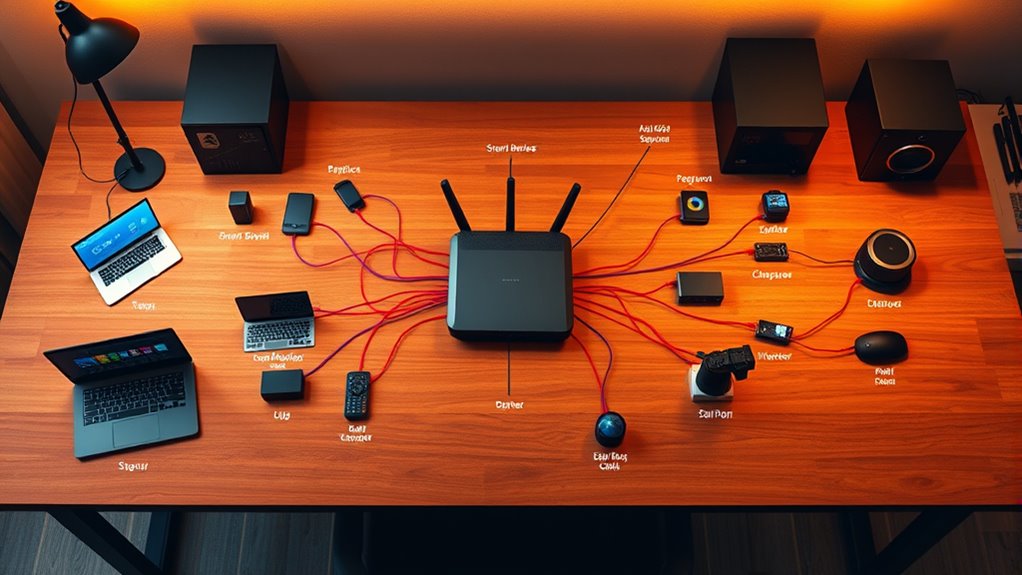
A home network diagram provides a clear visual map of how all your devices connect and communicate within your home. It’s an essential tool that helps you understand the layout of your network, making it easier to troubleshoot issues, enhance performance, and guarantee security. When you create this diagram, you gain a detailed overview of your Wi-Fi setup, wired connections, and the various devices linked to your network. This clarity is especially important for managing wireless security, as it allows you to identify vulnerable points and implement necessary protections. By visualizing your network, you can see which devices are connected wirelessly and which are wired, helping you enforce secure access controls and prevent unauthorized connections.
Device management becomes much simpler once you have a visual map. You can quickly spot unfamiliar devices that may pose security risks or be part of a potential breach. This proactive approach allows you to set appropriate permissions, monitor device activity, and guarantee only trusted devices access your network. A well-drafted diagram also helps you plan for future expansions, whether you’re adding smart home gadgets, new computers, or entertainment systems. It ensures you’re aware of the bandwidth each device consumes, so you can avoid network congestion and maintain ideal speeds.
Creating your home network diagram doesn’t have to be complicated or time-consuming. Start by listing all your devices—smartphones, tablets, laptops, printers, smart home hubs, security cameras, and any other connected gadgets. Identify how each device connects: through Wi-Fi, Ethernet cables, or both. Next, map out your router’s placement, along with any switches or access points that extend your network’s reach. Use simple symbols or diagrams to represent each device and connection type. This visual representation makes it easier to pinpoint weak spots in your wireless security, such as open networks or outdated firmware on your router.
Start by listing devices, their connection types, and router placement to create an effective home network diagram.
Regularly updating your home network diagram is just as important as creating it. As you add new devices or reconfigure your setup, your map should reflect those changes. Doing so helps you keep track of your network’s security status and manage your devices efficiently. Additionally, understanding the importance of contrast ratio in your network’s performance can help optimize your bandwidth for high-quality streaming and gaming experiences. Ultimately, the effort pays off when you experience fewer connectivity issues, faster troubleshooting, and a safer, more organized home network. This 10-minute investment provides peace of mind, preventing chaos and protecting your digital life from potential threats.
As an affiliate, we earn on qualifying purchases.
Frequently Asked Questions
How Often Should I Update My Home Network Diagram?
You should update your home network diagram whenever you add or remove devices, or if your network’s visual layout changes. Regular updates—at least every few months—help keep your device inventory accurate and guarantee your diagram reflects the current setup. This way, you’ll easily spot potential issues, improve security, and maintain a clear overview of your network’s structure, preventing chaos and making troubleshooting simpler.
What Tools Are Best for Creating a Network Diagram?
Think of creating a network diagram as sketching a blueprint for your digital city. Use diagram software like Microsoft Visio, Lucidchart, or draw.io, which excel at illustrating network topology. These tools offer intuitive interfaces and templates, making it easy to visualize your home network. They help you stay organized, identify vulnerabilities, and expand effortlessly, ensuring your network remains a well-structured, resilient infrastructure.
How Can I Troubleshoot Network Issues Using My Diagram?
You can troubleshoot network issues by referencing your diagram’s network topology to identify where the problem might be. Start by checking device identification to see if a specific device is causing the issue. Follow the connections step-by-step, verifying each device’s status and connection points. This approach helps you quickly spot misconfigurations or faulty devices, streamlining your troubleshooting process and preventing network chaos.
Is a Home Network Diagram Necessary for Small Setups?
A home network diagram isn’t strictly necessary for small setups, but it’s highly beneficial. It helps you quickly troubleshoot wireless connectivity issues by showing device management and connection points. With a diagram, you can easily identify devices, troubleshoot problems faster, and optimize your setup. Even in small homes, having a simple map streamlines maintenance and guarantees your wireless network remains stable and efficient.
How Do I Secure My Network Diagram From Unauthorized Access?
To secure your network diagram from unauthorized access, start with proper firewall configuration to block unwanted traffic. Use strong, unique passwords and manage them with a reliable password management tool. Regularly update your router firmware and restrict access to your network settings. These steps help keep your network diagram safe, ensuring only authorized users can view or modify it, preventing potential security breaches.
wireless router with network mapping
As an affiliate, we earn on qualifying purchases.
As an affiliate, we earn on qualifying purchases.
Conclusion
Creating a home network diagram is your secret weapon against tech chaos. Just like a master cartographer mapping uncharted lands, you’ll stay organized and prepared for any digital monsters lurking in the dark. Think of it as your personal Bat-Signal, guiding devices smoothly through the chaos of modern life—no need for a DeLorean, just a simple diagram will do. Keep it updated, and your home network will run as seamlessly as the Millennium Falcon on hyperdrive.
network security monitoring tools
As an affiliate, we earn on qualifying purchases.
As an affiliate, we earn on qualifying purchases.
As an affiliate, we earn on qualifying purchases.
Fall Picks
fall essentials
As an affiliate, we earn on qualifying purchases.