
Office pain often starts with monitor position because it forces you into awkward postures that strain your neck, shoulders, and back. When your screen isn’t at eye level, you may lean forward, tilt, or twist, causing discomfort over time. Proper monitor height encourages better posture and reduces muscle tension. If you want to find out how to adjust your workspace for long-term relief, there’s more you can explore.
Key Takeaways
- Incorrect monitor height causes neck and shoulder strain from constant tilting or twisting.
- Poor placement leads to forward leaning, increasing back and eye discomfort.
- Misaligned screens force awkward postures that create muscle tension and chronic pain.
- Lack of ergonomic setup results in repetitive strain from poor posture maintenance.
- Proper monitor positioning promotes better posture, reducing long-term musculoskeletal issues.
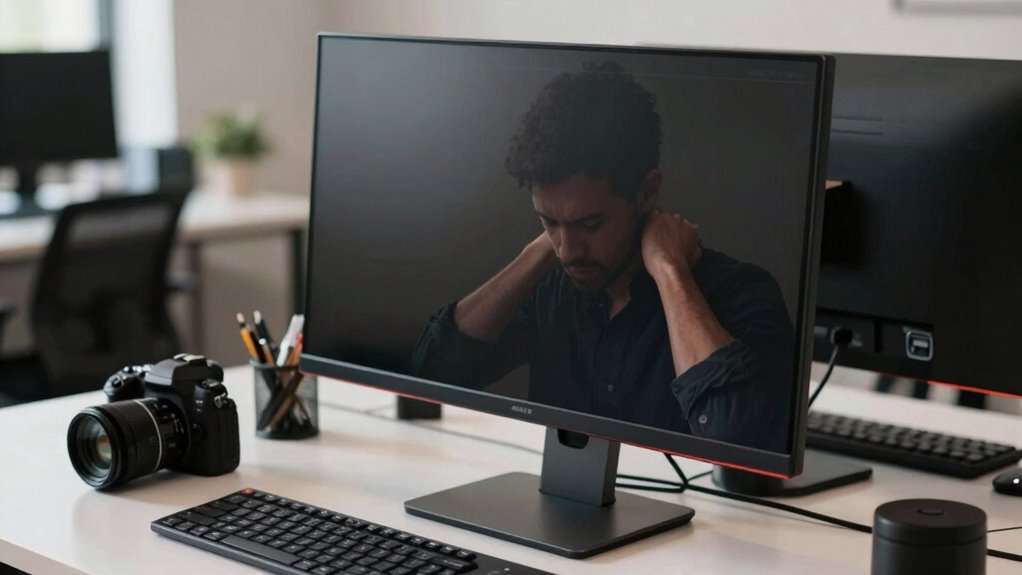
If your office pain often begins with discomfort in your neck, shoulders, or back, the culprit might be your monitor’s position. Sitting for hours at a desk can strain your body, especially if your monitor isn’t aligned correctly. Poor monitor placement forces you to crane your neck, hunch your shoulders, or twist your spine, leading to persistent aches and tension. To combat this, focusing on ergonomic accessories can make a big difference. Adjustable monitor stands, for example, allow you to set the screen height so your eyes are level, reducing the need to tilt or look down. When your monitor is at the right height, you promote better posture and lessen strain on your neck and shoulders.
Proper monitor height reduces neck and shoulder strain, promoting better posture and comfort during long work hours.
Beyond using ergonomic accessories, maintaining posture awareness is key. It’s easy to get distracted and slide into poor habits, like slouching forward or leaning in too close to the screen. Regularly checking in with your body helps prevent these issues. Sit with your back fully supported, feet flat on the floor, and keep your shoulders relaxed. Your monitor should be about an arm’s length away, with the top of the screen roughly at eye level. This minimizes the need to lean forward or tilt your head, keeping your spine aligned and reducing stress on your muscles. Additionally, understanding ergonomic principles can guide you in creating a healthier workspace that minimizes discomfort.
Another factor that influences office pain is how often you change your position. Staying in the same posture for extended periods puts unnecessary strain on specific muscles and joints. Take short breaks to stretch or walk around; this helps reset your posture and gives your muscles a break. Incorporating simple ergonomic accessories like wrist rests or footrests can also support proper body mechanics. These tools promote proper body mechanics and encourage healthy positioning, making it easier to stay comfortable throughout the day. Being aware of ergonomic best practices can further enhance your workspace setup for all-day comfort. Recognizing the importance of posture awareness can significantly improve your overall comfort and prevent chronic pain. Remember, workplace ergonomics is an ongoing process that benefits from regular adjustments and mindfulness.

WALI Computer Monitor Stand for Desk, Adjustable Laptop Riser, Desk Monitor Stand Underneath Storage for Office, Home, School Supplies (STT003), 1 Pack, Black
Design: The monitor stand for the desk has a large 14.6 x 9.3 inches metal shelf that fits…
As an affiliate, we earn on qualifying purchases.
As an affiliate, we earn on qualifying purchases.
Frequently Asked Questions
How Can I Tell if My Monitor Is Positioned Correctly?
You can tell if your monitor is positioned correctly by checking if it’s at eye level, with the top of the screen roughly in line with your eyebrows. Sit back in your ergonomic chair with your feet flat on the floor, and make sure your monitor is at the right desk height so you don’t strain your neck. Your arms should be relaxed, and your wrists straight, reducing discomfort and promoting good posture.
What Ergonomic Tools Can Improve Monitor Placement?
Using ergonomic accessories like a monitor arm can markedly improve your monitor placement. A monitor arm allows you to easily adjust height, tilt, and distance, ensuring your screen is at eye level and reducing strain. You might also consider ergonomic accessories like adjustable stands or screen risers. These tools help create a comfortable workspace, prevent neck and eye pain, and promote better posture during long hours at your desk.
Does Monitor Size Affect Neck and Back Pain?
Think of your monitor like a window to your work world—size does matter. A larger screen can cause you to crane your neck if not properly positioned, increasing pain. When adjusting monitor height, make sure the top of the screen is at eye level, reducing strain. Also, be mindful of screen glare, which can cause you to lean forward or squint, amplifying neck and back discomfort. Proper setup keeps your work window comfortable and pain-free.
How Often Should I Adjust My Monitor During Work?
You should adjust your monitor height and desk setup whenever you notice discomfort or after every hour of work. Keep your monitor at eye level to prevent neck strain, and guarantee your desk setup promotes good posture. Regular adjustments help avoid prolonged static positions, reducing pain. Make it a habit to check and tweak your monitor height and position to stay comfortable and avoid long-term issues.
Are There Specific Monitor Settings That Reduce Eye Strain?
To reduce eye strain, adjust your monitor’s blue light settings and enable blue light filters or night mode, which minimizes eye fatigue during long hours. Also, set a high refresh rate—ideally 75Hz or higher—to guarantee smoother visuals and less flickering. These settings work together to make your screen easier on your eyes, especially during extended work sessions, helping you stay comfortable and focused.

BONTEC Dual Monitor Stand Riser with Smartphone Holder, Adjustable Length & Swivel Angle, Ergonomic Wooden Desktop Organizer for PC Monitor, Laptop, Printer, Large Storage, White
DUAL MONITOR STAND WITH ADJUSTABLE LENGTH & ANGLE – Elevate two monitors to an ergonomic height for better…
As an affiliate, we earn on qualifying purchases.
As an affiliate, we earn on qualifying purchases.
Conclusion
Imagine your body as a delicate garden, each part thriving in harmony. When your monitor sits too high or low, it’s like weeds creeping in, choking your comfort and causing pain. But when you adjust it to eye level, you create a path of sunlight and balance. Soon, pain fades like shadows at dawn, replaced by the gentle warmth of ease. Take control of your space — your well-being depends on it.

Vaydeer Wrist Rest for Keyboard and Mouse, Computer Ergonomic Wrist Support Pad, Soft Memory Foam Arm Cushion for Desk, Palm Hand Office Laptop Typing
【Softer and More Comfortable】Vaydeer wrist rest has unique diamond pattern, which is the combination of softness and aesthetics….
As an affiliate, we earn on qualifying purchases.
As an affiliate, we earn on qualifying purchases.

CasaZenith Foot Rest for Under Desk at Work – Ergonomic Foot Stools for Under Office Desk – Rocking Footrest with Roller Massager – Leg Rest for Chair, Computer Gaming -13" L x 9.6" W x 5" H
Ergonomic Office footrest: Foot area surface measuring 13" by 9.6". Our footstools under the table provide all-day foot…
As an affiliate, we earn on qualifying purchases.
As an affiliate, we earn on qualifying purchases.