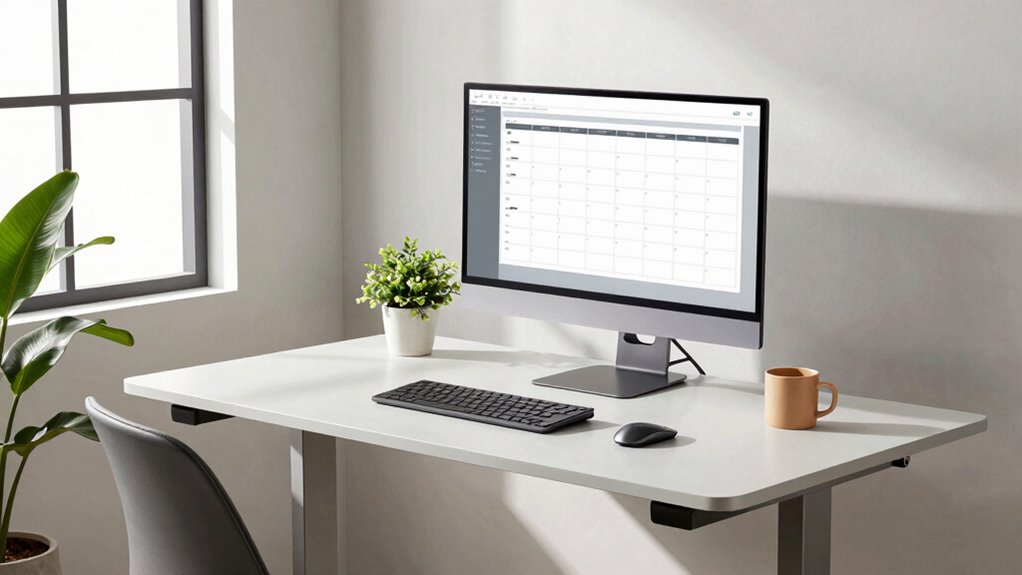

To keep your focus sharp without disruption, adopt a sit-stand schedule starting with 30 minutes sitting and then 15 minutes standing, gradually increasing standing time as your body adjusts. Use reminders or timers to stay on track and organize tasks around your positioning—sit for deep focus, stand for physical or collaborative work. Incorporate movement breaks, ergonomic accessories, and listen to your body’s signals to create a seamless routine that boosts productivity and well-being. More tips await to help you customize your schedule effectively.

Prime made for students and young adults
- Fast, free delivery for dorm and study essentials
- Prime Video and Amazon Music included
- Member-only deals
Key Takeaways
- Start with short, manageable standing intervals and gradually increase to prevent fatigue.
- Use timers or app reminders to maintain a consistent, balanced sit-stand schedule.
- Prioritize deep, focused work while seated and reserve standing for physical or collaborative tasks.
- Maintain proper ergonomic posture in both sitting and standing positions to enhance focus.
- Incorporate regular breaks, stretching, and movement to sustain energy and prevent distraction.

If you spend long hours sitting at your desk, adopting a sit-stand schedule can boost your energy and reduce discomfort. Switching between sitting and standing helps prevent stiffness, improves circulation, and can even elevate your mood. To make this changeover seamless, investing in ergonomic accessories becomes essential. Ergonomic standing desks or height-adjustable workstations allow you to shift positions effortlessly without sacrificing comfort. Pair these with anti-fatigue mats, which reduce strain on your legs and feet when you’re standing for extended periods. This setup encourages better posture and minimizes the risk of musculoskeletal issues, making it easier to stay focused throughout the day. Incorporating smart automation into your workspace can also help remind you to switch positions and optimize your schedule for comfort and productivity.
Adopt a sit-stand routine with ergonomic accessories to boost comfort and focus during long work hours.
Implementing a sit-stand schedule also involves some smart productivity tips. The goal isn’t to stand all day but to alternate intelligently. Start with short intervals—perhaps 30 minutes sitting, then 15 minutes standing—and gradually increase the standing periods as your body adapts. Using timers or app reminders can help you stick to this routine, ensuring you don’t forget to switch positions. When you’re standing, focus on maintaining proper alignment: keep your monitor at eye level, elbows close to your sides, and wrists straight. These small adjustments can notably boost your comfort and prevent fatigue.
To keep your focus sharp, consider organizing your tasks around your schedule. Tackle tasks that require intense concentration while seated, such as writing or deep thinking, and reserve more physical or collaborative activities for your standing periods. This way, you leverage the benefits of movement without disrupting your flow. Remember, taking short breaks is vital—stretch, walk around, or do quick shoulder rolls. These small movements help reset your focus and prevent stiffness.
Another productivity tip is to stay hydrated and avoid clutter on your desk, which can cause unnecessary distractions. When your workspace is organized and ergonomic accessories are in place, you’ll find it easier to stay engaged. It’s also helpful to listen to your body—if you start feeling discomfort, adjust your position or take a brief walk. Over time, your body will adapt to this balanced approach, making it easier to maintain concentration and energy levels.
Incorporating a sit-stand schedule with ergonomic accessories and smart productivity tips isn’t just about comfort; it’s about creating a sustainable work routine. By making small adjustments, you can enhance your focus, reduce fatigue, and improve your overall well-being. The key is consistency and listening to what your body needs to perform at its best.
As an affiliate, we earn on qualifying purchases.
Frequently Asked Questions
How Can I Avoid Discomfort When Switching Between Sitting and Standing?
To avoid discomfort when shifting between sitting and standing, focus on maintaining proper posture alignment. Adjust your chair to support your lower back and keep your feet flat on the ground. When changing positions, move slowly to prevent strain, and take a moment to reset your posture. Regularly check your chair adjustments to make certain your workstation supports your body comfortably, reducing tension and preventing discomfort over time.
What Are the Best Ergonomic Tips for a Sit-Stand Desk?
To optimize your desk setup, make certain your monitor is at eye level and your keyboard and mouse are close to prevent strain. Use ergonomic accessories like a footrest and wrist supports for added comfort. Adjust your desk height so your elbows form a 90-degree angle when typing, and switch between sitting and standing frequently. Proper positioning reduces discomfort and boosts productivity, making your sit-stand desk work for you.
How Often Should I Change Positions During Work Hours?
You should change positions every 30 to 60 minutes to maintain posture awareness and prevent fatigue. Research shows that regular movement reduces discomfort and boosts productivity. Set a timer or use breaks to remind yourself to switch between sitting and standing. Incorporating short, frequent breaks helps you stay focused and comfortable throughout your workday, ensuring your posture stays healthy and your energy levels stay high.
Can This Schedule Help Reduce Long-Term Health Risks?
Yes, this schedule can help reduce long-term health risks. By regularly switching between sitting and standing, you boost your cardiovascular health and lower the risk of heart disease. It also promotes posture improvement, preventing aches and injuries caused by prolonged sitting. Staying active throughout the day supports overall well-being, making this schedule a smart choice for maintaining your health in the long run.
What Equipment Is Recommended for a Safe Transition?
You should consider using desk accessories like adjustable monitor arms and footrests to facilitate a smooth, safe transition. Posture support cushions can help maintain proper alignment while standing or sitting. These tools promote ergonomic comfort, reducing strain on your back and neck. Make sure your desk setup allows easy height adjustments, and take time to set up your equipment correctly to avoid discomfort or injury during your sit-stand routine.
As an affiliate, we earn on qualifying purchases.
Conclusion
Adopting a sit-stand schedule can boost your focus without sacrificing productivity, but it’s worth questioning if frequent switching truly enhances concentration or just offers a placebo effect. Research suggests that moderation is key—too much standing may cause fatigue, while too little can lead to stiffness. By finding a balanced routine, you’re more likely to stay alert and engaged. Ultimately, listening to your body and adjusting your schedule accordingly proves most effective for sustained focus.
As an affiliate, we earn on qualifying purchases.
As an affiliate, we earn on qualifying purchases.
Halloween Picks
halloween
As an affiliate, we earn on qualifying purchases.