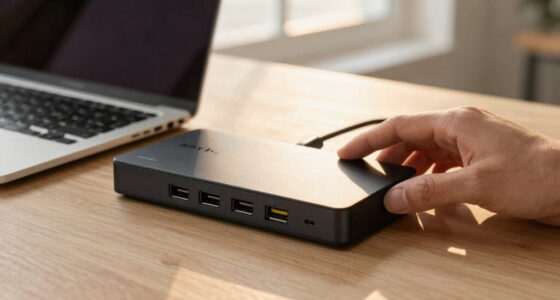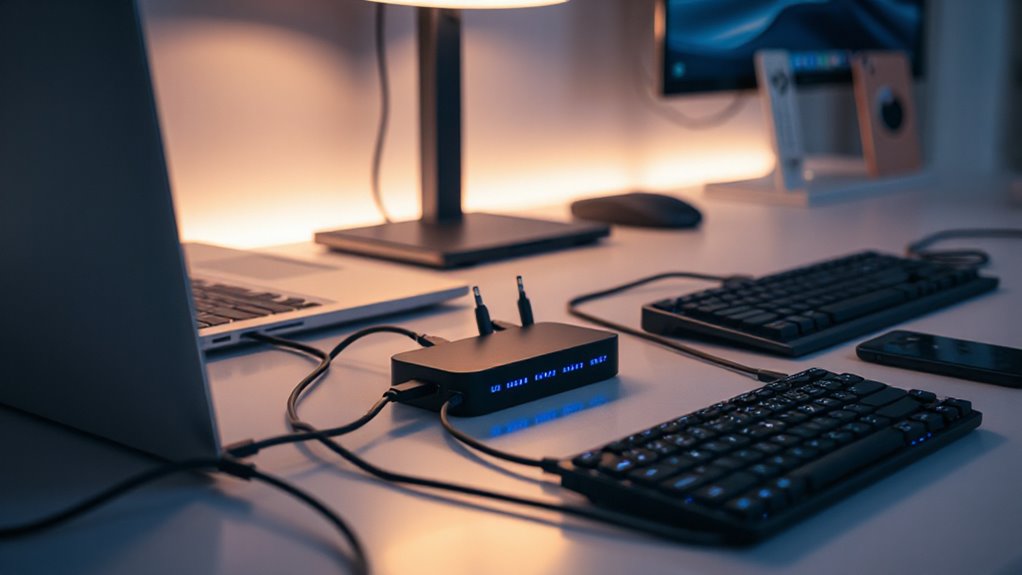

If you’re searching for a USB-C docking station that can deliver up to 100W of power, you’re looking at a versatile way to expand your workspace. The market offers a range of options, but three stand out for their balance of features, compatibility, and value. The Dell Pro WD25 shines for multi-display setups and sustainability, the Acer 13-in-1 for its broad port selection and security features, and the Plugable USB-C Triple Monitor Dock for supporting triple HDMI monitors at a competitive price. Each comes with tradeoffs—complex setup, resolution limits, or compatibility quirks—so your choice depends on your specific needs.

Prime made for students and young adults
- Fast, free delivery for dorm and study essentials
- Prime Video and Amazon Music included
- Member-only deals
Key Takeaways
- The Dell Pro WD25 offers support for up to four high-res displays, ideal for power users with demanding multitasking needs.
- The Acer 13-in-1 provides a robust port array and security features, making it a good fit for enterprise environments.
- Plugable‘s models excel in multi-monitor configurations, especially for users needing triple HDMI outputs at 4K, but may have system compatibility limitations.
- All options deliver 100W charging—crucial for keeping laptops powered during intensive work sessions.
- Compatibility varies: some docks favor Windows, others Mac or ChromeOS, so matching to your system is essential.
| Dell Pro Laptop Docking Station WD25, USB-C, 100W, DisplayPort, HDMI |  | Best Overall for Multi-Display and Sustainability | Power Output: 100W | Display Support: Up to 4 high-res displays | Ports: DisplayPort, HDMI, USB-C, USB | VIEW ON AMAZON | See Our Full Breakdown |
| Acer 13-in-1 USB-C Laptop Docking Station with 2 HDMI, DisplayPort, Gigabit Ethernet, and Power Adapter |  | Best for Enterprise with Security and Multiple Ports | Display Outputs: 2 HDMI, 1 DisplayPort | Power Adapter: 110W | Connectivity: USB-C, USB-A, Gigabit Ethernet, SD/TF card reader, AUX | VIEW ON AMAZON | See Our Full Breakdown |
| Plugable USB-C Triple Monitor Docking Station: 13-in-1 Laptop Dock with 100W Charging for Mac, Windows, Chrome |  | Best for Universal Compatibility and Triple HDMI Support | Hardware Interface: USB Type C | Number of Ports: 13 | HDMI Ports: 3 | VIEW ON AMAZON | See Our Full Breakdown |
| Plugable USB-C Triple Display Docking Station with 100W Power Delivery |  | Best for Budget Multi-Monitor Setups at 4K 30Hz | Hardware Interface: USB Type C | Supports: USB-C, USB4, Thunderbolt | Total USB Ports: 6 | VIEW ON AMAZON | See Our Full Breakdown |
| Plugable USB-C Triple Display Laptop Docking Station 3 Monitors, 15-in-1: 3 HDMI, Dual 4K or Triple (1x 4K60 + 2x 1080p), 2.5GbE, 100W PD, 30W USB-C Charge Port, Driverless for Windows, UD-MSTH3 |  | Best for High-Resolution, Professional Use | Display Support: Triple HDMI, dual 4K or 4K60Hz + 1080p | Ports: 15 including Ethernet, SD, audio, USB | Power Delivery: 100W | VIEW ON AMAZON | See Our Full Breakdown |
More Details on Our Top Picks
Dell Pro Laptop Docking Station WD25, USB-C, 100W, DisplayPort, HDMI
The Dell Pro WD25 stands out for its support of up to four high-resolution displays, making it ideal for users who need expansive screen real estate. Its 100W power delivery ensures laptops stay charged during demanding tasks. The dock’s sustainability focus—made with at least 65% postconsumer recycled materials—and energy-efficient features like up to 72% standby power reduction, appeal to eco-conscious buyers. However, its setup can be complex for those unfamiliar with multi-display configurations, and compatibility with older laptops might require additional adapters. Compared with other docks, its multi-screen support and eco-focus make it a versatile choice, especially for professionals needing productivity and sustainability.
Pros:- Supports up to four high-resolution displays for extensive workspace
- Provides 100W charging for laptops
- Made with eco-friendly materials and energy-efficient design
Cons:- Setup can be complex for non-technical users
- Limited details on compatibility with older PCs
Best for: Power users with multi-monitor workflows and sustainability priorities
Not ideal for: Non-technical users or those with older PCs lacking modern ports
- Power Output:100W
- Display Support:Up to 4 high-res displays
- Ports:DisplayPort, HDMI, USB-C, USB
- Sustainability:Made with at least 65% postconsumer recycled materials
- Standby Power Reduction:Up to 72%
Our verdict“This dock offers a compelling mix of multi-display support and eco-conscious design, suited for demanding professional setups willing to manage a more complex setup process.”
Acer 13-in-1 USB-C Laptop Docking Station with 2 HDMI, DisplayPort, Gigabit Ethernet, and Power Adapter
The Acer 13-in-1 excels in expanding connectivity with a comprehensive port set, including dual HDMI, DisplayPort, Ethernet, SD card reader, and audio jacks. Its 110W power adapter ensures reliable charging, and the aluminum build adds durability and a sleek look. The dock supports triple monitor setups on Windows, making it suitable for multitasking professionals. However, achieving triple 4K displays depends on GPU support and DSC capabilities, which may require specific hardware configurations. For Mac users, only mirroring is supported, limiting its flexibility. Compared to other models, the Acer offers a rich feature set tailored to enterprise environments, but with some system-specific limitations.
Pros:- Supports triple monitor setup (Windows)
- Includes a 110W power adapter for reliable charging
- Durable aluminum chassis with security slot
Cons:- Requires specific GPU support for triple 4K outputs
- Limited to mirroring on Mac systems
- Rear USB-C port supports data transfer only
Best for: Business professionals needing a broad port array and security features
Not ideal for: Creative professionals with Mac systems or requiring high-resolution triple 4K displays
- Display Outputs:2 HDMI, 1 DisplayPort
- Power Adapter:110W
- Connectivity:USB-C, USB-A, Gigabit Ethernet, SD/TF card reader, AUX
- Supported Monitors:Triple display (Windows), Mirroring (Mac)
- Material:Aluminum
Our verdict“Ideal for enterprise users who need a secure, port-rich dock for Windows, but less suited for Mac or high-resolution media creation.”
Plugable USB-C Triple Monitor Docking Station: 13-in-1 Laptop Dock with 100W Charging for Mac, Windows, Chrome
This Plugable dock offers a solid solution for users needing triple HDMI outputs, including support for 4K at 30Hz on one port. Its 13-in-1 port array covers Ethernet, SD card, audio, and multiple USB connections, making it a versatile choice for enterprise and home setups. The 100W charging capacity simplifies power management, and the dock’s broad OS compatibility—including Windows, macOS, and ChromeOS—favours users across different systems. However, the limited resolution on HDMI 2 and 3 (up to 1080p or 4K at 30Hz) might be a drawback for high-end media editing. Compared to other docks, its universal compatibility and triple HDMI support make it a flexible, all-around choice, especially for mixed-OS environments.
Pros:- Supports triple HDMI displays, including 4K at 30Hz
- Provides 100W power delivery for laptops
- Driverless setup for Windows and ChromeOS
Cons:- Limited to 4K 30Hz on HDMI ports
- Not recommended for Mac or Linux systems
- Possible lower resolution on non-Windows systems
Best for: Multi-OS environments requiring triple HDMI support
Not ideal for: Users needing higher refresh rates or high-res 4K at 60Hz
- Hardware Interface:USB Type C
- Number of Ports:13
- HDMI Ports:3
- USB-C Power Delivery:100W
- Supported Systems:Windows 10+, macOS 11+, ChromeOS
Our verdict“A flexible, multi-OS dock suitable for users needing triple HDMI outputs and reliable charging, with some resolution limitations for high-end media tasks.”
Plugable USB-C Triple Display Docking Station with 100W Power Delivery
The Plugable B08DDH5CPW supports three HDMI monitors, including one 4K at 30Hz and two at 1080p at 60Hz, making it suitable for productivity-focused setups. Its 6 USB 3.0 ports and Gigabit Ethernet add to its versatility, while 100W charging ensures your laptop stays powered during long work sessions. Compatibility spans Windows, macOS, and ChromeOS, but Linux users should look elsewhere, as driver installation may be required on some systems. Its resolution limits at 4K 30Hz could be a hurdle for high-end media workflows, but for everyday multitasking, it offers a reliable, affordable solution.
Pros:- Supports triple HDMI displays, including 4K at 30Hz
- Provides 100W charging for laptops
- Multiple USB 3.0 ports and Ethernet
Cons:- Limited to 4K 30Hz resolution
- Requires drivers for macOS
- Not compatible with Linux
Best for: Cost-conscious users needing triple HDMI monitors and 4K support
Not ideal for: High-end creative workflows requiring 60Hz 4K or Linux systems
- Hardware Interface:USB Type C
- Supports:USB-C, USB4, Thunderbolt
- Total USB Ports:6
- HDMI Ports:3
- Wattage:100W
Our verdict“A budget-friendly, multi-monitor dock that delivers essential features with resolution limitations, fitting for standard office and multitasking needs.”
Plugable USB-C Triple Display Laptop Docking Station 3 Monitors, 15-in-1: 3 HDMI, Dual 4K or Triple (1x 4K60 + 2x 1080p), 2.5GbE, 100W PD, 30W USB-C Charge Port, Driverless for Windows, UD-MSTH3
This Plugable UD-MSTH3 provides triple display support with options for dual 4K or triple monitors at 4K60Hz, making it a top choice for creative professionals. Its 15 ports include Ethernet, SD card, audio, and multiple USB-A and USB-C connections, making it a comprehensive hub. The 100W power delivery ensures laptops stay charged, and the driverless setup on Windows and ChromeOS adds to its user convenience. Its main limitation is that it’s not recommended for Mac systems or ARM-based devices, and the maximum resolution is limited on some configurations. Compared to other models, it offers high-resolution support and extensive connectivity for demanding workflows.
Pros:- Supports triple displays, including 4K60Hz on two monitors
- Provides 100W power delivery
- Driverless setup for Windows and ChromeOS
Cons:- Not recommended for Mac or ARM devices
- Limited system compatibility
- Requires high-end GPU support for maximum resolution
Best for: Creative professionals and power users needing high-res triple monitors
Not ideal for: Mac users or those with ARM-based Chromebooks
- Display Support:Triple HDMI, dual 4K or 4K60Hz + 1080p
- Ports:15 including Ethernet, SD, audio, USB
- Power Delivery:100W
- Supported OS:Windows 10/11, ChromeOS
- Resolution:Up to 4K 60Hz on two monitors
Our verdict“A high-performance dock tailored for demanding visual workflows, with excellent resolution options but limited cross-platform support.”

How We Picked
Our selection focuses on docks that deliver 100W power via USB-C, ensuring they can reliably charge most laptops while providing multiple connections. We prioritized models that support multiple displays, especially triple-monitor setups, given their popularity among professionals. Compatibility across operating systems was key, as well as port variety—USB-A, HDMI, DisplayPort, Ethernet, SD card readers—and build quality. We also considered sustainability features and user convenience, such as driverless setup. Each product was evaluated for its tradeoffs—resolution limits, setup complexity, or system restrictions—to help buyers understand which model fits their workflow best.
Factors to Consider When Choosing Usb C Docking Station With 100w Power Delivery
Selecting the right USB-C docking station with 100W power delivery involves considering your system compatibility, display needs, and workspace setup. These docks are designed to power your device while providing expanded connectivity, but differences in port variety, supported resolutions, and operating system compatibility can significantly influence your experience. Understanding your primary use—whether multitasking, creative work, or enterprise deployment—guides the best choice. Here’s a breakdown of what to consider to match your needs with the right dock.
Power Delivery and Charging
All docks reviewed provide 100W power output, which is generally enough to charge most laptops, including high-performance models. However, confirm your laptop’s charging requirements—some ultra-thin models may need less, while gaming or workstation laptops might benefit from higher wattage. A dock with 100W ensures your device remains powered during extended work sessions without needing a separate charger.
Display Support and Resolution
If you rely on multi-monitor setups, pay attention to the number of supported displays and maximum resolutions. Some docks support up to four displays but may limit resolution to 4K at 30Hz, which may be insufficient for high-end media work. Others, like the Plugable UD-MSTH3, support 4K at 60Hz on two monitors, ideal for creative tasks. Your choice depends on whether you prioritize screen real estate, resolution, or refresh rate.
Compatibility and Operating Systems
Most docks are designed for Windows, with some supporting macOS and ChromeOS. Mac users should verify whether extended display support and driverless setup are available, as some docks only mirror displays or require driver installation. For enterprise or mixed-OS environments, a model with broad compatibility and driverless operation simplifies deployment and maintenance.
Port Variety and Additional Features
Consider the types and number of ports—USB-A, Ethernet, SD card slots, audio jacks—needed to connect your peripherals. Some docks also include security features like lock slots or are built with eco-friendly materials. The more comprehensive your workspace, the more ports and features you’ll want to ensure seamless productivity without needing additional hubs.
Frequently Asked Questions
Can all USB-C docks deliver 100W power?
While many docks advertise 100W power delivery, actual performance depends on both the dock’s specifications and your laptop’s charging requirements. Most modern docks are capable of delivering 100W, which is sufficient for most ultrabooks and high-performance laptops. However, some models may have limitations on simultaneous power delivery to accessories or may only support 85W, so checking the specific wattage and your device’s needs is important.
Will a dock with 100W support multiple monitors at high resolution?
Typically, yes, but with caveats. Many docks with 100W power delivery can support multiple monitors, often up to three or four, but maximum resolution and refresh rate can vary. For instance, some docks support triple 4K displays at 30Hz, which is usually sufficient for productivity but not ideal for high-end media editing that requires 60Hz or higher. Always verify the maximum supported resolution per port when planning a multi-monitor setup.
Are these docks compatible with Mac systems?
Compatibility varies. Many docks support Mac, but features like extended displays, resolution limits, or driver requirements differ. For example, some docks only mirror displays on Mac, or require driver installation for HDMI ports. If you rely on macOS, choose a dock explicitly tested for Mac compatibility and confirm features like high-resolution support and driverless operation to ensure seamless use.
Is triple monitor support common in USB-C docks with 100W Power Delivery?
Triple monitor support is available but not universal. Some docks, like the Plugable UD-MSTH3, support triple displays with high resolutions, making them suitable for creative or professional workflows. Others support only two or limit resolutions at 4K 30Hz. Your choice should depend on your display needs and GPU capabilities, especially for high-resolution or high-refresh-rate setups.
What are the main tradeoffs between these docks?
The primary tradeoffs involve resolution limits, system compatibility, and setup complexity. Docks supporting more displays or higher resolutions may require specific hardware support or have more complex configurations. Some models excel in Windows environments but lack full macOS compatibility. Budget options tend to have resolution or port limitations. Balancing your display needs, system, and budget will help identify the best fit.
Conclusion
If you need a versatile, multi-display setup with sustainability in mind, the Dell Pro WD25 makes a compelling choice. For enterprise environments with a focus on security and broad port options, the Acer 13-in-1 stands out. Creative professionals or power users requiring high-resolution triple monitors will find the Plugable UD-MSTH3 the best fit, despite limited Mac support. Budget-conscious users who need reliable multi-monitor support at 4K 30Hz should consider the Plugable B08DDH5CPW. Matching your system, display needs, and workflow will guide you to the right dock for 2026.
As an affiliate, we earn on qualifying purchases.Halloween Picks
halloween