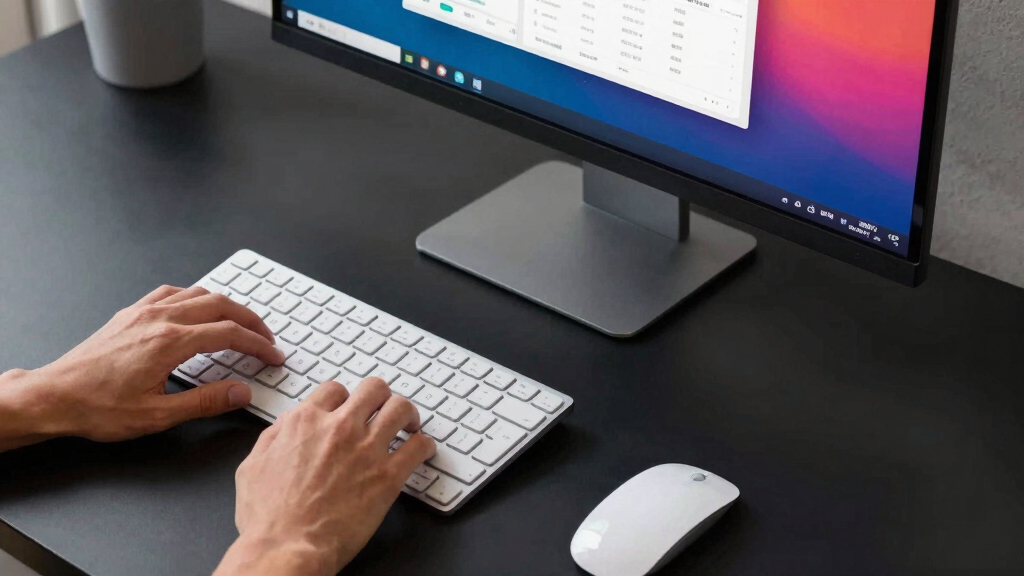
When searching for the best 32 inch 4K monitor for productivity, the goal is to find a display that balances screen size, resolution, and features to enhance workflow. The Dell 32 Plus 4K Monitor (S3225QS) stands out for its vibrant color accuracy and high refresh rate, making it versatile for work and occasional gaming. The BenQ RD320UA offers eye-care technology suited for long hours, while the LG 32U631A-B provides excellent USB-C connectivity for seamless device integration. Buyers often face tradeoffs between screen quality, ergonomics, and price—this guide breaks down the options to match your specific needs. Continue reading for detailed insights on each model to find your ideal productivity partner.
Key Takeaways
- High refresh rates (up to 120Hz) benefit multitasking and smoother visuals, especially for fast-moving content.
- Color accuracy and HDR support are key for creative professionals who need precise visuals.
- Connectivity options like USB-C and Thunderbolt simplify setup and reduce clutter on desks.
- Curved screens can improve immersion but may not suit all workspace setups or preferences.
- Price varies widely; investing in better ergonomics and calibration features pays off for long-term productivity.




More Details on Our Top Picks
Dell 32 Plus 4K Monitor – S3225QS – 31.5-inch 4K UHD, 120Hz, VA Panel, AMD FreeSync Premium, sRGB 99%, DCI-P3 95%, HDR, Ash White
The Dell S3225QS stands out for offering a balanced mix of vibrant color accuracy, smooth motion, and premium design, making it ideal for users who want a single monitor for both work and leisure. Compared with the LG 32U631A-B, it provides a higher refresh rate (120Hz vs. 100Hz), which benefits those who also enjoy casual gaming or fast-paced workflows. Its VA panel delivers deeper contrast, but limits viewing angles slightly compared to IPS options. The monitor’s ultra-thin bezels and ash white finish give it a modern aesthetic that suits stylish workspaces, though its 19.3-pound weight and limited HDMI ports might pose mounting or connectivity challenges. The inclusion of AMD FreeSync and HDR enhances visual fluidity and color richness, yet the higher price could be a barrier for budget-conscious buyers. Overall, this monitor is best suited for professionals needing color fidelity and smooth visuals in a sleek package.
Pros:- Vivid and accurate color reproduction with high sRGB and DCI-P3 coverage
- Smooth visuals with 120Hz refresh rate and AMD FreeSync Premium
- Enhanced eye comfort with blue light reduction technology
- Sleek, modern design with ultra-thin bezels
Cons:- Limited to 2 HDMI ports, which may be insufficient for multiple devices
- Heavy at 19.3 pounds, requiring sturdy mounting options
- Premium features come at a higher price point
Best for: Creative professionals and productivity users who value vibrant visuals and smooth motion without sacrificing style
Not ideal for: Budget-conscious buyers or those needing multiple HDMI connections for many peripherals
- Display Size:31.5 inches
- Resolution:3840 x 2160 pixels (4K UHD)
- Refresh Rate:120Hz
- Response Time:0.03 ms
- Panel Type:VA
- Color Coverage:99% sRGB, 95% DCI-P3
Bottom line: This monitor suits users who need high-quality visuals and a stylish design for both work and entertainment, accepting some connectivity limitations.
BenQ RD320UA 32” 4K Programming Monitor with Eye-Care Technology
The BenQ RD320UA is tailored for programmers and professionals who prioritize eye health during extended work hours. Its nano matte panel significantly reduces reflections, creating a clearer view in bright environments, especially compared to the glossy screens of other options like the Gawfolk curved monitor. The inclusion of coding modes with dark and light themes helps reduce eye strain, while the ergonomic stand ensures comfortable positioning for long sessions. However, the high price and limited details on adjustability might make it less appealing for casual users or those on a tight budget. Its contrast ratio of 2000:1 enhances contrast for detailed work, but the absence of more advanced features like high refresh rates or extensive connectivity could limit versatility. This monitor is ideal for developers or professionals who spend many hours at the screen and need built-in eye protection.
Pros:- Reduces reflections with nano matte panel for clear visuals
- Includes coding modes with dark and light themes to reduce eye strain
- Ergonomic stand for flexible positioning
- Eye-care features for extended use
Cons:- High price may deter casual or budget users
- Limited information on stand adjustability
- No mention of high refresh rate for gaming
Best for: Software developers, programmers, and professionals needing long hours of comfortable, eye-safe viewing
Not ideal for: Gamers or users seeking high refresh rates and multi-device connectivity at a lower cost
- Display Size:32 inches
- Resolution:3840×2160 (4K)
- Contrast Ratio:2000:1
- Panel Type:Nano Matte
- Features:Coding Modes, Eye-Care Technology
- Power:90W USB-C
Bottom line: This monitor is perfect for long-term coding and professional use where eye comfort is a priority, despite its higher cost.
Gawfolk 32 Inch 4K UHD Curved Monitor, 1500R, 178° Viewing, HDMI & DisplayPort, Wall Mountable, Black
The Gawfolk 32-inch curved monitor delivers an immersive experience with its 1500R curvature, making it stand out for multimedia consumption and focused work. Its 4K UHD resolution provides sharp clarity, and the 100% sRGB coverage ensures accurate color reproduction, comparable to more premium options like the ViewSonic VX3276-4K-MHD. The curved design enhances peripheral engagement and reduces distortion at the edges, but the 60Hz refresh rate limits its appeal for fast-paced gaming or high-frame-rate tasks. Its multiple connectivity options include dual HDMI and DisplayPort, with VESA mount compatibility adding flexibility for custom setups. The relatively low response time isn’t specified, which might affect responsiveness in certain scenarios. This monitor is best suited for users seeking an immersive, visually rich workspace with curved aesthetics.
Pros:- Immersive 1500R curved screen enhances viewing experience
- 4K UHD resolution delivers crystal-clear visuals
- Accurate color with 100% sRGB coverage
- Multiple connectivity options including HDMI and DisplayPort
Cons:- Limited to 60Hz refresh rate, less suitable for gaming
- Response time not specified, which could affect responsiveness
- No mention of built-in speakers
Best for: Creative professionals and multimedia enthusiasts who prefer immersive displays and curved screens
Not ideal for: Competitive gamers or users needing high refresh rates for fast-paced tasks
- Screen Size:32 Inches
- Resolution:3840 x 2160 (4K UHD)
- Refresh Rate:60 Hz
- Contrast Ratio:3000:1
- Color Gamut:100% sRGB
- Wall Mountable:Yes
Bottom line: Ideal for users who want an immersive, accurate visual workspace, accepting the limitations of refresh rate for gaming or fast motion work.
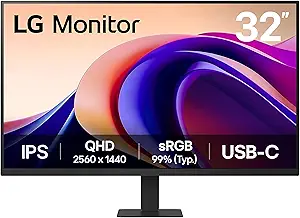
LG 32U631A-B 32-inch QHD IPS Computer Monitor with HDR10, 100Hz, USB Type-C, Black
The LG 32U631A-B offers a versatile balance of color, connectivity, and ergonomic features, making it suitable for a range of productivity tasks. Its IPS panel provides wide viewing angles and consistent color, comparable to the ViewSonic VX3276-4K-MHD, but at a lower resolution of 2560×1440, which might be a limitation for those needing full 4K detail. The 100Hz refresh rate improves smoothness over standard 60Hz monitors, and the USB Type-C port simplifies connections for laptops, with 15W power delivery. The borderless design maximizes screen real estate, but its QHD resolution may not satisfy users seeking true 4K clarity. It’s well-suited for general office use, streaming, and light creative work, though it falls short for those demanding ultra-high detail or high-end gaming.
Pros:- Vivid visuals with HDR10 and high sRGB coverage
- Smooth performance with 100Hz refresh rate
- Convenient USB Type-C with 15W power delivery
- Borderless, sleek design maximizes workspace
Cons:- QHD resolution may be insufficient for detailed visual tasks
- No built-in speakers mentioned
- Limited to 32 inches, which might be small for some users
Best for: Office workers, streamers, and casual creators who value good connectivity and color accuracy in a versatile package
Not ideal for: High-end gamers or professionals requiring 4K resolution for detailed editing
- Display Size:32 inches
- Resolution:2560 x 1440 (QHD)
- Refresh Rate:100Hz
- Panel Type:IPS
- HDR:HDR10
- Connectivity:HDMI, USB Type-C with 15W PD
Bottom line: A flexible monitor for everyday productivity and casual creative tasks, accepting the compromise of lower resolution for better connectivity and design.
ViewSonic VX3276-4K-MHD 32 Inch 4K UHD Monitor with HDR10, HDMI, and DisplayPort
The ViewSonic VX3276-4K-MHD is a well-rounded choice for users who prioritize sharp 4K visuals and sleek aesthetics. Its frameless design maximizes screen space, and the HDR10 support delivers vibrant and detailed images, comparable to the Gawfolk curved monitor. While its 60Hz refresh rate is standard for most office use, it isn’t ideal for fast-paced gaming or high-frame-rate tasks. The monitor offers multiple ports, including HDMI and DisplayPort, for flexible connectivity. The absence of built-in speakers and its size may demand ample desk space. Its matte finish reduces glare, making it suitable for bright environments, but users seeking ultra-high refresh rates or integrated audio should look elsewhere. This model makes sense for those wanting crisp visuals in a stylish package for daily work or streaming.
Pros:- Vibrant 4K UHD resolution with HDR10 for vivid visuals
- Sleek, frameless design enhances modern aesthetics
- Multiple connectivity options including HDMI and DisplayPort
- Matte finish reduces glare in bright settings
Cons:- Limited to 60Hz refresh rate, less suitable for gaming
- No built-in speakers included
- Requires significant desk space due to size
Best for: Office workers, streamers, and casual users who need reliable 4K visuals in a sleek design
Not ideal for: Gamers or high-performance users seeking high refresh rates and integrated audio
- Display Size:32 Inches
- Resolution:3840 x 2160 (4K UHD)
- Refresh Rate:60 Hz
- Contrast Ratio:2500:1
- Panel Type:MVA
- HDR:HDR10
Bottom line: A stylish, reliable 4K monitor perfect for daily tasks and media consumption, with some limitations for fast-paced applications.
BenQ PD3205U 32-Inch 4K UHD IPS Monitor with USB-C and Color Calibration
The BenQ PD3205U stands out for its exceptional color accuracy, making it the top choice for professionals who need precise visuals. Compared to the Samsung ViewFinity S8, it offers more comprehensive factory calibration and dedicated color accuracy reports, which appeal to designers and photographers. While it boasts a robust 99% sRGB coverage and factory calibration, its 60Hz refresh rate limits its use for fast-paced tasks like gaming. Its multiple connectivity options, including 90W USB-C charging, streamline workspace setup. However, the higher price tag and larger footprint may deter budget-conscious or space-limited users. Ideal for creative professionals who prioritize color fidelity and professional calibration.
Pros:- High color accuracy with factory calibration and wide coverage
- Multiple connectivity options including USB-C with 90W charging
- Ergonomic design with adjustable stand
Cons:- Limited to 60Hz refresh rate, unsuitable for gaming
- Relatively large size may not fit in small spaces
Best for: Creative professionals, designers, and photographers needing color accuracy and calibration reports
Not ideal for: Gamers or users seeking high refresh rates for fast-paced gaming or multimedia
- Display Size:32 inches
- Resolution:3840 x 2160 (4K UHD)
- Panel Type:IPS
- Color Gamut:99% sRGB, rec. 709
- Brightness:350 nits
- Connectivity:HDMI 1, USB 3.0 x3, USB-C (90W), DisplayPort
Bottom line: This monitor is best suited for creatives who need precise color reproduction and calibration features.
Samsung 32″ UJ59 Series 4K UHD Computer Monitor, VA Panel, HDMI, DisplayPort, Eye Saver/Flicker Free Mode, FreeSync, Black
The Samsung UJ59 offers vibrant visuals thanks to its VA panel, making it attractive for multimedia consumption and casual multitasking. When compared to the BenQ PD3205U, it sacrifices some color accuracy for richer blacks and more vivid images, which is beneficial for entertainment. Its support for FreeSync and multiple picture modes enhance visual fluidity, especially for gaming or streaming. While it supports PBP and PIP modes for multitasking, it lacks the professional calibration features found in the BenQ. Its 32-inch size is versatile but may feel cramped for users needing extensive workspace. The absence of built-in speakers and reliance on compatible graphics cards for FreeSync could be limiting. Ideal for users seeking a versatile, visually striking monitor for multimedia and light productivity.
Pros:- Vivid 4K UHD resolution with rich colors
- Supports FreeSync for smooth visuals
- Multiple multitasking features like PBP and PIP
Cons:- Limited to 32 inches, may be small for some users
- No built-in speakers
Best for: Multimedia enthusiasts and casual multitaskers who want vivid images and adaptive sync features
Not ideal for: Creative professionals requiring color precision or users with limited desk space
- Size:32 inches
- Resolution:3840 x 2160 (4K UHD)
- Panel Type:VA
- Features:Eye Saver Mode, Flicker Free, FreeSync, PBP, PIP
- Connectivity:HDMI, DisplayPort
Bottom line: This monitor suits users prioritizing vibrant visuals and multitasking features over color calibration.
Samsung 32″ ViewFinity S8 (S80D) Series 4K UHD Computer Monitor with HDR10, Multiple Ports, Height Adjustable Stand, 2024 Model
The Samsung ViewFinity S8 excels for creative professionals needing vibrant, detailed visuals with HDR10 support. Compared to the BenQ PD3205U, it offers a more ergonomic setup with height adjustability and a sleek design, making it more comfortable for long hours. Its HDR10 support enhances dynamic range, adding depth to visuals, which is ideal for editing and creative workflows. The monitor’s multiple ports, including HDMI and DisplayPort, simplify connectivity. However, its premium price may limit accessibility, and the simple stand may feel lacking for those wanting extensive ergonomic adjustments. Its large size also requires ample desk space. This monitor suits creative users who want vivid visuals combined with ergonomic flexibility.
Pros:- Vivid visuals with HDR10 support
- Multiple connectivity options
- Ergonomic stand with height, tilt, swivel, and pivot adjustments
Cons:- Premium price point
- Requires ample desk space
Best for: Designers and content creators seeking vibrant displays with ergonomic features
Not ideal for: Budget-conscious buyers or users with limited desk space
- Display Size:32 inches
- Resolution:3840 x 2160 (4K UHD)
- HDR:HDR10
- Ports:HDMI, DisplayPort, USB-A, USB-B
- Stand:Height adjustable, swivel, tilt, pivot
- Warranty:3 years
Bottom line: This monitor is best for creative professionals who value high dynamic range and ergonomic flexibility.
Dell UltraSharp U3225QE 31.5-Inch 4K UHD IPS Monitor with Thunderbolt Hub
The Dell UltraSharp U3225QE offers a balance of large screen real estate and advanced connectivity, making it ideal for multitasking and professional workflows. Its 120Hz refresh rate and IPS panel ensure vibrant, smooth visuals, outperforming the 60Hz options like the BenQ PD3205U in motion clarity. Its Thunderbolt hub simplifies peripheral connections and data transfer, which is a significant advantage for users with multiple devices. However, its size—though great for multitasking—may be excessive for smaller desks, and it comes at a higher price point. Compatibility with Thunderbolt ports is essential, limiting some users. Best suited for professionals who need large, vibrant displays with seamless connectivity.
Pros:- Vibrant 4K UHD display with IPS panel
- Seamless Thunderbolt connectivity
- Large screen for multitasking
Cons:- Expensive for some budgets
- Requires Thunderbolt-compatible devices
Best for: High-productivity professionals with multiple peripherals and a need for large, clear visuals
Not ideal for: Budget buyers or users with limited space or Thunderbolt ports
- Size:31.5 inches
- Resolution:3840 x 2160 (4K UHD)
- Refresh Rate:120Hz
- Panel Type:IPS
- Connectivity:Thunderbolt hub
Bottom line: This monitor is perfect for professionals who need expansive workspace and fast, seamless connectivity.
BenQ PD3225U 32-Inch 4K IPS Monitor for MacBook with Thunderbolt, Calibrated Color, and Ergonomic Design
The BenQ PD3225U is tailored for Mac users and creative professionals, offering factory-calibrated color accuracy with 98% P3 and full sRGB coverage. Its IPS Black technology provides deep blacks, rivaling OLEDs in some respects. When compared to the Samsung ViewFinity S8, it offers more professional calibration tools and KVM switch functionality, perfect for multitasking across multiple devices. Its Thunderbolt 3 port supplies 85W charging, reducing cable clutter. The ergonomic stand with tilt, swivel, pivot, and height adjustments makes it suitable for long work sessions. The higher price reflects its professional-grade features, which may be overkill for casual users. Ideal for Mac users and creative professionals who demand top-tier color accuracy and flexibility.
Pros:- Excellent color accuracy with 98% P3 and full sRGB coverage
- Thunderbolt 3 with 85W power delivery
- Deep blacks with IPS Black technology
Cons:- Premium price point
- Limited to Mac compatibility features
Best for: Mac-based creatives and professionals needing calibrated color and extensive connectivity
Not ideal for: Budget-conscious buyers or Windows-only users without Thunderbolt ports
- Display Size:32 inches
- Resolution:3840 x 2160 (4K UHD)
- Color Coverage:98% P3, 100% sRGB
- Contrast Ratio:2000:1
- Connectivity:Thunderbolt 3, USB-C
- Features:Pantone Validated, Calman Verified
Bottom line: This monitor is best for Mac users and creatives seeking calibrated color and versatile connectivity options.
How We Picked
The monitors were evaluated based on performance, display quality, connectivity, ergonomics, and value. Priority was given to screens that balance image clarity, color accuracy, and usability for prolonged work sessions. Additional factors such as build quality, user comfort, and feature set influenced the rankings. Products that excelled across these criteria were ranked higher, while tradeoffs like higher price or limited adjustability placed some models lower. Our goal was to identify monitors that deliver consistent productivity enhancements without unnecessary compromises.Factors to Consider When Choosing Best 32 Inch 4k Monitor For Productivity
Choosing the best 32 inch 4K monitor for productivity involves weighing several key factors. Not only should the display be sharp and color-accurate, but usability features like ergonomic adjustments and connectivity also influence daily work comfort. Considering your specific tasks—whether creative work, coding, or multitasking—can help narrow options. This section explores critical considerations beyond specs, highlighting common pitfalls and how to avoid them for a satisfying purchase.Display Quality and Panel Type
For productivity, a monitor with an IPS panel typically offers the best color accuracy and wide viewing angles, reducing color shift when working from different positions. Higher resolution, like 4K, ensures sharpness, especially when multitasking across multiple windows. Some models use VA panels, which provide deeper blacks and high contrast, but may sacrifice color consistency. Remember, a high-quality display reduces eye strain during long work hours, making panel choice critical for sustained productivity.
Connectivity and Compatibility
Look for USB-C or Thunderbolt ports if you prefer a clean setup with fewer cables, especially when connecting to laptops or docking stations. These options allow for video, data, and charging through a single cable, streamlining your workspace. HDMI and DisplayPort are common and reliable, but ensure your device supports the chosen connection type. Incompatibility or limited ports can hinder workflow, so verify your existing hardware’s compatibility before choosing a monitor.
Ergonomics and Adjustability
Extended work sessions demand ergonomic features like height adjustment, tilt, swivel, and pivot. Monitors lacking these can lead to discomfort and reduced productivity. A fully adjustable stand or VESA compatibility improves positioning flexibility. Avoid models with fixed stands if you prioritize comfort, and consider your workspace constraints. Ergonomic design isn’t just about comfort; it also helps maintain proper posture, preventing fatigue over long hours.
Color Accuracy and HDR Support
While not all productivity tasks require perfect color fidelity, monitors with good color accuracy and HDR support can improve visual clarity and reduce eye strain. Creative professionals benefit most from calibrated displays, but even general users notice sharper images with HDR. Balance your need for vivid visuals against budget constraints—higher-end models tend to offer more precise color and better HDR performance. These features can make a significant difference in multi-window workflows and content review.
Price and Value
While premium monitors come with advanced features and build quality, many budget-friendly options deliver excellent performance for everyday productivity. Avoid overspending on features you won’t use, but be cautious of very low prices that cut corners on essential ergonomics or image quality. Look for models that provide a solid balance of features and durability—long-term value often surpasses initial savings. Prioritize what matters most for your work to avoid unnecessary compromises.
Frequently Asked Questions
Is a 32-inch 4K monitor suitable for multitasking?
Absolutely. The spacious 32-inch screen combined with 4K resolution allows for multiple windows and applications to be open simultaneously without sacrificing clarity. This size makes it easier to organize your workspace, whether you prefer side-by-side panels or multiple virtual desktops. However, keep in mind that larger screens can sometimes be overwhelming if your desk space is limited or if you prefer a more compact setup. Adjusting monitor position and scaling settings can help optimize your workflow.
Do I need HDR support for productivity tasks?
HDR support enhances visual clarity and color depth, which can reduce eye fatigue and improve image quality, especially when reviewing media or detailed visuals. For general productivity like coding, writing, or data analysis, HDR isn’t a necessity, but it can still offer a more comfortable viewing experience. Monitors with HDR tend to be more expensive, so consider whether the visual benefits justify the cost for your specific tasks. In most cases, good color accuracy and contrast are more important for productivity than HDR.
Should I prioritize connectivity options over ergonomics?
It’s best to balance both. Connectivity options like USB-C or Thunderbolt can significantly simplify your setup, reducing cable clutter and increasing efficiency. Ergonomic features ensure comfort during long hours, preventing strain and fatigue. If your work involves frequent device switching, prioritize connectivity. Conversely, if you spend many hours at your desk, ergonomic adjustments should be a higher priority. Ideally, choose a monitor that offers both for the best overall experience.
Are curved screens better for productivity?
Curved monitors can reduce glare and offer a more immersive viewing experience, which some users find helpful for multitasking. They can also provide a more natural field of view, decreasing eye movement. However, curved screens might not fit well into every workspace or with certain multitask setups, especially if you use multiple monitors. Consider your workspace layout and personal preference before opting for a curved display, as some users prefer flat screens for better compatibility with multiple monitors.
Is it worth paying extra for professional calibration or color accuracy?
For most productivity tasks, high-quality color accuracy is beneficial but not always necessary, unless you work in design, photography, or video editing. Monitors with factory calibration or the ability to calibrate professionally can ensure consistent, precise colors. Investing in such features makes sense if color fidelity directly impacts your work quality. For general multitasking and office productivity, a well-calibrated IPS panel often suffices without the additional cost.
Conclusion
The best overall choice for most users is the Dell 32 Plus 4K Monitor, thanks to its balance of color accuracy, refresh rate, and build quality. Those seeking the best value might prefer the LG 32U631A-B with USB-C and HDR support at a more accessible price point. For creative professionals or those prioritizing premium features, the BenQ PD3225U offers calibrated color and ergonomic design. Beginners or casual users should consider models with straightforward setups and reliable performance, while power users who need advanced connectivity and customization will find the ViewSonic VX3276-4K-MHD or Samsung ViewFinity S8 compelling. Matching your specific workflow and workspace constraints will lead to the most satisfying purchase.