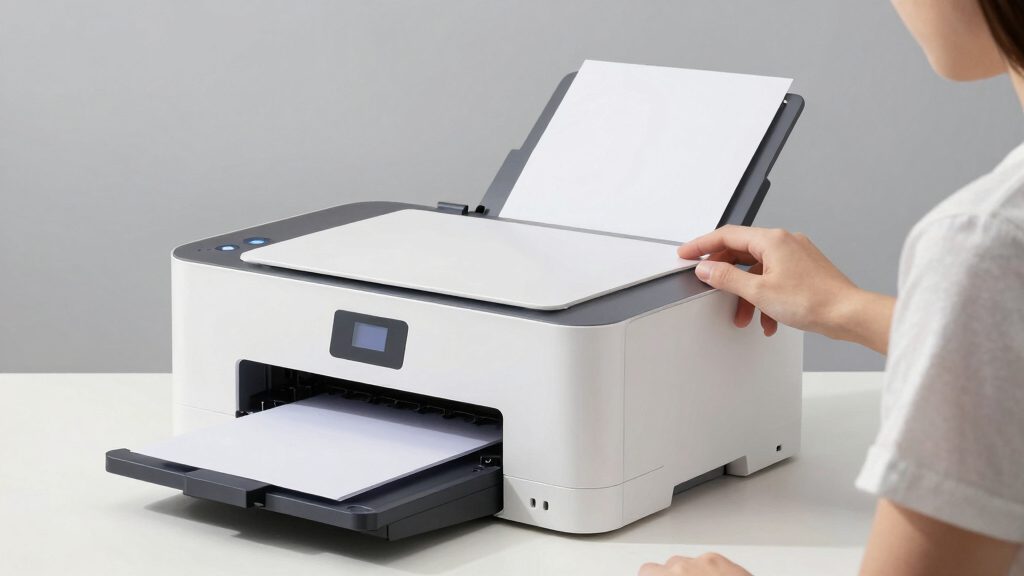

Finding the best color laser all-in-one printer in 2026 requires balancing print quality, speed, and cost of operation. The Xerox C235dni stands out as the overall best due to its reliable performance and versatile features. The HP Color LaserJet Pro MFP 3301cdw offers excellent value for small offices, while the Canon Color imageCLASS MF753Cdw II delivers premium build quality and advanced features. Buyers face tradeoffs between upfront cost, ongoing toner expenses, and feature sets, making it essential to match a printer’s strengths to their specific needs. Continue reading for a detailed breakdown of these options and how to choose the right one for you.
Open a free Amazon Business account
Business pricing, bulk buying and tax-exempt orders.
Create a free accountAs an affiliate, we earn on qualifying purchases.
Key Takeaways
- Top-ranked models like the Xerox C235dni combine solid performance with user-friendly features, setting a high standard.
- Value-focused options like the HP Color LaserJet Pro 3301cdw deliver balanced performance at a lower price point, ideal for small businesses.
- Premium picks such as the Canon MF753Cdw II offer advanced features and durability but come with a higher price tag.
- Speed and multifunction capabilities vary significantly; consider your volume and document types when choosing.
- Ongoing toner and maintenance costs can outweigh initial purchase price, so factor in total cost of ownership.


More Details on Our Top Picks
Xerox C235dni Wireless Color Laser All-in-One Printer
This compact Xerox C235dni stands out for balancing versatile functionality with quiet operation, making it ideal for small offices or home-based businesses. Compared to the HP Color LaserJet Pro MFP 3301cdw, it offers slightly slower speeds but excels in ease of setup and quieter performance, which benefits environments where noise and disruption matter. Its automatic duplex printing and mobile support provide convenience, yet it might fall short for high-volume printing needs. The all-in-one features—print, copy, scan, fax—are reliable, but its paper capacity and speed could limit larger workflows. It also offers advanced security options, crucial for sensitive documents, but requires some familiarity with network setup. Overall, this model is best suited for users needing a compact, reliable, multifunction printer with minimal fuss.
Pros:- Quiet operation minimizes office disruption
- Supports automatic duplex to save paper
- Easy setup with mobile device integration
- Secure wireless connectivity
Cons:- Slower print speed compared to larger office models
- Limited paper capacity for high-volume printing
Best for: Small business owners or home offices needing a reliable, space-efficient color laser all-in-one
Not ideal for: High-volume print shops or large corporate environments where speed and capacity are paramount
- Print Speed:24 pages per minute
- Functionality:Print, Copy, Scan, Fax
- Paper Capacity:250 sheets
- Automatic Duplex Printing:Yes
- Connectivity:Wi-Fi, Apple AirPrint, Mopria, Chromebook
- Recommended Monthly Volume:1,500 pages
Bottom line: This printer makes the most sense for small-scale, professional environments prioritizing quiet operation and ease of use.
HP Color LaserJet Pro MFP 3301cdw Wireless All-in-One Color Laser Printer (Renewed)
The HP Color LaserJet Pro 3301cdw offers fast, high-quality color printing combined with robust security features, making it a strong choice for small offices. It surpasses the Xerox C235dni in print speed and overall productivity, ideal for environments with frequent color documents. Its automatic document feeder and flexible media support streamline workflows, but it depends on original HP cartridges with chips, which can increase ongoing costs. Firmware updates for security are necessary, adding some maintenance overhead. While it’s not designed for high-volume or large enterprise use, it balances speed, security, and eco-conscious features well. This printer is best suited for professionals needing dependable color output with security and efficiency in mind.
Pros:- Fast color printing up to 26 ppm
- Secure printing with HP Wolf Pro Security
- Supports automatic duplex and media flexibility
- Eco-friendly with energy efficiency
Cons:- Requires original HP toner cartridges with chips
- Higher initial purchase cost compared to basic models
- Firmware updates needed for security patches
Best for: Small office teams needing fast, secure color printing and document handling
Not ideal for: Home users or environments with low monthly page volumes, due to cost of cartridges and higher price point
- Print Speed:up to 26 ppm
- Functions:Print, Scan, Copy, Fax
- Connectivity:Wireless, Ethernet
- Automatic Duplex:Yes
- Input Tray Capacity:250 sheets
- Media Sizes Supported:Letter, Legal, A4, A5, B5, envelopes, custom sizes
Bottom line: This model is best for small teams needing reliable, fast, and secure color laser printing with professional features.
HP LaserJet Pro MFP 3101sdw Wireless All-in-One Laser Printer
The HP LaserJet Pro 3101sdw offers lightning-fast black-and-white printing, making it ideal for small teams that primarily produce text-heavy documents. Compared to the color models like the HP 3301cdw, it sacrifices color to deliver higher speeds—up to 35 ppm—and a lower cost per page, which benefits budget-conscious office environments. Its compact design and wireless features support seamless workflows, but it’s limited to monochrome output, so it’s unsuitable for users who need color. The automatic duplex and high print speed boost productivity, yet it requires HP cartridges with chips, adding to ongoing expenses. Overall, this model is perfect for users prioritizing speed and monochrome clarity over color capabilities.
Pros:- Fast black-and-white print speeds of 35 ppm
- Wireless connectivity for multiple device use
- Automatic duplex printing for efficiency
- Compact size fits small office spaces
Cons:- Limited to monochrome printing only
- Cartridges require HP chips, which can increase costs
Best for: Small businesses or offices with high-volume black-and-white document needs
Not ideal for: Design agencies or marketing teams needing color printing, or users requiring color scanning and copying
- Printer Type:Laser
- Functionality:Print, Scan, Copy
- Print Speed:up to 35 ppm
- Maximum Copies Per Run:999
- Connectivity:Wireless, Wi-Fi
- Resolution:1200 x 1200 dpi
Bottom line: This printer is ideal for offices focused on high-speed, monochrome document production without the need for color output.
HP Color LaserJet Pro MFP 3301cdw Wireless All-in-One Color Laser Printer (Renewed)
Sharing many features with the original 3301cdw, this renewed model offers strong color printing, scanning, and copying capabilities suitable for small business environments. Its speed of 26 ppm rivals the Xerox C235dni but adds the benefit of more advanced security features. Unlike the Xerox, it relies heavily on HP cartridges with chips, which can add to costs over time. While it offers secure printing and eco-friendly certifications, its price might be higher for some buyers, and ongoing toner costs should be considered. This model excels when consistent, high-quality color output is a priority, but it’s less ideal for those with tight budgets or high-volume needs.
Pros:- Fast color printing up to 26 ppm
- Supports secure and wireless printing
- Eco-conscious design with energy efficiency
- High-yield toner options for cost savings
Cons:- Requires original HP toner cartridges with chips
- Higher initial cost compared to basic monochrome models
- Dependence on HP-specific cartridges
Best for: Small offices or professionals needing dependable color and document security
Not ideal for: High-volume print environments or users seeking lower upfront costs
- Print Speed:up to 26 ppm
- Functions:Print, Scan, Copy
- Connectivity:Wireless (dual-band Wi-Fi)
- Input Tray Capacity:250 sheets
- Automatic Duplexing:Yes
- Security:HP Wolf Pro Security
Bottom line: This model is suited for small teams needing fast, secure, and high-quality color printing with cost-effective toner options.
Canon Color imageCLASS MF751Cdw II Wireless Duplex Laser Printer, Multifunction with Copier, Scanner, Automatic Document Feeder, 35 PPM
The Canon imageCLASS MF751Cdw II stands out as the best overall choice for small offices needing reliable, high-quality color printing and versatile multifunction features. Its fast print speed of 35 ppm surpasses the HP Color LaserJet Pro 3301sdw, making it ideal for busy environments. The large, 50-sheet automatic document feeder and expandable paper capacity ensure smooth workflow, though this comes with a higher initial cost and a bulkier design that demands dedicated space. The intuitive 5-inch touchscreen simplifies operation, and wireless setup is straightforward. Compared with the HP model, it offers more expandability and a larger touchscreen, but at a higher price point. This printer is perfect for small teams that prioritize speed, volume, and user-friendly controls, accepting the tradeoff of size and upfront investment.
Pros:- Fast print speeds of up to 35 ppm in both color and monochrome
- Large, user-friendly 5-inch color touchscreen
- Expandable paper capacity up to 850 sheets
Cons:- High initial cost may be prohibitive for some buyers
- Size may require dedicated space in smaller offices
- Additional optional cassettes increase total cost
Best for: Small offices or busy home office users needing fast, high-volume color printing with flexible paper management
Not ideal for: Users with limited space or tight budgets who need a compact or lower-cost printer, as this model is bulkier and more expensive
- Print Speed:35 pages per minute
- Print Technology:Laser
- Color:Color
- Wireless Connectivity:Yes
- Duplex Printing:Automatic
- Automatic Document Feeder:50-sheet simplex
- Standard Paper Capacity:250 sheets
- Touchscreen:5-inch color
- Warranty:3 years
Bottom line: This model is best suited for small teams that need high-volume, high-quality color output with ease of use, despite its size and price.
HP Color LaserJet Pro MFP 3301sdw Wireless All-in-One Color Laser Printer
The HP Color LaserJet Pro 3301sdw offers a compelling balance of performance and affordability for small office teams. Its 26 ppm color print speed is slightly slower than the Canon MF751Cdw II, but still efficient for daily tasks. The all-in-one functions—print, scan, and copy—are complemented by auto duplex, saving paper and reducing costs. Its 250-sheet input tray is suitable for moderate workloads, though it lacks the expandability of higher-end models. Unlike the Canon, it requires HP-specific cartridges with chips, which can add to ongoing costs, and firmware updates have been known to limit third-party toner use. This printer suits small teams seeking reliable, cost-effective color printing without the premium price or size of larger models.
Pros:- Decent color print speed of 26 ppm
- All-in-one functionality (print, scan, copy)
- Auto duplex printing reduces paper use
Cons:- Limited expandability with only 250-sheet tray
- Requires HP-specific cartridges, potentially increasing ongoing costs
- Firmware restrictions may limit third-party toner use
Best for: Small office teams seeking reliable, budget-conscious color multifunctionality with decent speed
Not ideal for: Large-volume offices or users needing extensive expandability, as it is less flexible and slower than higher-end models
- Print Speed:up to 26 ppm
- Functions:Print, Scan, Copy
- Auto Duplex:Yes
- Input Tray Capacity:250 sheets
- Connectivity:Wireless
- Toner Cartridges:HP 218A, 218X
Bottom line: This printer provides reliable color multifunction performance for small teams on a budget, with some limitations on expandability and ongoing costs.
HP Color LaserJet Pro MFP 4301fdw Wireless All-in-One Color Laser Printer
The HP Color LaserJet Pro 4301fdw stands out for small teams requiring robust security features alongside fast, reliable color printing. With a maximum speed of 35 ppm, it matches the Canon MF751Cdw II in performance, but adds the ability to fax—an asset for small businesses with traditional needs. Its 300-sheet capacity and multiple connectivity options, including Ethernet and Bluetooth, support busy work environments. The secure HP Wolf Pro Security suite offers peace of mind, although its weight of 45 pounds and larger dimensions make it less suitable for small or space-constrained offices. Compared to the Canon, it offers more security and media handling options but at a higher weight and complexity. This model fits teams prioritizing security, speed, and multifunction versatility over size and cost.
Pros:- Fast printing at up to 35 ppm in color
- Enhanced security features including HP Wolf Pro Security
- Supports multiple media types and sizes, up to 8.5 x 14 inches
Cons:- Heavy and bulky, less suited for tight spaces
- Requires original HP cartridges with chips, increasing ongoing costs
- Complex setup for security features
Best for: Small business teams needing fast, secure color printing with multiple connectivity options and fax capability
Not ideal for: Home users or small offices with limited space or lower security requirements, as it is bulky and more expensive
- Printer Type:Laser
- Functions:Print, Scan, Copy, Fax
- Maximum Print Speed:35 ppm
- Connectivity:Wi-Fi, Ethernet, Bluetooth
- Paper Capacity:300 sheets
- Maximum Media Size:8.5 x 14 inches
- Print Resolution:600 x 600 dpi
- Weight:45 pounds
Bottom line: Ideal for small teams that need rapid, secure, and versatile color printing with fax, despite its size and cost considerations.
Canon Color imageCLASS MF665Cdw Wireless Duplex Laser Printer All-in-One with Copier, Scanner, Fax, Auto Document Feeder, 3-Year Warranty
The Canon imageCLASS MF665Cdw strikes a balance between speed, multifunctionality, and user-friendliness for those who need high-volume color printing at home or in small offices. Its 26 ppm speed is slightly lower than the 35 ppm of the Canon MF751Cdw II, but its high-capacity toner and 250-sheet paper tray support longer workflows without frequent refills. The included 3-year warranty is a plus for reliability. Its 5-inch touchscreen offers quick access, and wireless setup is straightforward. Compared to the HP 3301sdw, it provides higher toner capacity, which reduces ongoing costs, although it is less expandable and slightly slower. This model is ideal for users who want efficient color printing with minimal maintenance, accepting some limits in speed and expandability.
Pros:- Fast print speeds of up to 26 ppm in color
- High-capacity toner for less frequent replacements
- Easy wireless setup and mobile printing
Cons:- Slightly slower than higher-end models like MF751Cdw
- Limited expandability with standard paper capacity
- Higher toner costs over time
Best for: Home users or small offices needing high-capacity, high-volume color printing with ease of use
Not ideal for: Offices requiring extensive expandability or the fastest speeds, as it prioritizes reliability and capacity over sheer throughput
- Print Speed:26 pages per minute
- Color Printing:Yes
- Duplex Printing:Yes
- Automatic Document Feeder:50-sheet duplex
- Paper Capacity:250 sheets
- Toner:Canon Genuine Toner 075 / 075 high-capacity
- Warranty:3 years
Bottom line: This printer is well-suited for high-volume, reliable color printing in small office or home settings, with some tradeoffs in speed and expansion options.
Brother MFC-L8730CDW Business Color Laser All-in-One Printer
This model stands out for its combination of high speed, security, and compact design, making it ideal for busy small offices that need reliable, vibrant color output. Compared with the Canon MF753Cdw II, it offers faster scan speeds and enhanced security features, though it comes at a higher initial cost and toner expenses. Its advanced security with NFC and triple-layer protection helps safeguard sensitive documents, while the 80-page auto document feeder and fast printing boost productivity. The downside is that the upfront investment can be steep for small teams, and toner replacements are pricier over time. Overall, this pick makes the most sense for small businesses prioritizing speed and security in a space-efficient package.Pros:- High-quality, vibrant color and sharp black printing
- Fast print and scan speeds improve workflow
- Secure with advanced security features and NFC authentication
- Compact design saves space
Cons:- Initial cost may be high for small businesses
- Toner replacement can be costly over time
Best for: Small businesses seeking fast, secure, and space-saving color laser printing
Not ideal for: Very small offices or home users on a tight budget due to high initial and toner costs
- Print Speed:up to 33 ppm
- Scan Speed:up to 104 ipm
- Auto Document Feeder:80 pages
- Connectivity:Wi-Fi, Ethernet
- Touchscreen:3.5-inch color
- Security:Triple layer security, NFC badge reader
Bottom line: This printer is best suited for small offices that need fast, secure, and space-efficient color printing with high volume capabilities.
Brother MFC-L3720CDW Wireless Color Laser Printer with Scanner, Copier, and Fax
The Brother MFC-L3720CDW is designed for small offices that need reliable multi-tasking capabilities, offering a balanced combination of speed, versatility, and wireless convenience. Unlike the Canon MF753Cdw II, it emphasizes automatic duplex printing and extensive connectivity options, including Wi-Fi Direct and USB, making it flexible for varied workflow setups. Its 3.5-inch touchscreen simplifies operation, and the 250-sheet paper capacity supports larger printing jobs. However, some users find setup complex, and the initial cost may be a barrier compared to simpler models. This printer makes sense for teams that value wireless flexibility and multi-functionality but are cautious about setup complexity.Pros:- Fast laser output and high-quality color printing
- Wireless options including Wi-Fi Direct and USB
- Automatic duplex printing for efficiency
- Intuitive touchscreen with shortcuts
Cons:- Requires enrollment in a subscription service for cost savings
- Setup process can be complex for some users
Best for: Small offices that require a versatile, wireless all-in-one printer with high capacity
Not ideal for: Users seeking a simple, plug-and-play device or on a tighter budget
- Print Speed:up to 19 ppm
- Scan Speed:up to 29/22 ipm
- Paper Capacity:250 sheets
- Auto Document Feeder:50 sheets
- Connectivity:Wi-Fi, Wi-Fi Direct, USB
- Warranty:1-year limited
Bottom line: This model suits small teams needing a versatile, wireless all-in-one with high capacity and reliable performance.
HP Color LaserJet Pro MFP 3301fdw Wireless All-in-One Color Laser Printer
The HP Color LaserJet Pro 3301fdw excels at delivering professional-quality color output with fast speeds, making it a strong choice for small office teams that need crisp graphics and document clarity. Compared to the Canon MF753Cdw II, it offers automatic duplexing and a dedicated fax function, adding to its versatility. Its dual-band Wi-Fi makes wireless setup straightforward for most users, though some may find the need for firmware updates a minor inconvenience. The main tradeoff is that it requires specific HP cartridges, which can be more expensive over time. This printer suits those who prioritize color fidelity and multifunction capabilities for business documents.Pros:- Fast color printing and scanning
- All-in-one functions including fax
- Wireless connectivity with self-reset Wi-Fi
- Automatic duplex printing and scanning
Cons:- Requires HP chips or circuitry in cartridges
- Firmware updates may be necessary for optimal performance
Best for: Small office teams needing high-quality, fast color printing with multifunction features
Not ideal for: Budget-conscious users wary of proprietary HP cartridges or firmware updates
- Print Speed:26 ppm black/color
- Functions:Print, Scan, Copy, Fax
- Automatic Document Feeder:Yes
- Duplex Printing:Automatic
- Input Tray Capacity:250 sheets
- Connectivity:Wi-Fi (dual-band)
Bottom line: Best suited for small offices that need fast, high-quality color output with multifunction capabilities and reliable wireless setup.
Brother MFC-L8930CDW Business Color Laser All-in-One Printer with Duplex Print, Scan, Copy, and Security
This Brother MFC-L8930CDW offers advanced security, high-speed scanning, and robust build quality, making it ideal for larger or security-conscious businesses. Compared with the Brother MFC-L8730CDW, it features a larger 7-inch touchscreen and higher toner yields, supporting heavy daily workloads. Its triple-layer security and NFC authentication protect sensitive data, while its support for high-yield toners keeps operating costs manageable. The main drawback is its high initial price and complex setup, which may deter smaller or less technical users. This model is best for organizations where security and high-volume throughput are top priorities.Pros:- Fast printing and scanning speeds boost productivity
- Advanced security features protect sensitive information
- Supports high-yield toner cartridges for lower running costs
- Compact design reduces clutter
Cons:- High initial purchase price
- Setup can be complex for non-technical users
Best for: Medium to large businesses requiring secure, high-volume color printing
Not ideal for: Small offices or home users due to cost and complexity
- Print Speed:up to 33 ppm
- Scan Speed:up to 104 ipm
- Auto Document Feeder:80 pages
- Connectivity:Wireless, Gigabit Ethernet
- Touchscreen:7-inch color
- Security:Triple layer, NFC
Bottom line: Ideal for larger offices that prioritize security, speed, and high-volume printing in a space-efficient design.
Canon Color imageCLASS MF753Cdw II – Wireless Duplex Laser Printer, All-in-One with Scanner, Copier, Fax, Auto Document Feeder, 35 PPM
The Canon MF753Cdw II is tailored for busy office environments needing rapid, high-capacity color printing, with a 35 ppm speed and expandable paper capacity. Compared to the Brother MFC-L8930CDW, it offers a larger 5-inch touchscreen and a three-year warranty, making it suitable for long-term, high-volume use. Its wireless setup is straightforward, supporting mobile printing, but the initial setup can be complex for some users. Its high-capacity toner and paper options come at a premium, but this is offset by its quick throughput. This printer makes the most sense for offices that prioritize speed, expandability, and long-term reliability.Pros:- Fast printing speeds and high-quality color
- Wireless setup with mobile device support
- Expandable paper capacity up to 550 sheets
- Long warranty for peace of mind
Cons:- Initial setup may be complex
- High-cost toner and high-capacity options can be expensive
Best for: Large, busy offices with high printing volumes that need fast, expandable color printing
Not ideal for: Small or home offices with limited space or lower volume needs
- Print Speed:35 pages per minute
- Color Printing:Yes
- Duplex Printing:Yes
- Wireless Connectivity:Yes
- Touchscreen:5-inch color
- Paper Capacity:Standard 250, expandable to 550 sheets
Bottom line: Best suited for larger offices that require high-speed, high-capacity color printing with expandability and reliable performance.
How We Picked
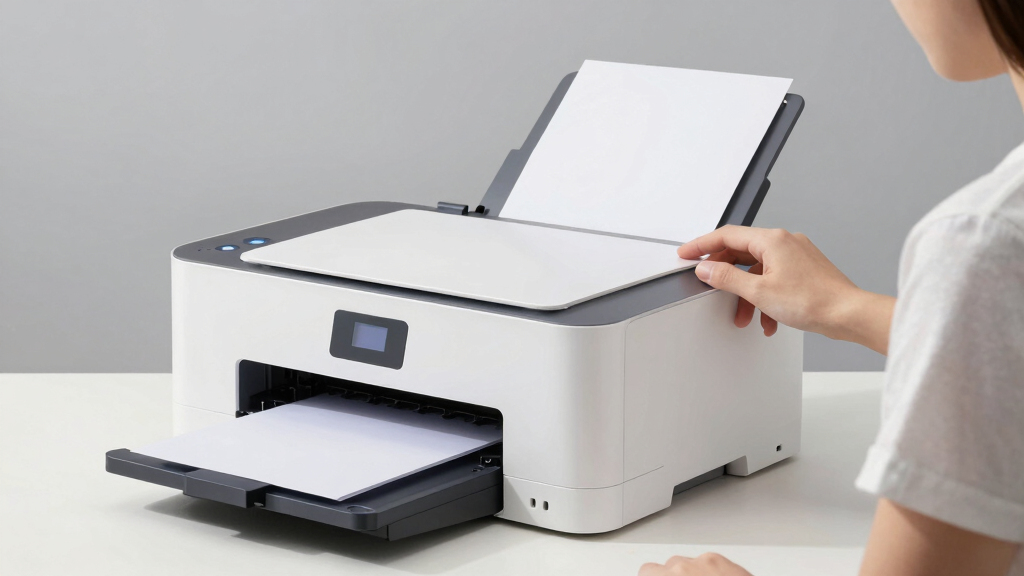
To determine the best color laser all-in-one printers for 2026, I evaluated each model based on print performance, color accuracy, speed, ease of use, build quality, and value. Reliability and total cost of ownership—covering toner efficiency and maintenance—also played key roles. I prioritized models that balance feature sets for different user needs, from small offices to demanding workgroups. This ranking reflects a combination of these factors, aiming to recommend options that excel in their respective categories while offering practical benefits for buyers.Factors to Consider When Choosing Best Color Laser All In One Printer
When choosing a color laser all-in-one printer, several core factors influence the overall experience and value. Understanding these considerations can help you avoid common pitfalls, such as overpaying for unnecessary features or neglecting ongoing costs. The right choice depends on your specific printing volume, document quality needs, and budget. Here are key factors to keep in mind:Print Speed and Volume
High-volume environments demand faster printers that can handle large workloads without sacrificing quality. Look for models with higher ppm (pages per minute) ratings if you print frequently. However, faster speeds often come at a higher initial cost, so balance your volume expectations with budget constraints. For light use, a slower but cheaper model may suffice, but for busy offices, investing in faster hardware pays off over time.
Color Accuracy and Quality
Color fidelity matters if your documents rely on precise color matching, such as marketing materials or presentations. Laser printers generally provide sharp, consistent color, but some models excel more than others. Consider resolution (measured in dpi) and color management features, especially if you work with graphics or photos. Cheaper models might produce less vibrant or consistent colors, so assess your quality needs carefully.
Total Cost of Ownership
Beyond the initial purchase price, toner costs and maintenance influence the overall expense. Some printers have high-yield toner cartridges that reduce per-page costs, while others require frequent replacements. Additionally, features like automatic duplexing and energy efficiency can lower long-term costs. When comparing models, calculate estimated toner expenses based on your expected print volume to avoid surprises.
Ease of Use and Connectivity
User-friendly interfaces, touchscreen controls, and straightforward setup can save time and frustration. Wireless connectivity, mobile printing, and cloud integration expand flexibility, especially in shared workspaces. Be aware that more advanced features might increase complexity, so choose a model with an intuitive interface if technology ease is a priority. Compatibility with your existing devices and networks is also essential.
Size and Design
Space constraints influence your choice; compact models suit small offices or home setups, while larger units are better for high-volume environments. Consider the footprint and whether the printer can fit comfortably on your desk or in a dedicated space. Additionally, design features like front-loading toner and accessible paper trays can simplify maintenance and refilling, saving time and reducing downtime.
Frequently Asked Questions
How do I choose between a color laser all-in-one printer and a color inkjet printer?
Color laser all-in-one printers typically offer faster print speeds, higher page yields, and better cost efficiency for high-volume printing compared to inkjet models. They also produce sharper text and more durable color prints, making them ideal for business environments. However, laser printers tend to be larger and more expensive upfront. If your printing involves mostly documents with occasional color, a laser all-in-one often delivers better long-term value and reliability.
Are high-yield toner cartridges worth the extra cost?
Yes, high-yield toner cartridges generally provide a lower cost per page, which can significantly reduce ongoing expenses in a busy setting. They also minimize the frequency of replacements, saving time and effort. Although they may have a higher initial cost, the overall savings in toner costs and reduced downtime make them a smart investment for high-volume users. Be sure to check the cartridge compatibility and yield estimates for your chosen model.
Can I use third-party toner cartridges without voiding the warranty?
Using third-party toner cartridges can sometimes save money, but it may void your printer’s warranty or cause compatibility issues. Some manufacturers are more lenient, while others strictly require their branded toner for warranty coverage. Before opting for third-party options, verify the manufacturer’s policies and read reviews to ensure compatibility and avoid potential damage. In high-volume settings, sticking with OEM toner often ensures consistent performance and support.
What features are most important for a home office printer?
For a home office, focus on compact size, reliable wireless connectivity, and ease of setup. Multi-functionality like scanning and copying is beneficial but should not complicate the operation. Consider models with lower running costs and sufficient print speed for occasional or moderate use. Features like automatic duplexing and mobile printing can enhance convenience, but prioritize simplicity and cost-effectiveness to fit a home environment best.
Is it better to buy a renewed or refurbished printer?
Buying a renewed or refurbished printer can offer significant savings, especially for budget-conscious buyers. Reputable sellers often test and refurbish these units to meet quality standards, sometimes with warranties included. However, it’s essential to verify the seller’s reliability and warranty terms to avoid future issues. For high-volume or mission-critical use, investing in a new unit might provide more peace of mind and guaranteed longevity.
Conclusion
For general office use and those seeking the best overall performance, the Xerox C235dni offers a well-rounded mix of speed, quality, and reliability. Budget-conscious buyers will find the HP Color LaserJet Pro 3301cdw to be a smart choice, delivering excellent value. If you prioritize durability and advanced features, the Canon Color imageCLASS MF753Cdw II stands out as a premium option. Beginners or small home offices should consider models with intuitive interfaces and smaller footprints, while high-volume users must weigh ongoing toner costs heavily. By matching your specific needs with these models’ strengths, you can find a printer that delivers reliable, vibrant color printing for years to come.Baby shower & registry season Picks
baby registry must-haves
As an affiliate, we earn on qualifying purchases.