
To set up a one-cable desk without regrets, choose a high-quality hub or docking station that matches your device needs. Keep the main cable neatly routed along your desk and use cable clips or sleeves to prevent tangles. Position your hub within arm’s reach for easy access and better ergonomics. Regularly check cables for wear and replace if needed. Want to optimize your workspace even further? Keep going to discover more tips.

Prime made for students and young adults
- Fast, free delivery for dorm and study essentials
- Prime Video and Amazon Music included
- Member-only deals
Key Takeaways
- Select a high-quality docking station with sufficient ports to minimize cable clutter and ensure reliable connections.
- Use a single durable, well-designed cable for connecting the dock to your computer, and route it neatly along the desk.
- Organize cables with clips or sleeves to prevent tangles, maintain a tidy workspace, and facilitate easy adjustments.
- Position the hub within arm’s reach to avoid stretching and ensure quick access for device management.
- Regularly inspect and replace cables and connectors to prevent overheating, wear, and ensure consistent performance.
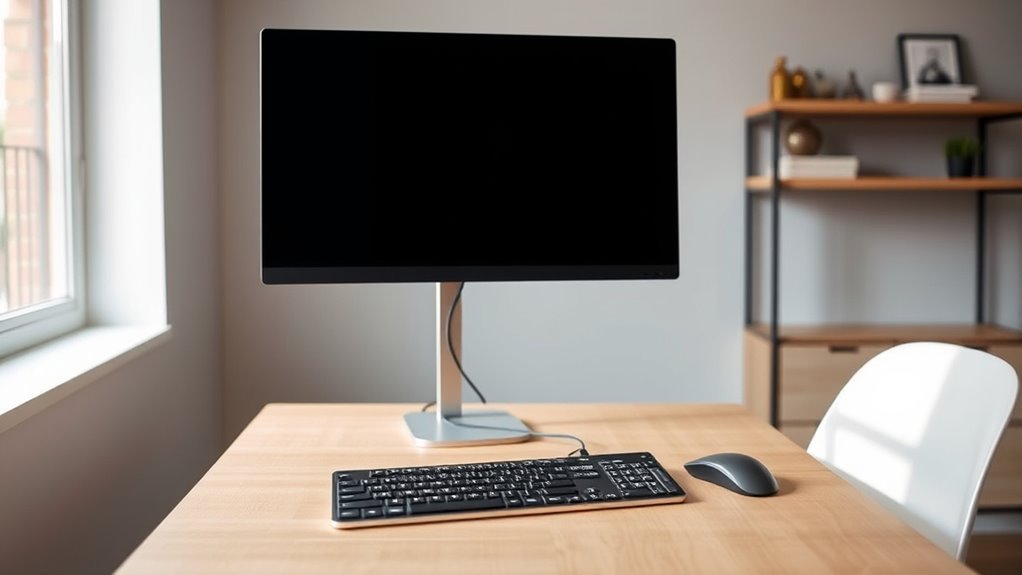
Creating a clean and efficient workspace starts with simplifying your cable management, and a one-cable desk setup makes that easy. When you reduce the clutter of multiple cords, not only does your workspace look neater, but it also becomes safer and more functional. Proper cable management is essential for maintaining an organized environment, preventing tangles, and avoiding accidental disconnections. By consolidating your connections into a single cable, you minimize the risk of damage and make it easier to troubleshoot any issues that arise. This streamlined approach also contributes to an ergonomic design, allowing you to work comfortably without unnecessary distractions or awkward cable placements that can cause strain or discomfort.
Simplify your workspace with a one-cable setup for a cleaner, safer, and more ergonomic environment.
A one-cable setup typically involves using a high-quality, multi-port hub or a docking station that connects your devices through a single cable to your computer or power source. This setup keeps your desk surface uncluttered and ensures that your devices are easily accessible without the mess of multiple cords trailing everywhere. When choosing the right hub or dock, look for one that offers sufficient ports for your needs, including USB-C, HDMI, Ethernet, and charging capabilities. Doing so ensures that all your peripherals, from monitors to external drives, are seamlessly connected through that single cable, simplifying your cable management routine and enhancing your ergonomic design.
Implementing this system also means positioning your desk and devices thoughtfully. Keep your hub or dock within arm’s reach to avoid stretching or straining, which can cause discomfort over time. Use cable clips or sleeves to route the single cable neatly along your desk edge or underneath your workspace. Proper cable routing reduces clutter and prevents accidental disconnections or damage. With fewer cables to manage, you’ll find it easier to adjust your workspace layout as needed, improving your overall ergonomic design by allowing better positioning of your monitor, keyboard, and mouse. Additionally, understanding the heat distribution and materials of your cables and connectors can help prevent overheating and increase longevity.
A one-cable setup also makes it easier to move your workspace or pack up for travel. When you’re not dealing with a tangled web of cords, setting up in a new location becomes faster and less frustrating. Plus, it helps you maintain a professional look, especially if you work in a shared or client-facing environment. The key is to invest in quality cables and connectors to avoid issues later on and to ensure your setup remains reliable and efficient. Overall, simplifying your cable management with a single cable not only streamlines your workspace but also promotes a more ergonomic, comfortable, and productive work environment.
Popular right now

Ninja CREAMi 7-in-1 Ice Cream Maker, NC301

Bose QuietComfort Wireless Noise-Cancelling Over-Ear Headphones, Black

De’Longhi Classic Matte Black Espresso Machine with Milk Frother
As an affiliate, we earn on qualifying purchases.
Frequently Asked Questions
Can I Upgrade My Existing Desk to a One-Cable Setup Easily?
Yes, you can upgrade your existing desk to a one-cable setup easily. Start with a desk conversion by adding a USB-C or Thunderbolt dock, which consolidates connections. Focus on cable management by using clips or sleeves to keep cords tidy. This way, you streamline your workspace, reduce clutter, and enjoy a cleaner, more efficient setup without much hassle or expense.
What Are the Best Brands for One-Cable Desk Accessories?
Like a modern-day tech wizard, you’ll want brands like Anker, Belkin, and Satechi for your one-cable desk accessories. They excel in wireless charging stations and modular accessories that integrate seamlessly. These brands prioritize quality, durability, and sleek design, making your workspace clutter-free and efficient. Trust their products to keep your setup organized, so you can focus on what truly matters—your work or creative projects without regrets.
How Do I Troubleshoot Connectivity Issues in a One-Cable Setup?
To troubleshoot connectivity issues in your one-cable setup, start by power cycling your devices—turn them off, unplug, wait a few seconds, then turn them back on. Next, check all cables to make sure they’re securely connected and undamaged. If problems persist, try replacing the cable or testing it with another device. This quick check and reset often resolve most connectivity issues, getting your setup back on track.
Is a One-Cable Setup Suitable for Gaming or High-Performance Tasks?
A one-cable setup can be suitable for gaming and high-performance tasks if it offers sufficient power delivery and fast data transfer. Make certain the cable supports high wattage to power your devices effectively and has a high data transfer rate for smooth gameplay and quick file access. If your setup meets these requirements, you’ll enjoy a clutter-free workspace without sacrificing performance. Just double-check compatibility before committing.
What Safety Precautions Should I Consider With a One-Cable Desk?
You should always check for cable strain and avoid overloading outlets to prevent fire hazards. Secure cables properly to reduce tripping risks and guarantee they don’t pull on connections, which can cause damage. Use surge protectors and avoid loose wiring to minimize fire hazards. Regularly inspect cables for wear or damage, and keep them away from water or heat sources. Taking these precautions keeps your one-cable desk safe and efficient.
Conclusion
A one-cable desk setup is like a breath of fresh air, turning chaos into calm. With clean lines and fewer cords, you’ll feel more in control and less overwhelmed. It’s a simple change that transforms your space into a sleek, efficient haven. So go ahead, embrace the freedom of a clutter-free desk—you’ll wonder how you ever worked without it. Let this setup be the anchor that keeps your workspace serene and your mind clear.