If you’re searching for the best smart lock with auto unlock, you want a solution that combines seamless entry with reliable security. The ULTRALOQ U-Bolt Pro stands out as the overall top pick, thanks to its 8-in-1 access options and robust build. For those prioritizing convenience, the Philips Wi-Fi Smart Lock with Handle offers advanced fingerprint and keypad features, making daily use effortless. On the flip side, some models sacrifice durability for affordability, while others focus heavily on smart home integration. Keep reading to explore these options in detail and find the best fit for your home and lifestyle.
Key Takeaways
- Top picks balance auto unlock reliability with ease of installation and app control.
- Most premium options offer advanced biometric features but come at a higher price point.
- Affordable models often have fewer compatibility options but still provide essential auto unlock features.
- Build quality varies; waterproof and weatherproof models are better suited for outdoor use.
- User interface and app usability are critical for smooth daily operation and long-term satisfaction.


More Details on Our Top Picks
ULTRALOQ U-Bolt Pro WiFi Smart Lock with Door Sensor, 8-in-1 Keyless Entry, Fingerprint ID, App Control, Auto Unlock, IP65 Waterproof
The ULTRALOQ U-Bolt Pro stands out as the best all-around option for those seeking reliable auto-unlock features combined with versatile access methods. Its 8-in-1 keyless entry—including fingerprint, keypad, and app control—gives users multiple ways to access their home, making it more adaptable than options like the Philips Wi-Fi Smart Lock with Handles, which focuses heavily on remote control. The auto-lock and auto-unlock features are intuitive, but the need for 2.4GHz WiFi means users with dual-band networks might face setup challenges. Its weatherproof design (IP65) ensures durability outdoors, yet heavy usage could drain batteries faster, requiring periodic replacements. Compared to simpler locks, the ULTRALOQ excels in flexibility but involves a slightly more complex installation process and higher upfront cost. Ideal for homeowners who value multiple access options and weather resistance, but less suitable for those with limited WiFi bands or seeking minimal fuss.
Pros:- Multiple access options including fingerprint, keypad, and app control
- Auto-lock and auto-unlock features enhance convenience
- Weatherproof (IP65) suitable for outdoor installation
- Easy installation on standard doors
Cons:- Requires 2.4GHz WiFi, not compatible with 5GHz networks
- Battery life can diminish with heavy use, requiring replacements
Best for: Homeowners and renters who want flexible, weatherproof auto-unlock functionality with multiple access methods
Not ideal for: Users with only 5GHz WiFi networks or those preferring a straightforward, low-cost lock without complex setup
- Model Number:U-BOLT-PRO-WiFi
- Connectivity:2.4GHz WiFi (802.11 b/g/n)
- Power Source:4 AA Alkaline Batteries
- Material:Zinc alloy, stainless steel
- Weatherproof Rating:IP65
- Security Grade:ANSI Grade 1
Bottom line: This pick is best for users who need a versatile, weatherproof lock with auto unlock and multiple access methods.
Philips Wi-Fi Smart Lock Keyless Entry Deadbolt for Front Door
The Philips Wi-Fi Smart Lock Deadbolt makes a strong case as a premium choice, especially for those prioritizing fast biometric recognition and seamless voice control. Its fingerprint speed of just 0.3 seconds surpasses many competitors, including the eufy Security Smart Lock C220, which offers a longer battery life but less premium biometric speed. Its built-in WiFi enables remote access, real-time alerts, and voice commands via Alexa or Google Assistant, but requires a WiFi connection for these features—similar to other WiFi-enabled locks. The lock’s auto-lock feature enhances security, yet its higher price point and dependency on WiFi may deter budget-conscious buyers. Unlike models without integrated WiFi, this lock offers a more integrated experience but at the cost of potentially more complex installation and higher upfront investment. Best suited for homeowners who want fast biometric entry combined with remote control and voice assistant compatibility, though less ideal if WiFi reliability is a concern.
Pros:- Fast biometric fingerprint recognition (0.3 seconds)
- Remote access and real-time monitoring via WiFi
- Voice control compatibility with Alexa and Google Assistant
- Multiple unlocking methods including passcode and key
Cons:- Requires WiFi for remote features, limiting offline use
- Higher cost compared to basic locks
Best for: Homeowners seeking a high-speed biometric lock with premium features and remote access
Not ideal for: Budget buyers or those with unreliable WiFi connections who prefer simpler, offline locks
- Unlocking Methods:Fingerprint, Passcode, Key, Wi-Fi App
- Connectivity:Built-in WiFi
- Fingerprint Recognition Speed:0.3 seconds
- Auto Lock:Yes
- Security Features:Anti-tamper alarm, Low-battery alert
- Compatibility:Alexa, Google Assistant
Bottom line: This lock is ideal for users who prioritize quick biometric access and smart home integration at a premium level.
eufy Security Smart Lock C220, Fingerprint Keyless Entry Door Lock, Wi-Fi, App Control, Deadbolt, IP53 Waterproof
The eufy Security Smart Lock C220 offers a compelling mix of long-lasting battery life—up to 8 months—and a variety of access options, making it a solid choice for those who dislike frequent battery changes. Its multiple unlocking methods, including fingerprint, keypad, app, and voice commands, position it as a versatile choice, especially when compared to the Philips Wi-Fi Smart Lock, which lacks a keypad or voice feature. The IP53 waterproof rating protects against outdoor elements, but its battery life can vary based on usage, which may be a concern for heavy users. While it requires WiFi for remote control, the easy installation process—taking about 15 minutes—reduces the typical setup hassle. However, its higher price and reliance on WiFi might make it less appealing for budget-conscious or less tech-savvy buyers. This model suits users who value long battery life and multiple access options without sacrificing durability.
Pros:- Long-lasting 8-month battery life
- Multiple unlocking methods including fingerprint, keypad, app, and voice
- Easy 15-minute installation without drilling
- IP53 waterproof rating for outdoor durability
Cons:- Battery life can vary with heavy usage
- Requires WiFi for remote control features
Best for: Homeowners who want extended battery life and flexible access methods in an outdoor-ready lock
Not ideal for: Users seeking a lock with the most advanced biometric speed or minimal maintenance, or those on a tight budget
- Battery Life:8 months
- Battery:8 AA batteries
- Waterproof Rating:IP53
- Operating Temperature:-22℉ to 158℉ (-30℃ to 70℃)
- Installation Time:15 minutes
- Compatibility:Most standard US & Canada deadbolts
Bottom line: Perfect for users who prioritize battery longevity and multiple unlocking options in an outdoor environment.
Philips Wi-Fi Smart Lock with Handles, Keyless Entry Front Door Lock Set, App & Fingerprint Unlocking
The Philips Wi-Fi Smart Lock with Handles combines a sleek handle set with versatile unlocking options, making it ideal for those who want a fully integrated home security upgrade. Its multiple entry methods—fingerprint, PIN, app, and keys—offer convenience, but the lack of a built-in auto-lock sensor means users must manually ensure the door is closed for security. While its real-time alerts and remote control are advanced, they depend on a separate Wi-Fi gateway, adding complexity for some users. Compared to other options like the Philips Keyless Entry Deadbolt, this set provides a more aesthetic and complete solution but at a higher price. Its easy installation and support for voice commands make it user-friendly, but the need for additional hardware could be a barrier for some. This choice makes sense for homeowners who want seamless integration with home automation and detailed control over access.
Pros:- Multiple unlocking options including fingerprint, PIN, app, and keys
- Remote control and real-time alerts via smartphone app
- Voice command compatibility with Alexa and Google Assistant
- Easy installation with detailed guidance
Cons:- No built-in auto-lock sensor; door must be fully closed
- Requires separate Wi-Fi gateway for advanced features
Best for: Homeowners interested in an integrated, stylish door handle set with multiple unlocking options and smart features
Not ideal for: Those seeking a simple, standalone lock or minimal setup without additional hardware or gateways
- Includes:2 lever handles and Wi-Fi smart lock
- Connectivity:Wi-Fi 2.4GHz
- Unlock Methods:Fingerprint, PIN, app, keys
- Fingerprint Capacity:Up to 50
- Auto Locking:Yes
- Voice Control:Alexa, Google Assistant
Bottom line: Ideal for users wanting a fully integrated, stylish smart lock with extensive control options, provided they can handle the extra hardware setup.
ULTRALOQ U-Bolt WiFi Smart Lock with Door Sensor, Matte Black
This option stands out for its comprehensive smart home compatibility, supporting Alexa, Google Assistant, and SmartThings. Its inclusion of a door sensor provides real-time status updates, offering peace of mind for busy households. Compared with the Philips Wi-Fi Smart Lock with Handle, the ULTRALOQ U-Bolt’s weatherproof design makes it more suitable for outdoor use. However, it only supports 2.4GHz Wi-Fi, which can limit connection stability and performance if your network is congested. The battery life varies with usage, so frequent users might need to replace batteries more often. Overall, this lock makes the most sense for users seeking reliable remote control and integration in a weather-resistant package, even if it sacrifices dual-band Wi-Fi support.
Pros:- Supports remote control and voice commands with popular smart home systems
- Easy installation on standard doors with minimal tools
- Durable, weatherproof design suitable for outdoor use
- Includes door sensor for real-time status updates
Cons:- Limited to 2.4GHz Wi-Fi, no dual-band support
- Requires stable network and app updates for optimal performance
- Battery life may vary significantly with usage
Best for: Homeowners who want a durable, weatherproof lock with extensive smart home compatibility and real-time alerts.
Not ideal for: Those with complex or dual-band Wi-Fi networks, as the lock only supports 2.4GHz Wi-Fi, which could impact connectivity.
- Material:Matte Black Finish
- Connectivity:Wi-Fi (2.4GHz only)
- Power:Batteries included
- Compatibility:Alexa, Google Assistant, SmartThings, IFTTT
- Standards:ANSI Grade 1
- Weatherproof Rating:IP65
- Door Thickness:1-3/8″ to 1-3/4″ (38mm to 45mm)
Bottom line: This lock is ideal for users seeking a weatherproof, feature-rich smart lock with reliable remote access and smart home integration.
Philips Wi-Fi Smart Lock with Handle, Keyless Entry Keypad Door Lock, Front Door Deadbolt Set with WiFi Gateway, App Control, Fingerprint Unlock, PIN Code Unlock, Auto Locking
This pick makes the most sense for users who want a variety of unlocking options, including fingerprint, PIN, app, and voice commands, all in a sleek handle design. Its fast fingerprint recognition (0.3 seconds) and auto-lock feature promote convenience and security. Compared with the more basic Philips WiFi Keypad Door Lock, this model’s integrated handle adds a stylish touch and easier access. It requires a Wi-Fi gateway for remote control and voice commands, which slightly complicates setup but expands functionality. The door compatibility range (1-3/8″ to 2″) offers flexibility for most standard doors. This lock balances ease of use with multiple access methods, making it ideal for tech-savvy households needing quick, versatile entry options.
Pros:- Multiple unlocking options including fingerprint, PIN, app, and voice
- Fast biometric recognition in 0.3 seconds
- Auto-lock feature enhances security
- Simple screwdriver installation on most standard doors
Cons:- Requires Wi-Fi gateway for remote and voice control
- Compatibility limited to doors within specified thickness range
- Setup with gateway can be slightly complex
Best for: Tech-savvy homeowners seeking a versatile, easy-to-install lock with multiple unlocking methods and auto-lock features.
Not ideal for: Users with very limited Wi-Fi infrastructure or who prefer simpler, single-method locks without gateway setup.
- Product Type:Smart Lock with Handle
- Connectivity:Wi-Fi
- Unlock Methods:App, Fingerprint, PIN Code, Keys, Voice
- Fingerprint Recognition Speed:0.3 seconds
- Auto-Lock Timer:30-180 seconds
- Door Thickness Compatibility:1-3/8″ to 2″
Bottom line: This lock suits users wanting quick, versatile access with minimal hassle, provided they can handle the gateway setup.
Philips Built-in WiFi Smart Lock, Keyless Entry Door Lock with App, Touchscreen, Fingerprint, Compatible with Alexa & Google, Splash-Proof, Black
This model is perfect for those who want a sleek, modern lock with quick biometric access and remote control. Its 0.3-second fingerprint recognition and splash-proof design add durability and convenience. Compared with the B0F61WG9F2 keypad lock, the built-in touchscreen and fingerprint scanner offer faster, more secure biometric entry, making it suitable for tech-forward households. However, it relies on batteries, which require regular replacement, and setup may be tricky for less tech-savvy users. Its Wi-Fi connection allows remote control and notifications, though it does not support a hub or dual-band Wi-Fi. This lock is ideal for users prioritizing speed, durability, and a clean design for their front door.
Pros:- Multiple access methods including fingerprint, app, voice, and keypad
- Fast biometric recognition in 0.3 seconds
- Remote control and notifications via Wi-Fi
- Splash-proof and durable design
Cons:- Requires batteries, which need regular replacement
- Setup can be complex for some users
- Limited to Wi-Fi without hub support
Best for: Homeowners seeking a durable, stylish, and fast biometric lock with remote access capabilities.
Not ideal for: Renters or those with irregular Wi-Fi setups, as it requires regular battery changes and stable Wi-Fi connection.
- Connectivity:Wi-Fi
- Control:Smartphone app, voice (Alexa & Google), keypad, fingerprint
- Fingerprint Recognition:0.3 seconds
- Auto-Lock Timer:30–180 seconds
- Batteries:Includes 8 batteries
- Splash-Proof:Yes
Bottom line: This lock is best for users wanting a quick, stylish, and durable biometric lock with remote access, provided they’re comfortable with battery maintenance.
Philips WiFi Keypad Door Lock with Handle, Built-in WiFi, APP Remote Control, Voice & Fingerprint Unlock, Smart Lock for Front Door
This pick makes sense for those who want straightforward installation and multiple access options, including fingerprint, PIN, app, and voice commands, all integrated into a handle design. Its 0.3-second fingerprint speed ensures quick entry, and the auto-lock feature adds an extra layer of security. Compared with the B0FFNCDBB9 model, this lock’s handle design might appeal more to traditional aesthetic preferences and easier installation. However, it requires 8 AA batteries, which aren’t included, and a stable 2.4GHz Wi-Fi connection for remote features. It’s well-suited for homeowners seeking a reliable, versatile lock that can be installed quickly and offers multiple access methods in a single package.
Pros:- Easy to install on most standard doors
- Supports remote control and real-time management via app
- Multiple access methods including fingerprint, PIN, voice, and keypad
- Fast fingerprint unlocking in 0.3 seconds
Cons:- Batteries are not included, requiring purchase separately
- Requires stable Wi-Fi connection
- Limited to 2.4GHz Wi-Fi network
Best for: Homeowners desiring a simple, reliable, and easy-to-install lock with multiple unlocking options and remote management.
Not ideal for: Users without stable Wi-Fi or those looking for a battery-free or wired solution, as it depends on batteries and Wi-Fi for full functionality.
- Connectivity:WiFi (2.4GHz)
- Control:App, Voice, Fingerprint, Passcodes
- Fingerprint Speed:0.3 seconds
- Auto Lock Timer:0-180 seconds
- Batteries:8 AA batteries (not included)
- Door Thickness Compatibility:1-3/8″ to 1-3/4″
Bottom line: This lock is ideal for users wanting a straightforward, versatile, and easy-to-install smart lock with multiple access options, provided they can handle battery replacement.
Veise VE017 Fingerprint Smart Door Lock, App Control, 8-in-1 Keyless Entry, Auto Lock, Emergency Power Port, Touchscreen Keypad, Satin Nickel
This lock excels for those who prioritize security and versatility, offering eight different unlocking methods including advanced AI fingerprint recognition, keypad, app, mechanical key, and voice (with additional gateway). Its AES128 encryption and activity logs add layers of security, while the auto-lock feature ensures your door is always secured. Compared with all other models, the VE017’s AI-powered biometric verification offers the fastest and most secure fingerprint recognition, making it ideal for high-security needs. However, it requires a G1 Gateway for remote access and voice control, which adds complexity and additional cost. This lock makes a strong choice for tech-savvy users who want maximum security and multiple access options, willing to manage the extra setup.
Pros:- Eight unlocking methods including AI fingerprint, keypad, app, and voice
- Advanced biometric security with quick verification
- AES128 encryption and activity logs for high security
- Auto-lock and emergency power port for reliability
Cons:- G1 Gateway required for remote access and voice control
- Batteries not included, may need frequent replacement
- Setup and management can be complex for less tech-savvy users
Best for: Security-conscious homeowners needing advanced biometric verification and multi-modal access, including remote management.
Not ideal for: Casual users or renters who prefer simple setup without additional gateways or who do not want to manage multiple unlocking options.
- Material:All-zinc alloy, scratch-resistant
- Connectivity:Wi-Fi (via G1 Gateway)
- Unlock Methods:Fingerprint, App, Key, Mechanical Key, Fob, Voice, Passcode
- Battery Life:≥12 months
- Power:4 AA alkaline batteries
- Security Features:AES128 encryption, activity logs
Bottom line: This lock suits users seeking maximum security, AI biometric verification, and multiple entry options, despite the added complexity of gateway setup.
Built-in WiFi Fingerprint Smart Door Lock with Handle & Keypad – Remote Access & Auto-Lock, Keyless Entry for Home, Airbnb & Rentals, 6-in-1 Unlock: Code/Card/App/Key, Compatible with Alexa & Google
This lock stands out for its comprehensive access options, combining fingerprint, keypad, RFID card, app, physical key, and voice commands, making it highly adaptable to different users. Compared with the ULTRALOQ U-Bolt Pro WiFi, it offers similar multi-method unlocking but adds built-in WiFi, removing the need for an extra hub. Its DIY installation and compatibility with standard US doors make it accessible for most homeowners, while the long battery life offers ongoing convenience. The main tradeoff is its reliance on WiFi for remote features, which can be a point of vulnerability if your internet connection is unstable. Additionally, the lock’s compatibility with a broader range of door types is somewhat limited, and battery life may vary with frequent use, potentially requiring more frequent replacements.
Pros:- Six different unlocking methods, including fingerprint, keypad, RFID, app, key, and voice commands
- Built-in WiFi for direct remote access without additional hubs
- Easy DIY installation on most US doors
- Long battery life with low-power alerts and emergency backup port
Cons:- Remote control relies on stable WiFi connection, which may introduce connectivity issues
- Limited compatibility with non-standard or thicker doors
- Battery life may decrease with heavy usage, requiring more frequent replacements
Best for: Homeowners or Airbnb hosts seeking a flexible, remotely manageable lock with multiple unlocking methods
Not ideal for: Residents with non-standard door sizes or those without reliable WiFi, as the remote features depend heavily on internet connectivity
- Brand:Sifely
- Model Number:Sifely S Model WiFi
- Recommended Uses:Front door, Back door, Home, Airbnb, Rental property
- Item Dimensions:7 x 3 x 1.12 inches
- Battery Life:Up to 6 months
- Connectivity:WiFi
- Unlock Methods:Fingerprint, keypad code, RFID card, app, physical key, voice commands
- Codes Storage:200 codes + 100 fingerprints
- Material:Zinc alloy handle and deadbolt
Bottom line: This pick makes the most sense for users who want a highly versatile, remote-controlled smart lock with multiple unlocking options and easy DIY setup.
How We Picked
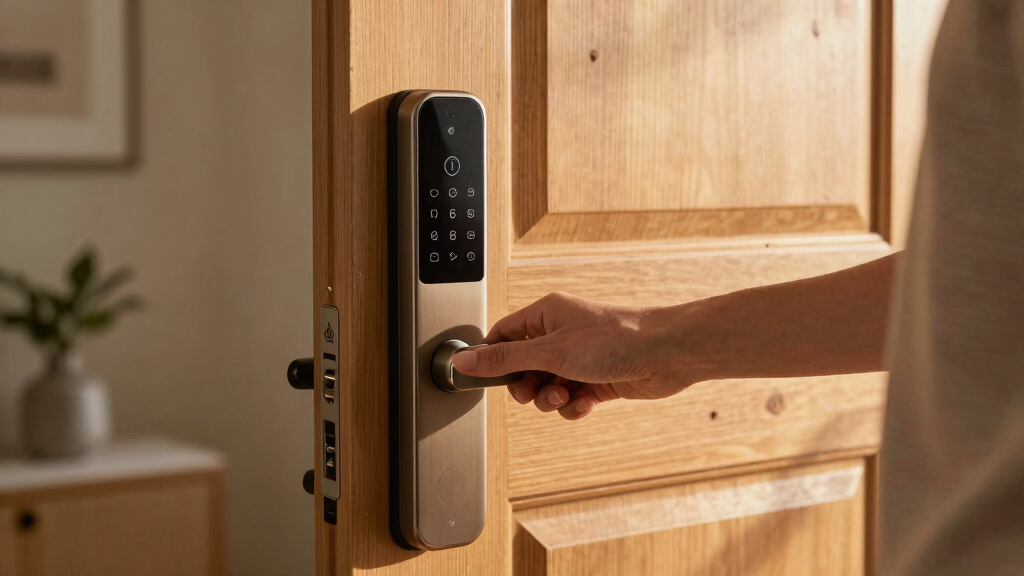
Our selection process focused on key factors that impact real-world use and value. We prioritized smart locks that offer dependable auto unlock functions, tested for quick and reliable Bluetooth, Wi-Fi, or geofencing performance. Ease of installation and user interface were important, as complicated setup can deter consistent use. Build quality, especially weather resistance for outdoor models, was evaluated to ensure durability. Additionally, we considered compatibility with popular smart home ecosystems like Alexa and Google Assistant, along with overall value for the features offered. The final ranking reflects a balance of performance, versatility, and long-term usability.Factors to Consider When Choosing Best Smart Lock With Auto Unlock
Choosing the best smart lock with auto unlock involves several important considerations. While features like fingerprint access or keypad entry are appealing, they need to be complemented by reliable auto unlock performance and durability. Understanding what matters most for your home—whether convenience, security, or integration—helps narrow down options and avoid costly mistakes. Here are key factors to keep in mind:Auto Unlock Reliability and Speed
The core feature of these locks is auto unlock, which relies on Bluetooth, Wi-Fi, or geofencing. Look for models with proven fast and consistent auto unlock performance. Some cheaper options may have delays or fail to activate reliably, especially in colder weather or with thick phone cases. Prioritize locks with a good track record and positive user reviews regarding auto unlock speed and consistency to avoid frustration.
Compatibility and Ecosystem Integration
If you already use smart home devices, compatibility can make a big difference. Many locks work with Alexa, Google Assistant, or Apple HomeKit, allowing voice commands and automation. However, some models require additional hubs or gateways, which add complexity and cost. Ensure the lock you choose integrates smoothly with your existing setup and supports remote control if you need to manage access when away.
Build Quality and Weather Resistance
For outdoor doors, weatherproofing is non-negotiable. Look for IP ratings indicating resistance to water and dust—IP65 or higher is ideal for outdoor use. Cheaper or indoor-only models might fail prematurely when exposed to rain or extreme temperatures. Durable materials like zinc alloy or stainless steel contribute to longevity and security.
Power Source and Backup Options
Most smart locks run on batteries, but the type and lifespan vary. Some include low-battery alerts or backup power options like emergency ports or mechanical keys. Consider how easily you’ll be able to replace batteries and whether the lock provides reliable alerts to prevent lockouts. This is especially important if you rely heavily on auto unlock for daily convenience.
Ease of Installation and User Management
Simplicity in installation can save time and reduce errors. Many locks are designed for DIY setup, but some may require professional help. User management features—such as multiple user codes, app controls, and temporary access—are vital if you share access with family, guests, or service providers. Think about how intuitive the app interface is and whether it allows easy management of access permissions.
Frequently Asked Questions
Will auto unlock drain my phone’s battery quickly?
Auto unlock features typically use Bluetooth or geofencing, which are designed to be energy-efficient and should not significantly impact your phone’s battery life. However, if you enable auto unlock frequently or have multiple smart home apps running in the background, it can lead to faster battery drain. It’s advisable to monitor your phone’s battery health and adjust auto unlock settings if needed to maintain optimal performance.
Can I use auto unlock if I don’t have a smart home hub?
Yes, many smart locks with auto unlock operate directly via Bluetooth or Wi-Fi without additional hubs. Bluetooth-based models usually connect directly to your phone, making setup straightforward. Wi-Fi-enabled locks may require a Wi-Fi gateway or bridge, but some models support direct cloud control. Check the product specifications to confirm whether a hub or gateway is necessary for your preferred auto unlock method.
Are smart locks with auto unlock secure enough for high-security needs?
Most reputable smart locks with auto unlock incorporate multiple security layers, such as encrypted Bluetooth connections, biometric authentication, and temporary access codes. However, no lock is entirely foolproof. For high-security applications, opt for models with advanced features like fingerprint recognition, tamper alerts, and strong encryption. Always combine smart locks with physical security measures for maximum protection.
How do weather conditions affect auto unlock performance?
Extreme cold or moisture can sometimes hinder Bluetooth signals or cause delays in auto unlock activation. Weatherproof models with proper IP ratings tend to perform more reliably outdoors. If you experience consistent issues, consider models explicitly rated for harsh conditions or those that offer manual override options. Regular maintenance, like cleaning sensors and updating firmware, can also improve reliability.
Is it worth paying more for premium auto unlock features?
Higher-priced models often include faster, more reliable auto unlock, advanced biometric options, and better integration with smart home systems. If convenience and security are priorities, investing in a premium model can be worthwhile, especially if you rely heavily on auto unlock for daily entries. However, for occasional use or budget-conscious buyers, mid-range options still offer satisfactory auto unlock performance at a lower cost.
Conclusion
For most users, the ULTRALOQ U-Bolt Pro provides a balanced mix of reliability, features, and value, making it the best overall choice. Those seeking the highest convenience may prefer the Philips Wi-Fi Smart Lock with Handle for its biometric options. Budget-conscious buyers should consider models like the eufy Security Smart Lock C220, which offers essential auto unlock features without a hefty price tag. For high-security needs, premium options with advanced biometric and encryption features are recommended. Beginners and DIY enthusiasts will appreciate models with straightforward installation and user management, while tech-savvy homeowners benefit from comprehensive smart home integration.