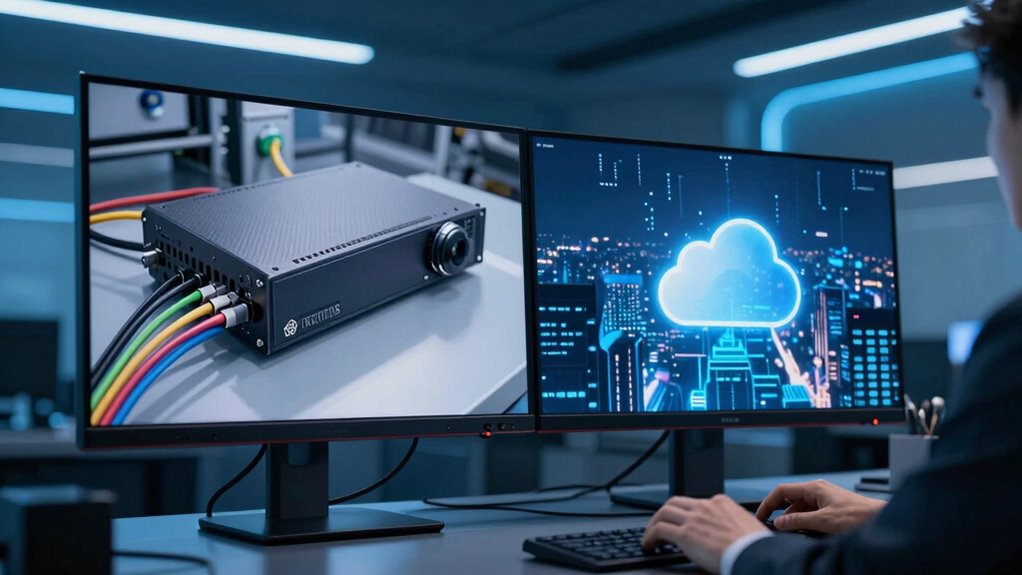

When choosing between NVRs and cloud storage, consider where your footage really lives and how it impacts your security. NVRs store footage locally on dedicated devices, giving you more control and reducing exposure to external threats—though you need to manage security yourself. Cloud storage keeps footage off-site, offering easy access and scalability but increasing potential attack points. To make the best choice for your needs, explore the details that follow.
Open a free Amazon Business account
Business pricing, bulk buying and tax-exempt orders.
As an affiliate, we earn on qualifying purchases.
Key Takeaways
- NVRs store footage locally on dedicated hardware, giving you full control over your data.
- Cloud storage keeps footage on remote servers, offering scalability and remote access but relying on third-party providers.
- Local NVRs provide enhanced data security when proper security measures are in place, reducing external hacking risks.
- Cloud storage involves ongoing subscription costs and potential privacy concerns depending on the provider’s policies.
- The choice depends on your priorities for security, control, scalability, convenience, and cost.

When choosing a storage solution for your security cameras, understanding the differences between Network Video Recorders (NVRs) and cloud storage is crucial. Both options have their advantages and drawbacks, especially when it comes to data security and cost comparison. Knowing these factors helps you make an informed decision tailored to your needs.
With NVRs, your footage is stored locally on a dedicated device connected to your network. This setup gives you direct control over your data, which can be a significant advantage for data security. Since the recordings stay within your physical premises, you have less exposure to external breaches or hacking attempts that can target cloud servers. Additionally, some NVR systems come with encryption options, further securing your footage. However, this local storage means you need to implement your own security measures—like strong passwords, firewalls, and regular updates—to protect the device from unauthorized access. High refresh rates can also improve your ability to review footage quickly and accurately, especially during fast-moving events.
NVRs store footage locally, offering greater control but requiring your own security measures for protection.
On the other hand, cloud storage offers the convenience of remote access. Your footage is securely stored on servers maintained by a third-party provider, which typically employs encryption and rigorous security protocols. This can be a reassuring aspect for data security, as reputable cloud providers invest heavily in protecting their infrastructure. Still, it’s crucial to review their security standards and privacy policies to ensure your footage remains private. Cloud storage also provides scalability; you can increase your storage capacity without investing in additional hardware.
When comparing costs, NVRs often involve a higher upfront investment. You need to purchase the hardware, which can be expensive depending on the capacity and features you require. There may also be ongoing costs for maintenance, hard drives replacement, and updates. Cloud storage, however, usually operates on a subscription model, where you pay monthly or yearly fees based on the storage amount and features. Over time, this can be more cost-effective, especially if you don’t want to worry about hardware maintenance or hardware obsolescence. But, if you require large amounts of storage over many years, cloud costs can add up, making it potentially more expensive in the long run.
Ultimately, your choice depends on your priorities. If data security and control are paramount, an NVR might be the best fit, provided you’re prepared to handle hardware and security measures yourself. If convenience, scalability, and minimal maintenance are more important, then cloud storage offers a flexible, secure alternative. Carefully evaluate the costs and security implications of each option to ensure your footage stays protected and accessible in the way that suits your needs best.

Penstar eNote2 E-Ink Digital Notebook with Pen, 10.3” AI Note-Taking Paper Tablet, 8192 Levels Pressure, 128GB Storage, 6500mAh Battery, Ereader with Pen and Leather Folio Cover Buddle
- High-Contrast E-Ink Display: Clear whites and blacks for sunlight readability
- Paper-Like Writing Experience: 8192 pressure levels for natural control
- Dual-Screen Note Organization: Split screens for reading and note-taking
As an affiliate, we earn on qualifying purchases.
Frequently Asked Questions
How Does Storage Capacity Affect Video Quality?
Your storage capacity directly impacts video quality because limited space forces you to reduce video compression, which can lower resolution or frame rate. With more storage, you can maintain higher quality footage by avoiding aggressive compression. Also, greater storage scalability lets you expand your system without sacrificing quality, ensuring you capture detailed footage over time. So, investing in ample storage helps preserve the clarity and detail of your videos.
Can I Switch Between NVR and Cloud Storage Later?
Yes, you can switch between NVR and cloud storage later. First, assess your needs for local storage and remote access. Moving forward might involve exporting footage from one system and importing it into another. Keep in mind, some systems offer hybrid solutions, allowing you to blend both. Planning ahead guarantees a seamless switch, so you maintain continuous access and security without sacrificing storage flexibility or remote accessibility.
What Are the Best Security Measures for Each Option?
You should implement strong security measures, regardless of your storage choice. Use robust encryption protocols to protect your footage both during transmission and at rest. Control user access diligently by setting unique passwords, enabling multi-factor authentication, and restricting permissions. Regularly update firmware and software to patch vulnerabilities. These steps help guarantee your footage stays secure, whether stored on an NVR or in the cloud.
How Does Internet Speed Impact Cloud Video Access?
Your internet speed directly impacts cloud video access, especially with internet latency and bandwidth limitations. If your connection is slow or experiences high latency, you’ll notice delays or buffering when viewing footage. Limited bandwidth can also restrict streaming quality or cause interruptions. To guarantee smooth access, optimize your internet speed and reduce network congestion, so your cloud footage loads quickly and reliably without frustrating lag or quality drops.
Are There Legal Considerations for Cloud Storage Use?
They say, “ honesty is the best policy,” and that’s especially true for cloud storage. You need to guarantee legal compliance and consider data sovereignty, as laws vary by jurisdiction. Make sure your cloud provider follows regulations regarding privacy, data protection, and storage location. Ignoring these legal considerations can lead to penalties or compromised data. Stay informed and choose a provider that respects your legal obligations and safeguards your footage.

XPPen Note Plus Digital Notebook with Pen Syncs to Phone
- Seamless Digital Note-Taking: Syncs notes instantly to your phone
- Real Paper Experience: Uses dedicated ink pen on A5 paper
- Stable Bluetooth Connectivity: Bluetooth 5.3 ensures reliable connection
As an affiliate, we earn on qualifying purchases.
Conclusion
In the end, choosing between NVR and cloud storage is like deciding where your memories will gently rest. Whether you prefer the cozy, local space of an NVR or the open, expansive reach of the cloud, each offers its own quiet comfort. Consider what suits your needs best, and trust that your footage will find a peaceful home. Whichever path you take, your security will always be quietly, reliably guarded.

iflytek AINOTE 2 AI Digital Notebook
- AI-Powered Note Taking: Enhances productivity with intelligent tools
- Meeting Summary & Search: Transforms conversations into organized info
- Voice Recording & Transcription: Captures and summarizes meetings easily
As an affiliate, we earn on qualifying purchases.
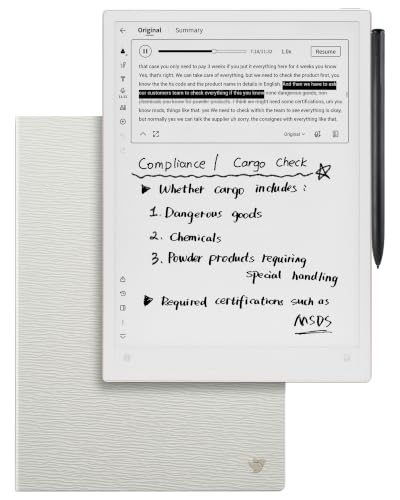
iflytek AINOTE 2 Bundle with Grey Sandy Folio Case, 10.65" E-Ink Tablet, AI Note Taking Digital Notebook for Meeting, Voice-to-Text, 18-Language Transcription, Handwritten-to-Text, Ultra-Thin 4.2mm.
- Paper-Like Writing Experience: Low-latency, pen-on-paper feel with 8 brush styles
- Frontlight-Free E-Ink Display: Comfortable viewing indoors and outdoors
- AI-Powered Assistance: Supports text interaction, suggestions, and organization
As an affiliate, we earn on qualifying purchases.
College move-in / dorm season Picks
dorm essentials
As an affiliate, we earn on qualifying purchases.