To safeguard your camera’s cybersecurity, focus on enabling strong network encryption protocols like WPA3, ensuring your data transfer is encrypted, and verifying the manufacturer emphasizes this security feature. Keep your firmware updated regularly to patch vulnerabilities and prevent cybercriminal access. Configure your camera settings to restrict unauthorized access and review privacy policies to stay informed. Mastering these critical settings helps protect your footage and privacy—exploring further reveals how to implement these measures effectively.

Get school and study supplies delivered free — and shop member deals
- Fast, free delivery on millions of items
- Access to Prime Big Deal Days deals on October 6–7
- Prime Video, Amazon Music and more included
Key Takeaways
- Enable strong network encryption protocols like WPA3 to protect data in transit.
- Ensure cameras have encrypted data transfer activated to prevent unauthorized interception.
- Regularly update firmware to patch security vulnerabilities and enhance device protection.
- Configure security features such as strong passwords and access controls to restrict unauthorized access.
- Review privacy policies and manufacturer disclosures to understand data handling and security commitments.
Have you ever considered how vulnerable your security cameras might be to cyber threats? It’s a valid concern, especially with more devices connecting to your network every day. Cybercriminals are constantly looking for ways to exploit vulnerabilities in cameras, and neglecting key security settings can leave your privacy exposed. But the good news is, there are straightforward steps you can take to protect yourself, starting with understanding the importance of network encryption and regular firmware updates.
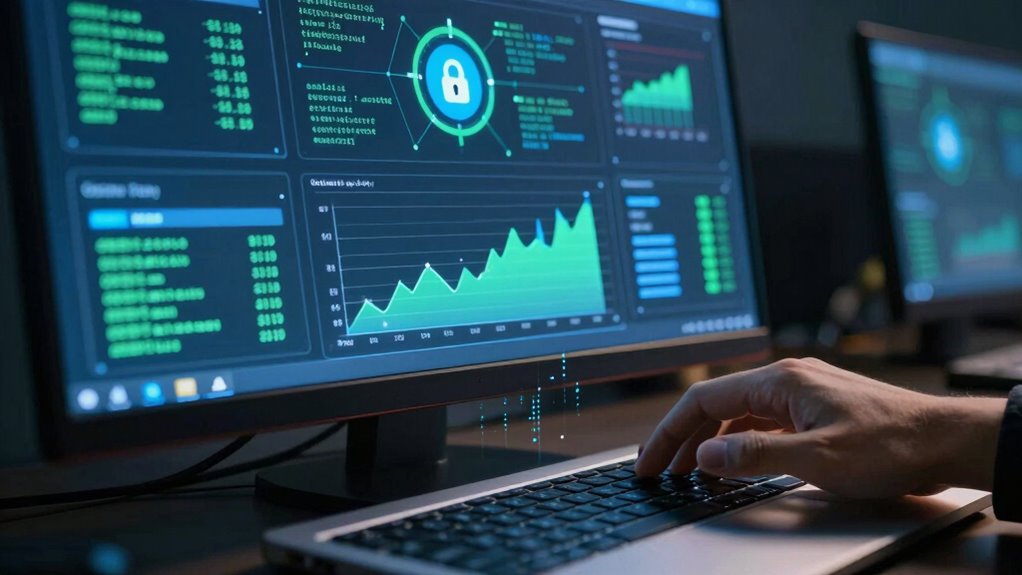
Network encryption is essential because it scrambles the data transmitted between your camera and your device or cloud storage. Without encryption, anyone lurking on your network could potentially intercept video feeds or control signals, gaining access to sensitive footage. When setting up your cameras, make sure they support strong encryption protocols, like WPA3 for Wi-Fi networks, and verify that the manufacturer emphasizes encrypted data transfer. Enabling these features ensures that even if someone attempts to intercept your data, they won’t be able to decipher it easily. Think of it as locking your camera’s signals with a digital lock that only you hold the key to. It’s a simple yet powerful way to safeguard your footage from prying eyes.
Firmware updates are another critical step in maintaining camera security. Manufacturers regularly release firmware updates to patch vulnerabilities that cybercriminals might exploit. If you ignore these updates, you leave known security flaws open, which can be disastrous. Always keep your cameras’ firmware current by regularly checking for updates and installing them promptly. This process isn’t complicated, and most devices can be set to update automatically, reducing the risk of oversight. Updating firmware not only patches security gaps but can also improve overall device performance and add new features. It’s similar to giving your camera a digital immune system upgrade, helping it fend off evolving cyber threats.
Taking the time to configure your security cameras with network encryption and staying vigilant with firmware updates might seem minor, but these settings are among the most effective ways to prevent unauthorized access. Remember, cyber threats evolve constantly, so staying proactive is essential. Think of these security measures as your digital armor—simple to implement but indispensable in defending your privacy. When you prioritize these settings, you’re not just protecting your camera footage; you’re safeguarding your home, your privacy, and your peace of mind. So, next time you’re setting up or maintaining your security cameras, make sure these critical security features are enabled and up to date. It’s a small effort that makes a big difference in keeping cyber threats at bay. Additionally, understanding affiliate disclosures and privacy policies can help you make informed decisions about your security device choices and data sharing preferences.
As an affiliate, we earn on qualifying purchases.
Frequently Asked Questions
How Often Should I Update My Camera Firmware for Security?
You should update your camera firmware as soon as updates are available, ideally every few months. Regular firmware updates help patch security vulnerabilities, ensuring camera encryption stays effective. By staying current, you reduce the risk of hacking or unauthorized access. Check your camera’s settings or manufacturer’s website regularly for updates, and enable automatic updates if possible. This proactive approach keeps your camera secure and your footage protected.
Can I Remotely Disable My Camera if I Suspect a Breach?
Imagine your camera as a vigilant guardian—you can remotely disable it if you sense a breach, cutting off its view like closing a window to intruders. Many cameras offer remote disablement, acting as a quick shield against unauthorized access. Use this feature for breach prevention; it’s your digital alarm system, giving you control to protect your privacy instantly when danger lurks.
What Are the Signs of a Compromised Camera Security?
If you notice strange noises, blurry or off-angle video, or your camera’s lights flicker unexpectedly, it could be a sign of camera hacking or unauthorized access. You might also see unusual network activity or unexplained data usage. These signs suggest someone could be tampering with your camera security, so it’s essential to disconnect the device, change passwords, and update firmware immediately to protect your privacy.
Are Default Passwords Enough to Protect My Camera?
Default passwords may seem convenient, but they’re hardly enough to protect your camera. Hackers often exploit these weak points to access your device easily. Instead, change default passwords and enable camera encryption to strengthen security. By doing so, you turn a vulnerable setup into a robust defense, preventing unauthorized access. Don’t rely on default passwords alone — take proactive steps to safeguard your camera and your privacy.
How Do I Securely Share Camera Footage With Others?
To securely share camera footage, you should use encrypted sharing methods, like secure cloud services or encrypted file transfers, to protect your data. Additionally, set access controls, granting permission only to trusted individuals and removing access when no longer needed. Avoid sharing footage via unencrypted email or unsecured links, and always verify recipient identities to prevent unauthorized access. These practices help keep your footage safe from potential breaches.
encrypted data transfer security camera
As an affiliate, we earn on qualifying purchases.
As an affiliate, we earn on qualifying purchases.
Conclusion
Remember, securing your camera starts with simple steps—change settings, strengthen passwords, and stay savvy. Don’t let careless choices compromise your privacy; instead, take control and create clear, confident cybersecurity habits. By being vigilant and vigilant, you’ll prevent potential problems before they begin. So, stay sharp, stay secure, and safeguard your space. Your security depends on your settings—so set them smartly and stay safe in your digital domain.
As an affiliate, we earn on qualifying purchases.
security camera with strong password protection
As an affiliate, we earn on qualifying purchases.
As an affiliate, we earn on qualifying purchases.
Fall Picks
fall essentials
As an affiliate, we earn on qualifying purchases.