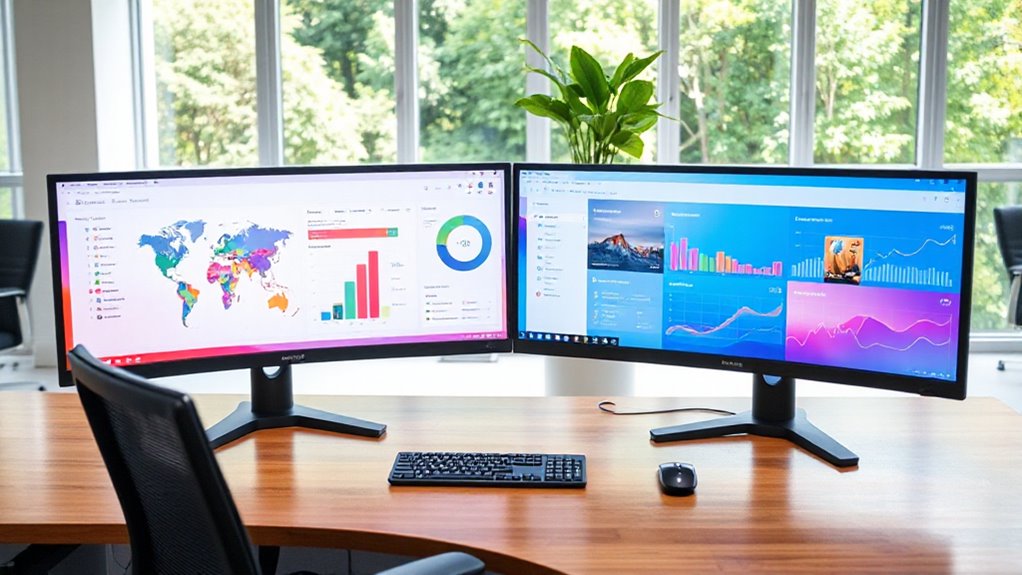

Choosing the right 27 inch 5K monitor for productivity in 2026 involves balancing resolution, color accuracy, connectivity, and ergonomic features. The Samsung ViewFinity S8 stands out with its high pixel density and versatile workflow features, making it ideal for detailed work and multi-device setups. The KTC Dual Mode offers dual-mode flexibility at a competitive price, perfect for creatives who also game or multitask. Meanwhile, the ASUS ProArt PA27JCV targets professionals needing precise color calibration and factory tuning, though it comes at a premium. Each of these choices brings unique strengths and tradeoffs, which I’ll explore to help you find your best fit.
Open a free Amazon Business account
Business pricing, bulk buying and tax-exempt orders.
Create a free accountAs an affiliate, we earn on qualifying purchases.
Key Takeaways
- The Samsung ViewFinity S8 excels in high-resolution clarity and connectivity versatility, but its higher price may be a barrier.
- KTC’s dual-mode 5K/2K display offers flexible use cases at a more accessible price point, though it’s limited to 27 inches.
- The ASUS ProArt provides professional-grade color accuracy with factory calibration, suitable for creative professionals willing to invest more.
- HDR support varies across models, influencing suitability for media editing versus general productivity.
- Ergonomic features and display finish (matte vs. glossy) significantly impact long-term comfort and workspace setup.
| Samsung 27″ ViewFinity S8 (S80HF) Series High-Resolution Monitor |  | Best Overall for Versatile Productivity | Display Size: 27 inches | Resolution: 5120 x 2880 pixels | Display Technology: IPS | VIEW ON AMAZON | See Our Full Breakdown |
| KTC 27 Inch 5K2K Dual Mode Monitor with 65W Type-C Port |  | Best for Flexibility and Creative Use | Display Size: 27 inches | Resolution: 5120×2880 (5K) at 60Hz, 2560×1440 (2K) at 120Hz | Color Coverage: 99% DCI-P3, 100% sRGB | VIEW ON AMAZON | See Our Full Breakdown |
| KTC 27 Inch 5K Monitor with HDR 400, IPS Panel, and Multiple Connectivity Options |  | Best for Color & Media Professionals | Size: 27 inches | Resolution: 5120 x 2880 (5K2K) | Refresh Rate: 60Hz (5K), 120Hz (2K) | VIEW ON AMAZON | See Our Full Breakdown |
| ASUS ProArt PA27JCV 27-Inch 5K USB-C Professional Monitor for Mac |  | Best for Color Accuracy & Professional Use | Display Size: 27 inches | Resolution: 5120 x 2880 (5K) | Color Gamut: 99% DCI-P3, 100% sRGB, 95% Adobe RGB | VIEW ON AMAZON | See Our Full Breakdown |
| BenQ MA270S 27” 5K Nano Gloss Monitor for Mac Creators, Dual Thunderbolt 4, KVM, Height & Tilt Adjustment |  | Best for Ergonomics and Mac Creators | Display Size: 27 inches | Resolution: 5120 x 2880 (5K) | Panel Type: Nano Gloss | VIEW ON AMAZON | See Our Full Breakdown |
| inch 5k monitor for productivity | Resolution | Display Size | Connectivity | Color Gamut |
|---|---|---|---|---|
| Samsung 27" ViewFinity S8 | 5120 x 2880 pixels | 27 inches | DisplayPort, HDMI, USB Type C | — |
| KTC 27 Inch 5K2K Dual Mode Mon | 5120×2880 (5K) at 60Hz, 2560×1440 (2K) at 120Hz | 27 inches | USB-C PD65W, DisplayPort 1.4, HDMI 2.0 | — |
| KTC 27 Inch 5K Monitor with HD | 5120 x 2880 (5K2K) | — | — | 135% sRGB |
| ASUS ProArt PA27JCV 27-Inch 5K | 5120 x 2880 (5K) | 27 inches | USB-C with 96W PD | 99% DCI-P3, 100% sRGB, 95% Adobe RGB |
| BenQ MA270S 27” 5K Nano Gloss | 5120 x 2880 (5K) | 27 inches | Dual Thunderbolt 4, HDMI, USB-C | P3 |
More Details on Our Top Picks
Samsung 27″ ViewFinity S8 (S80HF) Series High-Resolution Monitor
The Samsung ViewFinity S8 stands out for its stunning 5K resolution and high pixel density, ensuring crisp images and vibrant colors for detailed work. Its IPS panel provides wide viewing angles, and the versatile connectivity—including USB-C with 90W charging, HDMI, and DisplayPort—supports seamless multi-device setups. Ergonomically, it offers height, tilt, and swivel adjustments, plus eye-saving features like flicker-free tech and blue light reduction, making it suitable for long hours. Compared with other options, its high resolution and KVM switch streamline workflows across multiple devices, but its 60Hz refresh rate limits gaming performance and the premium price tag might deter budget-conscious buyers. Overall, this monitor is ideal for professionals who prioritize image quality and multi-device convenience for demanding productivity tasks.
Pros:- High-resolution 5K display with sharp, vibrant visuals
- Multiple connectivity options including USB-C with 90W charging
- Ergonomic design with eye saver modes
- Built-in KVM switch for multi-device workflows
Cons:- Relatively high price point
- Limited to 60Hz refresh rate
- Large size may not fit all desks
Best for: Creative professionals and multi-device users who need crisp visuals and versatile connectivity
Not ideal for: Gamers seeking high refresh rates or users with limited desk space
- Display Size:27 inches
- Resolution:5120 x 2880 pixels
- Display Technology:IPS
- Contrast Ratio:1000:1
- Brightness:350 cd/m2
- Connectivity:DisplayPort, HDMI, USB Type C
Our verdict“The Samsung ViewFinity S8 offers exceptional image quality and workflow flexibility, making it the top choice for professionals prioritizing clarity and multi-device support.”
KTC 27 Inch 5K2K Dual Mode Monitor with 65W Type-C Port
The KTC 27-inch dual-mode monitor offers the ability to switch between 5K@60Hz and 2K@120Hz, catering to both high-resolution work and smoother refresh rates for gaming or fast multitasking. Its color coverage includes 99% DCI-P3 and 100% sRGB, providing excellent accuracy for editing, with HDR400 support enhancing contrast. The USB-C PD65W port delivers fast charging, simplifying workspace wiring. Compared to the Samsung, it provides more versatility with dual refresh modes but falls short in size and HDR support for professional workflows. It’s especially suited for creators who also want gaming capabilities or need a flexible display for different tasks, but it might not satisfy those requiring a larger monitor or professional HDR workflows.
Pros:- Dual-mode 5K/2K support for versatile use
- Excellent color accuracy with wide DCI-P3 and sRGB coverage
- Fast charging via USB-C PD65W
- Affordable price for feature set
Cons:- Limited to 27 inches, not suitable for larger setups
- Requires compatible ports for full 5K performance
- HDR support may be insufficient for high-end professional HDR editing
Best for: Creative professionals and multitaskers needing dual-mode flexibility
Not ideal for: Users needing larger screens or advanced HDR workflows
- Display Size:27 inches
- Resolution:5120×2880 (5K) at 60Hz, 2560×1440 (2K) at 120Hz
- Color Coverage:99% DCI-P3, 100% sRGB
- Brightness:500 cd/m²
- HDR:HDR400
- Connectivity:USB-C PD65W, DisplayPort 1.4, HDMI 2.0
Our verdict“The KTC dual-mode monitor combines flexibility with color fidelity, making it a compelling choice for creatives and multitaskers who need adaptable performance at a reasonable price.”
KTC 27 Inch 5K Monitor with HDR 400, IPS Panel, and Multiple Connectivity Options
This KTC 5K monitor provides a stunning 5120×2880 resolution with vibrant colors and HDR 400 support. Its IPS panel ensures wide viewing angles, and the extensive connectivity—including Type-C, HDMI, and DisplayPort—makes it suitable for multimedia editing, gaming, or professional work. The monitor’s 135% sRGB coverage and 500 cd/m² brightness help deliver rich, detailed images, while eye-care features reduce strain over long periods. Compared to the dual-mode KTC, this model emphasizes HDR and color accuracy, but its 60Hz in 5K mode could limit fast-paced gaming or high-frame-rate video editing. It’s well-suited for media professionals and content creators who prioritize vivid visuals and flexible connectivity, though at a higher cost.
Pros:- Ultra-sharp 5K resolution with vibrant color accuracy
- HDR 400 support enhances contrast and vibrancy
- Multiple connectivity options including Type-C, HDMI, DisplayPort
- Eye-care features for prolonged use
Cons:- Limited to 60Hz in 5K mode
- Requires VESA mount for flexible positioning
- Higher price point
Best for: Media professionals and color-critical workflows
Not ideal for: Fast-paced gaming or users on a tight budget
- Size:27 inches
- Resolution:5120 x 2880 (5K2K)
- Refresh Rate:60Hz (5K), 120Hz (2K)
- Color Gamut:135% sRGB
- Contrast Ratio:2000:1
- HDR:HDR 400
Our verdict“The KTC HDR 400 monitor excels in delivering rich visuals and color fidelity, making it a strong contender for media professionals willing to invest in top-tier display quality.”
ASUS ProArt PA27JCV 27-Inch 5K USB-C Professional Monitor for Mac
The ASUS ProArt PA27JCV is designed for creators needing precise color calibration, featuring wide gamut coverage including 99% DCI-P3 and 100% sRGB, plus a 95% Adobe RGB. Its factory calibration guarantees accurate color reproduction straight out of the box, making it ideal for photo editing, video work, or media production. The USB-C port supports 96W power delivery, simplifying cable management and device connection. The monitor’s build includes auto KVM and a 5-year warranty, emphasizing durability and professional reliability. However, its premium price may be a barrier for casual users, and it’s primarily aimed at professionals rather than general productivity. Compared to more versatile or gaming-focused models, it emphasizes color precision over refresh rate or entertainment features.
Pros:- Excellent color accuracy with factory calibration
- Wide color gamut including DCI-P3 and Adobe RGB
- USB-C with 96W power delivery and data transfer
- Extended 5-year warranty
Cons:- High price point
- Designed primarily for professional use, overkill for casual needs
- Limited to 60Hz refresh rate
Best for: Creative professionals and color-critical workflows
Not ideal for: Casual users or gamers seeking high refresh rates
- Display Size:27 inches
- Resolution:5120 x 2880 (5K)
- Color Gamut:99% DCI-P3, 100% sRGB, 95% Adobe RGB
- Connectivity:USB-C with 96W PD
- Warranty:5 years
Our verdict“The ASUS ProArt PA27JCV provides unmatched color fidelity and calibration, making it the top pick for professionals prioritizing accuracy and reliability over gaming or casual use.”
BenQ MA270S 27” 5K Nano Gloss Monitor for Mac Creators, Dual Thunderbolt 4, KVM, Height & Tilt Adjustment
The BenQ MA270S caters to Mac creators with its Nano Gloss panel that delivers vibrant visuals suitable for media editing and entertainment, along with P3 color support for accurate color reproduction. Its dual Thunderbolt 4 ports support daisy chaining and fast data transfer, while the adjustable stand allows height, tilt, swivel, and pivot adjustments for ergonomic comfort during long work sessions. The monitor also features a smart KVM switch, making it easy to manage multiple devices. The main tradeoff is the Nano Gloss panel, which can cause reflections in bright environments, and its higher price reflects premium build and feature set. It’s best suited for users who value ergonomic flexibility and seamless Mac integration but don’t need the highest refresh rates or HDR performance.
Pros:- Vibrant P3 color accuracy
- Ergonomic stand with height and swivel adjustments
- Dual Thunderbolt 4 ports for daisy chaining
- Seamless Mac compatibility with KVM
Cons:- Higher price point
- Nano Gloss panel can cause reflections
- Limited to 60Hz in 5K mode
Best for: Mac creators and ergonomic-conscious professionals
Not ideal for: Gamers or users wanting HDR-heavy workflows
- Display Size:27 inches
- Resolution:5120 x 2880 (5K)
- Panel Type:Nano Gloss
- Color Gamut:P3
- Connectivity:Dual Thunderbolt 4, HDMI, USB-C
- Adjustments:Height, tilt, swivel, pivot
Our verdict“The BenQ MA270S offers ergonomic flexibility and Mac-friendly features, making it ideal for professional creators seeking comfort and seamless device management.”

How We Picked
Our selection process focused on monitors that deliver true 5K resolution (5120×2880) at 27 inches, prioritizing visual clarity, color accuracy, and connectivity options crucial for productivity. We considered professional features such as factory calibration, HDR support, and ergonomic adjustments, alongside user-friendly aspects like port variety and multi-device workflows. Price was weighed against feature set, favoring options that offer the best balance of performance and value for demanding users in 2026, whether professionals or serious enthusiasts.
| inch 5k monitor for productivity | Connectivity |
|---|---|
| Samsung 27" ViewFinity S8 | DisplayPort, HDMI, USB Type C |
| KTC 27 Inch 5K2K Dual Mode Mon | USB-C PD65W, DisplayPort 1.4, HDMI 2.0 |
| KTC 27 Inch 5K Monitor with HD | — |
| ASUS ProArt PA27JCV 27-Inch 5K | USB-C with 96W PD |
| BenQ MA270S 27” 5K Nano Gloss | Dual Thunderbolt 4, HDMI, USB-C |
Factors to Consider When Choosing 27 Inch 5k Monitor For Productivity
When selecting a 27 inch 5K monitor for productivity, it’s essential to consider resolution clarity, color accuracy, connectivity, and ergonomic features. High pixel density ensures sharp images, but professional workflows benefit from factory calibration and HDR support. Compatibility with your devices, especially Mac or Windows, impacts connectivity choices. Also, think about workspace ergonomics—adjustability and glare reduction can greatly enhance comfort during long work sessions. Price and intended use—whether creative work, multitasking, or general productivity—should guide your decision. Each monitor in this lineup balances these factors differently, helping you prioritize based on your specific needs.
Resolution and Image Quality
At 27 inches, 5K resolution provides exceptional detail, making text sharp and images vibrant. For creative work like photo editing or media production, this clarity is invaluable. However, not all 5K monitors support high refresh rates, which can be a tradeoff for gamers or those wanting smoother motion. Look for IPS panels with wide color gamuts and factory calibration if color accuracy is critical. HDR support varies, influencing contrast and vibrancy—important for media professionals. Balance resolution with your workflow demands to choose the right display for your tasks.
Color Accuracy and HDR
For professionals working with visual media, color accuracy and HDR support matter more than for general productivity. Monitors like the ASUS ProArt and BenQ MA270S offer factory calibration and wide gamuts like DCI-P3 and Adobe RGB, ensuring precise colors. HDR support, such as HDR 400, enhances contrast and vibrancy but may not meet high-end media editing standards. If your work relies on exact color fidelity, prioritize monitors with professional calibration and extensive color coverage. Casual users or those focused on document work might find these features less critical.
Connectivity and Ergonomics
Multiple connectivity options—including USB-C, HDMI, and DisplayPort—enable seamless integration with various devices, reducing clutter. USB-C with power delivery simplifies cable management, especially for Mac users or laptops. Ergonomic features like height, tilt, swivel, and pivot adjustments improve comfort during extended periods, reducing fatigue. Monitors with anti-glare matte finishes or Nano Gloss panels affect workspace glare; choose based on your environment. Consider your device ecosystem and workspace setup when evaluating these features to ensure a comfortable, efficient workflow.
Frequently Asked Questions
Is a 27 inch 5K monitor suitable for gaming?
While some 27 inch 5K monitors support refresh rates up to 120Hz in lower resolutions like 2K, most are capped at 60Hz in native 5K mode. This makes them less ideal for fast-paced gaming, where higher refresh rates are advantageous. If gaming is a priority, you might want to consider a monitor with higher refresh rates and lower resolution, but for productivity and media work, the 5K resolution provides unmatched clarity and detail.
Can these monitors be used with a Mac?
Yes, all the monitors in this lineup support macOS compatibility, especially models with USB-C and Thunderbolt ports. The ASUS ProArt and BenQ MA270S, in particular, offer seamless integration for Mac users, with features like daisy chaining and auto KVM. Just ensure your Mac has compatible ports or adapters for optimal connection. Factory calibration on some models ensures color accuracy for professional creative work on macOS systems.
Are 5K monitors worth the investment for general productivity?
For general office tasks, browsing, and basic multitasking, a high-resolution 5K monitor offers sharp images and large workspace, which can boost productivity. However, the premium cost might not be justified if you don’t need its professional features or color accuracy. For most casual users, a 4K monitor or dual monitors could deliver similar benefits at a lower price point, but if you value crisp visuals and future-proofing, a 5K is a compelling choice.
What ergonomic features should I look for?
Ergonomic adjustments such as height, tilt, swivel, and pivot are vital for maintaining comfort during long work sessions. Monitors with adjustable stands reduce neck and eye strain, especially if you spend hours editing or designing. Some models also include anti-glare matte finishes or Nano Gloss panels to minimize reflections. Prioritize monitors with these features if you want a setup that adapts to your workspace and reduces fatigue over time.
How important is HDR support in a 5K monitor?
HDR support enhances contrast and color vibrancy, making it important for content creators or media professionals working with high-dynamic-range footage. Monitors with HDR 400 or higher can display more lifelike images, but their effectiveness depends on the quality of the panel and the source material. For general productivity, HDR might be less critical, but if your workflow involves media editing or viewing HDR content, prioritizing HDR support can significantly improve visual quality.
Conclusion
In 2026, your choice depends heavily on your specific needs. Creative professionals demanding precise color calibration and HDR support will find the ASUS ProArt and BenQ MA270S to be excellent investments. Those who prioritize versatility, multiple workflows, and connectivity might lean toward the Samsung ViewFinity S8, especially if image quality and ergonomic features are paramount. Budget-conscious users or those seeking flexible use cases will appreciate the dual-mode KTC monitor, though it offers fewer professional features. Casual users or gamers should consider whether 60Hz resolution meets their expectations or if a different display setup might be better suited for gaming or general use. Ultimately, your workflow, workspace, and budget will guide your best pick among these top contenders.
As an affiliate, we earn on qualifying purchases.Labor Day sales Picks
labor day deals