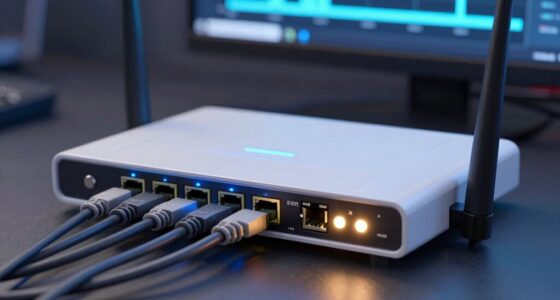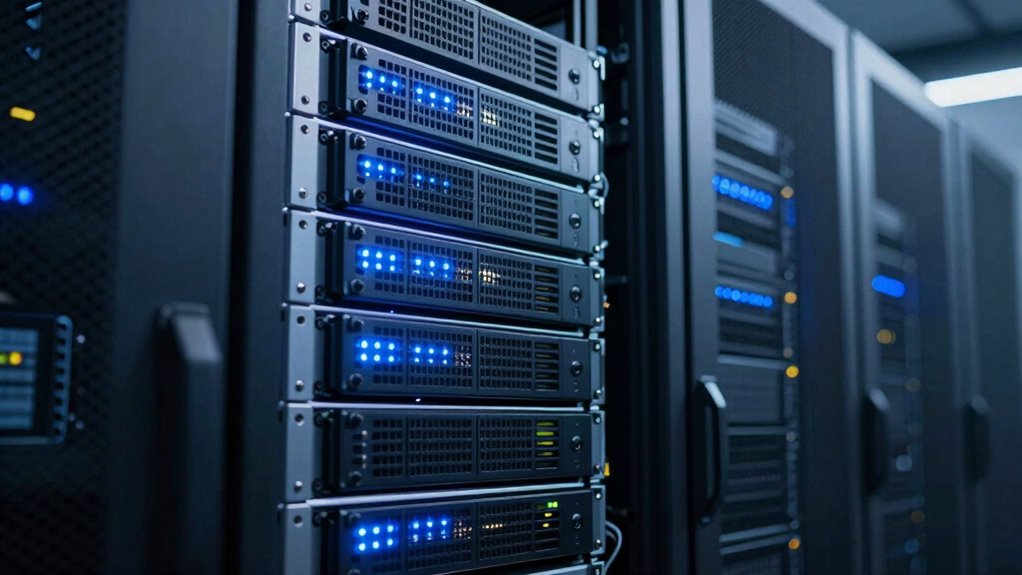

RAID is a storage system that protects against hardware failures by using redundancy, such as mirroring or distributing parity data across disks. It helps keep your data safe if a disk fails, ensuring system uptime. However, it doesn’t guard against data corruption, malware, accidental deletion, or system breaches. To fully secure your data, combine RAID with regular backups and security measures—stay with us to find out more about these important safeguards.
Listen free for 30 days with Audible
Thousands of audiobooks and originals — cancel anytime.
As an affiliate, we earn on qualifying purchases.
Key Takeaways
- RAID protects against hardware disk failures through data redundancy but does not prevent data corruption or malware attacks.
- Different RAID levels, such as RAID 1 and RAID 5, use various methods to ensure data availability during disk failures.
- RAID does not recover files lost due to accidental deletion, user error, or malicious software.
- RAID is not a substitute for regular backups, which are essential for comprehensive data security.
- RAID’s protection is limited; it cannot prevent system-wide issues like viruses, ransomware, or simultaneous multiple disk failures.

Have you ever wondered how data storage systems protect your information from failures? When you’re relying on digital storage, there’s always a risk of data loss due to hardware issues like disk failure. That’s where RAID, or Redundant Array of Independent Disks, comes into play. It’s designed to mitigate those risks by using data redundancy—storing extra copies of your data across multiple disks—so that if one disk fails, your information remains safe and accessible. By spreading data across multiple drives, RAID ensures that a single point of failure doesn’t spell disaster for your stored files. Instead, it provides a safety net, allowing your system to continue functioning smoothly even when hardware hiccups occur.
But it’s important to understand what RAID specifically protects against. Primarily, it guards against disk failure, which is one of the most common causes of data loss in traditional storage setups. When one disk crashes, the system can switch to the redundant data stored elsewhere, preventing immediate data loss. Different RAID levels, such as RAID 1 or RAID 5, employ various methods of data redundancy to achieve this protection. For example, RAID 1 duplicates your data across two disks, so if one fails, the other still has an exact copy. RAID 5, on the other hand, distributes data and parity information across multiple disks, allowing recovery even if a disk drops out. This redundancy helps maintain uptime and protects your data’s integrity during hardware failures.
However, while RAID does a solid job of protecting against disk failure, it’s not a catch-all solution. It doesn’t defend against issues like data corruption, accidental deletions, or malware attacks. If you delete a file, RAID won’t restore it; it only protects against hardware failure scenarios. Similarly, if your entire system is compromised by a virus or ransomware, RAID offers no additional security. It’s also worth noting that RAID isn’t a substitute for regular backups. While it can keep your data safe from hardware issues, it won’t recover files lost due to software errors or user mistakes. Additionally, RAID arrays can fail if multiple disks fail simultaneously, especially in configurations with limited redundancy, so understanding the specific level of protection your RAID setup offers is essential.
Modern European cloud servers and innovative storage solutions often incorporate RAID as part of a comprehensive data protection strategy, emphasizing the importance of combining redundancy with other security measures.
In essence, RAID acts as a shield against disk failure by employing data redundancy, but it’s not an all-encompassing safeguard. It’s a critical part of a thorough data protection strategy, but you still need to back up your data regularly and use other security measures to fully protect your digital information.
Frequently Asked Questions
Can RAID Improve Overall System Performance Beyond Redundancy?
Yes, RAID can improve your system’s performance beyond redundancy. By configuring certain RAID levels like RAID 0, you get a performance boost through faster data access and increased throughput. It also helps reduce latency by spreading data across multiple disks, allowing simultaneous read/write operations. Keep in mind, though, that not all RAID levels prioritize performance; some focus solely on redundancy. Choose the right setup based on your performance and data protection needs.
Does RAID Protect Against Malware or Software Corruption?
RAID doesn’t protect against malware or software corruption directly. While it can help with data redundancy and fault tolerance, virus protection and malware resilience rely on good security practices, like using antivirus software and regular updates. If malware corrupts data, RAID may keep the data accessible, but it won’t prevent the malware from infecting files. Rely on strong security measures alongside RAID for all-encompassing protection.
How Does RAID Affect Data Recovery Speed After Failure?
Imagine losing precious data and facing hours of recovery. RAID can dramatically improve your data recovery speed after failure, especially with configurations like RAID 5 or 6 that offer fault tolerance. While it might add some complexity, it reduces recovery time, getting you back online faster. So, RAID’s setup can be a lifesaver, minimizing downtime and helping you restore your data swiftly after a disk failure.
Is Hardware RAID Preferable Over Software RAID?
Hardware RAID is generally preferable because it offers better performance, dedicated processing, and easier management. You benefit from hardware compatibility with your system’s motherboard or RAID controller, and firmware updates guarantee stability and security. Software RAID can be more flexible and cost-effective but may slow down your system and lack dedicated hardware features. If you prioritize reliability and speed, hardware RAID is the better choice for your setup.
Can RAID Be Combined With Cloud Backups Effectively?
Ever wonder if you can combine RAID with cloud backups for ultimate data security? You absolutely can with hybrid solutions, effectively syncing local RAID arrays with cloud storage. This setup offers redundancy and off-site backup, protecting against hardware failure and disasters. By integrating these, you guarantee your data is resilient, accessible, and safe from multiple threats. Isn’t it reassuring to know your data’s protected both locally and remotely?
Conclusion
Just like the shield of Achilles, RAID offers strong protection—up to a point. It safeguards your data from hardware failures and boosts performance, but it’s not invincible. Remember, even heroes need extra armor; backups remain essential. RAID can be your trusty sidekick, but don’t rely on it alone. Stay vigilant, protect your data wisely, and guarantee your digital fortress remains unbreached—because in the end, no shield is perfect without a backup plan.
NFL season / tailgating Picks
team gear
As an affiliate, we earn on qualifying purchases.