
Before blaming your eyes for discomfort, check your screen setup. Glare and reflections often come from poor positioning or excessive brightness, making it hard to see clearly. Adjust your screen angle, position it away from direct sunlight, and use anti-glare filters if needed. Changing your environment and device settings can greatly reduce strain. Keep exploring these tips to make your screen more comfortable and prevent unnecessary eye fatigue.
Key Takeaways
- Adjust screen brightness to match ambient lighting, reducing glare and eye strain.
- Position your screen away from direct sunlight or bright light sources to minimize reflections.
- Use anti-glare screen protectors to diffuse reflections and improve visual clarity.
- Modify environmental lighting with curtains or blinds to control glare-inducing light.
- Tilt or reposition your device to prevent reflections from bouncing into your eyes.
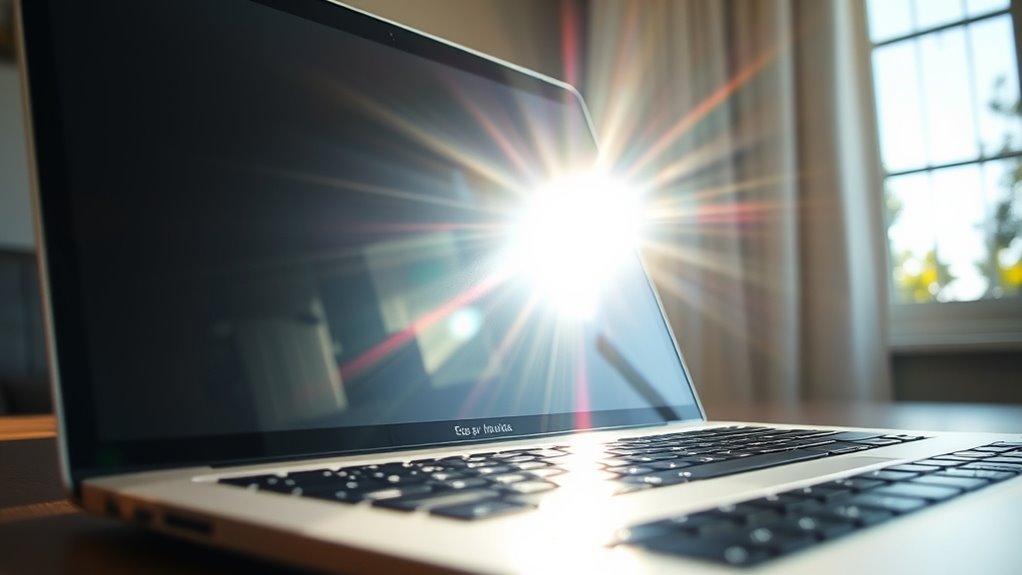
Have you ever struggled with visibility because of glare or reflections? If so, you’re not alone. Many people blame their eyes for discomfort or fatigue, but often the real issue lies with how the screen’s brightness interacts with your environment. Adjusting your screen brightness can make a meaningful difference. When your screen is too bright, it creates a harsh glare that strains your eyes, especially in well-lit rooms or outdoor settings. Conversely, if it’s too dim, you might squint or lean in closer, which also causes unnecessary eye fatigue. Finding the right balance in screen brightness is vital for comfortable viewing and reducing eye strain.
Proper screen brightness reduces glare and eye fatigue in any lighting environment.
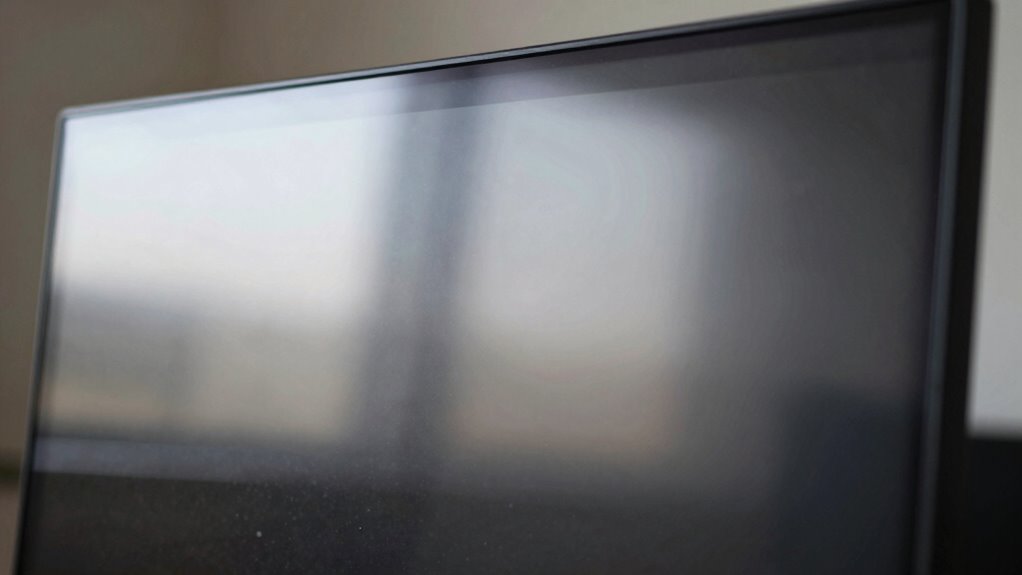
Beyond adjusting brightness, glare reduction plays an essential role. Glare occurs when light reflects off your screen surfaces, bouncing into your eyes and making it hard to see details clearly. This reflection isn’t just a minor annoyance; it can cause headaches, eye discomfort, and decreased productivity over time. To combat this, consider using anti-glare screen protectors. These specialized overlays are designed to diffuse reflections and minimize the amount of light bouncing into your eyes. If you prefer, adjusting your environment can also help—position your screen away from direct sunlight or bright light sources, and use curtains or blinds to control ambient lighting.
Another effective step is to modify your screen’s settings. Many devices come equipped with features like automatic brightness adjustment, which senses ambient light and adapts accordingly. Turning on this feature guarantees your screen isn’t excessively bright or dim, depending on your surroundings. Additionally, some screens have built-in glare reduction modes, which modify contrast and color settings to lessen reflections. These small tweaks can make a big difference in how comfortable your screen feels during extended use.
It’s also worth considering the angle at which you view your screen. Tilt or reposition your device so that reflections are minimized and your line of sight is ideal. Sometimes, simply changing the viewing angle reduces glare and improves visibility without needing to tweak any settings.
In essence, before blaming your eyes for discomfort or fatigue, examine how your screen interacts with light. Adjusting screen brightness properly, employing glare reduction techniques, and optimizing your environment can all markedly improve your viewing experience. These simple steps help protect your eyes, reduce strain, and make your screen time more comfortable. Remember, the key lies in managing how light interacts with your device—small changes can lead to a noticeable difference in how your eyes feel over time. Understanding the impact of ambient lighting is crucial for creating a comfortable digital environment.
Frequently Asked Questions
Can Glare Cause Permanent Eye Damage?
Glare can’t cause permanent eye damage, but it definitely worsens eye strain and digital fatigue. When you face glare on your screen, your eyes work harder to focus, leading to discomfort and tiredness over time. While it won’t harm your eyesight permanently, reducing glare helps prevent eye strain, making your digital experience more comfortable. So, fix your screen and protect your eyes from unnecessary fatigue.
Do Anti-Reflective Coatings Really Improve Screen Clarity?
Did you know that anti-reflective coatings can boost screen clarity by up to 30%? These screen coatings are highly effective in glare reduction, making your display crisper and easier to see even in bright environments. By applying anti-reflective coatings, you minimize reflections and improve visual comfort, so you won’t strain your eyes or miss important details on your screen. They’re a simple, smart upgrade for better viewing.
How Do I Identify if Reflections Are Affecting My Vision?
You can tell if reflections affect your vision by noticing discomfort or difficulty seeing your screen clearly, especially in bright ambient lighting. Adjust your screen brightness to match your environment and minimize glare. If reflections or glare persist despite these changes, they’re likely impacting your eyesight. Pay attention to any strain or blurred vision after extended screen use, which indicates reflections are interfering with your ability to see comfortably.
Are Certain Screen Materials Less Prone to Glare?
Yes, certain screen materials are less prone to glare. Matte screens naturally diffuse light, reducing reflections and making it easier on your eyes. Additionally, screens with anti-glare coatings are specifically designed to minimize reflections and glare, providing a more comfortable viewing experience. Switching to a matte screen or one with an anti-glare coating can markedly decrease glare issues, so you won’t have to strain your eyes as much during long screen sessions.
What Are Quick Fixes for Glare During Urgent Tasks?
To quickly reduce glare during urgent tasks, start by adjusting your screen positioning—tilt or move it to minimize reflections from windows or lights. Also, make lighting adjustments, like dimming nearby lights or using a desk lamp with a matte shade. These quick fixes help improve visibility instantly, reducing eye strain so you can focus on your work without distraction.
Conclusion
Now that you know how to tackle glare and reflections, don’t let them turn your screen into a battlefield. Fixing these issues is simple and can save your eyes from an epic, never-ending battle with fatigue and strain. Remember, a properly adjusted screen is like a superhero shield, protecting your vision from the villains of glare and reflections. Take action now—your eyes will thank you, and you might just feel like you’ve gained super sight!