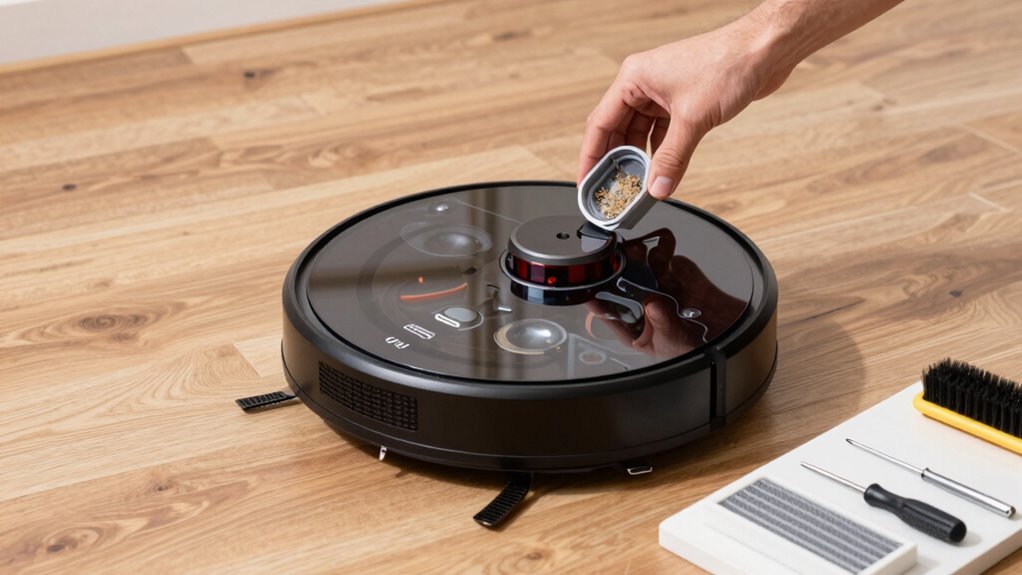
To keep your robot vacuum running smoothly and avoid breakdowns, spend about 10 minutes on routine maintenance. Fully charge and run it until it docks, then wipe sensors, clean brushes, empty the dustbin, and inspect wheels. Regularly check and recalibrate sensors, and make sure batteries are in good shape. Performing these simple tasks often can prevent costly repairs and keep your device at peak performance—discover more tips to maintain your vacuum longer.

Prime made for students and young adults
- Fast, free delivery for dorm and study essentials
- Prime Video and Amazon Music included
- Member-only deals
Key Takeaways
- Regularly clean sensors with a soft cloth to ensure accurate navigation and obstacle detection.
- Empty the dustbin and clean brushes weekly to maintain suction power and prevent clogs.
- Check and clear wheels of debris to support smooth movement and prevent mechanical issues.
- Fully charge the battery and run the vacuum until it docks to calibrate and prolong battery life.
- Inspect and replace worn brushes or batteries as needed to sustain optimal cleaning performance.
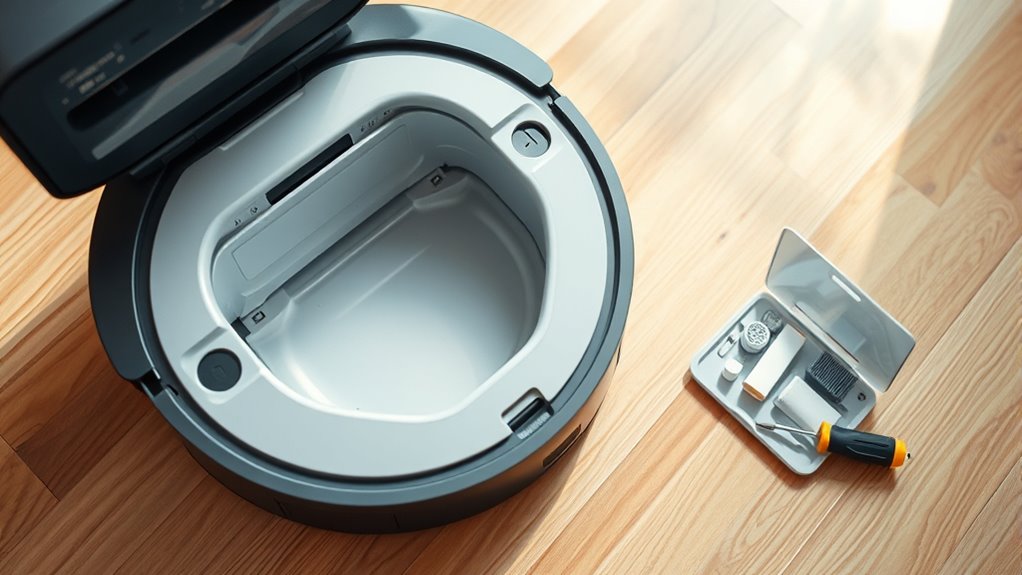
Ever wondered why your robot vacuum isn’t cleaning as effectively as when you first got it? The answer often lies in simple maintenance routines that you can do in just 10 minutes. Regularly checking and maintaining certain components can considerably extend your device’s lifespan and keep it performing at its best. One essential aspect is battery longevity. Over time, batteries can lose their capacity, resulting in shorter run times and less efficient cleaning. To combat this, make it a habit to fully charge the vacuum and then run it until it automatically docks. This helps calibrate the battery and prevents it from overworking, which can degrade its health faster. Additionally, if your vacuum has removable batteries, consider replacing them every couple of years or as recommended by the manufacturer. Keeping the battery in good shape guarantees your vacuum maintains peak cleaning cycles and reduces the need for costly replacements.
Another key maintenance step is sensor calibration. Sensors are indispensable for navigation, obstacle avoidance, and mapping your space effectively. Dust, debris, or misalignment can throw sensors off, causing the vacuum to bump into furniture or miss spots. To prevent this, gently wipe the sensors with a soft, dry cloth during your routine. It’s also important to check if the sensors are aligned correctly, especially after moving or transporting the device. Some models allow you to recalibrate the sensors through the app or device settings—consult your manual for specific instructions. Properly calibrated sensors help the robot vacuum map your home accurately, avoid obstacles, and clean more efficiently without unnecessary collisions or missed areas. Regularly maintaining wave and wind can enhance the overall performance and longevity of your device.
In addition to battery and sensors, regularly emptying the dustbin, cleaning brushes, and inspecting wheels can keep your vacuum running smoothly. Pay attention to areas where dust and hair tend to accumulate, and clear them out to prevent clogs or motor strain. Doing these simple tasks not only improves cleaning performance but also reduces wear and tear on the device.
Frequently Asked Questions
How Often Should I Replace the Robot Vacuum’s Filters?
You should replace your robot vacuum’s filters every 2 to 3 months as part of your maintenance schedule. Regular filter replacement prevents clogs and guarantees peak cleaning performance. Keep an eye on the filter’s condition—if it looks dirty or clogged sooner, replace it sooner. Incorporating this into your routine helps maintain suction power and prolongs your vacuum’s lifespan, saving you time and money in the long run.
Can I Use Household Cleaning Products on My Robot Vacuum?
You shouldn’t use household cleaning products on your robot vacuum. These products often contain chemicals that can damage the vacuum’s sensors, filters, or internal components. Instead, stick to the manufacturer’s recommended cleaning methods, like wiping the exterior with a damp cloth. Using proper cleaning products guarantees your robot vacuum stays in top shape and avoids breakdowns caused by harsh household cleaners.
What Is the Lifespan of a Typical Robot Vacuum Battery?
Battery breakdowns begin after about 2-3 years, depending on use and care. You should expect your robot vacuum’s battery to degrade gradually, leading to reduced runtime. Follow a regular replacement schedule to keep it performing perfectly. With proper maintenance, your vacuum’s battery typically lasts around 300-500 charge cycles. When it shows signs of slowing down, it’s time to replace it, ensuring your cleaning tool stays efficient and effective.
How Do I Troubleshoot Connectivity Issues With My Device?
To troubleshoot connectivity issues with your robot vacuum, start by checking for Wi Fi interference from other devices, which can disrupt your connection. Confirm your Wi Fi signal is strong and stable. Restart your router and reconnect the device through the app. If problems persist, update your app and firmware, or reset the vacuum’s network settings. These steps usually resolve common Wi Fi and app connectivity issues quickly.
Is It Safe to Leave My Robot Vacuum Charging Overnight?
Yes, it’s generally safe to leave your robot vacuum charging overnight. Charging safety is built into most models, so overnight power won’t cause issues or damage the device. Just make certain you use the original charger and keep the area clear of flammable materials. If your vacuum has an automatic shutoff feature, it will stop charging once full, preventing overcharging and ensuring safe, continuous cleaning readiness.
Conclusion
By sticking to this quick 10-minute routine, you safeguard your robot vacuum from breakdowns and keep it running like a dream. Think of it as giving your device a daily dose of superhero strength—ready to conquer every dirt challenge. Neglect it, and it’s like inviting chaos to take over your floors. So, stay proactive, perform these simple steps regularly, and watch your vacuum perform miracles, turning cleaning into effortless magic.
Fall Picks
fall essentials
As an affiliate, we earn on qualifying purchases.