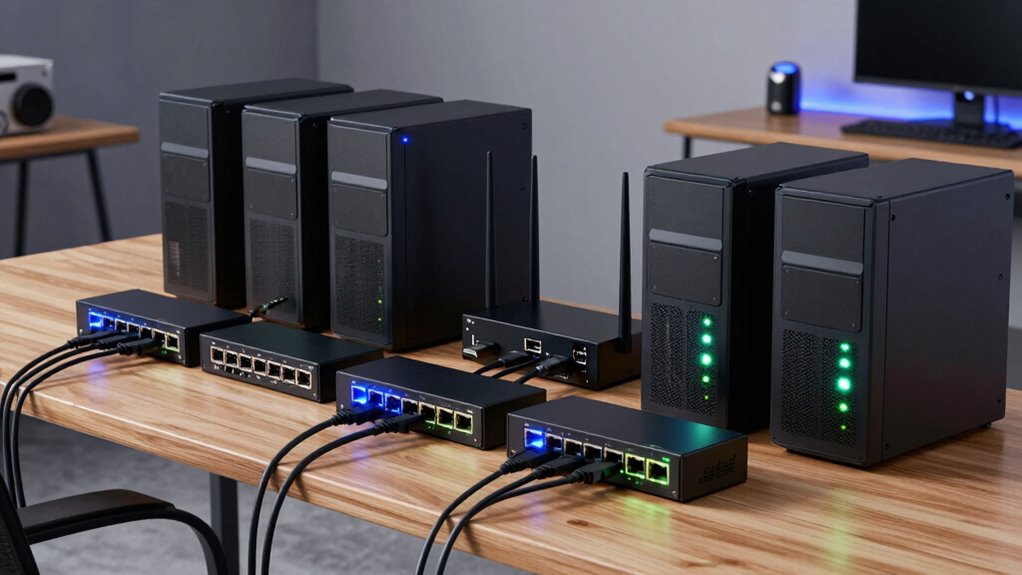
A 10GbE managed switch for home lab builds needs to balance raw throughput with quiet operation, flexible port options, and management features like VLANs and LACP — without the enterprise price or noise. The SODOLA 12-Port 10Gb Managed Switch stands out as the best overall pick because its mix of 8 SFP+ and 4 RJ45 ports covers both direct-server copper links and DAC/fiber uplinks, a combination most home labs eventually need. The NETGEAR MS510TXM earns the premium spot with mature smart-managed firmware and multi-gig flexibility, while the SODOLA 6-Port Web-Managed Switch is the value play for compact rackless setups. The main tradeoff you’ll face is RJ45 convenience versus SFP+ power efficiency, plus the choice between silent unmanaged-style simplicity and deeper Layer 2 control. Keep reading for the full breakdown of all eight models.

Prime made for students and young adults
- Fast, free delivery for dorm and study essentials
- Prime Video and Amazon Music included
- Member-only deals
Key Takeaways
- Hybrid port layouts (RJ45 + SFP+ combos like the SODOLA 12-port) proved the most future-proof choice because home labs almost always add fiber or DAC uplinks later.
- Fanless designs dominated this roundup — five of the eight switches are silent — making noise, not performance, the real differentiator for desks and closets near living spaces.
- True Layer 2 management with 802.1Q VLANs and LACP separated the SODOLA 12-port and NETGEAR MS510TXM from ‘easy web-managed’ models that only expose basic settings.
- RJ45-only 10G switches run noticeably hotter and draw more power than SFP+ equivalents, which matters for 24/7 home lab operation and electricity costs.
- Multi-gig ports (2.5G/5G/10G) on the QNAP and NETGEAR models let you connect older devices without wasting a 10G port — a hidden advantage pure 10G switches lack.
| 8-Port 10Gb Managed Ethernet Switch with 10G RJ45 Ports |  | Best Overall | Ports: 8 x 10G RJ45 | Switching capacity: 160 Gbps | Supported speeds: 10G, 5G, 2.5G, 1G, 100M | VIEW ON AMAZON | See Our Full Breakdown |
| 5-Port 10GbE Web-Managed Ethernet Switch |  | Best Value Pick | Ports: 5 x 10GbE RJ45 | Switching capacity: 100Gbps | Supported speeds: 10G, 5G, 2.5G, 1G, 100M | VIEW ON AMAZON | See Our Full Breakdown |
| SODOLA 12-Port 10Gb Managed Switch with 8 SFP+ and 4 RJ45 Ports |  | Best for Fiber-Heavy Labs | Ports: 8 x 10G SFP+ and 4 x 10GBase-T RJ45 | RJ45 speeds: 10G, 5G, 2.5G, 1G, 100M | Backplane capacity: 240G | VIEW ON AMAZON | See Our Full Breakdown |
| SODOLA 6-Port 10Gb Web-Managed Switch (4x 10G RJ45 + 2x 10G SFP+) |  | Best Hybrid Port Layout | Ports: 4 x 10G Base-T, 2 x 10G SFP+ | Data transfer rate: 10 Gbps | Switch type: Web managed | VIEW ON AMAZON | See Our Full Breakdown |
| QNAP QSW-L3208-2C6T-US 8-Port Multi-Gig 10GbE Network Switch |  | Best for Ecosystem Integration | Ports: 6 x 10GbE multi-gigabit RJ-45; 2 x combo 10GbE SFP+/RJ-45 | RJ-45 speeds: 10G/5G/2.5G/1G/100M | Management features: VLAN, QoS, LACP, IGMP Snooping, loop detection | VIEW ON AMAZON | See Our Full Breakdown |
| SODOLA 5-Port 10G Easy Web Managed Switch, 5 x 10GBase-T Ports |  | Best for All-Copper 10GbE on a Budget | Ports: 5 x 10GBase-T RJ45 | Supported Speeds: 100M / 1G / 2.5G / 5G / 10G | Management: Web managed | VIEW ON AMAZON | See Our Full Breakdown |
| 8-Port 10Gb SFP+ Smart Web Managed Network Switch |  | Best for Expanding Beyond Copper | Ports: 8 x 10G SFP+ | Supported Modes: 10G/2.5G or 10G/1G | Management: Smart web managed | VIEW ON AMAZON | See Our Full Breakdown |
| NETGEAR MS510TXM 10-Port Multi-Gigabit Smart Managed Switch |  | Best Premium Pick with a Name Brand | Ethernet Ports: 8 (4x up to 10G, 4x up to 2.5G) | SFP+ Ports: 2, up to 10G | Supported Speeds: 1G / 2.5G / 5G / 10G depending on port | VIEW ON AMAZON | See Our Full Breakdown |
| 10gbe managed switch for home lab | Ports | Cooling | Management | Mounting |
|---|---|---|---|---|
| 8-Port 10Gb Managed Ethernet S | 8 x 10G RJ45 | Built-in fan | Web interface, SNMP | Desktop or 19-inch rack |
| 5-Port 10GbE Web-Managed Ether | 5 x 10GbE RJ45 | Built-in fan | Web interface, SNMP | Desktop or 19-inch rack |
| SODOLA 12-Port 10Gb Managed Sw | 8 x 10G SFP+ and 4 x 10GBase-T RJ45 | Built-in fans with dynamic speed adjustment | Web GUI, LACP, QoS, VLAN, SNMP | — |
| SODOLA 6-Port 10Gb Web-Managed | 4 x 10G Base-T, 2 x 10G SFP+ | Internal fan (removable) | — | Desktop or wall mount |
| QNAP QSW-L3208-2C6T-US 8-Port | 6 x 10GbE multi-gigabit RJ-45; 2 x combo 10GbE SFP+/RJ-45 | — | — | — |
| SODOLA 5-Port 10G Easy Web Man | 5 x 10GBase-T RJ45 | Internal fan (removable) | Web managed | — |
| 8-Port 10Gb SFP+ Smart Web Man | 8 x 10G SFP+ | Fanless metal housing | Smart web managed | Desk, wall, or Velcro |
| NETGEAR MS510TXM 10-Port Multi | — | Fanless | Web interface, SNMP, NETGEAR Insight (1 year included) | Desktop or rack mount |
More Details on Our Top Picks
8-Port 10Gb Managed Ethernet Switch with 10G RJ45 Ports
This option stands out for the rare combination of eight dedicated 10G RJ45 ports and full multi-gigabit backward compatibility, making it the most flexible all-copper choice in this lineup. Compared with the SODOLA 12-port model, you give up SFP+ fiber expansion but gain two extra copper ports on a simpler, copper-only architecture that most home labs can run entirely on existing Cat6 cabling. The web and SNMP management stack with VLAN and QoS covers the core of what a lab network needs for segmentation and traffic shaping, and both desktop and 19-inch rack mounting are supported. The tradeoffs are real: there is no VPN support, so inter-site tunnels have to live on a router or firewall, and 10G over copper demands Cat6 or better throughout.
Pros:- Eight 10G RJ45 ports with 160 Gbps switching capacity
- Full multi-gigabit auto-negotiation from 100M up to 10G
- Web and SNMP management with VLAN, QoS, and security features
- Desktop or 19-inch rack mounting flexibility
Cons:- No SFP+ ports, so no fiber or DAC connectivity
- No VPN functionality — inter-site links need separate hardware
- 10G speeds require Cat6 or better copper cabling
Best for: Home lab owners who want maximum all-copper 10G density for NAS, workstations, and virtualization hosts without buying fiber
Not ideal for: Users planning long cable runs or fiber uplinks — with zero SFP+ ports, everything must stay within copper distance and cabling limits
- Ports:8 x 10G RJ45
- Switching capacity:160 Gbps
- Supported speeds:10G, 5G, 2.5G, 1G, 100M
- Management:Web interface, SNMP
- Features:VLAN, QoS, security, multicast, diagnostics
- Cooling:Built-in fan
- Mounting:Desktop or 19-inch rack
- Cable requirements:Cat6 or above for 10G
Our verdict“This is the pick for labs that want the most 10G copper ports per dollar of complexity, as long as fiber is not on the roadmap.”
5-Port 10GbE Web-Managed Ethernet Switch
For a first step into 10GbE without overspending on ports you may never fill, this five-port model makes the most sense. It delivers the same core web-managed feature set — VLAN, QoS, SNMP, multicast — as the larger 8-port switch above it, just with fewer ports and a 100Gbps ceiling that is still far beyond typical home lab traffic. Compared with the SODOLA 6-port, you lose the SFP+ uplinks but keep rack-mount capability in a compact 7.9-inch metal chassis, which suits tight desks and small racks alike. The main compromise is cabling discipline: it demands CAT6A pure copper for full 10GbE, stricter than the Cat6 floor of the 8-port pick, and the fan will be audible in a quiet room.
Pros:- Five 10GbE ports with 100Gbps switching capacity
- Auto-negotiation down to 100M for mixed-speed devices
- Full web management with VLAN, QoS, and SNMP
- Compact metal chassis with desktop or 19-inch rack mounting
Cons:- Requires CAT6A or higher pure copper cable for 10GbE
- Built-in fan produces noise
- No SFP+ ports for fiber expansion
Best for: Budget-conscious builders adding 10GbE to a small setup with two or three fast machines
Not ideal for: Growing labs that will need fiber uplinks or more than five ports — you will outgrow it quickly
- Ports:5 x 10GbE RJ45
- Switching capacity:100Gbps
- Supported speeds:10G, 5G, 2.5G, 1G, 100M
- Management:Web interface, SNMP
- Cooling:Built-in fan
- Casing:Metal
- Mounting:Desktop or 19-inch rack
- Dimensions:7.9 x 4.7 x 1.8 inches
Our verdict“A sensible entry point into managed 10GbE for small setups, provided your cabling is up to spec and you do not need fiber.”
SODOLA 12-Port 10Gb Managed Switch with 8 SFP+ and 4 RJ45 Ports
This is the connectivity play of the group: eight SFP+ ports accepting fiber or DAC cables plus four multi-gigabit RJ45 ports, all on a 240G backplane. Compared with the all-copper 8-port switch, this model is better suited to labs spanning rooms or floors, since fiber runs are immune to copper’s distance and interference limits, and DACs are the tidy way to link rack neighbors. The management layer adds LACP link aggregation alongside VLAN, QoS, and SNMP — useful for bonding NICs to a NAS. Drawbacks include fans with dynamic speed that can still be heard in a quiet office, mounting brackets but no included rack, and the simple fact that SFP+ modules or DACs are a separate cost on top of the switch itself.
Pros:- Eight SFP+ ports for fiber or DAC plus four multi-gigabit RJ45 ports
- 240G backplane with headroom for aggregated links
- LACP, VLAN, QoS, and SNMP management
- 1U rack-mount design with brackets included
Cons:- SFP+ modules and DACs are a separate purchase
- Built-in fans may produce noise
- Rack is not included
Best for: Home labbers with distributed equipment rooms or rack-dense setups who want fiber and DAC links between switches and servers
Not ideal for: Users wanting a plug-and-play desktop switch — module shopping and rack hardware make this a build, not an unbox
- Ports:8 x 10G SFP+ and 4 x 10GBase-T RJ45
- RJ45 speeds:10G, 5G, 2.5G, 1G, 100M
- Backplane capacity:240G
- Management:Web GUI, LACP, QoS, VLAN, SNMP
- Cooling:Built-in fans with dynamic speed adjustment
- Form factor:1U rack-mount
- Accessories:Mounting brackets
Our verdict“The right choice when your lab needs fiber reach or high inter-connect density — just budget for the optics.”
SODOLA 6-Port 10Gb Web-Managed Switch (4x 10G RJ45 + 2x 10G SFP+)
This model carves out a middle path: four copper ports for endpoints and two SFP+ ports for uplinks, a layout that maps neatly onto a typical lab with a few fast machines and one or two longer runs. Compared with the 12-port SODOLA, it trades port count for a smaller desktop or wall-mount footprint and a lighter touch, while still covering LACP, VLAN, port mirroring, spanning tree, DHCP snooping, and SNMP — arguably the deepest feature list of the compact options here. The removable fan is an interesting concession to noise-sensitive setups, though opening the case to pull it is at your own risk. The bigger friction point is setup: you must assign an IPv4 address before logging in, which is a hurdle the QNAP QSW-L3208’s friendlier lite-managed interface largely avoids.
Pros:- Hybrid layout: four multi-gigabit RJ45 plus two SFP+ uplinks
- Extensive managed features including LACP, port mirroring, STP, and DHCP snooping
- Desktop or wall-mount metal case
- One-year replacement warranty plus lifetime technical support
Cons:- Requires manual IPv4 address setup before first login
- Internal fan may produce noise (removable, but requires opening the case)
Best for: Labs that want a mix of copper device ports and one or two fiber uplinks in a small desktop or wall-mounted footprint
Not ideal for: Network beginners expecting instant browser access — the manual IP configuration step adds friction before first login
- Ports:4 x 10G Base-T, 2 x 10G SFP+
- Data transfer rate:10 Gbps
- Switch type:Web managed
- Management features:LACP, VLAN, QoS, Port Mirroring, STP/RSTP, IGMP, DHCP Snooping, SNMP
- Case material:Metal
- Cooling:Internal fan (removable)
- Mounting:Desktop or wall mount
- Warranty:1-year replacement, lifetime technical support
Our verdict“A well-balanced hybrid for small labs that want fiber uplinks without committing to a full SFP+-dense switch.”
QNAP QSW-L3208-2C6T-US 8-Port Multi-Gig 10GbE Network Switch
QNAP’s entry is the most polished option for NAS-centric labs, pairing six multi-gigabit RJ-45 ports with two combo SFP+/RJ-45 slots that let you choose fiber or copper per uplink. That combo-port design is the key differentiator against the 6-port SODOLA, which forces you to commit to fixed port roles — here, port eight can be whatever your topology needs this month. The 160 Gbps switching capacity, 12K jumbo frames, IGMP snooping, and loop detection round out a solid feature set, and the metal housing with smart cooling runs quieter than the fan-cooled SODOLA units. The tradeoff is the lite-managed positioning: this is not the switch for complex policy work, and the two combo ports cannot use fiber and copper simultaneously on the same slot.
Pros:- Six multi-gigabit RJ-45 ports plus two combo SFP+/RJ-45 ports
- Combo ports accept either fiber or copper for flexible uplinks
- 12K jumbo frames and IGMP snooping for efficient NAS traffic
- Metal housing with quiet smart cooling
Cons:- Lite-managed feature set lacks advanced managed switching options
- Combo ports share fiber and copper on the same slot — only one connection each
- Only two ports support fiber, less than the 12-port SODOLA’s eight
Best for: QNAP NAS owners and noise-sensitive home offices that want multi-gigabit performance with the simplest setup in the group
Not ideal for: Power users who want deep configuration control — the lite-managed feature set lacks the advanced options of the SODOLA 6-port
- Ports:6 x 10GbE multi-gigabit RJ-45; 2 x combo 10GbE SFP+/RJ-45
- RJ-45 speeds:10G/5G/2.5G/1G/100M
- Management features:VLAN, QoS, LACP, IGMP Snooping, loop detection
- Switching capacity:160 Gbps
- Non-blocking throughput:80 Gbps
- Jumbo frames:12K
- Power consumption:36 W
- Design:Metal housing with smart cooling
Our verdict“The most user-friendly pick here, ideal for NAS-first labs that value quiet operation and flexible uplinks over deep configurability.”
SODOLA 5-Port 10G Easy Web Managed Switch, 5 x 10GBase-T Ports
Five RJ45 ports that all run at 10G is the whole story here, and it’s a story that matters if your home lab runs on Cat6a cabling rather than fiber or DACs. Unlike the 8-port SFP+ switch later in this roundup, the SODOLA needs no transceiver modules at all — you plug in Ethernet cables and you’re done, which keeps the true cost of ownership far lower once you count peripherals. The management stack is deeper than the price suggests: VLANs, LACP, port mirroring, SNMP, and storm control give you most of what a lab actually uses day to day. The tradeoff is acoustic. An internal cooling fan is unusual at this size class and may be audible in a quiet office or bedroom-adjacent rack, though it’s removable if you accept the thermal risk. Setup also demands a manual IPv4 address assignment before the web interface is reachable.
Pros:- All five RJ45 ports negotiate 100M through 10G, so mixed-speed gear works without adapters
- No transceivers or DACs needed, unlike SFP+ alternatives
- Genuine managed feature set including LACP, VLAN, QoS, SNMP, and port mirroring
- Removable fan lets noise-sensitive owners trade airflow for silence
Cons:- Active cooling fan can be heard in quiet environments
- Requires manually setting an IPv4 address before first access
- Five ports fills up fast once you add a NAS, a server, and an uplink
Best for: Home labbers with existing Cat6a runs who want full 10GbE over copper without buying SFP+ modules
Not ideal for: Anyone placing the switch in a quiet living space where fan noise would be annoying
- Ports:5 x 10GBase-T RJ45
- Supported Speeds:100M / 1G / 2.5G / 5G / 10G
- Management:Web managed
- Key Features:LACP, VLAN, QoS, Port Mirroring, SNMP, Storm Control, RSTP
- Cooling:Internal fan (removable)
- Chassis:Metal
- Warranty:1-year replacement, lifetime technical support
Our verdict“If every device in your lab connects over RJ45 and you don’t want to shop for optics, this is the simplest path to a managed 10GbE backbone.”
8-Port 10Gb SFP+ Smart Web Managed Network Switch
This is the pick for lab owners who have outgrown RJ45 entirely. Eight SFP+ slots mean DACs for rack-adjacent servers, fiber for runs across the house, and RJ45 modules where copper is unavoidable — a flexibility the all-copper SODOLA 5-port simply can’t match, and at a port density the SODOLA 6-port combo switch only partially delivers. The fanless metal housing is a real advantage for anyone who’s been annoyed by an audible switch in a shared space, and roughly 18W at full load keeps it cheap to run around the clock. The mode-switching quirk is the catch: the default 10G/2.5G mode won’t recognize 1G modules, so legacy gear forces a configuration change that drops your faster ports to a lower mode. Budget-conscious buyers should also note that populating eight SFP+ ports with RJ45 modules adds meaningful cost on top of the switch itself.
Pros:- Eight SFP+ slots accept fiber, DAC, AOC, and copper RJ45 modules
- Fanless design runs silent in bedroom-adjacent or office setups
- Link aggregation supports up to 8 member ports, static or dynamic 802.3ad
- Compact metal chassis allows desk, wall, or Velcro mounting
Cons:- Default 10G/2.5G mode does not recognize 1G modules
- Runs warm under full load, especially with power-hungry RJ45 SFP+ modules
- Module costs add up quickly compared to native RJ45 switches
Best for: Labs with short DAC runs between servers plus fiber runs to other rooms
Not ideal for: Budget-limited builders who would need to buy eight separate RJ45 transceiver modules
- Ports:8 x 10G SFP+
- Supported Modes:10G/2.5G or 10G/1G
- Management:Smart web managed
- Key Features:VLAN, QoS, Spanning Tree, MAC controls, Link Aggregation, DHCP client
- Chipset:RTL9303
- Power Consumption:Approximately 18W at full load
- Cooling:Fanless metal housing
- Mounting:Desk, wall, or Velcro
Our verdict“For a lab that spans more than one room, this is the cheapest way to get eight managed 10G ports over whatever medium each run needs.”
NETGEAR MS510TXM 10-Port Multi-Gigabit Smart Managed Switch
The MS510TXM takes a different bet than everything else here: instead of uniform ports, it splits eight RJ45 ports between 10G-capable and 2.5G-capable groups, then adds two SFP+ slots for fiber uplinks. That asymmetry is genuinely useful when your NAS and primary server need 10G but your desktops and IoT gear are happy at 2.5G — you’re not burning premium ports on devices that can’t use them, a problem the all-10G SODOLA 5-port quietly has. Compared with the QNAP QSW-L3208-2C6T elsewhere in this roundup, the NETGEAR leans on brand-name firmware polish and the Insight remote-management platform, though the Insight subscription covers only the first year. Auto-negotiation over existing Cat5e or Cat6 cabling means most homes need no rewiring at all. The main drawback is cost per port, and advanced features like VLANs still want some setup effort rather than working out of the box.
Pros:- Tiered port design reserves 10G and SFP+ capacity for the devices that need it
- Works over existing Cat5e or Cat6 cabling thanks to auto-negotiation
- NETGEAR Insight enables cloud-based remote management and monitoring
- Fanless operation and rack-mount support suit both desk and closet installs
Cons:- NETGEAR Insight subscription is included for only one year
- Only four of the eight RJ45 ports reach 10G
- Advanced smart-managed features require manual setup to be useful
Best for: Buyers who want a proven brand, mixed multi-gig speeds, and fiber uplinks in one box
Not ideal for: Cost-conscious builders who need every port at 10G for a server-heavy rack
- Ethernet Ports:8 (4x up to 10G, 4x up to 2.5G)
- SFP+ Ports:2, up to 10G
- Supported Speeds:1G / 2.5G / 5G / 10G depending on port
- Management:Web interface, SNMP, NETGEAR Insight (1 year included)
- Cooling:Fanless
- Mounting:Desktop or rack mount
- Energy Efficiency:IEEE 802.3az Energy Efficient Ethernet
Our verdict“If you value firmware maturity and a sensible mix of multi-gig and fiber ports over raw 10G density, this is the safest long-term choice in the lineup.”

How We Picked
I evaluated each switch through a home lab lens rather than an enterprise one. That meant prioritizing fanless or quiet operation, realistic port counts for 3–8 node setups, and management depth — specifically whether VLANs, link aggregation (LACP), and IGMP snooping were actually configurable, not just listed on the box. Power draw and heat output were weighted heavily because a switch that idles hot in a closet costs money and shortens component life. I also considered port flexibility: whether a switch offered SFP+ bays for DAC and fiber runs, since copper RJ45 at 10G is limited to short distances and burns far more power per port.
The ranking logic favors switches that solve the most common home lab growth pattern — start with two or three 10G nodes, then add storage and virtualization hosts that want fiber. That’s why hybrid RJ45/SFP+ models like the SODOLA 12-port ranked above pure copper switches, and why the NETGEAR’s polished firmware and multi-gig ports justified its premium position despite fewer 10G ports than cheaper rivals.
| 10gbe managed switch for home lab | Management | Cooling | Mounting |
|---|---|---|---|
| 8-Port 10Gb Managed Ethernet S | Web interface, SNMP | Built-in fan | Desktop or 19-inch rack |
| 5-Port 10GbE Web-Managed Ether | Web interface, SNMP | Built-in fan | Desktop or 19-inch rack |
| SODOLA 12-Port 10Gb Managed Sw | Web GUI, LACP, QoS, VLAN, SNMP | Built-in fans with dynamic speed adjustment | — |
| SODOLA 6-Port 10Gb Web-Managed | — | Internal fan (removable) | Desktop or wall mount |
| QNAP QSW-L3208-2C6T-US 8-Port | — | — | — |
| SODOLA 5-Port 10G Easy Web Man | Web managed | Internal fan (removable) | — |
| 8-Port 10Gb SFP+ Smart Web Man | Smart web managed | Fanless metal housing | Desk, wall, or Velcro |
| NETGEAR MS510TXM 10-Port Multi | Web interface, SNMP, NETGEAR Insight (1 year included) | Fanless | Desktop or rack mount |
Factors to Consider When Choosing 10gbe Managed Switch For Home Lab
Before committing to a switch, it helps to understand the broader tradeoffs in the 10GbE home lab market — several of which only become obvious after you’ve lived with the hardware for a few months.RJ45 vs. SFP+: The Port Decision That Shapes Everything
This is the single biggest fork in the road, and many first-time buyers get it wrong. 10GBase-T RJ45 ports are convenient because cheap Cat6a cables work up to about 55 meters, but each port draws roughly 2–5 watts whether linked or idle, and transceivers inside the switch generate real heat. SFP+ ports sip power, support DAC cables that cost under fifteen dollars for rack-adjacent connections, and open the door to long fiber runs to other rooms. The mistake I see most often is buying an all-copper switch, then adding a NAS or server across the house six months later and discovering they need fiber anyway. A hybrid switch hedges against this, which is why combo units ranked highly here. If your devices are all within a few feet of the switch, DAC + SFP+ is almost always the better engineering choice even though it looks less familiar on the spec sheet.
Management Depth: Web-Managed Isn’t Always Fully Managed
The marketing language in this category is slippery. ‘Easy web-managed’ or ‘smart managed’ often means a simplified interface with VLAN presets and QoS toggles, while fully managed Layer 2 switches expose 802.1Q VLAN tagging, LACP trunking, spanning tree configuration, and port mirroring. For a flat network with a few machines, the difference doesn’t matter. The moment you segment a home lab into VM traffic, storage, and IoT VLANs, or bond two links to a NAS for 20 Gbps aggregate, the limited models become frustrating. A common buyer mistake is saving a modest amount upfront and then hitting a configuration wall that forces a second purchase. Read the actual feature list for VLAN count, LACP support, and management interface — not the word ‘managed’ on the listing.
Noise, Heat, and the Reality of 24/7 Operation
A home lab switch runs every hour of every day, so thermals matter more than any benchmark. Fanless designs are silent but rely on passive heatsinks, which means copper 10G port counts above roughly four start pushing the thermal budget — check whether the chassis gets too hot to touch, since sustained heat degrades capacitors over years. Small built-in fans solve cooling but introduce the exact noise that drove you away from enterprise gear in the first place. Placement changes the equation too: a switch in a basement rack tolerates fans and heat far better than one under a desk or in a shared office. Match the thermal design to the location before you match the port count to your devices.
Multi-Gig Flexibility for Mixed-Speed Networks
Not everything in a home lab runs at 10G — printers, Raspberry Pis, smart displays, and older PCs often max out at 1G or 2.5G. Switches with negotiating multi-gig ports (like the QNAP and NETGEAR models here) let those devices connect at their native speed instead of forcing you to keep a separate 1G switch just for them. Pure 10G switches technically negotiate downward too, but some cheaper units handle mixed speeds less gracefully, and you waste premium ports on slow devices. If you’re consolidating your entire network onto one box, multi-gig support stops being a nice-to-have. If the switch will only ever talk to servers and a NAS, skip it and spend the budget on more 10G ports instead.
Power Consumption and the Hidden Cost of Cheap Ports
The purchase price is not the full cost of a 10G switch. An 8-port all-copper unit can idle at 25–40 watts, which adds up to a meaningful amount over a year of continuous operation, while an equivalent SFP+ design might idle at half that. Per-port power budgets also determine whether the switch can handle future additions — plugging in eight copper links at once can double a switch’s draw and its heat output. Buyers frequently compare sticker prices between a copper model and a fiber model without accounting for this running cost difference. Over a typical ownership period, the ‘more expensive’ SFP+ switch can quietly close the gap, especially in regions with high electricity rates.
Vendor Ecosystem and Firmware Longevity
Established vendors like NETGEAR and QNAP ship mature firmware, publish actual documentation, and push security updates — things that matter when your switch carries VLAN-segmented traffic for years. Smaller brands like SODOLA often deliver the same silicon at a lower price but with sparser manuals, occasional firmware quirks, and less predictable update cadence. For a homelabber who enjoys tinkering, that tradeoff is acceptable and sometimes even fun. For anyone who wants to configure VLANs once and forget the switch exists, firmware polish is worth paying for. Check whether the manufacturer publishes firmware downloads publicly before buying — the absence of a support page is a telling signal.
Frequently Asked Questions
Do I really need a managed switch for a home lab, or is unmanaged enough?
If every device sits on one flat network and talks freely, an unmanaged 10G switch will move packets just as fast for less money. The management features earn their keep the moment you want VLANs to isolate VM traffic, IoT devices, or a lab segment from your main LAN, or LACP to bond two links into a NAS for 20 Gbps of aggregate bandwidth. Managed switches also expose per-port statistics, which makes diagnosing a flaky cable or a misbehaving NIC far faster than swapping hardware blindly. Most home labs outgrow an unmanaged switch within a year of getting serious, and replacing it means repurchasing the 10G hardware. Given how small the price gap has become between web-managed and unmanaged models in this category, the managed route is the safer long-term buy unless you’re certain your network will stay simple.
Is 10GBase-T (RJ45) or SFP+ better for home lab distances?
SFP+ wins on physics and efficiency: a DAC cable handles rack-adjacent connections at minimal cost, and single-mode fiber reaches hundreds of meters without signal issues. 10GBase-T over Cat6a works reliably to about 55 meters and Cat7 to 100, but each copper port burns 2–5 watts and generates heat inside the switch chassis. For a typical home lab where servers, NAS, and switch share a rack or shelf, SFP+ with DACs is the cleaner engineering answer — cheaper per link, cooler, and quieter. Copper makes sense when your devices are in different rooms or you’re reusing existing structured cabling. The hybrid switches in this roundup exist precisely because most labs end up needing both.
Will these switches actually deliver 10 Gbps, or will I be bottlenecked elsewhere?
The switch is rarely the bottleneck — the usual culprits are cabling, NIC configuration, and storage speed. Cat6 unshielded cable sometimes negotiates 10G on short runs but isn’t rated for it, so use Cat6a or better for copper. On the host side, a single SSD can saturate 10 Gbps, but spinning disks or a slow RAID configuration will cap real-world transfers well below the link rate. Check that your NICs aren’t sharing PCIe lanes with other bandwidth-hungry devices, which silently limits throughput on some motherboards. When transfers underperform, verify the link actually negotiated at 10G in the switch’s port status page before blaming the hardware.
Can I mix 1G, 2.5G, and 10G devices on the same 10GbE switch?
Yes — 10G ports negotiate downward, so a 1G PC or 2.5G laptop will link at its own maximum speed. The nuance is how gracefully each switch handles mixed speeds: the multi-gig-aware models like the QNAP and NETGEAR handle 2.5G and 5G rates natively, while some budget 10G switches support only 10G and 1G with nothing in between. That gap matters if you have 2.5G-capable motherboards, which are now common on consumer hardware, since they’d fall back to 1G on a dual-rate switch. If your network includes mixed-generation devices, verify the switch lists 2.5G and 5G support explicitly. Otherwise you’ll pay for 10G ports that your mid-speed devices can’t use.
What size switch should I buy — how many ports is enough?
Count your current 10G devices, then add two ports for growth and one for an uplink — home labs expand quickly once fast networking exists. A typical starting point is a NAS, one or two hypervisor hosts, and a workstation, which fits a 4–6 port switch today but feels cramped after adding a backup target or a second node. Beyond eight ports you’re into territory where a hybrid SFP+ design pays off, since DACs and fiber cost less per link than copper at that scale. Resist buying the largest switch available ‘just in case,’ though — idle power draw scales with port count, and paying to power empty ports for years adds up. The sweet spot for most labs in this roundup is a 6-to-8 port hybrid or a 12-port unit if fiber is already on your roadmap.
Conclusion
The right pick depends on what your lab looks like today and where it’s heading. For the best overall choice, the SODOLA 12-Port stands out with its 8 SFP+ / 4 RJ45 split, real Layer 2 management, and headroom for fiber expansion — it’s the switch that grows with a serious lab. The SODOLA 6-Port (4x RJ45 + 2x SFP+) is the best value, delivering the same hybrid logic in a compact, affordable package for three-to-four node setups. The NETGEAR MS510TXM takes best premium honors with polished firmware, multi-gig flexibility, and brand support — the pick for anyone who configures once and wants to forget the hardware exists. For beginners, the SODOLA 5-Port Easy Web Managed model strips configuration down to approachable basics while keeping 10G on every port. The QNAP QSW-L3208-2C6T fits a specific niche: mixed-speed networks blending 2.5G desktops with 10G servers, while the 8-Port SFP+ Smart Managed switch suits fiber-first builders who want a silent, low-power chassis. Whichever you choose, match the port type to your cabling reality and the management depth to your VLAN ambitions — those two decisions matter more than any spec on the box.
Fall Picks
fall essentials
As an affiliate, we earn on qualifying purchases.