
If you’re looking for the best 27-inch 5K monitors for superior text clarity in 2026, I’d recommend models like the ViewSonic with Thunderbolt 4, Apple’s Studio Display, LG’s Ultrafine 27MD5KL-B, BenQ’s PD2730S, and ASUS’s ProArt PA27JCV. These offer high pixel density, excellent color accuracy, brightness, and ergonomic features that make reading and editing easy on the eyes. Keep exploring to discover which one suits your needs best.
Key Takeaways
- High-resolution 5K displays (5120×2880) with approximately 218 PPI ensure sharp, clear text for professional clarity.
- Proper scaling and high pixel density improve legibility and reduce eye strain during long reading or editing sessions.
- Matte or nano matte surface coatings minimize glare and reflections, enhancing text visibility in various lighting environments.
- Factory calibration with high color fidelity (99% DCI-P3, Delta E < 2) guarantees vibrant, accurate colors and crisp text rendering.
- Adjustable ergonomic stands and versatile connectivity options (Thunderbolt 4, USB-C) promote comfortable viewing and seamless device integration.
| ViewSonic 27″ 5K Monitor with Thunderbolt 4 and Ergonomics | 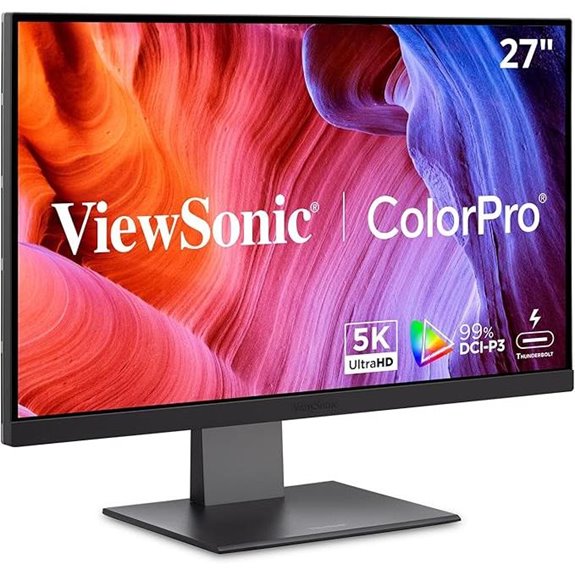 | Professional Color Accuracy | Resolution: 5120×2880 (5K) | Screen Size: 27 inches | Color Gamut: 100% sRGB, 99% DCI-P3 | VIEW LATEST PRICE | See Our Full Breakdown |
| Apple Studio Display with Adjustable Stand | 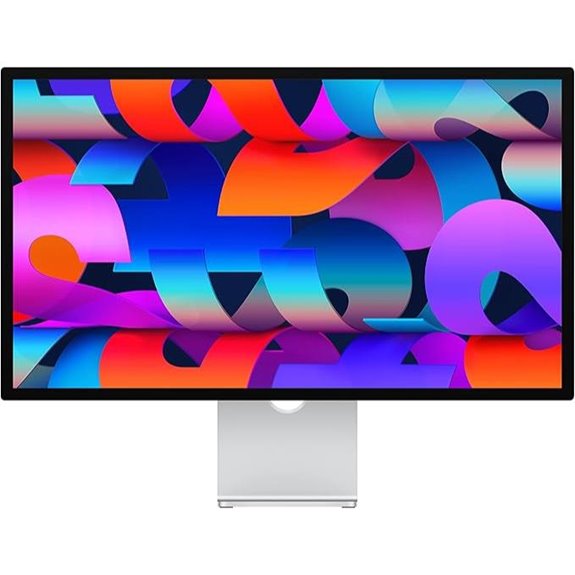 | Creative Studio Essential | Resolution: 5120×2880 (5K) | Screen Size: 27 inches | Color Gamut: P3 wide color, one billion colors | VIEW LATEST PRICE | See Our Full Breakdown |
| LG Monitor 27MD5KL-B Ultrafine 27″ IPS LCD 5K UHD Monitor for Apple Mac | 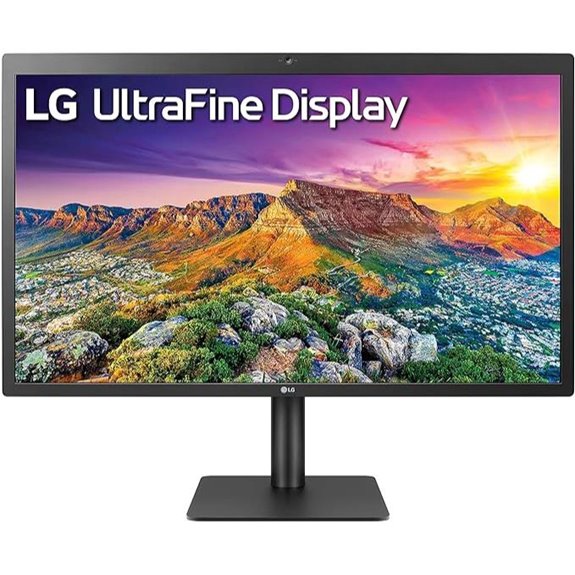 | Mac-Optimized Power | Resolution: 5120×2880 (5K UHD) | Screen Size: 27 inches | Color Gamut: DCI-P3 99% | VIEW LATEST PRICE | See Our Full Breakdown |
| BenQ PD2730S 27″ 5K Monitor with Thunderbolt 4 | 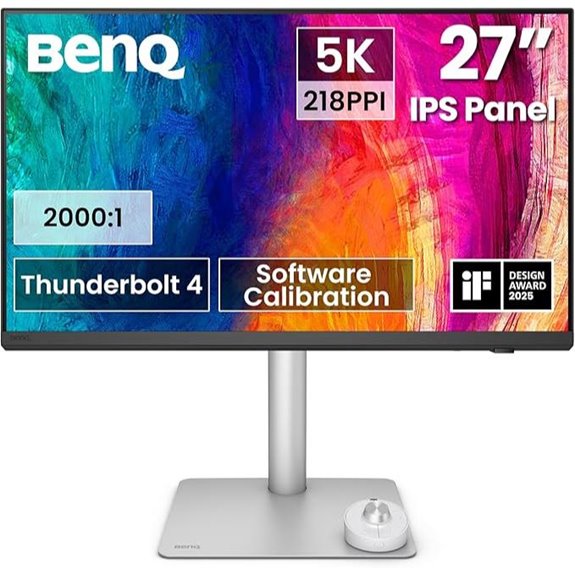 | High-Performance Workflow | Resolution: 5120×2880 (5K) | Screen Size: 27 inches | Color Gamut: 98% P3 | VIEW LATEST PRICE | See Our Full Breakdown |
| ASUS ProArt 27” 5K HDR Monitor (PA27JCV) | 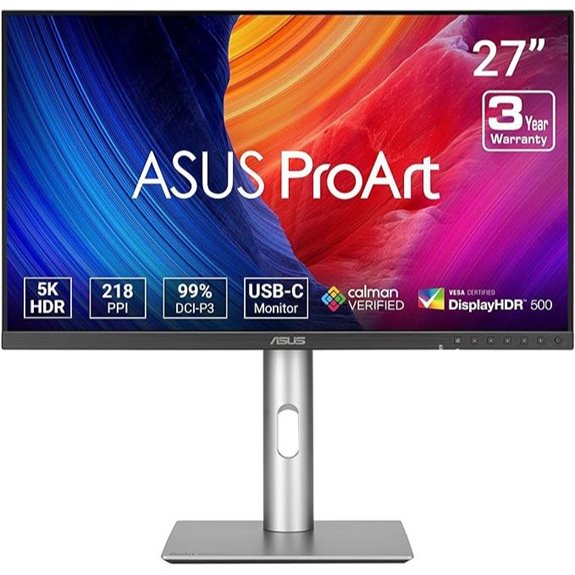 | Calibrated Precision | Resolution: 5120×2880 (5K) | Screen Size: 27 inches | Color Gamut: 99% DCI-P3, 100% sRGB | VIEW LATEST PRICE | See Our Full Breakdown |
| ALOGIC Clarity 5K Touch 27″ UHD Monitor | 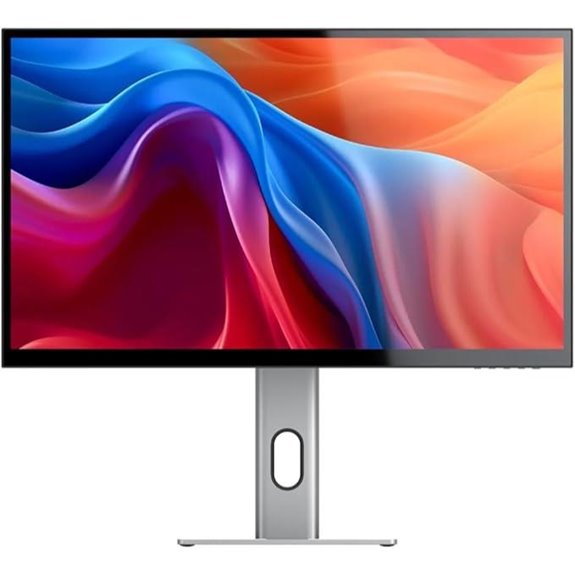 | Touchscreen Creativity | Resolution: 5120×2880 (5K) | Screen Size: 27 inches | Color Gamut: Wide colour gamut, true-to-life colours | VIEW LATEST PRICE | See Our Full Breakdown |
| Samsung ViewFinity S9 5K Monitor with Thunderbolt | 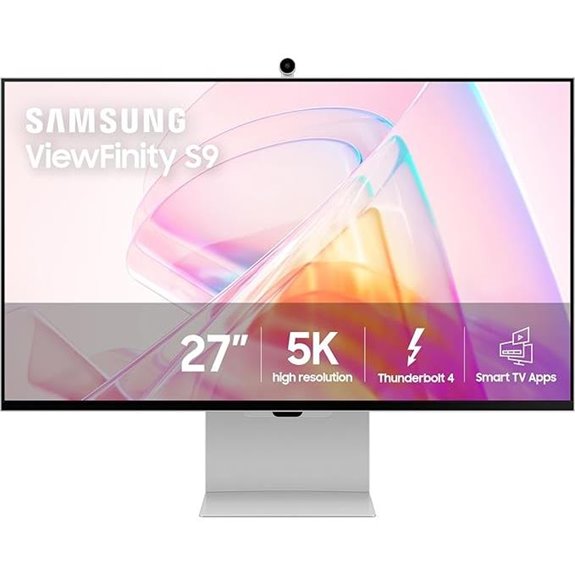 | Smart Connectivity | Resolution: 5120×2880 (5K) | Screen Size: 27 inches | Color Gamut: 99% DCI-P3 | VIEW LATEST PRICE | See Our Full Breakdown |
More Details on Our Top Picks
ViewSonic 27″ 5K Monitor with Thunderbolt 4 and Ergonomics
If you’re looking for a monitor that combines top-tier color accuracy with seamless connectivity, the ViewSonic 27″ 5K Monitor with Thunderbolt 4 is an excellent choice. Its 5120x2880p IPS display offers stunning clarity and precise color reproduction with 100% sRGB and 99% DCI-P3 coverage, perfect for professional work. The Thunderbolt 4 port delivers fast data transfer up to 40 Gbps and 100W power delivery, making multi-device setups easy. The frameless design and ergonomic features ensure comfortable use, whether at home or in the office. Plus, its compatibility with Mac systems and versatile connectivity options make it a top pick for demanding workflows.
- Resolution:5120×2880 (5K)
- Screen Size:27 inches
- Color Gamut:100% sRGB, 99% DCI-P3
- Connectivity:Thunderbolt 4, HDMI, DisplayPort, USB hub
- Ergonomics:Adjustable stand, ergonomic features
- Special Features:HDR400, Pantone Validated
- Additional Feature:75Hz refresh rate
- Additional Feature:Frameless design
- Additional Feature:USB hub included
Apple Studio Display with Adjustable Stand
The Apple Studio Display with Adjustable Stand stands out for professionals who demand exceptional image quality and versatile ergonomics. Its 27-inch 5K Retina display delivers stunning clarity with 600 nits brightness and support for a billion colors within the P3 wide color gamut. The display includes a 12MP Ultra Wide camera with Center Stage, a studio-quality three-mic array, and a six-speaker system with Spatial Audio, making it perfect for calls and creative work. Connectivity is robust with a Thunderbolt 3 port, three USB-C ports, and 96W power delivery. The stand is fully adjustable for tilt and height, ensuring comfort during long work sessions.
- Resolution:5120×2880 (5K)
- Screen Size:27 inches
- Color Gamut:P3 wide color, one billion colors
- Connectivity:Thunderbolt 3, USB-C, USB ports
- Ergonomics:Tilt, height-adjustable stand
- Special Features:Ultra Wide camera, Spatial Audio
- Additional Feature:Adjustable stand options
- Additional Feature:Center Stage camera
- Additional Feature:Studio-quality microphones
LG Monitor 27MD5KL-B Ultrafine 27″ IPS LCD 5K UHD Monitor for Apple Mac
For professionals who demand crystal-clear text and vibrant visuals, the LG 27MD5KL-B Ultrafine 5K monitor stands out as an excellent choice. Its 5120×2880 resolution delivers sharp, detailed text, making reading and editing effortless. The IPS panel offers wide viewing angles and accurate color reproduction with 99% DCI-P3 coverage, perfect for creative work. Featuring a built-in camera, speakers, and multiple USB-C ports—including Thunderbolt 3 with 94W power delivery—it’s highly versatile. While it’s primarily designed for Mac users, its sleek black design and solid build make it a stylish, reliable addition to any professional setup.
- Resolution:5120×2880 (5K UHD)
- Screen Size:27 inches
- Color Gamut:DCI-P3 99%
- Connectivity:Thunderbolt 3, USB-C, USB 3.0
- Ergonomics:Height, tilt adjustments
- Special Features:Built-in camera & speakers
- Additional Feature:Built-in camera and speakers
- Additional Feature:60Hz refresh rate
- Additional Feature:Mac OS compatibility
BenQ PD2730S 27″ 5K Monitor with Thunderbolt 4
Designed for creative professionals demanding exceptional detail and precision, the BenQ PD2730S 27″ 5K monitor with Thunderbolt 4 stands out as an ideal choice in 2026. Its 5120×2880 resolution offers stunning clarity with 218 PPI, providing a larger workspace and sharp text. The nano matte panel reduces glare and reflections, supporting long hours of work comfortably. With 98% P3 color coverage and a 2000:1 contrast ratio, it delivers vibrant, accurate colors and deep blacks. Thunderbolt 4 guarantees fast data transfer, 90W power delivery, and seamless multi-monitor setups. Ergonomic features and a built-in KVM switch make this monitor a versatile, high-performance tool for demanding workflows.
- Resolution:5120×2880 (5K)
- Screen Size:27 inches
- Color Gamut:98% P3
- Connectivity:Thunderbolt 4, USB-C, daisy chaining
- Ergonomics:Height adjustable, ergonomic stand
- Special Features:KVM switch, Wireless Hotkey
- Additional Feature:Built-in KVM switch
- Additional Feature:Nano matte panel
- Additional Feature:3-year warranty
ASUS ProArt 27” 5K HDR Monitor (PA27JCV)
Looking for a monitor that delivers exceptional color accuracy and sharp details for professional content creation? The ASUS ProArt 27” 5K HDR Monitor (PA27JCV) fits the bill perfectly. It features a 27-inch 5K display with 5120 x 2880 resolution, an IPS panel with 178° viewing angles, and HDR support for vibrant visuals. With 99% DCI-P3 and 100% sRGB coverage, plus factory calibration and Delta E < 2, it guarantees precise color accuracy. The USB-C port offers 96W power delivery, and LuxPixel technology enhances color fidelity. Designed for professionals, it also includes a 3-year warranty and a bonus Adobe Creative Cloud subscription.
- Resolution:5120×2880 (5K)
- Screen Size:27 inches
- Color Gamut:99% DCI-P3, 100% sRGB
- Connectivity:USB-C, 96W Power Delivery
- Ergonomics:Adjustable stand
- Special Features:Calman verified, 3-year warranty
- Additional Feature:Factory pre-calibrated
- Additional Feature:3-month Adobe subscription
- Additional Feature:LuxPixel technology
ALOGIC Clarity 5K Touch 27″ UHD Monitor
The ALOGIC Clarity 5K Touch 27″ UHD Monitor stands out as the top choice for creative professionals who need precise visuals and seamless interaction. Its innovative 5K touchscreen with 5120×2880 resolution delivers incredibly detailed, color-accurate images. The touchscreen supports pressure-sensitive stylus input, perfect for sketching, painting, or annotating. With factory-calibrated wide color gamut and an average Delta E of 1, it guarantees true-to-life colors. The monitor expands workspace by 33%, reducing eye strain with sharp, clear text. Its single USB-C connection simplifies setup, providing power, data, and audio. Adjustable stand options enhance ergonomic comfort for long creative sessions.
- Resolution:5120×2880 (5K)
- Screen Size:27 inches
- Color Gamut:Wide colour gamut, true-to-life colours
- Connectivity:USB-C, Thunderbolt 4, VESA, stylus support
- Ergonomics:Adjustable height, tilt, pivot, VESA mount
- Special Features:Touchscreen, stylus, foldable stand
- Additional Feature:Touchscreen with stylus
- Additional Feature:Foldable stand design
- Additional Feature:VESA mount support
Samsung ViewFinity S9 5K Monitor with Thunderbolt
If you prioritize stunning image quality and seamless connectivity, the Samsung ViewFinity S9 5K Monitor with Thunderbolt stands out as an excellent choice. Its 5K resolution delivers sharp visuals with 218 PPI, perfect for detailed text and professional work. The 99% DCI-P3 color gamut and factory-calibrated accuracy guarantee vibrant, true-to-life colors. Smart Calibration lets you customize color settings via your smartphone, while the matte display reduces reflections. With Thunderbolt 4 and DisplayPort, data transfer is fast and compatible with recent Mac models. Plus, features like Apple AirPlay, embedded Smart TV apps, and ergonomic design make it versatile for work, entertainment, and creative projects.
- Resolution:5120×2880 (5K)
- Screen Size:27 inches
- Color Gamut:99% DCI-P3
- Connectivity:Thunderbolt 4, DisplayPort, AirPlay, Smart TV Apps
- Ergonomics:Adjustable height, tilt, VESA compatibility
- Special Features:Smart Calibration, embedded Smart TV Apps
- Additional Feature:Smart Calibration via phone
- Additional Feature:Embedded Smart TV Apps
- Additional Feature:Gaming Hub access
Factors to Consider When Choosing a 27 Inch 5k Monitor for Text Clarity
When choosing a 27-inch 5K monitor for text clarity, I focus on resolution and pixel density to guarantee sharp images, along with brightness and contrast for better readability. I also consider color accuracy standards and specific text clarity features that reduce eye strain, plus ergonomic adjustability for comfortable use over long periods. These factors help me select a monitor that delivers crisp, accurate text display and a comfortable viewing experience.
Resolution and Pixel Density
Choosing a monitor with the right resolution and pixel density is essential for clear, sharp text, especially on a 27-inch 5K display. A 5K resolution typically offers around 218 pixels per inch (PPI), delivering detailed and crisp text. This high pixel density ensures small text remains legible without pixelation or blurriness, making reading comfortable even during long sessions. When selecting a monitor, a resolution of 5120×2880 is ideal because it balances sharpness with workspace efficiency. The pixel density directly influences how finely text characters are rendered, impacting readability and visual comfort. Combining a high resolution with proper scaling settings enhances text clarity, allowing me to work efficiently while reducing eye strain. This balance is key to maximizing both clarity and usability.
Display Brightness and Contrast
Ever wondered how display brightness and contrast impact text clarity on a 27-inch 5K monitor? Higher brightness levels, measured in nits, make text more visible and easier to read, especially in bright environments. A high contrast ratio, like 2000:1 or more, sharpens the distinction between text and background, making characters stand out clearly. While HDR support can enhance perceived contrast, a monitor with stable contrast performance is key for consistent reading quality. Matte or nano matte screens help reduce glare and reflections, maintaining clarity regardless of ambient light. Additionally, calibrated and steady brightness levels ensure that text remains crisp and legible across different viewing angles and lighting conditions. These factors are essential for achieving effective text clarity on high-resolution displays.
Color Accuracy Standards
Color accuracy standards play a key role in guaranteeing that text remains sharp and easy to read on a 27-inch 5K monitor. High coverage of 99% DCI-P3 and 100% sRGB gamuts guarantees vibrant, true-to-life colors, which helps reduce eye strain and enhances readability. Pantone validation is a strong indicator that the monitor can deliver consistent, industry-standard color matching, essential for professional work. Factory calibration with a Delta E value below 2 guarantees minimal color deviation, maintaining accuracy across different tasks. Additionally, support for HDR400 or higher standards provides deep contrast and accurate luminance, further improving visual clarity. Maintaining consistent hue and saturation across various lighting conditions and viewing angles is also vital for dependable color performance.
Text Clarity Features
To guarantee sharp and easily readable text on a 27-inch 5K monitor, it’s vital to focus on several key features. A higher pixel density, around 218 PPI, ensures text appears crisp and clear, reducing pixelation and making fine fonts easier to read. Factory-calibrated color accuracy and low Delta E values help the text look true to life, preventing color distortions that can strain your eyes. Anti-reflective and matte coatings minimize glare and background noise, especially in bright environments, enhancing overall readability. Additionally, consistent pixel rendering prevents blurring and pixelation, which is essential for detailed fonts and small print. While ergonomic adjustments improve comfort, these features directly influence how sharp and clear your text appears during long work sessions.
Ergonomic Adjustability
Choosing a 27-inch 5K monitor with ergonomic adjustability is essential for maintaining ideal text clarity and comfort during long work sessions. An adjustable stand with height, tilt, and swivel features allows me to set the monitor at the perfect angle, reducing neck and eye strain. This flexibility makes it easier to find a comfortable reading position, which enhances text sharpness and minimizes fatigue. VESA compatibility is also important because it lets me mount the monitor on adjustable arms or mounts, further customizing my workspace. Proper ergonomic adjustments help me maintain the right screen distance, ensuring sharp text and reducing visual fatigue. Ultimately, these features support healthy posture and consistent visual clarity, making long hours of work far more comfortable and productive.
Connectivity Options
When selecting a 27-inch 5K monitor for maximum text clarity, it’s vital to evaluate its connectivity options, as these determine how seamlessly I can integrate it into my workflow. I look for multiple ports like Thunderbolt 4, USB-C, HDMI, and DisplayPort to support various devices and guarantee compatibility. High data transfer speeds—40 Gbps or more—are key for smooth 5K video and data transmission. Power delivery through these ports allows me to charge my laptop without extra adapters, simplifying my setup. I also verify compatibility with my existing hardware, especially if I use a Mac or high-end workstation that requires specific ports. Ultimately, daisy chaining capabilities help connect multiple monitors effortlessly, making my workspace more efficient.
Screen Surface Quality
Since screen surface quality directly affects text clarity, it’s crucial to evaluate how matte and anti-reflective coatings can improve readability. Matte or nano matte surfaces reduce glare and reflections, making it easier to see fine text in bright environments. An anti-reflective coating minimizes ambient light interference, preventing glare that can strain your eyes. The texture of the screen surface influences perceived sharpness; smoother surfaces provide clearer letter distinctions, enhancing readability. Good surface quality also improves eye comfort by reducing flicker and reflections that lead to eye strain during long reading or editing sessions. Monitors with specialized coatings designed for professional use often feature better light diffusion, which further boosts text clarity. Prioritizing these surface qualities helps ensure comfortable, crisp, and precise reading.
Frequently Asked Questions
How Does Screen Size Influence Text Clarity at 5K Resolution?
Screen size substantially impacts text clarity at 5K resolution. With a 27-inch display, I find that text remains sharp and easy to read because the pixels are densely packed, reducing pixelation. Larger screens may make text appear larger but can sometimes reduce sharpness if the resolution isn’t high enough. Conversely, smaller screens focus pixel density, enhancing clarity, so size combined with resolution really determines how crisp and clear text appears.
What Ergonomic Features Best Support Long Hours of Text Editing?
To support long hours of text editing, I prioritize ergonomic features like adjustable height, tilt, and swivel to find a comfortable viewing angle. An ergonomic stand helps reduce neck and eye strain, while a monitor with blue light filters and flicker-free technology keeps me comfortable during extended use. I also look for anti-glare screens to minimize reflections and improve focus, making my workflow more efficient and less tiring.
Are There Color Accuracy Considerations for Text-Heavy Tasks?
Yes, color accuracy matters for text-heavy tasks because it guarantees that text appears crisp and consistent, reducing eye strain. I look for monitors with high sRGB or AdobeRGB coverage, as they provide true-to-life colors and sharp contrast. This helps me distinguish text clearly, especially when working with detailed documents or design work. Good color fidelity combined with high resolution makes my long hours more comfortable and productive.
How Does Refresh Rate Impact Readability on 27-Inch 5K Monitors?
A higher refresh rate on a 27-inch 5K monitor can make text appear smoother, especially during scrolling or fast movements, but it doesn’t directly impact readability for static text. I find that a standard 60Hz refresh rate works perfectly for clarity and reduces eye strain. Unless you’re gaming or doing video editing, increasing the refresh rate isn’t necessary for improving text readability, so prioritize resolution and contrast instead.
Can Adjustable Stands Improve Viewing Comfort for Extended Use?
Adjustable stands are like tailored suits for your monitor, enhancing comfort during long work sessions. They let me tweak height, tilt, and swivel, reducing neck strain and eye fatigue. This customization guarantees I maintain good posture and minimizes discomfort, making extended use more manageable. If you spend hours at your desk, investing in an adjustable stand is a game-changer for your viewing experience and overall well-being.
Conclusion
Choosing the right 27-inch 5K monitor can markedly boost your text clarity and productivity. Did you know that 5K displays offer approximately 78% more pixels than 4K screens, making text sharper and easier on the eyes? Whether you prefer a sleek Apple Studio Display or a versatile ViewSonic model, investing in the right monitor makes a real difference. So, consider your needs carefully, and you’ll enjoy crystal-clear visuals for years to come.