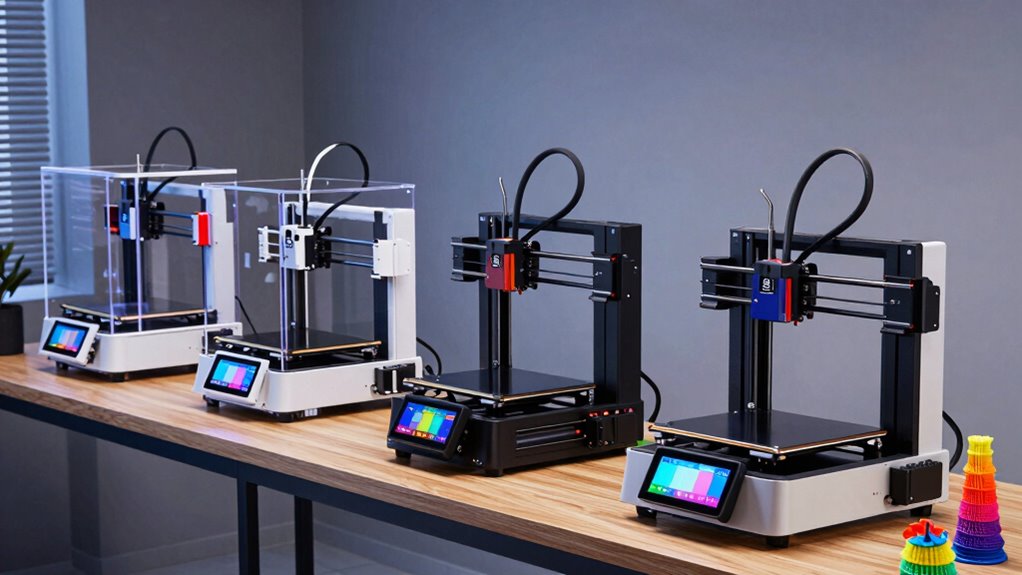

If you’re looking for a 3D printer suited for home use, you’re faced with a wide array of options that balance ease of use, print quality, and price. The ELEGOO Neptune 3 Pro stands out as the best overall choice, thanks to its quick assembly and auto-leveling features. For those new to 3D printing, the HEPHI3D TINA2S offers a fully assembled, user-friendly experience, while the Snapmaker U1 is ideal for multi-tool versatility. Each of these choices involves tradeoffs—whether it’s complexity, speed, or cost—that you should weigh based on your needs. Continue reading for a detailed breakdown of these options and more to find the perfect fit for your home workshop.

Prime made for students and young adults
- Fast, free delivery for dorm and study essentials
- Prime Video and Amazon Music included
- Member-only deals
Complete the kit


Key Takeaways
- The best printers balance ease of setup with reliable print quality, especially for beginners.
- Multi-material and multi-color capabilities are increasingly common but often come with higher costs and complexity.
- Auto-leveling features significantly reduce calibration time but vary in precision among models.
- Build volume and speed are tradeoffs: larger printers often print slower, but enable bigger projects.
- Budget models tend to compromise on features like multi-material support or high-speed printing, making clarity on priorities essential.
| ELEGOO Neptune 3 Pro 3D Printer, Quick Assembly with Auto Leveling |  | Best Overall for Versatile Home Use | Build Volume: 225x225x280 mm | Motherboard: STM32 | Noise Level: 47dB | VIEW ON AMAZON | See Our Full Breakdown |
| HEPHI3D TINA2S 3D Printer for Kids & Beginners, Fully Assembled |  | Best for Beginners and Educational Use | Auto Bed Leveling: Yes | Print Speed: up to 200mm/s | Filament Compatibility: PLA, PLA Pro, TPU | VIEW ON AMAZON | See Our Full Breakdown |
| Snapmaker U1 3D Printer, 4-Toolhead with 5s Toolchanger, Multi-Color Printing |  | Best for Multi-Color and Multi-Material Enthusiasts | Toolhead System: 4-toolhead with 5s tool changer | Build Volume: 270 x 270 x 270 mm | Max Speed: 500 mm/s | VIEW ON AMAZON | See Our Full Breakdown |
| Anycubic Kobra X Multicolor 3D Printer, Easy Setup, Native 4-Color |  | Best for Multi-Color Projects and Speed | Build Volume: 260mm x 260mm x 260mm | Color Support: Native 4-color, expandable to 19 | Max Speed: 600mm/s | VIEW ON AMAZON | See Our Full Breakdown |
| FLASHFORGE AD5X Multi-Color 3D Printer, CoreXY, 600mm/s High-Speed, 1-Click Auto Leveling, 300°C Direct Drive Extruder, 220x220x220mm Build Volume |  | Best for High-Speed Multi-Color Printing | Print Speed: 600mm/s | Build Volume: 220x220x220 mm | Extruder Temperature: 300°C | VIEW ON AMAZON | See Our Full Breakdown |
| Bambu Lab A1 Mini 3D Printer + LED Lamp Kit |  | Best for Beginners and Creative Home Projects | Compatibility: LED Lamp Kit included | Features: Automatic calibration, quiet operation, high-speed printing | Ecosystem: MakerWorld library, Bambu Handy app | VIEW ON AMAZON | See Our Full Breakdown |
| FLASHFORGE Adventurer 5M Pro 3D Printer with Auto Printing System |  | Best for High-Speed, Versatile Home Use | Speed: 600mm/s | Structure: CoreXY | Nozzle Sizes: 0.25/0.4/0.6/0.8mm | VIEW ON AMAZON | See Our Full Breakdown |
| FlashForge AD5M 3D Printer with Auto Calibration and Quick-Swap Nozzle |  | Best for Precise, Professional-Grade Home Projects | Print Size: 220x220x220mm | Max Speed: 600mm/s | Nozzle Diameters: 0.25/0.4/0.6/0.8 mm | VIEW ON AMAZON | See Our Full Breakdown |
| Creality K1C 3D Printer Support Carbon Fiber Filament Auto Leveling |  | Best for High-Speed, Reinforced Material Projects | Product Dimensions: 25 x 15 x 22 inches | Item Weight: 27.3 pounds | Max Speed: 600mm/s | VIEW ON AMAZON | See Our Full Breakdown |
| Bambu Lab P1S 3D Printer |  | Best for Multi-Color and Multi-Material Home Printing | Product Dimensions: 15.31 x 18.03 x 15.31 inches | Item Weight: 38.9 pounds | Supported Filaments: PLA, PETG, TPU, PVA, PET ABS, ASA; Not recommended: Carbon/Glass Fiber | VIEW ON AMAZON | See Our Full Breakdown |
| AOSEED AI 3D Printer for Kids, Fast 400mm/s, 8000+ Models, Enclosed Safe |  | Best for Kids and Educational Use | Print Speed: 400 mm/s | Print Resolution: 0.05 mm | Supported Models: 8000+ | VIEW ON AMAZON | See Our Full Breakdown |
| FLASHFORGE AD5X Multi-Material 3D Printer with 4-Color Printing and Auto Calibration |  | Best for Multi-Material and Multi-Color Projects | Print Speed: 600 mm/s | Material Compatibility: PLA, TPU, PETG, SILK, PLA-CF, PETG-CF | Auto-Leveling: Yes | VIEW ON AMAZON | See Our Full Breakdown |
| FlashForge Adventurer 5M 3D Printer with Auto Leveling and High-Speed Printing |  | Best for Fast, Precise Home Printing | Print Size: 220x220x220mm | Max Temperature: 280°C | Print Speed: 600 mm/s | VIEW ON AMAZON | See Our Full Breakdown |
| FlashForge Adventurer 5M Support Multi Materials, High Precision |  | Best for Versatility and Material Compatibility | Max travel speed: 600mm/s | Acceleration: 20000mm/s² | Nozzle diameter options: 0.25/0.4/0.6/0.8mm | VIEW ON AMAZON | See Our Full Breakdown |
| Entina Tina2C 3D Printer for Kids & Beginners, Fully Assembled Mini 3D Printer with App & WiFi Control, Auto Leveling, 3000+ Model Library, DIY Modules for STEM |  | Best for Beginners and STEM Education | Product Dimensions: 8 x 6.5 x 10 inches | Print Volume: 3.9 x 3.9 x 3.9 inches | Connectivity: WiFi, TF card | VIEW ON AMAZON | See Our Full Breakdown |
More Details on Our Top Picks
ELEGOO Neptune 3 Pro 3D Printer, Quick Assembly with Auto Leveling
The ELEGOO Neptune 3 Pro stands out as the most balanced option, combining reliable features with straightforward operation. Its auto bed leveling with 36-point calibration simplifies setup, especially compared to the complex manual leveling required by the Snapmaker U1. While its build volume is limited to 225x225x280 mm, it supports multiple filament types like PLA, TPU, PETG, and ABS, making it flexible for various projects. Compared to the fully assembled HEPHI3D TINA2S, it demands some initial assembly, but offers better control over print quality. Its quiet operation at 47dB is a bonus for home environments, though the lack of a touchscreen could be a minor inconvenience. This pick is ideal for users seeking dependable performance without needing multi-color or multi-tool features.
Pros:- Auto bed leveling simplifies setup and improves first-layer success
- Supports multiple filament types for diverse projects
- Quiet operation makes it suitable for home use
- Durable nozzle system reduces clogging
Cons:- Limited build volume for larger models
- Requires initial assembly despite quick setup
Best for: Hobbyists and makers who want a reliable, easy-to-use 3D printer with good filament versatility
Not ideal for: Users wanting large-scale projects or a touchscreen interface for more intuitive control
- Build Volume:225x225x280 mm
- Motherboard:STM32
- Noise Level:47dB
- Auto Bed Leveling:36-point
- Extruder:Dual-gear direct drive
- Supported Filaments:PLA, TPU, PETG, ABS
Our verdict“This printer suits those looking for a dependable, versatile 3D printer with minimal fuss and moderate size constraints.”
HEPHI3D TINA2S 3D Printer for Kids & Beginners, Fully Assembled
The HEPHI3D TINA2S is designed specifically for newcomers, especially children and students, with a fully assembled frame that eliminates setup complexity. Its auto-leveling feature and quiet operation (40-50dB) make it perfect for home, classroom, or STEM projects, standing out against the more advanced but complicated Snapmaker U1. While it lacks detailed build volume specs, the large model library and compatibility with open-source software make it a versatile choice for creative learning. Its straightforward setup makes it accessible, but limited technical specifications could challenge more ambitious projects. This printer makes the most sense for those prioritizing simplicity, safety, and educational value over high-end multi-color or multi-tool features.
Pros:- Fully assembled for immediate use, ideal for beginners
- Quiet operation suitable for shared spaces
- Wireless printing with large online model library
- Supports creative and educational projects
Cons:- Build volume size not specified, limiting large projects
- Limited detailed technical specs may restrict advanced use
Best for: Parents, educators, and beginners eager to introduce 3D printing to kids or classroom settings
Not ideal for: Experienced hobbyists seeking detailed control or large build volumes
- Auto Bed Leveling:Yes
- Print Speed:up to 200mm/s
- Filament Compatibility:PLA, PLA Pro, TPU
- Connectivity:WiFi, TF card, USB
- Noise Level:40-50dB
- Included Filament:PLA filament spool
Our verdict“This printer is perfect for beginners and educational environments where ease of use and safety are priorities.”
Snapmaker U1 3D Printer, 4-Toolhead with 5s Toolchanger, Multi-Color Printing
The Snapmaker U1 excels in multi-color and multi-material printing thanks to its innovative four-toolhead system and 5-second automatic tool changer. Its rapid switching capabilities and high-speed printing up to 500 mm/s make it appealing for users needing detailed multi-tone models or complex projects, unlike the simpler Anycubic Kobra X. However, its complex setup and larger footprint demand more space and technical familiarity, which could challenge beginners. This model is ideal for makers seeking high-speed, multi-material precision but less so for those new to 3D printing or with limited workspace. The multi-tool feature offers immense creative potential at the cost of a steeper learning curve.
Pros:- Fast, automatic tool-changing enhances multi-color printing
- Supports a wide range of filaments including PVA and ABS
- High-speed printing up to 500 mm/s for efficiency
- Smart calibration and remote control ease operation
Cons:- Complex setup may intimidate newcomers
- Requires ample space due to large build volume
- Potential filament compatibility issues with certain materials
Best for: Experienced hobbyists, makers, or small studios aiming for multi-color, multi-material projects
Not ideal for: Beginners or users with limited space and minimal technical experience
- Toolhead System:4-toolhead with 5s tool changer
- Build Volume:270 x 270 x 270 mm
- Max Speed:500 mm/s
- Supported Filaments:PLA, PVA, TPU, PETG, PCTG, ABS, ASA, PA, PC
- Warranty:1 year
Our verdict“This printer is best suited for skilled users demanding multi-color, multi-material versatility and high productivity.”
Anycubic Kobra X Multicolor 3D Printer, Easy Setup, Native 4-Color
The Anycubic Kobra X provides a compelling combination of native four-color support and high-speed operation, supporting rapid, colorful prints ideal for home or educational projects. Its LeviQ 3.0 bed leveling system simplifies calibration, making it more accessible than the FLASHFORGE AD5X, which offers similar multi-color capabilities but with a more complex setup process. While its build volume of 260x260x260 mm is substantial for most hobbyist needs, its high maximum speed of 600mm/s enhances productivity. This makes it suitable for users wanting quick, multi-color results without requiring extensive technical expertise.
Pros:- Supports multi-color printing with native 4-color support
- Fast printing speeds up to 600mm/s for efficiency
- Automatic bed leveling with LeviQ 3.0 simplifies calibration
- Remote control and app monitoring add convenience
Cons:- Limited filament temperature support may restrict some materials
- Customer reviews indicate possible reliability issues
Best for: Enthusiasts seeking multi-color, fast printing with straightforward setup
Not ideal for: Users needing extensive filament options or larger build volumes for complex models
- Build Volume:260mm x 260mm x 260mm
- Color Support:Native 4-color, expandable to 19
- Max Speed:600mm/s
- Nozzle Temperature:up to 300℃
- Connectivity:Dual-band Wi-Fi, LAN
Our verdict“This model is a smart choice for users wanting quick multi-color prints with minimal setup fuss.”
FLASHFORGE AD5X Multi-Color 3D Printer, CoreXY, 600mm/s High-Speed, 1-Click Auto Leveling, 300°C Direct Drive Extruder, 220x220x220mm Build Volume
The FLASHFORGE AD5X delivers exceptional speed and multi-color capabilities in a compact form, with 600mm/s printing and up to four colors simultaneously. Its 1-Click auto bed leveling streamlines setup, making it appealing for users who value efficiency, especially compared to traditional multi-color printers like the Anycubic Kobra X. The 220x220x220 mm build volume suits detailed models but could be limiting for larger projects. This makes it an attractive option for experienced users prioritizing speed and color, but less ideal for beginners or those needing extensive support.
Pros:- Supports up to four colors simultaneously for vibrant multi-color prints
- 1-Click auto bed leveling simplifies initial setup
- High-speed printing maximizes productivity
- Versatile nozzle options for different detail levels
Cons:- Customer reviews reflect mixed reliability and support issues
- Limited build volume for larger models
Best for: Advanced hobbyists or small studios needing rapid multi-color production
Not ideal for: Beginners or users requiring larger build volumes and comprehensive support
- Print Speed:600mm/s
- Build Volume:220x220x220 mm
- Extruder Temperature:300°C
- Nozzle Sizes:0.25mm to 0.8mm
- Dimensions:16 x 14 x 18 inches
Our verdict“This printer fits experienced users focusing on speed and multi-color efficiency in a compact, fast machine.”
Bambu Lab A1 Mini 3D Printer + LED Lamp Kit
The Bambu Lab A1 Mini stands out as an accessible choice for newcomers due to its automatic calibration and quiet operation, making it ideal for home or small studio environments. Compared to the FLASHFORGE AD5M, it offers a simpler setup process but sacrifices some advanced features like high-speed capability and broad material support. The included LED Lamp Kit sparks creativity, allowing users to craft decorative lights easily, though this feature limits the printer’s use to specific projects. Its connected ecosystem via MakerWorld and Bambu Handy app enhances ease of use, but the limited print volume and less detailed speed specs might frustrate those seeking larger or faster builds. This pick is perfect for hobbyists or families wanting straightforward, creative 3D printing without complex configuration.
Pros:- Easy to set up and operate, ideal for newcomers
- Quiet, unobtrusive operation suited for home use
- Includes LED Lamp Kit for versatile, decorative projects
- Seamless app connectivity and model library access
Cons:- Limited print volume may restrict larger projects
- Lack of detailed speed and throughput specifications
- Requires compatible models for LED lamp customization
Best for: Beginners, DIY enthusiasts, and home decorators interested in creative projects
Not ideal for: Experienced makers or professionals needing large build volumes or high-speed production
- Compatibility:LED Lamp Kit included
- Features:Automatic calibration, quiet operation, high-speed printing
- Ecosystem:MakerWorld library, Bambu Handy app
- Intended Use:Beginners, DIY projects, home décor
Our verdict“This printer excels for beginners seeking simple, creative 3D printing with added decorative features.”
FLASHFORGE Adventurer 5M Pro 3D Printer with Auto Printing System
The FLASHFORGE Adventurer 5M Pro is tailored for users who value rapid printing and versatility, supporting a broad range of materials with high-temperature extruders. Its auto bed leveling and quick-swap nozzles reduce setup time, making it suitable for those who want quick results, unlike the Creality K1C, which offers higher speeds but with a more complex setup. The built-in camera and filament detection improve reliability, yet its higher price might deter casual hobbyists. While its robust feature set caters well to intermediate users or educators, beginners unfamiliar with multi-material printing may find it overwhelming. For those prioritizing speed and material compatibility, this model makes the most sense.
Pros:- High-speed printing up to 600mm/s for efficient production
- Supports a variety of filament types including engineering materials
- Auto bed leveling and quick-nozzle swaps streamline workflow
- Built-in camera for real-time monitoring
Cons:- Complex setup may challenge less experienced users
- Higher cost compared to entry-level printers
- Limited to specific filament types based on temperature capacity
Best for: Intermediate users, educators, and hobbyists needing fast, multi-material capabilities
Not ideal for: Beginners or users with limited technical experience who prefer simpler, plug-and-play solutions
- Speed:600mm/s
- Structure:CoreXY
- Nozzle Sizes:0.25/0.4/0.6/0.8mm
- Max Nozzle Temperature:280°C
- Heated Bed Temperature:110°C
- Enclosure:Fully enclosed chamber
Our verdict“This printer is well-suited for users who need fast, flexible, and reliable home or classroom production, accepting a learning curve.”
FlashForge AD5M 3D Printer with Auto Calibration and Quick-Swap Nozzle
The FlashForge AD5M offers a balanced mix of speed, precision, and ease of maintenance, making it suitable for both hobbyists and professionals. Its automatic bed leveling and high-speed CoreXY motion facilitate quick, accurate prints, similar to the Creality K1C, but with a more user-friendly interface and remote management features. Its support for a variety of filament types and quick-nozzle swaps make it versatile, yet its relatively high price and the potential complexity of advanced settings might be intimidating for newcomers. The built-in features like resume printing and filament detection add reliability, but the limited print size and learning curve for full feature utilization could be drawbacks. This model fits best for users who want professional results without extensive setup complexity.
Pros:- Automatic bed leveling simplifies startup process
- High-speed motion ensures efficient printing
- Quick-release nozzles for fast material changes
- Remote control and monitoring via app
Cons:- Requires familiarity with advanced features for optimal use
- Price may be prohibitive for casual users
- Limited build volume for larger projects
Best for: Advanced hobbyists, educators, and professionals seeking reliable multi-material printing
Not ideal for: Complete beginners or those with limited space, due to its size and learning curve
- Print Size:220x220x220mm
- Max Speed:600mm/s
- Nozzle Diameters:0.25/0.4/0.6/0.8 mm
- Build Plate:Double-sided PEI steel
- Features:Auto leveling, quick-nozzle swap, remote control
Our verdict“This printer balances speed and precision, making it a smart choice for users aiming for professional-quality results at home.”
Creality K1C 3D Printer Support Carbon Fiber Filament Auto Leveling
The Creality K1C is designed for users who need rapid production and the ability to handle tough materials like carbon fiber. Its auto-leveling and calibration features allow for quick setup, while its 600mm/s speed outpaces many competitors, including the Bambu P1S, which offers multi-material capabilities but at slower speeds. The K1C’s support for high-temperature, high-strength filaments makes it a good choice for engineering or industrial prototypes, but its weight and complexity might deter casual hobbyists. Its AI monitoring and cooling system boost print quality, though understanding these advanced features requires some technical knowledge. This printer is best for users with experience or those willing to learn advanced features for demanding projects.
Pros:- Very high-speed printing up to 600mm/s for fast results
- Supports carbon fiber and high-temperature materials
- AI camera for real-time monitoring and failure detection
- Upgraded cooling system enhances print quality
Cons:- Heavy and bulky, less portable
- Complex features may require technical expertise
- Pricing details are not specified, possibly expensive
Best for: Experienced makers, engineers, or educators working with reinforced and high-temp filaments
Not ideal for: Beginners or users with limited technical skills seeking straightforward printing
- Product Dimensions:25 x 15 x 22 inches
- Item Weight:27.3 pounds
- Max Speed:600mm/s
- Supports:Carbon fiber, high-temp filaments
- Features:Auto calibration, AI monitoring, upgraded cooling
Our verdict“This model excels for advanced users needing rapid, durable, and precise prints, accepting a steeper learning curve.”
Bambu Lab P1S 3D Printer
The Bambu Lab P1S is tailored for multi-material and multi-color enthusiasts who want high-speed, reliable output at home. Its automatic bed leveling and enclosed design support a wide array of filaments, including PLA, PETG, and TPU, but exclude reinforced composites like carbon fiber or glass fiber, unlike the Creality K1C. With speeds reaching 500mm/s, it offers swift production, but its hefty 38.9-pound weight reduces portability. Multi-material capabilities require connecting the optional Bambu Lab AMS, adding complexity and cost. While it excels in vibrant, multi-color projects, less experienced users might find the multi-filament ecosystem and multi-material setup overwhelming. This is best for those who prioritize multi-color, multi-material printing with speed and ease of use.
Pros:- High-speed printing up to 500mm/s for quick results
- Automatic bed leveling for consistent quality
- Supports multiple filaments including PLA, PETG, TPU
- Enclosed design improves print quality and safety
Cons:- Requires connecting Bambu Lab AMS for multi-color printing
- Heavy, less portable at nearly 39 pounds
- Limited filament support for reinforced composites without additional accessories
Best for: Home users interested in vibrant multi-color, multi-material projects and multi-filament printing
Not ideal for: Beginners or those needing reinforced or composite filament support without extra equipment
- Product Dimensions:15.31 x 18.03 x 15.31 inches
- Item Weight:38.9 pounds
- Supported Filaments:PLA, PETG, TPU, PVA, PET ABS, ASA; Not recommended: Carbon/Glass Fiber
- Speed:Up to 500mm/s
- Features:Automatic bed leveling, enclosed body
Our verdict“This printer is ideal for users who want vibrant, multi-material, multi-color printing at home with high speed and ease of use, accepting added complexity for multi-filament management.”
AOSEED AI 3D Printer for Kids, Fast 400mm/s, 8000+ Models, Enclosed Safe
This model stands out for its focus on safety and speed, making it ideal for children and educational environments. Its enclosed design provides a secure printing space, while the AI-powered customization and real-time monitoring simplify operation for young users. Compared to the Entina Tina2C, it offers faster print speeds and more sophisticated control options but sacrifices multi-color capabilities and broader filament support. Its support for over 8000 models encourages creativity, yet its reliance on single-color PLA limits design complexity. The inclusion of voice control and sharing features makes it highly accessible for beginners, but the need for a compatible device and app control could pose hurdles for some. Best suited for families, schools, or young learners who prioritize safety and ease of use over multi-material printing.Pros:- Fast and precise printing up to 400 mm/s
- Enclosed, safe design ideal for children
- AI-powered customization with voice and image prompts
- Real-time monitoring and sharing capabilities
Cons:- Supports only single-color PLA filament
- Limited to basic models, less suitable for complex multi-color projects
Best for: Parents, educators, or kids interested in safe, guided 3D printing projects at home or in classrooms.
Not ideal for: Advanced hobbyists or those wanting multi-color or multi-material prints, as this model supports only PLA and single-color operation.
- Print Speed:400 mm/s
- Print Resolution:0.05 mm
- Supported Models:8000+
- Supported Platforms:iOS, Android, Windows
- Filament:PLA
- Enclosure:Yes
Our verdict“A safe, fast, and user-friendly 3D printer perfect for young learners and educational settings, but less suited for complex multi-color designs.”
FLASHFORGE AD5X Multi-Material 3D Printer with 4-Color Printing and Auto Calibration
This printer makes a compelling case for hobbyists who want vibrant, detailed prints with minimal fuss. Its support for multiple filaments and four-color printing, combined with a fast 600mm/s speed, offers superior versatility compared to the FlashForge Adventurer 5M, which is more straightforward but less capable of multi-color output. The auto-leveling feature simplifies setup, yet some users report calibration inconsistencies that can disrupt workflow. Its compact design helps it fit into limited spaces, but the higher price and limited build volume may deter casual users. For those seeking rich, multi-material results with quick turnaround times, this model stands out, though it demands some technical patience. Best for advanced hobbyists or educators who need multi-color, multi-material capabilities in a compact form.Pros:- Supports multi-material and four-color printing
- Fast printing speeds up to 600mm/s
- Full auto-leveling sensor for consistent first layers
- Compact, space-efficient design
Cons:- Calibration issues reported by some users
- Limited detailed info on build volume
- Higher price point
Best for: Experienced makers, educators, or hobbyists aiming for detailed, multi-material projects at home.
Not ideal for: Beginners or those on a tight budget, as its complexity and cost may be prohibitive, and the build volume is somewhat limited.
- Print Speed:600 mm/s
- Material Compatibility:PLA, TPU, PETG, SILK, PLA-CF, PETG-CF
- Auto-Leveling:Yes
- Dimensions:14.8 x 16.26 x 14.29 inches
- Filament System:DIY IFS with 4 spools
- Vibration Compensation:Yes
Our verdict“A versatile, multi-color capable printer ideal for experienced users seeking detailed, vibrant prints in a compact package.”
FlashForge Adventurer 5M 3D Printer with Auto Leveling and High-Speed Printing
This model excels where speed and ease of use matter most, making it a strong option for busy households or educational environments. Its rapid warm-up, auto bed leveling, and remote app control streamline setup, which is advantageous over the Entina Tina2C’s more manual approach. Its large print size of 220x220x220mm broadens creative possibilities, but the setup can be complex for absolute beginners, and high-speed operation may generate more noise. Compared to the Bambu Lab P1S, it offers a more straightforward experience, though the latter might provide more advanced features for tech-savvy users. This printer fits well in scenarios demanding quick, reliable prints with minimal fuss. Best suited for home users or classrooms needing fast, reliable, and versatile 3D printing with minimal setup time.Pros:- Automatic bed leveling for simple setup
- High-speed printing up to 600mm/s
- Remote monitoring via app
- Large print volume and versatile nozzle options
Cons:- Setup can be complex for absolute beginners
- Potential noisy operation at high speeds
Best for: Home users, educators, or students who prioritize speed and automation over ultra-advanced features.
Not ideal for: Beginners who need a simple plug-and-play device, or those sensitive to noise in quiet home environments.
- Print Size:220x220x220mm
- Max Temperature:280°C
- Print Speed:600 mm/s
- Nozzle Options:0.25mm to 0.8mm
- Extruder:Direct drive
- Features:Auto bed leveling, real-time app monitoring
Our verdict“A fast and versatile printer designed for users seeking quick results and minimal manual calibration in a home or educational setting.”
FlashForge Adventurer 5M Support Multi Materials, High Precision
This model emphasizes precision and material flexibility, making it suitable for users who want to experiment with different filaments. Its automatic leveling and multiple nozzle sizes support a wide range of projects, contrasting with the simpler Entina Tina2C, which offers less material variety and smaller print volume. Its rapid heating and high-speed 600mm/s operation are valuable for quick prototyping, but the lack of specific build volume details and the need for a supplementary camera kit for remote features could pose challenges. This printer appeals to those who value fine detail and multi-material options in a compact, home-friendly package. Best for hobbyists, educators, or professionals seeking high-precision, multi-material prints at home.Pros:- High precision with fast heated bed
- Supports multiple filament types
- Automatic leveling simplifies setup
- Remote control via app
Cons:- Build volume details are not specified
- Requires additional camera kit for remote features
- May be complex for complete novices
Best for: Advanced hobbyists or educators needing material versatility and high accuracy in small to medium projects.
Not ideal for: Beginners or casual users with limited space, as complexity and price are higher and build volume details are limited.
- Max travel speed:600mm/s
- Acceleration:20000mm/s²
- Nozzle diameter options:0.25/0.4/0.6/0.8mm
- Heated bed temperature:200°C in 35s
- Filament compatibility:PLA, PETG, ABS, ASA
- Connectivity:Remote app control
Our verdict“A high-precision, multi-material printer suited for users demanding detailed, versatile outputs at home with some setup complexity.”
Entina Tina2C 3D Printer for Kids & Beginners, Fully Assembled Mini 3D Printer with App & WiFi Control, Auto Leveling, 3000+ Model Library, DIY Modules for STEM
This compact, fully assembled printer is tailored for newcomers and children, emphasizing ease of use. Its auto-leveling and self-cleaning nozzle reduce maintenance, while its large model library and DIY modules foster creativity and STEM learning. Compared to the AOSEED AI, the Tina2C offers a smaller build volume, which limits larger projects but makes it more manageable for small spaces and beginners. Its WiFi and offline printing options provide flexible workflows, though some users report connectivity issues that can slow down the experience. This printer works best for those just starting out or teaching kids, who need a straightforward, low-maintenance device. Ideal for parents, teachers, and young learners seeking an easy-to-operate 3D printer with educational value.Pros:- Easy setup and operation, perfect for beginners
- Auto-leveling and self-cleaning nozzle
- WiFi and offline printing support
- Large library of models and DIY modules
Cons:- Limited print volume for bigger projects
- Connectivity issues reported by some users
- Requires compatible device for app control
Best for: Beginners, kids, or educators focusing on STEM projects with limited space and simple operation.
Not ideal for: Experienced hobbyists or those wanting larger build sizes and advanced multi-material capabilities.
- Product Dimensions:8 x 6.5 x 10 inches
- Print Volume:3.9 x 3.9 x 3.9 inches
- Connectivity:WiFi, TF card
- Compatibility:Windows, macOS, Linux, Chromebook
- Model Library:3000+ models
- Creative Modules:20+ DIY modules
Our verdict“A beginner-friendly, STEM-oriented 3D printer with simple features ideal for educational and creative projects with small scale.”
How We Picked
Our evaluation focused on performance, usability, build quality, and value. We looked for printers that offer consistent print quality with minimal fuss, especially for home environments where ease of use is key. Durability and maintenance requirements were also critical, along with features like auto-leveling and multi-material support. Price was a factor, but we prioritized models that deliver the best balance of features and reliability for casual or hobbyist use. This led us to rank products based on real-world practicality, user-friendliness, and long-term value.Factors to Consider When Choosing 3d Printer For Home Use
Choosing the right 3D printer for home use requires balancing several important factors. First, consider the printer’s ease of setup and operation—especially if you’re new to 3D printing. Next, evaluate print quality and consistency, which depend on the precision of the components and calibration features. Build volume matters if you plan to create larger objects, but larger printers often come with higher costs and slower speeds. Reliability and maintenance are equally vital; a dependable machine reduces downtime and frustration. Finally, think about the types of materials you want to print with, as some printers support multi-material or multi-color printing, widening your creative possibilities but adding complexity and cost.Ease of Use and Setup
Ease of use is paramount for home printers, particularly if you lack technical expertise. Features like auto-leveling, touchscreen interfaces, and quick assembly can make the experience smoother. Some models come fully assembled, ideal for beginners, while others may require more setup but offer greater customization. Prioritize user-friendly interfaces and clear instructions to avoid frustration, especially for casual or infrequent users.
Print Quality and Precision
Print quality depends heavily on the printer’s resolution, nozzle size, and stability. Consistent layer adhesion and minimal warping are signs of a reliable machine. Auto-calibration features help maintain quality over time, but not all models perform equally well in this regard. If you plan to produce detailed prototypes or miniatures, look for printers with high XY resolution and good filament control.
Build Volume and Speed
The size of objects you can print depends on the build volume. Larger volumes are great for functional parts or bigger projects but often result in longer print times. Speed is also a consideration; high-speed printers can save time but might sacrifice some detail or require more maintenance. Balance your project needs with your patience for waiting and potential print failures.
Material Compatibility and Support
Most home printers support PLA, a beginner-friendly filament, but advanced models support ABS, PETG, and even flexible or composite materials like carbon fiber. Multi-material support expands creative possibilities but can increase complexity and maintenance. Consider what materials you plan to use and whether the printer supports them without extensive modifications.
Reliability and Maintenance
A reliable 3D printer minimizes downtime and repair costs. Features like enclosed chambers, high-quality components, and straightforward access to wear parts are beneficial. Regular maintenance tasks like nozzle cleaning and bed leveling are inevitable; choosing a model with easy-to-access parts and good documentation makes these chores less burdensome. Budget models may require more frequent repairs or adjustments, so factor in long-term durability.
Frequently Asked Questions
Can I print with multiple materials on a home 3D printer?
Many modern home printers now support multi-material printing, allowing for more complex and colorful models. However, this feature often adds to the cost and complexity of setup, requiring compatible extruders and software. If multi-material printing is a priority, look for models explicitly designed for this purpose, but be prepared for a steeper learning curve and higher maintenance needs.
How much space do I need for a home 3D printer?
The space needed depends on the size of the printer and any additional equipment like filament storage or computers. Most desktop models fit comfortably on a sturdy table or shelf, but larger units or enclosed printers may need dedicated areas. Consider clearance for ventilation, access to controls, and ease of access for maintenance when planning your setup.
Is auto-leveling reliable enough for consistent prints?
Auto-leveling features greatly simplify setup and calibration, but their reliability varies among models. Higher-end printers tend to have more precise sensors and software algorithms, resulting in better bed leveling over time. For consistent results, choose a printer with proven auto-calibration features, and be prepared to occasionally check and fine-tune the bed manually.
What is the typical learning curve for a beginner?
Most beginners can expect a moderate learning curve, especially when mastering software, calibration, and troubleshooting. User-friendly interfaces, detailed documentation, and active community support can shorten this process. Starting with a fully assembled, straightforward model often helps new users gain confidence before moving on to more complex or feature-rich printers.
How long does a typical 3D print take?
Print times vary based on object size, complexity, and printer speed. Small, simple models may take less than an hour, while larger or detailed prints can extend to several hours or even days. High-speed printers can reduce this time but may require higher-quality components and maintenance. Planning your projects with realistic timeframes helps avoid frustration and ensures successful prints.
Conclusion
For most home users, the ELEGOO Neptune 3 Pro offers a balanced mix of ease of use, quality, and value, making it the best overall pick. Beginners or casual hobbyists should consider the HEPHI3D TINA2S for its plug-and-play simplicity, while those willing to invest in a versatile, multi-material setup will find the Snapmaker U1 a compelling choice. For budget-conscious buyers, models like the Creality K1C provide solid performance without breaking the bank. Ultimately, your choice should reflect your specific needs, project scope, and comfort with technology—this guide aims to match you with the ideal home 3D printer in 2026.
As an affiliate, we earn on qualifying purchases.Halloween Picks
halloween