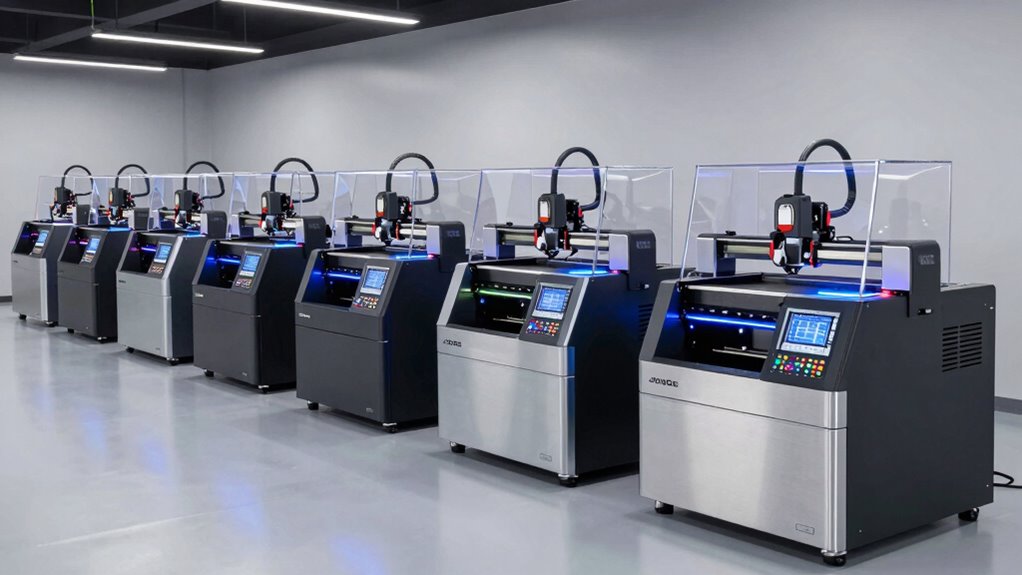
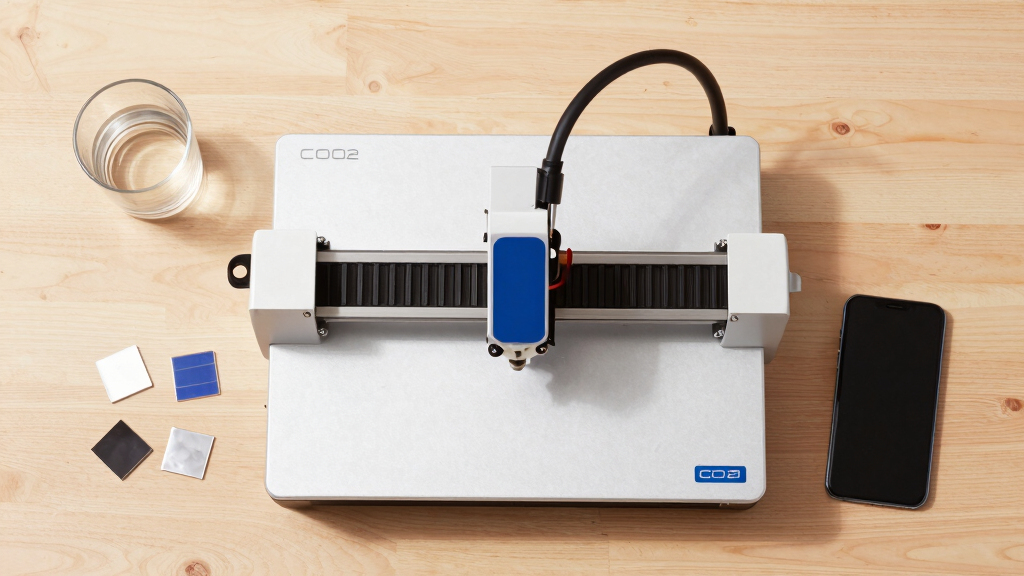
If you’re searching for a desktop CO2 laser cutter, you’re likely balancing power, size, and ease of use. The xTool P2S stands out for its versatility and advanced features, while the OMTech Polar2 offers a high-power option with a large work area. Many buyers face the tradeoff between compact design and cutting capacity, as well as ease of setup versus raw power. Continue reading to see how these options compare and which might best fit your needs.

Prime made for students and young adults
- Fast, free delivery for dorm and study essentials
- Prime Video and Amazon Music included
- Member-only deals
Key Takeaways
- Power output determines cutting and engraving speed, with higher wattage models suitable for thicker materials.
- Work area size varies widely; larger beds support bigger projects but often come with increased cost and footprint.
- Built-in features like cameras, rotary axes, and air assist can significantly enhance usability but add to the price.
- Ease of use and software compatibility are critical for beginners, while advanced users may prioritize customization options.
- Price ranges reflect differences in power, size, and features; understanding your specific needs helps avoid overspending or underbuying.


More Details on Our Top Picks
xTool P2S 55W CO2 Laser Cutter Bundle with Rotary, Riser, Conveyor, and Cameras
The xTool P2S 55W stands out for its combination of high laser power and expansive workspace, making it ideal for detailed engraving and thicker material cuts. Its large, auto-passthrough design and 16MP cameras provide precise alignment on complex surfaces, positioning it as a top choice for small businesses or advanced hobbyists. Compared with the OMTech Polar2, the P2S offers more automation and camera features but demands careful handling due to its class 4 laser and complex setup. The tradeoff here is a steeper learning curve and higher cost, which might deter beginners. Still, for those needing a robust, expandable machine with professional features, this pick offers unmatched versatility.
Pros:- High 55W laser power for thick material cuts
- Large, expandable working area with auto-passthrough
- High-resolution cameras and autofocus for detailed engraving
- Includes rotary and conveyor accessories for versatile projects
Cons:- Complex setup that may challenge beginners
- Class 4 laser requires strict safety precautions
- Higher price point limits accessibility for casual users
Best for: Professional crafters and small business owners seeking precision and expandability without sacrificing material versatility
Not ideal for: Beginners or hobbyists who prefer simpler, plug-and-play solutions due to complex setup and safety considerations
- Laser Power:55W
- Working Area:26″ x 14″
- Max Material Length:118″
- Max Material Height:8.4″
- Camera Resolution:16MP
- Autofocus Precision:0.001″
Our verdict“This model is best suited for experienced users needing a powerful, feature-rich machine for diverse applications.”
OMTech Polar2 70W Desktop CO2 Laser Engraver & Cutter with LightBurn | 28″ × 14″ work area | Up to 1200 mm/s | 4.92″ material clearance | 16MP camera | Rotary included
The OMTech Polar2 70W combines robust cutting power with a large workspace, making it ideal for small businesses needing efficient production on bigger projects. Its 70W laser outperforms the 55W xTool P2S in speed and cutting depth, especially on thicker materials like acrylic and wood. The integrated 16MP camera ensures precise material placement, while the 28″ x 14″ table supports larger pieces. Compared with the xTool P2S, the Polar2 emphasizes speed and size but might lack some of the advanced automation features and camera resolution of the P2S. It’s best for those prioritizing raw power and volume, though the setup may be more involved, especially with the separate delivery of its rotary attachment.
Pros:- Powerful 70W laser for deep, fast cuts
- Large 28″ x 14″ work area for bigger projects
- Built-in 16MP camera for accurate positioning
- Includes rotary for cylindrical engraving
Cons:- Requires understanding of complex software and setup
- Bulkier size demands dedicated space
- Potentially higher overall cost with accessories
Best for: Small manufacturing businesses or workshop owners needing fast, large-area cutting and engraving
Not ideal for: Hobbyists or small-scale crafters who don’t require extensive workspace or high throughput, due to its size and learning curve
Our verdict“Best suited for small businesses or production environments that need speed and large working capacity.”
OMTech K40+ CO2 Laser Engraver with Rotary Axis, 8×12 inch, 45W Desktop Laser Engraving Machine for Home Use, Compatible with LaserGRBL and LightBurn
The OMTech K40+ offers a reliable 45W laser with an 8″x12″ work area, tailored for hobbyists and small business owners starting out. Its rotary axis broadens creative options, especially for cylindrical objects, but the smaller work area limits larger projects compared to the xTool P2S or Polar2. While it supports popular software like LaserGRBL and LightBurn, the separate delivery of the rotary axis can extend setup time and complicate initial use. Compared to the larger Polar2, the K40+ is more affordable and manageable for beginners but sacrifices workspace size and power.
Pros:- Powerful 45W laser for detailed engraving and cuts
- Compact 8×12 inch work area suitable for small projects
- Supports popular software like LaserGRBL and LightBurn
- Rotary axis expands creative possibilities
Cons:- Separate shipment of rotary axis may delay setup
- Limited work area restricts larger projects
- Requires familiarity with laser software and safety procedures
Best for: Hobbyists or small-scale entrepreneurs needing a compact, capable machine for personalized projects
Not ideal for: Users requiring large-scale production or cutting thick, dense materials regularly, due to size and power limits
- Laser Power:45W
- Work Area:8″ x 12″
- Material Compatibility:wood, acrylic, leather, plastic, fabric
- Safety Features:door and water protection, emergency stop, flame-retardant window
Our verdict“Ideal for hobbyists and small creators seeking an affordable, versatile machine for personal use.”
OMTech 45W CO2 Laser Engraver with LightBurn, 12×8 inch Desktop Machine for Home Use
The OMTech 45W Laser Engraver with a 12″x8″ work area offers a compact, easy-to-use option for hobbyists and small workshop owners. Its fast engraving speeds up to 300 mm/s and built-in safety features like emergency stop and flame-retardant window make it accessible for casual users. Compared to the larger K40+, this model sacrifices workspace size but provides a more straightforward, safer experience, ideal for smaller projects on wood, acrylic, and leather. The main tradeoff involves its limited capacity, which could be a drawback for those looking to handle bigger or thicker materials regularly.
Pros:- Powerful 45W laser capable of cutting thicker materials
- Fast engraving speeds for efficiency
- Compact design with safety features like emergency stop
- Supports popular software including LightBurn
Cons:- Limited work area for larger projects
- Requires calibration and technical setup
- Not ideal for high-volume production
Best for: Hobbyists or small business owners focusing on quick, small-scale projects with safety considerations
Not ideal for: Users needing larger work areas or to cut thicker materials frequently, due to its limited size and output power
- Power:45W
- Work Area:12″ x 8″
- Material Compatibility:wood, acrylic, leather, plastic, fabric
- Laser Class:2
- Output Power:0.827 mW
Our verdict“Best suited for hobbyists seeking a compact, safe, and fast laser engraver for small projects.”
VEVOR 50W CO₂ Laser Engraver, 12 x 20 in, with 19.7 IPS Cutting Speed and Air Assist
The VEVOR 50W offers a generous 12 x 20-inch workspace, making it suitable for larger projects or batch engraving. Its high-speed capability of 19.7 inches per second surpasses the other units like the OMTech K40+ or xTool P2S in efficiency, especially when cutting thicker or multiple pieces. Its compatibility with LightBurn, CorelDRAW, and AutoCAD makes it flexible for various design workflows. The integrated air assist enhances cut quality and safety, but the machine’s weight and complexity may be a barrier for those new to laser engraving. Compared with the smaller models, this is clearly designed for users who need both size and speed but must accommodate its larger footprint.
Pros:- Large 12 x 20-inch working area for versatile projects
- High cutting speed of 19.7 IPS for efficiency
- Compatibility with multiple professional software platforms
- Built-in air assist for cleaner cuts
Cons:- Heavy and requires sturdy setup space
- Complex initial calibration for optimal results
- Higher initial investment for size and features
Best for: Design studios or makers who prioritize large working areas and fast production on non-metallic materials
Not ideal for: Hobbyists with limited space or those seeking a more portable, beginner-friendly machine due to its weight and complexity
Our verdict“Ideal for professional environments needing large-scale, high-speed cutting with flexible software options.”
OMTech Polar Lite 55W Desktop CO2 Laser Engraver with 20×12 Inch Work Area
The OMTech Polar Lite 55W stands out for its expansive 20″ × 12″ work area, making it ideal for those who frequently handle larger pieces or multiple smaller items simultaneously. Its automatic autofocus simplifies setup, ensuring consistent engraving quality, especially when compared to the smaller, manual-focused VEVOR 45W. While its compact design enhances portability, the reliance on a water cooling system may require regular maintenance, and its laser class 2 safety requirement demands careful handling. This model is well-suited for hobbyists expanding into small business but may be less ideal for those needing thicker material pass-through or higher laser class safety.
Pros:- Large 20″ × 12″ work area accommodates big projects
- Automatic autofocus ensures precise, consistent engraving
- Compact and portable design for easy relocation
- Built-in exhaust fans manage dust and fumes effectively
Cons:- Limited to laser class 2, requiring careful handling and safety precautions
- Water cooling system needs regular maintenance
- Maximum material thickness pass-through is only 0.28 inches
Best for: Small business owners or hobbyists who need a large work area with straightforward operation.
Not ideal for: Users who require cutting thicker materials or higher safety classifications, as the device is limited to laser class 2 and pass-through thickness is restricted.
- Laser Power:55W
- Work Area:20″ × 12″
- Max Speed:500 mm/s
- Material Compatibility:Wood, acrylic, leather, fabric, cardboard, coated metal
- Autofocus:Yes
- Built-in Exhaust Fans:Yes
- Water Tank Capacity:0.5 gal
- Weight:90.4 lbs
- Laser Class:2
Our verdict“This laser is perfect for users prioritizing a large work area and ease of use in smaller-scale projects but isn’t suited for industrial thickness or high-safety needs.”
VEVOR 55W CO2 Laser Engraver, 20 x 12 in, Desktop with Camera, Water Pump, Rotary Axis, Compatible with LightBurn and RDWorks
The VEVOR 55W CO2 Laser Engraver offers a spacious 20″ × 12″ work area combined with a high-resolution 16 MP camera, making it ideal for detailed projects on wood, acrylic, or glass. Unlike the OMTech Polar Lite, which lacks a camera, this model provides real-time visual previews that significantly improve accuracy. Its support for multiple operating systems and software, like LightBurn and RDWorks, broadens its appeal, but the Class 4 laser designation requires strict safety measures and proper ventilation. This pick is better suited for experienced users or small businesses that prioritize software flexibility and precise imaging over simplicity or safety class.
Pros:- Large 20″ × 12″ work area supports big projects
- High-resolution camera enhances engraving accuracy
- Compatible with multiple operating systems and software
- Supports rotary axis for cylindrical objects
Cons:- Class 4 laser requires strict safety precautions
- Fumes and dust necessitate good ventilation and safety measures
- Higher complexity and cost compared to simpler models
Best for: Experienced hobbyists or small business owners seeking precise, large-scale engraving with versatile software options.
Not ideal for: Beginners or users handling sensitive environments, due to the high safety requirements of Class 4 lasers and need for proper ventilation.
- Power Output:55,000 mW
- Work Area:20 x 12 inches
- Laser Class:Class 4
- Laser Tube Life:3,500+ hours
- Supported Materials:Wood, acrylic, glass, coated metals
- Connectivity:USB, Wi-Fi
- Camera Resolution:16 MP
- Compatibility:Windows, macOS, Linux
Our verdict“This system is ideal for users needing detailed imaging and software flexibility but demands careful safety practices and technical setup.”
VEVOR 45W CO2 Laser Engraver, 12 x 8 in Desktop Cutter with Rotary Axis and Air Assist
The VEVOR 45W CO2 Laser Engraver with a 12″ × 8″ work area is tailored for small-scale projects like keychains, wooden nameplates, or glass etching. Compared to the larger OMTech Polar Lite, it offers a more compact footprint and straightforward manual focusing, which can be easier for beginners. Its rotary axis enables engraving on cylindrical objects, expanding creative possibilities for small crafts. The device’s Class 1 safety classification makes it safer for home use, but limits its maximum material thickness to around 5mm for acrylic and 3mm for wood. The reliance on water pump cooling and safety features means setup requires attention, and overall, it’s best for hobbyists focusing on small, detailed work.
Pros:- Reliable, burr-free engraving on small items
- Easy manual focus for quick setup
- Compact size fits in small workspaces
- Supports popular design software like LightBurn and CorelDraw
Cons:- Limited to materials up to 5mm thick (acrylic) or 3mm (wood)
- Not suitable for larger projects or thicker materials
- Requires water cooling and safety features for operation
Best for: Hobbyists or small business owners creating small, detailed items with limited space and safety concerns.
Not ideal for: Users intending to work on thicker materials or larger projects, as the limited work area and material thickness constrain scope.
- Power Output:45,000 mW
- Work Area:12″ × 8″
- Laser Class:Class 1
- Laser Tube Life:3,500+ hours
- Material Compatibility:Wood, acrylic, glass
- Connectivity:USB, power cable
- Compatible Software:LightBurn, GRBL, CorelDraw, AutoCAD
Our verdict“This model is well-suited for hobbyists or small-scale craftsmen focused on precise, small projects in confined spaces.”
VEVOR 100W CO₂ Laser Engraver, 24 x 35 in, Laser Cutter Machine with Air Assist, Compatible with LightBurn, CorelDRAW, AutoCAD, Windows, Mac, Linux
The VEVOR 100W CO₂ Laser Engraver provides a vast 24″ × 35″ workspace, making it the ideal choice for large, detailed projects or production runs. Its high power allows cutting through materials up to 0.59 inches thick at considerable speed—much more capable than smaller, lower-wattage models like the OMTech Polar Lite. Its compatibility with multiple software platforms and operating systems offers maximum flexibility, but the device’s weight and complexity mean setup demands technical expertise. Safety features like an eye-protective tinted window add security, yet this machine may be overkill for hobbyists or those with limited space.
Pros:- Enormous 24″ × 35″ work area supports large projects
- High power (100W) enables cutting thick materials efficiently
- Multiple software and OS compatibility for versatile workflow
- Safety features like tinted windows enhance user security
Cons:- Heavy and requires stable, dedicated setup space
- Complex calibration and setup process
- High cost may be prohibitive for hobbyists
Best for: Professional makers or small businesses needing a large, powerful cutter with extensive material capabilities.
Not ideal for: Hobbyists or casual users who don’t require such a large working area or high power, due to its cost and setup complexity.
- Power Output:100W
- Working Area:24″ × 35″
- Material Thickness:up to 0.59 in
- Speed:up to 19.7 ips
- Laser Class:Class 1
- Safety Features:Tinted window, automatic power cutoff
Our verdict“This laser is best for professionals or small businesses needing large-format, high-power cutting with extensive software support, but is less suitable for casual or hobbyist use.”
xTool P2S 55W CO2 Laser Cutter, Desktop Engraver and Cutter Machine with Dual 16MP Cameras
The xTool P2S 55W combines power, speed, and advanced imaging with dual 16 MP cameras, making it ideal for users who need real-time project previews and fast turnaround times. Its expandable 26″ × 14″ work area supports a variety of projects, from intricate engravings to thick-cutting tasks. Compared to the VEVOR 45W, which lacks cameras and speed features, the P2S offers superior accuracy and safety with AI fire detection and automatic locking. However, its complexity and higher price point mean that beginners may face a steep learning curve, and safety precautions are non-negotiable given its Class 4 laser status.
Pros:- Dual 16MP cameras for real-time project previews
- Powerful 55W laser enables fast, precise engraving and cutting
- Expandable work area with auto-passthrough for large projects
- Safety features include AI fire detection and automatic lock
Cons:- Class 4 laser requires strict safety measures and training
- Higher cost and complexity compared to simpler models
- Setup may be challenging for less experienced users
Best for: Advanced hobbyists or professionals prioritizing speed, real-time visuals, and project security in a desktop machine.
Not ideal for: Beginners or users with limited technical knowledge who may find the setup and safety requirements challenging.
- Laser Power:55W
- Engraving Speed:600mm/s
- Working Area:26″ x 14″
- Max Material Length:118″
- Camera Resolution:16 MP
- Safety Features:AI fire detection, automatic lock
Our verdict“This machine is suited for experienced users demanding speed, high accuracy, and integrated safety features, but isn’t ideal for novices or budget-conscious buyers.”
xTool P3 80W CO2 Laser Cutter with Intelligent Automation and Dual HD Cameras
The xTool P3 stands out for its powerful 80W laser, capable of cutting through thick materials like wood and acrylic at high speeds, making it ideal for professional or industrial applications. Unlike smaller hobbyist models like the OMTech K40+, it offers a large 36×18 inch workspace and dual HD cameras for precise positioning, which are essential for large or detailed projects. The automated autofocus and safety features enhance ease of use, but this complexity means setup can be daunting for beginners, and the high price may be prohibitive for casual hobbyists. Accessories are sold separately, adding to the total cost. This model makes the most sense for small businesses or advanced makers needing large-scale, high-precision work, though it may be overkill for occasional DIY users.
Pros:- Powerful 80W laser for industrial-grade cutting
- Large 36×18 inch workspace with dual HD cameras for accuracy
- Automated autofocus and advanced safety features
Cons:- Accessories are sold separately, increasing overall cost
- Complex setup requiring technical knowledge
- High price point may deter casual users
Best for: Professionals or small businesses requiring large, precise cuts and automated operation
Not ideal for: Hobbyists or casual users with limited space or budget constraints
Our verdict“This laser cutter is best suited for professionals needing large-scale, precise cutting with automation, not for casual hobbyists.”
OMTech K40+ 45W CO2 Laser Engraver, 12×8 inch Desktop Laser Cutter & Engraving Machine
The OMTech K40+ offers a solid entry point into CO2 laser engraving with its 45W laser, making it suitable for small-scale projects on materials like wood, acrylic, and leather. Compared to the Monport Reno 45W, it has a smaller 12×8 inch work area, which limits larger workpieces but keeps the unit more affordable and easier to fit on typical home or small workshop surfaces. The adjustable laser power and built-in air assist improve cut quality, yet the setup can be technical and requires calibration, which may challenge beginners. Safety precautions are necessary due to its Class 2 laser. Overall, this pick makes sense for hobbyists or small business owners focused on smaller or occasional projects, with the tradeoff being limited workspace and some technical hurdles.
Pros:- Reliable 45W laser capable of precise cutting and engraving
- Support for flexible shapes and small batch production
- Compatibility with popular software like LightBurn and LaserGRBL
Cons:- Requires technical setup and calibration
- Limited to small workpieces with 12×8 inch area
- Safety features demand careful handling
Best for: Hobbyists or small entrepreneurs focusing on small projects and budget efficiency
Not ideal for: Users aiming for large-scale production or extensive workspace needs
Our verdict“Ideal for hobbyists or small-scale makers seeking affordable, precise laser engraving within a limited workspace.”
Monport Reno 45W Desktop CO2 Laser Engraver & Cutter, 16×12 Workbed, Semi-Autofocus, Dual Platforms, Z-axis Adjustable
The Monport Reno 45W offers a large 16×12 inch workbed, making it more versatile than smaller models like the OMTech K40+. Its semi-autofocus system simplifies setup, making it a good choice for beginners, while the dual platforms and adjustable Z-axis support a variety of materials and thicker cuts. Its high processing speed (500mm/s) is impressive, but the noise level at 60 decibels can be disruptive, especially in quieter environments. While the machine is user-friendly for those willing to learn, its size and noise may be drawbacks in smaller or shared spaces. This makes it a suitable pick for semi-professionals or serious hobbyists who want more capacity without sacrificing ease of use.
Pros:- Large 16×12 inch workbed with dual platforms
- Semi-autofocus system for quick setup
- High-speed operation and thick material capability
Cons:- Relatively high noise at 60 decibels
- Size may require dedicated space
- Some complexity in operation for absolute beginners
Best for: Beginners or semi-pro users needing a larger workspace and versatile material handling
Not ideal for: Quiet office environments or users with limited space due to size and noise
Our verdict“This laser is well-suited for users seeking a larger, versatile machine that balances ease of use with capacity.”
OMTech K40+ 45W CO2 Laser Engraver, 12″x8″ Desktop Laser Cutter & Engraving Machine
The OMTech K40+ provides a reliable 45W laser for small projects, with a 12×8 inch work area that fits well on typical home setups. Compared to the Vevor 45W, it supports popular software like LightBurn and LaserGRBL, which simplifies operation for hobbyists familiar with these programs. Its integrated air assist improves cut quality, but safety precautions are a must because of its Class 2 laser output. The setup can be technical, and the limited work area restricts larger pieces. This model makes sense for hobbyists or small businesses focusing on small, detailed projects, accepting the tradeoff of workspace size and setup effort.
Pros:- Reliable 45W laser suitable for precise cuts
- Supports popular, user-friendly software options
- Built-in air assist enhances cutting quality
Cons:- Limited to small workpieces (12×8 inches)
- Requires safety precautions and careful handling
- Setup may be complex for new users
Best for: Hobbyists or small business owners working on small, detailed projects
Not ideal for: Users needing larger work areas or industrial-scale production
Our verdict“This machine is perfect for hobbyists seeking a compact, reliable laser for small projects with software flexibility.”
Monport Reno 65W Desktop CO2 Laser Engraver & Cutter, 16×24 Workbed, Semi-Autofocus, Dual Platforms, Adjustable Z-Axis
The Monport Reno 65W stands out for its expansive 24×16 inch workbed and high-speed engraving up to 500mm/s, making it suitable for demanding professional environments. Its semi-autofocus system and adjustable Z-axis simplify setup for large or thick materials, outperforming smaller, less feature-rich models like the OMTech K40+. Heavy and sizeable, it requires dedicated space and an external water cooling system, which could be a hurdle for some users. However, its large capacity and rapid operation make it ideal for high-volume or large-format projects, though the higher price reflects its professional-grade capabilities. This machine best fits experienced users who need extensive workspace and fast throughput.
Pros:- Extensive 24×16 inch work area with dual platforms
- High engraving speed of 500mm/s
- Semi-autofocus and adjustable Z-axis for thick materials
Cons:- Heavy and large, requiring significant dedicated space
- Higher cost compared to smaller models
- Requires external water cooling system
Best for: Professionals or serious makers needing large work areas and high-speed processing
Not ideal for: Hobbyists with limited space or budget constraints
Our verdict“This large, fast, and versatile laser cutter is ideal for professional environments needing extensive capacity and rapid processing, not for casual hobbyists.”
How We Picked
These products were evaluated based on their power, work area, build quality, ease of setup, software compatibility, and user feedback. We prioritized models that balance performance with usability, considering both beginner-friendly options and high-end machines for more experienced users. The ranking reflects a combination of value, versatility, and innovation, aiming to guide different types of buyers toward the best fit for their projects and budget.Factors to Consider When Choosing Desktop Co2 Laser Cutter
Choosing the right desktop CO2 laser cutter involves weighing several key factors. While higher wattage and larger work areas offer greater capabilities, they also come with increased costs and space requirements. Ease of setup and software compatibility can make or break your experience, especially if you’re new to laser cutting. Consider your typical project size, material types, and future growth plans to select a model that fits your workflow and budget.Power and Cutting Capacity
Power, measured in watts, directly impacts the cutter’s ability to handle thick or dense materials. Higher wattage models like the OMTech Polar2 (70W) can cut through materials up to several centimeters thick, making them suitable for professional or industrial use. Lower wattage units, such as 45W or 55W models, are often better for detailed engraving and thin materials, providing more precision with less heat distortion. Matching power to your typical projects prevents overspending on unnecessary capacity or frustration from underpowered machines.
Work Area Size
The size of the workbed determines how large your projects can be without splitting them into sections. Smaller models (around 8×12 inches) are ideal for hobbyists or small crafts, while larger beds like 20×35 inches support bigger designs or batch engraving. Keep in mind that larger work areas typically increase machine footprint and cost, so plan based on your most common project dimensions. Overly large machines can also be more challenging to fit in limited workspace, so measure your area carefully.
Ease of Use and Software Compatibility
Most desktop CO2 laser cutters operate with software like LightBurn, LaserGRBL, or RDWorks. Choosing a model with familiar or user-friendly software reduces setup time and learning curves, especially for beginners. Features like touchscreen interfaces, pre-installed calibration tools, and integrated cameras can simplify operation. Be cautious about models that require complex assembly or have limited software support, as these can hinder your workflow and lead to frustration.
Additional Features and Accessories
Extras such as rotary attachments, air assist, autofocus, and integrated cameras can significantly enhance performance and convenience. Rotary axes enable engraving on cylindrical objects, while air assist reduces flare-ups and improves cut quality. Cameras assist with alignment and design placement. However, these features typically come at a higher price, and not all are necessary for every user. Consider your project types and whether these extras will genuinely add value to your work.
Budget and Long-term Value
Investing in a laser cutter involves balancing initial cost with potential long-term savings and capabilities. Cheaper models may lack power or features, requiring upgrades or replacements sooner. Higher-priced units often offer more robust construction, better software support, and larger work areas, which can pay off over time for serious hobbyists or small businesses. Think about your expected usage frequency and project complexity to avoid overspending or missing out on essential features.
Frequently Asked Questions
Can I engrave and cut different materials with a desktop CO2 laser cutter?
Yes, most desktop CO2 laser cutters can handle a variety of materials such as wood, acrylic, leather, and certain plastics. However, each material requires specific settings for power, speed, and focus to achieve optimal results. It’s important to verify that the machine you choose is compatible with your intended materials and that you follow safety guidelines, especially with plastics that may release fumes. Experimentation and proper ventilation are key to safe, high-quality engraving and cutting.
Is a higher wattage laser always better for hobbyist use?
Not necessarily. While higher wattage lasers can cut thicker materials faster and with cleaner edges, they also tend to be more expensive, larger, and require more space. For hobbyists working on small projects or detailed engravings on thin materials, a lower wattage (such as 45W or 55W) often suffices and is more budget-friendly. Selecting a machine that matches your typical project size and complexity ensures you get the most value without unnecessary expense.
How important is software support when choosing a laser cutter?
Software support is critical because it determines how easily you can create, prepare, and execute your designs. Compatibility with popular programs like LightBurn or LaserGRBL can streamline your workflow, especially if you’re already familiar with these tools. User-friendly interfaces, reliable calibration, and regular updates also contribute to smoother operation. Investing in a model with robust software support minimizes setup headaches and helps achieve professional results more consistently.
What maintenance does a desktop CO2 laser cutter require?
Regular maintenance involves cleaning the lens and mirrors, checking and replacing the water cooling system, and ensuring the laser tube remains in good condition. Dust and debris can affect cut quality, so routine cleaning of the work area and ventilation systems is also necessary. Keeping software and firmware updated helps prevent operational issues. Proper maintenance extends the lifespan of the machine and maintains consistent cutting performance, making it a worthwhile part of your workflow.
Is it worth investing in a higher-end desktop laser cutter if I’m a beginner?
For beginners, a mid-range model with user-friendly features and reliable software support often provides the best value. Higher-end machines typically offer more power, larger work areas, and advanced features, but they also come with a steeper learning curve and higher cost. If you’re serious about learning and planning to expand your projects over time, investing in a slightly more capable machine can pay off. Conversely, starting with a more affordable model allows you to learn the basics before committing to a larger investment.
Conclusion
For casual hobbyists or those starting out, a compact, lower-wattage model like the OMTech K40+ provides a balance of affordability and functionality. Small business owners or serious makers that need larger work areas and higher power should consider the OMTech Polar2 or the xTool P2S for their versatility and speed. The best overall pick for most users remains the xTool P2S, combining advanced features with reliable performance. The best for beginners is the OMTech K40+ for its straightforward operation, while the best premium option goes to the xTool P3 for automation and cutting-edge features. Choose based on your project scope, budget, and experience level to find the perfect match.