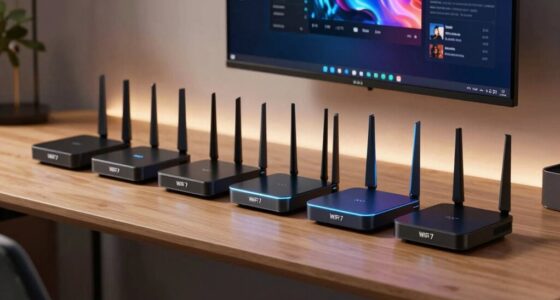

For those working from home, a reliable home firewall is essential to protect sensitive data and maintain network security. The Protectli Vault FW2B stands out as the best overall choice for its balance of performance and affordability. The Ubiquiti UniFi Security Appliance (USG) offers a simple setup for small offices, while the Firewalla Purple SE provides advanced cybersecurity features for more security-conscious users. These options illustrate the main tradeoffs: higher security and features often come with increased complexity and cost. Keep reading to see how each product stacks up and which one best fits your specific needs.

Prime made for students and young adults
- Fast, free delivery for dorm and study essentials
- Prime Video and Amazon Music included
- Member-only deals
Key Takeaways
- Top-performing models like the Protectli Vault FW4C and Vault Pro deliver robust security but vary in port options and complexity.
- Ease of setup and management is a key factor, with products like Firewalla Purple SE offering user-friendly interfaces for beginners.
- Higher port density and advanced features typically increase price, so consider your specific network size and future growth.
- Brands like Protectli and Ubiquiti dominate this category, but their offerings differ significantly in hardware and software capabilities.
- Budget models such as SafeHome Plug-n-Play provide basic protection but lack advanced customization, suitable for simple home setups.
| Protectli Vault FW2B – 2 Port Firewall Micro Appliance with Intel Dual Core, 8GB RAM, 120GB mSATA SSD |  | Best for Compact Home Security with Basic Networking Needs | CPU: Intel Dual Core Celeron 1.6GHz (Turbo 2.48 GHz) | RAM: 8GB DDR3L | Storage: 120GB mSATA SSD | VIEW ON AMAZON | See Our Full Breakdown |
| Ubiquiti UniFi Security Appliance (USG), Single, White |  | Best for Enterprise-Grade Home Security with Network Management | Integration: Unifi Controller | Firewall Performance: Powerful | VLAN Support: Yes | VIEW ON AMAZON | See Our Full Breakdown |
| Protectli Vault FW4C – 4 Port Firewall Micro Appliance / Mini PC with Intel J3710, 8GB RAM, 120GB SSD |  | Best for High-Speed Home Networks with Multiple Devices | Processor: Intel J3710 Celeron, 1.6 GHz (Burst to 2.6 GHz) | RAM: 8GB DDR3 | Storage: 120GB SSD | VIEW ON AMAZON | See Our Full Breakdown |
| Protectli Vault Pro VP2410, 4 Port Firewall Micro Appliance / Mini PC – Intel Celeron J4125, DDR4 RAM, M.2 SATA Storage, AES-NI, Barebones |  | Best for Customizable, High-Performance Home Firewalls | Processor: Intel Celeron J4125, 2.0 GHz (up to 2.7 GHz) | RAM: Supports additional RAM (user-installed) | Storage: M.2 SATA (user-installed) | VIEW ON AMAZON | See Our Full Breakdown |
| Ubiquiti Cloud Gateway Ultra (UCG-Ultra) |  | Best for Managing Large Home Networks with Multiple Devices | Device Management: 30+ UniFi Network devices, 300+ clients | Routing Speed: 1 Gbps | Features: IDS/IPS, Multi-WAN load balancing | VIEW ON AMAZON | See Our Full Breakdown |
| SafeHome Plug-n-Play Home Firewall with High-Speed Wi-Fi |  | Best Overall Home Firewall for Work from Home | Wi-Fi Speed: 4.3 Gbps | Coverage Area: 3000 Sq.Ft | Device Support: Up to 64 devices | VIEW ON AMAZON | See Our Full Breakdown |
| Protectli Vault V1210-2 Port Micro Appliance / Mini PC – Intel N5105, 2x 2.5G NICs, 4GB RAM, 32GB eMMC |  | Best Compact Firewall for Tech-Savvy Home Users | CPU: Intel N5105 Quad Core 2.0 GHz | Network Ports: 2x 2.5G NICs | RAM: 4GB LPDDR4 | VIEW ON AMAZON | See Our Full Breakdown |
| Firewalla Purple SE Cybersecurity Firewall for Home & Business |  | Best Versatile All-in-One Cybersecurity Device | Compatibility: Limited to 500 Mbits IPS | Device Type: Firewall / Router / Bridge | Includes: Power supply, Ethernet cable, instructions | VIEW ON AMAZON | See Our Full Breakdown |
| Protectli Vault V1410-4 Port Micro Appliance / Mini PC with N5105, 4x 2.5G NICs, 8GB RAM, 32GB eMMC, 500GB NVMe SSD |  | Best High-Performance Firewall Appliance for Advanced Users | CPU: N5105 Quad Core 2.0 GHz | Ports: 4x 2.5G NICs | RAM: 8GB LPDDR4 | VIEW ON AMAZON | See Our Full Breakdown |
| Protectli Vault FW4B – 4 Port Firewall Micro Appliance / Mini PC – Intel Quad Core, AES-NI, 8GB RAM, 120GB mSATA SSD | | Best Fanless, Silent Firewall for Discreet Home Security | Processor: Intel Quad Core J3160 | RAM: 8GB DDR3L | Storage: 120GB mSATA SSD | VIEW ON AMAZON | See Our Full Breakdown |
| Netgate 1100 pfSense+ Security Gateway – Firewall, Router, VPN |  | Best Overall for Small to Medium Networks | Processor: Dual-core ARM Cortex-A53 1.2 GHz | Ports: 3 x 1 GbE (WAN/LAN/OPT) | Throughput: 650 Mbps firewall | VIEW ON AMAZON | See Our Full Breakdown |
| TP-Link ER605 V2 Wired Gigabit VPN Router |  | Best for Small Businesses Needing Multiple WAN and VPN Options | Number of Gigabit Ports: 5 | WAN Ports: 3 | USB WAN Port: Yes | VIEW ON AMAZON | See Our Full Breakdown |
| FortiGate 40F Firewall Appliance – 5 Gigabit Ethernet RJ45 Ports, Small Business Security |  | Best for Small to Mid-Sized Businesses Needing High-Performance Security | Ports: 5 Gigabit Ethernet RJ45 | WAN Ports: 1 | Internal Ports: 4 | VIEW ON AMAZON | See Our Full Breakdown |
| home firewall for work from home | Ports |
|---|---|
| Protectli Vault FW2B | 2x Gigabit Ethernet, 4x USB 2.0, 2x USB 3.0, 1x RJ-45 COM, 2x HDMI |
| Ubiquiti UniFi Security Applia | 3 (including management port) |
| Protectli Vault FW4C | 4x 2.5G Ethernet, 2x USB 3.0, 2x HDMI, 1x RJ45 COM |
| Protectli Vault Pro VP2410 | 4x Gigabit Ethernet, 2x USB 3.0 Micro, 1x USB-C 3.2, 1x HDMI, 1x DisplayPort |
| Ubiquiti Cloud Gateway Ultra | — |
| SafeHome Plug-n-Play Home Fire | — |
| Protectli Vault V1210-2 Port M | — |
| Firewalla Purple SE Cybersecur | — |
| Protectli Vault V1410-4 Port M | 4x 2.5G NICs |
| Protectli Vault FW4B | 4x Gigabit Ethernet |
| Netgate 1100 pfSense+ Security | 3 x 1 GbE (WAN/LAN/OPT) |
| TP-Link ER605 V2 Wired Gigabit | — |
| FortiGate 40F Firewall Applian | 5 Gigabit Ethernet RJ45 |
More Details on Our Top Picks
Protectli Vault FW2B – 2 Port Firewall Micro Appliance with Intel Dual Core, 8GB RAM, 120GB mSATA SSD
The Protectli Vault FW2B stands out as an ideal choice for users who value a silent, space-saving firewall for basic home setups. Its fanless design and small footprint make it perfect for those who want reliable security without noise or clutter, especially compared to larger, more complex options like the Ubiquiti USG. However, with only two Ethernet ports and no pre-installed OS, it demands a bit of technical effort to set up. This model is best suited for tech-savvy individuals who want a low-maintenance, open-source firewall solution that fits into a minimalist home environment.Pros:- Fanless and silent operation, ideal for quiet home offices
- Compact and lightweight, easy to place anywhere
- Supports popular open-source firewall software for customization
Cons:- No pre-installed OS, requiring user setup and BIOS configuration
- Limited to 2 Ethernet ports, restricting network expansion
Best for: Tech-savvy homeowners seeking a silent, compact firewall with open-source flexibility.
Not ideal for: Users needing multiple Ethernet connections out of the box or a plug-and-play setup.
- CPU:Intel Dual Core Celeron 1.6GHz (Turbo 2.48 GHz)
- RAM:8GB DDR3L
- Storage:120GB mSATA SSD
- Ports:2x Gigabit Ethernet, 4x USB 2.0, 2x USB 3.0, 1x RJ-45 COM, 2x HDMI
- Support:AES-NI hardware support, coreboot BIOS optional
Our verdict“This pick suits experienced users who prioritize silent operation and open-source flexibility for a simple home firewall.”
Ubiquiti UniFi Security Appliance (USG), Single, White
The Ubiquiti USG offers powerful firewall features suitable for larger or more complex home networks, especially when integrated with the UniFi Controller. Its three Ethernet ports and VLAN support make it more flexible than the Protectli Vault FW2B, ideal for homes with multiple devices or segments. Yet, its setup can be challenging for less experienced users, and its limited ports might require additional hardware for expansion. This device is a strong choice for those comfortable with network configuration who want enterprise-level security at home.Pros:- Enterprise-grade security features including VLAN and QoS
- Wall-mountable, space-efficient design
- Integrates seamlessly with the UniFi Controller for centralized management
Cons:- Requires familiarity with network setup and management
- Limited to three Ethernet ports, possibly needing additional switches
Best for: Home users with some networking experience wanting enterprise features and VLAN support.
Not ideal for: Beginners seeking an easy, plug-and-play firewall solution or those needing more than three Ethernet ports without extra hardware.
- Integration:Unifi Controller
- Firewall Performance:Powerful
- VLAN Support:Yes
- QoS:Yes
- VPN Server:Yes
- Ports:3 (including management port)
Our verdict“This device suits network-savvy users looking for advanced security and management features in a home setup.”
Protectli Vault FW4C – 4 Port Firewall Micro Appliance / Mini PC with Intel J3710, 8GB RAM, 120GB SSD
The Protectli Vault FW4C provides four high-speed Ethernet ports, making it well-suited for homes with multiple wired devices or segmented networks. Its quad-core Intel J3710 processor ensures ample performance, especially compared to the dual-port Vault FW2B. While it’s fanless and silent, users need to consider that it doesn’t come with pre-installed OS and has limited storage, which might require additional setup and hardware. This model is ideal for those wanting a versatile and expandable firewall that can handle higher network traffic.Pros:- Fanless and silent operation, suitable for quiet environments
- Four Ethernet ports for network flexibility
- Supports popular open-source firewall OS for customization
Cons:- Requires additional OS installation and configuration
- Limited onboard storage for some user needs
Best for: Home tech enthusiasts who need to support multiple wired connections and prefer customizable open-source firewalls.
Not ideal for: Users who want an out-of-the-box, no-setup solution or minimal technical involvement.
- Processor:Intel J3710 Celeron, 1.6 GHz (Burst to 2.6 GHz)
- RAM:8GB DDR3
- Storage:120GB SSD
- Ports:4x 2.5G Ethernet, 2x USB 3.0, 2x HDMI, 1x RJ45 COM
Our verdict“This firewall is best for users who need multiple wired connections and are comfortable with DIY setup.”
Protectli Vault Pro VP2410, 4 Port Firewall Micro Appliance / Mini PC – Intel Celeron J4125, DDR4 RAM, M.2 SATA Storage, AES-NI, Barebones
The Protectli Vault Pro VP2410 offers high performance with a quad-core J4125 processor and support for additional RAM and storage, making it suitable for advanced users who want full control over their firewall environment. Its four Gigabit Ethernet ports outperform the dual-port models like the Vault FW2B or FW4C, providing more network options. Its barebones design means users must add their own RAM and storage, which can be a hurdle for less experienced buyers. This device is best for those wanting a highly configurable firewall that can scale with their network needs.Pros:- Fanless and silent, suitable for quiet environments
- Supports multiple open-source firewall OS with full hardware control
- Four high-speed Ethernet ports for extensive network segmentation
Cons:- Requires purchasing and installing RAM and storage separately
- Compatibility with all memory modules not guaranteed
Best for: Advanced home users seeking maximum flexibility and performance in their firewall setup.
Not ideal for: Beginners or those who prefer ready-to-use solutions without hardware assembly or additional configuration.
- Processor:Intel Celeron J4125, 2.0 GHz (up to 2.7 GHz)
- RAM:Supports additional RAM (user-installed)
- Storage:M.2 SATA (user-installed)
- Ports:4x Gigabit Ethernet, 2x USB 3.0 Micro, 1x USB-C 3.2, 1x HDMI, 1x DisplayPort
Our verdict“This model suits experienced users who want a customizable, high-performance firewall with multiple network interfaces.”
Ubiquiti Cloud Gateway Ultra (UCG-Ultra)
The Ubiquiti Cloud Gateway Ultra excels at managing extensive home networks, supporting over 30 UniFi devices and 300 clients, with a routing speed of 1 Gbps. Its IDS/IPS and multi-WAN load balancing add robust security and reliability, especially compared to standalone firewalls like the Vault FW2B. The built-in display offers quick status updates, and its USB-C power adds convenience. However, its setup and integration are more complex, and it lacks Wi-Fi, making it less suitable for straightforward home applications. This device is best for tech-heavy households with many networked devices needing centralized control.Pros:- Supports over 30 devices and 300 clients for comprehensive management
- High routing speed with IDS/IPS security features
- Compact display for quick status monitoring
Cons:- Setup can be complex for non-technical users
- No Wi-Fi capability, requiring additional access points
Best for: Homes with complex network setups and multiple devices requiring centralized management.
Not ideal for: Less tech-savvy users or those seeking a simple, standalone firewall solution.
- Device Management:30+ UniFi Network devices, 300+ clients
- Routing Speed:1 Gbps
- Features:IDS/IPS, Multi-WAN load balancing
- Display:0.96-inch LCM
- Power:USB-C (adapter included)
Our verdict“This device is ideal for households with extensive device management needs and a technical inclination.”
SafeHome Plug-n-Play Home Firewall with High-Speed Wi-Fi
This option stands out for its straightforward setup and robust cybersecurity features, making it ideal for those who want protection without complex configuration. Unlike dedicated firewalls like the Protectli Vault V1210-2, it doesn’t require installing or managing open-source software, which can be intimidating for beginners. Its high-speed Wi-Fi of 4.3 Gbps ensures seamless internet access across multiple devices, a key advantage for busy home offices. However, it relies on your existing router and doesn’t function as a standalone device, which could limit its flexibility. This makes it perfect for users seeking easy-to-deploy security integrated with their current network, rather than a full network overhaul.
Pros:- High-speed Wi-Fi with 4.3 Gbps throughput ensures fast internet for multiple devices
- Includes comprehensive cybersecurity features like web filtering and dark web protection
- Easy to set up with plug-and-play design, no need to modify existing network
Cons:- Requires an existing wireless router for full functionality, limiting standalone use
- Only protects the home network, not a dedicated firewall appliance for complex setups
Best for: Home users who want hassle-free cybersecurity without replacing their existing router
Not ideal for: Tech-savvy users needing advanced firewall customization or standalone network management
- Wi-Fi Speed:4.3 Gbps
- Coverage Area:3000 Sq.Ft
- Device Support:Up to 64 devices
- Setup:Plug-and-play
Our verdict“This pick suits homeowners seeking simple, high-speed cybersecurity integrated into their existing Wi-Fi setup.”
Protectli Vault V1210-2 Port Micro Appliance / Mini PC – Intel N5105, 2x 2.5G NICs, 4GB RAM, 32GB eMMC
This device is ideal for users comfortable with open-source firmware and custom configurations. Compared to the Firewalla Purple SE, which offers an all-in-one cybersecurity solution, the Protectli V1210-2 requires users to install and manage their own firewall software, offering greater flexibility but also adding complexity. Its multiple 2.5G network ports support faster local data transfer, which benefits those with high-bandwidth needs. The tradeoff is that it has limited onboard storage and no pre-installed OS, demanding technical skills to set up. It’s best suited for those who want a DIY firewall appliance that can be tailored exactly to their network needs.
Pros:- Compact, quiet design suitable for home environments
- Supports high-speed 2.5G network connections for fast local data transfer
- Flexible with support for various open-source firewall software
Cons:- No pre-installed OS, requiring user setup and configuration
- Limited onboard storage of 32GB eMMC, which might restrict software choices
Best for: Tech-savvy homeowners comfortable with open-source firewalls and manual setup
Not ideal for: Non-technical users or those seeking a turnkey security solution
- CPU:Intel N5105 Quad Core 2.0 GHz
- Network Ports:2x 2.5G NICs
- RAM:4GB LPDDR4
- Storage:32GB eMMC
- Video Output:HDMI
- Supported OS:Various open-source firewall software
Our verdict“This device is best for those wanting customizable, high-performance firewall hardware with technical expertise.”
Firewalla Purple SE Cybersecurity Firewall for Home & Business
This device shines in providing extensive security features, including intrusion prevention and VPN server capabilities, making it suitable for mixed home and small business environments. Unlike the Protectli units, which require manual setup, Firewalla offers a user-friendly app-based interface, although setup can sometimes be complex for less technical users. Its limitation to 500 Mbps IPS speed means it may not fully support very high-speed internet plans, potentially bottlenecking performance for gigabit connections. Nonetheless, it offers a balance of ease of use and comprehensive security, especially for families or small offices wanting flexible protection without extensive hardware management.
Pros:- Provides detailed network monitoring and parental controls
- Offers intrusion prevention, malware blocking, and VPN server features
- Can operate as a router or in bridge mode for added flexibility
Cons:- Limited IPS speed to 500 Mbps, restricting full gigabit support
- Setup may be challenging for non-technical users due to router compatibility issues
Best for: Home or small business users who prefer a plug-and-play security solution with management via app
Not ideal for: Users with gigabit internet plans who need full-speed intrusion prevention or advanced network customization
- Compatibility:Limited to 500 Mbits IPS
- Device Type:Firewall / Router / Bridge
- Includes:Power supply, Ethernet cable, instructions
- App Required:Yes, Firewalla App
Our verdict“This is a solid choice for users wanting an all-in-one cybersecurity device that’s easy to manage via app, with some speed limitations.”
Protectli Vault V1410-4 Port Micro Appliance / Mini PC with N5105, 4x 2.5G NICs, 8GB RAM, 32GB eMMC, 500GB NVMe SSD
Compared with the V1210-2, the V1410 offers more RAM and an NVMe SSD, making it suitable for demanding firewall applications and larger networks. Its four 2.5G ports support high bandwidth, ideal for homes with multiple users or small offices. The onboard 8GB RAM provides better performance for intensive firewall rules and traffic management. However, the memory is soldered, so future upgrades aren’t possible, and it requires manual OS installation. This makes it less suitable for those seeking a plug-and-play device but perfect for users who want a powerful, customizable firewall platform with plenty of room for growth.
Pros:- High-speed 2.5G network ports support demanding bandwidth needs
- Large 8GB RAM enhances performance for complex firewall rules
- Supports NVMe SSD for fast storage and software updates
Cons:- Requires manual OS installation, demanding technical knowledge
- Memory is soldered, so no future upgrades possible
Best for: Advanced home users or small offices needing a high-performance, customizable firewall device
Not ideal for: Less technical users or those preferring out-of-the-box solutions with minimal setup
- CPU:N5105 Quad Core 2.0 GHz
- Ports:4x 2.5G NICs
- RAM:8GB LPDDR4
- Storage:32GB eMMC + 500GB NVMe SSD
- Support:AES-NI hardware
Our verdict“This device is best suited for users needing a powerful, customizable firewall with room to grow and high-speed local network support.”
Protectli Vault FW4B – 4 Port Firewall Micro Appliance / Mini PC – Intel Quad Core, AES-NI, 8GB RAM, 120GB mSATA SSD
Designed for silent operation, the FW4B offers a compact, fanless solution with four Ethernet ports, supporting open-source firewall software. Compared to the V1410, it’s less powerful in terms of storage options but excels in noise-sensitive environments, like bedrooms or quiet offices. Its 8GB RAM supports complex rules, though it requires user installation of the OS and firewall software, which might intimidate less experienced users. While it lacks the high-speed ports of the V1410, for typical home use with gigabit or less, it provides a discreet, reliable security layer for those who value silence and simplicity over raw bandwidth.
Pros:- Fanless design ensures silent operation, ideal for quiet environments
- Four Ethernet ports provide flexible network segmentation
- Supports popular open-source firewall software
Cons:- Limited storage capacity with only 120GB mSATA SSD
- No pre-installed OS, requiring technical setup
Best for: Home users needing a silent, low-profile firewall solution in noise-sensitive spaces
Not ideal for: Power users requiring high bandwidth or extensive storage options
- Processor:Intel Quad Core J3160
- RAM:8GB DDR3L
- Storage:120GB mSATA SSD
- Ports:4x Gigabit Ethernet
- Support:AES-NI hardware
- Form Factor:Fanless mini PC
Our verdict“This device is excellent for those wanting a quiet, reliable firewall appliance with basic needs met and minimal noise.”
Netgate 1100 pfSense+ Security Gateway – Firewall, Router, VPN
The Netgate 1100 stands out for its robust pfSense+ software pre-installed, providing a flexible and reliable firewall solution that balances ease of use with advanced features. Compared with the FortiGate 40F, it offers more customization options, but requires a higher level of technical knowledge to optimize. Its three 1 GbE ports support small to medium-sized networks effectively, though it’s less suited for larger environments or those needing Wi-Fi integration. The device’s compact, silent design makes it ideal for home offices that prioritize quiet operation, while the software support and hardware warranty add reassurance. However, its throughput of 650 Mbps may limit performance for very high-traffic environments, and setup complexity could challenge less tech-savvy users.
Pros:- Pre-loaded with pfSense+ for immediate deployment
- Compact and silent operation suits home environments
- Flexible three 1 GbE ports for network segmentation
Cons:- Requires technical knowledge for setup and management
- Limited throughput may bottleneck high-traffic networks
Best for: Tech-savvy home office users or small business owners needing customizable security with VPN support.
Not ideal for: Home users seeking simple, plug-and-play solutions or those without technical expertise.
- Processor:Dual-core ARM Cortex-A53 1.2 GHz
- Ports:3 x 1 GbE (WAN/LAN/OPT)
- Throughput:650 Mbps firewall
- Warranty:1 year hardware
- Support:pfSense+ updates, 24/7 TAC
Our verdict“This device is best for users comfortable with network configuration who need a customizable, secure gateway for small to medium networks.”
TP-Link ER605 V2 Wired Gigabit VPN Router
The TP-Link ER605 V2 offers a compelling option for small offices requiring multiple WAN connections, load balancing, and extensive VPN support. Its five gigabit ports, including three WAN ports, make it ideal for dynamic network setups, surpassing the Netgate 1100’s simpler port configuration. The built-in VPN support—up to 20 LAN-to-LAN IPsec tunnels and multiple protocols—makes it suitable for remote work setups, especially when security is a priority. However, its configuration can be complex, demanding some networking expertise, unlike plug-and-play options like the Protectli Vaults. It lacks Wi-Fi capabilities, so users needing integrated wireless must add a separate access point. This router’s advanced security features, including SPI firewall and DoS defense, make it a strong choice for security-conscious small businesses.
Pros:- Multiple WAN ports support load balancing and backup
- Supports a wide range of VPN protocols for secure remote access
- Advanced security features protect sensitive data
Cons:- Setup and configuration can be complex for non-experts
- No built-in Wi-Fi, requiring additional equipment
Best for: Small business owners or remote teams requiring secure, multi-WAN connectivity with VPN flexibility.
Not ideal for: Home users without networking experience or those seeking an all-in-one Wi-Fi router.
- Number of Gigabit Ports:5
- WAN Ports:3
- USB WAN Port:Yes
- VPN Support:Up to 20 LAN-to-LAN IPsec, 16 OpenVPN, 16 L2TP, PPTP
- Security Features:SPI Firewall, DoS Defense, IP/MAC/URL filtering
Our verdict“This router makes the most sense for small offices with technical staff needing robust multi-WAN and VPN capabilities.”
FortiGate 40F Firewall Appliance – 5 Gigabit Ethernet RJ45 Ports, Small Business Security
The FortiGate 40F delivers high-performance security with up to 1 Gbps IPS throughput, making it ideal for small to mid-sized work-from-home networks that demand enterprise-grade protection. Its five Gigabit ports, including one WAN port, provide versatile connectivity, while the fanless design ensures quiet operation in a home office environment. Compared to the Netgate 1100, the FortiGate offers easier management with a user-friendly console and Zero Touch Deployment, reducing setup time. Its AI-powered threat protection adds an extra layer of security, though it doesn’t include subscription services, which could limit ongoing features or updates. It’s best suited for users who prioritize security and simplicity without needing extensive customization or Wi-Fi integration.
Pros:- High-performance security with 1 Gbps IPS throughput
- Fanless, quiet design fits home environments
- Easy management with Zero Touch Deployment
Cons:- No included subscription services or advanced add-ons
- Limited expandability for larger or more complex networks
Best for: Small business users needing high-throughput, easy-to-manage security without complex setup.
Not ideal for: Home users looking for integrated Wi-Fi or those requiring extensive customization options.
- Ports:5 Gigabit Ethernet RJ45
- WAN Ports:1
- Internal Ports:4
- Throughput:1 Gbps IPS
- Threat Protection:600 Mbps
Our verdict“This appliance suits small businesses or remote workers seeking a high-performance, straightforward security solution with minimal fuss.”

How We Picked
These products were selected based on their performance, ease of use, build quality, and feature set. We prioritized firewalls that cater specifically to home office environments, balancing security with user-friendliness. Devices with a proven track record of stability, regular firmware updates, and positive user feedback were favored. We also considered expandability, port density, and compatibility with common home networking setups. The ranking reflects a mix of affordability, advanced features, and suitability for different levels of technical expertise, aiming to guide a broad range of home-based workers.Factors to Consider When Choosing Home Firewall For Work From Home
Choosing the right home firewall for work from home involves weighing several important factors. Security features are essential, but so is ease of setup and ongoing management. Compatibility with your existing network hardware can influence performance, while future scalability ensures your investment remains viable as your needs grow. Cost is always a consideration, but opting for the cheapest option may sacrifice necessary security. Use this guide to understand key criteria and avoid common pitfalls when selecting your home firewall.Security Features and Performance
Prioritize a firewall that offers robust security protocols, intrusion detection, and VPN support. A device with hardware acceleration can handle higher throughput, reducing latency during secure remote connections. Consider whether the firewall provides threat analytics, automatic updates, and sandboxing, especially if sensitive data is involved. Cheaper models may lack these features, risking gaps in your defenses. Make sure the device can handle your network’s bandwidth requirements, especially if multiple users or IoT devices are involved.
Ease of Setup and Management
For non-technical users, a plug-and-play or simplified management interface can save hours of frustration. Some products like Firewalla emphasize user-friendly apps and minimal configuration, ideal for beginners. More advanced users might prefer open-source or customizable solutions like pfSense, which offer granular control but require more technical skill. Balancing setup complexity with ongoing management is key; overly complicated setups may deter regular updates and security patches, leaving your network vulnerable.
Port Density and Expandability
Assess how many wired connections you’ll need now and in the future. Higher port counts, like those on the Protectli Vault Pro or FortiGate 40F, support multiple devices without additional hardware. If you only need basic protection for a few devices, a simpler model may suffice, saving cost. However, if your network includes multiple workstations, smart home devices, or a dedicated VPN server, investing in a model with more ports and expansion options provides greater flexibility and longevity.
Compatibility and Integration
Ensure the firewall integrates seamlessly with your existing router and network infrastructure. Some firewalls require specific configurations, while others are compatible out of the box. Compatibility with popular management tools like UniFi Controller or pfSense can streamline ongoing maintenance. Also, verify whether the device supports your internet connection type — fiber, cable, or DSL — to avoid bottlenecks. Failing to check compatibility can lead to performance issues or the need for costly replacements.
Cost and Value
While a higher-priced device often provides more features and better performance, assess whether those capabilities match your actual needs. Budget options like SafeHome can offer basic protection suitable for light use, but may lack advanced security features. Conversely, premium models like the FortiGate 40F or Protectli Vault Pro include enterprise-grade features that might be overkill for simple home setups. Aim for a device that balances cost with necessary features, avoiding overspending on capabilities you’ll never use.
Frequently Asked Questions
Can I use a home firewall with my existing router?
Yes, many home firewalls are designed to work alongside or replace your existing router. Typically, you connect the firewall device between your internet modem and your main network, effectively acting as a gatekeeper. Some models are integrated solutions that include routing and firewall functions, while others serve purely as dedicated security appliances. Always verify compatibility with your current network setup to prevent configuration issues and ensure seamless operation.
Is a hardware firewall necessary if I already have a software firewall on my computer?
While software firewalls protect individual devices, a hardware firewall provides network-wide security, blocking threats before they reach your devices. Hardware firewalls are especially valuable in a home office environment with multiple devices, IoT gadgets, and remote access needs. They also typically offer better performance and centralized management. Relying solely on software firewalls may leave gaps if malware or network intrusions bypass endpoint protections.
How much should I budget for a reliable home firewall?
Expect to spend between $100 and $500 depending on features, port density, and security capabilities. Basic models suited for small setups or beginners can be found at the lower end, while enterprise-grade devices come at a premium. Consider your current and future network needs; investing in a slightly more capable device can extend its usefulness as your requirements grow. Remember, the cheapest option may lack essential security features, so balance cost with peace of mind.
What features are most important for a home firewall for work from home?
Key features include VPN support for secure remote access, intrusion detection and prevention, and high throughput to handle multiple concurrent connections. User-friendly management interfaces simplify ongoing maintenance, especially for those less technically inclined. Additionally, automatic updates and threat intelligence can significantly improve your security posture. Prioritize these features to ensure your home network remains protected without sacrificing performance or ease of use.
Should I choose a dedicated firewall appliance or a router with built-in firewall?
Dedicated firewall appliances typically offer more advanced security features, greater customization, and better performance for complex networks. They are ideal for users with higher security needs or those wanting granular control over their network traffic. Routers with integrated firewalls are more straightforward and sufficient for basic protection, making them suitable for simple home setups. Consider your technical skills, security requirements, and budget to determine which option aligns best with your needs.
Conclusion
For most home office users seeking a reliable, easy-to-manage solution, the Protectli Vault FW2B offers a strong balance of security and simplicity. Those with larger or more complex networks should consider models like the Protectli Vault FW4C or FortiGate 40F for expanded port options and enterprise features. Beginners or less technical users will find the Firewalla Purple SE an approachable choice. Budget-conscious buyers can opt for basic models like SafeHome, but should be aware of their limitations. Ultimately, selecting the right firewall depends on your specific network size, security needs, and technical comfort — this guide aims to help you make an informed decision.
As an affiliate, we earn on qualifying purchases.Fall Picks
fall essentials