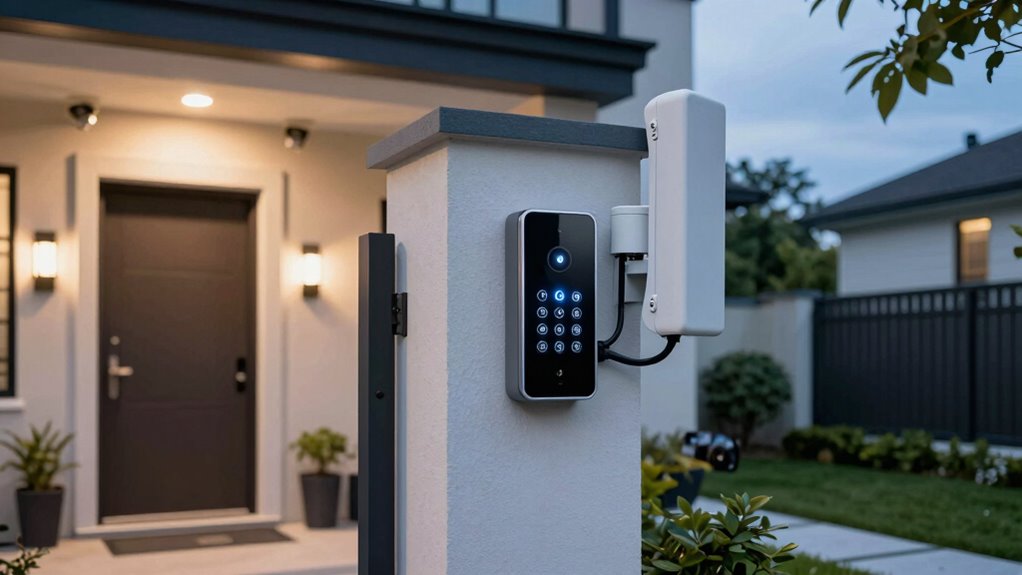

When choosing a home security system with cellular backup, reliability and connectivity are paramount. The PGST Home Security Systems 12-Piece Kit stands out for its comprehensive coverage and app control, making it ideal for those who want a versatile setup. The Ring Alarm 14-Piece Kit offers seamless integration with Ring’s ecosystem, perfect for existing Ring users. A common challenge is balancing cost with features like cellular connectivity, which can add to the expense but significantly boost security during internet outages. Keep reading for a detailed look at the best options and what each one offers.

Prime made for students and young adults
- Fast, free delivery for dorm and study essentials
- Prime Video and Amazon Music included
- Member-only deals
Key Takeaways
- The top picks all include reliable cellular backup options, but their integration styles and expandability vary widely.
- Most systems balance between DIY installation and professional monitoring, influencing ease of setup and ongoing costs.
- The best options provide a mix of smart home compatibility, with some offering built-in Wi-Fi routers to streamline connectivity.
- Battery backup duration and cellular signal strength are key factors that directly impact system reliability during outages.
- Tradeoffs often involve cost versus feature set, with premium models offering more integrated solutions and higher performance.
| PGST Home Security Systems 12-Piece Kit, WiFi + GSM/4G, Smart Home Security with App Control and Alexa Compatibility |  | Best Overall for Complete Home Security with Cellular Backup | Number of pieces: 12 | Connectivity: WiFi + GSM/4G | App Compatibility: Smart Life, Tuya | VIEW ON AMAZON | See Our Full Breakdown |
| Ring Alarm 14-Piece Kit (Newest Model) Wireless Smart Home Security System |  | Best for Easy Setup with Professional Monitoring Options | Number of pieces: 14 | Compatible with: Alexa | Monitoring: 24/7 professional | VIEW ON AMAZON | See Our Full Breakdown |
| ADT Blu Home Security System Starter Kit, DIY Wireless Alarm |  | Best for DIY Enthusiasts and Renters | Base Hub: 1 | Door/Window Sensors: 3 | Pet-friendly Motion Sensor: 1 | VIEW ON AMAZON | See Our Full Breakdown |
| Ring Alarm Pro (Newest Model) 14-Piece Kit with Built-in eero Wi-Fi 6 Router and 30-Day Free Ring Home Subscription |  | Best for Integrated Security and Internet Connectivity | Includes: Alarm Pro Base, 2 Keypads, 8 Contact Sensors, 2 Motion Detectors, 1 Range Extender | Wi-Fi Speed: Up to 900 Mbps | Coverage Area: Up to 1,500 sq. ft. | VIEW ON AMAZON | See Our Full Breakdown |
| Arlo Cellular & Battery Backup Box – Compatible with Arlo Home Security System (SS1201 and SS1501), White |  | Best for Extended Outage Coverage and Event Alerts | Power Source: Corded Electric | Compatible Devices: Arlo SS1201, SS1501 | Connectivity Technology: Ethernet | VIEW ON AMAZON | See Our Full Breakdown |
| eufy Security HomeBase Pro S1, 4G LTE & Battery Backup, 16TB Storage |  | Best for Uninterrupted Local Storage and Dual Connectivity | Connectivity: Wi-Fi and PoE | Battery Backup: 24 hours | Built-in Storage: 32 GB | VIEW ON AMAZON | See Our Full Breakdown |
More Details on Our Top Picks
PGST Home Security Systems 12-Piece Kit, WiFi + GSM/4G, Smart Home Security with App Control and Alexa Compatibility
This kit stands out for offering a comprehensive, expandable security solution tailored for larger homes. Unlike the Ring Alarm 14-Piece Kit, it emphasizes cellular connectivity over professional monitoring—no ongoing fees—and supports both WiFi and GSM/4G, ensuring connectivity even during Wi-Fi outages. However, it relies heavily on smartphone app control, which might be a hurdle for less tech-savvy users. Its compatibility with Alexa adds convenience, but additional sensors and cameras come at extra cost. This system suits homeowners seeking a flexible, no-subscription setup that can grow with their needs.
Pros:- No monthly fees or subscriptions
- Supports both WiFi and 4G networks for reliable connectivity
- Expandable with additional sensors and devices
- Compatible with Alexa for voice control
Cons:- Requires a smartphone app for full system functionality
- Additional sensors and cameras are sold separately
- Setup can be complex for non-technical users
Best for: Homeowners who want a customizable, no-monthly-fee security system with cellular backup for larger properties.
Not ideal for: Renters or users preferring built-in cameras and professional monitoring without additional setup complexity.
- Number of pieces:12
- Connectivity:WiFi + GSM/4G
- App Compatibility:Smart Life, Tuya
- Voice Assistant:Alexa
- Expandable:Yes
- Suitable for:3-5 bedroom homes
Our verdict“This pick suits tech-savvy homeowners seeking a flexible, cellular-backed security system that minimizes ongoing costs.”
Ring Alarm 14-Piece Kit (Newest Model) Wireless Smart Home Security System
This system excels in user-friendly setup and offers 24/7 professional monitoring, making it ideal for those who prefer a managed security service. Compared to the PGST kit, it emphasizes ease of installation and includes a range extender for broader coverage. Its reliance on a subscription for full features, like remote access and professional monitoring, means ongoing costs, which might deter budget-conscious buyers. The system’s integration with Alexa enhances voice control, but additional sensors are needed for larger homes. It’s a solid choice for users who prioritize convenience and support services.
Pros:- Simple setup process
- Includes a range extender for better coverage
- Supports 24/7 professional monitoring
- Alexa compatible for voice control
Cons:- Requires a paid subscription for full remote features
- Additional sensors and accessories cost extra
- Limited included sensors for larger homes
Best for: Small to medium-sized homeowners who want reliable professional monitoring with minimal setup fuss.
Not ideal for: Budget-conscious users who prefer a completely subscription-free, DIY system with cellular backup.
- Number of pieces:14
- Compatible with:Alexa
- Monitoring:24/7 professional
- App control:Yes
- Expandable:Yes
- Includes:Base station, keypads, contact sensors, motion detectors, range extender
Our verdict“Ideal for users valuing quick installation and professional monitoring, accepting ongoing fees for full service.”
ADT Blu Home Security System Starter Kit, DIY Wireless Alarm
This starter kit offers straightforward installation and app control, making it attractive for renters or those who prefer a DIY approach without subscription commitments. Unlike the Ring Alarm, it emphasizes simplicity over advanced features, with no built-in cameras included and limited sensors in the starter pack. Its optional professional monitoring plans add flexibility but come with recurring costs. The absence of cellular backup means reliance on WiFi, which can be a drawback during outages. This system is ideal for users seeking an easy, scalable security setup with optional monitoring.
Pros:- Simple, wire-free installation
- Remote arming/disarming via app
- Scalable with additional sensors and cameras
- No wiring needed
Cons:- Requires paid subscription for professional monitoring
- Limited included sensors for larger homes
- No built-in cameras in the starter kit
Best for: Renters or DIY-focused homeowners wanting a flexible, easy-to-install security system without immediate ongoing costs.
Not ideal for: Homeowners in larger properties needing robust coverage or cellular backup for outages.
- Base Hub:1
- Door/Window Sensors:3
- Pet-friendly Motion Sensor:1
- Monitoring Plans:Self-Protect or Pro-Protect
- Scalability:Yes
- Included accessories:Yard sign, window stickers
Our verdict“Best suited for renters or DIYers seeking a flexible security system that’s easy to set up and expand.”
Ring Alarm Pro (Newest Model) 14-Piece Kit with Built-in eero Wi-Fi 6 Router and 30-Day Free Ring Home Subscription
This model combines security with enhanced internet performance thanks to its built-in Wi-Fi 6 router, making it suitable for tech-forward homes. Compared with the PGST system, it offers a premium integration of internet and security, supporting fast home Wi-Fi and automation features. However, full remote access, professional monitoring, and additional sensors depend on separate subscriptions and accessories, which can add to the total cost. Its advanced connectivity makes it ideal for homes where reliable internet and security are equally prioritized, but it may be overkill for those seeking a simple, cellular backup-focused system.
Pros:- Built-in Wi-Fi 6 router enhances internet speeds
- Includes a comprehensive set of sensors and keypads
- Supports home automation integration
- 30-day free Ring subscription for remote access
Cons:- Requires separate subscription for full remote and professional monitoring features
- Additional sensors and extenders are sold separately
- May be more complex and costly than basic systems
Best for: Smart home enthusiasts seeking a combined security and internet solution with optional professional monitoring.
Not ideal for: Budget-conscious users seeking a purely cellular backup system without additional connectivity features.
- Includes:Alarm Pro Base, 2 Keypads, 8 Contact Sensors, 2 Motion Detectors, 1 Range Extender
- Wi-Fi Speed:Up to 900 Mbps
- Coverage Area:Up to 1,500 sq. ft.
- Subscription:30-day free Ring Home
- Supports:Home automation
- Built-in Router:Yes
Our verdict“Ideal for homes that want a combined security and high-speed internet solution with optional professional support.”
Arlo Cellular & Battery Backup Box – Compatible with Arlo Home Security System (SS1201 and SS1501), White
This backup box enhances Arlo systems by providing cellular and battery power during outages, a key advantage over systems relying solely on WiFi like the PGST or Ring kits. It supports event notifications, camera access, and siren activation, making it suitable for remote or critical security setups. Yet, it requires an Arlo Safe & Secure Pro Plan to enable cellular backup features, which introduces additional costs. Its battery backup duration varies based on usage, so it may not sustain long outages. This product is best for those who need continuous operation during power or Wi-Fi failures and already use Arlo cameras.
Pros:- Provides cellular and battery backup during outages
- Supports event notifications and camera access
- Easy screw-in installation
- Ensures ongoing surveillance during power failures
Cons:- Requires Arlo Safe & Secure Pro Plan for cellular features
- Battery backup duration can be limited
- Only compatible with specific Arlo systems
Best for: Arlo users needing reliable cellular backup for ongoing camera surveillance during outages.
Not ideal for: Users not already invested in Arlo or those seeking an all-in-one security system with built-in cellular backup.
- Power Source:Corded Electric
- Compatible Devices:Arlo SS1201, SS1501
- Connectivity Technology:Ethernet
- Alert Type:Motion
- Control Method:Push Button
- Battery Backup Duration:Up to 12 hours
Our verdict“Best suited for existing Arlo users prioritizing continuous camera operation during outages with cellular backup support.”
eufy Security HomeBase Pro S1, 4G LTE & Battery Backup, 16TB Storage
The eufy Security HomeBase Pro S1 stands out for its ability to keep your security system operational during power outages and internet disruptions, thanks to its 24-hour battery backup and 4G LTE connectivity. Unlike the Ring Alarm Pro, which integrates a Wi-Fi 6 router but relies on internet for remote access, this model prioritizes continuous local security. Its support for both Wi-Fi and PoE connections offers flexible setup options, but the need for an Ethernet connection can complicate installation, especially for less tech-savvy users. The impressive 16TB local storage capacity far surpasses typical onboard storage, providing ample space for recorded footage without dependence on cloud subscriptions. However, the setup process may be daunting for some due to its advanced features and multiple connection options. This pick is ideal for those who want a resilient, locally stored security system that can operate independently of internet stability, though it’s less suited for users seeking plug-and-play simplicity.
Pros:- Provides continuous security during power and internet outages
- Supports both Wi-Fi and PoE for flexible installation
- Massive local storage up to 16TB reduces reliance on cloud subscriptions
- Supports advanced AI features with optional eufy AI Core
Cons:- Requires Ethernet connection for stable operation, which may complicate setup
- Setup process can be complex and potentially intimidating for non-technical users
Best for: Homeowners who need a reliable, always-on security system with extensive local storage and dual connectivity options
Not ideal for: Less technical users or those preferring a straightforward, wireless-only setup without Ethernet requirements
- Connectivity:Wi-Fi and PoE
- Battery Backup:24 hours
- Built-in Storage:32 GB
- Expandable Storage:up to 16 TB
- Compatibility:eufy POE cameras, eufyCams, eufy battery doorbells, eufy sensors
- AI Features:Add eufy AI Core
Our verdict“This system is best suited for users seeking a resilient, high-capacity local security solution that can operate independently of internet disruptions.”

How We Picked
I evaluated these home security systems based on core factors like cellular backup reliability, ease of installation, smart home integration, build quality, and overall value. Systems were chosen for their ability to maintain connectivity during internet outages, which is critical for uninterrupted security. I also considered user interface design, expandability, and compatibility with other smart devices. The ranking reflects a balance between performance and affordability, highlighting options suitable for different types of homeowners—from beginners to tech-savvy users seeking advanced features.Factors to Consider When Choosing Home Security System With Cellular Backup
Choosing the right home security system with cellular backup involves understanding several key factors. Beyond basic features, buyers should consider how well the system integrates with existing smart home devices, the reliability of cellular connectivity, and the ease of installation. Cost is also a significant factor, especially when factoring in ongoing monitoring or subscription fees. Being aware of common pitfalls, such as overestimating coverage needs or underestimating the importance of battery backup, can lead to a more satisfying purchase. This guide covers the main considerations to help you find a system that balances performance, convenience, and value.Connectivity and Cellular Backup Reliability
The core reason to select a system with cellular backup is to maintain security even during internet outages. Look for systems that use multiple cellular carriers or have strong signal penetration, especially if your home has poor cell reception. Some systems include built-in signal boosters or allow external antennas to improve reliability. Keep in mind that cellular backup quality varies; a system with a weak or inconsistent cellular connection can leave your home vulnerable during outages.Ease of Installation and Expandability
DIY installation is common but varies in complexity depending on system design. Consider whether the system offers wireless components, which simplify setup, or if it requires professional installation. Expandability is also important—can you add more sensors or cameras easily? Systems with modular components or open APIs tend to offer better future-proofing, though they may come at a higher initial cost.Smart Home Compatibility and Integration
If you already have smart home devices, choosing a system that integrates seamlessly can save time and improve user experience. Many systems support popular platforms like Alexa, Google Assistant, or Apple HomeKit, but compatibility varies. Be cautious of systems that promise wide integration but offer limited functionality or require additional hubs, which can complicate setup and increase costs.Battery Life and Power Backup
During power outages, battery backup ensures security systems remain operational. Check the backup duration and whether the system has features like low-battery alerts. Some systems include rechargeable batteries with several hours of runtime, while others offer extended backup times. Remember, batteries degrade over time and require periodic replacement to maintain reliability.Cost and Subscription Considerations
While upfront costs are important, ongoing subscription fees for cellular service, cloud storage, or professional monitoring can significantly influence overall value. Some systems include free basic monitoring, while others charge monthly fees for cellular connectivity or advanced features. Carefully review what each subscription covers to avoid surprises and ensure the system fits your budget over the long term.Frequently Asked Questions
Can I add cellular backup to an existing Wi-Fi security system?
Adding cellular backup to an existing Wi-Fi security system depends on the system’s design. Many newer systems or modular setups support external cellular modules or hotspots that can be integrated. Compatibility varies, so checking the manufacturer’s specifications is essential. This addition can provide peace of mind during internet outages, but might require technical setup and additional costs for cellular service plans.
How does cellular backup improve security during power outages?
Cellular backup ensures that your security system remains connected even if your home loses power or internet service. It provides a dedicated communication channel that is less susceptible to disruptions caused by power failures or internet outages. This means alarms, cameras, and alerts continue functioning, giving you peace of mind that your home remains protected at all times.
What should I prioritize if I live in an area with poor cell signal?
If cellular reception is limited, look for systems with external antennas or signal boosters designed to improve cellular strength. Additionally, choose systems that support multiple carriers, increasing the likelihood of maintaining a stable connection. It’s also worth testing your cell signal at home before purchasing to ensure the selected system can reliably connect during outages.
Are higher-priced systems with cellular backup worth the investment?
Higher-priced systems often offer more reliable cellular connectivity, better build quality, and advanced smart home features. They tend to include more robust backup solutions, longer battery life, and easier expandability. If security is a top priority, investing in a premium system can provide added peace of mind, especially in areas prone to outages or where higher security standards are desired.
How often should I test my cellular backup system?
Regular testing—at least quarterly—is recommended to ensure your cellular backup is functioning correctly. This involves simulating a power or internet outage and verifying system alerts and connectivity. Additionally, check the backup batteries and replace them if they show signs of degradation. Routine testing helps maintain the system’s reliability when it matters most.
Conclusion
For most homeowners, the PGST Home Security Systems 12-Piece Kit offers a balanced mix of coverage, smart features, and reliable cellular backup, making it the best overall pick. Those seeking the best value might prefer the Ring Alarm 14-Piece Kit for its integration and affordability. If budget isn’t a concern and you want a premium, all-in-one solution, the Ring Alarm Pro with its built-in Wi-Fi router and extended features stands out. Beginners or those new to home security should consider systems with straightforward setup and minimal ongoing costs, like the ADT Blu Home Security System Starter Kit. For homes with specific connectivity challenges, models with external cellular modules, such as the Arlo Cellular & Battery Backup Box or eufy Security HomeBase Pro S1, provide tailored solutions for maximum reliability.
Halloween Picks
halloween
As an affiliate, we earn on qualifying purchases.