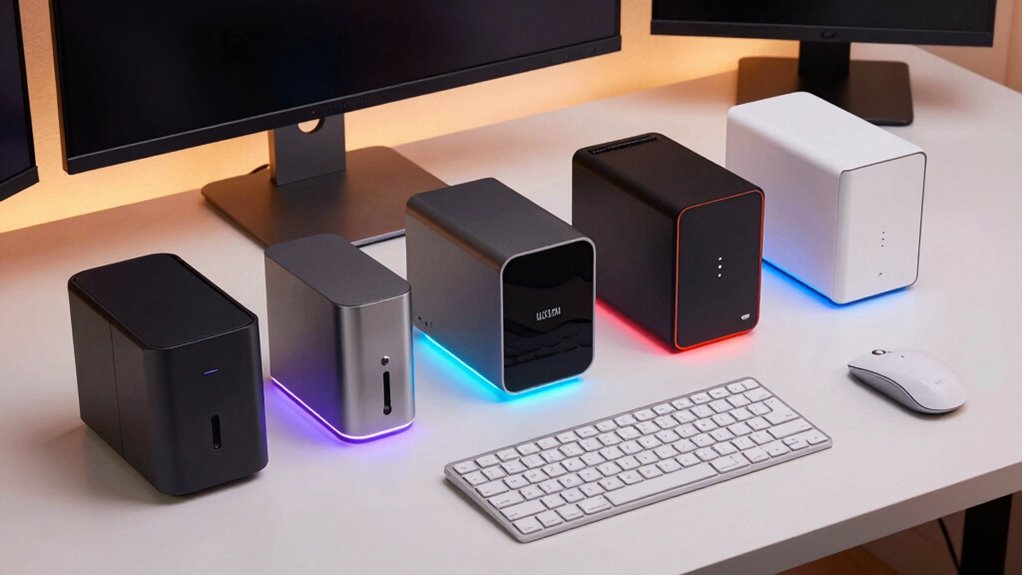
Choosing the right mini PC for your home office involves balancing performance, size, and price. The HP EliteDesk 705 G4 stands out as the best overall due to its reliable performance and compact design, ideal for most professional tasks. For those on a tighter budget, the Bmax Mini PC B1 Plus offers solid functionality without a hefty price tag, though it sacrifices some speed and expandability. Meanwhile, the KAMRUI Pinova P2 makes sense for users who need a versatile triple 4K output setup. Keep in mind that tradeoffs often involve choosing between power, expandability, and size. Continue reading for a detailed breakdown to find the perfect fit for your home office setup.

Prime made for students and young adults
- Fast, free delivery for dorm and study essentials
- Prime Video and Amazon Music included
- Member-only deals
Key Takeaways
- Performance varies significantly based on processor and RAM, with high-end options delivering smoother multitasking.
- Size and expandability are often inversely related; smaller models tend to have limited upgrade options.
- Connectivity features like WiFi 6 and multiple HDMI ports are common in higher-tier models, supporting multiple monitors and fast networks.
- Price ranges widely, making it important to match specs with your actual productivity needs to avoid overspending or underperforming.
- Build quality and warranty support can be deciding factors, especially for long-term reliability in a home office environment.


| mini pc for home office | Processor | Storage | RAM | Graphics |
|---|---|---|---|---|
| HP EliteDesk 705 G4 Mini Deskt | AMD Ryzen 5 Pro 2400GE up to 3.8GHz | 256GB SSD | 8GB DDR4 | — |
| Beelink Mini S12 Pro Mini PC | Intel N100, 4 cores up to 3.4GHz | 500GB SSD, supports up to 2TB SSD | 16GB DDR4 | Intel UHD Graphics 24EUs |
| Bmax Mini PC B1 Plus | Intel Celeron J3355, 2.5 GHz | 128GB eMMC, supports up to 2TB M.2 SSD | 6GB LPDDR3 | Intel HD Graphics 500 |
| GMKtec G3S Mini PC Intel N95 P | Intel N95, 3.4GHz | 256GB SSD | 8GB DDR4 | Intel UHD Graphics |
| Lenovo ThinkCentre M715Q Mini | AMD PRO A12-9800E | 256GB SSD | — | — |
| BOSGAME E5 11 Pro Mini PC | AMD Ryzen 3 5300U, 4 Cores/8 Threads, up to 3.8GHz | 256GB NVMe SSD (additional M.2 slot for up to 2TB) | 8GB DDR4 (expandable up to 64GB) | AMD Radeon Graphics, 6 cores, 1500 MHz |
| GMKtec Mini PC G3 PRO Intel Co | Intel Core i3-10110U | 512GB SSD | 16GB DDR4 | Intel UHD Graphics |
| HP EliteDesk 800 G2 Desktop Mi | Intel Quad-Core i5-6500T up to 3.1GHz | 240GB SSD | — | Intel HD Graphics 4000 |
| HP Pro 400 G9 Mini PC Desktop | Intel Celeron G6900T | 256GB PCIe SSD | 16GB DDR5 | — |
| Mini PC with Intel Pentium N37 | Intel Pentium N3700 | 128GB SSD | 8GB | Intel HD Graphics |
| KAMRUI Pinova P2 Mini PC with | AMD Ryzen 7330U | 256GB M.2 SSD | 16GB LPDDR4X | Integrated Radeon Vega 6 |
| GMKtec Mini Desktop Computer | Intel Core i5-12450H | 512GB SSD | 16GB DDR4 | Intel UHD Graphics |
| HP 2025 Elite 805 Mini PC Desk | AMD Ryzen 5 5650G | 512GB PCIe SSD | 16GB DDR4 | — |
More Details on Our Top Picks
HP EliteDesk 705 G4 Mini Desktop Computer
This refurbished HP EliteDesk 705 G4 offers a strong balance between performance and reliability, thanks to its AMD Ryzen 5 Pro 2400GE processor. Compared with the GMKtec G3S, it provides more robust multitasking capabilities, especially for business use. However, its 8GB RAM can be limiting for heavy multitasking, and the small form factor restricts upgrade options. The pre-installed Windows 11 Pro ensures enterprise-grade features right out of the box, making it ideal for professionals needing dependable performance. While it’s not suited for high-end gaming or intensive creative work, its solid build and tested refurbish status make it a dependable choice for daily office tasks.
Pros:- Powerful AMD Ryzen 5 Pro processor for business tasks
- Fast SSD storage boosts application load times
- Pre-installed with Windows 11 Pro for enterprise features
Cons:- Limited to 8GB RAM, which may hinder heavy multitasking
- Small size limits upgrade potential and expansion
Best for: Small business users or professionals who need a reliable, ready-to-run mini PC for multitasking and office productivity.
Not ideal for: Power users or gamers who require extensive RAM upgrades or high-performance graphics.
- Processor:AMD Ryzen 5 Pro 2400GE up to 3.8GHz
- RAM:8GB DDR4
- Storage:256GB SSD
- Operating System:Windows 11 Pro
- Form factor:Small form factor
- Refurbished:Yes
Our verdict“A dependable, office-ready mini PC best suited for small business environments and routine multitasking.”
Beelink Mini S12 Pro Mini PC, Intel 12th Gen N100, 16GB RAM, 500GB SSD, Dual HDMI 4K, WiFi 6, BT5.2, Windows 11
The Beelink Mini S12 Pro stands out for its compact size paired with a surprisingly capable Intel 12th Gen N100 processor, supporting up to 16GB RAM—more than the HP EliteDesk. Compared to the GMKtec G3S, it offers better multitasking potential and dual 4K display support, making it ideal for multimedia-heavy or multi-monitor setups. Its WiFi 6 and Bluetooth 5.2 ensure fast, futureproof connectivity. The plastic chassis feels less premium than some alternatives like the Lenovo ThinkCentre, and the entry-level CPU may struggle with very demanding tasks. Still, this model provides a flexible, upgrade-friendly solution for those who prioritize multiple screens and modern connectivity in a tiny footprint.
Pros:- Supports dual 4K monitors through HDMI 2.0 ports
- Supports up to 16GB RAM and 2TB SSD for future upgrades
- WiFi 6 and Bluetooth 5.2 for fast, reliable connectivity
Cons:- Limited to 16GB RAM maximum, which may restrict heavy multitasking
- Plastic chassis feels less durable than metal enclosures
Best for: Home office users who need dual 4K display support, fast connectivity, and room to grow within a small space.
Not ideal for: Power users requiring high-end processing or graphics-intensive work, since the CPU is entry-level.
- Processor:Intel N100, 4 cores up to 3.4GHz
- RAM:16GB DDR4
- Storage:500GB SSD, supports up to 2TB SSD
- Graphics:Intel UHD Graphics 24EUs
- Connectivity:WiFi 6, Bluetooth 5.2
- Dimensions:4.52 x 4.01 x 1.54 inches
Our verdict“An excellent choice for users seeking a compact, futureproof mini PC with dual 4K support and modern connectivity.”
Bmax Mini PC B1 Plus, Intel Celeron J3355, 6GB RAM, 128GB eMMC, Dual 4K HDMI, Support M.2 SSD Expansion, Windows 11
The Bmax Mini PC B1 Plus offers a budget-friendly entry into mini PCs, with an Intel Celeron J3355 processor and 6GB RAM. Its support for dual 4K displays makes it a practical choice for simple multitasking, especially compared to more expensive models like the GMKtec G3S which offers higher specs. The 128GB eMMC storage is on the smaller side but expandable via M.2 SSD, making it suitable for light office use and basic media consumption. Its compact, quiet design is ideal for space-constrained environments. However, the Celeron processor and limited onboard storage restrict its performance for demanding tasks or high-end multitasking. This makes it perfect for users with light usage needs who value affordability and simplicity.
Pros:- Compact and space-efficient design
- Supports dual 4K displays for productivity
- Expandable storage with M.2 SSD support
Cons:- Limited onboard storage (128GB) requires expansion
- Basic processor not suitable for demanding tasks
Best for: Home users with basic office tasks, document editing, and light media playback in tight spaces.
Not ideal for: Power users or those needing substantial storage or processing power for demanding applications.
- Processor:Intel Celeron J3355, 2.5 GHz
- RAM:6GB LPDDR3
- Storage:128GB eMMC, supports up to 2TB M.2 SSD
- Graphics:Intel HD Graphics 500
- Display Support:Dual HDMI, 4K @60Hz
- Dimensions:4.2 x 4.1 x 1.4 inches
Our verdict“A cost-effective mini PC ideal for users with light workloads and limited space requirements.”
GMKtec G3S Mini PC Intel N95 Processor, 8GB RAM, 256GB SSD
The GMKtec G3S features a 12th Gen Intel N95 processor, placing it ahead of basic models like the Bmax in terms of processing power. Its 8GB RAM and 256GB SSD support smooth multitasking and quick boot times, making it suitable for multimedia, streaming, and office work. Compared to the Lenovo ThinkCentre M715Q, it offers a more modern processor and a sleek design, but lacks dedicated graphics, limiting high-end gaming or intensive creative tasks. Its 6-watt power consumption makes it energy-efficient, though it’s not designed for heavy-duty workloads. This model makes the most sense for users who want a compact, capable machine for everyday productivity and media consumption without stretching their budget.
Pros:- Powerful 12th Gen Intel N95 processor for multitasking
- Supports dual 4K displays for immersive productivity
- Low power consumption with efficient design
Cons:- No dedicated GPU limits high-end graphics tasks
- Basic operating system may need updates for advanced features
Best for: Home office users who prioritize media use, multitasking, and energy efficiency in a small form factor.
Not ideal for: High-performance tasks like gaming, 3D rendering, or heavy multitasking with professional software.
- Processor:Intel N95, 3.4GHz
- RAM:8GB DDR4
- Storage:256GB SSD
- Graphics:Intel UHD Graphics
- Power Consumption:6 watts
- Operating System:Windows 11 Home
Our verdict“A compact, efficient mini PC suited for media-rich home office environments and everyday multitasking.”
Lenovo ThinkCentre M715Q Mini Tiny Desktop PC, AMD PRO A12-9800E, 8GB RAM, 256GB SSD, Windows 11 Pro (Renewed)
The Lenovo ThinkCentre M715Q offers a robust AMD PRO A12-9800E processor, making it a strong contender for professional environments, especially when paired with Windows 11 Pro. Compared with the HP EliteDesk 705 G4, it provides similar performance but emphasizes enterprise management features and enhanced security. Its dual 4K support and fast SSD ensure productivity, but the small form factor limits upgrade options and graphics performance. It’s an excellent choice for those prioritizing stability, enterprise features, and a compact footprint, though it may not satisfy users needing high-end gaming or creative software capabilities. Its premium build and professional features justify its slightly higher price point for business-focused users.
Pros:- Powerful AMD PRO A12-9800E processor for business tasks
- Supports dual 4K displays for multitasking
- Pre-installed with Windows 11 Pro for enterprise security
Cons:- Limited upgrade options due to compact size
- No dedicated graphics card for high-end visual tasks
Best for: Professional users and small business owners who need a reliable, secure mini PC with enterprise features.
Not ideal for: Gamers or creative professionals requiring dedicated graphics or high-end processing power.
- Processor:AMD PRO A12-9800E
- Memory:8GB DDR4
- Storage:256GB SSD
- Operating System:Windows 11 Pro
- Display Support:Dual 4K
- Dimensions:179 x 34 x 182 mm
Our verdict“A well-rounded mini PC tailored for professional environments demanding reliability and security.”
BOSGAME E5 11 Pro Mini PC, AMD Ryzen 5300U, 8GB RAM, 256GB SSD, Dual 2.5GbE LAN, 4K Triple Display, Windows 11 Pro
The BOSGAME E5 11 Pro stands out for its powerful AMD Ryzen 3 5300U processor, which handles multitasking and demanding applications more smoothly than the Intel Core i3 in the GMKtec G3 PRO. Its support for triple 4K displays enhances productivity, making it ideal for users who need multiple screens. The dual 2.5GbE LAN ports provide reliable, high-speed wired networking, surpassing the single Ethernet port on the HP EliteDesk 800 G2. However, its out-of-the-box storage is limited to 256GB, requiring upgrades for larger data needs, and expanding RAM or storage may require technical skills. This pick makes the most sense for professionals who value performance, expandability, and multi-display setups in a compact form.Pros:- Powerful AMD Ryzen 3 5300U processor with excellent multitasking performance
- Supports triple 4K displays for enhanced productivity
- Dual 2.5GbE LAN ports for fast, reliable wired network connectivity
- Compact, silent design with VESA mount compatibility
Cons:- Limited storage capacity out of the box without upgrades
- Upgrade options for RAM and storage may require technical skills
Best for: Home office users who need high multitasking capacity and multiple displays for productivity.
Not ideal for: Beginners or less tech-savvy users who want a simple, plug-and-play device without upgrades.
- Processor:AMD Ryzen 3 5300U, 4 Cores/8 Threads, up to 3.8GHz
- RAM:8GB DDR4 (expandable up to 64GB)
- Storage:256GB NVMe SSD (additional M.2 slot for up to 2TB)
- Graphics:AMD Radeon Graphics, 6 cores, 1500 MHz
- Display Outputs:HDMI 2.0, DisplayPort, Type-C (4K@60Hz)
- Network:Dual 2.5GbE LAN ports
Our verdict“This mini PC is best suited for users who need robust performance and multiple display support in a compact space.”
GMKtec Mini PC G3 PRO Intel Core i3-10110U, 16GB DDR4, 512GB SSD, 4K Dual HDMI, WiFi 6, Bluetooth 5.2, 2.5GbE, Office/Desktop
The GMKtec G3 PRO’s Intel Core i3-10110U offers snappy single-core performance, making it suitable for office tasks and media use, especially when compared to the AMD Ryzen-based BOSGAME E5 11 Pro. Its 16GB RAM and 512GB SSD provide a smoother experience for multitasking and data storage, surpassing the HP EliteDesk 800 G2’s smaller SSD in capacity. The dual HDMI outputs support two 4K screens, ideal for multitasking, though it lacks a dedicated GPU for graphics-intensive work. Its WiFi 6 and 2.5GbE Ethernet ensure fast, stable network connections, which are superior to older WiFi standards. This model is perfect for users prioritizing high-speed connectivity and dual 4K support without demanding high-end gaming or graphics.Pros:- High RAM and SSD capacity for smooth multitasking
- Supports dual 4K displays for increased productivity
- WiFi 6 and 2.5GbE Ethernet for fast, reliable network connectivity
- Compact and versatile for various office or home setups
Cons:- Lacks a dedicated GPU for graphics-intensive work or gaming
- No upgradeable RAM beyond 16GB (if limited by motherboard)
Best for: Home office users who need fast, reliable network connections and dual 4K displays for multitasking.
Not ideal for: High-end gaming or graphics professionals, due to the absence of a dedicated GPU.
- Processor:Intel Core i3-10110U
- RAM:16GB DDR4
- Storage:512GB SSD
- Graphics:Intel UHD Graphics
- Display Output:2 x HDMI 2.0 (4K@60Hz)
- Connectivity:WiFi 6, Bluetooth 5.2, 2.5GbE Ethernet
Our verdict“This mini PC offers strong network and display support, ideal for users who value speed and multitasking in a compact form.”
HP EliteDesk 800 G2 Desktop Mini Business PC, Intel Quad-Core i5-6500T, 16GB DDR4, 240GB SSD, Windows 11 Pro (Renewed)
The HP EliteDesk 800 G2 combines a quad-core Intel i5-6500T with 16GB RAM, offering solid performance for typical office tasks, especially compared to smaller mini PCs like the KAMRUI AK1PLUS. Its compact size makes it suitable for tight spaces, but the 6.9-inch display size limits usability primarily as a desktop or media device rather than a standalone display. Its 240GB SSD is fast but may fill up quickly, especially for larger files, and it lacks dedicated graphics, making it less suitable for graphics-heavy tasks. The pre-installed Windows 11 Pro provides a familiar environment for business workflows, though upgrade options are limited due to its form factor.Pros:- Compact size suitable for space-constrained environments
- Powerful quad-core processor with ample RAM
- Pre-installed Windows 11 Pro for productivity
- Fast SSD storage for quick data access
Cons:- Limited display size (6.9 inches) for a desktop PC
- No dedicated GPU, limiting graphics performance
- Small storage capacity without expansion options
Best for: Small offices or home users who need a space-saving PC with decent performance and Windows 11 Pro.
Not ideal for: Users needing high storage capacity or graphics-intensive capabilities, as the SSD is small and integrated graphics are shared.
- Processor:Intel Quad-Core i5-6500T up to 3.1GHz
- Memory:16GB DDR4
- Storage:240GB SSD
- Graphics:Intel HD Graphics 4000
- Display Size:6.9 inches
- Ports:VGA, DisplayPort, USB 3.0, USB Type-C
Our verdict“This mini desktop balances space and performance, ideal for small offices but less suited for heavy storage or graphics needs.”
HP Pro 400 G9 Mini PC Desktop Computer, Intel CPU, 16GB DDR5 RAM, 256GB PCIe SSD, Triple 4K Display Support, USB-C, Bluetooth 5.2, WiFi 6, Windows 11 Pro
The HP Pro 400 G9 provides a balanced mix of modern features, with DDR5 RAM and a PCIe SSD delivering faster data speeds compared to older DDR4 systems like the GMKtec G3 PRO. Its support for triple 4K displays and WiFi 6 makes it a strong contender for users who need expansive visual real estate and reliable high-speed connectivity. Although the Intel Celeron G6900T processor offers decent performance, it may fall short for demanding tasks, especially compared to the AMD Ryzen in the BOSGAME E5. Its space-efficient design and Windows 11 Pro make it suitable for busy home offices needing future-proofed hardware, but its limited storage without upgrades could be a concern.Pros:- Supports triple 4K displays for expansive workspace
- DDR5 RAM and PCIe SSD for faster performance
- WiFi 6 and Bluetooth 5.2 for reliable connectivity
- Compact, space-saving design
Cons:- Processor may lag behind high-end desktops for intensive tasks
- Limited storage capacity without upgrades
Best for: Home office users who prioritize future-proofing, multi-display setups, and high-speed connectivity over raw processing power.
Not ideal for: Power users requiring high-end CPU performance or graphics-intensive applications, due to the modest processor.
- Processor:Intel Celeron G6900T
- RAM:16GB DDR5
- Storage:256GB PCIe SSD
- Display Support:Triple 4K
- Connectivity:WiFi 6, Bluetooth 5.2
Our verdict“This model suits users who value modern connectivity and multiple display support in a sleek, space-efficient package.”
Mini PC with Intel Pentium N3700, 8GB RAM, 128GB SSD, Dual 4K HDMI, WiFi & Bluetooth, VESA Mount, Compact Design
This mini PC stands out for its ultra-compact size and dual 4K display support, making it ideal for small desks or wall-mount setups. Compared to the more powerful KAMRUI Pinova P2, it offers less processing power but excels in space-saving design. Its limited 128GB SSD is a notable drawback for users with larger files or multiple applications, but for basic tasks like browsing and document editing, it performs reliably. The dual HDMI outputs ensure multi-monitor setups, yet the basic Intel Pentium processor may struggle with multitasking or heavier workloads. This pick makes the most sense for those prioritizing minimal footprint over raw power, especially in tight spaces.
Pros:- Incredibly small and lightweight for easy placement anywhere
- Supports dual 4K monitors, perfect for multitasking
- Versatile connectivity with multiple USB and HDMI ports
Cons:- Limited storage capacity may require external drives
- Basic processor limits multitasking and heavy workloads
Best for: Home office workers who need a tiny footprint for simple productivity tasks
Not ideal for: Power users or those running demanding software that requires more processing muscle
- Processor:Intel Pentium N3700
- RAM:8GB
- Storage:128GB SSD
- Graphics:Intel HD Graphics
- Display Support:Dual 4K HDMI
- WiFi:802.11ac dual-band
- Dimensions:4.42 x 4.42 x 1.46 inches
- Weight:0.28 kg
- Power Consumption:15 watts
Our verdict“This is a great choice for users needing a space-efficient device for light office activities.”
KAMRUI Pinova P2 Mini PC with AMD Ryzen 7330U, 16GB RAM, 256GB SSD, Triple 4K Output
The KAMRUI Pinova P2 is designed for users who want strong multi-core performance combined with impressive display capabilities. Compared with the GMKtec Mini Desktop, it offers a more modern AMD Ryzen processor that handles multitasking and medium workloads more smoothly. Its support for three 4K displays makes it ideal for creative professionals or multitasking environments, but it lacks a dedicated GPU, limiting high-end gaming or graphically intensive tasks. The 16GB RAM and expandable storage give it a significant edge over less capable models like the GMKtec G3S. Overall, it’s best suited for those needing a compact yet powerful multi-display setup without high-end gaming demands.
Pros:- Powerful AMD Ryzen 7330U CPU with excellent multi-core performance
- Supports triple 4K display output for extensive multitasking
- Expandable storage up to 4TB for future needs
Cons:- No dedicated GPU limits high-end graphics tasks
- Requires additional storage expansion for more space
Best for: Creative professionals or multitaskers needing multiple high-res displays and good performance
Not ideal for: Gamer or heavy-duty 3D rendering users who require dedicated graphics card
- Processor:AMD Ryzen 7330U
- Graphics:Integrated Radeon Vega 6
- RAM:16GB LPDDR4X
- Storage:256GB M.2 SSD
- Display Output:HDMI 2.0, DisplayPort 1.4, USB-C with DP Alt Mode
- Connectivity:WiFi 2.4G+5.0G, Bluetooth, Gigabit LAN
- Dimensions:5.05 x 5.05 x 1.73 inches
- Color:Silver
- Power:Included
Our verdict“Ideal for users who prioritize display versatility and multi-core efficiency in a compact form.”
GMKtec Mini Desktop Computer, Intel Core i5-12450H, 16GB RAM, 512GB SSD, 4K HDMI, WiFi 6, Bluetooth 5.2, 2.5G Ethernet, Black
The GMKtec Mini Desktop offers a robust combination of a 12th Gen Intel Core i5-12450H and 16GB RAM, making it a solid choice for demanding home office tasks. Compared to the HP EliteDesk 800 G4, it provides newer hardware and better connectivity options, including WiFi 6 and Bluetooth 5.2. Its 512GB SSD supports faster data access, but it still lacks dedicated graphics, which limits gaming or heavy graphical work. The multiple HDMI ports and 2.5G Ethernet make it well-suited for professional multitasking, especially when paired with a high-speed internet connection. This device will satisfy users needing a balance of performance, connectivity, and compact size for intense work or media use.
Pros:- Powerful 12th Gen Intel Core i5 with high multi-core performance
- Fast 16GB RAM and 512GB SSD for quick responsiveness
- Modern connectivity including WiFi 6 and Bluetooth 5.2
Cons:- No dedicated GPU for graphics-intensive tasks
- Limited upgrade options due to small form factor
Best for: Professionals seeking a powerful, future-proof mini PC for multitasking and media
Not ideal for: High-end gamers or users requiring dedicated graphics processing
- Processor:Intel Core i5-12450H
- RAM:16GB DDR4
- Storage:512GB SSD
- Graphics:Intel UHD Graphics
- Ports:2x HDMI 2.0, USB 3.2, USB 2.0, LAN
- Networking:WiFi 6, Bluetooth 5.2
- Dimensions:4.48 x 4.17 x 1.67 inches
- Weight:Approx. 1.5 pounds
- Power:Included
Our verdict“Best suited for professionals who need a reliable, high-performance mini PC for multitasking and media consumption.”
HP 2025 Elite 805 Mini PC Desktop Computer, AMD Ryzen 5, 16GB RAM, 512GB SSD, Dual 4K Support, Windows 11 Pro
The HP 2025 Elite 805 combines an AMD Ryzen 5 processor with 16GB RAM and a 512GB SSD, making it a capable performer for everyday multitasking and dual 4K display setups. Compared to the HP EliteDesk 800 G4, it offers a more modern AMD platform and support for higher RAM capacity up to 64GB, offering some future-proofing. Its dual 4K support ensures productivity in multitasking environments, but the small form factor limits upgrade options and it relies on integrated graphics, which isn’t ideal for graphics-heavy tasks. The device’s Windows 11 Pro pre-installation enhances security and management for professional use, making it a solid choice for users who want a balance between performance and upgrade potential.
Pros:- Strong AMD Ryzen 5 processor with solid multitasking ability
- Supports up to 64GB RAM for future upgrades
- Dual 4K display support enhances productivity
Cons:- Limited upgrade options due to small size
- No dedicated graphics card for graphics-intensive tasks
Best for: Home office users looking for a versatile, upgrade-ready mini PC with good performance
Not ideal for: High-end gaming or tasks requiring advanced graphics processing
- Processor:AMD Ryzen 5 5650G
- RAM:16GB DDR4
- Maximum RAM:64GB
- Storage:512GB PCIe SSD
- Display Support:Dual 4K via DisplayPort
- Connectivity:WiFi 6, Ethernet, Bluetooth
- Dimensions:6.96 x 6.88 x 1.33 inches
- Weight:Approx. 2.7 kg
- Operating System:Windows 11 Pro
Our verdict“A well-rounded option for users wanting a balance of performance and expandability in a small footprint.”

How We Picked
The products in this roundup were evaluated based on key factors crucial for a home office mini PC. Performance metrics such as processor speed, RAM, and storage were prioritized, ensuring smooth multitasking and responsiveness. Usability features like multiple display outputs, WiFi standards, and expandability options were also considered, as they directly impact daily work flexibility. We balanced these technical aspects with value, assessing the price-to-performance ratio to identify models that offer the best bang for your buck. Finally, build quality and user-friendly features helped us determine which options would remain reliable and easy to maintain over time, leading to our final rankings.Factors to Consider When Choosing Mini Pc For Home Office
When choosing a mini PC for your home office, considering a few key factors can help you avoid common pitfalls and make a smarter investment. Size and form factor matter if space is limited, but often come with tradeoffs in upgradeability. Processor and RAM are the heart of performance; selecting a model with enough power ensures smooth multitasking, especially if you run demanding applications. Connectivity options like multiple HDMI ports, WiFi 6, and Bluetooth 5.2 support a flexible, future-proof setup. Price should align with your needs—spending more on a high-end processor and expandability makes sense for demanding tasks, while basic models suffice for light productivity. Don’t forget to check for reliable warranty and support, especially if you’ll rely on it daily.Performance and Power
The processor and RAM define how well your mini PC can handle multitasking, heavy applications, and future updates. For most home offices, an Intel Core i3 or AMD Ryzen 5 offers enough power, but if you run design or editing software, stepping up to an i5 or Ryzen 7 can provide a noticeable boost. RAM should be at least 8GB for smooth multitasking, with 16GB being ideal if you work with large files or multiple apps simultaneously. Consider models with SSD storage for faster boot times and file access, especially since traditional HDDs can slow down workflow. Balancing power and price here helps avoid bottlenecks and future upgrades.
Size and Expandability
The compact form factor is a key benefit of mini PCs, but it often limits internal expansion. If you anticipate needing additional storage or RAM upgrades down the line, look for models with accessible M.2 slots or RAM slots. Some ultra-compact models might only support external drives or limited upgrades, which can be frustrating in the long run. Think about your space constraints: a very small device might be easier to place on a cluttered desk but could restrict future growth. Choosing a slightly larger model with more ports and upgrade options can save money and hassle later.
Connectivity and Display Support
For home office productivity, multiple display outputs are often essential. Models with dual or triple HDMI or DisplayPort support enable a multi-monitor setup, boosting efficiency. WiFi 6 and Bluetooth 5.2 are becoming standard, providing faster, more reliable connections to peripherals and networks. Ethernet ports, especially 2.5GbE, are useful for stable wired connections if your WiFi isn’t sufficient. Ensure the mini PC has enough USB ports for your keyboard, mouse, and other peripherals. These features directly impact your daily workflow and flexibility in setting up a comfortable workspace.
Price and Long-Term Value
While budget options can handle basic tasks, investing a little more often results in better longevity and performance. Cheaper models might lack important features like multiple HDMI outputs or sufficient RAM, which could limit usability later. High-end options with faster processors and more expandability tend to maintain relevance longer, especially if your workload increases. Always consider the total cost of ownership, including potential upgrades or warranties. Balancing upfront investment with expected use ensures you don’t overspend on features you don’t need or compromise on performance for budget savings.
Build Quality and Support
Reliability is vital for a device that forms the core of your home office. Look for mini PCs from reputable brands with good customer support and warranty options. Devices with solid build quality are less prone to failure and easier to maintain. Some models include VESA mounting options, which help save desk space and create a cleaner setup. Consider user reviews for insights into real-world durability and support responsiveness. Investing in a well-supported device can prevent frustrations and downtime, especially if you depend on it for work.
Frequently Asked Questions
Can a mini PC replace my full-sized desktop for home office tasks?
In many cases, a mini PC can handle typical office tasks like word processing, browsing, video conferencing, and light multitasking effectively. However, if your work involves demanding applications such as video editing, CAD, or large data analysis, a mini PC might struggle compared to a full-sized desktop with more powerful hardware. Choosing a mini PC with a high-performance CPU, plenty of RAM, and fast storage can mitigate some limitations. Still, for intensive workloads, a traditional desktop or a powerful laptop may be a better fit, as mini PCs are generally designed for efficiency and space-saving rather than raw power.
Is it worth investing in a mini PC with upgrade options?
Yes, opting for a mini PC with upgrade capabilities—such as additional RAM slots or M.2 SSD support—can extend its usable life. As your workload grows or technology advances, having the ability to upgrade components avoids the need to replace the entire device. This is especially valuable in a home office setup where long-term investment matters. However, keep in mind that some ultra-compact models sacrifice upgradeability in exchange for size, so weigh your future needs carefully before choosing. Upgradability often provides better long-term value and flexibility.
Which connectivity features are most important for a home office mini PC?
For a seamless home office experience, look for models with WiFi 6 and Bluetooth 5.2, which offer faster and more reliable connections to your network and peripherals. Multiple HDMI or DisplayPort outputs support multi-monitor setups, boosting productivity. Ethernet ports, preferably 2.5GbE, provide wired stability if your WiFi is inconsistent. USB-C and multiple USB-A ports are helpful for connecting peripherals like printers, external drives, or docking stations. Prioritizing these features ensures your setup is flexible, fast, and reliable, reducing frustrations caused by connectivity issues.
How much should I budget for a good mini PC for home office use?
Expect to spend between $300 and $700 for a mini PC that balances performance, size, and longevity for most home office needs. Basic models around $300 can handle light tasks but may lack expandability or high-speed connectivity. Mid-range options in the $500-$700 range typically offer better processors, more RAM, and multiple display outputs, suitable for most professional work. Investing slightly more can provide future-proofing, especially if you plan to upgrade or run demanding applications. Carefully compare specs and features to ensure your investment aligns with your actual work requirements.
Conclusion
For most users seeking a reliable, space-saving device, the HP EliteDesk 705 G4 offers the perfect balance of performance and size, making it the best overall choice. Budget-conscious buyers who want decent performance without breaking the bank should consider the Bmax Mini PC B1 Plus, while those needing high-end multitasking and future expandability might prefer the GMKtec Mini Desktop Computer. Beginners or those with simple needs will find the KAMRUI Pinova P2 straightforward and easy to set up. For professionals requiring multiple monitors and maximum connectivity, the HP Pro 400 G9 or HP EliteDesk 800 G4 are excellent premium options. Matching your specific needs to these profiles ensures you make a confident, long-lasting choice.
As an affiliate, we earn on qualifying purchases.Halloween Picks
halloween