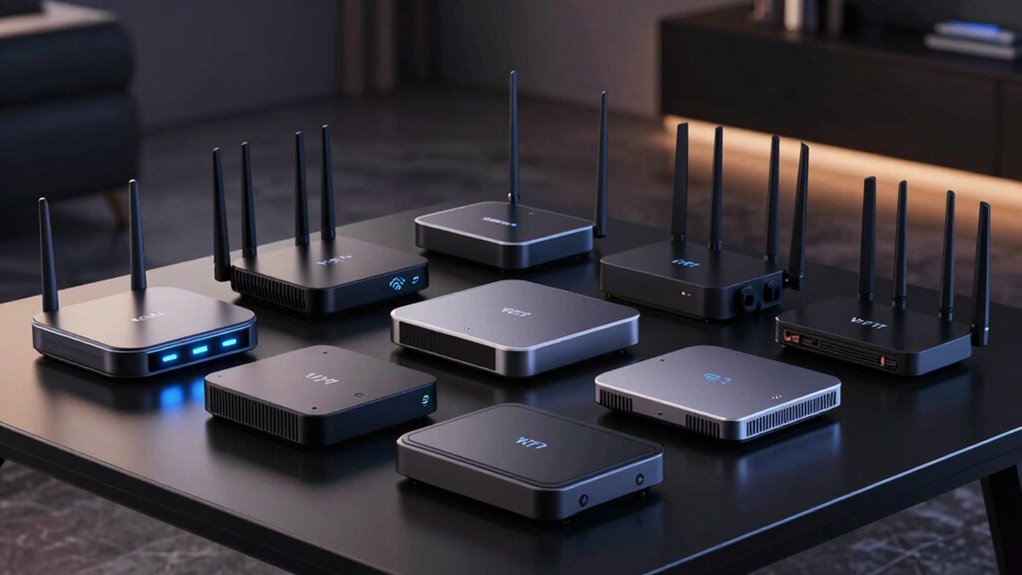

Choosing a WiFi 7 router under 700 dollars involves balancing speed, coverage, and features. The NETGEAR Nighthawk RS140 stands out for its solid dual-band performance, making it a reliable overall pick. Meanwhile, the TP-Link Deco 7 Pro BE63 mesh system offers excellent coverage for larger homes, and the eero Pro 7 delivers impressive speed for demanding setups. The main challenge is finding a model that combines high performance with good coverage without exceeding the budget. Continue reading for a detailed breakdown of these options and what makes each suitable for different needs.

Prime made for students and young adults
- Fast, free delivery for dorm and study essentials
- Prime Video and Amazon Music included
- Member-only deals
Key Takeaways
- Most high-performance routers in this range emphasize tri-band setups for better traffic management.
- Mesh systems like the Deco 7 Pro provide broader coverage, ideal for larger or multi-story homes.
- Many routers offer multi-gig ports, but the actual speed benefit depends on your internet plan and devices.
- Build quality and firmware stability are consistent differentiators, especially in models with advanced features.
- Price often correlates with coverage and speed, but some budget models still deliver excellent value for smaller spaces.
| NETGEAR Nighthawk Dual-Band WiFi 7 Router (RS140) |  | Best Overall for Large Homes and High-Speed Streaming | WiFi Speed: up to 5.0 Gbps | Coverage: up to 2,250 sq. ft. | Number of Devices: 80 | VIEW ON AMAZON | See Our Full Breakdown |
| NETGEAR Nighthawk Dual-Band WiFi 7 Router (RS90) |  | Best for Gaming and Streaming on a Budget | WiFi Speed: up to 3.6 Gbps | Coverage: up to 2,000 sq. ft. | Ethernet Ports: 1x 2.5 Gig WAN, 4x Gigabit LAN | VIEW ON AMAZON | See Our Full Breakdown |
| TP-Link Deco 7 Pro BE63 Tri-Band WiFi 7 Mesh System (2-Pack) |  | Best for Large Coverage and Seamless Mesh Networking | Wi-Fi Standard: WiFi 7 (802.11ax) | Coverage: up to 5,800 sq. ft. | Number of Units: 2 | VIEW ON AMAZON | See Our Full Breakdown |
| NETGEAR Nighthawk Tri-Band WiFi 7 Router (RS700S) – Up to 19Gbps, 10Gb Internet Port, Covers 3,500 sq. ft., Supports 200 Devices (Renewed) |  | Best for Ultra-High-Speed Gaming and Streaming | Wireless Speed: up to 19 Gbps | Coverage: up to 3,500 sq. ft. | Number of Devices Supported: 200 | VIEW ON AMAZON | See Our Full Breakdown |
| NETGEAR Nighthawk Tri-Band WiFi 7 Router (RS700S) – Router Only, Up to 19 Gbps, 10 Gig Internet Port | | Best for High-End Performance in a Compact Form | WiFi Speed: up to 19 Gbps | Coverage: up to 3,500 sq. ft. | Ports: 1x 10 Gig, 4x 1 Gig LAN | VIEW ON AMAZON | See Our Full Breakdown |
| GL.iNet GL-BE9300 Flint 3 Tri-Band Wi-Fi 7 Router |  | Best for Extensive Coverage and Advanced Features | Wi-Fi Standard: Wi-Fi 7 | Speed: up to 9 Gbps | Coverage: up to 2,000 sq ft | VIEW ON AMAZON | See Our Full Breakdown |
| TP-Link Archer BE12000 Tri-Band Wi-Fi 7 Router |  | Best for Large Homes with High-Speed Demands | Wi-Fi Bands: Tri-band | Max Speed: 5,765 Mbps | Coverage: up to 3,000 sq ft | VIEW ON AMAZON | See Our Full Breakdown |
| eero 7 Dual-Band Mesh Wi-Fi 7 Router (Newest Model) – Supports Internet Plans Up to 2.5 Gbps, Coverage up to 2,000 sq. ft., 1-Pack |  | Best for Easy, Seamless Mesh Coverage | Wi-Fi Standard: Wi-Fi 7 | Coverage: up to 2,000 sq ft | Supported Devices: 120+ | VIEW ON AMAZON | See Our Full Breakdown |
| TP-Link Tri-Band WiFi 7 Router (Archer BE600) |  | Best for Multi-Gigabit Wired and Wireless Performance | Wi-Fi Technology: Wi-Fi 7 | Speed: up to 5,765 Mbps | Coverage: up to 2,600 sq ft | VIEW ON AMAZON | See Our Full Breakdown |
| GL.iNet GL-BE6500 Flint 3e Wi-Fi 7 Router with VPN for Home and Gaming |  | Best for Gaming and Secure Home Use | Wi-Fi Standard: Wi-Fi 7 | Maximum Speed: 6.5 Gbps | Coverage: 2,500 sq ft | VIEW ON AMAZON | See Our Full Breakdown |
| eero Pro 7 Tri-Band Mesh Wi-Fi 7 Router – Supports Internet Plans Up to 5 Gbps, Coverage up to 2,000 sq. ft., 1-Pack |  | Best Overall for Seamless Whole-Home Coverage | Wi-Fi Standard: Wi-Fi 7 (IEEE 802.11a/b/g/n/ac/ax/be) | Coverage: 2000 sq. ft. | Supported Devices: 200+ devices | VIEW ON AMAZON | See Our Full Breakdown |
| TP-Link Tri-Band WiFi 7 Router (Archer BE550) |  | Best for Speed and Future-Proof Performance | WiFi Standard: WiFi 7 | Speed: up to 9.2 Gbps | Bands: Tri-band | VIEW ON AMAZON | See Our Full Breakdown |
| wifi 7 router under 700 | Coverage | Ports |
|---|---|---|
| NETGEAR Nighthawk Dual-Band Wi | up to 2,250 sq. ft. | — |
| NETGEAR Nighthawk Dual-Band Wi | up to 2,000 sq. ft. | — |
| TP-Link Deco 7 Pro BE63 Tri-Ba | up to 5,800 sq. ft. | 4x 2.5G WAN/LAN, 1x USB 3.0 |
| NETGEAR Nighthawk Tri-Band WiF | up to 3,500 sq. ft. | 1x 10 Gig, 4x 1 Gig LAN |
| NETGEAR Nighthawk Tri-Band WiF | up to 3,500 sq. ft. | 1x 10 Gig, 4x 1 Gig LAN |
| GL.iNet GL-BE9300 Flint 3 Tri- | up to 2,000 sq ft | — |
| TP-Link Archer BE12000 Tri-Ban | up to 3,000 sq ft | 1 x 10 Gbps WAN/LAN, 1 x 2.5 Gbps WAN/LAN, 3 x 1 Gbps LAN |
| eero 7 Dual-Band Mesh Wi-Fi 7 | up to 2,000 sq ft | — |
| TP-Link Tri-Band WiFi 7 Router | up to 2,600 sq ft | 1 x 10 Gbps WAN/LAN, 1 x 2.5 Gbps WAN/LAN, 3 x 2.5 Gbps LAN |
| GL.iNet GL-BE6500 Flint 3e Wi- | 2,500 sq ft | — |
| eero Pro 7 Tri-Band Mesh Wi-Fi | 2000 sq. ft. | — |
| TP-Link Tri-Band WiFi 7 Router | — | 1 x 2.5G WAN, 4 x 2.5G LAN |
More Details on Our Top Picks
NETGEAR Nighthawk Dual-Band WiFi 7 Router (RS140)
The NETGEAR Nighthawk RS140 stands out for delivering fast WiFi 7 speeds up to 5.0 Gbps and covering large spaces up to 2,250 sq. ft., making it ideal for households with multiple devices engaging in streaming, gaming, and smart device use. Compared with the TP-Link Deco 7 Pro BE63, it offers higher speeds and more wired Ethernet options, but requires a separate modem and involves additional security subscription costs. Its easy app management and multiple Ethernet ports support a seamless high-performance network, though security features are locked behind a subscription and it needs a separate modem for internet access.
Pros:- Fast WiFi 7 speeds up to 5 Gbps suitable for streaming and gaming
- Wide coverage area up to 2,250 sq. ft.
- Multiple wired Ethernet ports for stable connections
- Easy network management via the Nighthawk app
Cons:- Requires a separate modem or ISP gateway for internet access
- Security subscription incurs extra costs after trial period
- Setup can be complex with certain ISP gateways
Best for: Families in large homes needing a reliable, high-speed WiFi 7 backbone with extensive wired options
Not ideal for: Apartment dwellers or small households who may find the coverage excessive and the setup more complex than needed
- WiFi Speed:up to 5.0 Gbps
- Coverage:up to 2,250 sq. ft.
- Number of Devices:80
- Ethernet Ports:1x 2.5 Gigabit WAN, 3x 1 Gigabit LAN
- Compatibility:WiFi 6 and earlier devices
- Security:NETGEAR Armor (30-day free trial)
Our verdict“This router is best for large households prioritizing speed and coverage, willing to handle a separate modem and subscription costs.”
NETGEAR Nighthawk Dual-Band WiFi 7 Router (RS90)
The NETGEAR Nighthawk RS90 offers speeds up to 3.6 Gbps, making it a solid choice for gaming, streaming, and smart home setups. It is comparable to the NETGEAR RS140 but with a lower maximum speed and slightly reduced coverage, which may be limiting for very large homes. Its dual-band design, combined with WPA3 and Armor security, ensures a secure connection, while easy setup via app or web makes it user-friendly. However, it requires a separate modem and its coverage might fall short in larger or obstacle-laden homes.
Pros:- High-speed WiFi 7 performance up to 3.6 Gbps
- Easy setup with app or browser
- Secure WiFi with WPA3 and Armor
- Multiple Ethernet ports for wired devices
Cons:- Requires a separate modem for internet access
- Limited coverage of about 2,000 sq. ft.
- Dual-band may limit performance in heavy device environments
Best for: Gamers and streamers seeking reliable WiFi 7 performance without the need for extensive coverage
Not ideal for: Homeowners with large or multi-story homes where coverage could be insufficient or where a mesh system might be better
- WiFi Speed:up to 3.6 Gbps
- Coverage:up to 2,000 sq. ft.
- Ethernet Ports:1x 2.5 Gig WAN, 4x Gigabit LAN
- Security:WPA3, NETGEAR Armor
- Processor:Quad-core 2.0 GHz
- Compatibility:Most ISPs, separate modem required
Our verdict“This router suits gamers and streamers in smaller to medium homes who want fast WiFi 7 without complex setup or mesh features.”
TP-Link Deco 7 Pro BE63 Tri-Band WiFi 7 Mesh System (2-Pack)
The TP-Link Deco 7 Pro BE63 excels in delivering expansive coverage up to 5,800 sq. ft. with two units, making it perfect for large homes or multi-story residences. Its tri-band WiFi 7 setup offers speeds up to 5,188 Mbps, ideal for multiple streaming, gaming, and smart device needs. Compared to the NETGEAR RS140, it emphasizes coverage and seamless roaming through AI-driven mesh technology, though its performance can be affected by environmental factors. It supports wired backhaul with 4x 2.5G ports, and its user-friendly Deco app simplifies setup. The main tradeoffs are higher cost and reliance on a separate modem for internet connectivity.
Pros:- Extensive coverage up to 5,800 sq. ft. with 2 units
- Fast WiFi 7 speeds up to 5,188 Mbps
- Supports multiple wired connections with 4x 2.5G ports
- Seamless AI-driven roaming for stable connectivity
Cons:- Requires a separate modem for internet access
- Higher price point reflecting advanced mesh features
- Performance may vary based on environment and device placement
Best for: Large households seeking an easy-to-manage, high-speed mesh network covering extensive areas
Not ideal for: Small apartments or users with simple setup needs who may find the mesh system more complex and pricier than necessary
- Wi-Fi Standard:WiFi 7 (802.11ax)
- Coverage:up to 5,800 sq. ft.
- Number of Units:2
- Speed:up to 5,188 Mbps
- Ports:4x 2.5G WAN/LAN, 1x USB 3.0
- Backhaul:Wired and wireless
Our verdict“This mesh system is suited for large homes that prioritize coverage and seamless device roaming, accepting a higher investment and separate modem requirement.”
NETGEAR Nighthawk Tri-Band WiFi 7 Router (RS700S) – Up to 19Gbps, 10Gb Internet Port, Covers 3,500 sq. ft., Supports 200 Devices (Renewed)
The NETGEAR RS700S offers extraordinary speeds up to 19Gbps and extensive coverage of 3,500 sq. ft., making it an excellent choice for demanding gaming, 4K streaming, and video conferencing. Its support for up to 200 devices ensures future-proof capacity, while the 10 Gig port provides ultra-fast wired connectivity. Compared to the RS140, it emphasizes raw speed and device support, but being a renewed product introduces potential warranty and reliability concerns. Its setup can be complex for non-technical users, and it requires a separate modem.
Pros:- Exceptional WiFi 7 speeds up to 19 Gbps
- Supports up to 200 devices simultaneously
- Includes a 10 Gigabit port for ultra-fast wired connections
- Wide coverage of up to 3,500 sq. ft.
Cons:- Requires a separate modem for internet connection
- Renewed product may have limited warranty
- Setup and configuration can be complex for average users
Best for: Power users and large households seeking maximum WiFi 7 speeds and high device volume in a sizeable home
Not ideal for: Casual users or those with smaller homes who won’t utilize the maximum speed and device capacity
- Wireless Speed:up to 19 Gbps
- Coverage:up to 3,500 sq. ft.
- Number of Devices Supported:200
- Ports:1x 10 Gig, 4x 1 Gig LAN
- Compatibility:Any ISP, modem required
Our verdict“This router suits tech-savvy users and large households demanding the highest speeds and capacity, accepting the potential risks of a renewed unit.”
NETGEAR Nighthawk Tri-Band WiFi 7 Router (RS700S) – Router Only, Up to 19 Gbps, 10 Gig Internet Port
The NETGEAR RS700S Router Only packs impressive speeds up to 19Gbps and a sleek design, making it suitable for users who want top-tier WiFi 7 performance without a built-in modem. Its coverage of 3,500 sq. ft. and 10 Gig port cater to high-bandwidth activities like gaming, AR/VR, and 4K streaming. Compared to the Renewed RS700S, this version offers the same high performance but with a new, guaranteed warranty. The main drawback is the need for a separate modem, which could add complexity in setup and additional costs. Its high speed makes it less suitable for small households that don’t need such power.
Pros:- High WiFi speeds up to 19 Gbps
- Compact, sleek design
- Includes a 10 Gig port for ultra-fast wired connections
- Supports extensive coverage and multiple devices
Cons:- Requires a separate modem for internet access
- Higher cost due to premium features
- Setup complexity for non-technical users
Best for: Enthusiasts and professionals seeking maximum WiFi 7 speeds in a router-only package with sleek design
Not ideal for: Average users or small households who don’t require such high throughput or device capacity
- WiFi Speed:up to 19 Gbps
- Coverage:up to 3,500 sq. ft.
- Ports:1x 10 Gig, 4x 1 Gig LAN
- Compatibility:Any ISP, separate modem required
Our verdict“This router is best for users demanding top speeds and sleek design, with the understanding they need to pair it with a separate modem.”
GL.iNet GL-BE9300 Flint 3 Tri-Band Wi-Fi 7 Router
The GL.iNet GL-BE9300 Flint 3 stands out for its remarkable speed potential of up to 9 Gbps and extensive coverage of 2,000 sq ft, making it ideal for large homes with demanding bandwidth needs. Unlike the TP-Link BE600, which offers slightly lower speeds, this model emphasizes MLO technology and support for over 100 devices, reducing latency and improving connectivity in dense environments. However, its setup process may challenge less technical users, and some features require firmware updates for optimal performance. This pick makes the most sense for tech-savvy households or small offices that need high performance and flexible device management without sacrificing coverage.
Pros:- Supports ultra-fast Wi-Fi 7 speeds up to 9 Gbps for seamless streaming and gaming
- Provides up to 2,000 sq ft coverage ideal for large spaces
- Includes parental controls and VPN support for enhanced security
- Supports over 100 connected devices for busy households
Cons:- Setup may require firmware updates and technical knowledge
- Features might be overwhelming for non-technical users
Best for: Tech-savvy users seeking maximum speed, extensive coverage, and advanced network management in a single device.
Not ideal for: Casual users or those preferring plug-and-play simplicity, as setup and configuration can be complex.
- Wi-Fi Standard:Wi-Fi 7
- Speed:up to 9 Gbps
- Coverage:up to 2,000 sq ft
- VPN Speed:up to 680 Mbps
- Device Capacity:over 100 devices
- Technology:MLO, OFDMA, 4K QAM, preamble puncturing
Our verdict“This router suits advanced users demanding high speeds and coverage with robust security features.”
TP-Link Archer BE12000 Tri-Band Wi-Fi 7 Router
The TP-Link Archer BE12000 delivers impressive speeds up to 5,765 Mbps across its tri-band setup, making it a solid choice for large households or small offices that prioritize fast, reliable internet. Compared to the eero 7, which emphasizes ease of expansion and mesh capabilities, the BE12000 offers more ports and advanced security features, but it demands a more involved setup process that may intimidate casual users. Its 6 high-gain antennas ensure strong coverage, yet the complexity and size of the device may require significant space. This model is best suited for users willing to handle a more technical installation to gain high-speed wired and wireless connectivity.
Pros:- Supports WiFi 7 with speeds up to 5,765 Mbps for demanding activities
- Multiple high-speed ports including 10 Gbps WAN/LAN and 2.5 Gbps ports
- Excellent coverage for large homes with 6 external antennas
- Advanced security features with HomeShield
Cons:- Complex setup process for non-technical users
- Large size requires significant space
Best for: Power users with large homes who need fast, reliable wired and wireless connections and are comfortable with a more involved setup.
Not ideal for: Casual users or those seeking simple plug-and-play solutions, as setup and configuration can be complex.
- Wi-Fi Bands:Tri-band
- Max Speed:5,765 Mbps
- Coverage:up to 3,000 sq ft
- Ports:1 x 10 Gbps WAN/LAN, 1 x 2.5 Gbps WAN/LAN, 3 x 1 Gbps LAN
- Antennas:6 high-gain antennas
- Security:Advanced cybersecurity with HomeShield
Our verdict“Ideal for tech-savvy users needing high-speed, wired, and wireless connectivity in large spaces, despite its setup complexity.”
eero 7 Dual-Band Mesh Wi-Fi 7 Router (Newest Model) – Supports Internet Plans Up to 2.5 Gbps, Coverage up to 2,000 sq. ft., 1-Pack
The eero 7 offers a straightforward way to achieve reliable Wi-Fi 7 coverage up to 2,000 sq ft, supporting over 120 devices with ease. Compared with the GL.iNet Flint 3, which emphasizes high speeds and extensive device capacity, the eero prioritizes simplicity and expandability through its mesh system. While it’s less suitable for users needing maximum speeds beyond 2.5 Gbps or extensive coverage beyond 2,000 sq ft, it excels in environments where easy setup and seamless expansion are key. Its automatic management and backward compatibility make it a practical choice for users who value convenience over raw speed.
Pros:- Supports Wi-Fi 7 with reliable coverage up to 2,000 sq ft
- Supports over 120 devices simultaneously with mesh technology
- Easy setup and management via the app
- Automatically updates and manages network security
Cons:- Limited to 2.5 Gbps maximum internet plan compatibility
- In a 1-pack, expansion requires additional units
Best for: Homeowners seeking a simple, expandable mesh Wi-Fi 7 system with reliable coverage and easy management.
Not ideal for: Power users requiring top-tier speeds or large coverage areas exceeding 2,000 sq ft, as the system limits maximum throughput.
- Wi-Fi Standard:Wi-Fi 7
- Coverage:up to 2,000 sq ft
- Supported Devices:120+
- Ethernet Ports:Two 2.5 GbE ports
- Processor:1.1 GHz quad-core
- Supported Protocols:WPA3, WPA2
Our verdict“Perfect for users prioritizing hassle-free setup and seamless mesh coverage in medium-sized homes.”
TP-Link Tri-Band WiFi 7 Router (Archer BE600)
The TP-Link Archer BE600 offers speeds up to 5,765 Mbps across its tri-band setup, supporting large homes with multiple devices. Compared with the eero 7, which emphasizes ease of use and expansion, the BE600 provides more advanced wired options through its multi-gig ports, appealing to users who need high-speed wired connections alongside fast wireless. Its setup process, however, can be more involved, and its size might be a concern for limited spaces. This model targets those who want top-tier performance and more wired connectivity options in a single device, despite the complexity of setup.
Pros:- Supports WiFi 7 with speeds up to 5,765 Mbps
- Multiple multi-gigabit ports for high-speed wired connections
- Wide coverage with external antennas and Beamforming
- Advanced security with HomeShield
Cons:- Complex setup process for non-technical users
- Large device size may require significant space
Best for: Power users and tech enthusiasts needing high-speed wired and wireless performance in large residences.
Not ideal for: Casual users or those seeking simple, minimal setup solutions, due to its more complex configuration.
- Wi-Fi Technology:Wi-Fi 7
- Speed:up to 5,765 Mbps
- Coverage:up to 2,600 sq ft
- Ports:1 x 10 Gbps WAN/LAN, 1 x 2.5 Gbps WAN/LAN, 3 x 2.5 Gbps LAN
- Antennas:6 external antennas
- Security:HomeShield
Our verdict“Best suited for those who need the highest wired and wireless speeds, despite requiring technical setup skills.”
GL.iNet GL-BE6500 Flint 3e Wi-Fi 7 Router with VPN for Home and Gaming
The GL.iNet GL-BE6500 Flint 3e combines high-speed Wi-Fi 7 with VPN support and parental controls, making it an attractive choice for gamers and security-conscious households. Its coverage of 2,500 sq ft and support for over 100 devices make it suitable for large homes or small office setups. Compared to the eero 7, it offers more robust security options and VPN support, but setup can be more technical, especially for configuring VPNs. This router is ideal for users who prioritize gaming, streaming, and privacy, willing to handle a slightly more involved setup process.
Pros:- Supports Wi-Fi 7 with speeds up to 6.5 Gbps for low latency gaming
- Extended coverage up to 2,500 sq ft for large areas
- Supports numerous devices simultaneously
- Includes VPN support and parental controls for added security
Cons:- VPN speeds may vary depending on external factors
- Setup might be complex for non-technical users
Best for: Gamers, streamers, and security-focused users who want high speeds with built-in VPN and parental controls.
Not ideal for: Casual users or those preferring straightforward setup without VPN configuration complexity.
- Wi-Fi Standard:Wi-Fi 7
- Maximum Speed:6.5 Gbps
- Coverage:2,500 sq ft
- Device Capacity:Over 100 devices
- VPN Support:OpenVPN, Wireguard
- Processor:DDR4 1GB
Our verdict“Ideal for users seeking high-speed Wi-Fi 7 with integrated VPN and security features for gaming and streaming.”
eero Pro 7 Tri-Band Mesh Wi-Fi 7 Router – Supports Internet Plans Up to 5 Gbps, Coverage up to 2,000 sq. ft., 1-Pack
The eero Pro 7 stands out for its reliable mesh technology that simplifies expanding coverage, making it an excellent choice for larger homes or small offices where seamless connectivity is critical. Compared to the TP-Link Archer BE550, which offers higher raw speeds, the eero excels in ease of setup, compatibility, and maintaining consistent coverage across multiple devices. Its support for internet plans up to 5 Gbps and extensive range up to 2,000 sq. ft. make it suitable for households with many smart devices or small workspaces. However, its higher price and limited pack options can be a drawback for budget-conscious buyers or those who need multiple units. This model is ideal for users prioritizing reliable, whole-home Wi-Fi with straightforward expansion.
Pros:- Supports high-speed internet plans up to 5 Gbps
- Provides coverage up to 2,000 sq. ft. for large areas
- Handles over 200 devices simultaneously
Cons:- Higher cost compared to basic routers
- Limited to 1 or 2-pack options, restricting scalability for larger setups
Best for: Families or small businesses needing reliable, extensive Wi-Fi coverage with easy management
Not ideal for: Tech enthusiasts seeking maximum raw speed or budget shoppers willing to compromise on ease of expansion
- Wi-Fi Standard:Wi-Fi 7 (IEEE 802.11a/b/g/n/ac/ax/be)
- Coverage:2000 sq. ft.
- Supported Devices:200+ devices
- Number of Radios:3 (tri-band)
- Ethernet Ports:2x 5 Gbps auto-sensing Ethernet ports
- Processor:1.5 GHz quad-core
- Memory:1024 MB
- Dimensions:5.77 x 7.10 x 3.10 inches
- Warranty:3 years
Our verdict“This is a strong pick for users who want dependable mesh coverage and easy setup for medium-sized homes or small offices.”
TP-Link Tri-Band WiFi 7 Router (Archer BE550)
The TP-Link Archer BE550 offers impressive speeds up to 9.2 Gbps, making it a compelling choice for streaming, gaming, and large downloads. Compared to the eero Pro 7, which emphasizes mesh coverage, the BE550 is designed for demanding applications where maximum throughput is essential. Its tri-band setup with a dedicated 6 GHz band allows for optimized performance, especially in environments with multiple high-bandwidth devices. The inclusion of multiple 2.5G ports and HomeShield security enhances its appeal for tech-savvy users who want both speed and security. The main tradeoff involves its reliance on a separate modem for most internet providers and the higher price point due to advanced features. This router makes the most sense for users who prioritize raw speed and are comfortable managing network expansion independently.
Pros:- Maximum speed up to 9.2 Gbps suitable for high-demand applications
- Tri-band setup with dedicated 6 GHz band for optimized performance
- Multiple 2.5G ports for flexible wired connections
- Enhanced security with HomeShield
Cons:- Requires a separate modem for many ISPs, adding to setup complexity
- Higher price point may be a barrier for budget-conscious buyers
- Speeds can vary based on environment and ISP limitations
Best for: Gamer households or streamers needing high-speed, low-latency Wi-Fi for demanding tasks
Not ideal for: Users seeking simple, plug-and-play solutions or those with limited technical knowledge
- WiFi Standard:WiFi 7
- Speed:up to 9.2 Gbps
- Bands:Tri-band
- Maximum Speed (6 GHz):5760 Mbps
- Maximum Speed (5 GHz):2880 Mbps
- Maximum Speed (2.4 GHz):574 Mbps
- Ports:1 x 2.5G WAN, 4 x 2.5G LAN
- Antennas:6 smart optimized antennas
- Security:HomeShield, WPA3 encryption
Our verdict“This router is ideal for users who need top-tier speed and are comfortable managing a more advanced network setup.”

How We Picked
The selection process focused on routers that offer WiFi 7 capabilities under $700, emphasizing performance, coverage, and usability. We evaluated each model based on maximum throughput, real-world coverage, port options, firmware stability, and ease of setup. Price-to-performance ratio played a significant role, especially for those seeking the best value without sacrificing speed or reliability. Our rankings reflect how well each router balances these aspects for typical home users, gamers, and small offices. We also considered brand reputation and firmware updates to ensure long-term usability.Factors to Consider When Choosing Wifi 7 Router Under 700
When choosing a WiFi 7 router under 700, consider not only raw speed but also coverage, device compatibility, and future-proofing. A higher price doesn’t always guarantee better performance in your specific environment. It’s vital to match the router’s features with your home’s size, your internet plan, and the number of connected devices. Understanding these factors helps avoid overspending on unnecessary features or ending up with insufficient coverage.Performance and Speed
Look beyond advertised maximum speeds and consider real-world throughput and latency. WiFi 7 promises higher speeds, but actual performance depends on your internet plan and device compatibility. Prioritize routers with multi-gig ports if your internet service supports speeds above 1 Gbps. This ensures you get the most from your connection without bottlenecks, especially if you plan to stream 4K content or game online.
Coverage and Mesh Capabilities
Assess your home’s size and layout to determine whether a single-router setup suffices or a mesh system is necessary. Mesh systems like the Deco 7 Pro offer seamless coverage over larger areas, reducing dead zones. Keep in mind that mesh setups can be more cost-effective than multiple high-end routers in large spaces, but they may introduce slight latency. Match the coverage capacity of the router with your home’s square footage for optimal performance.
Number of Ports and Device Compatibility
Check for multi-gig Ethernet ports if you plan to connect high-speed wired devices or a NAS. Also, verify compatibility with your existing devices, as not all gadgets support WiFi 7 yet. Future-proofing is a key consideration; choosing a router with the latest standards and firmware update support can extend its lifespan and performance. Remember, more ports or advanced features often come at a higher price but can be worth it for demanding setups.
Ease of Use and Firmware Stability
A router’s setup process and firmware stability impact your long-term experience. Routers with a user-friendly app or web interface make configuration easier, especially for less tech-savvy users. Firmware stability ensures consistent performance and security updates, which are vital for protecting your network. Sometimes, investing a little more in a reputable brand can save headaches caused by bugs or unreliable updates.
Price and Value
While staying under $700, compare features relative to your needs. A slightly more expensive model might offer significantly better coverage or speed, making it a better long-term investment. Conversely, if your requirements are modest, a budget-friendly option could suffice. Always consider the total cost of ownership, including firmware updates and support, to maximize value for your investment.
Frequently Asked Questions
Will a WiFi 7 router under 700 improve my existing home network?
Yes, a WiFi 7 router under 700 can significantly boost your network’s speed and capacity, especially if you have multiple devices or a gigabit internet plan. These routers are designed to handle higher throughput and reduce congestion, which is beneficial in busy homes. However, to realize the full benefits, your connected devices also need to support WiFi 7, or you’ll be limited by older standards.
Is a mesh WiFi 7 system better than a single router in this price range?
Mesh systems like the Deco 7 Pro can provide more extensive coverage for larger or multi-floor homes, often at a better value than multiple high-end routers. They create a seamless network, reducing dead zones and maintaining consistent speeds across your property. However, they may introduce slight latency compared to a dedicated high-performance router, so consider your coverage needs and latency tolerance.
Do I need multi-gig ports on my WiFi 7 router under 700?
Multi-gig ports are useful if you have devices or internet plans that support speeds above 1 Gbps, such as certain fiber connections or NAS devices. They allow wired devices to take full advantage of high-speed internet without bottlenecks. If your current setup is below that threshold, standard gigabit ports might be sufficient, but investing in a router with multi-gig ports can future-proof your network.
How important is firmware support for a WiFi 7 router?
Firmware stability and support are vital for security, performance, and feature updates. A router with good firmware support from a reputable brand ensures your network remains protected and compatible with future devices. Poor firmware can lead to bugs, security vulnerabilities, or performance issues, which could diminish the benefits of your high-speed WiFi 7 setup.
Should I prioritize coverage or speed when choosing a WiFi 7 router under 700?
It depends on your specific needs. If you have a large home or multiple floors, coverage might be more important, making a mesh system or a router with broad range a better choice. If your home is smaller, or if you primarily stream and game in one room, focusing on higher speeds and advanced features could be more beneficial. Consider both aspects and choose a model that balances your primary use cases.
Conclusion
For most users seeking a balanced upgrade, the NETGEAR Nighthawk RS140 offers excellent overall performance and reliability. The TP-Link Deco 7 Pro is ideal for larger homes needing broad coverage, while the eero Pro 7 suits those prioritizing speed and ease of use. Budget-conscious buyers aiming for value should consider routers with solid features like multi-gig ports and stable firmware without overspending. For those with demanding setups or future-proofing in mind, investing slightly more for premium features can be worthwhile. Ultimately, your choice should match your home size, internet plan, and technical comfort level, ensuring the best fit for your needs.
Halloween Picks
halloween
As an affiliate, we earn on qualifying purchases.