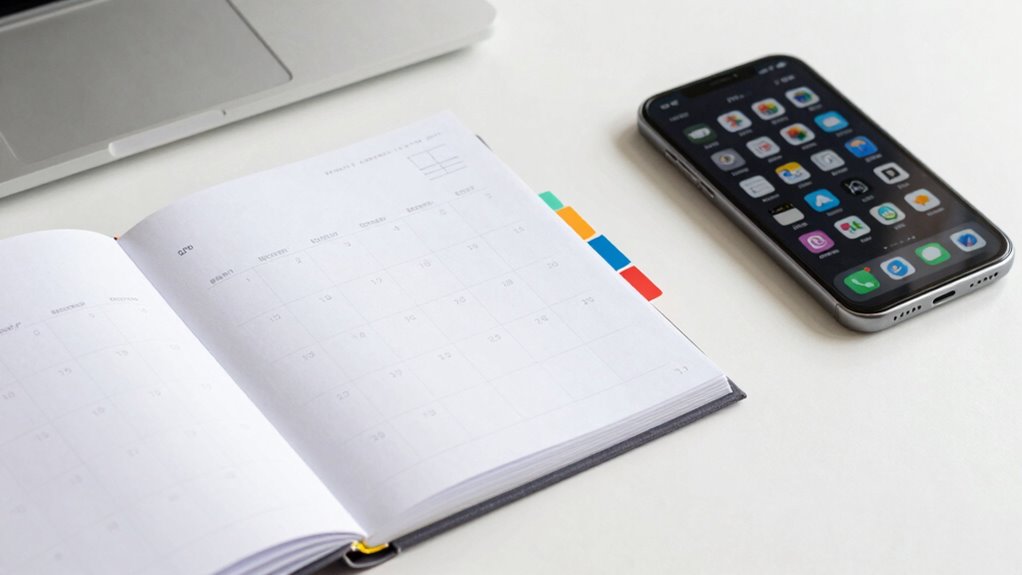

Your calendar is better than a to-do app because it offers a visual and integrated way to manage your schedule, combining tasks, reminders, and deadlines in one place. It helps you prioritize, block time, and see the bigger picture, reducing distractions and preventing overcommitment. With its focus on strategic planning and accountability, you can develop better habits and stay on track. Keep exploring how this approach can transform your daily productivity.

Get school and study supplies delivered free — and shop member deals
- Fast, free delivery on millions of items
- Access to Prime Big Deal Days deals on October 6–7
- Prime Video, Amazon Music and more included
Key Takeaways
- Calendars integrate scheduling, reminders, and deadlines in one place, streamlining time management and reducing tool clutter.
- Time blocking in calendars creates a visual, structured plan that minimizes distractions and overcommitment.
- Calendars offer visual scheduling, helping to identify overlaps, gaps, and prioritize effectively.
- They reinforce discipline and habits through constant visual reminders tied to specific times and locations.
- Calendars promote accountability and prevent overlooked deadlines better than generic to-do apps.

While many people rely on dedicated to-do apps to organize their tasks, your calendar often provides a more integrated and efficient way to manage your time. Instead of juggling multiple tools, your calendar combines scheduling, reminders, and deadlines in one place. This setup encourages you to see the bigger picture, helping you prioritize effectively. One of its biggest advantages is the ability to implement time blocking, a strategy where you allocate specific periods for different tasks. Instead of scattering your work throughout the day, you block out chunks of time dedicated to focused activity. This not only minimizes distractions but also creates a clear structure, making it easier to follow through on your plans. Plus, when you use your calendar for time blocking, you develop a visual schedule that shows you exactly when you’ll work on each task. Seeing your day laid out visually helps you understand how much time you genuinely have, preventing overcommitment and burnout. Additionally, your calendar can serve as a visual planning tool, making it easier to coordinate multiple priorities efficiently. As you become more accustomed to using your calendar, you’ll find it easier to develop effective scheduling habits** that keep your workflow smooth and consistent. Your calendar’s visual scheduling makes it simple to spot gaps in your day, allowing you to insert activities or breaks without disrupting your flow. It’s a dynamic tool that adapts to your changing priorities, unlike many static to-do apps that can feel rigid or disconnected from your daily rhythm. When you plan with your calendar, you get a clear, visual representation of your commitments, which boosts your ability to manage time more effectively. This visualization also encourages discipline because you’re less likely to overlook or forget important deadlines. As you see your schedule laid out, it becomes easier to recognize overlaps or conflicts early, giving you the chance to adjust before they become problematic. Incorporating visual scheduling techniques into your routine can further enhance your ability to stay organized and on track. Additionally, your calendar fosters a sense of accountability. When you assign specific times to tasks, you’re more likely to stick to the plan. It’s a constant visual reminder that helps reinforce your commitments. Unlike a to-do app, which might just list tasks without context, your calendar ties each task to a specific time and place, making your goals feel tangible and immediate. This integration of time and tasks boosts your efficiency and helps you develop habits that keep you on track. Ultimately, your calendar isn’t just a place to note deadlines; it’s a powerful tool for strategic planning** through visual scheduling and time blocking, giving you a clearer, more organized way to manage your day.
digital calendar with time blocking
As an affiliate, we earn on qualifying purchases.
As an affiliate, we earn on qualifying purchases.
Frequently Asked Questions
Can a Calendar Fully Replace a Dedicated To-Do App?
A calendar can’t fully replace a dedicated to-do app because it mainly manages event deadlines and time blocking. While it helps you visualize your schedule and allocate time efficiently, it often lacks features like task prioritization, reminders, and detailed project tracking. You need a to-do app for thorough task management, but a calendar excels at organizing your day around those tasks, ensuring you stay on top of deadlines and commitments.
How Does a Calendar Improve Task Prioritization?
A calendar improves task prioritization through time blocking and visual hierarchy. By scheduling tasks directly on your calendar, you see their importance and deadlines clearly, helping you allocate time effectively. Time blocking ensures high-priority tasks get dedicated slots, while visual hierarchy highlights urgent versus less urgent tasks. This integrated approach keeps you focused, organized, and aware of what needs attention first, making your day more productive and less stressful.
Are Calendar Notifications Enough for Task Reminders?
Think of calendar notifications as your lighthouse, guiding you through foggy days. While they offer solid reminder accuracy, relying solely on them isn’t enough, especially when notification overload hits. Too many alerts can drown out important messages, causing missed tasks. To stay on track, combine calendar alerts with other methods like checklists or alarms, ensuring your reminders are clear, timely, and effective—like a beacon guiding you safely home.
Can I Customize My Calendar for Different Task Types?
Yes, you can customize your calendar for different task types through event categorization and visual scheduling. You can assign specific colors or labels to various tasks, making them easy to identify at a glance. Visual scheduling helps you see your day’s priorities clearly, and categorization keeps your tasks organized. This customization guarantees you stay on top of different responsibilities and manage your time more efficiently.
How Does Sharing a Calendar Compare to Sharing a To-Do List?
Sharing a calendar lets you coordinate with others using event categories and color coding, making it easy to see everyone’s schedule at a glance. In contrast, sharing a to-do list focuses on task completion and individual responsibilities. Calendar sharing provides real-time updates on appointments, while to-do lists emphasize task management. You benefit from visual cues like color coding to quickly identify different event types, making collaboration more efficient and organized.
As an affiliate, we earn on qualifying purchases.
Conclusion
While a to-do app might seem like the obvious choice, your calendar integrates your schedule seamlessly, giving you a real-time view of your day. Unlike standalone apps, it keeps everything connected—appointments, deadlines, and tasks—so you’re never caught off guard. Think of it as the backbone of your productivity, balancing what’s next with what’s now. In a world of apps, your calendar isn’t just a tool—it’s your command center.
As an affiliate, we earn on qualifying purchases.
As an affiliate, we earn on qualifying purchases.
Halloween Picks
halloween
As an affiliate, we earn on qualifying purchases.