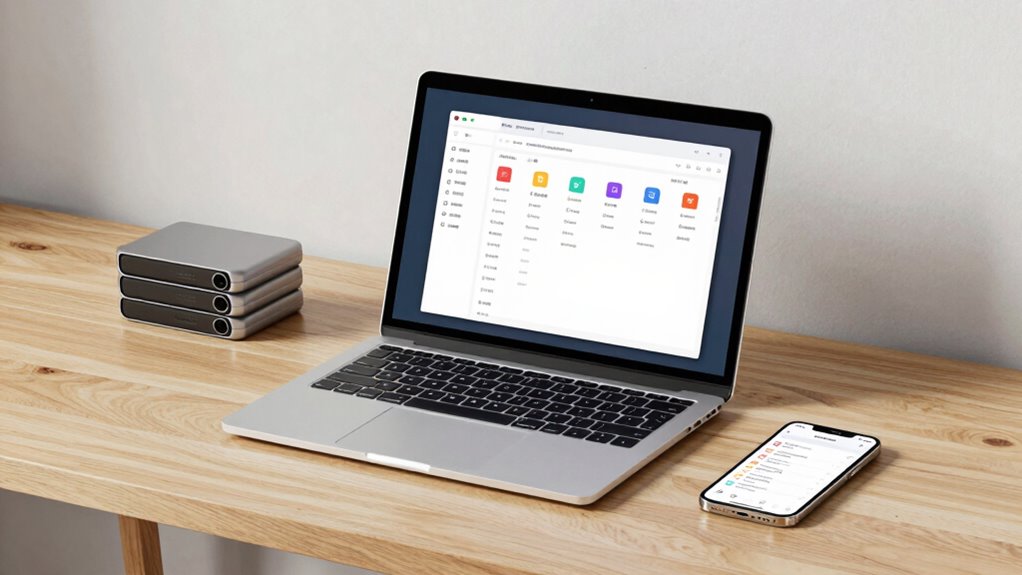

To build a digital filing habit that doesn’t collapse, start by using cloud storage for easy access and automatic backups. Adopt clear, descriptive file names and organize files into logical folders by project or date. Dedicate specific times weekly for filing and cleaning out unnecessary files. Stay consistent by setting reminders and making quick organization sessions routine. Maintaining this system prevents overwhelm and keeps your files accessible. Keep going, and you’ll discover simple tips to keep your digital space tidy and functional.

Prime made for students and young adults
- Fast, free delivery for dorm and study essentials
- Prime Video and Amazon Music included
- Member-only deals
Key Takeaways
- Establish a daily or weekly routine dedicated solely to organizing and naming files consistently.
- Use descriptive, specific file names with relevant details for easy retrieval.
- Leverage cloud storage for automatic backups and seamless access across devices.
- Regularly review and delete unnecessary files to prevent digital clutter.
- Set reminders to maintain consistency and reinforce your digital filing habits.
Have you ever felt overwhelmed by the clutter of digital files on your devices? It’s a common experience, especially when you don’t have a system in place to organize everything. The good news is, building a digital filing habit doesn’t have to be complicated or time-consuming. It starts with simple, consistent steps that make managing your files feel natural rather than burdensome. One of the most effective ways to start is by leveraging cloud storage. Instead of saving files haphazardly across multiple folders or devices, use a cloud storage service that syncs your files seamlessly. This way, no matter where you are or what device you’re using, your files stay organized and accessible. Plus, cloud storage often offers automatic backups, so you don’t have to worry about losing important documents.
Next, focus on file naming. It might seem trivial, but clear, descriptive file names are the backbone of an efficient digital filing system. When you save a document, avoid generic titles like “Document1” or “Important.” Instead, include details that help you identify the file at a glance—such as the date, project name, or subject. For example, instead of “MeetingNotes,” you could name it “2023-10-15_ClientMeeting_NYC.” Consistent file naming conventions save you time when searching for files later and prevent the chaos of duplicate or misplaced documents. Make it a habit to update file names as you save or modify them, rather than leaving them ambiguous or outdated.
Creating a routine is essential. Dedicate a few minutes at the end of your day or week to organize new files, rename existing ones, and upload anything that’s still floating around in your downloads or desktop. Use folders to categorize files logically—by project, date, or client. This prevents clutter from accumulating and makes retrieval effortless. To reinforce your new habit, set reminders or alarms to review your digital workspace regularly. Over time, these quick, intentional sessions become second nature. Incorporating digital organization techniques into your routine can further streamline the process and boost your productivity. Developing an understanding of digital clutter and how to manage it effectively can also motivate you to stay disciplined about your digital habits. Additionally, adopting a consistent filing system can help keep your digital environment tidy and efficient, making it easier to find what you need quickly. Being mindful of digital storage limits can also encourage you to delete unnecessary files and maintain a streamlined workspace. Establishing these habits early can help prevent digital chaos from taking over your digital life.
cloud storage service for digital files
As an affiliate, we earn on qualifying purchases.
As an affiliate, we earn on qualifying purchases.
Frequently Asked Questions
How Often Should I Review My Digital Files?
You should review your digital files at least once a month to maintain effective storage organization. During these reviews, guarantee your file naming conventions are consistent, making files easy to find. Regularly checking your files helps you delete unnecessary ones and reorganize folders if needed. This habit keeps your digital workspace tidy, prevents clutter, and ensures your storage system remains efficient and easy to navigate over time.
What Tools Are Best for Digital Filing?
Think of your digital filing system as a well-organized library. You’ll want tools like cloud storage services—Google Drive, Dropbox, or OneDrive—that act as your digital shelves. Use file categorization to keep books in their right sections, making retrieval easy. These tools help you stay consistent, ensuring your digital library remains tidy and accessible, so you can find what you need without chaos overtaking your virtual space.
How to Handle Duplicate Files Efficiently?
You should use duplicate detection tools to scan your files regularly, identifying and removing duplicates efficiently. Organize your files with a clear naming system, so duplicates are easier to spot. When you find duplicates, decide which version to keep based on quality or relevance, then delete the rest. Consistent file organization combined with duplicate detection keeps your digital filing system streamlined and prevents clutter from collapsing your workflow.
Can Automation Improve My Digital Filing System?
Imagine your digital files as a flowing river, and automation as a skilled dam operator. Yes, automation can substantially improve your digital filing system by streamlining tasks like cloud synchronization and folder organization. It automatically sorts, backs up, and updates files, preventing clutter from overflowing. With automation, you gain a smoother, more reliable system, freeing you to focus on what truly matters instead of constantly managing your digital landscape.
How Do I Stay Motivated to Maintain the Habit?
To stay motivated for habit consistency, remind yourself of the benefits digital filing brings, like easier access and organization. Use motivation strategies such as setting small, achievable goals and celebrating progress. Keep your system simple to avoid frustration, and regularly review your files to see how much you’ve improved. Connecting your digital filing routine to your daily habits also helps reinforce your commitment, making it easier to stay motivated long-term.
As an affiliate, we earn on qualifying purchases.
Conclusion
Building a digital filing habit is like tending a garden—you’ll need patience, consistency, and care. When you organize your files regularly, you’re planting seeds of order that bloom into clarity and peace of mind. With each small step, you’re weaving a sturdy net to catch chaos before it slips through. Stick with it, and soon your digital world will be a well-tended landscape, thriving with harmony and ready to support your every task.
file organization software for PC
As an affiliate, we earn on qualifying purchases.
As an affiliate, we earn on qualifying purchases.
As an affiliate, we earn on qualifying purchases.
Fall Picks
fall essentials
As an affiliate, we earn on qualifying purchases.