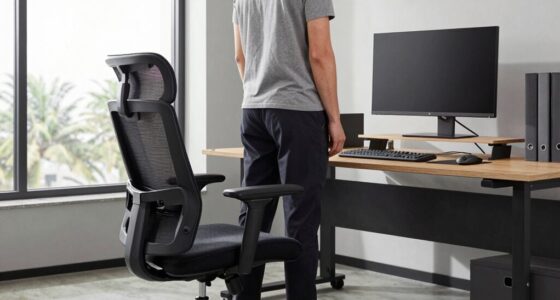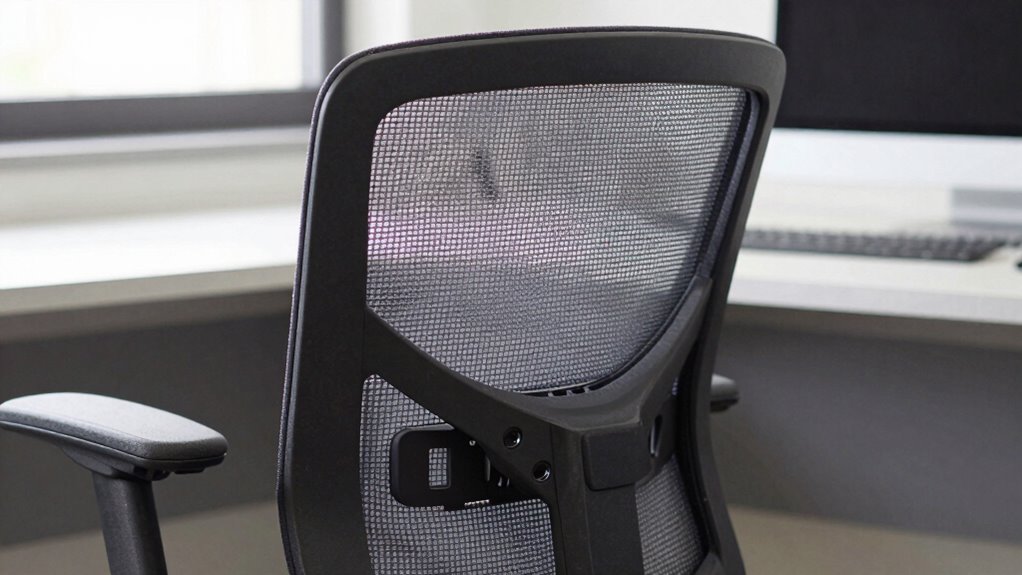

The most important ergonomic rule is prioritizing proper posture and support over flashy features or high-tech gadgets. Focus on selecting equipment that promotes natural body alignment, like adjustable chairs with lumbar support and desks that fit your height. Correct support reduces strain and prevents long-term injuries. Viewing workspace setup through this lens leads to better comfort and health. Keep exploring to find out how to tailor your workspace for lasting ergonomic benefits.
Key Takeaways
- Proper posture support and ergonomic design are more important than flashy features or high-tech gadgets.
- Adjustable support features like lumbar support and armrests ensure correct alignment over aesthetic appeal.
- Prioritizing body mechanics and ergonomic principles reduces strain and long-term injury risk.
- Customizable workspace setup tailored to individual needs promotes sustained comfort and health.
- Recognizing functional ergonomic features ensures equipment supports natural body alignment, not just looks.
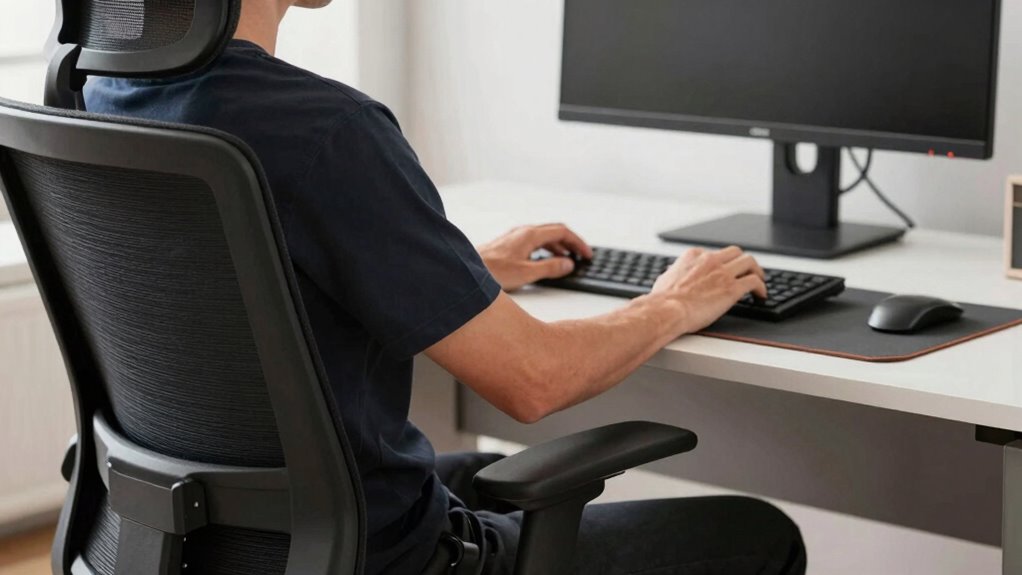
When choosing ergonomic equipment, it’s easy to get distracted by flashy features and high-tech gadgets. Bright displays, adjustable settings, and sleek designs can make a product seem appealing, but they don’t always translate to better comfort or health. Instead, the most important rule isn’t about the latest technology; it’s about selecting equipment that genuinely promotes posture improvement and allows for workspace customization. These fundamentals have a more lasting impact on your well-being than any high-end feature.
Focus on how well the equipment supports your body’s natural alignment. Proper posture is key to reducing strain, preventing aches, and avoiding long-term injuries. Look for chairs that offer adjustable seat height, lumbar support, and armrests that can be tailored to your body. When your chair allows you to sit with your feet flat on the ground, knees at a 90-degree angle, and your back fully supported, you’re already on the right track. It’s not about the number of buttons or the latest ergonomic tech; it’s about how well the chair encourages correct sitting posture. Additionally, understanding the importance of ergonomics principles can help you make better choices for long-term comfort. Incorporating body mechanics into your setup can further improve your ergonomic practices.
Workspace customization is equally vital. Every person’s body and workspace are unique, so choose equipment that adapts to your needs rather than forcing you into a one-size-fits-all solution. A height-adjustable desk, for example, lets you alternate between sitting and standing, which can boost circulation and reduce fatigue. Adding a monitor stand to position your screen at eye level prevents neck strain. Keyboard and mouse placements should allow your arms to stay relaxed and close to your body. When your workspace is tailored to your specific requirements, you’re more likely to maintain good posture consistently. Incorporating individual ergonomic needs into your setup can further enhance comfort and prevent discomfort. Recognizing ergonomic design features can help you identify equipment that truly supports your health and well-being.

Ergonomic Office Chair with Adjustable Lumbar Support, 3D Arms and Headrest, High Back Wide Desk Computer Chair with Wheels, for Home & Office, Black
Large & Non-Deformable Cushion: Made from 4.33" thick, high-density shaped sponge, this wide comfy cushion resists sagging and…
As an affiliate, we earn on qualifying purchases.
As an affiliate, we earn on qualifying purchases.
Frequently Asked Questions
How Can I Assess My Workspace’s Ergonomic Safety?
To assess your workspace’s ergonomic safety, start by reviewing your desk setup; make sure your monitor is at eye level and your chair supports your lower back. Pay attention to your posture habits, keeping your feet flat on the floor and wrists straight while typing. Take regular breaks to stretch and adjust your position. If you notice discomfort, modify your setup accordingly to promote comfort and prevent strain.
What Are Common Ergonomic Mistakes to Avoid?
You should avoid common ergonomic mistakes like poor posture, which can lead to discomfort or injury. Make sure to practice posture correction by keeping your back straight, shoulders relaxed, and feet flat on the ground. Use ergonomic accessories, such as adjustable chairs and keyboard stands, to support proper alignment. Regularly taking breaks and adjusting your workspace helps prevent strain and promotes better ergonomic habits throughout your workday.
How Often Should Ergonomic Adjustments Be Reviewed?
You should review your ergonomic adjustments at least every six months, or sooner if you notice discomfort or new issues. Regular ergonomic audits help identify necessary changes and guarantee your workspace remains properly aligned. Adjustments frequency varies depending on your work tasks and physical responses. Staying proactive ensures your setup continues to support good posture, reduces strain, and prevents injuries over time.
Are Ergonomic Rules the Same for All Work Environments?
In this day and age, ergonomic rules aren’t the same for every work environment. You need to challenge ergonomic myths and adapt guidelines to your specific setting. Office posture tips might differ from factory floor ergonomics, so it’s essential to tailor your approach. While core principles like proper alignment remain universal, the details vary. You must assess your environment and adjust practices accordingly to prevent discomfort and injuries effectively.
What Costs Are Associated With Implementing Ergonomic Changes?
Implementing ergonomic changes involves costs like equipment upgrades, workstation adjustments, and staff training. You should conduct a thorough cost analysis to understand these expenses and how they impact your budget. By focusing on expense management, you can prioritize essential modifications that improve comfort and productivity without overspending. While initial costs may seem high, investing in proper ergonomics reduces long-term health-related costs and boosts employee well-being, making it a wise financial decision.

ErGear Height Adjustable Electric Standing Desk, 48 x 24 Inches Sit Stand up Desk, Memory Computer Home Office Desk, Black
Electric Height Adjustable Standing Desk for Comfortable Work – Switch effortlessly between sitting and standing with this electric…
As an affiliate, we earn on qualifying purchases.
As an affiliate, we earn on qualifying purchases.
Conclusion
Remember, it’s not about the bells and whistles; it’s about your comfort and health. Prioritizing ergonomics isn’t just smart—it’s essential. When you choose a setup that supports your body, you’re investing in your future self. Don’t let flashy features distract you from what truly matters. After all, isn’t it better to have a chair that serves you well, rather than one that just looks good? Make ergonomics your priority—your body will thank you.

WALI Computer Monitor Stand for Desk, Adjustable Laptop Riser, Desk Monitor Stand Underneath Storage for Office, School Supplies (PTT001-B), 1 Pack, Black
Design: The monitor stand for the desk has a large 14.6 x 9.3 inches metal shelf that fits…
As an affiliate, we earn on qualifying purchases.
As an affiliate, we earn on qualifying purchases.

Wireless Keyboard and Mouse Combo, 2.4G Full Size Wave Keys Ergonomic Keyboard with Wrist Rest and 3-Level DPI Adjustable Wireless Ergonomic Mouse for Windows, Mac OS Desktop/Laptop/PC(Black)
【Wave Ergonomic Wireless Keyboard and Mouse Combo】The wireless keyboard features a wave key and wrist rest design that…
As an affiliate, we earn on qualifying purchases.
As an affiliate, we earn on qualifying purchases.