Poor office lighting causes eye strain and fatigue because of glare, shadows, or inconsistent brightness. Too much direct light or dim, uneven illumination makes it harder to focus comfortably. Artificial lights like LEDs are efficient but need proper control over brightness and color temperature. Natural light boosts mood and alertness, but it must be balanced with artificial sources. Keep these factors in mind to prevent tired eyes—there’s more to discover that can help you improve your workspace.
Listen free for 30 days with Audible
Thousands of audiobooks and originals — cancel anytime.
As an affiliate, we earn on qualifying purchases.
Key Takeaways
- Poor lighting, such as glare or uneven brightness, strains the eyes and causes fatigue.
- Excessively bright or harsh artificial lights can lead to discomfort and headaches.
- Insufficient or dim lighting forces the eyes to work harder, increasing strain.
- Lack of natural light or improper positioning causes glare and reduces visual clarity.
- Inadequate lighting controls prevent proper adjustments, leading to eye fatigue over time.
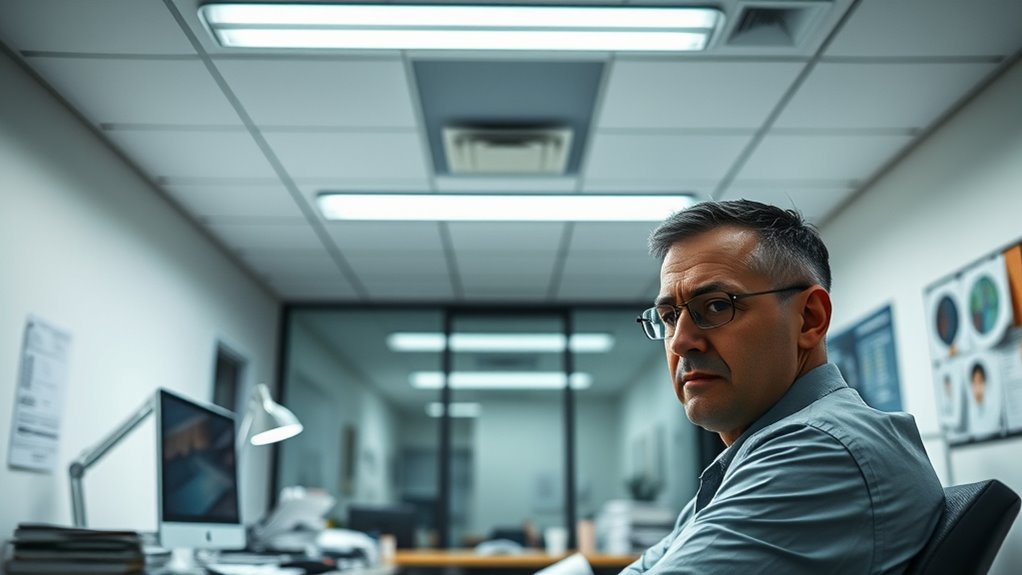
Have you ever wondered how the right office lighting can boost your productivity and comfort? The truth is, proper lighting isn’t just about making your workspace look good—it directly affects how your eyes feel and how well you perform. One of the biggest game-changers in modern office lighting is LED technology. LEDs are energy-efficient, produce minimal heat, and offer a high level of control over brightness and color temperature. This means you can customize your lighting to suit your tasks, reducing eye strain and fatigue. Unlike traditional fluorescent bulbs, LEDs provide steady, flicker-free illumination, which is vital for avoiding headaches and blurred vision caused by inconsistent light.
Another essential aspect of effective office lighting is natural light integration. Incorporating natural light into your workspace isn’t just a trend; it’s backed by research showing it can improve mood, alertness, and overall well-being. If you have windows, position your desk to maximize exposure to daylight, but avoid direct glare that can cause discomfort. Using adjustable window coverings or light diffusers helps soften harsh sunlight, creating a balanced environment. When natural light isn’t enough or isn’t available, supplement with thoughtfully designed LED fixtures that mimic daylight’s spectrum. This blend of natural and artificial light creates a more harmonious setting, reducing the cognitive load on your eyes as they adjust between different lighting sources. Additionally, understanding the importance of Free Floating lighting concepts can help you create a flexible workspace that adapts to changing needs throughout the day.
The key to avoiding those fried eyes is to strike a balance. Overly bright or poorly directed light leads to glare, which can cause discomfort and headaches. Conversely, dim lighting forces your eyes to work harder, straining to see clearly. LED lighting systems often include dimming options and color temperature adjustments, allowing you to tailor your environment to your needs. A warmer hue can help in the evening, promoting relaxation, while cooler, daylight-like tones are ideal during work hours for alertness and focus.

Epson Workforce ES-400 II High-Speed Color Duplex Desktop Document Scanner
- Fast Document Scanning: 50-sheet Auto Document Feeder for quick scans
- High-Speed Software: Epson ScanSmart for easy preview and sharing
- Seamless Software Integration: Compatible with most document management systems
As an affiliate, we earn on qualifying purchases.
Frequently Asked Questions
How Does Glare Affect My Eye Health at Work?
Glare from screen glare can cause eye discomfort, making your eyes strain and feel tired during work. When glare hits your eyes, it forces them to work harder to focus, increasing the risk of headaches and blurred vision. To protect your eye health, reduce screen glare by adjusting your monitor position, using anti-glare screens, or proper lighting. Taking regular breaks also helps prevent eye fatigue caused by glare.
What Is the Ideal Brightness Level for Office Lighting?
You should aim for about 300 to 500 lux, or roughly 300-500 lumens per square meter, for comfortable office lighting. An ideal setup combines task lighting for focused work and ambient illumination for overall brightness. This balance reduces eye strain and glare, keeping your eyes refreshed. Remember, too much brightness causes discomfort, while too little makes it hard to see. Adjust your lighting to match your tasks and avoid eye fatigue.
Can Color Temperature Influence Eye Strain?
Yes, color temperature can influence your eye strain by affecting color perception and visual comfort. Cooler temperatures (above 5000K) emit bluish light, which can cause glare and fatigue over time. Warmer temperatures (around 3000K) create a softer, more comfortable environment. Choosing the right color temperature helps reduce eye strain, improves focus, and makes your workspace more pleasant, especially during long hours of screen use or reading.
How Often Should Office Lighting Be Adjusted?
You should adjust your office lighting whenever you notice eye strain, glare, or discomfort. Regularly check your ergonomic seating and desk height, ensuring proper alignment to reduce strain. Keep lighting consistent and avoid flickering or harsh brightness. If your workspace feels dim or overly bright, tweak the light levels. Taking these steps, combined with occasional lighting adjustments, helps maintain comfort and prevents your eyes from feeling fried throughout the day.
Are LED Lights Better for Reducing Eye Fatigue?
Yes, LED lights are better for reducing eye fatigue because of their high efficiency and adjustable brightness. Their LED efficiency means they produce less glare and flicker, which helps improve eye comfort during long hours of work. You’ll notice less strain and fatigue when you choose LED lighting, especially if you opt for dimmable options that let you customize brightness levels. This makes your workspace more comfortable and promotes healthier eyes.

ScanSnap iX1300 Wireless or USB Double-Sided Color Document Scanner, Black
- Space-Saving Design: Fits small spaces and stays out of the way
- Versatile Document Handling: Scans documents, photos, cards, and more
- High-Quality Scanning: Fast 30ppm duplex scans with auto enhancements
As an affiliate, we earn on qualifying purchases.
Conclusion
By understanding the fundamentals of office lighting, you can make smarter choices to protect your eyes and boost your comfort. Don’t wait until your vision suffers; address lighting issues before they become a real headache. Remember, it’s better to nip problems in the bud than to let them fester. Adjust your lighting setup today, and you’ll find that bright ideas flow more easily when your eyes aren’t fighting against glare and strain.

Epson Workforce ES-50 Compact & Lightweight Mobile Document Scanner
- Portability: Lightweight, mobile document scanner
- Fast Scanning: Scans a page in 5.5 seconds
- Compatibility: Works with Windows and Mac
As an affiliate, we earn on qualifying purchases.

ScanSnap iX2500 Wireless or USB High-Speed Document Scanner, Black
- Advanced Touchscreen: Large 5-inch touchscreen for easy control
- High-Speed Scanning: 45 pages per minute double-sided scanning
- Large Document Capacity: 100-page automatic document feeder
As an affiliate, we earn on qualifying purchases.
Baby shower & registry season Picks
baby registry must-haves
As an affiliate, we earn on qualifying purchases.