
When upgrading your router, focus on your actual needs, not marketing claims. Prioritize devices that support your activities like streaming or online gaming, and look for steady performance rather than speed numbers. Consider the hardware quality and whether you can customize firmware for better security and longevity. A durable, adaptable device will serve you longer and save you money. Keep these points in mind, and you’ll find more tips that help you make smarter, sustainable choices.

Prime made for students and young adults
- Fast, free delivery for dorm and study essentials
- Prime Video and Amazon Music included
- Member-only deals
Key Takeaways
- Focus on your specific usage needs like streaming, gaming, or remote work rather than advertised speeds.
- Prioritize devices with flexible firmware for customization, security, and long-term performance improvements.
- Assess hardware quality and build durability to ensure reliability over years, not just initial specs.
- Evaluate real-world performance, signal coverage, and how well the router manages multiple devices and interference.
- Choose a device that can adapt to future needs, emphasizing quality and sustainability over marketing hype.
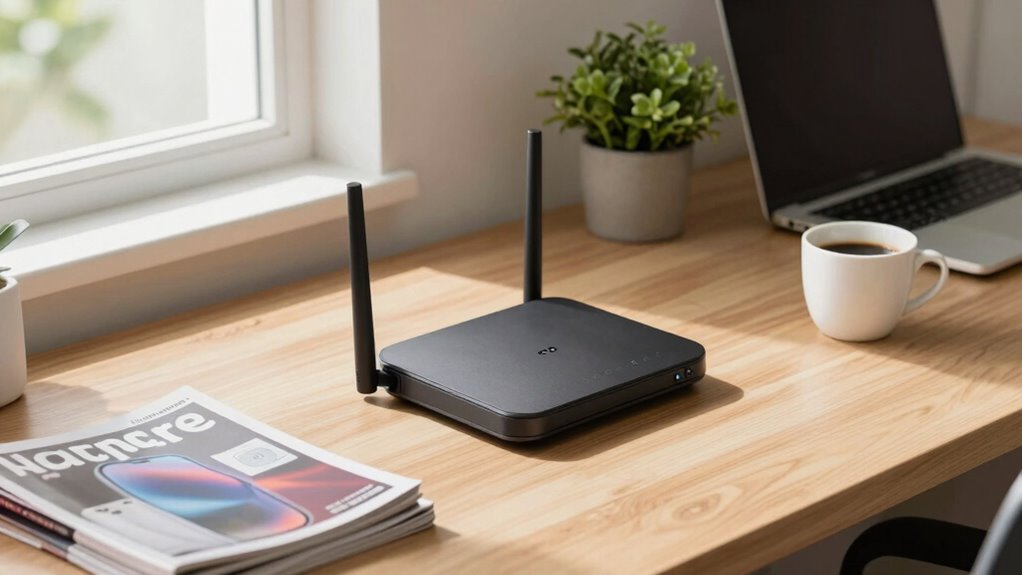
Upgrading your router doesn’t have to mean chasing after the latest marketing buzzwords or the highest advertised speeds. Instead, focus on how well the device aligns with your actual needs. One way to do this is by considering firmware customization. A router with flexible firmware options allows you to tweak settings, improve security, and optimize performance based on your specific usage patterns. Custom firmware can extend the lifespan of your device by giving you more control over updates and features, rather than relying solely on manufacturer updates that may slow down or limit your router over time. It also helps you troubleshoot issues more effectively, so you’re not left waiting for official patches that may take months to arrive. Additionally, evaluating hardware longevity can help you select a device that remains reliable over years of use, emphasizing quality over speed alone.
Another key factor to consider is hardware longevity. When you look beyond just raw speed, assess the build quality and durability of the router. A well-made device with quality components is more likely to stay reliable for years, saving you money in the long run. Sometimes, a less flashy router with solid construction and good internal components outperforms newer, trendier models that cut corners on hardware. Think about how often you’ll need to replace or upgrade your router—choosing a model designed for durability means fewer interruptions and less hassle down the line.
Speed isn’t everything. Sometimes, the most advertised speeds are based on ideal conditions that rarely match your home environment. Instead, evaluate the router’s actual capabilities in real-world scenarios, like handling multiple devices, streaming, gaming, or working from home. A router with strong, stable signal coverage and consistent performance can outperform a higher-speed model that struggles with interference or congestion. It’s also worthwhile to consider the router’s software features, such as Quality of Service (QoS), which prioritize traffic for your most critical applications, ensuring smooth performance without chasing after marginal speed upgrades.
Ultimately, the goal is to choose a router that fits your current needs and can adapt over time. Firmware customization and hardware longevity are two strategies that help you avoid the trap of constantly chasing marketing numbers. Instead, you build a reliable network foundation that serves your household well for years, with less concern about the latest hype. When you focus on these aspects, your upgrade becomes a thoughtful investment rather than a reaction to marketing claims, giving you a more satisfying and sustainable internet experience.
As an affiliate, we earn on qualifying purchases.
Frequently Asked Questions
How Often Should I Upgrade My Router for Optimal Performance?
You should upgrade your router every 3 to 5 years for peak performance. Keep firmware updates current to improve security and stability, and check hardware compatibility before upgrading. If you notice slow speeds, frequent disconnects, or new device demands, it’s time for an upgrade. Staying updated ensures your network runs smoothly, supports new devices, and benefits from the latest technology improvements without chasing marketing hype.
Are There Specific Brands Known for Reliable Router Updates?
Brands like ASUS, Netgear, and TP-Link are known for reliable router updates, thanks to their strong brand reputation and focus on firmware stability. When choosing a router, look for those with a history of consistent updates and security patches. You’ll benefit from fewer bugs, better security, and improved performance. Don’t just chase the latest features—prioritize brands that keep their firmware stable and prioritize customer support for long-term reliability.
How Do I Determine My Current Router’s Actual Speed Capabilities?
To determine your router’s actual speed capabilities, start by checking its wireless standards—look for AC or AX (Wi-Fi 5 or Wi-Fi 6). Run a speed test connected to your router to see real-world performance. Keep in mind, signal interference from other devices or walls can affect speeds, so test in different areas. This helps you understand what your current router truly delivers before considering an upgrade.
What Are the Signs My Router Needs an Upgrade?
Imagine your router as a reliable ship’s captain—when it struggles to navigate through new waters, it’s time for an upgrade. Signs include sluggish internet, frequent disconnects, or outdated firmware updates. If your router lacks features like parental controls or secure firmware, it’s a clear signal. Upgrading guarantees smoother sailing, better security, and access to modern features that keep your network running at full speed.
Can Upgrading My Router Improve Security and Privacy?
Upgrading your router can considerably improve security and privacy by enabling better firewall configurations and supporting newer encryption protocols. A modern router offers advanced features that protect your network from intrusions and unauthorized access. Plus, updating firmware regularly guarantees you get the latest security patches. So, investing in a new router helps you stay ahead of evolving threats, keeping your data safer and your privacy intact.
As an affiliate, we earn on qualifying purchases.
Conclusion
Remember, don’t let the shiny new specs lure you into unnecessary upgrades. Instead, focus on your actual needs and the real performance of your current router. As the saying goes, “A bird in the hand is worth two in the bush.” By choosing wisely and avoiding marketing hype, you’ll save money and guarantee your network truly supports your daily tasks. Sometimes, sticking with what you have is the smartest upgrade of all.
As an affiliate, we earn on qualifying purchases.
mesh Wi-Fi system for large homes
As an affiliate, we earn on qualifying purchases.
As an affiliate, we earn on qualifying purchases.
Fall Picks
fall essentials
As an affiliate, we earn on qualifying purchases.