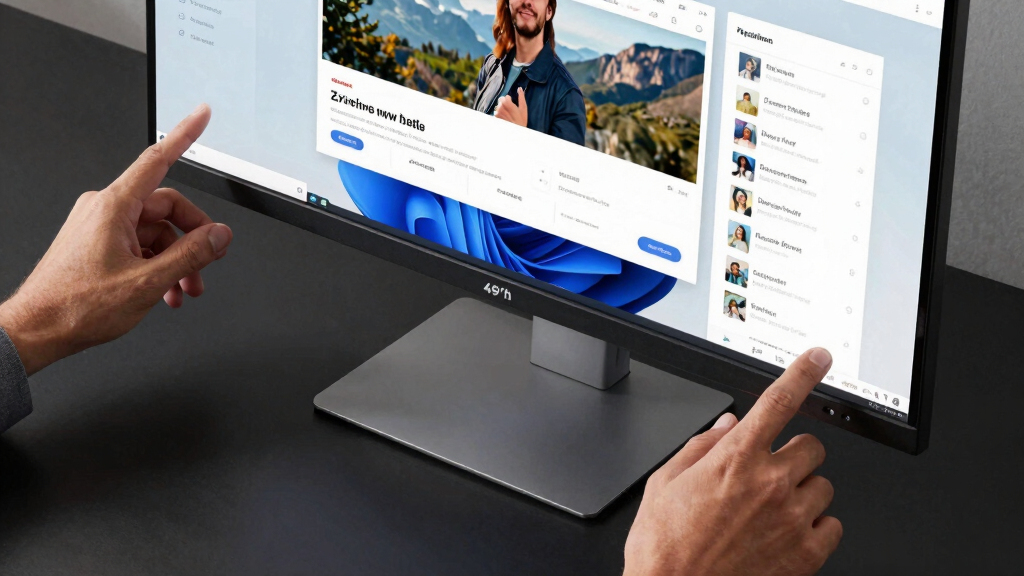

For those juggling multiple applications or managing complex workflows, a 49 inch ultrawide monitor can transform your workspace. The Samsung Odyssey G93SC stands out as the best overall for its vibrant QD-OLED display and fast response times, ideal for immersive multitasking. The Samsung Business LS49C954UANXZA offers a versatile, productivity-focused experience with excellent connectivity and eye care features, making it perfect for professional use. Meanwhile, the Acer Nitro 49” delivers strong gaming performance with a curved design and high refresh rate, suited for gamers who multitask with gaming and work. The main tradeoffs include balancing clarity, refresh rate, and connectivity features—choices that depend heavily on your primary use case. Continue reading for a detailed breakdown of these options and what makes each unique.
Prime for Young Adults — start your free trial
Fast free delivery, streaming and member deals for eligible 18–24 year olds.
Try it freeAs an affiliate, we earn on qualifying purchases.
Key Takeaways
- The highest-end monitors like the Samsung Odyssey G9 and OLED G9 excel in display quality but come with premium prices.
- Connectivity options such as USB-C and multiple HDMI/DisplayPort inputs are vital for seamless multitasking across devices.
- Fast refresh rates (120Hz or more) benefit gamers and fast-paced workflows, while professional users may prioritize color accuracy and HDR.
- Ergonomics and adjustability can significantly impact comfort during long work sessions, especially on larger screens.
- Price varies widely; balancing features against your budget is key to finding the best value for your needs.




More Details on Our Top Picks
Samsung 49″ Odyssey G93SC Series Curved Gaming Monitor, QD-OLED, 240Hz, 0.03ms, DQHD, G-Sync Compatible, FreeSync Premium Pro, Adjustable Stand
This monitor stands out for its stunning QD-OLED display, which delivers vibrant colors and deep blacks unmatched by traditional LCDs. The 240Hz refresh rate and 0.03ms response time make it ideal for fast-paced gaming, especially when paired with G-Sync and FreeSync support for tear-free visuals. Compared with the Samsung Odyssey G9, this model prioritizes picture quality over ultra-wide field of view, making it perfect for gamers who value visuals as much as speed. The tradeoff is its premium price and considerable desk space requirement, limiting accessibility for budget-conscious users or those with small desks. Its modern, slim design and height-adjustable stand enhance ergonomic comfort, but it’s mainly suited for dedicated gaming setups rather than multitasking or productivity tasks.
Pros:- Vivid colors and deep blacks thanks to QD-OLED technology
- Ultra-fast 240Hz refresh rate for competitive gaming
- G-Sync and FreeSync Premium Pro support for tear-free visuals
- Slim, modern design with adjustable stand
Cons:- Premium price point may be prohibitive for some budgets
- Large size requires significant desk space
- Limited to gaming and high-performance use, less suited for general multitasking
Best for: High-end gamers seeking exceptional visual fidelity and smooth gameplay.
Not ideal for: Budget-conscious users or those prioritizing multitasking across multiple applications without a focus on gaming.
- Screen Size:49 inches
- Display Type:QD-OLED
- Resolution:Dual QHD (5120×1440)
- Refresh Rate:240Hz
- Response Time:0.03ms (GTG)
- HDR:DisplayHDR True Black 400
Bottom line: This monitor is ideal for gamers who want top-tier visuals and fast refresh rates, but it may be overkill for purely multitasking needs.
Samsung 49″ Business Curved Ultrawide Dual QHD Computer Monitor, USB-C, DisplayPort, HDMI, 120Hz, VESA DisplayHDR 400, Built-in Speakers, Height Adjustable Stand, Eye Care, LS49C954UANXZA, 2024
This model makes the most sense for professionals and multitaskers who need a large, versatile screen for work and light multimedia use. Its 120Hz refresh rate is ample for smooth scrolling and general productivity, especially compared to the gaming-focused Odyssey G93SC. The inclusion of multiple connectivity options, including USB-C with 90W power delivery, simplifies cable management and extends device compatibility, making it ideal for office setups. The VESA mount compatibility and ergonomic stand with eye care features further enhance its suitability for long workdays. However, its lower refresh rate compared to gaming monitors means it’s less suited for fast-paced gaming or high-performance tasks requiring ultra-smooth visuals. The brightness adjustment limitations in bright environments might also hinder its use in very well-lit rooms.
Pros:- Immersive 49-inch curved ultrawide display ideal for multitasking
- Multiple ports including USB-C with 90W power delivery
- VESA compatibility and ergonomic stand for comfort
- HDR support enhances visual richness
Cons:- 120Hz refresh rate not optimal for competitive gaming
- Brightness adjustment limited in bright environments
- Size may require a large desk and dedicated space
Best for: Professionals and multitaskers seeking a large, versatile display for work, multitasking, and multimedia.
Not ideal for: High-end gamers or users needing ultra-fast response times for competitive gaming.
- Screen Size:49 inches
- Display Type:Curved Ultrawide
- Resolution:Dual QHD (5120×1440)
- Refresh Rate:120Hz
- HDR:VESA DisplayHDR 400
- Connectivity:DisplayPort, HDMI, USB-C
Bottom line: This monitor offers a balanced combination of large workspace and connectivity, perfect for productivity-focused users.
Acer Nitro 49” Gaming Monitor – UltraWide DQHD 5120 x 1440, Curved 32:9, 120Hz, 3ms, FreeSync
The Acer Nitro 49” is designed for gamers who want an expansive view, thanks to its 32:9 aspect ratio and curved VA panel. Its DQHD resolution rivals the other high-end models, providing sharp visuals for both gaming and multitasking. The 120Hz refresh rate, combined with a 3ms response time, delivers smooth, responsive gameplay, especially when paired with AMD FreeSync. Compared to the Samsung Odyssey G9, the Acer’s screen curvature is slightly less aggressive at 1000R but still offers an immersive experience. Its tilt and height adjustments promote comfort during extended gaming sessions. The main drawback is its limited port options and the curved screen, which might not appeal to all users, particularly those who prefer flat displays for multitasking or who have space constraints.
Pros:- Large 49-inch curved display for immersive gaming and multitasking
- High DQHD resolution with sharp visuals
- 120Hz refresh rate and 3ms response time for responsiveness
- Tilt and height adjustment for comfort
Cons:- Limited port options may restrict connection versatility
- Curved screen might not suit all multitasking setups
- Size and curvature require ample desk space
Best for: Gamers seeking an ultra-wide, curved display for gaming and multitasking with immersive visuals.
Not ideal for: Users primarily focused on productivity or those who dislike curved screens for work tasks.
- Screen Size:49 inches
- Display Type:VA Curved
- Resolution:5120 x 1440 (DQHD)
- Refresh Rate:120Hz
- Response Time:3ms (G to G)
- Aspect Ratio:32:9
Bottom line: This monitor is best suited for gamers who want an expansive, curved view with smooth performance, at the expense of some versatility for general multitasking.
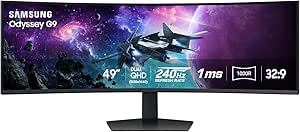
The Odyssey G9 G95C excels with its massive 49-inch, 1000R curved display, creating an incredibly immersive experience for gaming and detailed multitasking. Its 240Hz refresh rate and 1ms response time ensure ultra-smooth gameplay, rivaling dedicated gaming monitors like the G93SC but with a broader, more curved field of view. Its HDR 1000 and high contrast ratio deliver stunning visuals, making it suitable for tasks beyond gaming, such as creative work. The advanced ergonomic stand with swivel, tilt, and height adjustment adds comfort during long sessions. The key tradeoff is its premium price and large footprint, which may be challenging in smaller spaces. Its complexity and feature set make it more suitable for enthusiasts than casual users.
Pros:- Massive 49-inch curved display with ultra-wide field of view
- High 240Hz refresh rate and 1ms response for smooth gameplay
- HDR 1000 with excellent contrast and vivid visuals
- Adjustable ergonomic stand with multiple modes
Cons:- High price and large size limit space options
- Setup complexity may deter casual users
- Premium features may be unnecessary for simple multitasking
Best for: Power users seeking the ultimate gaming monitor with superb visuals and immersive experience.
Not ideal for: Users primarily focused on multitasking or work without gaming or high-end visual needs.
- Screen Size:49 inches
- Resolution:Dual QHD (5120×1440)
- Curvature:1000R
- Refresh Rate:240Hz
- Response Time:1ms (GtG)
- HDR:DisplayHDR 1000
Bottom line: This monitor is ideal for enthusiasts who want a top-tier, immersive gaming experience with premium visuals, but it may be overkill for basic multitasking needs.
Samsung 49″ Odyssey OLED G9 (G91SD) Curved Gaming Monitor, Dual QHD, 144Hz, 0.03ms, G-Sync Compatible, FreeSync Premium Pro
The Samsung Odyssey OLED G9 stands out for its stunning QD-OLED panel, delivering vibrant colors and deep blacks that surpass the typical LCD-based monitors like the G9 (G91F). This makes it ideal for users who value color accuracy alongside multitasking, especially content creators or designers who need both performance and visual quality. The ultra-responsive 0.03ms response time and 144Hz refresh rate ensure smooth visuals, whether gaming or working across multiple windows. Yet, its premium OLED panel comes with a higher price tag and a risk of burn-in, which might deter casual users or those with static interfaces. The ergonomic stand adds comfort, but the large size demands a spacious desk setup. Overall, this monitor is a top pick for those who prioritize stunning visuals and multitasking flexibility, willing to invest in high-end tech.
Pros:- Vivid, wide color spectrum with deep blacks thanks to QD-OLED technology
- Fast response time and high refresh rate for seamless multitasking and gaming
- Supports G-Sync and FreeSync Premium Pro for tear-free visuals
- Ergonomic stand with adjustable tilt and height
Cons:- High price may limit accessibility for budget buyers
- Potential burn-in with static images over extended periods
Best for: Creative professionals and high-end gamers who want superb image quality and multitasking power
Not ideal for: Budget-conscious users or those with limited desk space concerned about burn-in risks
- Screen Size:49 inches
- Resolution:5120 x 1440 (Dual QHD)
- Response Time:0.03ms
- Panel Technology:QD-OLED
- G-Sync Compatibility:Yes
- Warranty:3 years
Bottom line: This monitor is best suited for users seeking top-tier image quality and multitasking capabilities in a premium package.
The Samsung Odyssey G9 (G91F) offers an expansive 32:9 ultra-wide curved display, creating an immersive experience for gaming and multitasking alike. Its high contrast HDR600 delivers deep blacks and bright whites, rivaling more expensive monitors like the OLED G9, but without the burn-in concerns. The 144Hz refresh rate paired with a 1ms response time provides fluid visuals, making it suitable for fast-paced gaming as well as productivity tasks. Its multitasking features, including split-screen and picture-in-picture, enhance workflow, though the large size demands a spacious desk. While lacking the color vibrancy of the OLED model, the G9 G91F balances performance and price, making it an excellent choice for users seeking an ultra-wide experience without the premium OLED price tag. It’s ideal for gamers who also want a versatile multitasking monitor.
Pros:- Immersive 32:9 ultra-wide curved display for panoramic gaming
- High contrast HDR600 for vivid visuals without burn-in risk
- Fast 144Hz refresh rate and 1ms response time for smooth gameplay
- Multiple multitasking options like split screen and PIP
Cons:- Color accuracy not as high as OLED panels
- Large size may be impractical for smaller desks
- Performance can vary with different input sources
Best for: Gamers and multitaskers seeking an immersive ultra-wide display at a more accessible price
Not ideal for: Professional content creators needing color accuracy or users with limited desk space
- Screen Size:49 inches
- Resolution:5120 x 1440 (Dual QHD)
- Curvature:1000R
- Response Time:1ms (GtG)
- HDR:DisplayHDR 600
- Stand:Ergonomic, adjustable tilt
Bottom line: This monitor offers an expansive, immersive experience ideal for gamers and multitaskers on a budget, with some compromises in color fidelity.
How We Picked
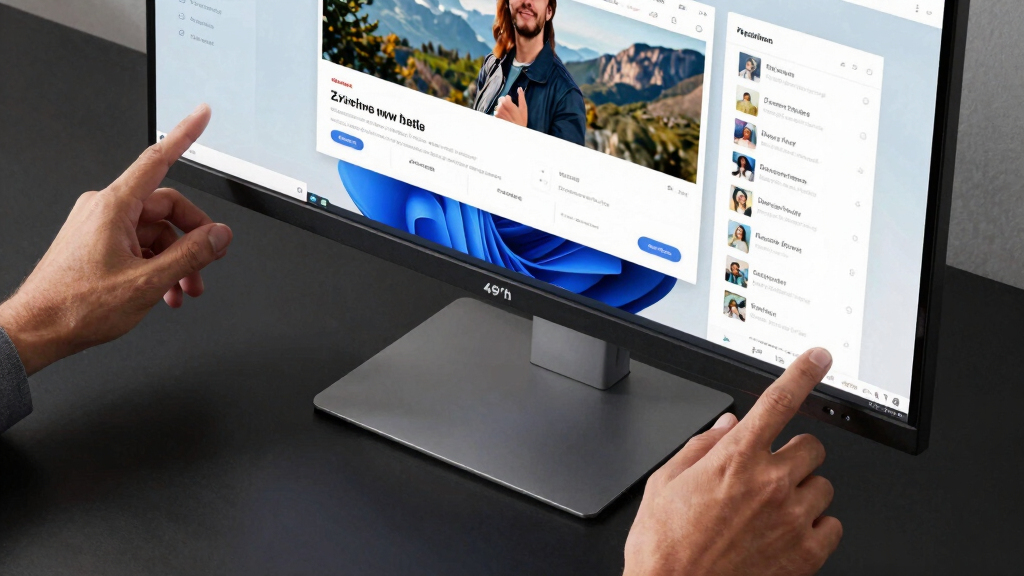
These monitors were evaluated based on their display performance, usability, build quality, and feature set tailored for multitasking. Priority was given to models with large screen real estate, high resolution, and multiple connectivity options to support various workflows. Refresh rate and response time were considered for users who also want gaming capabilities, while features like adjustable stands and eye care aimed at long-term comfort. The ranking reflects a combination of performance, versatility, and value—products that excel in multitasking environments without unnecessary extras that inflate cost.Factors to Consider When Choosing Best 49 Inch Ultrawide Monitor For Multitasking
Choosing the best 49 inch ultrawide monitor for multitasking involves several key factors. First, consider the display quality, including resolution and panel type, which directly impacts clarity and color accuracy. Connectivity options matter for linking multiple devices seamlessly. Ergonomics and adjustability are crucial for comfort during extended use, especially given the size of the screen. Finally, balance your budget against the features you need most—premium features like high refresh rates and HDR add cost but can enhance your experience. Being mindful of these factors helps avoid common pitfalls such as overspending on unnecessary specs or choosing a monitor that doesn’t suit your primary tasks.Display Quality and Resolution
For multitasking, a high-resolution display like DQHD (5120 x 1440) or Dual QHD is essential for clear, sharp images across multiple windows. Opt for a panel type that matches your needs—IPS panels offer better color accuracy and viewing angles, while VA panels provide higher contrast for richer blacks. Avoid lower resolutions on such a large screen, as they can lead to pixelation and reduced clarity, hampering productivity and visual comfort.
Connectivity and Ports
Multiple input options like USB-C, HDMI, and DisplayPort are vital for connecting various devices without hassle. USB-C, in particular, can deliver power, video, and data through a single cable, reducing clutter. Check for enough ports to support your peripherals, such as external drives, webcams, or secondary monitors. Poor connectivity options can limit your multitasking efficiency and require additional adapters, which may complicate your workspace.
Ergonomics and Adjustability
Since ultrawide monitors can be physically large, adjustable stands that allow height, tilt, and swivel adjustments are highly beneficial. They help position the monitor for maximum comfort, reducing strain during long hours. A sturdy, well-designed stand and VESA compatibility also facilitate flexible mounting options, ideal for customizing your ergonomic setup and maintaining productivity without discomfort.
Performance Features
For users who want to game or engage in fast-paced tasks, a high refresh rate (120Hz or higher) and low response times are desirable. HDR support and color accuracy are more important for creative professionals who need precise visuals. Consider your primary use—prioritizing gaming features may increase costs, while a focus on color fidelity might lead you to models with better IPS panels and HDR standards.
Budget and Value
High-end ultrawide monitors command premium prices, but there are models offering excellent performance at more accessible prices. Focus on core features like resolution, connectivity, and ergonomics to avoid overspending on unnecessary extras. Recognize that sometimes paying a bit more upfront for durability and better specifications leads to greater long-term satisfaction and fewer frustrations.
Frequently Asked Questions
Is a 49 inch ultrawide monitor suitable for professional multitasking?
Yes, a 49 inch ultrawide monitor can significantly enhance productivity for professional multitasking, providing ample screen real estate to manage multiple applications side by side. Models with high resolution, good color accuracy, and multiple inputs support complex workflows efficiently. However, ensure your workspace and hardware support such a large display, and consider ergonomic features to avoid strain during extended use.
Do I need a gaming monitor for multitasking purposes?
While gaming monitors with high refresh rates and low response times add value for gaming or fast workflows, they are not strictly necessary for productivity. For multitasking, the priority should be resolution, connectivity, and ergonomic features. If you also plan to game on your monitor, choosing a model with both high refresh rates and excellent color reproduction makes sense, but for purely work-focused use, a standard high-resolution monitor will suffice.
How important is HDR support on a multitasking monitor?
HDR support enhances contrast and color depth, which benefits creative professionals working with visual content. For general multitasking, HDR is less critical but can improve overall display quality and viewing experience. Keep in mind that HDR performance varies; a monitor with HDR but poor local dimming or color accuracy might not deliver the expected benefits.
Should I prioritize a curved or flat ultrawide monitor for multitasking?
Curved monitors like those in this category help reduce glare and distortion across the wide field of view, making them more comfortable for long sessions. They can also improve immersion and reduce eye strain by keeping the entire screen at a consistent distance. Flat monitors are often more versatile and might be preferable in multi-monitor setups, but for a single large display, a curve can enhance focus and ergonomic comfort.
What is the ideal resolution for a 49 inch ultrawide monitor?
The ideal resolution is typically DQHD (5120 x 1440) or higher, such as Dual QHD. These resolutions provide sharp images and enough space for multitasking without demanding excessive GPU power. Lower resolutions may lead to pixelation, reducing clarity, while higher resolutions like 5K or 8K are rare and often unnecessary at this size, unless color accuracy and detailed visuals are paramount.
Conclusion
For most users seeking a balance of performance and value, the Samsung Odyssey G93SC offers an excellent all-around experience, especially for multitasking coupled with gaming or entertainment. The Samsung LS49C954UANXZA makes a compelling choice for professionals prioritizing connectivity and eye care, while the Acer Nitro 49” stands out for gamers who also need productivity features. Budget-conscious buyers should focus on models with high resolution and good ergonomics without overpaying for premium gaming features. Ultimately, your choice depends on your primary use—whether it’s professional multitasking, gaming, or a mix—and your budget constraints. As an affiliate, we earn on qualifying purchases.Fall Picks
fall essentials