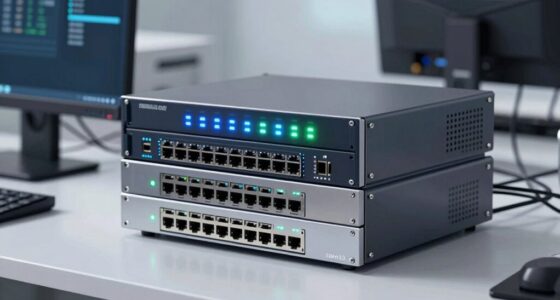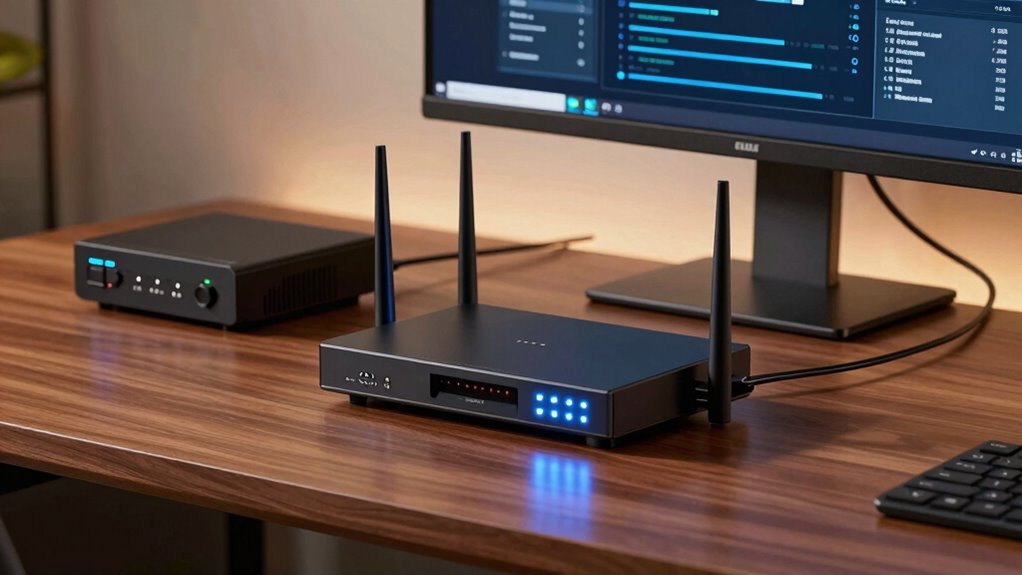

Choosing a home firewall appliance involves balancing security, ease of use, and performance. The Firewalla Purple SE stands out as the best overall due to its user-friendly interface and robust security features. For small offices or tech-savvy users, the Fortinet FortiGate-60E offers advanced protection with high customization. Readers often face tradeoffs between simplicity and configurability, cost and features, or performance and ease of maintenance. Continue reading for a detailed breakdown of each option to find the best fit for your needs.

Prime made for students and young adults
- Fast, free delivery for dorm and study essentials
- Prime Video and Amazon Music included
- Member-only deals
Key Takeaways
- The top picks balance ease of setup with strong security features, catering to both beginners and experienced users.
- More advanced options like Fortinet and Cisco offer extensive customization but require technical knowledge and higher budgets.
- Compact models are ideal for small households but may lack the advanced features needed for larger or more complex networks.
- Pricing varies widely; the best value often lies in models that strike a balance between affordability and feature set.
- Wireless integration and VPN support are common features in higher-tier models, but they can complicate setup for novice users.
| Firewalla Purple SE Cybersecurity Firewall for Home & Business |  | Best Overall | Compatibility: Firewalla Purple SE, limited IPS to 500 Mbits | Functions: Router or bridging device, parental control, VPN server | Included accessories: Power supply, Cat 6 Ethernet cable, setup instructions | VIEW ON AMAZON | See Our Full Breakdown |
| Fortinet FortiGate-60E Next Generation Firewall Appliance |  | Best for Small to Medium Networks | Model: FortiGate-60E | Ports: 10 x GE RJ45 | Firewall Throughput: 3 Gbps | VIEW ON AMAZON | See Our Full Breakdown |
| Fortinet FortiGate-30G Firewall for Small Offices with 4 Gigabit Ethernet RJ45 Ports |  | Best Compact Firewall for Small Offices | Ports: 4 Gigabit Ethernet RJ45 | WAN ports: 1 | Performance: 800 Mbps IPS, 500 Mbps threat protection | VIEW ON AMAZON | See Our Full Breakdown |
| Fortinet FortiWiFi-60E Firewall with 10 Gigabit Ports and Wireless (802.11a/b/g/n/ac) |  | Best for Integrated Wired and Wireless Security | Model: FWF-60E | Ports: 10 x GE RJ45 (2 WAN, 1 DMZ, 7 Internal) | Wireless: 802.11a/b/g/n/ac | VIEW ON AMAZON | See Our Full Breakdown |
| Netgate 1100 pfSense+ Security Gateway – Firewall, Router, VPN |  | Best for Advanced Users and Customization | Processor: Dual-core ARM Cortex-A53 1.2 GHz | RAM: 1 GB | Ports: 3 x 1 GbE | VIEW ON AMAZON | See Our Full Breakdown |
| Cisco Meraki MX64W-HW Cloud Managed Firewall Security Appliance |  | Best for Remote Management and Small Networks | Item Package Quantity: 1 | Product Type: Networking Router | VIEW ON AMAZON | See Our Full Breakdown | |
| SonicWall TZ105 UTM Secure Firewall |  | Best for Comprehensive Security on a Budget | Encryption Standards: DES, 3DES, AES (128/142/256-bit), SHA-1, MD5 | Firewall Protection: Content Filtering, Malware Protection, URL Filtering, Deep Packet Inspection | Network Ports: 5 x RJ-45 Fast Ethernet ports | VIEW ON AMAZON | See Our Full Breakdown |
| FortiGate-80F Firewall |  | Best for Enterprise Branch Connectivity | Ports: 8 GE RJ45, 2 RJ45/SFP shared media WAN | WiFi: WiFi-6 (802.11ax) | Form Factor: Desktop | VIEW ON AMAZON | See Our Full Breakdown |
| Zyxel USGFLEX50H Firewall with 10 Users and 2-Year Security Pack |  | Best for Small Teams Needing High Throughput | Number of Users: 10 | Security Pack Duration: 2 years | Ports: 5x Gigabit RJ-45 | VIEW ON AMAZON | See Our Full Breakdown |
| SonicWall TZ570 Network Security Appliance with 8×5 Support |  | Best for High-Performance Security and Scalability | Model: TZ570 | Support: 8×5 | Ports: 8x 1GbE, 2x 5GbE | VIEW ON AMAZON | See Our Full Breakdown |
| Fortinet FortiGate-60E Next Generation Firewall Appliance |  | Best for Small to Medium Business Security | Model: FG-60E | Number of Ports: 10 GE RJ45 | Connectivity Technology: Ethernet | VIEW ON AMAZON | See Our Full Breakdown |
| TP-Link ER605 V2 Wired Gigabit VPN Router |  | Best for SMBs with Multiple WAN Needs | Number of Gigabit Ports: 5 | WAN Ports: 3 | USB WAN Port: Yes | VIEW ON AMAZON | See Our Full Breakdown |
| SonicWall TZ300 VPN Wired Firewall Appliance (Hardware Only) |  | Best for Small to Medium Networks with VPN Focus | Max VPN Throughput: 300 Mbps | UTM Throughput: Under 100 Mbps | Max Throughput: 750 Mbps | VIEW ON AMAZON | See Our Full Breakdown |
| home firewall appliance | Ports |
|---|---|
| Firewalla Purple SE Cybersecur | — |
| Fortinet FortiGate-60E Next Ge | 10 x GE RJ45 |
| Fortinet FortiGate-30G Firewal | 4 Gigabit Ethernet RJ45 |
| Fortinet FortiWiFi-60E Firewal | 10 x GE RJ45 (2 WAN, 1 DMZ, 7 Internal) |
| Netgate 1100 pfSense+ Security | 3 x 1 GbE |
| Cisco Meraki MX64W-HW Cloud Ma | — |
| SonicWall TZ105 UTM Secure Fir | — |
| FortiGate-80F Firewall | 8 GE RJ45, 2 RJ45/SFP shared media WAN |
| Zyxel USGFLEX50H Firewall with | 5x Gigabit RJ-45 |
| SonicWall TZ570 Network Securi | 8x 1GbE, 2x 5GbE |
| Fortinet FortiGate-60E Next Ge | — |
| TP-Link ER605 V2 Wired Gigabit | — |
| SonicWall TZ300 VPN Wired Fire | — |
More Details on Our Top Picks
Firewalla Purple SE Cybersecurity Firewall for Home & Business
The Firewalla Purple SE stands out for its user-friendly setup and comprehensive protection features, making it the best choice for most home and small business users. Compared to the Fortinet FortiGate-30G, it offers easier deployment and a more intuitive app interface, though with somewhat limited IPS performance in simple mode. Its capability as a router or bridge, combined with parental controls and VPN support, provides a flexible security solution without overwhelming technical complexity. However, the limited intrusion prevention system (IPS) in basic configurations and dependence on router compatibility can be drawbacks for more advanced or larger networks.
Pros:- Comprehensive network security and parental controls
- Flexible setup as router or bridge with advanced features
- Deep insight and behavior analytics for threat detection
Cons:- Limited IPS functionality in simple mode
- Setup may require some technical knowledge and router login
Best for: Home users or small business owners seeking straightforward, all-in-one cybersecurity with minimal configuration fuss
Not ideal for: Larger organizations or networks requiring high IPS throughput and extensive managed device integration
- Compatibility:Firewalla Purple SE, limited IPS to 500 Mbits
- Functions:Router or bridging device, parental control, VPN server
- Included accessories:Power supply, Cat 6 Ethernet cable, setup instructions
- App requirement:Firewalla App for setup
- Mode options:Router Mode, Transparent Bridge Mode
Our verdict“This device is ideal for users who want strong security without complex management, but it may not satisfy high-performance or enterprise needs.”
Fortinet FortiGate-60E Next Generation Firewall Appliance
The Fortinet FortiGate-60E delivers robust security with impressive throughput and multi-port connectivity, making it suitable for small to medium-sized networks. Its 3 Gbps firewall throughput and support for up to 30 managed access points put it ahead of lower-end options like the FortiGate-30G, but it demands additional investment for power adapters and may require more technical expertise during setup. Compared with the Netgate 1100, it offers higher throughput and more ports, although at a larger size and potential complexity. The renewed condition could also impact longevity, which is a consideration for long-term deployment.
Pros:- High firewall throughput of 3 Gbps
- Multiple Gigabit Ethernet ports for versatile connectivity
- Supports up to 30 managed access points
Cons:- Power adapter not included, requiring additional purchase
- Limited to 10 tunnel managed APs and refurbished units may affect reliability
Best for: Small to medium-sized organizations needing high throughput, multiple wired connections, and managed security features
Not ideal for: Home users or very small networks that do not require extensive port or security features
- Model:FortiGate-60E
- Ports:10 x GE RJ45
- Firewall Throughput:3 Gbps
- Max Managed FortiAPs:30
- New Sessions:30000
- IPS:400 Mbps
Our verdict“This is a powerful choice for organizations prioritizing throughput and port flexibility, though it involves additional costs and setup complexity.”
Fortinet FortiGate-30G Firewall for Small Offices with 4 Gigabit Ethernet RJ45 Ports
The FortiGate-30G offers a compact, fanless design tailored for small offices, providing high security and performance with 800 Mbps IPS and 500 Mbps threat protection. Its zero-touch deployment simplifies setup, making it accessible for smaller teams, yet its limited port count and performance ceiling make it less suitable for growing or larger networks. Compared with the FortiGate-60E, it sacrifices port density and throughput for space-saving design and quieter operation, but this can be a bottleneck for higher-demand environments.
Pros:- High security performance suitable for small setups
- Zero-touch deployment simplifies initial configuration
- Fanless and compact for quiet, space-saving installation
Cons:- Limited scalability due to small port count
- Performance may be insufficient for larger or demanding networks
Best for: Small offices or remote work setups needing reliable security in a space-efficient form factor
Not ideal for: Larger offices or networks with high bandwidth demands or more than four devices
- Ports:4 Gigabit Ethernet RJ45
- WAN ports:1
- Performance:800 Mbps IPS, 500 Mbps threat protection
- Design:Fanless, compact
Our verdict“This firewall is perfect for small offices prioritizing simplicity and security, but it won’t handle extensive scale or high throughput needs.”
Fortinet FortiWiFi-60E Firewall with 10 Gigabit Ports and Wireless (802.11a/b/g/n/ac)
The FortiWiFi-60E combines high-speed wired connectivity with wireless support, boasting 10 Gigabit Ethernet ports and 802.11ac wireless standards. While its 3 Gbps firewall throughput makes it comparable to the FortiGate-60E, its integrated wireless makes it a compelling choice for small-to-medium networks that need both wired and Wi-Fi security. However, the setup can be complex for non-technical users, and the device lacks a dedicated Wi-Fi access point, which could be a downside compared to standalone access points. Compared to the Firewalla Purple SE, it provides more wired ports but at a higher complexity and cost.
Pros:- High firewall throughput of 3 Gbps
- Multiple Gigabit Ethernet ports including WAN and DMZ
- Supports modern wireless standards (802.11ac)
Cons:- Complex setup may require technical skill
- No dedicated Wi-Fi access point functionality, just wireless support
Best for: Small to medium networks requiring both wired security and wireless connectivity in one device
Not ideal for: Home users seeking simple, standalone Wi-Fi or those without technical expertise
- Model:FWF-60E
- Ports:10 x GE RJ45 (2 WAN, 1 DMZ, 7 Internal)
- Wireless:802.11a/b/g/n/ac
- Firewall Throughput:3 Gbps
- Max Managed FortiAPs:30 / 10
Our verdict“Ideal for networks needing integrated wired and wireless security, but setup complexity makes it less suitable for novices.”
Netgate 1100 pfSense+ Security Gateway – Firewall, Router, VPN
The Netgate 1100 offers a flexible, open-source-based security gateway with pfSense+ pre-installed, making it appealing to tech-savvy users who value customization. Its dual-core ARM Cortex-A53 processor and three 1 GbE ports provide solid throughput—up to 940 Mbps—though its limited number of ports may require additional hardware for larger setups. Compared with the Firewalla Purple SE, it offers greater control and open-source flexibility but demands more technical knowledge to configure and maintain. Its lack of built-in Wi-Fi limits wireless integration, making it less ideal for users seeking all-in-one solutions.
Pros:- Pre-loaded with pfSense+ for quick, customizable setup
- Compact and silent operation
- Powerful dual-core processor with high throughput
Cons:- Limited to 1 GbE ports, requiring additional hardware for higher bandwidth
- Requires technical expertise for optimal configuration
- No built-in Wi-Fi, primarily wired connectivity
Best for: IT professionals or advanced users wanting customizable security and flexible network control
Not ideal for: Non-technical users or small households without the expertise to manage pfSense configurations
- Processor:Dual-core ARM Cortex-A53 1.2 GHz
- RAM:1 GB
- Ports:3 x 1 GbE
- Connectivity Technology:Ethernet, Micro USB, USB
- Maximum Data Transfer Rate:940 Mbps
- Form Factor:Compact
Our verdict“This gateway suits users comfortable with customization and command-line management, though it’s less plug-and-play than other options.”
Cisco Meraki MX64W-HW Cloud Managed Firewall Security Appliance
This renewed Cisco Meraki MX64W-HW stands out for its cloud-managed control, making it an excellent choice for organizations that prioritize remote oversight without complex local configurations. Compared to the SonicWall TZ105, which offers more traditional security features, the Meraki provides seamless cloud integration but lacks included licensing, meaning ongoing costs may be necessary. Its professionally tested status adds confidence, but accessories may not be original, and the absence of licenses limits immediate deployment. This pick makes the most sense for small businesses or remote offices with existing Cisco infrastructure that want centralized management.
Pros:- Cloud-managed for effortless remote control
- Professionally tested and renewed for reliability
- Includes compatible accessories for easier deployment
Cons:- No license included, adding potential extra costs
- Accessories may not be original, affecting warranty or support
Best for: Small businesses or remote teams needing easy, cloud-based management without extensive on-site setup
Not ideal for: Organizations seeking a fully out-of-the-box solution with included licensing or those preferring local management only
- Item Package Quantity:1
- Product Type:Networking Router
Our verdict“This is ideal for small-scale deployments prioritizing remote management and flexibility.”
SonicWall TZ105 UTM Secure Firewall
The SonicWall TZ105 offers a broad set of security features, including content filtering, malware protection, and intrusion prevention, making it well-suited for small to medium-sized networks seeking reliable defense without the complexity of higher-end models like the FortiGate-80F. While its security suite is comprehensive, setup can be complex, especially for non-technical users, and the limit of five VPN tunnels might restrict larger, segmented networks. Compared to the Zyxel USGFLEX50H, it provides more advanced security but requires more technical know-how. This makes it a solid choice for smaller organizations that need advanced security without high costs.
Pros:- Robust security features including intrusion prevention
- Supports multiple VPN tunnels and VLANs for flexible segmentation
- Compact size suitable for small to medium deployments
Cons:- Setup process may be technically challenging
- Limited to 5 VPN tunnels, not ideal for larger networks
Best for: Small to medium-sized networks requiring strong security features with technical expertise available
Not ideal for: Large networks or users seeking a simple, plug-and-play solution with minimal setup
- Encryption Standards:DES, 3DES, AES (128/142/256-bit), SHA-1, MD5
- Firewall Protection:Content Filtering, Malware Protection, URL Filtering, Deep Packet Inspection
- Network Ports:5 x RJ-45 Fast Ethernet ports
- Memory:256 MB RAM, 32 MB Flash
- Dimensions:1.4″ H x 7.5″ W x 5.6″ D
Our verdict“This firewall is best suited for security-conscious small to medium businesses with some IT resources.”
FortiGate-80F Firewall
The FortiGate-80F combines a compact, fanless design with WiFi-6, making it suitable for midsized businesses and branch offices needing high-speed wired and wireless connectivity. Compared with the SonicWall TZ570, which emphasizes high-performance security, the FortiGate offers integrated WiFi-6, a feature that benefits offices with wireless needs but lacks included subscription services, unlike some cloud-based options. Its multiple Ethernet and WAN ports provide scalable networking options, yet it’s limited to appliance-only use, which could be a drawback for organizations seeking bundled subscription features. This model appeals to those prioritizing hardware performance and WiFi integration for branch connectivity.
Pros:- Compact, fanless design ensures quiet operation
- Integrated WiFi-6 offers high-speed wireless access
- Multiple Ethernet and WAN ports for flexible networking
Cons:- No included subscription or security licenses
- Limited to hardware features without cloud management options
Best for: Midsized businesses or branch offices needing reliable wired and wireless connectivity with scalable ports
Not ideal for: Large enterprises requiring extensive subscription-based security services or cloud management
- Ports:8 GE RJ45, 2 RJ45/SFP shared media WAN
- WiFi:WiFi-6 (802.11ax)
- Form Factor:Desktop
- Application:Enterprise branch offices, Midsized businesses
Our verdict“This is a solid choice for midsized offices seeking integrated WiFi and flexible wired connectivity.”
Zyxel USGFLEX50H Firewall with 10 Users and 2-Year Security Pack
The Zyxel USGFLEX50H is designed for small networks with up to 10 users, offering high throughput in a fanless, space-saving form. Its 2-year security pack includes anti-malware, web filtering, and IPS, making it a comprehensive security solution for small offices or remote setups. Compared to the SonicWall TZ105, which offers more advanced intrusion prevention, the Zyxel provides higher throughput and better simplicity for small teams that need reliable performance. However, its user limit restricts larger organizations, and setup can be complex without prior networking experience. It’s an excellent pick for small teams prioritizing speed and security in a compact device.
Pros:- High throughput with fanless, compact design
- Includes a comprehensive 2-year security pack
- Supports multiple VPN and VLAN configurations
Cons:- Limited to 10 users, not suitable for bigger teams
- Setup may be challenging for non-technical users
- No built-in Wi-Fi, requires additional access points
Best for: Small businesses or remote teams with limited user counts needing high-speed, secure connectivity
Not ideal for: Larger organizations or those requiring Wi-Fi included or easy plug-and-play setup
- Number of Users:10
- Security Pack Duration:2 years
- Ports:5x Gigabit RJ-45
- Firewall Throughput:2 Gbps
- IPS Throughput:1 Gbps
- Management:Nebula cloud management
Our verdict“Best for small organizations needing fast, secure, and reliable network protection.”
SonicWall TZ570 Network Security Appliance with 8×5 Support
The SonicWall TZ570 is designed for organizations needing high-performance, next-generation security, with 8 Gigabit Ethernet ports and 2 5-Gigabit ports supporting demanding environments. Its included 1-year 8×5 support license provides peace of mind, but the absence of detailed user reviews makes assessing real-world performance a challenge. Compared with the FortiGate-80F, which emphasizes WiFi integration, the SonicWall delivers raw security power and port flexibility but at a potentially higher cost for advanced features. It’s best suited for mid-sized or larger networks that require scalable, high-speed security with support services included.
Pros:- High-performance next-generation firewall
- Multiple high-speed ports for flexible connectivity
- Includes support license for ongoing maintenance
Cons:- Limited detailed user feedback available
- Potentially higher cost for advanced features
Best for: Organizations needing high-performance, scalable security with reliable support
Not ideal for: Small offices or users seeking simple, plug-and-play solutions without advanced features
- Model:TZ570
- Support:8×5
- Ports:8x 1GbE, 2x 5GbE
- License:1 Year 8×5 Support
Our verdict“Ideal for mid-sized to larger networks prioritizing high-speed security with vendor support.”
Fortinet FortiGate-60E Next Generation Firewall Appliance
The Fortinet FortiGate-60E stands out for its comprehensive threat protection and high-speed connectivity thanks to 10 GE RJ45 ports, making it a solid choice for small to medium-sized networks. Compared with the SonicWall TZ300, it offers more advanced security features, but it lacks detailed performance metrics and clear pricing, which could be a concern for budget-conscious buyers. Its multiple high-speed ports enable flexible network configurations, ensuring reliable security without bottlenecks. However, without specific details on performance benchmarks, users may find it harder to gauge real-world throughput. This appliance is ideal for organizations that need enterprise-grade security in a compact form but are willing to accept limited feature transparency.
Pros:- Provides comprehensive next-generation firewall security
- Multiple high-speed ports for flexible network setup
- Reliable performance suitable for SMBs
Cons:- No specific price information available, making budgeting difficult
- Limited details on advanced features and performance metrics
Best for: Small to medium-sized businesses needing robust, scalable security without complexity.
Not ideal for: Home users or very small networks that do not require high port counts or enterprise features, as the device might be overkill and complex to manage.
- Model:FG-60E
- Number of Ports:10 GE RJ45
- Connectivity Technology:Ethernet
- Package Weight:1.996 kg
- Package Dimensions:12.446 L x 28.702 H x 21.082 W centimeters
- Security Features:Next-gen threat protection
Our verdict“This appliance makes sense for SMBs prioritizing security and flexible connectivity over detailed feature transparency.”
TP-Link ER605 V2 Wired Gigabit VPN Router
The TP-Link ER605 V2 offers a compelling solution for small to medium-sized networks needing VPN support and load balancing. Its 5 gigabit ports and three WAN connections provide excellent bandwidth management, especially compared to the SonicWall TZ300, which is more focused on security throughput. The addition of a USB port for mobile broadband backup enhances uptime, but its setup can be complex, requiring some technical skill. Its security features include firewall, DoS defense, and VPN protocols like IPsec and OpenVPN, making it versatile for SMBs. However, it’s not ideal for large enterprises that need centralized management or higher performance thresholds. This device is best for tech-savvy SMBs looking for flexible, multi-WAN routing combined with secure VPN options.
Pros:- Multiple WAN ports enable load balancing and bandwidth optimization
- Supports mobile broadband backup via USB
- Robust security with firewall and VPN protocols
Cons:- Setup complexity may pose a challenge for non-technical users
- Limited to SMB scale, not suitable for large networks
Best for: SMBs seeking load balancing, multiple WAN options, and VPN support in a single device.
Not ideal for: Large enterprises or less technical users who prefer plug-and-play solutions with simplified management.
- Number of Gigabit Ports:5
- WAN Ports:3
- USB WAN Port:Yes
- Security Features:Firewall, DoS defense, VPN support
- VPN Protocols:IPsec, OpenVPN, L2TP, PPTP
- Package Weight:0.3 kg
Our verdict“Ideal for SMBs that need flexible WAN management and VPN features but can handle some configuration complexity.”
SonicWall TZ300 VPN Wired Firewall Appliance (Hardware Only)
The SonicWall TZ300 excels in VPN throughput, supporting up to 300 Mbps, making it a strong choice for small to medium-sized networks prioritizing secure remote access. It offers robust security features and up to 50,000 concurrent connections, more than enough for typical SMB environments. Compared to the Fortinet FortiGate-60E, it has a simpler, hardware-only approach with no included accessories, which could increase initial setup time. Its performance may vary under heavy loads, and it doesn’t include management features beyond basic hardware deployment, limiting scalability. This makes it suitable for organizations that need a dedicated VPN and high connection capacity but don’t require advanced integrated security or management features.
Pros:- High VPN throughput for small networks
- Robust security features built-in
- Ready to deploy hardware solution
Cons:- Limited to hardware alone, no management platform included
- Performance may decline under very heavy loads
Best for: SMBs needing reliable VPN throughput and extensive concurrent connections in a hardware-only package.
Not ideal for: Large enterprises or users seeking integrated management or advanced security features beyond basic VPN and firewall functions.
- Max VPN Throughput:300 Mbps
- UTM Throughput:Under 100 Mbps
- Max Throughput:750 Mbps
- Max Concurrent Connections:50,000
- SKU:01-SSC-0215
Our verdict“This device suits SMBs focused on VPN capacity and security, accepting some limitations in management flexibility.”

How We Picked
These products were evaluated based on performance, security features, ease of setup, user interface, build quality, and value for money. We prioritized models that cater to different user levels—from beginners to advanced users—ensuring a diverse lineup. Each product was compared against its peers to identify strengths and tradeoffs, such as whether a device offers enterprise-level features or user-friendly management. Our ranking reflects a combination of technical capability, usability, and overall value, making it easier for buyers to find a solution tailored to their specific needs.Factors to Consider When Choosing Home Firewall Appliance
When choosing a home firewall appliance, it’s vital to consider several factors beyond just the specs. The ideal device should match your technical skill level, network size, and security needs. Overpaying for features you won’t use wastes money, while underspending can leave your network vulnerable. Let’s explore key considerations to help you make an informed decision.Performance and Throughput
Performance determines how well your firewall can handle your internet speed and connected devices. Choose a device with enough throughput to prevent bottlenecks, especially if you stream high-definition content or game online. Higher-end models often feature faster processors and more RAM, ensuring smoother operation under load. Skimping on performance can lead to lag and reduced security effectiveness during peak usage.
Ease of Use and Management
User interface and setup complexity vary widely among these appliances. Beginners benefit from models with intuitive apps and guided setup, while experienced users may prefer advanced configuration options. Some firewalls offer cloud-based management, simplifying updates and monitoring remotely. Avoid overly complicated systems if you want quick deployment, but recognize that more advanced management can unlock deeper customization for power users.
Security Features
Look for comprehensive security features like intrusion prevention, VPN support, and threat detection. Some devices include integrated antivirus or anti-malware tools, while others rely on third-party integrations. The level of security needed depends on your network’s sensitivity—home users might prioritize ease, but small businesses may require enterprise-grade protection. Always verify that firmware updates are regular, as security is an ongoing process.
Connectivity and Expandability
Check the number and types of ports—Ethernet, Wi-Fi, VPN, etc.—to ensure your current setup and future expansion needs are met. Wireless capabilities are common but vary in speed and range; consider models with the latest Wi-Fi standards (like Wi-Fi 6) for better coverage. Expandability options, such as additional ports or support for mesh networks, can be valuable if your home grows or your needs change over time.
Price and Total Cost of Ownership
Initial cost is just one part of the equation. Consider ongoing expenses like subscription services, firmware updates, or extended support. Cheaper models might lack critical features or require more manual maintenance, which can lead to higher indirect costs. Conversely, premium devices often include comprehensive support and additional features that justify their price. Balance your budget with the expected level of security and management complexity.
Frequently Asked Questions
Can I replace my ISP’s router with a home firewall appliance?
Yes, many home firewall appliances can replace your ISP’s router, especially if they include routing and Wi-Fi features. However, compatibility depends on your ISP and network setup; some require specific configurations or modem compatibility. Replacing your router can improve security and performance but may require technical knowledge to set up correctly. It’s wise to verify support for your ISP before making the switch.
Do I need a professional to install a home firewall appliance?
Most consumer-focused firewalls are designed for easy setup and can be installed by users with basic networking skills. However, more advanced models or those integrated into small business networks might benefit from professional installation to ensure optimal configuration. If you’re comfortable with network settings and firmware updates, you can handle installation yourself, but don’t hesitate to seek help if you encounter complex issues.
Will a home firewall appliance slow down my internet connection?
While a firewall adds some processing overhead, modern devices are designed to handle high-speed internet without noticeable slowdown. The impact depends on the device’s performance specs and your internet plan. Higher-end models typically support gigabit speeds and won’t bottleneck your connection, but older or less capable units might reduce throughput. Always match your device’s capacity to your internet speed to avoid performance issues.
Is a subscription necessary for most home firewall appliances?
Many devices offer optional subscription services for enhanced threat detection, malware protection, or firmware updates. Basic features are often included in the purchase price, but subscriptions can provide ongoing security updates and support. Evaluate whether a subscription aligns with your security needs and budget; in many cases, a device with free updates and basic protections suffices for home use.
How often should I update my home firewall firmware?
Regular firmware updates are essential for maintaining security. Manufacturers typically release updates monthly or quarterly, addressing vulnerabilities and adding features. Set your device to update automatically if possible, or check periodically to ensure you’re protected against the latest threats. Neglecting updates can leave your network exposed to known security flaws.
Conclusion
For most home users seeking straightforward protection, the Firewalla Purple SE offers a balanced mix of ease and security, making it ideal for beginners and tech enthusiasts alike. Small office owners or advanced users will find the Fortinet FortiGate-60E a compelling choice for its robust features and scalability. Budget-conscious buyers should consider models like the TP-Link ER605 V2 for reliable performance at a lower cost. Those requiring enterprise-grade security with seamless management may want to explore options like the Cisco Meraki MX64W. Ultimately, selecting the right home firewall appliance depends on your technical comfort, network size, and security requirements.
As an affiliate, we earn on qualifying purchases.Halloween Picks
halloween