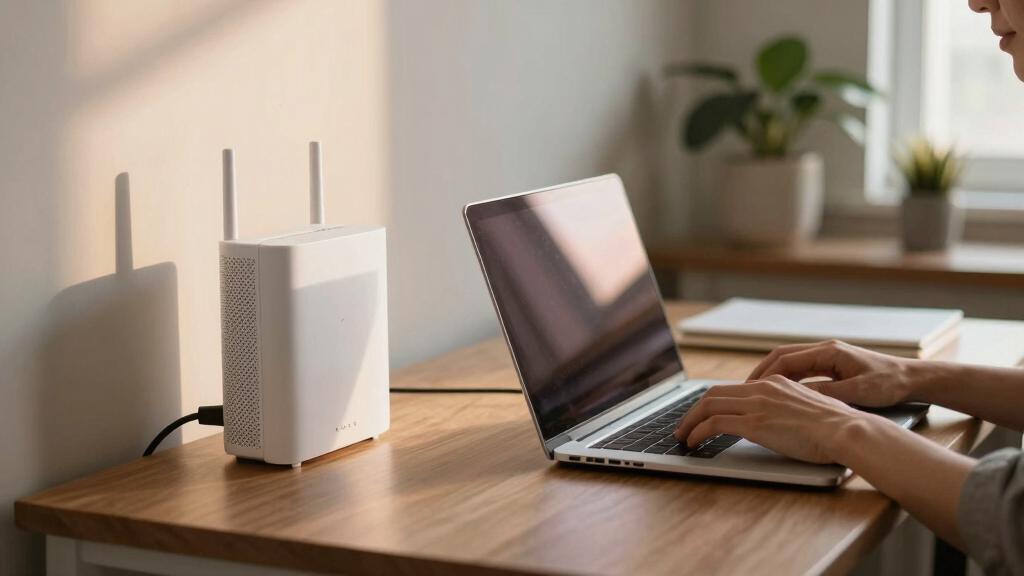
Choosing the best mesh WiFi system for work from home is essential for maintaining reliable, fast internet across your entire space. The right system can minimize dead zones, support multiple devices, and handle high-bandwidth tasks like video conferencing and large file uploads. The TP-Link Deco X55 stands out as the top overall pick for its balanced performance and coverage, while the NETGEAR Orbi 770 Series offers cutting-edge WiFi 7 speeds for demanding setups. However, tradeoffs often involve cost, complexity, and coverage size. Keep reading to see how these options compare and which might be best for your specific needs.
Listen free for 30 days with Audible
Thousands of audiobooks and originals — cancel anytime.
Start your free trialAs an affiliate, we earn on qualifying purchases.
Key Takeaways
- Top performers deliver seamless coverage over large homes, often surpassing 5,000 sq. ft., reducing dead zones.
- WiFi 6 and WiFi 6E systems provide future-proof speeds but come with higher price tags, suitable for heavy multitasking.
- Ease of setup and user interface are critical for non-technical users; some systems excel in simplicity while others are more advanced.
- Support for Ethernet backhaul improves stability and speed, especially in larger spaces or multi-story homes.
- Price varies widely; the best value often balances cost with enough performance for most work-from-home tasks.
| TP-Link Deco M5 Mesh WiFi System – 3 Pack, Whole Home Coverage up to 5,500 sq. ft., Compatible with Alexa |  | Best Overall for Reliable Whole-Home Coverage | Coverage: up to 5,500 sq. ft. | Number of Units: 3 | Ethernet Ports per unit: 2 | VIEW LATEST PRICE | See Our Full Breakdown |
| NETGEAR Orbi 770 Series Tri-Band WiFi 7 Mesh Network System (RBE773) – Router + 2 Satellite Extenders |  | Best for Fast, High-Capacity Wi-Fi with WiFi 7 | WiFi Standard: WiFi 7 | Speed: Up to 11Gbps | Coverage: up to 8,000 sq. ft. | VIEW LATEST PRICE | See Our Full Breakdown |
| TP-Link Deco X55 AX3000 WiFi 6 Mesh System – 3 Pack, Covers up to 6500 Sq.Ft, Replaces Router & Extender, 3 Gigabit Ports per Unit, Supports Ethernet Backhaul |  | Best for Large Homes with Wi-Fi 6 Performance | Wi-Fi Standard: Wi-Fi 6 (AX3000) | Coverage Area: 6500 sq.ft. | Number of Units: 3 | VIEW LATEST PRICE | See Our Full Breakdown |
| eero 6 Mesh Wi-Fi Extender – Wi-Fi 6, Adds Up to 1,500 sq. ft. Coverage |  | Best for Expanding Existing eero Networks | Coverage: 1,500 sq. ft. | Technology: Wi-Fi 6 | Compatibility: Requires existing eero mesh system | VIEW LATEST PRICE | See Our Full Breakdown |
| TP-Link Deco S4 Mesh AC1900 WiFi System (3-Pack) |  | Best Overall for Reliable Whole-Home Coverage | Coverage: up to 5,500 sq.ft. | WiFi Standard: AC1900 | Number of Units: 3 | VIEW LATEST PRICE | See Our Full Breakdown |
| TP-Link Deco XE70 Pro AXE4900 Tri-Band WiFi 6E Mesh System – 3-Pack |  | Best for Cutting-Edge Speed and Large-Scale Coverage | Wi-Fi Standard: Wi-Fi 6E | Speed: up to 4.9 Gbps | Coverage: 7,200 sq. ft. | VIEW LATEST PRICE | See Our Full Breakdown |
| TP-Link Deco 7 BE25 Dual-Band WiFi 7 Mesh System (3-Pack) |  | Best for Future-Ready Connectivity with Advanced Features | WiFi Standard: WiFi 7 | Speed: up to 4.324 Gbps | Coverage: up to 6,600 sq. ft | VIEW LATEST PRICE | See Our Full Breakdown |
| eero 6 Mesh WiFi System – 3-Pack (1 Router + 2 Extenders) |  | Best for Simple, Wide Coverage with Smart Home Integration | Coverage: 4,500 sq ft | Speed: up to 500 Mbps | Devices Supported: 75+ | VIEW LATEST PRICE | See Our Full Breakdown |
| eero 7 Dual-Band Mesh Wi-Fi 7 Router (3-Pack) |  | Best Overall for Future-Proof High-Speed Home Networks | Wi-Fi Standard: Wi-Fi 7 (IEEE 802.11a/b/g/n/ac/ax/be) | Number of Radios: 2; dual-band | Coverage Area: Up to 6,000 sq. ft. | VIEW LATEST PRICE | See Our Full Breakdown |
| eero 6+ Mesh WiFi System (3-Pack) |  | Best for Fast, Reliable Wi-Fi with Smart Home Integration | Speed: Up to 1 Gbps | Coverage: Up to 4,500 sq. ft. | Devices Supported: 75+ | VIEW LATEST PRICE | See Our Full Breakdown |
| NETGEAR Orbi 370 Series Dual-Band WiFi 7 Mesh Network System (RBE373) – Router + 2 Extenders |  | Best for High-Speed, Large-Scale Coverage with Gaming and Streaming | Data Transfer Rate: Up to 5 Gbps | Coverage Range: 6000 sq. ft. | Supported Devices: 70+ | VIEW LATEST PRICE | See Our Full Breakdown |
| TP-Link Deco WiFi 6 Mesh System (Deco X20) – 3-Pack, Covers up to 5800 Sq.Ft |  | Best for Large Coverage at a Competitive Price with Wired Backhaul | Coverage Area: Up to 5800 sq ft | Device Capacity: Up to 150 devices | Wi-Fi Standard: Wi-Fi 6 | VIEW LATEST PRICE | See Our Full Breakdown |
| TP-Link Deco S4 2-Pack Whole Home Mesh WiFi System |  | Best Budget for Smaller Homes with Robust Coverage | Coverage: Up to 3,800 sq ft | Device Support: Up to 75 devices | Wi-Fi Standard: AC1900 | VIEW LATEST PRICE | See Our Full Breakdown |
More Details on Our Top Picks
TP-Link Deco M5 Mesh WiFi System – 3 Pack, Whole Home Coverage up to 5,500 sq. ft., Compatible with Alexa
The TP-Link Deco M5 stands out for its straightforward setup and robust coverage, making it a strong choice for those who need consistent Wi-Fi across a large home without fuss. Compared with the Deco X55, it offers slightly less advanced Wi-Fi 6 technology but remains highly effective for most work-from-home needs. Its secure network features, including built-in antivirus and parental controls, add peace of mind, while its ability to support over 100 devices keeps even busy households connected. The main tradeoff involves the need for a separate modem and the higher cost compared to traditional routers, which could be a concern for budget-conscious buyers. However, its ease of management via the app and extensive coverage make it ideal for those prioritizing simplicity and reliability.
Pros:- Easy to set up and manage via app
- Provides extensive whole-home Wi-Fi coverage
- Secure network with antivirus and parental controls
- Supports multiple devices seamlessly
Cons:- Requires a separate modem for most ISPs
- Mesh system may be pricier than traditional routers
Best for: Home office users who want seamless, stable Wi-Fi coverage with minimal setup effort
Not ideal for: Tech enthusiasts seeking the latest Wi-Fi 6E or ultra-fast speeds for demanding tasks
- Coverage:up to 5,500 sq. ft.
- Number of Units:3
- Ethernet Ports per unit:2
- Supports Wired Ethernet Backhaul:Yes
- Compatible with Alexa:Yes
- Device Support:100+ devices
Bottom line: This system makes the most sense for users wanting reliable, hassle-free Wi-Fi coverage in large homes.
NETGEAR Orbi 770 Series Tri-Band WiFi 7 Mesh Network System (RBE773) – Router + 2 Satellite Extenders
The NETGEAR Orbi 770 Series leverages WiFi 7 technology to deliver blazing speeds up to 11Gbps, making it ideal for heavy data use and multiple simultaneous connections. It outperforms systems like the Deco X55 with its advanced tri-band setup and extensive coverage of up to 8,000 sq. ft., supporting up to 100 devices. Its 2.5 Gigabit Ethernet port allows for high-speed wired connections, perfect for work-from-home setups that demand reliable internet. The main tradeoff is its price, which can be prohibitive for budget-conscious buyers, and it requires compatible devices to realize WiFi 7’s full potential. This system is best suited for users who need the fastest possible Wi-Fi for large, device-heavy environments and are willing to invest in future-proof technology.
Pros:- Unmatched WiFi 7 speeds up to 11Gbps
- Supports coverage up to 8,000 sq. ft.
- Handles up to 100 devices simultaneously
- Includes high-speed Ethernet port
Cons:- High price point
- Requires compatible WiFi 7 devices to maximize benefits
Best for: Tech-savvy professionals with high bandwidth needs and extensive smart home devices
Not ideal for: Casual users with modest internet requirements or limited budgets
- WiFi Standard:WiFi 7
- Speed:Up to 11Gbps
- Coverage:up to 8,000 sq. ft.
- Number of Devices Supported:up to 100
- Ports:2.5 Gigabit Ethernet port
- Includes:Router + 2 Satellite Extenders
Bottom line: This pick is best for those needing the absolute fastest Wi-Fi and future-ready connectivity in large homes.
TP-Link Deco X55 AX3000 WiFi 6 Mesh System – 3 Pack, Covers up to 6500 Sq.Ft, Replaces Router & Extender, 3 Gigabit Ports per Unit, Supports Ethernet Backhaul
The Deco X55 combines Wi-Fi 6 technology with substantial coverage of up to 6,500 sq. ft., making it suitable for busy home offices with many connected devices. It supports up to 150 devices, surpassing the capacity of older Wi-Fi 5 systems like the Deco M5, and its easy app-based setup speeds deployment. The inclusion of three Gigabit Ethernet ports per unit offers flexible wired connections, ideal for workstations that need stable, wired internet. Its main drawback is the higher price for the 3-pack, which could be a stretch for some budgets, plus it still requires a separate modem. Compared to WiFi 7 options, the X55 offers excellent performance for most work-from-home scenarios without the premium cost.
Pros:- Large coverage area of up to 6,500 sq. ft.
- Supports up to 150 devices
- Easy to set up via app
- Multiple Gigabit Ethernet ports per unit
Cons:- Requires a modem for most ISPs
- Higher price point for a 3-pack
Best for: Remote workers with large homes and many connected devices who want Wi-Fi 6 reliability
Not ideal for: Users who need the latest WiFi 6E or WiFi 7 speeds for intensive data tasks
- Wi-Fi Standard:Wi-Fi 6 (AX3000)
- Coverage Area:6500 sq.ft.
- Number of Units:3
- Ethernet Ports per Unit:3
- Supports Ethernet Backhaul:Yes
- Device Capacity:up to 150 devices
Bottom line: This system is ideal for large households needing robust Wi-Fi 6 performance without the cost of WiFi 7.
eero 6 Mesh Wi-Fi Extender – Wi-Fi 6, Adds Up to 1,500 sq. ft. Coverage
The eero 6 extender offers a straightforward way to boost existing eero mesh systems, adding up to 1,500 sq. ft. of Wi-Fi 6 coverage. It’s especially effective for eliminating dead zones in smaller or medium-sized homes and works smoothly with the eero app, ensuring quick setup. Its automatic updates and security features are beneficial for maintaining a safe, stable network. However, its reliance on an existing eero network limits its flexibility, and coverage per extender is modest compared to full mesh systems like the Deco X55 or Orbi. This makes it best suited for users already invested in eero who need minor coverage boosts rather than a standalone solution for large homes.
Pros:- Easy to set up with the eero app
- Expands Wi-Fi coverage effectively
- Reduces dead spots and buffering
- Automatic security updates
Cons:- Requires a pre-existing eero system
- Limited coverage of 1,500 sq. ft. per extender
Best for: Existing eero owners who want to expand coverage with minimal fuss
Not ideal for: New buyers or those with very large homes needing extensive coverage
- Coverage:1,500 sq. ft.
- Technology:Wi-Fi 6
- Compatibility:Requires existing eero mesh system
Bottom line: This extender makes sense for current eero users seeking simple, effective coverage expansion.
TP-Link Deco S4 Mesh AC1900 WiFi System (3-Pack)
This model stands out for delivering dependable, extensive WiFi coverage up to 5,500 square feet with a simple setup process, making it a solid choice for many work-from-home setups. Compared with the eero 6 system, it offers faster speeds (AC1900 vs. 500 Mbps), which can better support multiple devices streaming or video conferencing. While it’s more affordable than the Deco XE70 Pro, it doesn’t support Wi-Fi 6E, limiting future-proofing. The inclusion of wired backhaul support enhances stability, but setting up the mesh can be confusing for some users unfamiliar with networking. Overall, this pick makes the most sense for users seeking reliable, broad coverage without complex setup or high cost.
Pros:- Extensive coverage up to 5,500 sq. ft. with three units
- Fast AC1900 speeds support multiple devices
- Easy setup via the Deco app and Alexa compatibility
- Supports wired backhaul for improved performance
Cons:- Requires a modem for most internet providers
- Initial mesh setup can be complex for beginners
- Limited to 5,500 sq. ft. coverage
Best for: Small to medium home offices needing reliable coverage without the latest Wi-Fi standard
Not ideal for: Tech enthusiasts seeking Wi-Fi 6E or advanced features, or large households requiring faster speeds
- Coverage:up to 5,500 sq.ft.
- WiFi Standard:AC1900
- Number of Units:3
- Ethernet Ports per Unit:2 Gigabit
- Supports Wired Ethernet Backhaul:Yes
- Frequency Band:Dual-Band
Bottom line: Ideal for users seeking dependable, straightforward WiFi coverage for a typical home office environment.
TP-Link Deco XE70 Pro AXE4900 Tri-Band WiFi 6E Mesh System – 3-Pack
This system excels for households or workspaces that demand the latest Wi-Fi technology, supporting Wi-Fi 6E with speeds up to 4.9 Gbps and coverage up to 7,200 sq. ft. It supports up to 200 devices, making it suitable for busy smart homes or multi-device work setups. Compared with the Deco S4, it offers significantly faster speeds and a tri-band setup, including the new 6 GHz band, which reduces congestion. However, the higher price point and complexity of setup may be barriers for less tech-savvy users. For those needing top-tier speed, future-proofing, and extensive coverage, this system makes the most sense, though it may be overkill for modest home offices.
Pros:- Supports Wi-Fi 6E with speeds up to 4.9 Gbps
- Provides coverage up to 7,200 sq. ft.
- Handles up to 200 devices simultaneously
- Includes wired backhaul ports for stability
Cons:- Premium price may be a barrier
- Setup and management can be complex for non-technical users
- Requires compatible modem and ISP support
Best for: Power users with high-speed needs and multiple smart devices in large homes
Not ideal for: Budget-conscious users or those with simple internet needs who don’t require Wi-Fi 6E
- Wi-Fi Standard:Wi-Fi 6E
- Speed:up to 4.9 Gbps
- Coverage:7,200 sq. ft.
- Number of Devices:up to 200
- Ports:2.5 Gbps WAN/LAN, 2 Gbps LAN per unit
- Bands:Tri-band including 6 GHz
Bottom line: Best suited for tech-savvy households that need the fastest speeds and widest coverage with future-proof technology.
TP-Link Deco 7 BE25 Dual-Band WiFi 7 Mesh System (3-Pack)
The Deco 7 BE25 supports WiFi 7, offering speeds up to 4.324 Gbps and coverage up to 6,600 sq. ft., making it a compelling choice for those investing in the latest tech. Its wired backhaul ports and AI-Roaming ensure seamless device handoff, ideal for large, multi-device work environments. Compared to Wi-Fi 6E systems like the Deco XE70 Pro, WiFi 7 promises better performance and efficiency, especially as more devices adopt the new standard. The advanced security features and compatibility with voice assistants add to its appeal, though the setup process may challenge less experienced users. This system makes the most sense for early adopters looking for a future-proof, high-performance mesh setup.
Pros:- Supports WiFi 7 with high speeds and extensive coverage
- Includes wired backhaul ports for consistent performance
- AI-Roaming for smooth device switching
- Enhanced security with TP-Link HomeShield
Cons:- Higher price compared to Wi-Fi 6 systems
- Setup may be complex for some users
- Requires compatible modem and ISP support
Best for: Tech enthusiasts and professionals wanting cutting-edge Wi-Fi technology and robust security
Not ideal for: Budget shoppers or those with simple internet needs, due to its higher cost and complexity
- WiFi Standard:WiFi 7
- Speed:up to 4.324 Gbps
- Coverage:up to 6,600 sq. ft
- Number of Units:3
- Ports:2x 2.5 Gbps WAN/LAN ports per unit
- Security:TP-Link HomeShield
Bottom line: Ideal for early adopters seeking the latest Wi-Fi standard with high speeds and advanced features.
eero 6 Mesh WiFi System – 3-Pack (1 Router + 2 Extenders)
The eero 6 system is designed for straightforward, reliable whole-home coverage up to 4,500 sq. ft., supporting internet speeds up to 500 Mbps. It’s particularly suitable for homes with many smart devices, thanks to its built-in Zigbee hub and easy setup through the app. Compared to the Deco S4, it offers less raw speed but simplifies the network management process, especially for less tech-savvy users. While it’s perfect for smaller to medium homes where internet plans don’t exceed 500 Mbps, it may fall short for power users with demanding bandwidth needs. Its seamless integration with smart home devices makes it a good choice for users prioritizing ease and automation over ultra-fast speeds.
Pros:- Supports up to 4,500 sq. ft. coverage with three units
- Easy setup and management via app
- Built-in Zigbee smart home hub
- Supports over 75 devices simultaneously
Cons:- Limited to speeds up to 500 Mbps
- Higher price for a 3-pack system compared to simpler mesh options
- Less suitable for gigabit internet plans
Best for: Homeowners with multiple smart devices and modest internet plans up to 500 Mbps
Not ideal for: High-demand users or those with gigabit internet plans needing faster speeds
- Coverage:4,500 sq ft
- Speed:up to 500 Mbps
- Devices Supported:75+
- Number of Units:3
- Supports:Wi-Fi 6, Zigbee
- Includes:Zigbee smart home hub
Bottom line: Best suited for users wanting simple, reliable coverage with smart home integration on moderate internet plans.
eero 7 Dual-Band Mesh Wi-Fi 7 Router (3-Pack)
The eero 7 stands out for its support of Wi-Fi 7, offering faster speeds and larger coverage than older models like the eero 6+. It handles internet plans up to 2.5 Gbps and covers up to 6,000 sq. ft., making it an excellent choice for large homes with many devices. Its compatibility with previous eero models and smart home security features provide a smooth upgrade path, though the need for a subscription for enhanced security adds to ongoing costs. Compared to the NETGEAR Orbi 370, it offers comparable coverage but with slightly lower maximum speeds, reflecting a balanced mix of speed, security, and future readiness. The main tradeoff is the higher initial price and limited to a 3-pack, which may require additional units for very large properties. This pick makes the most sense for those wanting a high-performance, secure system that’s ready for upcoming Wi-Fi standards.
Pros:- Supports high-speed internet plans up to 2.5 Gbps
- Covers large areas up to 6,000 sq. ft. with three units
- Compatible with previous eero models and smart devices
- Includes advanced security features
Cons:- Requires subscription for enhanced security
- Higher initial cost compared to basic routers
- Limited to 3-pack, may need extra units for larger homes
Best for: Homeowners with large, multi-story properties who want future-proof, high-speed Wi-Fi and robust security features.
Not ideal for: Buyers on a tight budget or with smaller homes, as the higher cost and subscription fees may not justify the benefits.
- Wi-Fi Standard:Wi-Fi 7 (IEEE 802.11a/b/g/n/ac/ax/be)
- Number of Radios:2; dual-band
- Coverage Area:Up to 6,000 sq. ft.
- Supported Devices:Over 120
- Ethernet Ports:Two auto-sensing 2.5 Gbps
- Security:WPA3 and WPA2
Bottom line: Best for users seeking a future-ready mesh Wi-Fi system with high-speed capacity and security features for large homes.
eero 6+ Mesh WiFi System (3-Pack)
The eero 6+ offers solid gigabit speeds and broad coverage up to 4,500 sq. ft., making it a practical choice for busy households with multiple smart devices. Its Wi-Fi 6 technology ensures faster connectivity compared to older Wi-Fi standards, and the built-in smart home hub simplifies device management. While setup is straightforward and management via the app is intuitive, the need for a subscription for advanced security features adds ongoing costs, similar to the eero 7. Compared to the TP-Link Deco X20, it emphasizes ease of use and smart home features rather than maximum coverage or device capacity, making it ideal for everyday use. The main drawback is potential compatibility issues with very old devices, and it may be less future-proof than Wi-Fi 7 systems. This setup makes sense for homeowners prioritizing reliable Wi-Fi with integrated smart home controls.
Pros:- Supports gigabit speeds at an affordable price
- Provides coverage up to 4,500 sq. ft.
- Built-in smart home hub for Zigbee and Thread
- Easy to set up and manage via app
Cons:- Requires subscription for advanced security
- Some compatibility issues with older devices
- Limited to Wi-Fi 6 technology
Best for: Smart home enthusiasts who want reliable, high-speed Wi-Fi and easy management in medium to large homes.
Not ideal for: People seeking the fastest possible speeds or larger coverage, as Wi-Fi 6 won’t match Wi-Fi 7’s future potential or larger areas.
- Speed:Up to 1 Gbps
- Coverage:Up to 4,500 sq. ft.
- Devices Supported:75+
- Wi-Fi Technology:Wi-Fi 6
- Smart Home Hub:Yes
Bottom line: Best for users who want reliable Wi-Fi with integrated smart home features in a mid-sized home.
NETGEAR Orbi 370 Series Dual-Band WiFi 7 Mesh Network System (RBE373) – Router + 2 Extenders
The NETGEAR Orbi 370 Series delivers WiFi 7 speeds up to 5 Gbps, making it ideal for heavy streaming, gaming, and smart home device support across large homes up to 6,000 sq. ft. with its included router and two extenders. Its high transfer rate and extensive device support—up to 70 devices—make it a powerful option for demanding households. Compared to the eero 7, it offers faster maximum speeds and more extensive coverage but at a higher price point and with a more complex setup. The lack of modem compatibility means it’s best paired with an existing modem, and the expense may be a barrier for some. This system works best for tech-heavy households that prioritize raw performance and wide coverage over simplicity or lower cost.
Pros:- Supports WiFi 7 speeds up to 5 Gbps
- Whole-home coverage of 6,000 sq. ft.
- Supports up to 70 devices simultaneously
- Includes advanced WPA3 security
Cons:- No modem compatibility included
- More expensive than basic systems
- Requires compatible devices to maximize WiFi 7 benefits
Best for: Gamers, streamers, and large families needing high-speed, reliable Wi-Fi with extensive device support across big homes.
Not ideal for: Casual users or those with smaller homes, as the system’s cost and setup complexity may outweigh benefits.
- Data Transfer Rate:Up to 5 Gbps
- Coverage Range:6000 sq. ft.
- Supported Devices:70+
- Security Protocols:WPA3
- Includes:Router + 2 Extenders
- Wi-Fi Standard:Wi-Fi 7
Bottom line: Ideal for tech-savvy households demanding maximum speed and coverage for demanding activities like gaming and streaming.
TP-Link Deco WiFi 6 Mesh System (Deco X20) – 3-Pack, Covers up to 5800 Sq.Ft
The TP-Link Deco X20 provides extensive Wi-Fi 6 coverage up to 5,800 sq. ft., supported by its 3-unit mesh setup. It’s well-suited for large households needing reliable, high-capacity Wi-Fi and supports up to 150 devices—more than enough for most smart homes. Its wired backhaul capability helps maintain speed even with many connected devices, and setup is straightforward via the Deco app. Compared to the eero 6+, it offers larger coverage and more device support, but at a higher cost, especially considering the need for a modem for most ISPs. Its backward compatibility and security features make it a strong contender for those seeking a dependable, future-proof mesh system, though it’s not the cheapest option. This system makes sense for large households wanting maximum coverage and device capacity without sacrificing speed.
Pros:- Provides coverage up to 5800 sq ft
- Supports up to 150 devices
- Supports wired Ethernet backhaul
- Easy setup via the Deco app
Cons:- Requires a modem for most ISPs
- Higher price point for a 3-pack system
- Wi-Fi 6 may become less future-proof compared to Wi-Fi 7
Best for: Large households needing dependable Wi-Fi coverage with wired backhaul support for high device density.
Not ideal for: Small apartments or users on a tight budget, as the cost may be disproportionate to their needs.
- Coverage Area:Up to 5800 sq ft
- Device Capacity:Up to 150 devices
- Wi-Fi Standard:Wi-Fi 6
- Ethernet Ports:6 (2 per unit)
- Supports Wired Backhaul:Yes
- Security:TP-Link HomeShield
Bottom line: Best for large homes needing extensive, reliable Wi-Fi with wired backhaul for maximum capacity.
TP-Link Deco S4 2-Pack Whole Home Mesh WiFi System
The TP-Link Deco S4 2-Pack offers a practical solution for smaller or medium-sized homes, covering up to 3,800 sq. ft. with fast AC1900 speeds. It supports up to 75 devices, making it suitable for most family setups, and features easy setup and parental controls for safe browsing. While it’s more affordable than larger systems like the Deco X20, it offers slightly less coverage and fewer Ethernet ports, which could be a limitation for wired networks. It’s a strong choice for budget-conscious users who still need reliable mesh coverage but isn’t ideal for larger homes or those requiring extensive wired connectivity. This makes it suitable for smaller homes or apartments where simplicity and cost are priorities.
Pros:- Provides coverage up to 3,800 sq ft
- Supports up to 75 devices
- Easy to set up and manage through the Deco app
- Includes parental controls
Cons:- Requires a modem for most ISPs
- Limited Ethernet ports for wired connections
- Less future-proof compared to Wi-Fi 6 or Wi-Fi 7 systems
Best for: Small to medium homes needing reliable Wi-Fi coverage without high device demands or complex setup.
Not ideal for: Very large homes or users needing extensive wired backhaul support, as coverage and ports are limited.
- Coverage:Up to 3,800 sq ft
- Device Support:Up to 75 devices
- Wi-Fi Standard:AC1900
- Number of Units:2
- Ethernet Ports:4 (2 per unit)
- Parental Controls:Yes
Bottom line: Best for smaller homes seeking reliable, affordable mesh Wi-Fi coverage with parental controls.
How We Picked
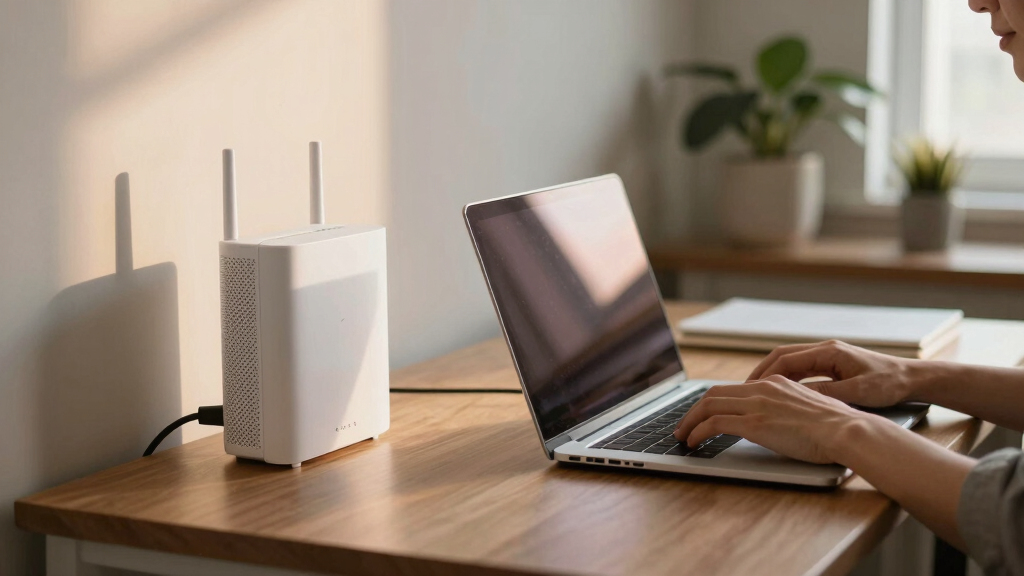
The products in this roundup were evaluated based on performance, coverage, ease of setup, compatibility, and value for money. We prioritized systems that reliably support multiple devices, high-bandwidth activities, and are straightforward to install. Systems offering advanced features like Ethernet backhaul or WiFi 6E were rated higher for future-proofing, but we balanced this with affordability. The ranking reflects a combination of user experience, technical specs, and overall reliability in a work-from-home environment, ensuring each option serves a distinct buyer profile effectively.Factors to Consider When Choosing Best Mesh Wifi System For Work From Home
When selecting a mesh WiFi system for work from home, consider several key factors beyond basic coverage. Your choice impacts not just internet speed but also stability, ease of management, and future scalability. The right system should match your home’s size, your device load, and your technical comfort level. Avoid common pitfalls like overbuying for small spaces or choosing overly complex setups that may confuse non-tech-savvy users. Here are the main considerations to guide your decision.Coverage and Scalability
Assess your home’s size carefully. Larger homes benefit from systems that support multiple nodes with broad coverage, often exceeding 5,000 sq. ft. To ensure seamless connectivity, consider systems that support Ethernet backhaul, which allows nodes to connect via wired connections for maximum stability. Also, think about future needs; a scalable system can add more nodes if your home expands or if your device count increases.
WiFi Standard and Speed
Choosing between WiFi 6 and WiFi 6E is a key decision. WiFi 6 offers significant speed and efficiency improvements over previous standards, supporting multiple devices with less congestion. WiFi 6E extends this by utilizing the 6 GHz band, offering higher speeds and lower latency, ideal for demanding work tasks. However, WiFi 6E systems tend to be more expensive and require compatible devices. Consider your current and future device ecosystem when deciding.
Ease of Setup and Management
For busy professionals or less tech-savvy users, a system with a straightforward setup process and intuitive app controls is essential. Some brands excel in minimal configuration and provide helpful troubleshooting tools, while others may require more technical knowledge. User-friendly management interfaces can save time and reduce frustration, especially when managing multiple nodes or adjusting network settings.
Price and Value
While premium systems offer cutting-edge features, they also come at a higher cost. Balance your budget with your performance needs. For most remote workers, mid-range systems with good coverage and speed suffice, providing excellent value. Avoid overspending on features you won’t use, but also be cautious of cheap options that may underperform or lack longevity. Look for systems with reliable warranties and good customer support.
Additional Features
Features like parental controls, device prioritization, and built-in security can enhance your home network experience. For work from home, prioritization ensures your work devices get bandwidth when needed, minimizing disruptions during important calls. Security features protect sensitive work data, and compatibility with smart home devices can streamline your connected ecosystem. Evaluate which extras truly add value for your specific setup.
Frequently Asked Questions
Will a mesh WiFi system improve my video conferencing quality?
Yes, a mesh WiFi system can significantly enhance your video calls by providing more reliable and consistent internet coverage throughout your home. These systems reduce dead zones and ensure your device maintains a strong connection, which is vital for high-quality video streaming. Systems with WiFi 6 or WiFi 6E capabilities are especially effective at handling multiple high-bandwidth tasks simultaneously, minimizing lag and interruptions during calls.
Is it worth investing in WiFi 6 or WiFi 6E for work from home?
Investing in WiFi 6 or WiFi 6E can be worthwhile if you work with large files, stream high-definition content, or have multiple devices competing for bandwidth. WiFi 6 offers substantial improvements over previous standards, and WiFi 6E adds even more bandwidth with support for the 6 GHz band, reducing congestion. Keep in mind that both require compatible devices to see the full benefit, so assess your current hardware before deciding.
How many nodes do I need for a typical home office setup?
The number of nodes depends on your home’s size and layout. For a standard single-story home under 3,000 sq. ft., a 2-3 node system generally provides ample coverage. Larger or multi-story homes may require 4 or more nodes to eliminate dead zones. Consider the placement of your work area relative to the nodes to ensure the strongest signal and optimal performance.
Can I upgrade my existing router to a mesh system?
In many cases, yes, you can integrate a mesh system with your current router, but compatibility varies by brand. Some mesh systems can replace your existing router entirely, offering a more seamless experience. Others work as an extension, but it’s important to check if your current hardware supports mesh integration or if you need to replace it completely for best results. Upgrading can improve coverage and speed, especially in larger homes.
Are mesh WiFi systems secure enough for sensitive work data?
Most modern mesh WiFi systems come with built-in security features, including encryption, guest networks, and automatic updates. Systems from reputable brands often support advanced security protocols suitable for protecting sensitive work information. However, it’s essential to keep firmware updated and enable security settings. For highly sensitive data, consider additional security layers like VPNs or enterprise-grade solutions alongside your mesh network.
Conclusion
For most remote workers seeking a reliable, easy-to-manage system, the TP-Link Deco X55 offers an excellent balance of coverage, speed, and affordability. Those with larger homes or demanding setups should consider the NETGEAR Orbi 770 Series with WiFi 7 for future-proof performance. Beginners or smaller spaces benefit from straightforward options like the eero 6 Mesh Wi-Fi System, while tech enthusiasts may prefer premium features in the TP-Link Deco XE70 Pro. Ultimately, your choice should align with your home’s size, your work needs, and your budget, ensuring a seamless home office experience.Grilling season Picks
grills
As an affiliate, we earn on qualifying purchases.