TL;DR

Prime made for students and young adults
- Fast, free delivery for dorm and study essentials
- Prime Video and Amazon Music included
- Member-only deals
Buying a prebuilt AI workstation can save months and reduce operational risks, especially with current component shortages. Building offers customization but often costs more and takes longer. The best choice depends on your priorities for speed, control, and budget.
Imagine having a GPU rig ready to go in just a few days. Or spending six months sourcing parts, tuning fans, and wrestling with BIOS settings. The choice between building and buying your AI workstation isn’t just about initial price anymore—it’s about speed, control, and hidden costs.
In 2026, the traditional rule that building is always cheaper has flipped. With supply chain snarls and soaring component prices, a prebuilt might actually save you money—plus, it comes tuned, tested, and ready to deploy. This article walks through what you really get from each option, so you can pick what fits your needs best.
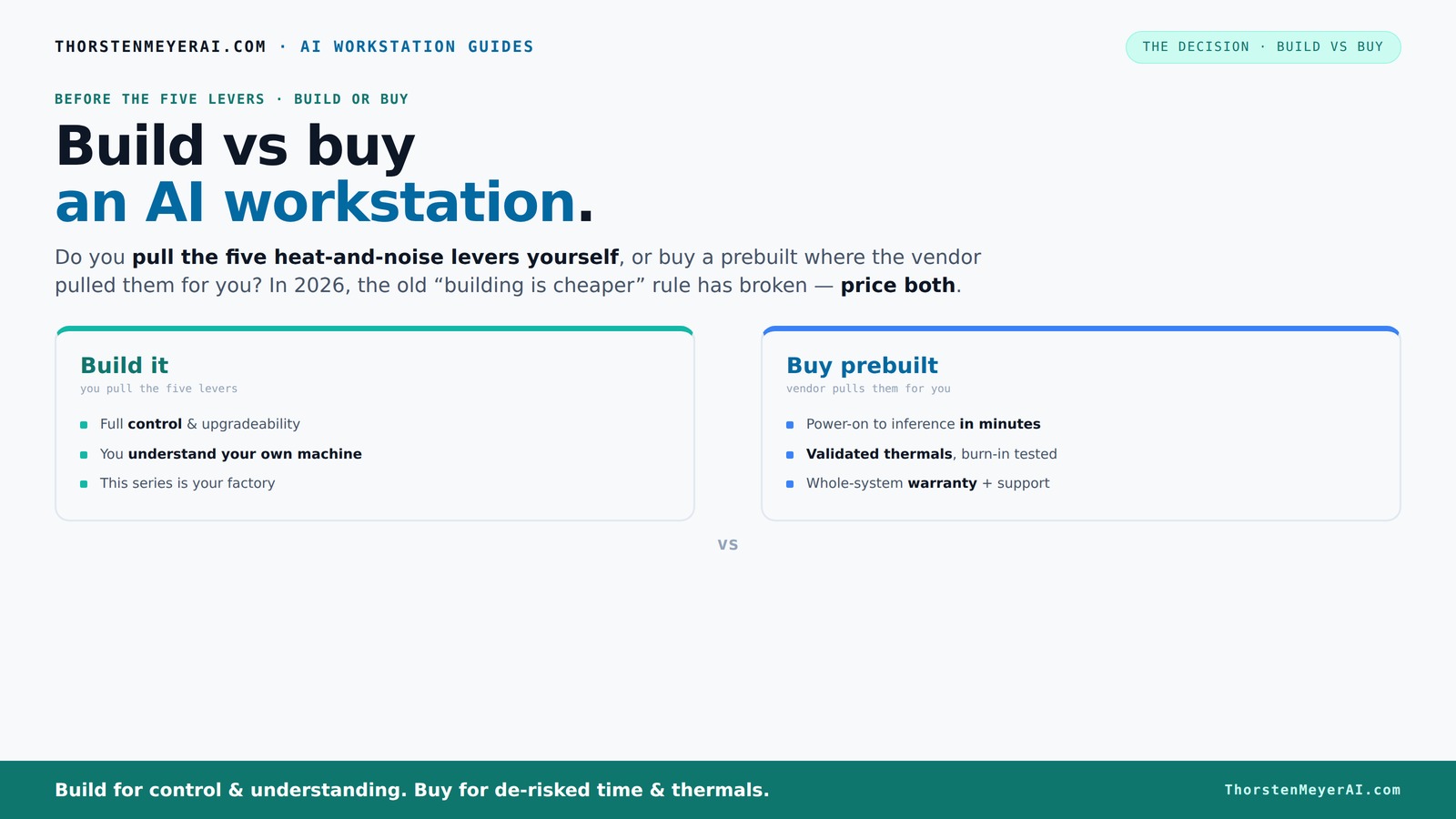
Build vs buy
an AI workstation.
The real question behind this whole series: do you pull the five heat-and-noise levers yourself, or buy a prebuilt where the vendor pulled them for you? And in 2026, the old “building is cheaper” rule has broken. Match your situation in Part 3.
What Exactly Is a Prebuilt AI Workstation and Why It Matters
A prebuilt AI workstation is a machine assembled by a vendor, tested for heat, noise, and performance, then shipped ready to run your models. Think of it like buying a high-performance sports car instead of building one from parts. It’s optimized for workloads, validated to run cool and quiet, and comes with warranty and support.
Understanding what makes a prebuilt system valuable is crucial because it directly impacts your project timelines and operational stability. When vendors thoroughly test these systems, they identify potential bottlenecks such as thermal throttling or power issues that could cause downtime or inconsistent performance. This validation process means you’re less likely to encounter surprises in critical workloads, especially during long training runs or large-scale inference tasks. Moreover, the support and warranty offered reduce the risk of costly repairs or troubleshooting, which can be time-consuming and disruptive. In essence, a well-validated prebuilt system acts as a reliable foundation, allowing you to focus on your AI development rather than hardware concerns.
As an affiliate, we earn on qualifying purchases.
Who Should Buy a Prebuilt and Who Should Build?
If your priority is speed, reliability, and reducing operational hassle, buying makes sense. Think of a startup needing to deploy models fast or a researcher who wants to focus on experiments, not hardware troubleshooting. For example, a data science team might opt for a prebuilt to hit tight deadlines and avoid hardware headaches.
However, the decision to buy or build hinges on understanding the tradeoffs. Buying offers immediate deployment and reduces the risk of hardware errors, but it may limit customization options and sometimes lead to vendor lock-in. On the other hand, building allows for tailored configurations—such as integrating specialized cooling solutions or undervolting GPUs for power efficiency—but requires technical expertise, time investment, and ongoing maintenance. For organizations with complex workflows or proprietary hardware needs, building might be justified despite the higher upfront effort. Conversely, those seeking rapid deployment and predictable performance often find prebuilt systems more aligned with their goals. Ultimately, the choice depends on balancing the need for speed and reliability against the desire for customization and control.
As an affiliate, we earn on qualifying purchases.
The Hardware You Need for AI Workstations (Spoiler: It’s Not Cheap)
AI workstations demand high-end components—think Nvidia A100s or RTX 4090s, fast DDR5 RAM, and large NVMe SSDs. For instance, a single high-end GPU can cost between $1,200 to $3,000. When you add multiple GPUs, the price skyrockets.
Building your own rig means sourcing each part—motherboards, power supplies, cooling solutions—often from different suppliers. Learn more about building vs buying. The challenge is that supply chain issues and component shortages have driven prices up and caused delays. For example, GPU prices surged over 50% since 2023, and shortages mean you might wait months for certain parts. This unpredictability can significantly increase your project timelines and costs. Conversely, prebuilt vendors often buy components in bulk, securing better prices and more reliable availability, which translates into faster procurement and potentially lower overall costs. Recognizing these market dynamics is critical because your choice can either accelerate your project or cause costly delays. For insights, visit biodiversity and tech. Investing in quality hardware is essential, but understanding current market conditions helps you make smarter decisions that balance performance and budget.
As an affiliate, we earn on qualifying purchases.
Frequently Asked Questions
Is it cheaper to build or buy a prebuilt AI workstation?
In 2026, component shortages and bulk purchasing often make prebuilt workstations cheaper or at least comparable in price to building your own, especially for high-end multi-GPU systems. Always compare specific configurations before deciding.How much faster is buying compared to building?
Buying can deliver a ready-to-run system in just 1–2 weeks, while building from scratch might take 3–6 months or longer, depending on sourcing and customization needs.What hidden costs come with building?
Hidden costs include time spent on thermal tuning, troubleshooting, potential hardware failures, and ongoing upgrades. These can add 20–30% to your initial investment over three years.When does building make more sense than buying?
Building is best when your AI work is highly proprietary, requires strict compliance, or involves unique hardware configurations that vendors don’t support off-the-shelf.How do I compare TCO over 3 years?
Factor in initial hardware costs, operational expenses, maintenance, upgrades, and downtime. Buying often reduces operational risk and maintenance costs, shortening the payback period.As an affiliate, we earn on qualifying purchases.
Conclusion
In a landscape where component shortages and costs are unpredictable, the smart move often isn’t building from scratch. Buying a prebuilt gives you speed, validated performance, and peace of mind—crucial for AI projects that can’t afford delays.
Remember, the decision isn't just about price—it's about control, risk, and future readiness. Whether you choose to buy, build, or hybrid, keep your eye on what matters most: getting your AI to work for you, fast and reliable.
Halloween Picks
halloween
As an affiliate, we earn on qualifying purchases.