To fix your account recovery today, start by reviewing your recovery settings and understand how activity prompts work. Make sure your recovery email and phone number are current and working correctly. Add two-factor authentication for extra security, and set up security questions plus backup codes. Finally, test your recovery options to confirm they function smoothly. Taking these steps now strengthens your account’s resilience, and exploring the details will help you implement each fix effectively.
Key Takeaways
- Review and update your recovery email and phone number for current, accessible contact details.
- Enable and verify two-factor authentication to add an extra security layer.
- Set up and store backup codes securely offline or in a password manager.
- Regularly test recovery options by attempting password resets and session timeouts.
- Monitor account activity and enable notifications for unusual actions to detect security issues early.
Know Your Account Recovery Settings
Understanding your account recovery settings is essential because they determine how easily you can regain access if you’re locked out. You should review what triggers password prompts and how your account activity is monitored. These settings influence how quickly you’ll be prompted to verify your identity during suspicious activity or login attempts. Knowing this helps you prepare for potential lockouts and ensures your recovery options are effective. Make sure your account is set to send notifications if unusual activity occurs, so you’re aware of any security issues early. security monitoring helps keep your account protected by alerting you to unauthorized access attempts. Additionally, understanding the role of activity tracking can help you identify suspicious behavior before it leads to a lockout. Being aware of how affiliate disclosures and privacy policies impact your account data can also help you manage your privacy preferences effectively, especially since privacy controls play a vital role in safeguarding your personal information. Regularly reviewing your account activity logs can provide insights into any unauthorized or suspicious actions, enhancing your overall security.
Make Sure Your Recovery Email and Phone Are Up to Date
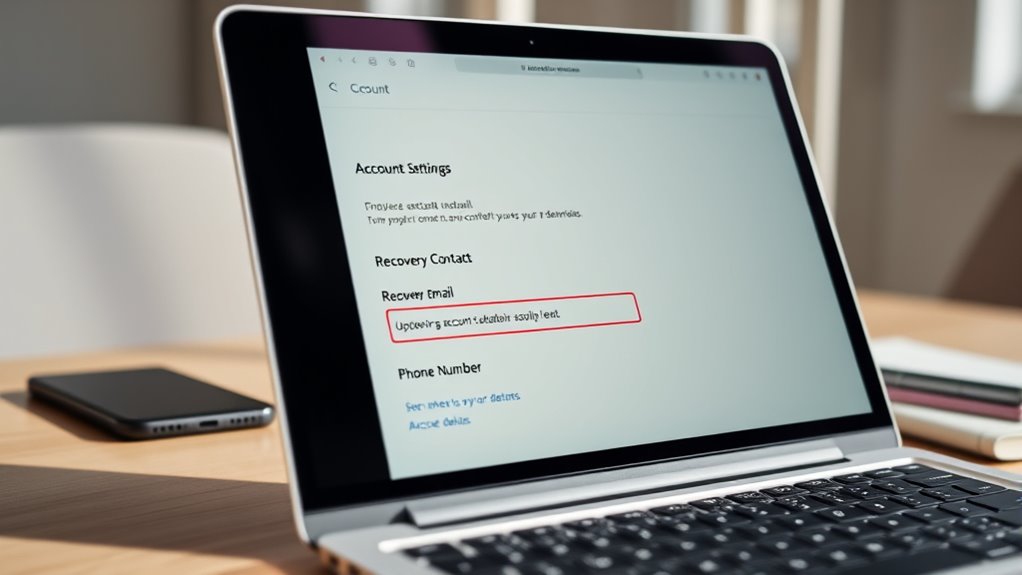
Keeping your recovery email and phone number current is essential because they serve as your primary tools for regaining access to your account if you’re locked out. Regularly updating these details guarantees quick recovery, especially if your password strength isn’t perfect or you rarely log in. To keep things secure and accessible: 1. Verify that your recovery email is active and linked to your account. 2. Ensure your recovery phone number is correct and capable of receiving messages. 3. Check your login frequency; if you rarely sign in, update recovery info more often. 4. Test the recovery process periodically to confirm everything works smoothly. 5. Understanding thermal behavior of your recovery tools helps you troubleshoot issues more effectively. Additionally, being aware of the water-related aspects of your recovery options can help you better manage potential technical issues. Regularly reviewing your security settings can further strengthen your account protection and recovery readiness, especially considering the environmental factors that might impact your device or network. Knowing device lifespan and how it affects recovery options can also help you plan for hardware changes or upgrades.
Add Two-Factor Authentication to Secure Your Account
Adding two-factor authentication (2FA) considerably enhances your account security by requiring a second form of verification beyond just your password. Strengthening your password is important, but 2FA adds an extra layer that makes unauthorized access much harder. Once enabled, you’ll need to provide a code sent to your device or generated by an app whenever you log in, which helps protect your account activity from hackers. Regularly review your account activity to spot suspicious actions, and 2FA makes it more difficult for intruders to compromise your account even if your password is weak or compromised. Implementing 2FA is a simple but effective step to safeguard your personal information and ensure only you can access your account. Understanding the security features of your account can further help in maintaining its safety. Additionally, staying informed about common security threats can help you recognize and prevent potential breaches before they happen. Using security settings to customize your account protections can provide even greater peace of mind, especially when combined with security best practices like regularly updating your credentials. Implementing additional layers of protection can further reinforce your account’s defenses against unauthorized access.
Set Up Security Questions and Backup Codes

Setting up security questions and backup codes provides an additional layer of protection for your account, ensuring you can regain access if you forget your password or are locked out. To do this effectively, follow these steps:
- Choose strong, memorable password questions to verify your identity.
- Store your recovery codes securely offline or in a password manager.
- Regularly review and update your password questions for added security.
- Keep backup codes in a safe location, separate from your device.
- Be aware of Free Floating concepts that can influence your account security decisions, such as the importance of identity verification in maintaining account integrity.
- Understanding Soul Sanctuaries and related concepts can help you recognize valuable security practices, such as proper backup procedures for your account credentials.
- Maintaining awareness of security fundamentals ensures you can create a resilient recovery plan that adapts to evolving threats.
Test Your Recovery Options to Ensure They Work

Before relying on your recovery options, it’s essential to test them to verify they work correctly. Start by attempting to reset your password using your backup methods, confirming your password strength is sufficient to prevent unauthorized access. Also, verify your session timeout settings to confirm they log you out after inactivity, protecting your account. To visualize your setup, consider this table:
| Recovery Method | Password Strength | Session Timeout |
|---|---|---|
| Email recovery | Strong, unique passwords | Logs out after 15 min |
| Backup codes | Password complexity enforced | 30-minute timeout |
| Security questions | Updated and accurate | 10-minute timeout |
| Two-factor authentication | Regularly reviewed | Session expires when inactive |
| Trusted contacts | Secure, verified contacts | Timeout resets on activity |
Testing these options ensures your account stays protected when you need it most. Remember, verification processes are crucial for maintaining your account security and ensuring recovery methods function as intended. Additionally, reviewing Vetted – Flat Iron Bike options can provide insights into reliable systems that support your security needs. Moreover, periodically updating your recovery information helps keep your account resilient against potential breaches. Regular security checks can further reinforce your preparedness by identifying vulnerabilities early.
Frequently Asked Questions
How Often Should I Review My Account Recovery Settings?
You should review your account recovery settings at least every three to six months. Regular account monitoring helps you spot any security issues early, and updating recovery options guarantees you can regain access if needed. Keeping your security habits strong means staying proactive with these reviews. Don’t wait until there’s a problem—make it a habit to check your recovery settings frequently, so you’re always prepared and your account stays protected.
Can Recovery Options Be Customized for Different Devices?
Yes, you can customize recovery options for different devices by setting device-specific configurations. This allows you to tailor recovery methods to each device’s needs, guaranteeing better security and convenience. You might choose custom recovery methods like secondary email addresses or phone numbers for some devices, while others might use biometric verification. By customizing recovery options per device, you enhance your account’s overall security and ensure smoother recovery processes whenever needed.
Are There Any Risks Associated With Enabling Two-Factor Authentication?
Think of two-factor authentication as a fortress guarding your account, but like any stronghold, it’s not without risks. While it enhances security, you should be aware of potential security concerns and privacy implications, such as your phone being lost or hacked. These issues can complicate access, so always keep backup options handy and stay vigilant. Overall, the added protection outweighs the minimal risks, making your account much safer.
What Should I Do if I Lose Access to My Recovery Email?
If you lose access to your recovery email, start by trying to reset your account with security questions or backup codes. Check if you’ve set up alternative recovery options like a phone number or trusted contacts. If these don’t work, contact customer support for help. Regularly updating your security questions and storing backup codes securely can prevent future issues and keep your account safe.
How Do I Recover My Account if All Options Are Compromised?
If all recovery options are compromised, focus on enhancing your account security and backup strategies. Contact customer support directly, providing proof of identity to verify your ownership. Enable two-factor authentication, update your security questions, and set up alternative recovery methods. Regularly back up important data and keep your contact info current. These steps help protect your account and improve chances of recovery even when other options fail.
Conclusion
Think of your account recovery options as your digital lifeboat. Keep the lifeboat well-maintained—update your info, add extra security, test the ropes—so you’re always prepared when storms hit. By tending to these settings today, you’re building a sturdy vessel that can weather any unexpected tide. Don’t wait for trouble to strike; secure your voyage now, and sail confidently knowing your digital world is protected by a resilient, reliable anchor.