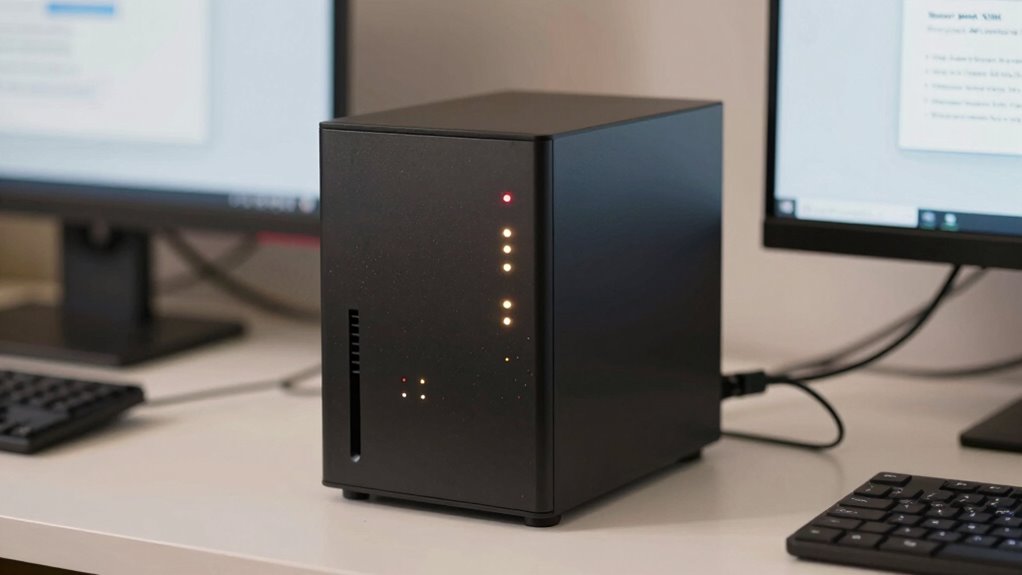

To spot NAS drive failure signs early, pay attention to unusual noises like clicking, grinding, or buzzing, which often signal mechanical problems. Watch out for slow data transfer speeds, error messages, or files that become corrupted. Physical signs such as strange sounds and performance drops indicate drive deterioration. Back up your data immediately if you notice any issues. Staying alert can help you prevent total failure—keep looking to learn more about protecting your data.
Get ready for Prime Big Deal Days — try Prime free
Exclusive member deals on October 6–7, plus fast free delivery. Cancel anytime.
As an affiliate, we earn on qualifying purchases.
Key Takeaways
- Listen for unusual noises like clicking, grinding, or buzzing from the NAS, which indicate mechanical or hardware issues.
- Monitor for slow data transfer speeds and frequent errors during file access, signaling potential drive degradation.
- Watch for data corruption, error messages, or discrepancies in files, pointing to failing storage sectors.
- Be alert to physical signs such as noises and errors that suggest internal hardware damage or drive deterioration.
- Regularly use diagnostic tools and back up data immediately when warning signs appear to prevent total failure.

Are you noticing strange noises or slow performance from your NAS drive? These signs can be more than just minor inconveniences—they might be warning signs of impending failure. One of the most common indicators is unusual noises emanating from your device. If your NAS starts making clicking, grinding, or buzzing sounds, it’s often a sign that mechanical components, like the hard drives, are struggling or failing. These noises aren’t normal and shouldn’t be ignored, as they suggest that the internal parts are experiencing issues that could lead to drive failure. Along with strange sounds, you might also see a noticeable slowdown in data transfer speeds or frequent errors when accessing files. This sluggish performance can be a precursor to more severe problems, including data corruption, which can result in loss of critical files or system instability.
Data corruption is another key warning sign that your NAS drive is in trouble. If you begin noticing corrupted files, error messages during file operations, or discrepancies in your data, it’s likely your drive is on the verge of failure. Data corruption can happen when the drive’s read/write heads or storage sectors become damaged or degraded. Once this begins, the integrity of your data is at risk, and the longer you wait to address it, the higher the chance of losing important information permanently. These signs often occur alongside unusual noises, reinforcing the idea that the drive’s physical health is compromised. If you see recurring issues with file integrity or experience difficulty copying or opening files, it’s a clear sign that your NAS needs immediate attention. Additionally, understanding the physical health of your drives can help you prevent complete failure before it happens.
Monitoring these signs is vital because ignoring them can lead to total drive failure, making data recovery more difficult and costly. Regularly check your NAS for unusual noises—especially clicking sounds or grinding—and pay attention to any performance issues, such as slow data access or frequent error messages. Keep an eye out for signs of data corruption as well, like files that won’t open or unexpected data discrepancies. If you notice any of these issues, back up your data immediately and consider running diagnostic tools provided by your NAS manufacturer or third-party utilities to assess the drive’s health. Addressing these warning signs early can save you from the chaos of sudden failure, data loss, and the hassle of emergency repairs. Being proactive ensures your data stays safe and your NAS continues to serve you reliably.
NAS drive failure warning lights
As an affiliate, we earn on qualifying purchases.
As an affiliate, we earn on qualifying purchases.
Frequently Asked Questions
Can Software Updates Prevent NAS Drive Failure?
Yes, software updates and firmware upgrades can help prevent NAS drive failure. They fix bugs, improve stability, and patch security vulnerabilities that could lead to hardware issues. By regularly updating your NAS software, you guarantee your device runs smoothly and stays compatible with new technology. Don’t ignore these updates—install them promptly to reduce the risk of drive failure and maintain peak performance.
How Long Do NAS Drives Typically Last?
Your NAS drive typically lasts around 3 to 5 years, depending on usage and environment. To maximize its drive lifespan, keep it cool, avoid constant power cycling, and perform regular backups. Check your warranty coverage; many drives come with 2 to 3-year warranties that can give you peace of mind. Replacing drives before they fail helps prevent data loss and keeps your system running smoothly.
Is Data Recovery Possible After NAS Drive Failure?
Yes, data recovery is often possible after a NAS drive failure. You should run drive diagnostics to identify the issue early and determine if recovery is feasible. If the drive is physically damaged, professional data recovery services can help. Keep in mind, the sooner you act, the higher your chances of retrieving your data. Regular backups also reduce risks and guarantee your data stays safe.
Should I Replace a Failing NAS Drive Immediately?
You should replace a failing NAS drive immediately to prevent data loss and system issues. Check drive compatibility to verify the new drive fits your NAS model, and consider power management features to prolong the drive’s lifespan. Prompt replacement minimizes risks, maintains performance, and keeps your data safe. Don’t delay—acting quickly with compatible drives and proper power management helps you avoid bigger problems down the line.
What Are the Costs Associated With NAS Drive Repair?
The costs associated with NAS drive repair vary depending on the damage and repair procedures needed. Typically, you should budget for parts, such as replacement drives or controllers, plus labor costs if you hire professional repair services. Cost estimation can range from a few hundred to over a thousand dollars for extensive repairs. To avoid higher expenses, consider regular maintenance and quick action when you notice potential issues.
hard drive diagnostic tools for NAS
As an affiliate, we earn on qualifying purchases.
As an affiliate, we earn on qualifying purchases.
Conclusion
By paying attention to these warning signs, you can catch a failing NAS drive before it fully breaks down. Think of it like noticing the first cracks in a windshield—early detection can save you from costly repairs and data loss. Stay vigilant, back up your data regularly, and don’t ignore unusual noises or slow performance. Acting promptly is your best defense, ensuring your valuable information remains safe, just like a sturdy fortress protecting its treasures.
As an affiliate, we earn on qualifying purchases.
As an affiliate, we earn on qualifying purchases.
NFL season / tailgating Picks
team gear
As an affiliate, we earn on qualifying purchases.